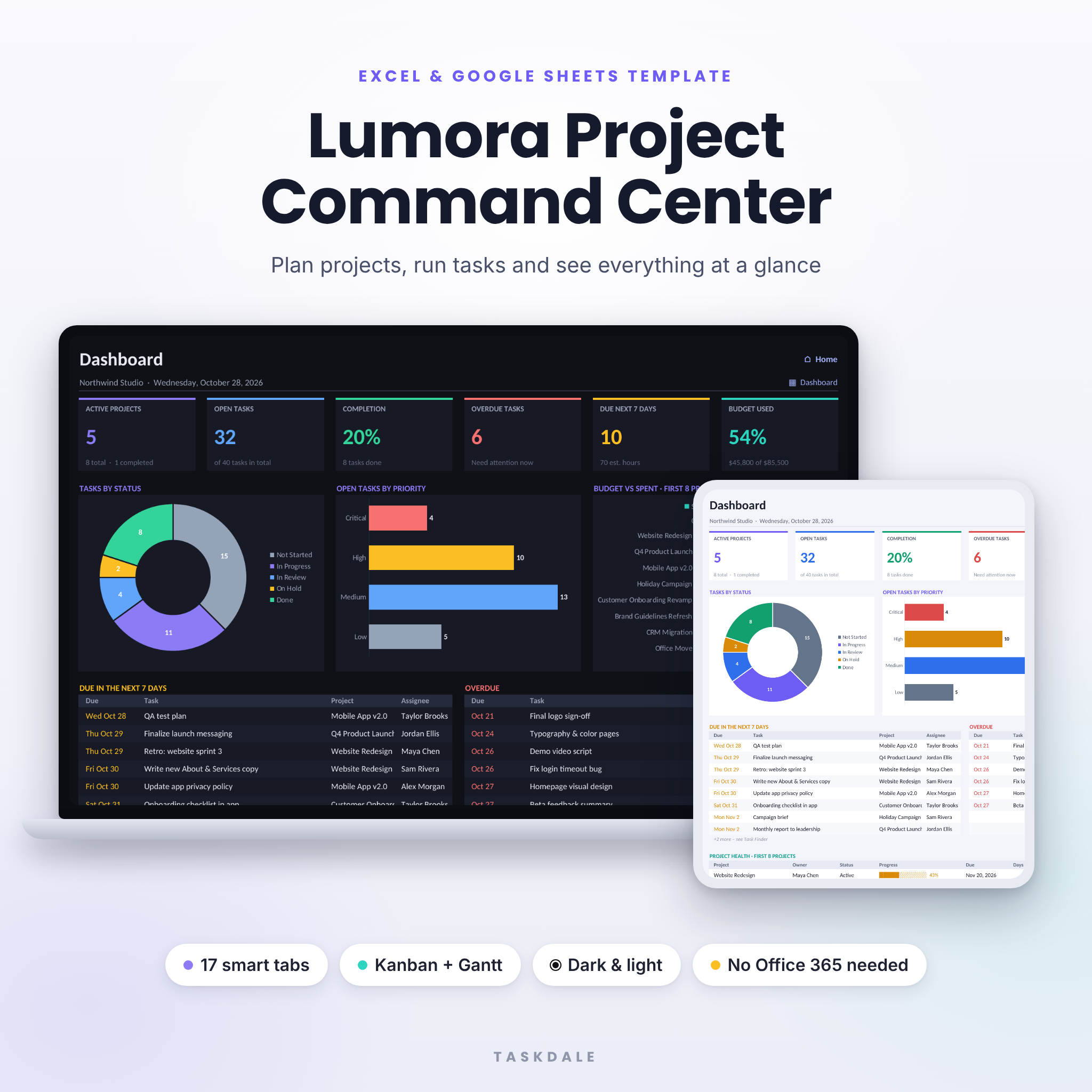
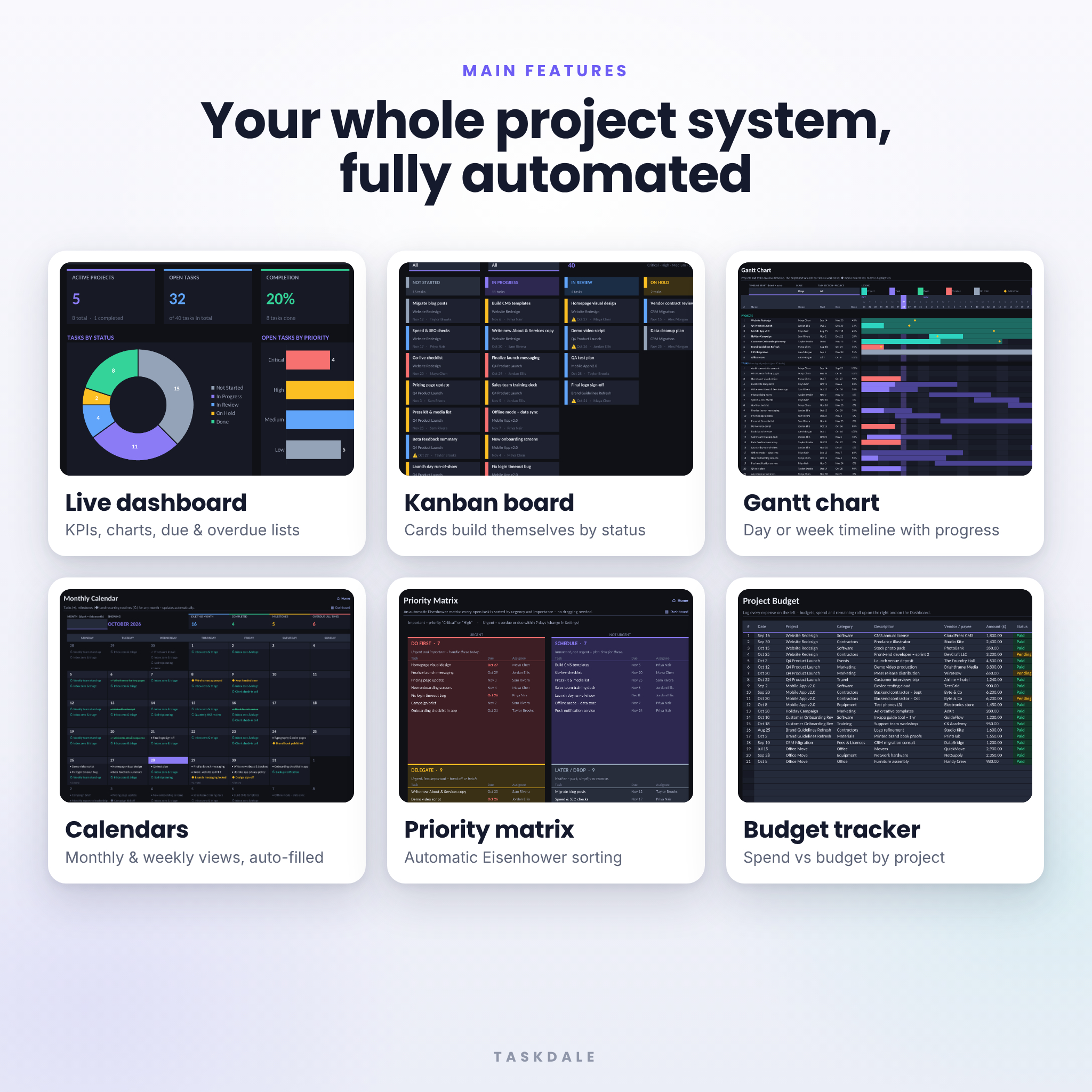
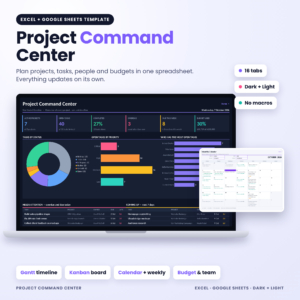
The Lumora Project Command Center is a project management spreadsheet template for Excel and Google Sheets that brings projects, tasks, calendars, a Kanban board, a Gantt chart, budgets and team workload into one tidy workbook. You enter each project and task once, and every view updates on its own. It comes in a dark mode edition and a light edition, so you can work in whichever you find easier on the eyes.
What this project planner spreadsheet does
Most task trackers make you copy the same information into several places. Lumora works the other way around. You keep one master task list, and the workbook builds everything else from it:
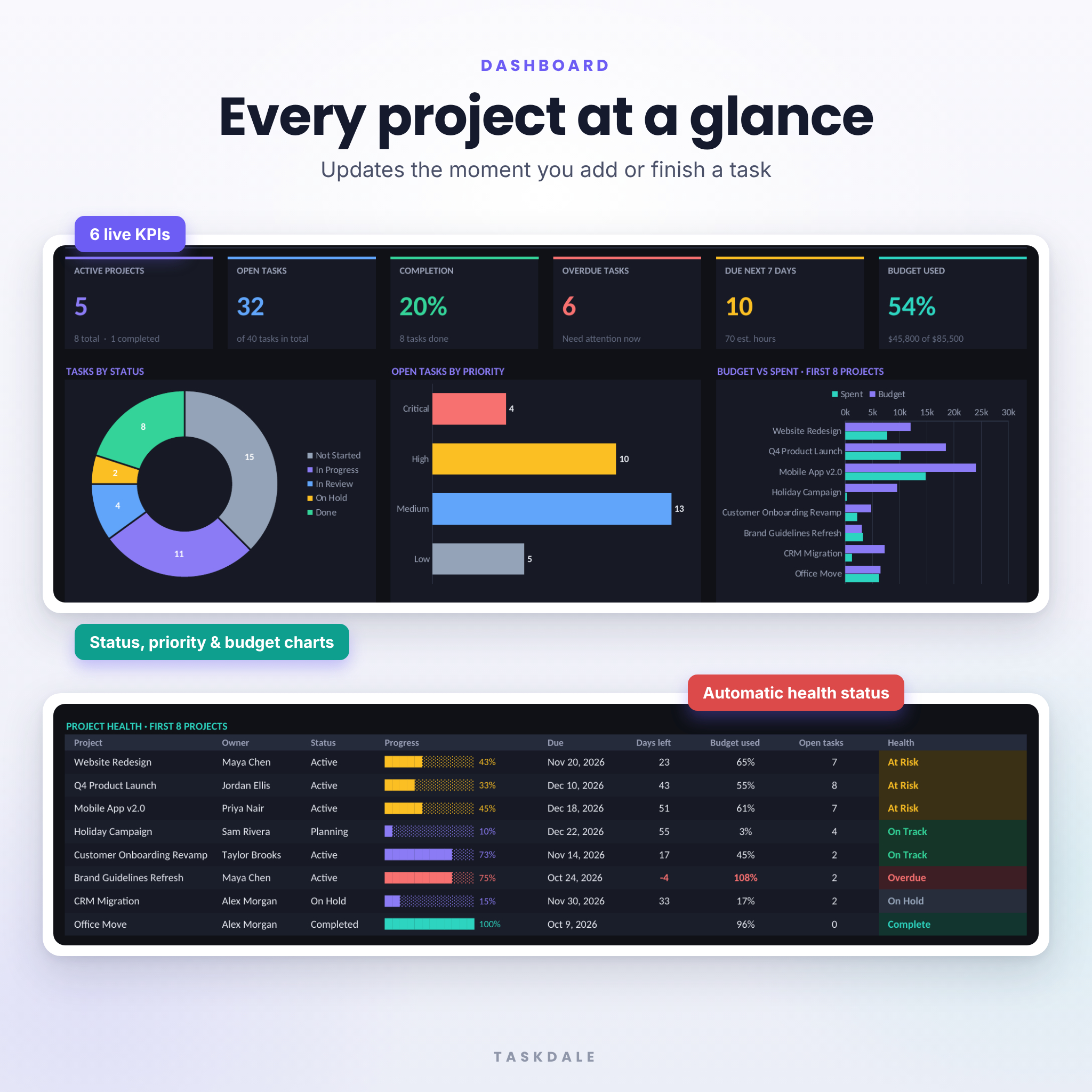
- The dashboard shows active projects, open and overdue tasks, completion rate, work due in the next seven days and budget used, along with charts and an automatic health rating for each project.
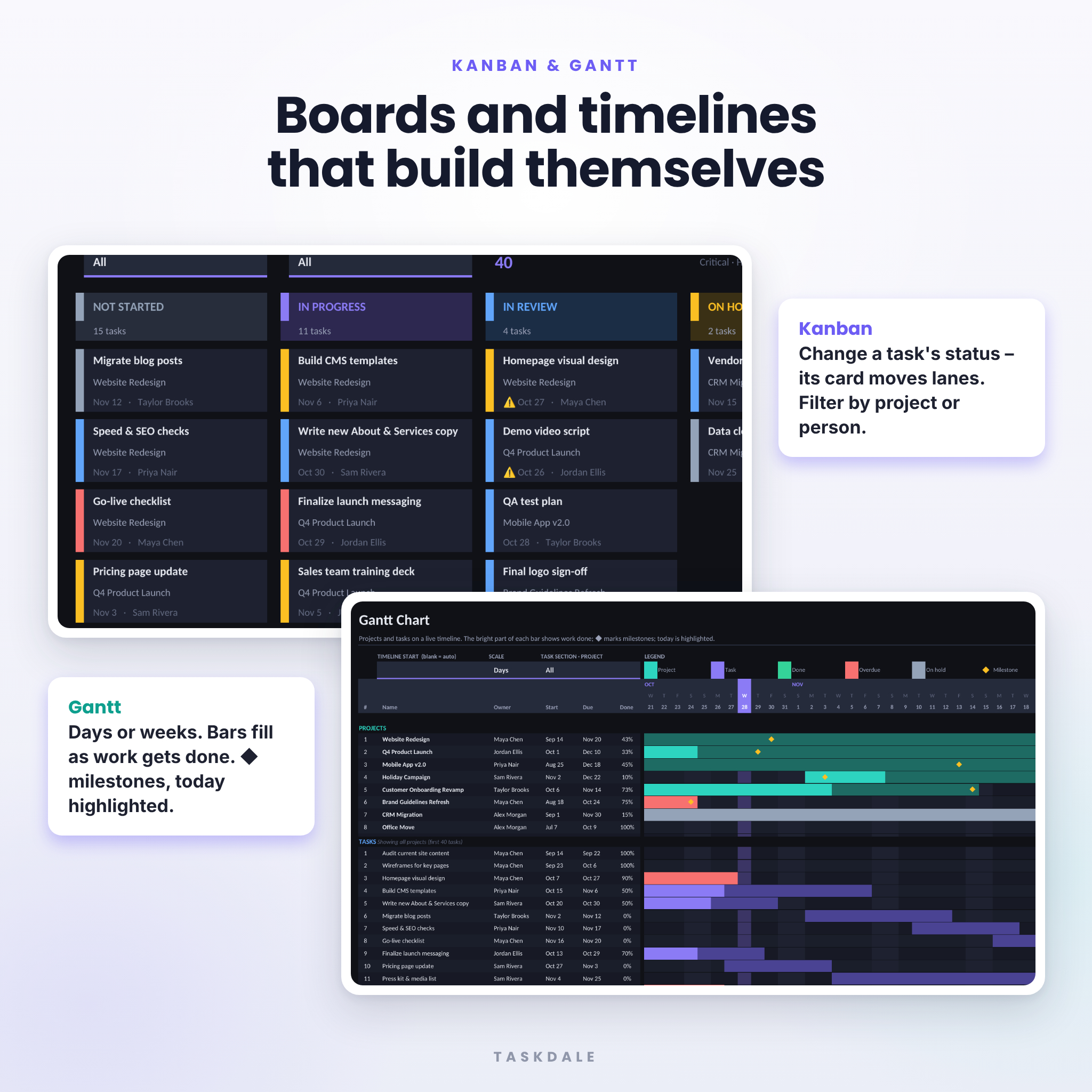
- The Kanban board sorts every task into lanes by status. Change a status and the card moves to the right lane.
- The Gantt chart puts projects and tasks on a daily or weekly timeline. Each bar fills in as work gets done, milestones show as diamonds and today’s date is highlighted.
- The monthly calendar and weekly planner list the tasks due, milestones and recurring routines for each day.
- The Priority Matrix places every open task into Do First, Schedule, Delegate or Later based on its priority and how soon it is due.
Who it’s for
- Freelancers and small business owners running several clients or projects at once
- Agencies and small teams that need to see who is doing what, and by when
- Project, product and operations managers who want something simpler than subscription software
- Anyone planning a renovation, an event, a launch or a side project
Main benefits
- Less admin: once a task is entered, the board, timeline, calendar and reports all fill in by themselves.
- No surprises: overdue work, projects at risk and spending over budget are flagged in red right away.
- Balanced workloads: the Team tab compares each person’s upcoming hours with their weekly capacity.
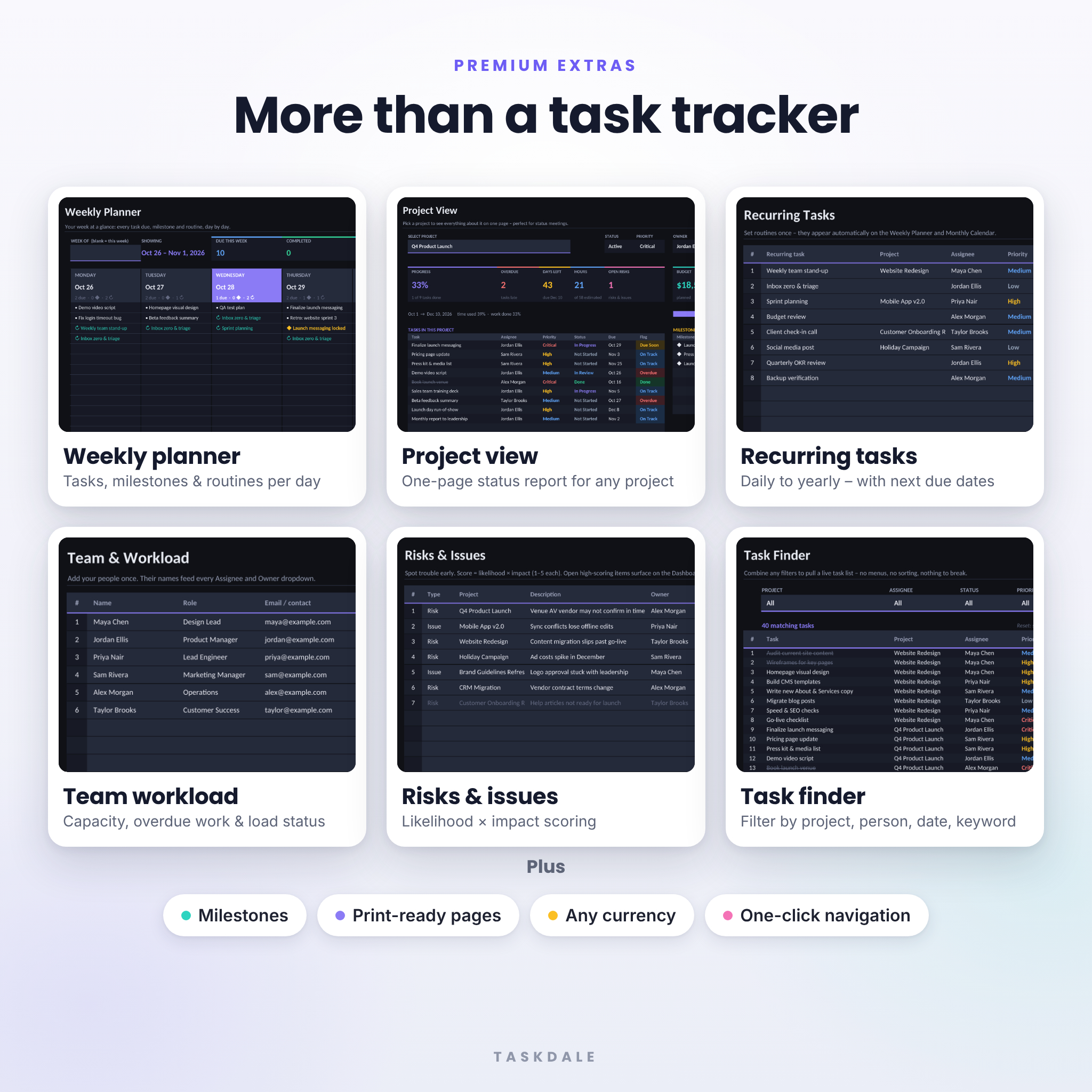
- Easier status meetings: Project View gives you a one-page report on any project.
- Hard to break: calculated cells are protected (no password) and dropdowns keep entries consistent.
Features of the project management template
Planning and tracking
- A master task list with 500 rows, each with priority, status, start and due dates, estimated and actual hours, % done, a countdown to the due date and an automatic flag
- Room for up to 25 projects, each with automatic progress, money spent, money remaining, days left and a health rating (On Track, At Risk, Over Budget or Overdue)
- Up to 40 recurring tasks that repeat daily, on weekdays, weekly, every two weeks, monthly, quarterly or yearly, each showing its next due date
- Up to 60 milestones with automatic status flags
- A risk and issue log for up to 50 items, scored by likelihood × impact
Views and reports
- A dashboard with six KPI tiles and four charts
- Monthly calendar and weekly planner (you can jump to any month or week)
- A Kanban board you can filter by project and by assignee
- A Gantt chart with day or week scale and progress fill
- An Eisenhower-style Priority Matrix that sorts tasks automatically
- Task Finder, which filters tasks by project, person, status, priority, date range and keyword
- Project View, a one-page project status report
Budget and team
- A project budget tracker with an expense log (300 rows), Paid and Pending status, totals by project and spending by category
- Team workload showing open tasks, overdue tasks, hours due this week and how much of each person’s capacity is used
What’s included
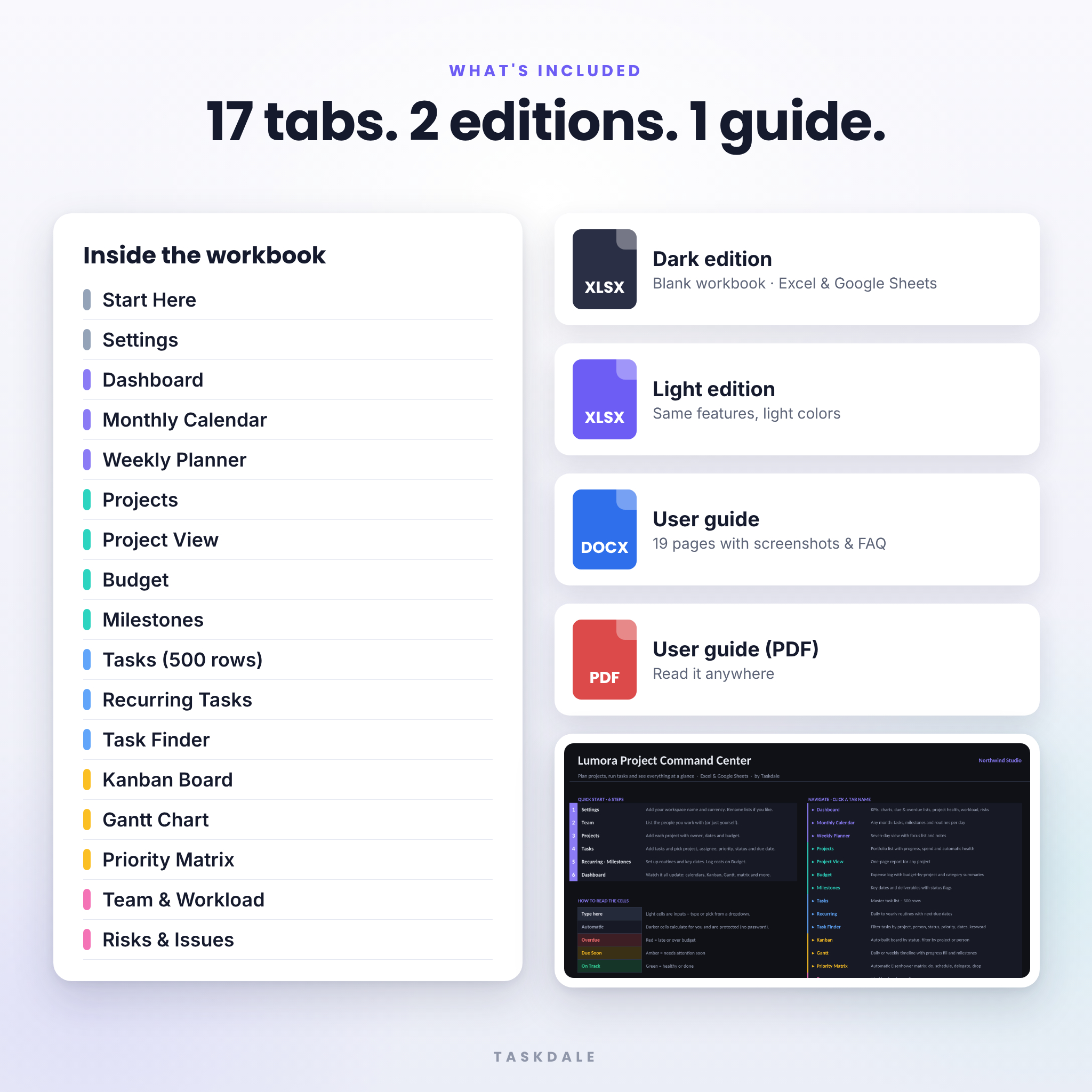
- Lumora Project Command Center – Dark edition (.xlsx)
- Lumora Project Command Center – Light edition (.xlsx)
- Illustrated user guide (.docx and .pdf, 19 pages) with setup steps, a guide to every tab, tips, troubleshooting and FAQs
Both workbooks contain 17 tabs: Start Here, Settings, Dashboard, Monthly Calendar, Weekly Planner, Projects, Project View, Budget, Milestones, Tasks, Recurring, Task Finder, Kanban, Gantt, Priority Matrix, Team and Risks.
How it works
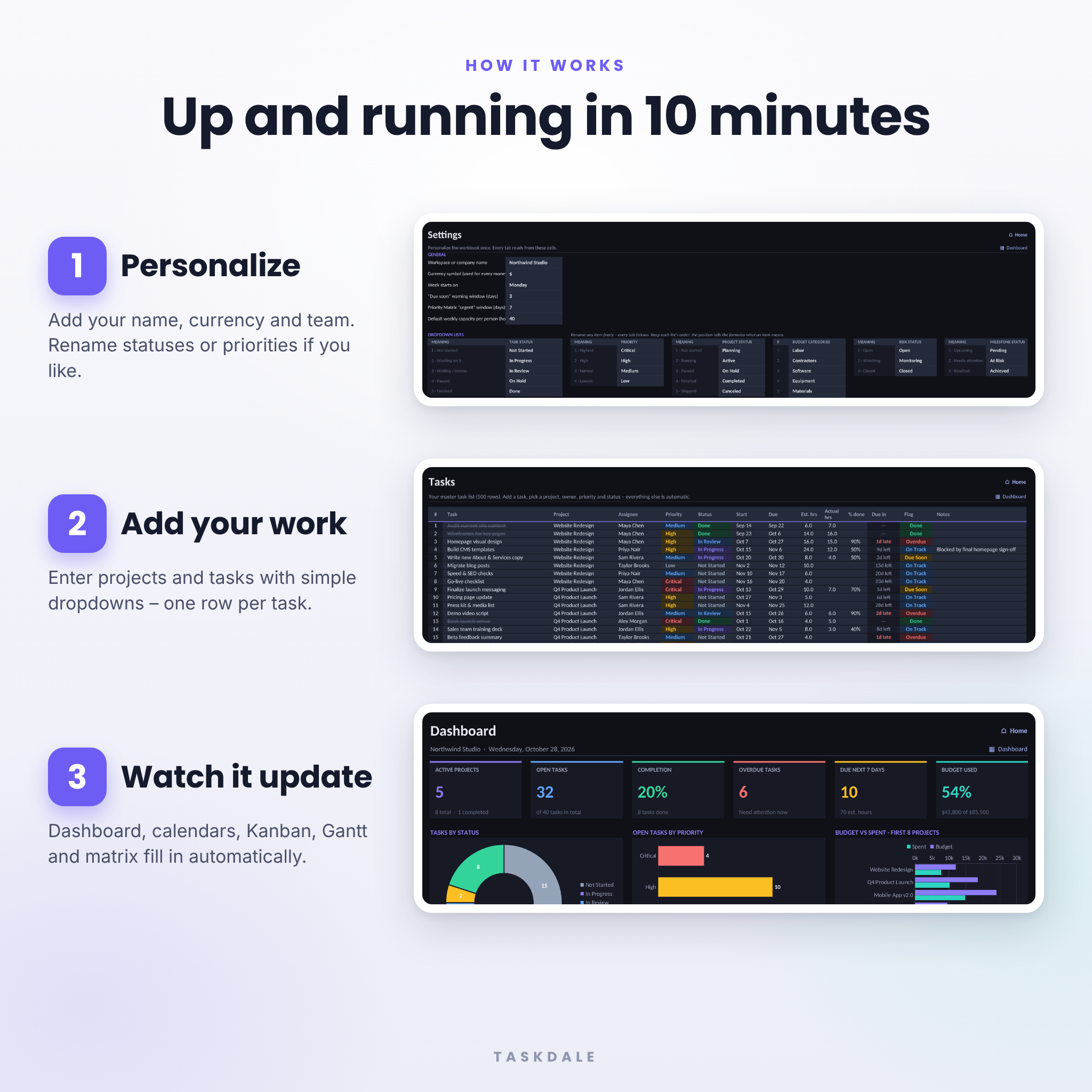
- Personalize: enter your workspace name and currency symbol, then pick whether your week starts on Monday or Sunday.
- Add your people and projects: their names show up in every dropdown.
- Add tasks: pick a project, assignee, priority and status, and enter a due date.
- Open the dashboard: the calendars, Kanban board, Gantt chart, Priority Matrix and reports are already up to date.
File formats and software requirements
- Format: Microsoft Excel workbook (.xlsx)
- Works in Microsoft Excel 2016 or later for Windows and Mac, Microsoft 365, and Excel for the web. You don’t need a Microsoft 365 subscription.
- Works in Google Sheets: upload the file to Google Drive and open it with Google Sheets. You’ll need a free Google account.
- Best on a computer. You can view and update it in the mobile apps, but with 17 tabs a bigger screen is easier.
- Language: English (US)
Customization
Every money value uses the one currency symbol you set, so $, €, £, R, ¥ and others all work. You can rename task statuses, priorities, project statuses and the 12 budget categories, and every dropdown, Kanban lane and chart picks up the new names. In Settings you can also change the “due soon” warning window, the urgency window for the Priority Matrix and the default weekly capacity per person. The workbook is fully editable: unprotect any sheet (there’s no password) to add your own columns or tabs.
Digital download
This is a digital product, so nothing is shipped. Your files are ready to download as soon as payment clears. The templates come blank and ready to use. The listing images show sample data so you can see every feature.
Use cases
- A marketing agency tracking client campaigns, deadlines and contractor costs
- A product team planning a launch with milestones, a Gantt timeline and a risk log
- A freelancer balancing several clients and invoicing against each project budget
- An operations manager running an office move, a system migration or a vendor rollout
- A homeowner managing a renovation budget, contractors and weekly to-dos
FAQ
Do I need Microsoft 365?
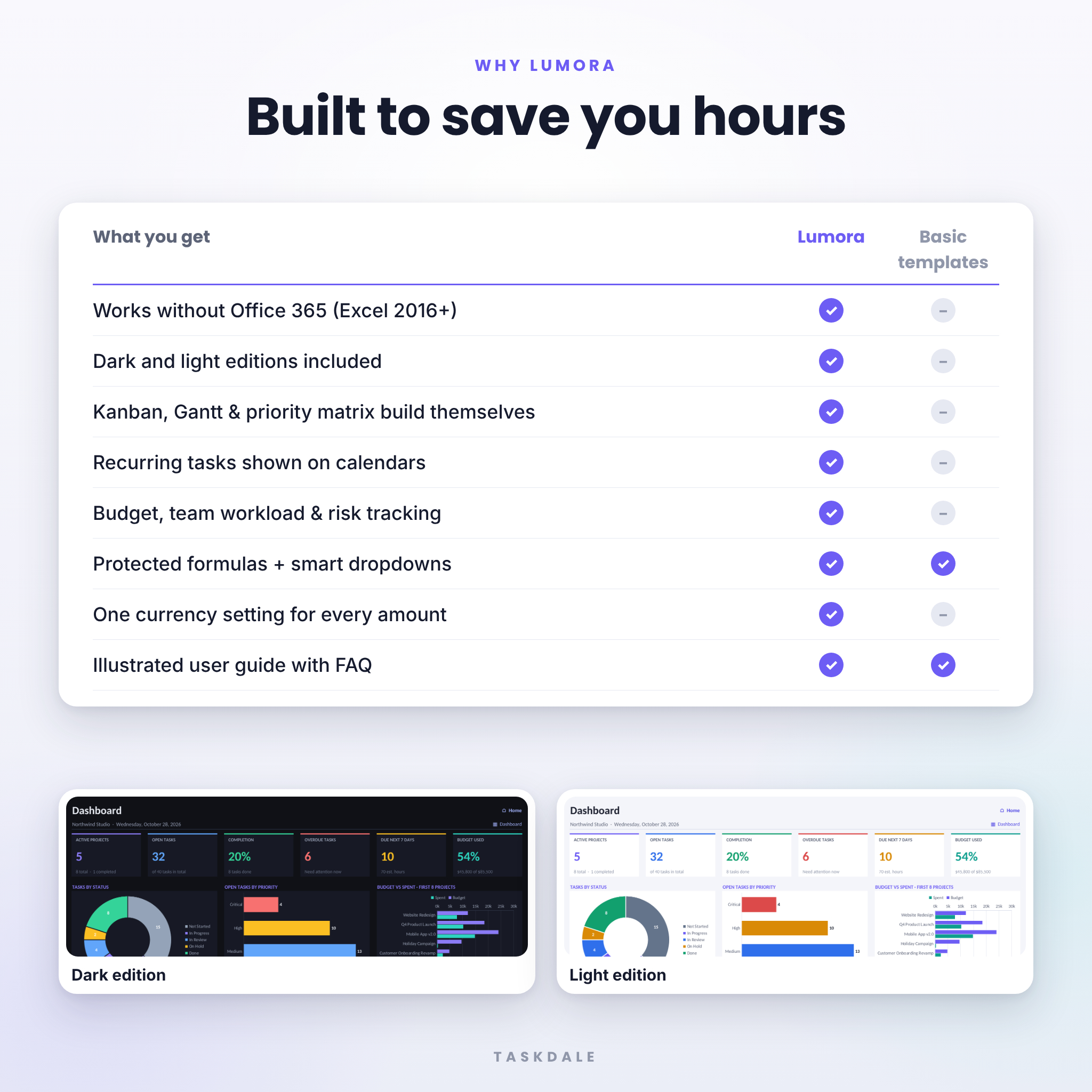
No. It works in Excel 2016 or later, Excel for Mac, Excel for the web and Google Sheets.
Does it work in Google Sheets?
Yes. Upload the file to Google Drive and open it with Google Sheets. The user guide walks you through each step.
Can I use my own currency?
Yes. Type your currency symbol once in Settings, and every amount in the workbook uses it.
How many projects and tasks can I track?
Up to 25 projects, 500 tasks, 40 recurring tasks, 60 milestones, 300 expenses, 15 team members and 50 risks in each workbook.
Is this a dark mode spreadsheet?
Yes. You get a dark mode edition and a light edition, and both have exactly the same features.
Can my team use it together?
Yes. Save it to OneDrive, SharePoint or Google Drive and share it with your team.
Is there a user guide?
Yes. A 19-page illustrated guide (Word and PDF) is included.
License: for personal use and use within your own business. You may not resell, share or redistribute the files. © 2026 Taskdale.
Reviews
There are no reviews yet.