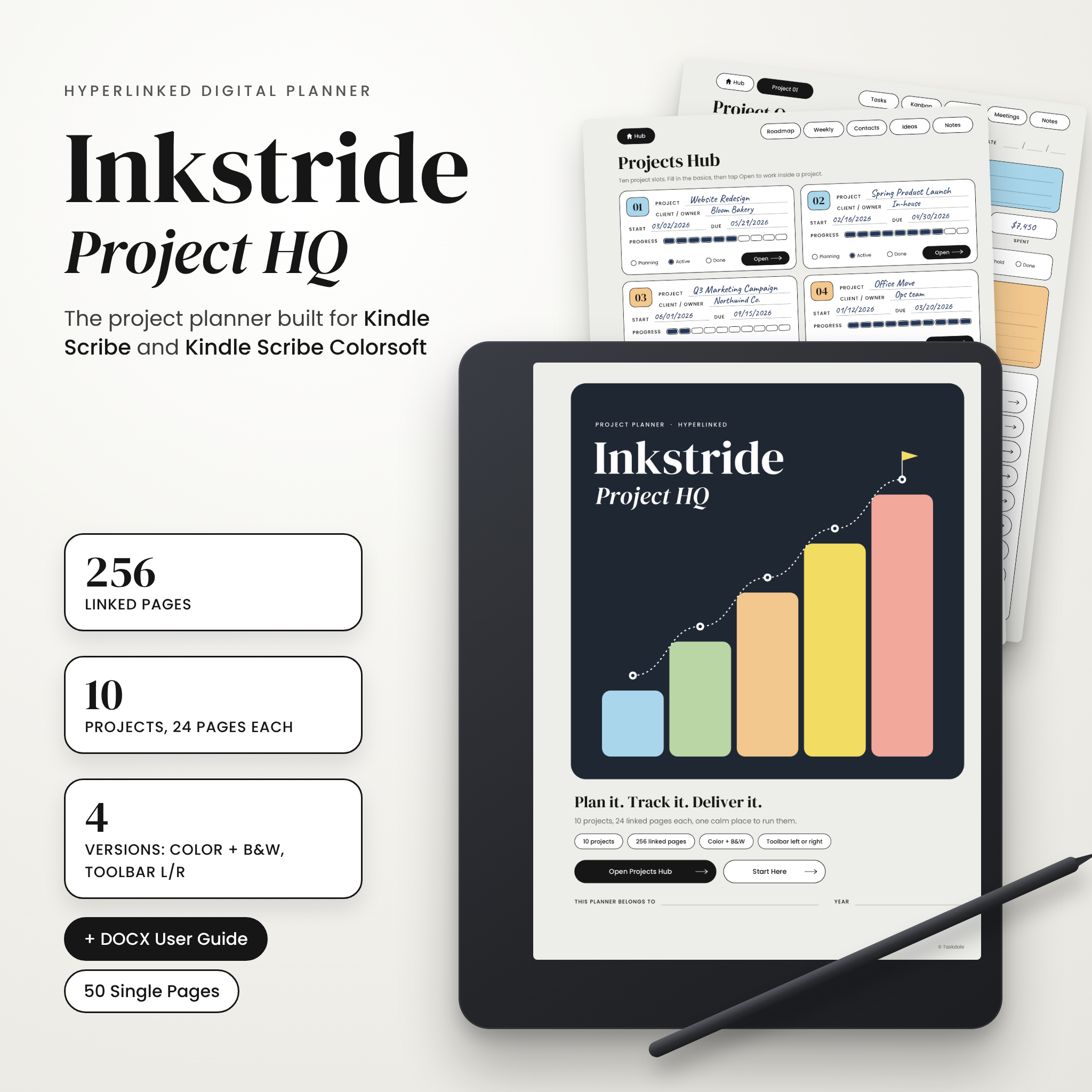
Inkstride Project HQ is a Kindle Scribe project planner that turns your e-ink tablet into a proper project office. It’s a hyperlinked PDF with 256 pages. You get ten separate project sections, 24 pages in each, and a Projects Hub that ties them together. Write with your pen. Tap any link with a fingertip. You can jump from the Hub to a Kanban board to last Tuesday’s meeting notes in two taps.
It works on Kindle Scribe Colorsoft and every Kindle Scribe. The pages match the 3:4 screen, so nothing gets squashed or letterboxed.
What this Kindle Scribe project management template does
Most project templates give you one project and a handful of pages, and then you’re on your own. Inkstride handles the whole job. You start with a brief, plan with milestones and a 12-week timeline, run the daily work on a Kanban board and task lists, and keep money and hours in check. When it’s done, you finish with a handoff checklist and an honest review. Every page links back to the project it belongs to, so ten projects never blur into one long scroll.
Who it’s for
- Freelancers with several clients at once. There’s a time log with a billable box and a budget page for every job.
- Small business owners running launches, events, store fit-outs or hiring rounds.
- Project managers and team leads who think better with a pen than in project software.
- Students, makers and side-project builders who want to see a project through from first idea to final review.
Main features
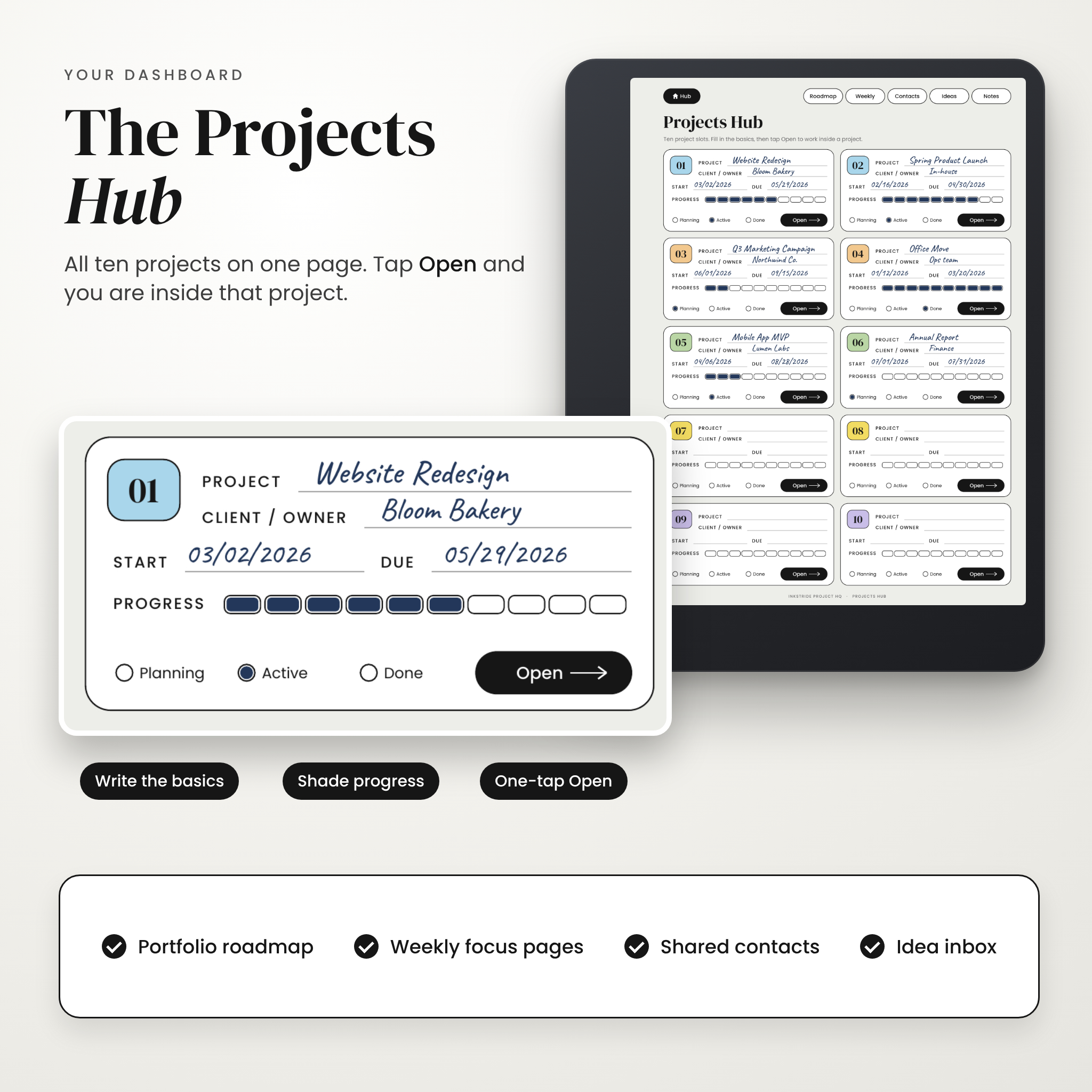
A real dashboard: the Projects Hub
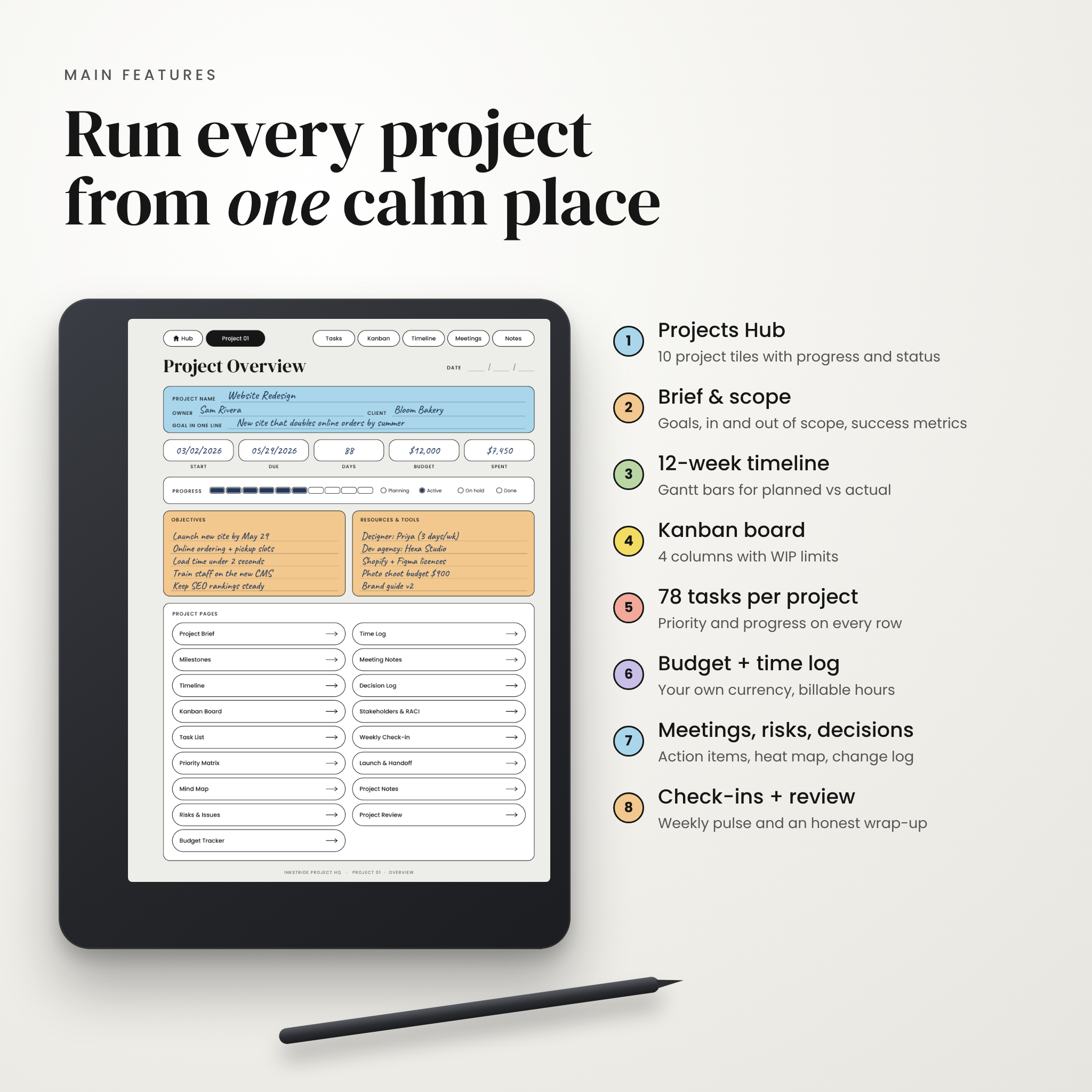
Ten project tiles on one page. Each tile has the project name, client, start and due dates, a 10-step progress bar and a status. Tap Open and you’re inside that project.
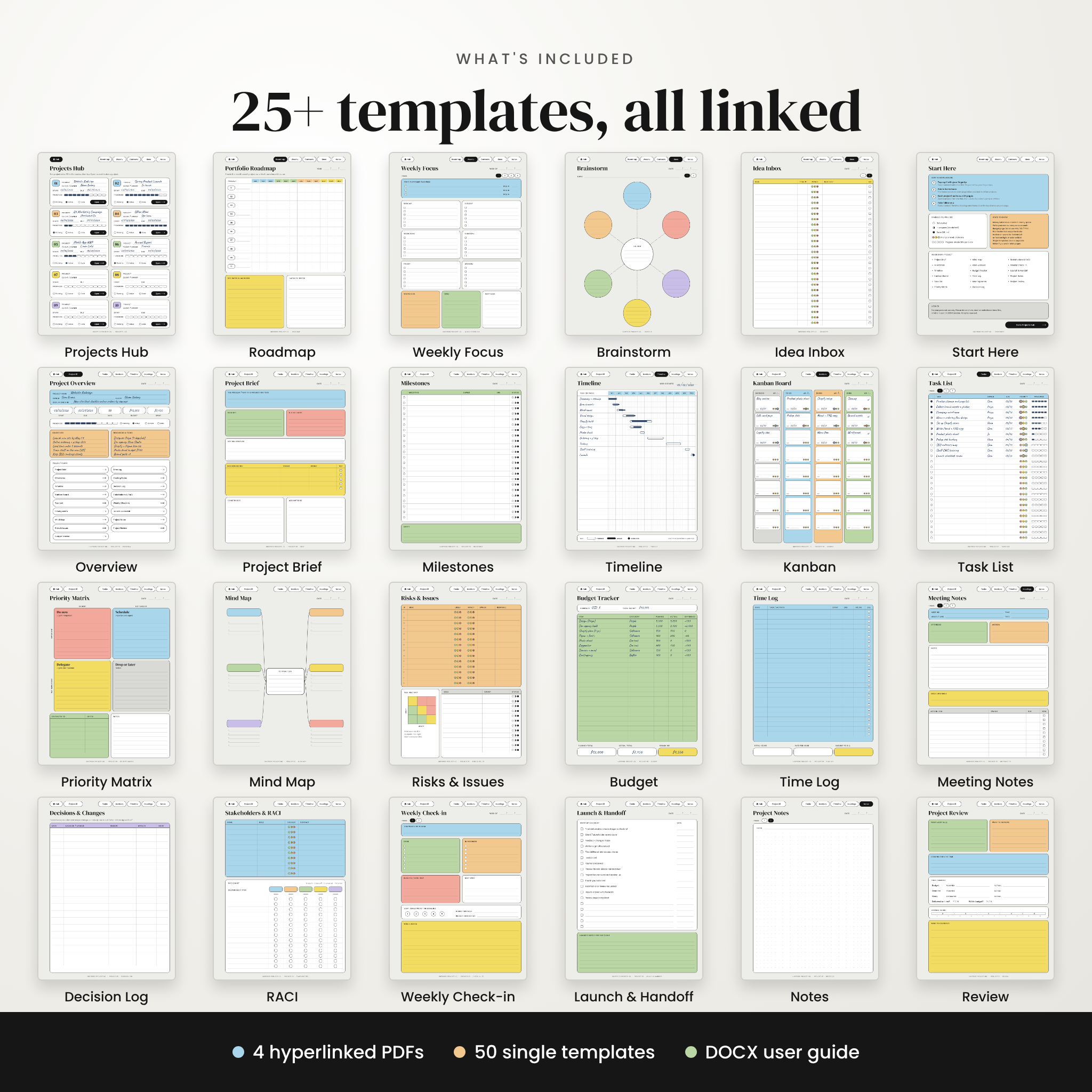
24 linked pages for every project
- Project Overview with key dates, budget, spent, progress and a link list to every section
- Project Brief: the problem, in scope, out of scope, deliverables and success metrics
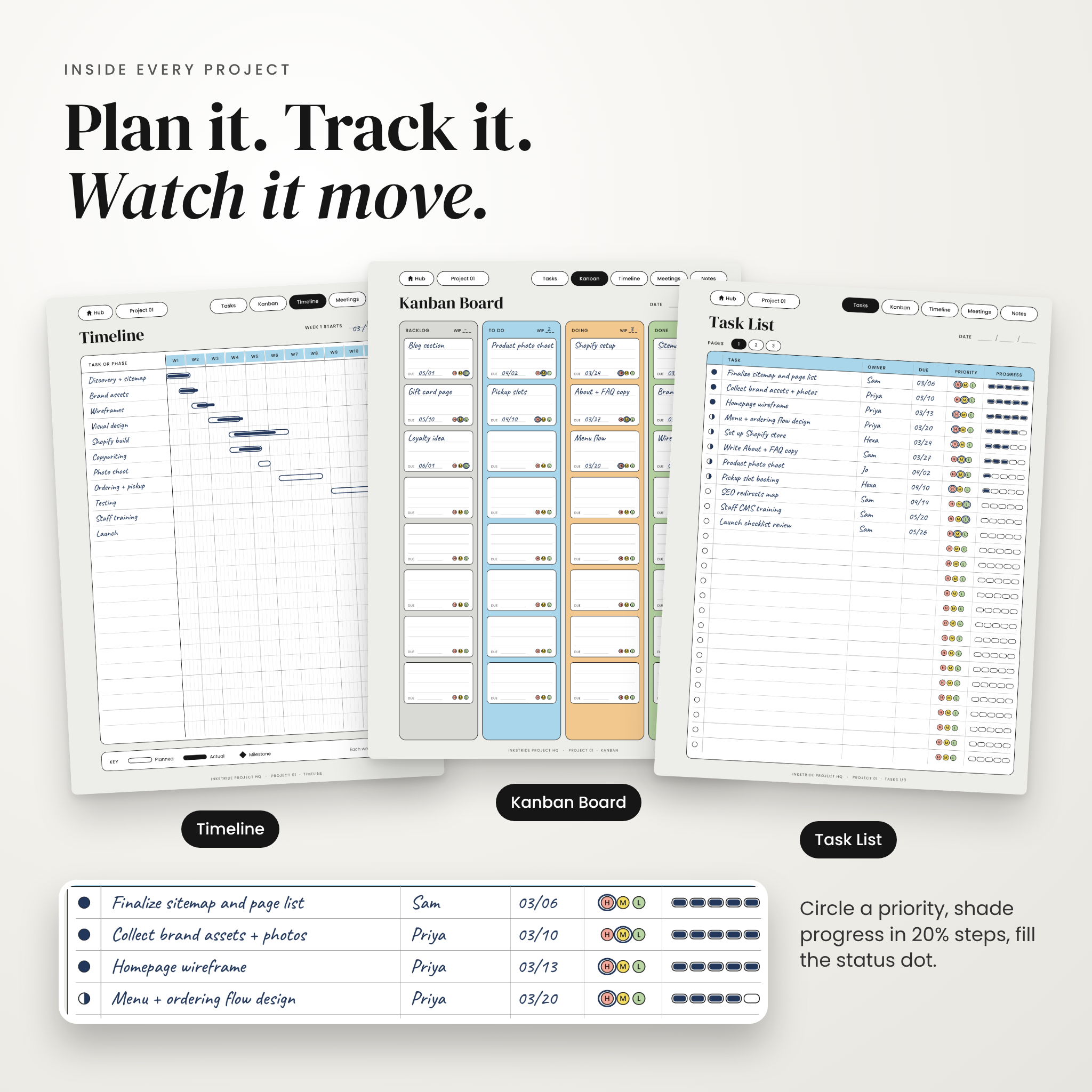
- Milestones (23 rows) and a 12-week Gantt timeline for planned vs actual
- Kanban board with Backlog, To do, Doing and Done, plus WIP limits
- Three task list pages: 78 tasks with owner, due date, priority and progress
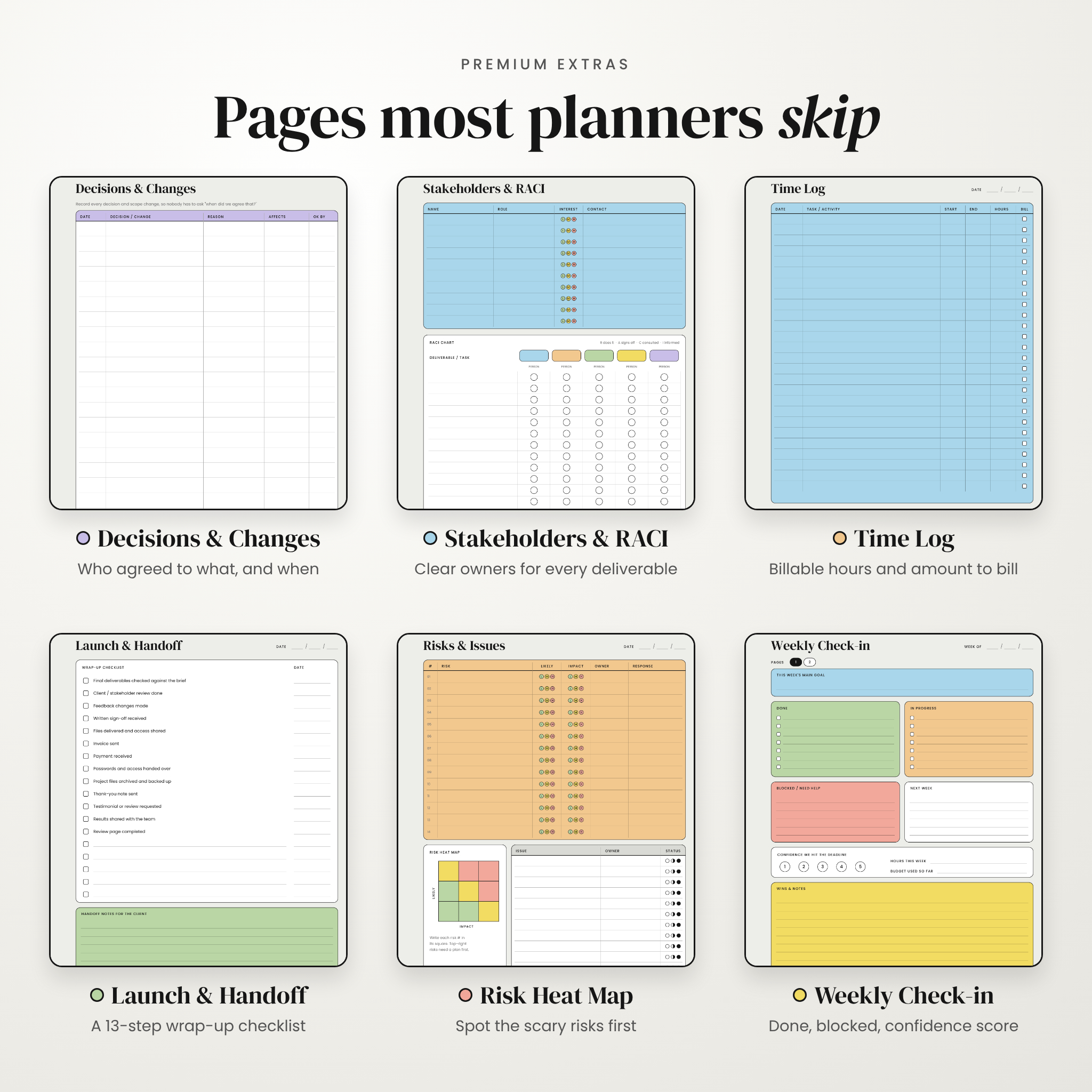
- Priority matrix, mind map, and a risks and issues log with a risk heat map
- Budget tracker and time log with billable hours
- Three meeting notes pages with decisions and action items
- Decision and change log, stakeholders and RACI chart
- Two weekly check-ins, a launch and handoff checklist, two notes pages and a project review
Shared pages across all projects
A 12-month portfolio roadmap, four weekly focus pages, a contacts list, a brainstorm map, an idea inbox and five notes pages (lined, dot grid and sketch grid).
What’s included
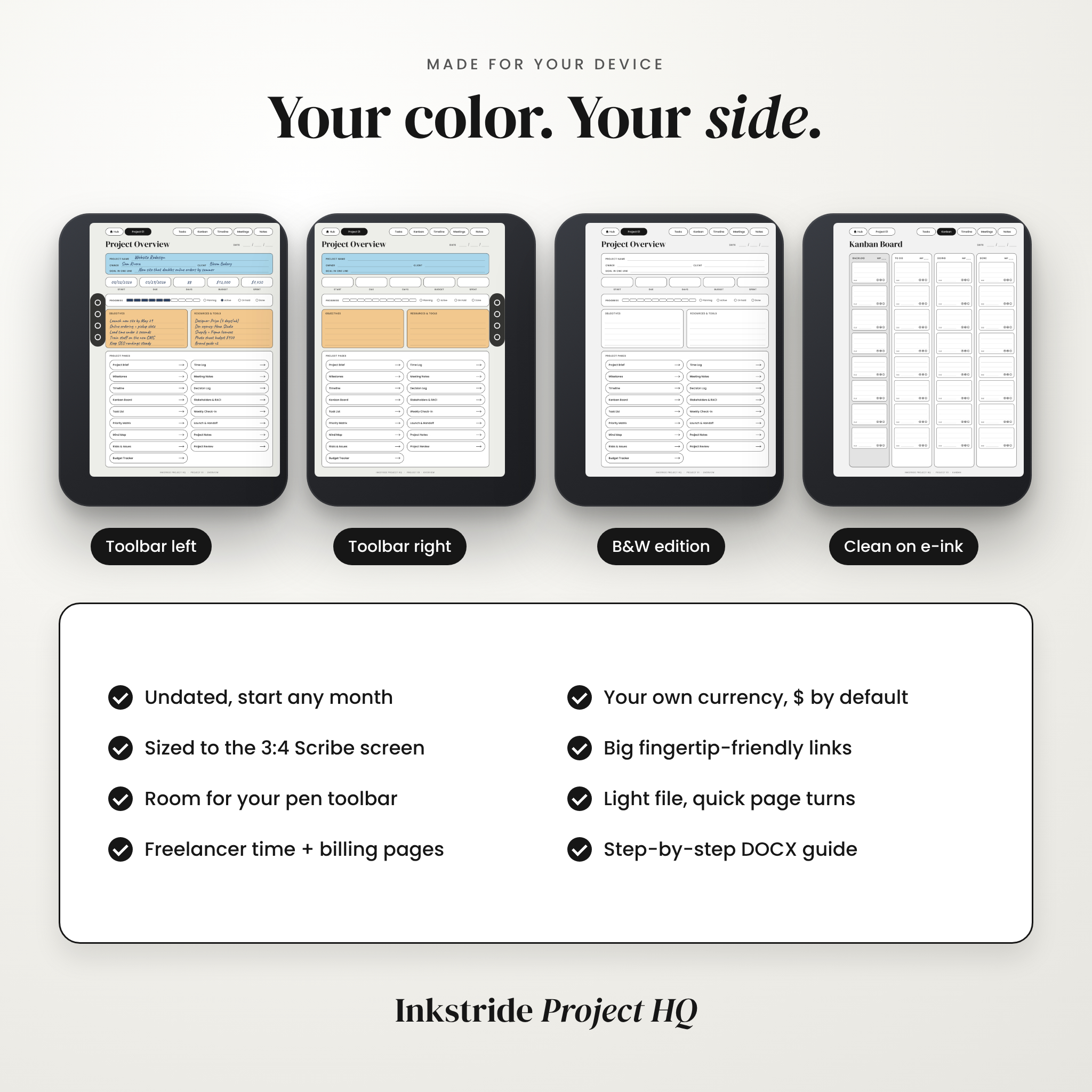
- 4 hyperlinked PDF planners: Color Toolbar Left, Color Toolbar Right, B&W Toolbar Left, B&W Toolbar Right
- 50 single-page templates (25 in color, 25 in B&W) with no links, for when you only need one sheet
- A DOCX user guide with setup steps, page-by-page instructions, tips, troubleshooting and FAQs
- A quick start and license note
How the hyperlinked Kindle Scribe planner works
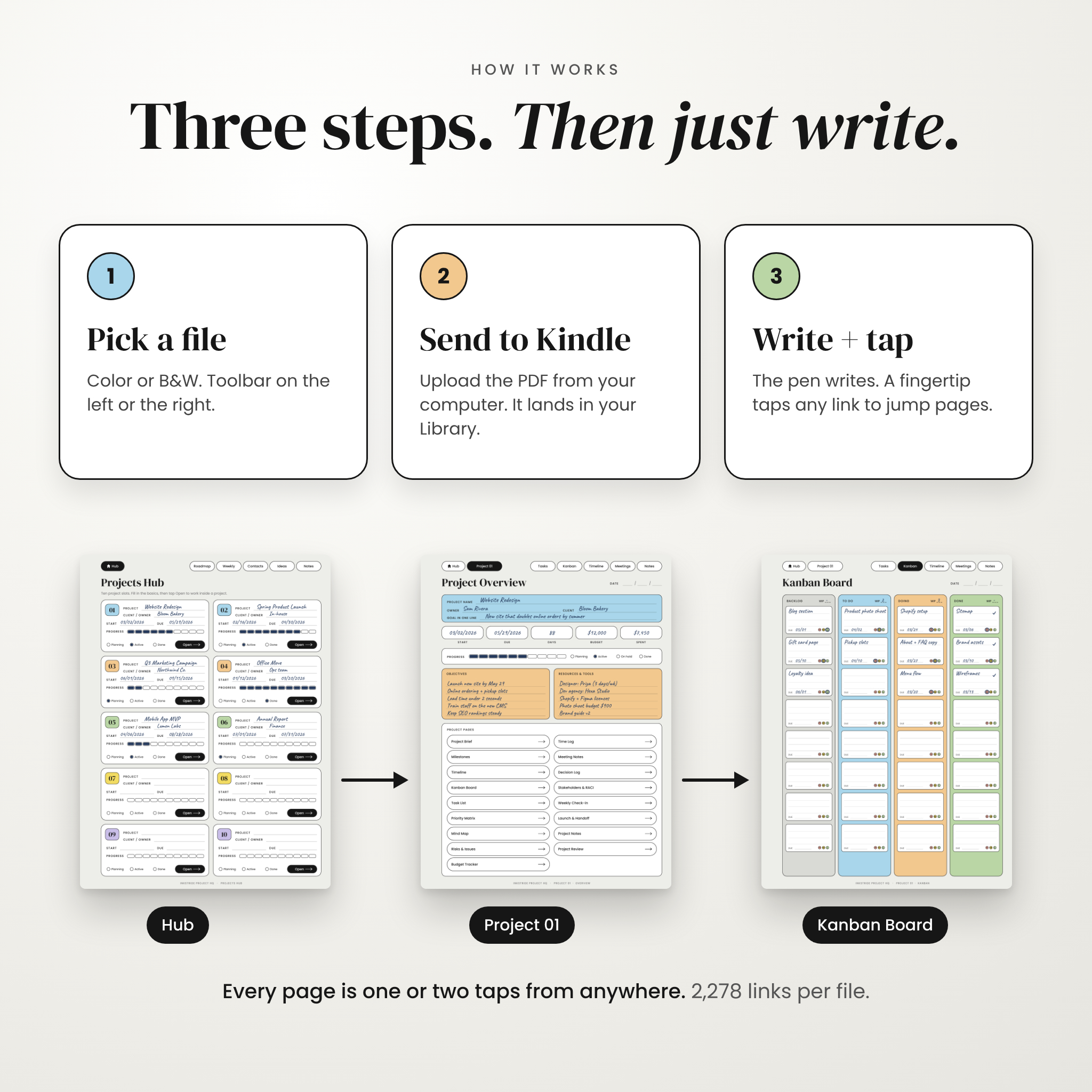
- Buy and download the ZIP file, then unzip it on your computer.
- Pick your version. Color or B&W, with the empty margin on the side where your pen toolbar sits.
- Send the PDF to your Kindle with Amazon’s Send to Kindle page, app or email. This keeps the pages writable.
- Open it, tap Open Projects Hub, and start your first project.
Every rounded button is a link: 2,278 of them in each file. Your pen writes and your fingertip taps, so writing next to a button never sends you to another page.
Why buyers pick Inkstride
- Ten projects, not one. Each has its own section, so client work stays separate.
- Pages other planners leave out: decision log, RACI chart, time log, weekly check-ins and a launch checklist.
- Toolbar space on the side you choose. The Kindle pen toolbar never covers your writing.
- Calm, readable design. Soft pastel blocks on Colorsoft, crisp lines on black and white screens.
- Undated. Start any month and reuse it as often as you like.
File formats and requirements
- Format: PDF (hyperlinked planners and single templates), DOCX user guide, delivered in one ZIP of about 8.6 MB
- Page size: 3:4, sized for 1980 x 2640 px screens
- Devices: Kindle Scribe Colorsoft, Kindle Scribe (all generations)
- You need a computer to unzip the files and send the PDF to your Kindle
Customization
Money fields don’t assume a currency. Write yours once in the Currency space on each budget page, or just use $. Dates read month, day, year. Pick color or B&W, and toolbar left or right, whenever you like. The single templates let you build a smaller notebook of just the pages you use most.
Digital download
This is a digital product. Nothing is shipped. You’ll get your download link as soon as payment is confirmed, and you can download the files again from your account. Colors may look softer on e-ink than on a computer screen.
Real ways people use it
- A web designer runs four client sites at once, logs billable hours, and sends invoices from the Time Log totals.
- A bakery owner plans a spring menu launch with a 12-week timeline and a budget that tracks every supplier.
- A team lead brings the Kindle to stand-ups, fills in the meeting page and ticks off action items on the Kanban board.
- A student keeps a thesis on track with milestones, weekly check-ins and a risk log for the scary bits.
FAQ
Does this work on the Kindle Scribe Colorsoft?
Yes. The color files are made for Colorsoft. The B&W files suit black and white Kindle Scribe models, or anyone who wants maximum contrast.
Do the hyperlinks work on Kindle Scribe?
Yes. Tap them lightly with a fingertip. The pen is for writing only.
How do I get the planner onto my Kindle?
Use Send to Kindle from your computer. Files copied over USB usually can’t be written on.
Is the planner dated?
No. It’s undated, so you can start any day and reuse it.
Can I use it for more than ten projects?
Yes. Send a fresh copy to your Kindle whenever the first one fills up.
Can I use it on an iPad or with GoodNotes?
It’s designed and laid out for Kindle Scribe screens. Other PDF apps can open it, but we only support Kindle Scribe.
Can I print the pages?
You can print the single templates for personal use. Choose Fit to page in your printer settings.
Can I share it with my team?
Each person needs their own copy. The license covers personal use only. No resale or sharing.
License: personal use only. Please don’t resell, share or redistribute the files. Inkstride Project HQ is an independent design by Taskdale and is not affiliated with or endorsed by Amazon or Kindle.
Reviews
There are no reviews yet.