The freelancer Notion template that runs your business for you
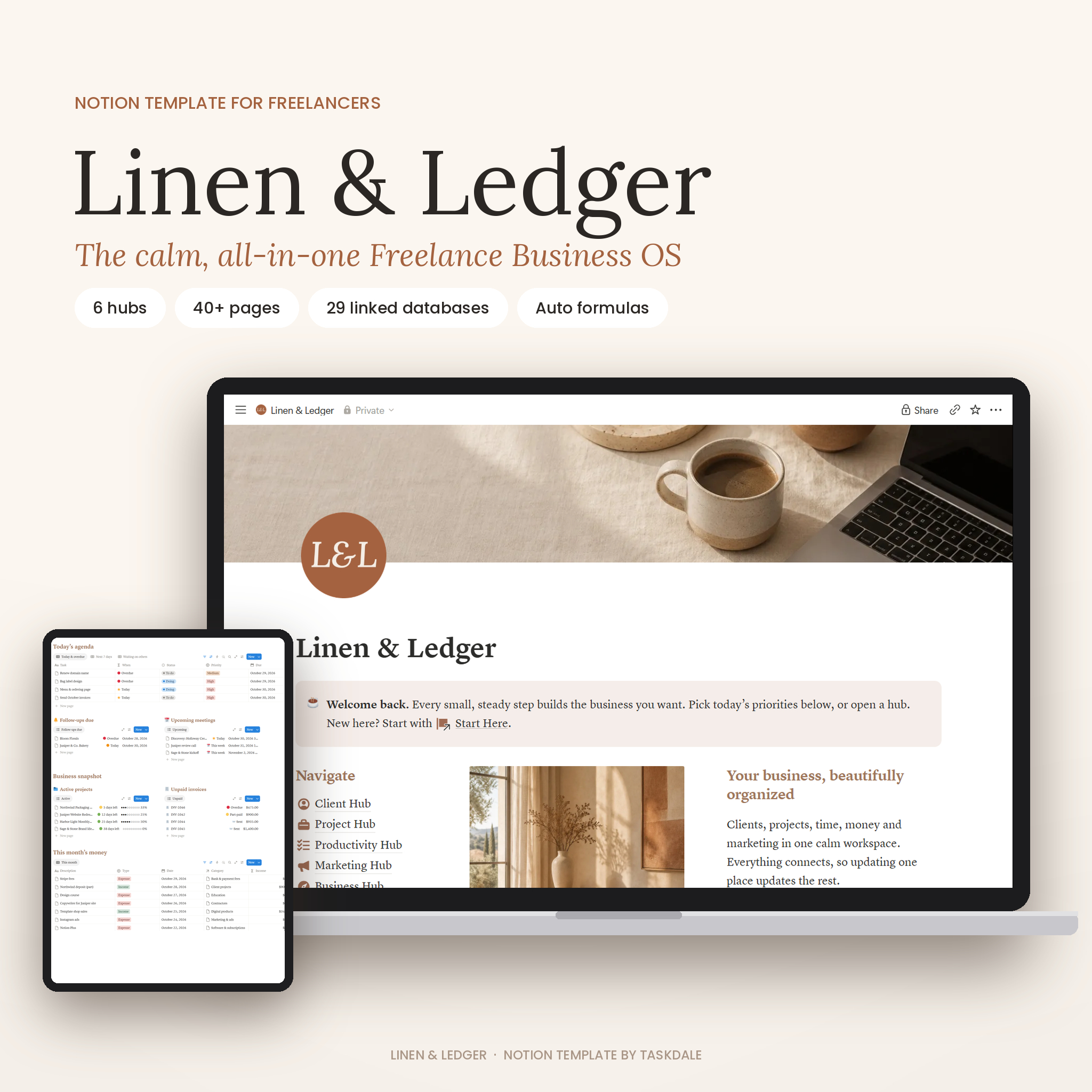
Linen & Ledger is an all-in-one freelancer Notion template and small business dashboard. Instead of juggling spreadsheets, sticky notes and five different apps, you manage clients, projects, time, invoices, money and marketing in one calm, beautifully designed Notion workspace. Everything connects, so when you log a payment the invoice marks itself paid, and when you finish a task the project progress bar moves.
It is designed for freelancers and service-based businesses who want to feel organized without spending weeks building their own system.
Who it’s for
- Freelance designers, writers, copywriters, developers, photographers and marketers
- Virtual assistants, consultants, coaches and creative studios
- Service-based small business owners who want a simple CRM, project tracker and finance planner in one place
- Anyone who wants clear answers to “What should I do today?”, “Who do I need to follow up with?” and “How much did I really make this month?”
Why you’ll love it
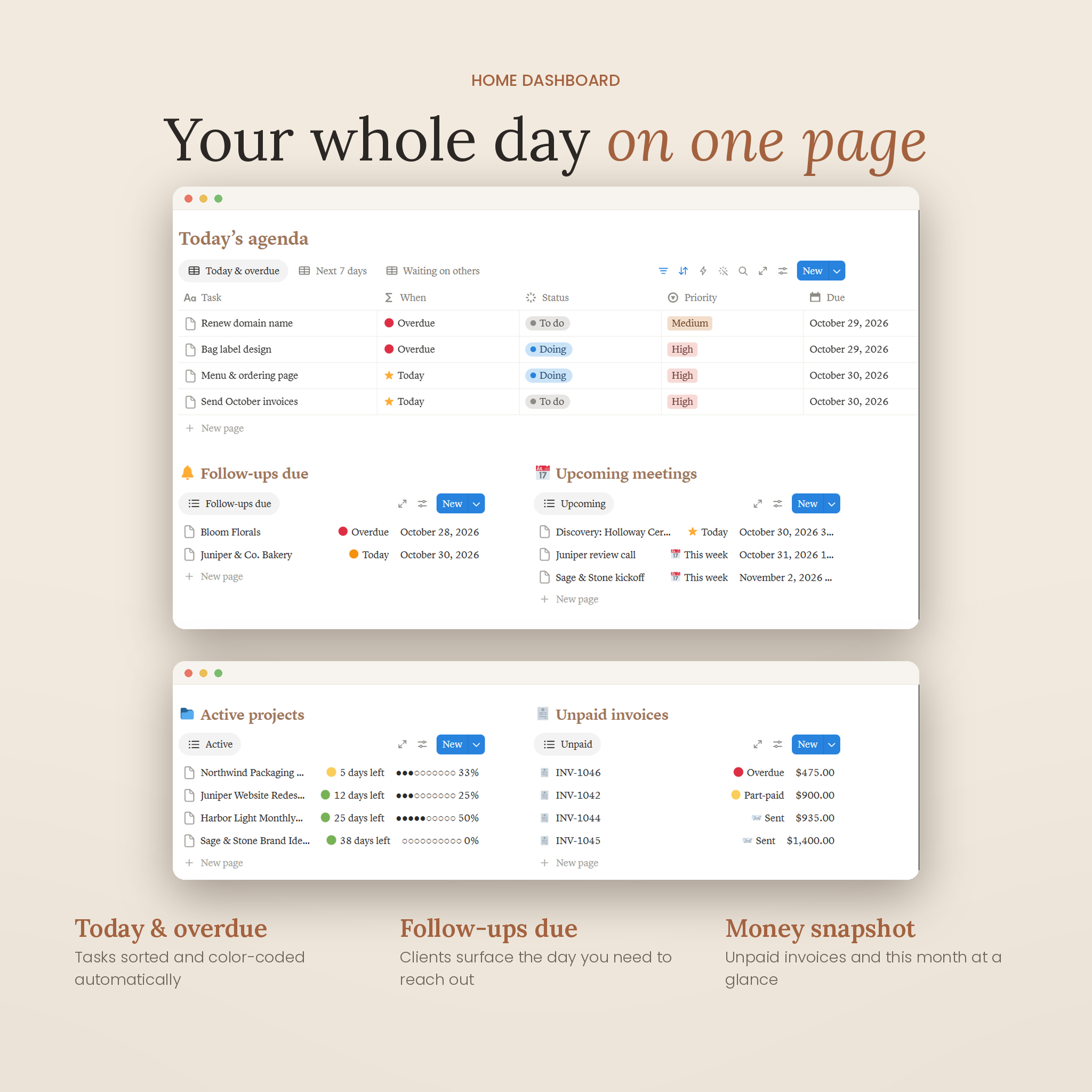
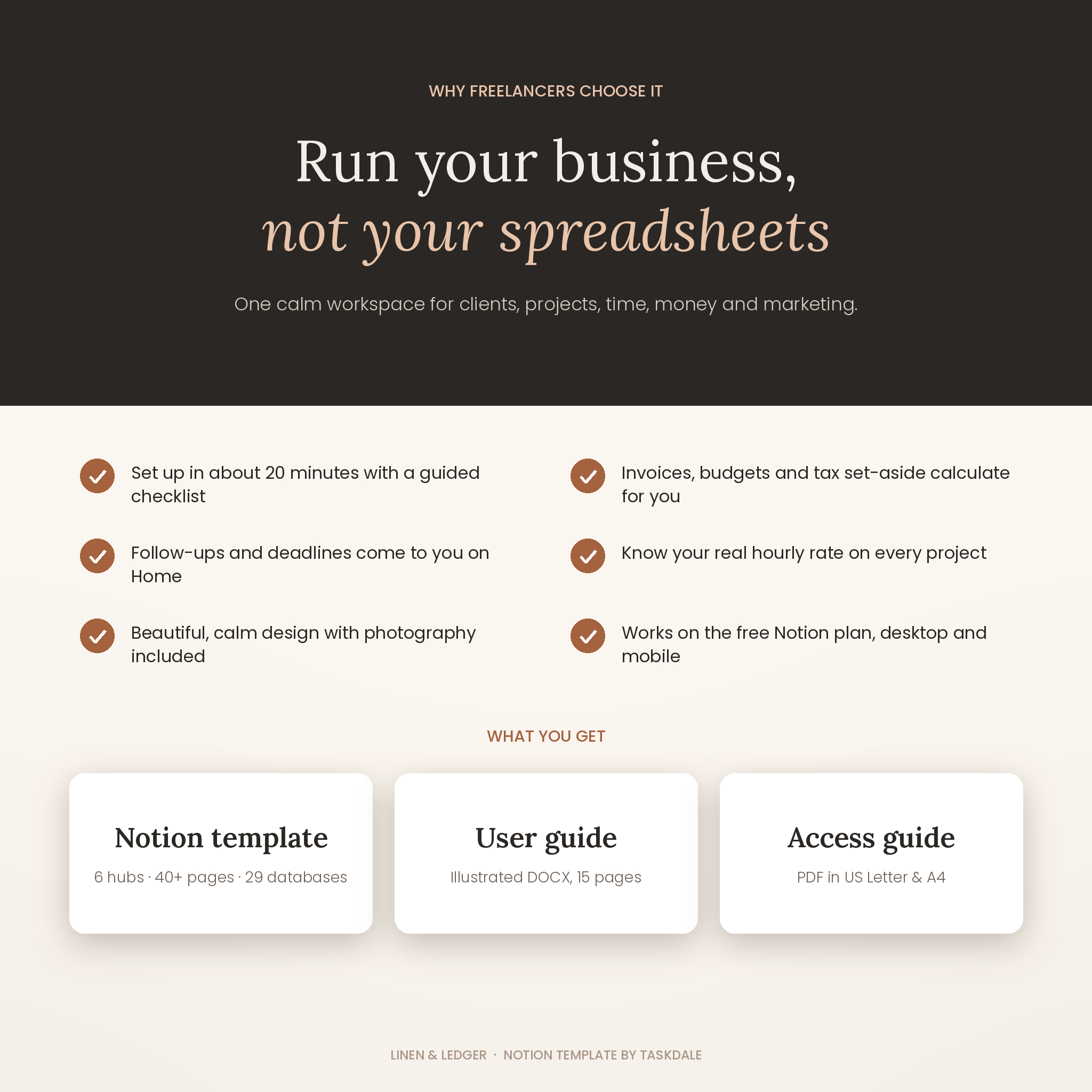
- Your whole day on one page. The Home dashboard shows top priorities, today’s and overdue tasks, follow-ups due, upcoming meetings, active projects, unpaid invoices and this month’s money.
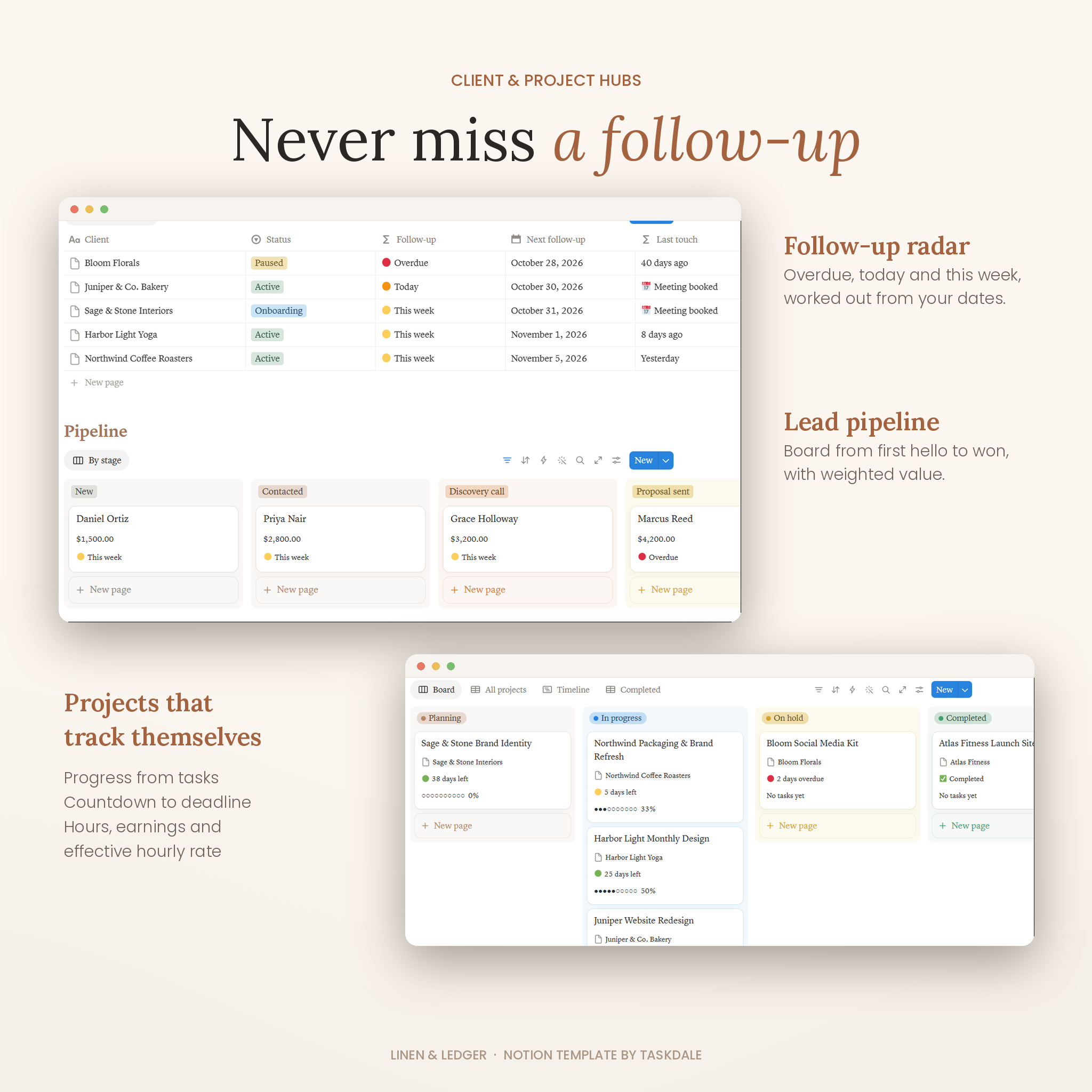
- Never miss a follow-up. Set a Next follow-up date and the client appears on your dashboard on the day you need to reach out. Last touch counts the days since you last spoke.
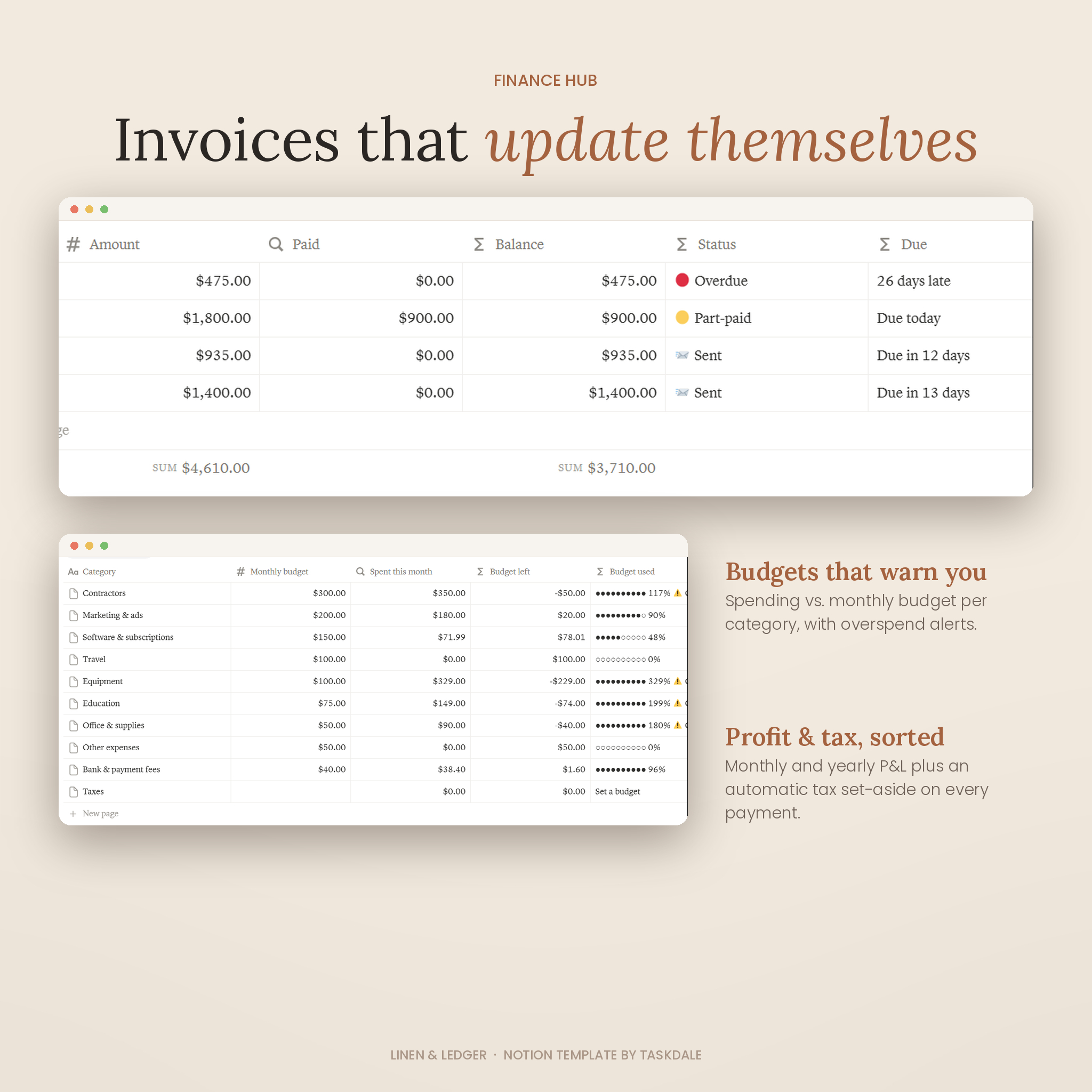
- Invoices that update themselves. Status changes from Draft to Sent, Part-paid, Paid or Overdue on its own, with “Due in 5 days” or “3 days late” countdowns.
- Know your real hourly rate. Log time and every project shows hours, earnings and your effective hourly rate, even on fixed-fee work.
- Money made simple. Monthly and yearly profit and loss, budgets with overspend warnings, and an automatic tax set-aside on every payment.
- Calm, premium design. A warm linen, charcoal and terracotta palette, original photography, consistent icons and a short explanation at the top of every page.
What’s included in this freelancer Notion template
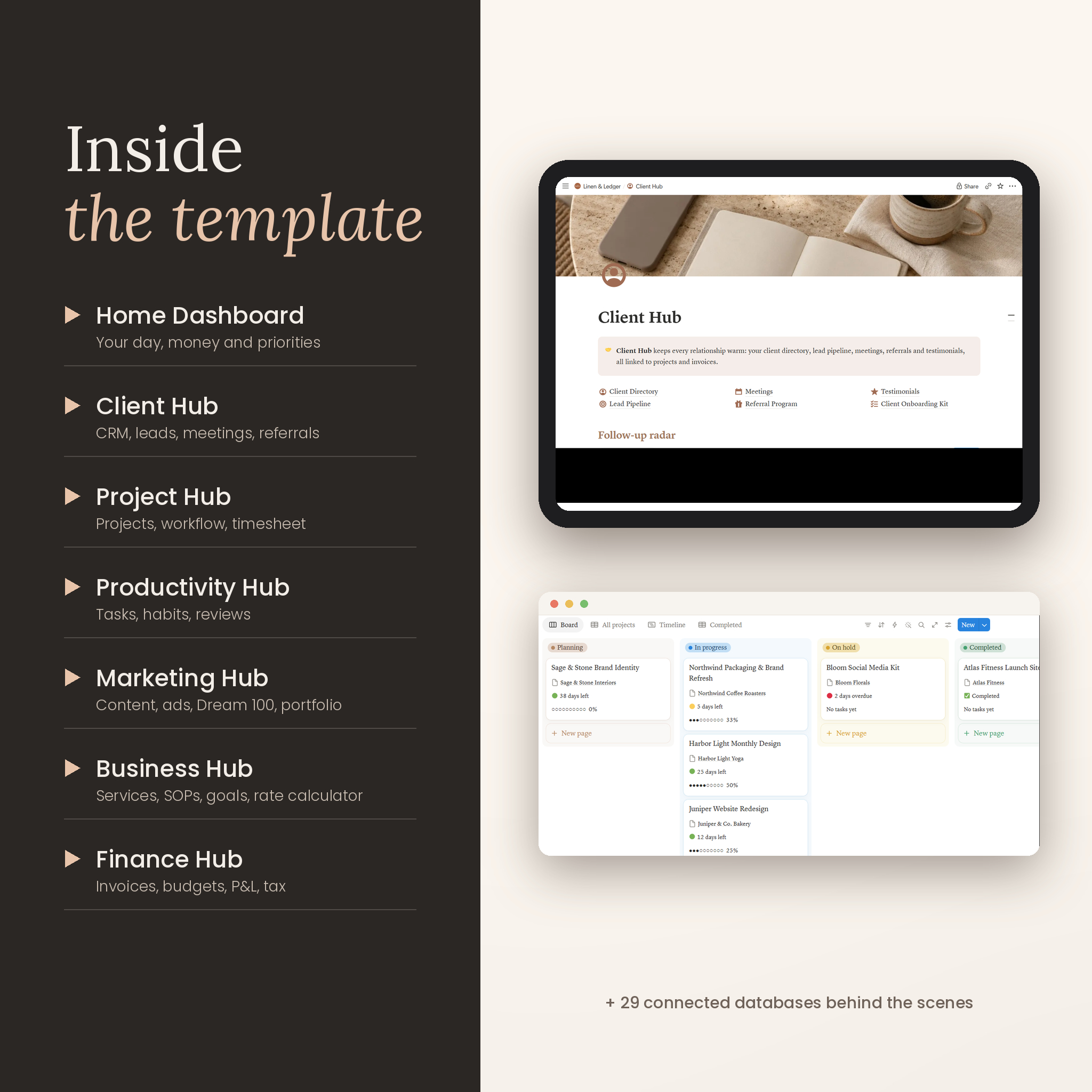
Home Dashboard: top priorities, brain dump inbox, today’s agenda, follow-ups due, upcoming meetings, active projects, unpaid invoices and this month’s money.
Client Hub: Client Directory (lifetime value, outstanding balance, last touch, follow-up status), Lead Pipeline with weighted value forecasting, Meetings with calendar, Referral Program, Testimonials and a Client Onboarding Kit with onboarding and offboarding checklists and a welcome email script.
Project Hub: Projects with progress, deadline countdown, earnings, effective rate and amount still to invoice; Workflow for project tasks; Timesheet with start and end times or manual hours; Proposals with follow-up reminders; Contracts with renewal warnings; and a Project Playbook.
Productivity Hub: Business Tasks, Habit Tracker with a daily score, Brain Dump, Self Development library, Weekly Review and Daily Routine.
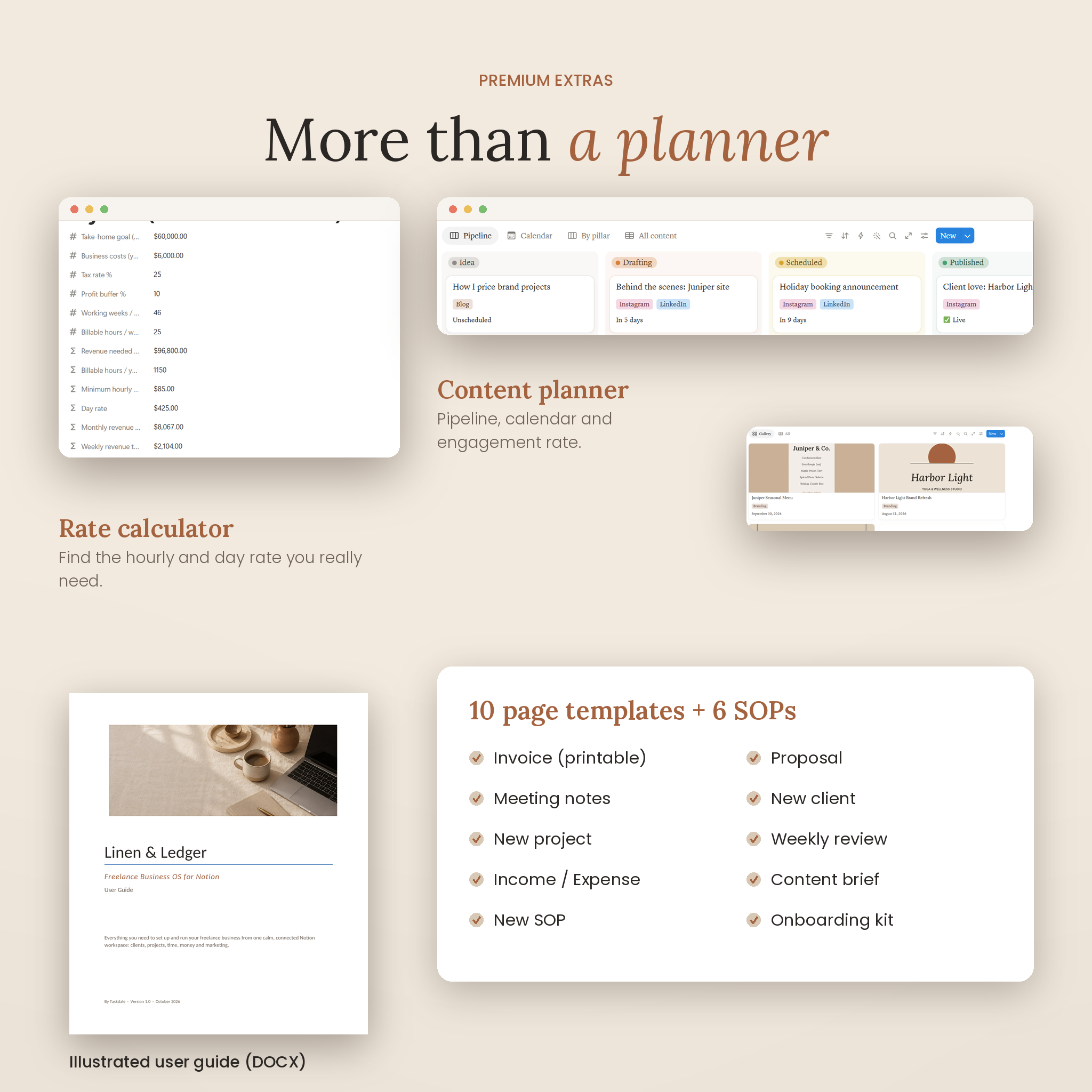
Marketing Hub: Content Planner with pipeline, calendar and engagement rate; Advertising Campaigns with cost per lead and ROI; Personal Website planner; Promotions; Collaborations; Dream 100 outreach; and a Portfolio gallery.
Business Hub: Business Setup checklist, Goals & KPIs with progress bars, Services menu with revenue per service, Brand Strategy, Asset Library with license tracking, Resources, Processes (6 starter SOPs), Rate Calculator, and Tools & Subscriptions with monthly and yearly costs.
Finance Hub: Transactions, Invoices with a printable invoice template, Financial Overview (monthly and yearly P&L), Budgets & Categories, and Tax Set-Aside.
Plus: 10 one-click page templates (Invoice, Proposal, Meeting notes, New client, New project, Weekly review, Income, Expense, Content brief, New SOP), 14 budget categories and a Start Here setup checklist.
How it works
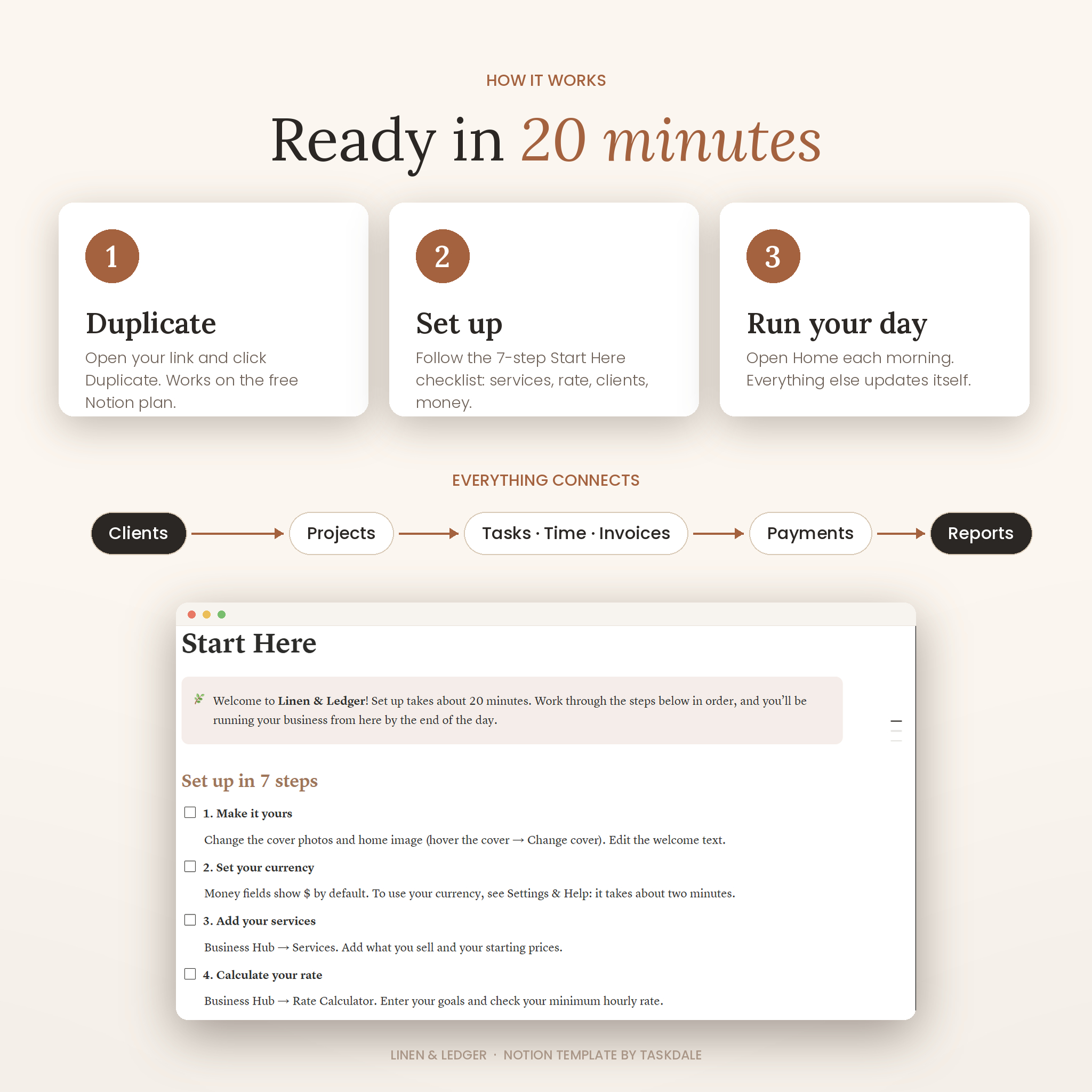
- Download your files and open the Access Guide PDF.
- Click the template link and press Duplicate to add Linen & Ledger to your own Notion workspace.
- Follow the 7-step Start Here checklist (about 20 minutes): add your services, calculate your rate, add clients and projects, and set your budgets.
- Open Home each morning. Link things as you work and the dashboards update themselves.
Real-life ways to use it
- A brand designer tracks three client projects, logs hours and sees which fixed-fee project paid the best hourly rate.
- A virtual assistant keeps every client’s onboarding checklist, meetings and invoices in one place.
- A copywriter moves leads from discovery call to proposal and forecasts next month’s income with weighted value.
- A photographer plans a holiday mini-session promotion and tracks redemptions and revenue.
- A consultant checks the monthly P&L and moves the tax set-aside amount to savings on payday.
File format and requirements
- Digital download: Access Guide PDF (US Letter and A4) with your template link, plus an illustrated User Guide (DOCX, 15 pages).
- Platform: Notion. Works on the free Notion plan in the browser, desktop app (Mac and Windows) and the iOS and Android apps.
- You need a free Notion account. No other software or subscriptions required.
Customization
Change the cover photos, icons, colors, fonts and dropdown options, rename habit columns, add your own views, and switch money fields to your own currency in about two minutes (money fields use $ by default; the guide shows you how).
Digital download
This is a digital product. No physical item will be shipped. Your files are available to download right after purchase.
FAQ
Does it work with the free Notion plan? Yes. Everything works on the free plan.
Can I use my own currency? Yes. Money fields show $ by default, and you can switch each one to your currency in Notion’s number format settings. The guide lists every field.
Does it work on mobile? Yes. Use the Notion app on iPhone, iPad or Android. Wide tables scroll sideways.
Can I send invoices from Notion? Use the Invoice template, then export it as a PDF or share the page link with your client.
Is it beginner friendly? Yes. Every page has a short explanation, the Start Here page walks you through setup, and the user guide covers every feature.
Can I customize the design? Yes. Change photos, icons, colors, options and views freely in your own copy.
Can I share it with my team? You can invite teammates into your own copy. Each business needs its own license.
Is this a physical product? No. It is a digital Notion template.
License
Personal use for one person or one business. Please don’t share, resell or redistribute the template or its images.
Reviews
There are no reviews yet.