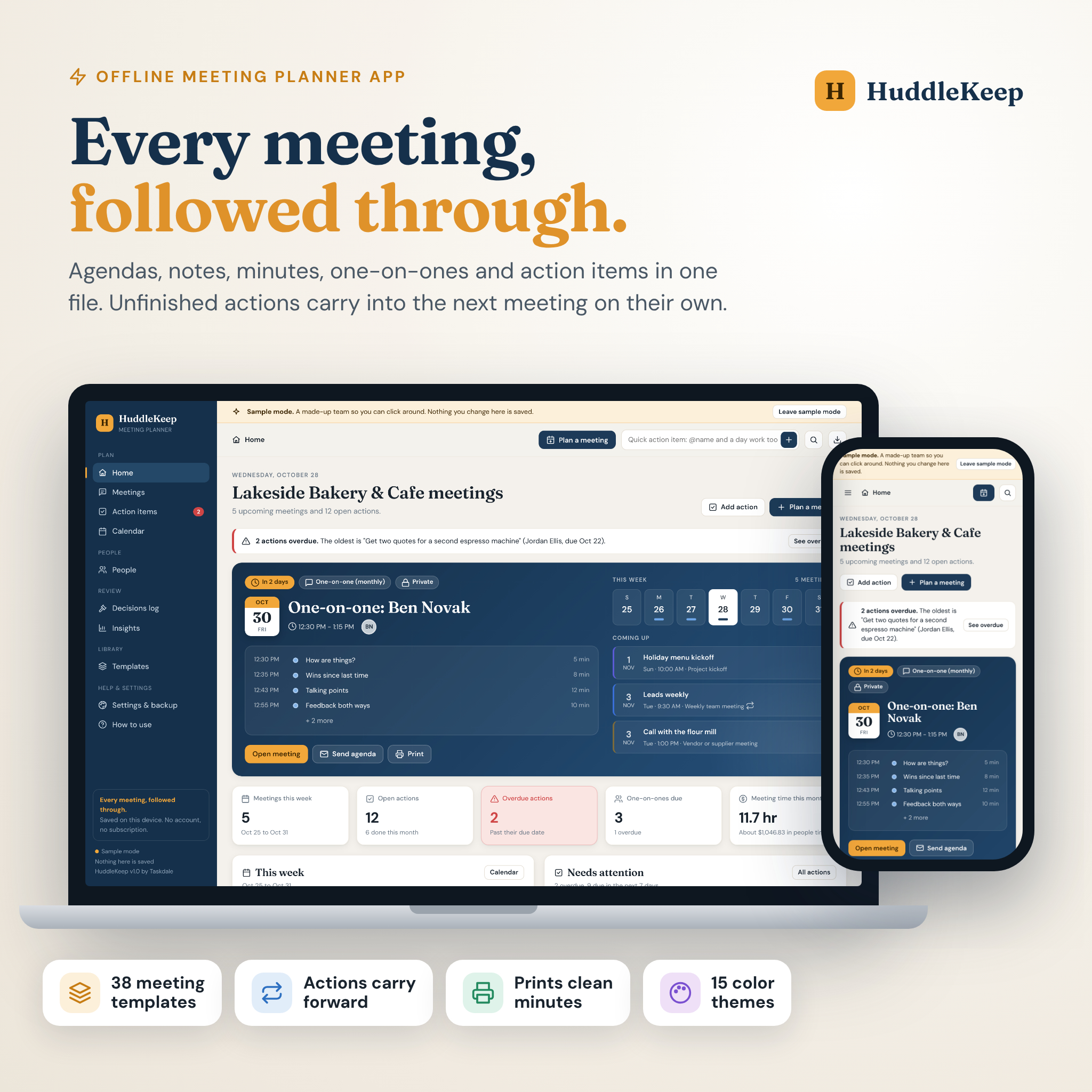
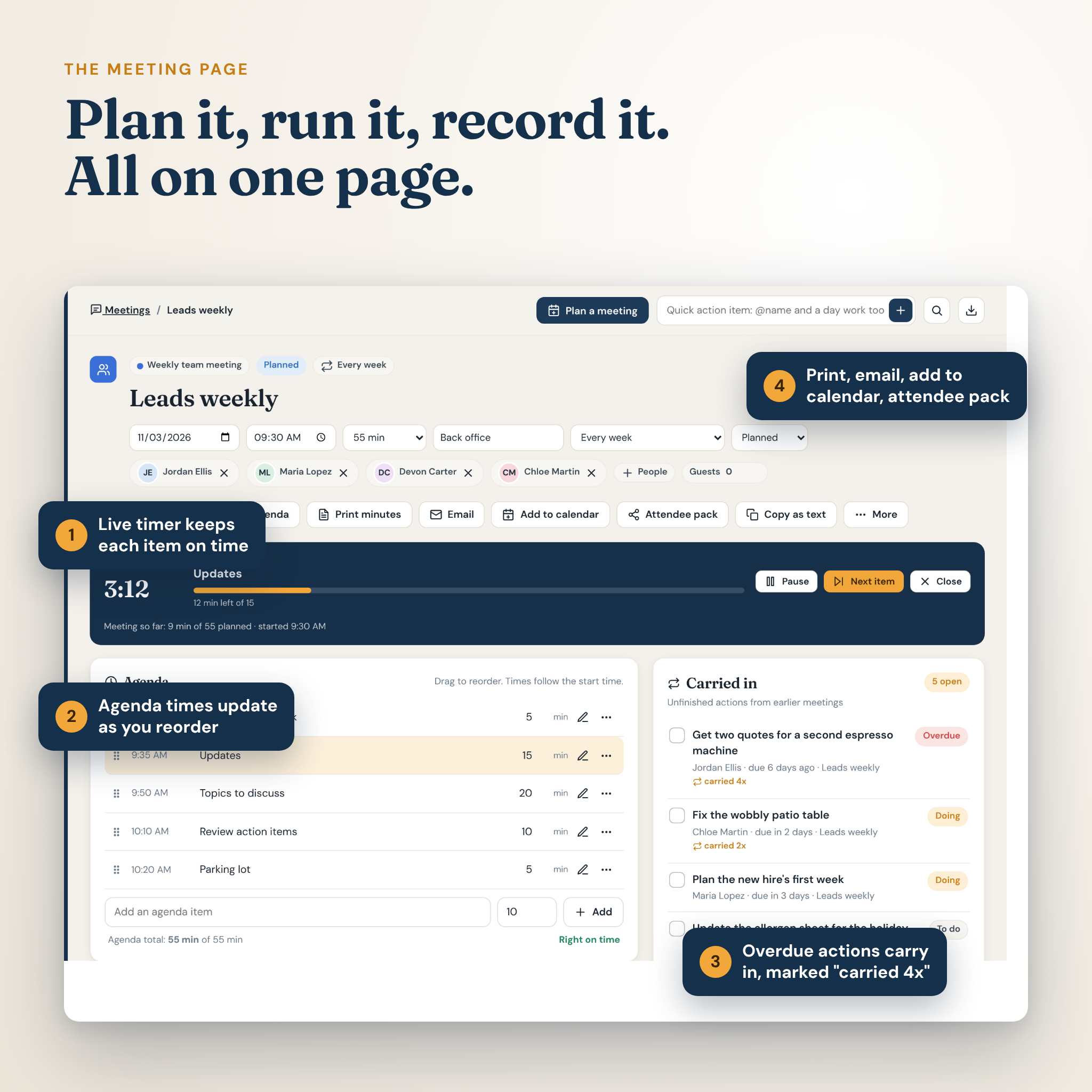
HuddleKeep is a meeting planner app that lives in one file. It sets the agenda, holds your meeting notes and minutes, and keeps chasing every action item until somebody ticks it off. Double-click the file and it opens in your browser like a website. No sign-up. No monthly fee. Your notes stay on your own computer.
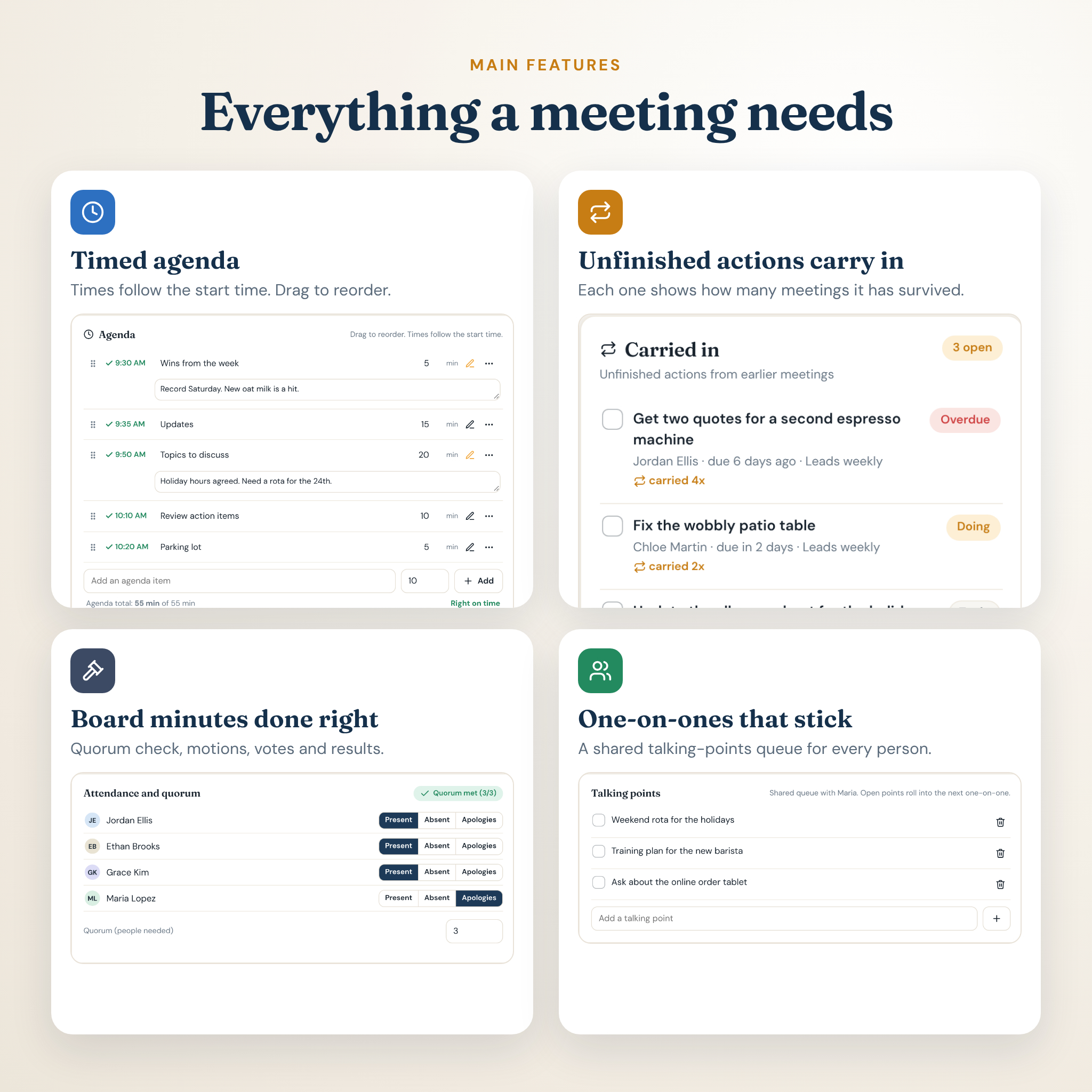
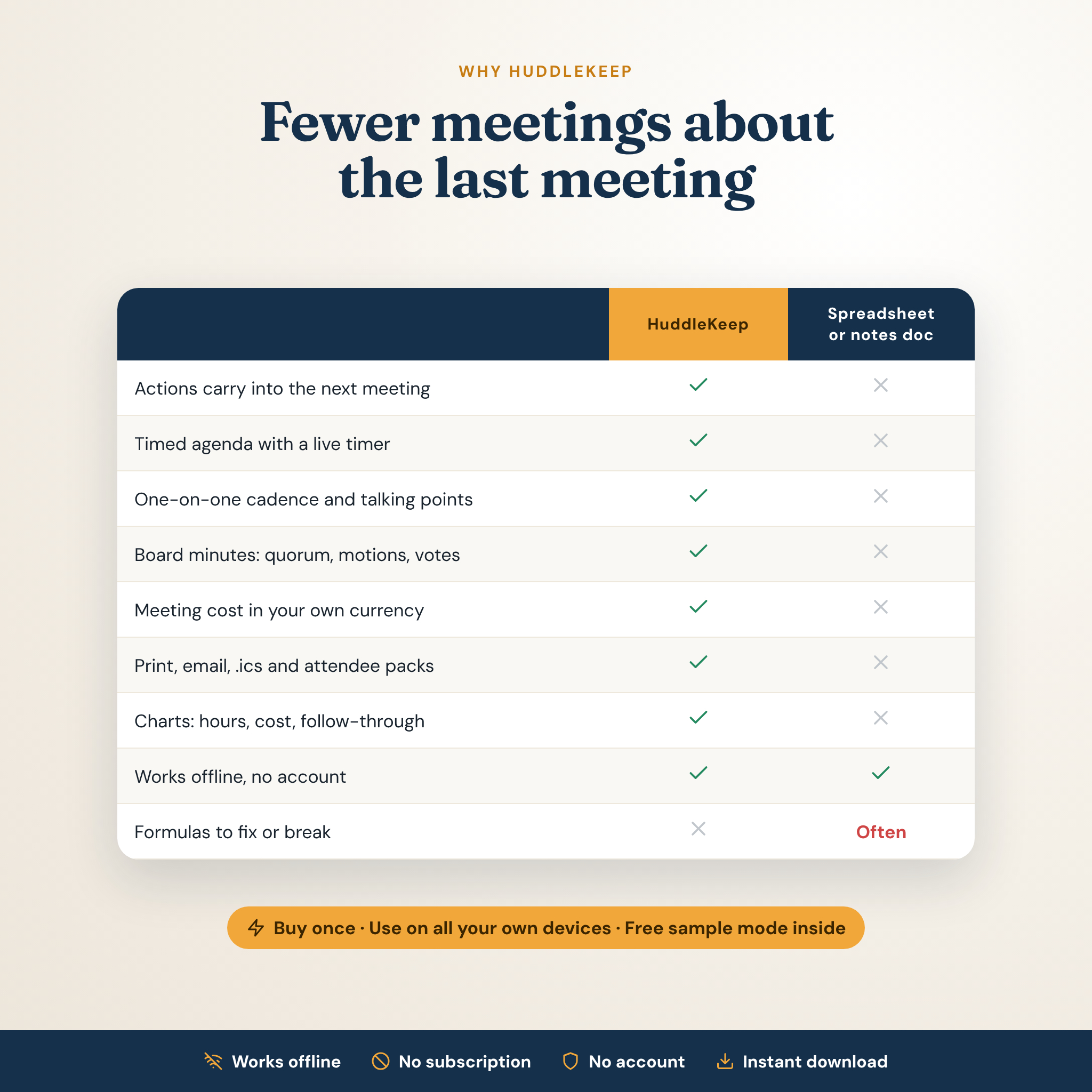
Most meeting notes templates stop at the page. The doc gets buried and next week nobody remembers who was calling the supplier. Make a meeting repeat and the next one opens with the agenda ready and every unfinished action already carried in, marked “carried 2x” or “carried 4x” so nothing hides.
What this meeting planner does
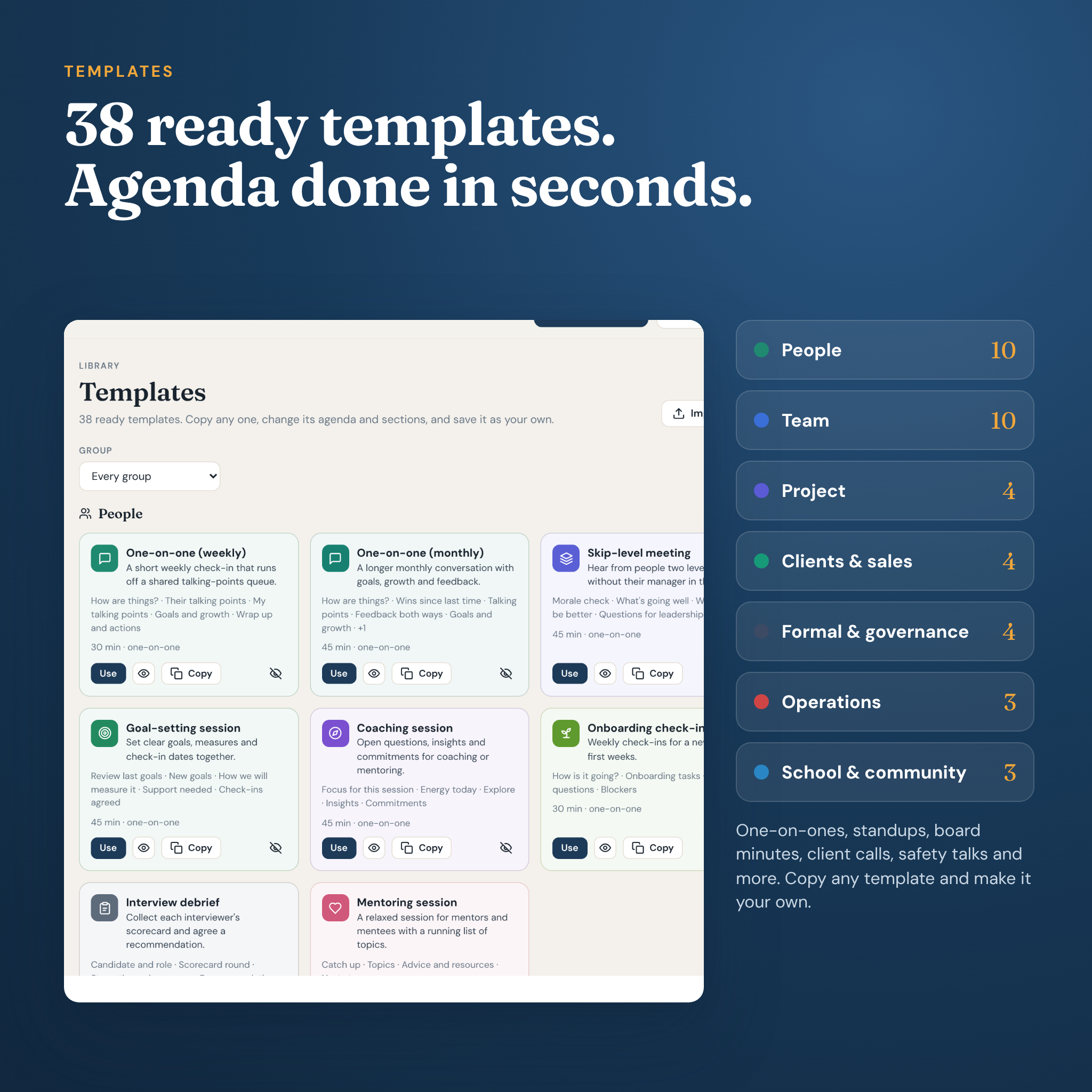
Pick one of 38 meeting templates and the page is ready in seconds: a timed agenda, the right note sections, a place for decisions and a place for action items with an owner and a due date. Run the meeting with the built-in timer. Afterward, print clean minutes, email the notes, or download a calendar file.
- 38 meeting templates: one-on-ones, weekly team meetings, staff meetings, daily standups, retrospectives, project kickoffs, client calls, board meetings, PTA and HOA meetings, safety talks, shift handovers, parent-teacher conferences and more.
- Action item tracker: one list for every action from every meeting. Filter by overdue, due this week, owner or “mine”. Switch to a drag-and-drop board.
- Actions carry forward: plan the next meeting in a series and open actions come with it.
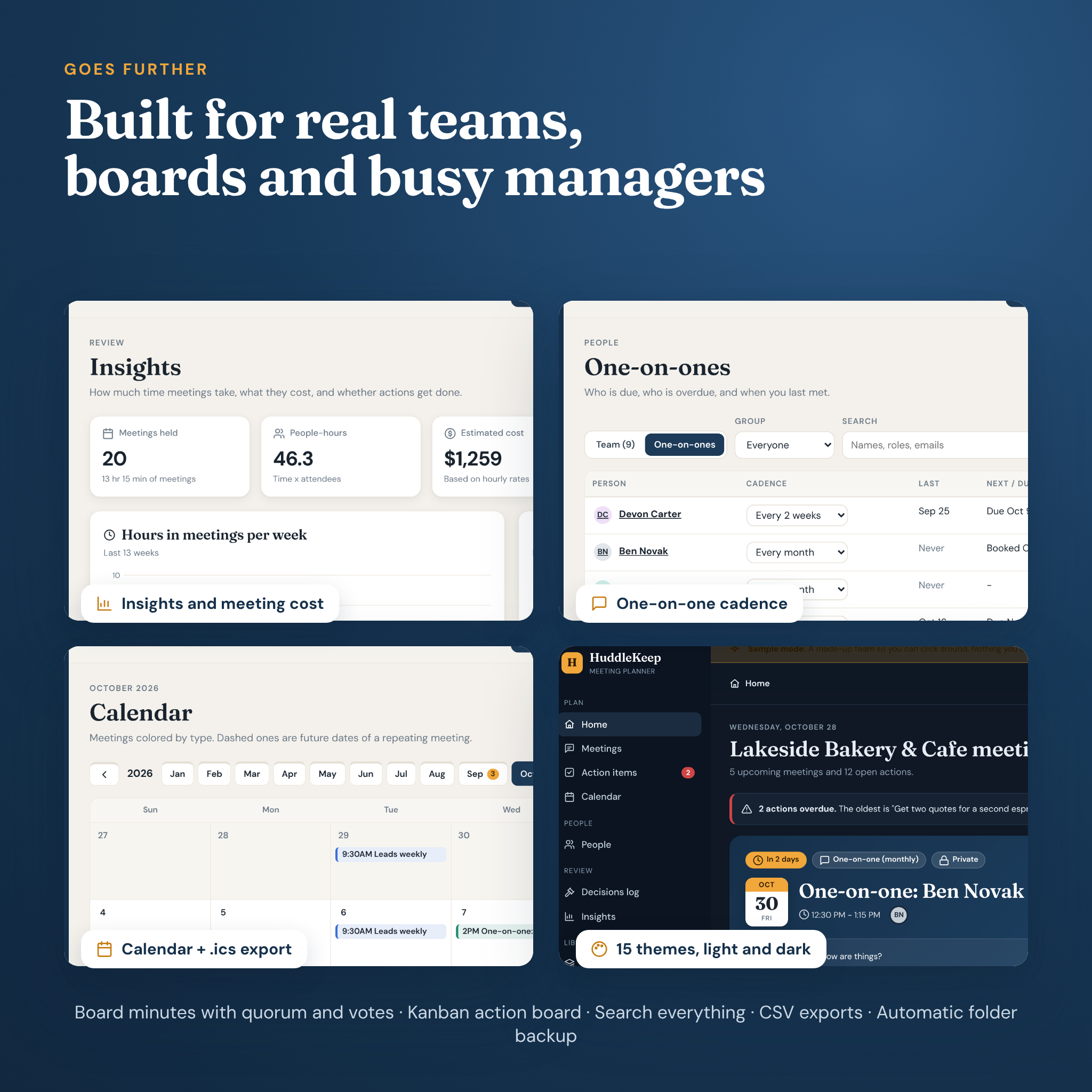
- One-on-one meeting template with memory: set a cadence per person, see who is overdue, and keep a talking-points queue that rolls into the next chat.
- Board meeting minutes template: attendance, a live quorum check, motions with mover, seconder and votes, and a result that follows from the count.
- Meeting cost: people-hours and estimated cost per meeting in your own currency.
Who it is for
Managers and team leads with a full calendar. Small business owners running a cafe, clinic, salon, shop or agency. Board, PTA, HOA, church and committee secretaries who need proper minutes. Project managers, coaches, mentors and teachers. And anyone tired of the question “wait, who was doing that?”
Features
Plan
- Home dashboard with your next meeting, the week ahead, overdue actions and who is due a one-on-one
- Agenda times that follow the start time, drag to reorder, and a warning when the plan runs long
- Repeats every weekday, weekly, every 2 weeks, every 4 weeks or monthly, with future dates shown dashed on the calendar
- Month and week calendar, colored by meeting type
- People and groups: invite a whole team in one click, or import your team from CSV
Run
- Live agenda timer that shows minutes left and turns red when an item runs over
- Notes per agenda item, template sections with prompts, mood check, star ratings by area, and a line for each person in standups
- Quick add from anywhere: type “Order cups @Sam friday” and the owner and due date fill themselves in
- Parking lot for ideas that belong in another meeting
Follow up
- Print agenda and print minutes, laid out properly, with signature lines for formal meetings
- Email button that opens your own email app with the agenda or notes ready to send
- Attendee pack: one read-only page you can attach to an email
- Calendar files (.ics) for Google Calendar, Outlook and Apple Calendar
- Decisions log that collects every decision and carried motion
- Insights: hours in meetings per week, cost by meeting type, actions created vs finished, and open actions by owner
- Search across meetings, notes, actions, decisions and people
What is included
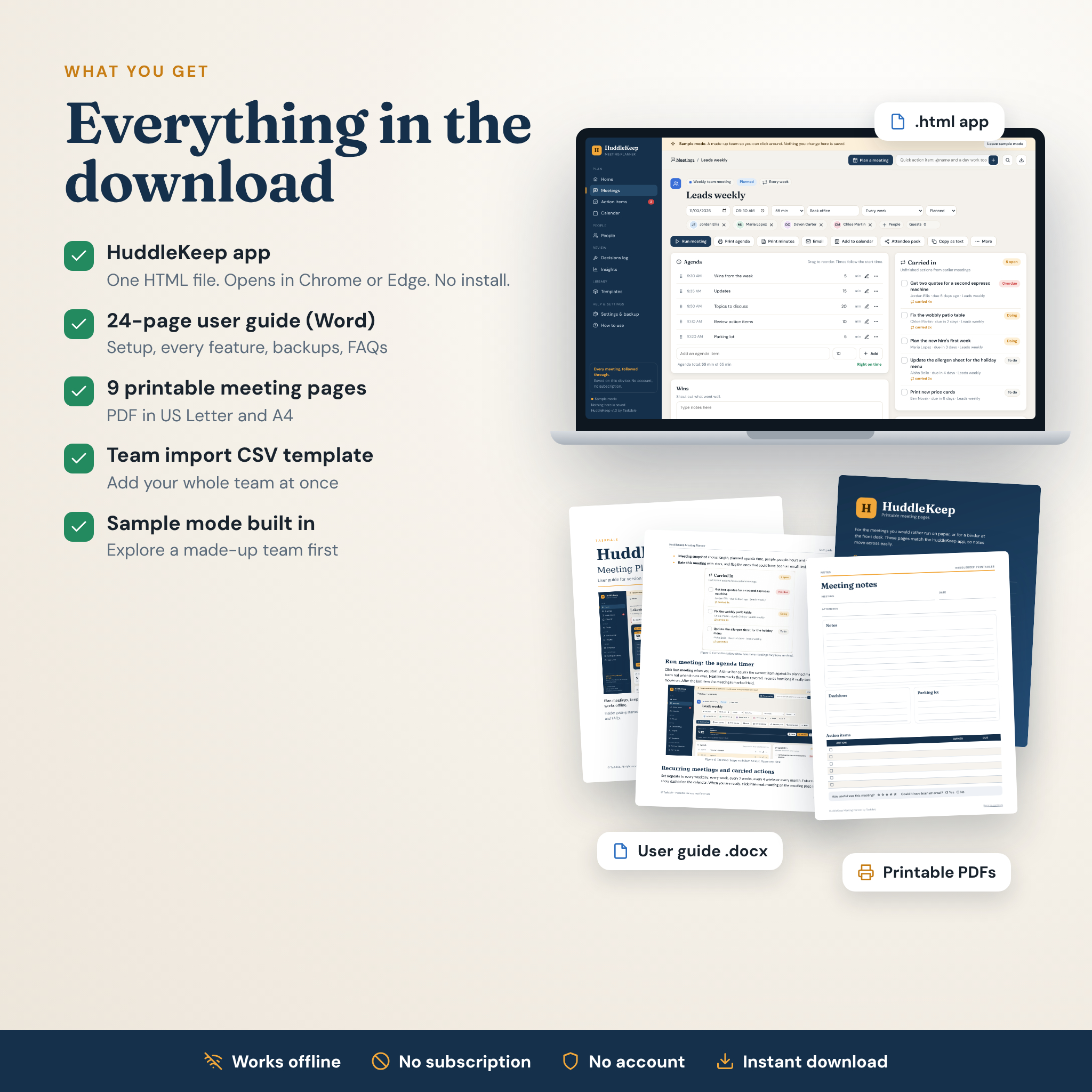
- HuddleKeep Meeting Planner (one HTML file)
- 24-page user guide (Word .docx) with screenshots, troubleshooting and FAQs
- 9 printable meeting pages in US Letter and A4 (PDF): agenda, meeting notes, one-on-one, formal minutes, daily standup, action item tracker, decisions log and a meeting cost worksheet
- People import CSV template
- A “Start Here” read-me with the license
How it works
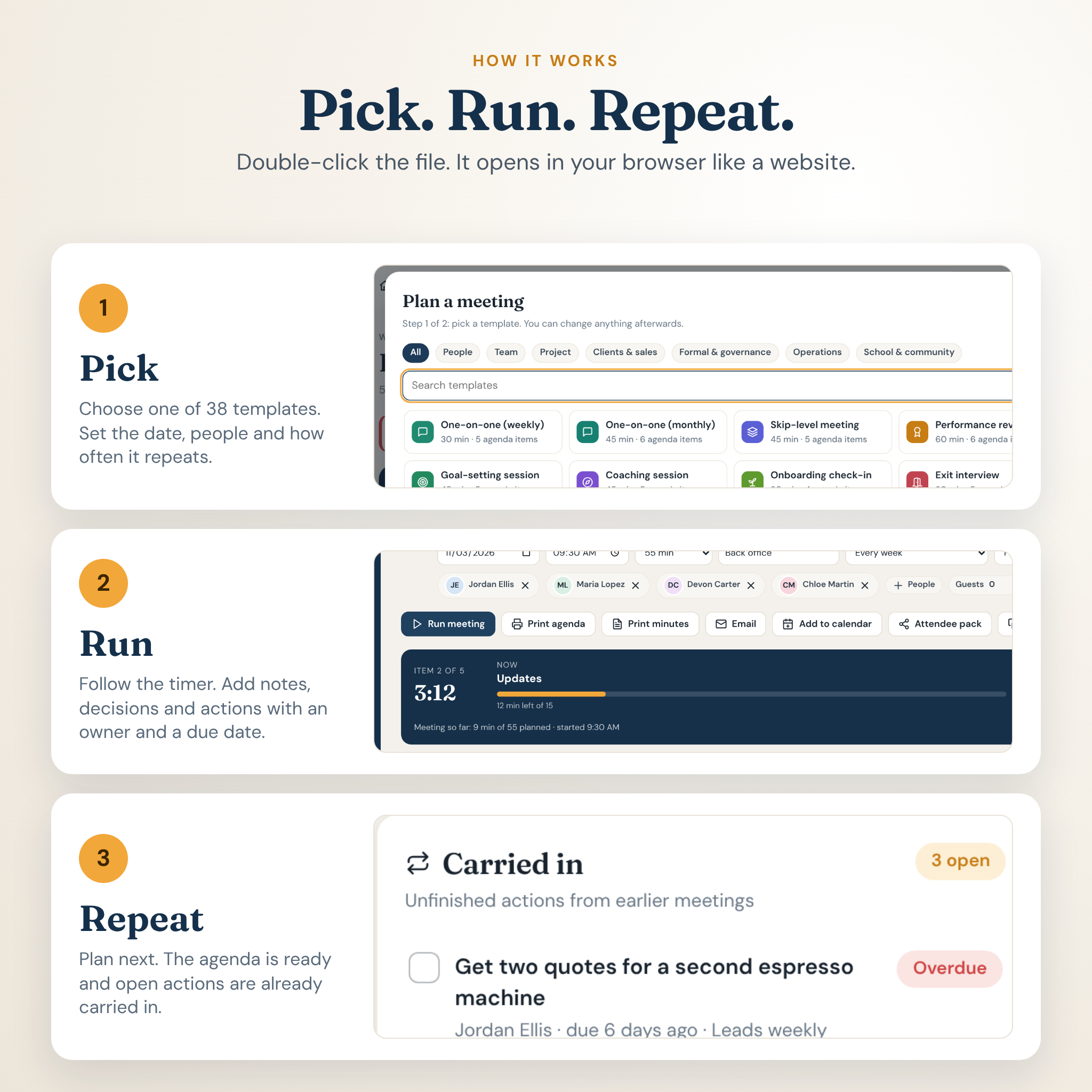
- Download and open. Save the file somewhere you will find it and double-click it. Bookmark the page.
- Pick a template. Set the date, time, people and how often it repeats.
- Run the meeting. Take notes, record decisions and add actions with owners and due dates.
- Repeat. Click Plan next. The agenda is ready and last time’s open actions are waiting.
Want to look around first? Sample mode loads a made-up bakery team with a few weeks of meetings. Nothing in it is saved, and your own data is never touched.
File formats and software requirements
- HTML app: built and tested for Google Chrome and Microsoft Edge on Windows and Mac. It uses standard web features, so other current browsers should open it too.
- Works offline. No installs, no account, no subscription.
- User guide: .docx (Word, Google Docs, Pages or LibreOffice).
- Printables: PDF, US Letter and A4.
- Exports: CSV for Excel and Google Sheets, .ics calendar files, JSON backups.
Customization
Choose from 15 color themes, including five dark ones. Set any currency symbol and every money value follows it, with $ as the default. Pick a 12 or 24-hour clock and the day your week starts. Copy any template and change its agenda, sections, color and icon, or save a real meeting’s agenda as your own template.
Your data and backups
Everything you type saves in your browser on your device, with no server in the middle. Download a backup file whenever you like, and HuddleKeep reminds you on the schedule you choose. In Chrome or Edge you can turn on folder backup, which keeps a dated backup file current after every change.
Real ways people use it
- A cafe owner runs a 15-minute standup each morning and a weekly leads meeting, and the espresso machine quote finally gets chased.
- A PTA secretary records attendance, checks quorum, logs three motions and prints minutes ready to sign.
- A new team lead holds one-on-ones every two weeks with six people and never forgets a talking point.
Digital download
Instant digital download. Nothing is shipped. HuddleKeep does not connect to your calendar, email or video calls; it creates files you open in them.
FAQ
Do I need the internet to use this meeting planner?
No. Once downloaded, it runs offline in your browser.
Is there a subscription?
No. You pay once.
Can I use it as a meeting minutes template for a board or HOA?
Yes. The board, committee/PTA/HOA and annual general meeting templates include attendance, quorum, motions and votes, and print as formal minutes.
Can my team edit the same meetings?
Each copy saves on its own device, so there is no live shared editing. Share by email, print, attendee pack or CSV.
Does it work on a phone or tablet?
It is designed for a computer. The layout adapts to smaller screens, and each device keeps its own data. Backups move data between devices.
Can I change the currency?
Yes. Type any currency symbol in Settings and every money value uses it.
What if I clear my browser data?
Restore your latest backup in Settings. That is why the app reminds you to keep one.
License: for personal use or use inside your own business or organization. Please do not resell, share or redistribute the files. Not legal, HR or governance advice.

Reviews
There are no reviews yet.