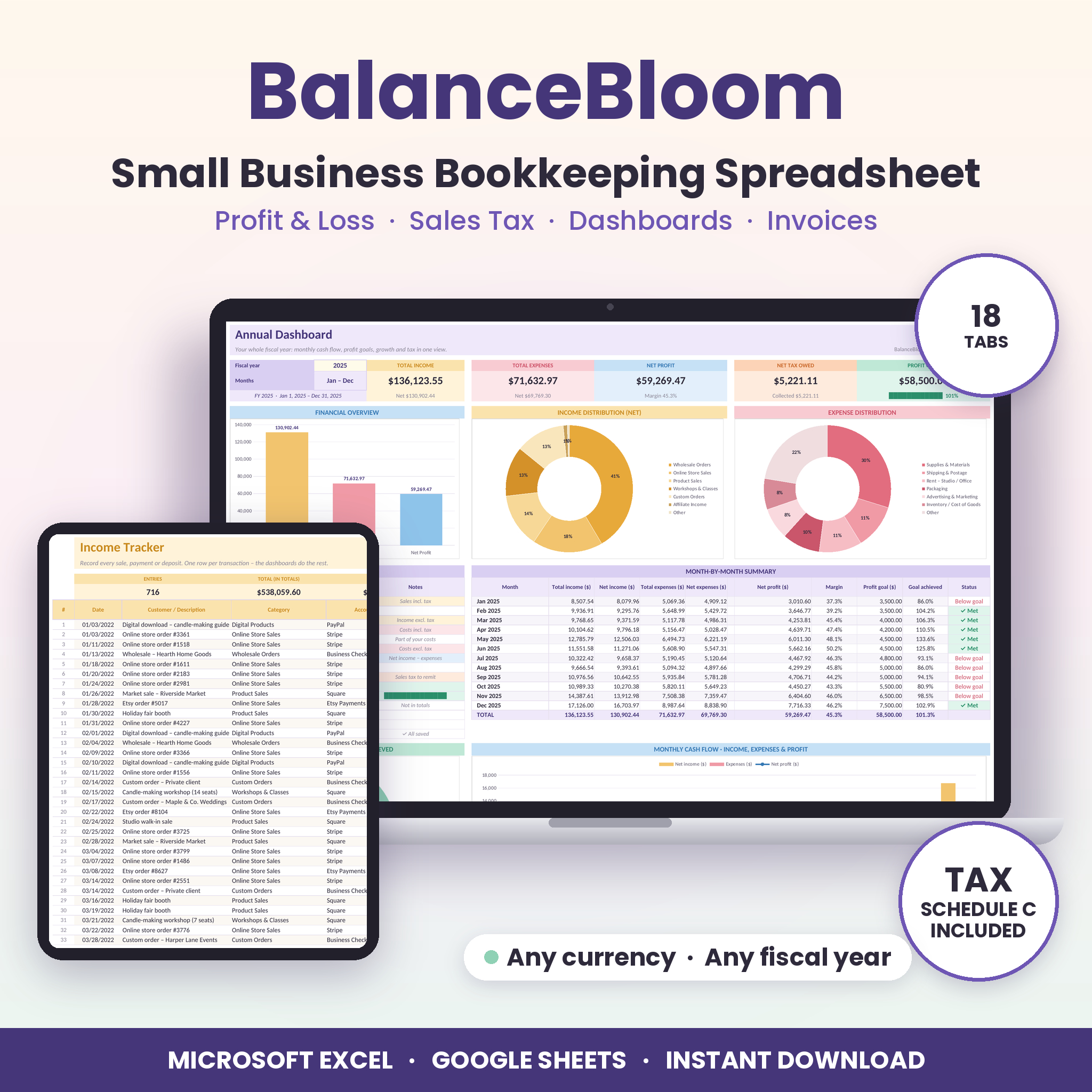
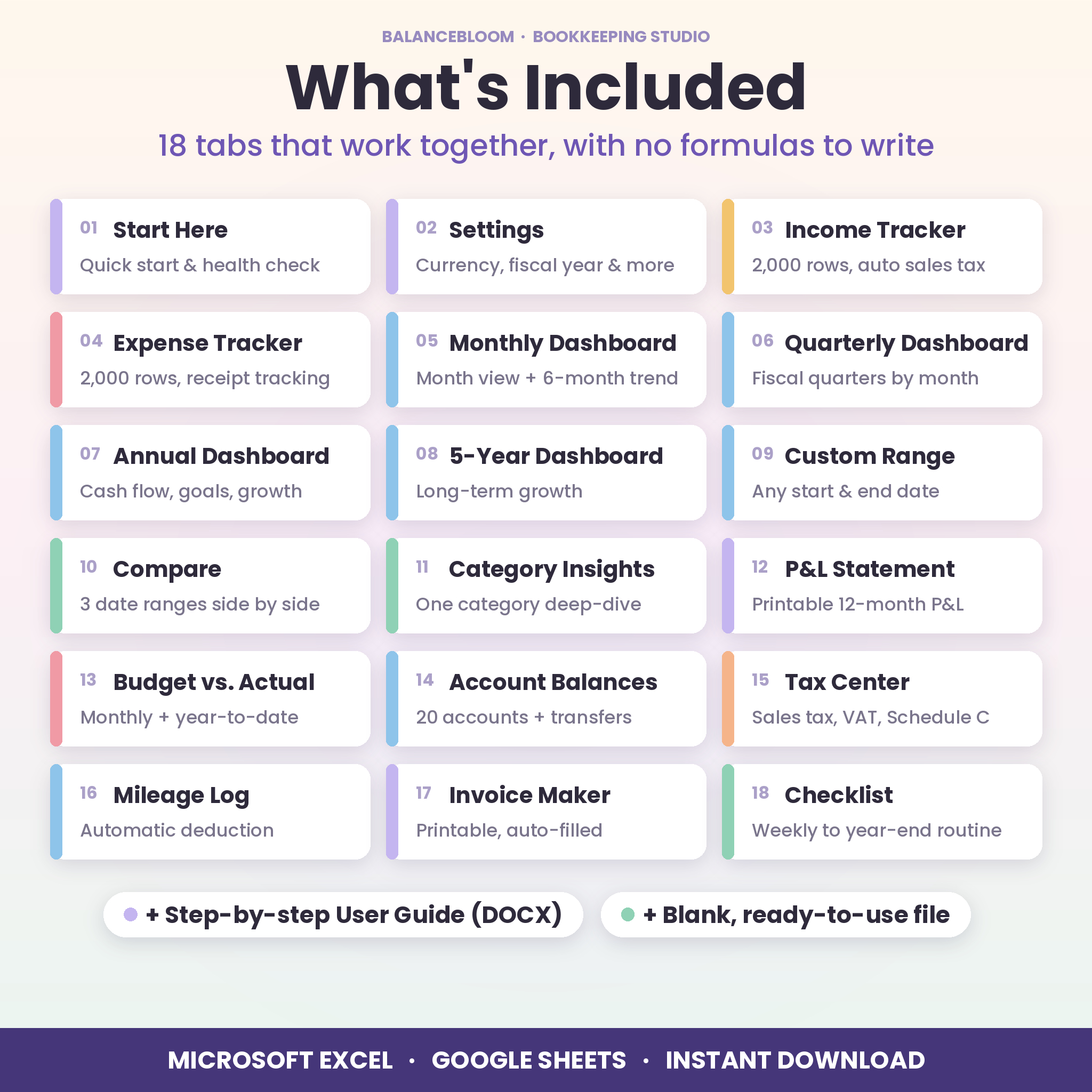

The BalanceBloom Small Business Bookkeeping Spreadsheet brings your income, expenses, profit and loss, sales tax and goals together in one easy, good-looking workbook for Microsoft Excel and Google Sheets. You add one row per sale or purchase. Dashboards, a printable P&L statement, a Tax Center and account balances then update on their own, with no formulas to write and no accounting experience needed.
A small business bookkeeping spreadsheet that does the math for you
BalanceBloom is made for owners who want clear numbers without complicated software. It suits Etsy and Shopify sellers, makers, freelancers, consultants, coaches, service providers and small shops. You only ever type in the pale-yellow cells. Everything else is calculated and protected, with no password, so a stray keystroke can’t break a formula.
Who it’s for
- Sole proprietors and side hustlers who need a simple profit and loss tracker
- Online sellers who collect sales tax and want it organized by month and quarter
- Service businesses that send invoices and need to see who still owes them
- Anyone getting ready for tax season who wants expenses grouped for a tax professional
Features
Income tracker and expense tracker
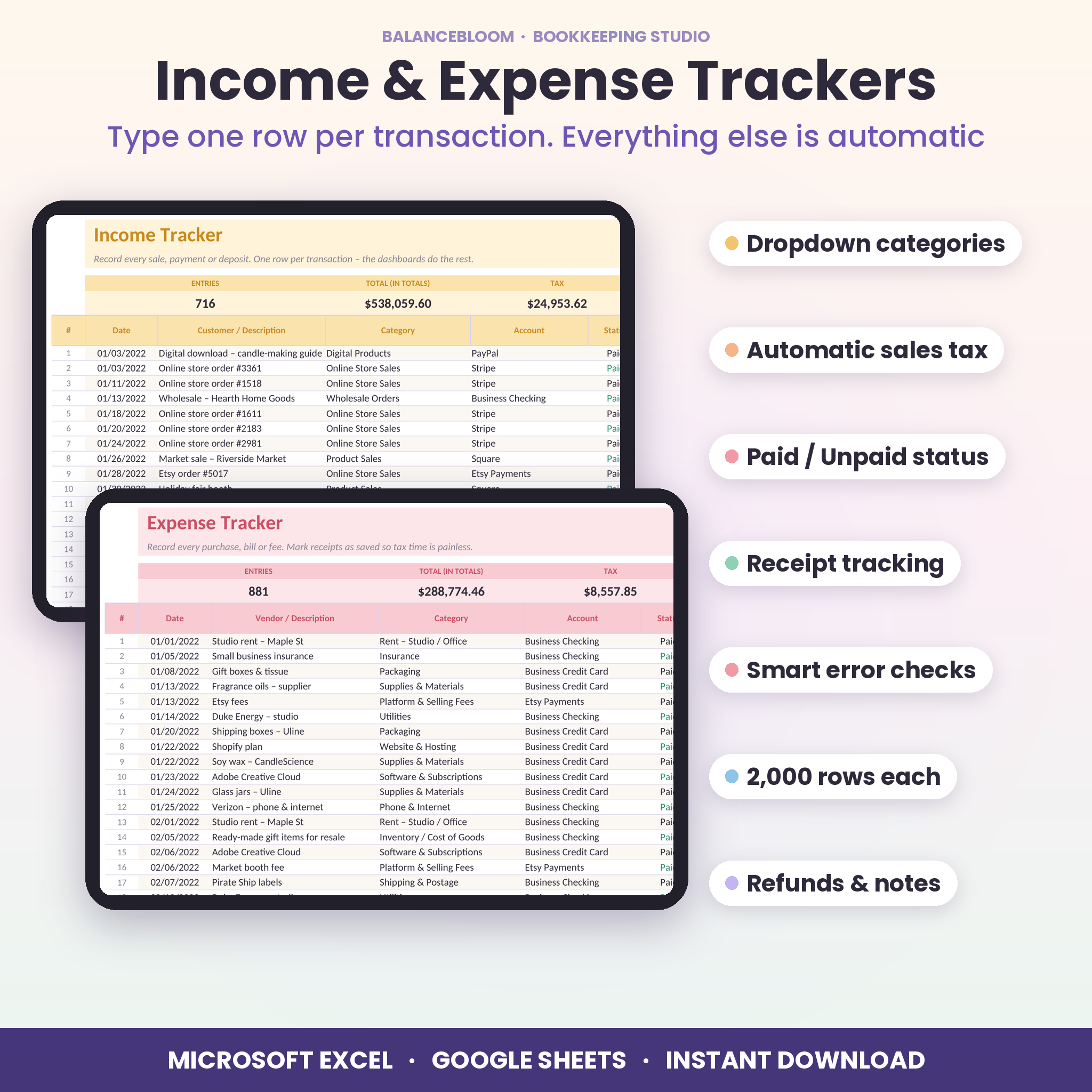
- 2,000 rows each for income and expenses, with filters
- Dropdown categories (30 income, 30 expense) and accounts (20) that you can rename
- Automatic sales tax: the amount can include tax or have it added on top, with per-category default rates and per-row overrides
- Paid / Unpaid status for invoices and bills, so you choose cash or accrual totals
- “Receipt saved?” tracking and a count of missing receipts
- Smart checks flag rows missing a date, amount or category, so nothing silently drops out of your totals
Six interactive dashboards
- Monthly: one month at a glance plus a 6-month cash-flow trend
- Quarterly: any fiscal quarter with a month-by-month split
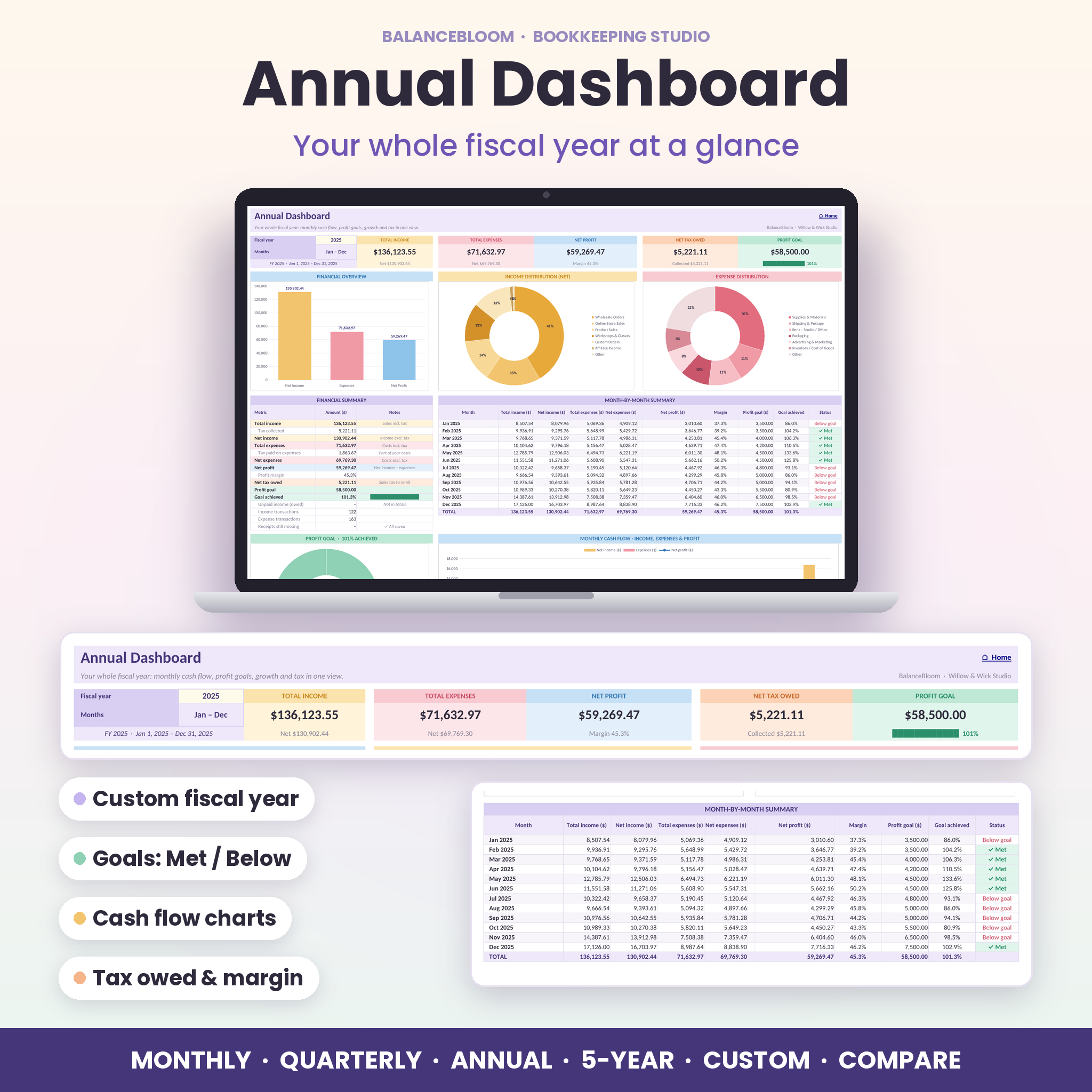
- Annual: monthly cash flow, profit goals, a year-to-date growth line and category breakdowns
- 5-Year: long-term growth with year-over-year profit change
- Custom Range: any start and end date, with goals prorated by day
- Compare: up to three date ranges side by side with % change
Every dashboard shows KPI cards for total income, total expenses, net profit, net tax owed and profit goal. It also includes an overview chart, income and expense distribution charts, a financial summary, highlights and full category tables.
Profit & loss, tax and planning tools
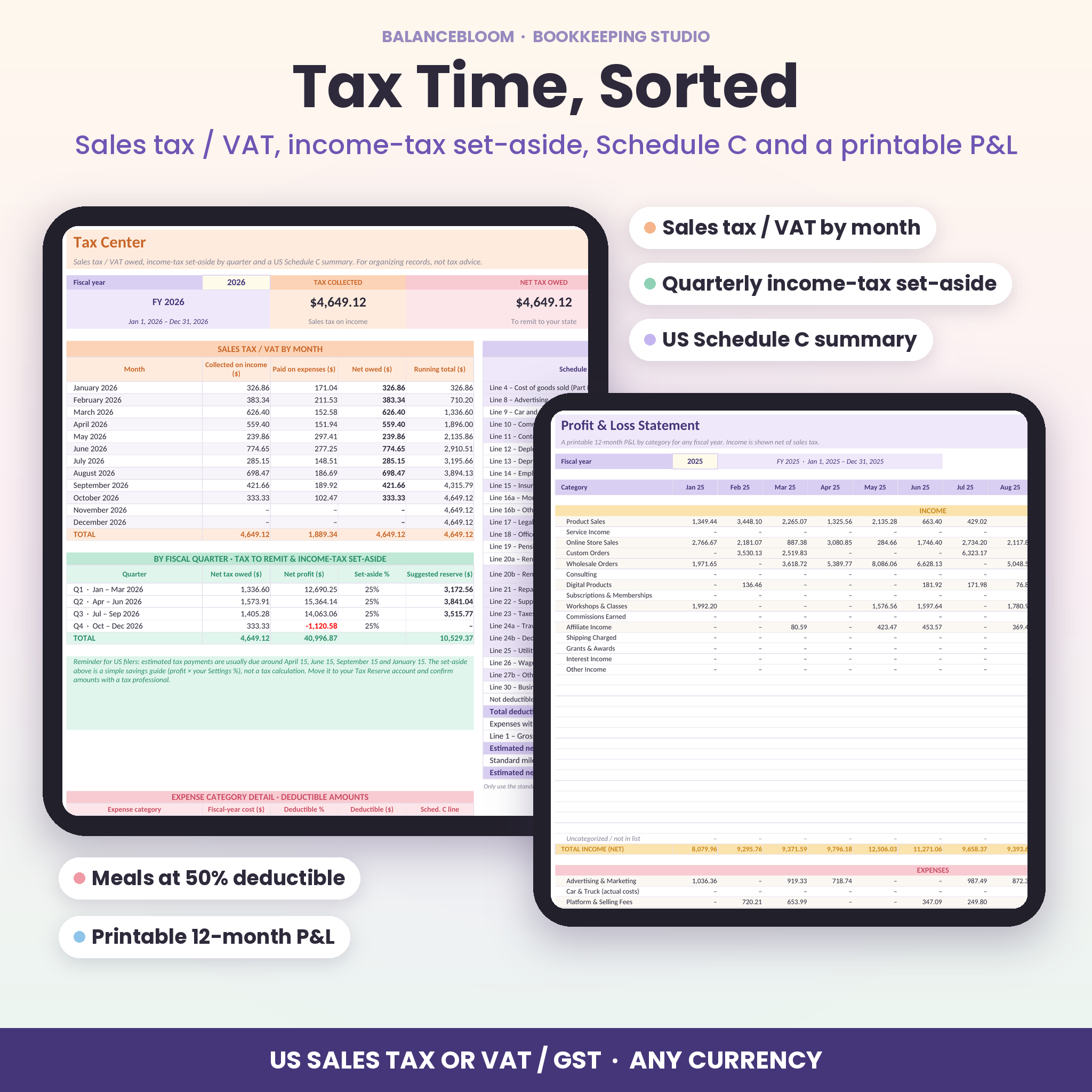
- P&L Statement: a printable 12-month profit and loss by category for any fiscal year
- Tax Center: sales tax or VAT/GST owed by month and quarter, an income-tax set-aside by quarter and a US Schedule C summary with deductible amounts (for example meals at 50%)
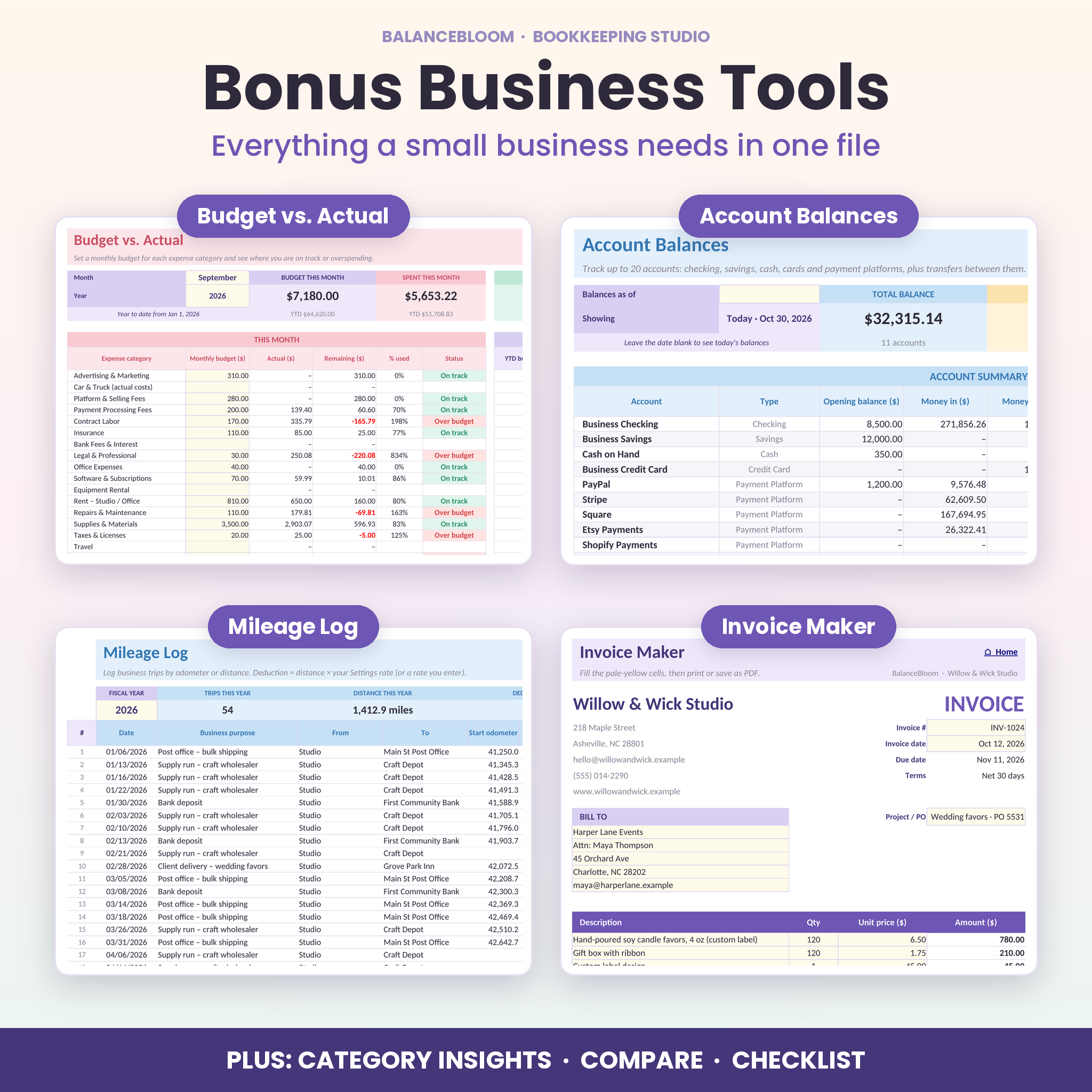
- Budget vs. Actual: monthly budgets per expense category with On track, Near limit and Over budget status, plus year-to-date totals
- Category Insights: compare one income category with one expense category by month, quarter and over 5 years
- Account Balances: up to 20 accounts, balances as of any date, transfers between accounts and owner draws
- Mileage Log: odometer or distance entries with round-trip option and automatic deduction
- Invoice Maker: a printable invoice that uses your business details automatically
- Bookkeeping Checklist: a weekly, monthly, quarterly and year-end routine with a progress bar
What’s included
- BalanceBloom Bookkeeping Studio workbook (.xlsx): 18 tabs, blank and ready to use
- User Guide (.docx): setup, every feature, tips, troubleshooting and FAQ
How it works
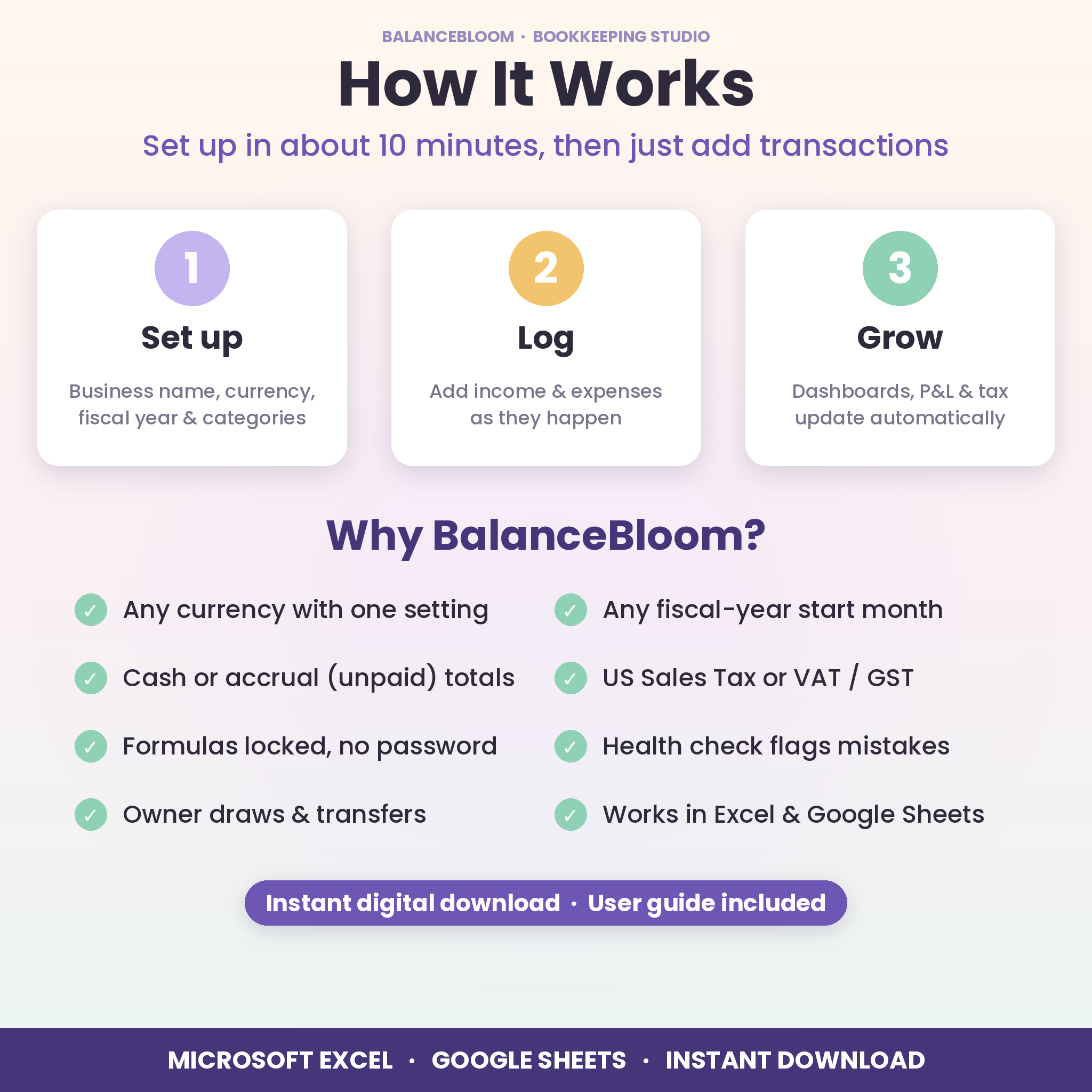
- Set up (about 10 minutes): enter your business name, pick your currency symbol and fiscal-year start month, then review the ready-made categories, accounts and monthly profit goals.
- Log transactions: add income and expenses as they happen, choosing the category, account and status from dropdowns.
- See the results: choose a month, quarter, year or date range on any dashboard and everything updates automatically.
File formats and software requirements
- Format: Microsoft Excel workbook (.xlsx) plus a Word user guide (.docx)
- Works in Microsoft Excel 2016 or newer, Microsoft 365 and Excel for the web
- Works in free Google Sheets: upload the file to Google Drive and open it with Google Sheets. All tabs, dropdowns, charts and links carry over.
- Best on a computer or laptop. Tablets and phones are fine for viewing.
Customization
- One currency setting updates every money label. $ is the default, and you can pick another symbol or type your own.
- Any fiscal-year start month, and all quarters and reports follow it
- Rename, add or remove categories and accounts. Every dropdown and report updates.
- US Sales Tax or VAT/GST mode, and cash or accrual (unpaid) totals
- Sheets are protected without a password, so you can unlock them to change the layout and colors
Real-life uses
- An Etsy candle maker checks the Monthly dashboard each week and sees exactly how much sales tax to set aside.
- A freelance designer sends invoices from the Invoice tab and tracks unpaid ones until they’re paid.
- A cleaning business owner compares this summer with last summer on the Compare dashboard.
- At tax time, a sole proprietor prints the P&L and hands the Schedule C summary and mileage total to their accountant.
Digital download
This is an instant digital download, and no physical item will be shipped. Your files are available right after purchase from your Taskdale account and confirmation email.
FAQ
Does this bookkeeping spreadsheet work in Google Sheets?
Yes. Upload the .xlsx to Google Drive and open it with Google Sheets. Formulas, dropdowns, charts and navigation links all work.
Can I use my own currency?
Yes. Choose or type any currency symbol on the Settings tab and every money label updates. $ is the default.
Does it track sales tax?
Yes. Set a default tax rate per category, override it on any row, and choose whether amounts include tax. The Tax Center totals what you owe by month and quarter.
Is it only for US businesses?
No. The Schedule C summary is optional and US-specific. VAT/GST mode, any currency and any fiscal-year start make it work worldwide.
Do I need accounting experience?
No. Type in the pale-yellow cells and the workbook does the rest. The included guide walks you through setup step by step.
How many transactions can I record?
Up to 2,000 income and 2,000 expense entries per file, which is enough for several years for most small businesses.
Can I track unpaid invoices?
Yes. Mark them Unpaid and choose whether unpaid items count in your totals. Dashboards and the Start Here health check show what’s still owed.
Is this tax advice?
No. BalanceBloom organizes your records. Please confirm tax decisions with a qualified professional.
Licence: for personal use by the original purchaser, including use for your own business (one purchase = one business). Please do not resell, share or distribute the files. © Taskdale.
Reviews
There are no reviews yet.