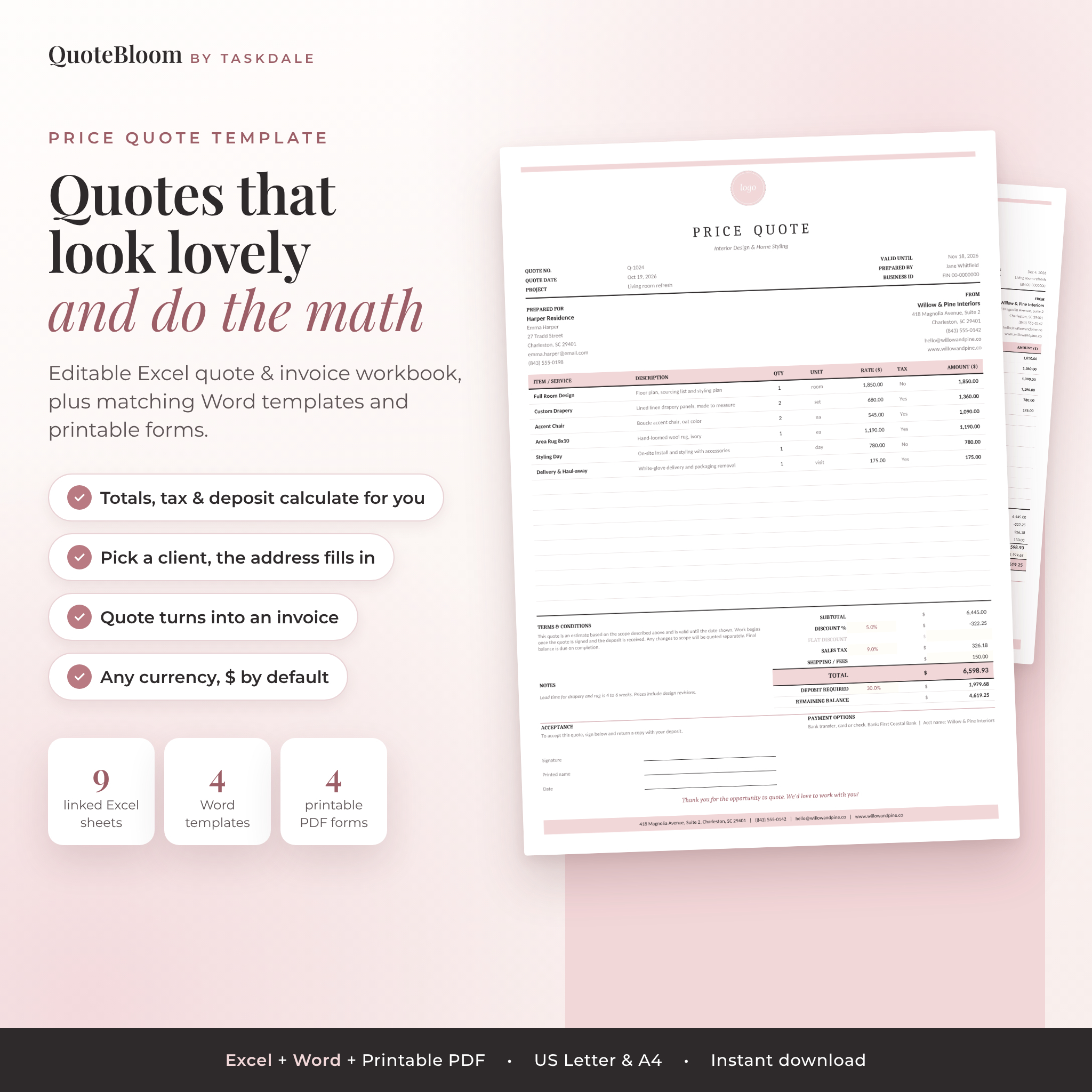

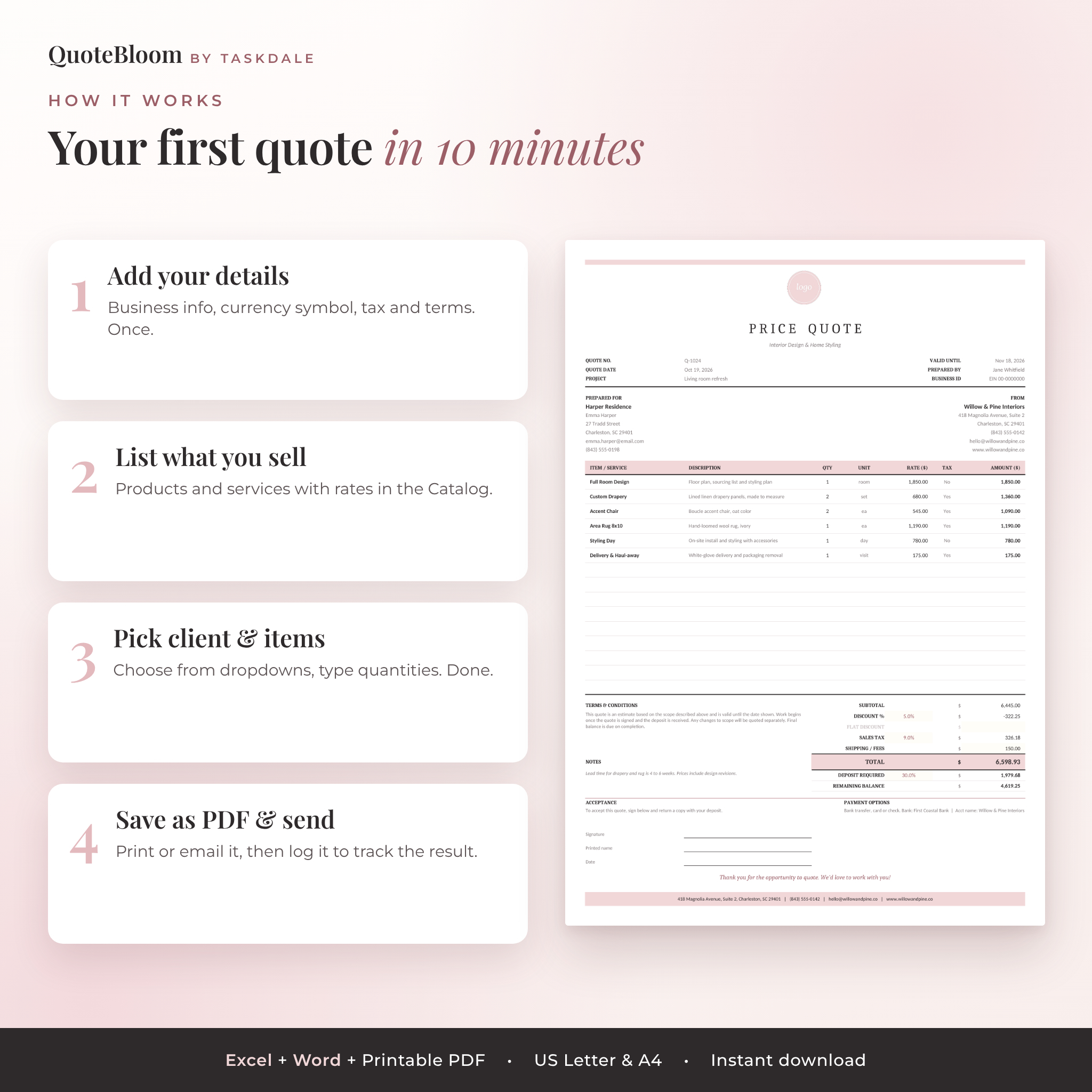
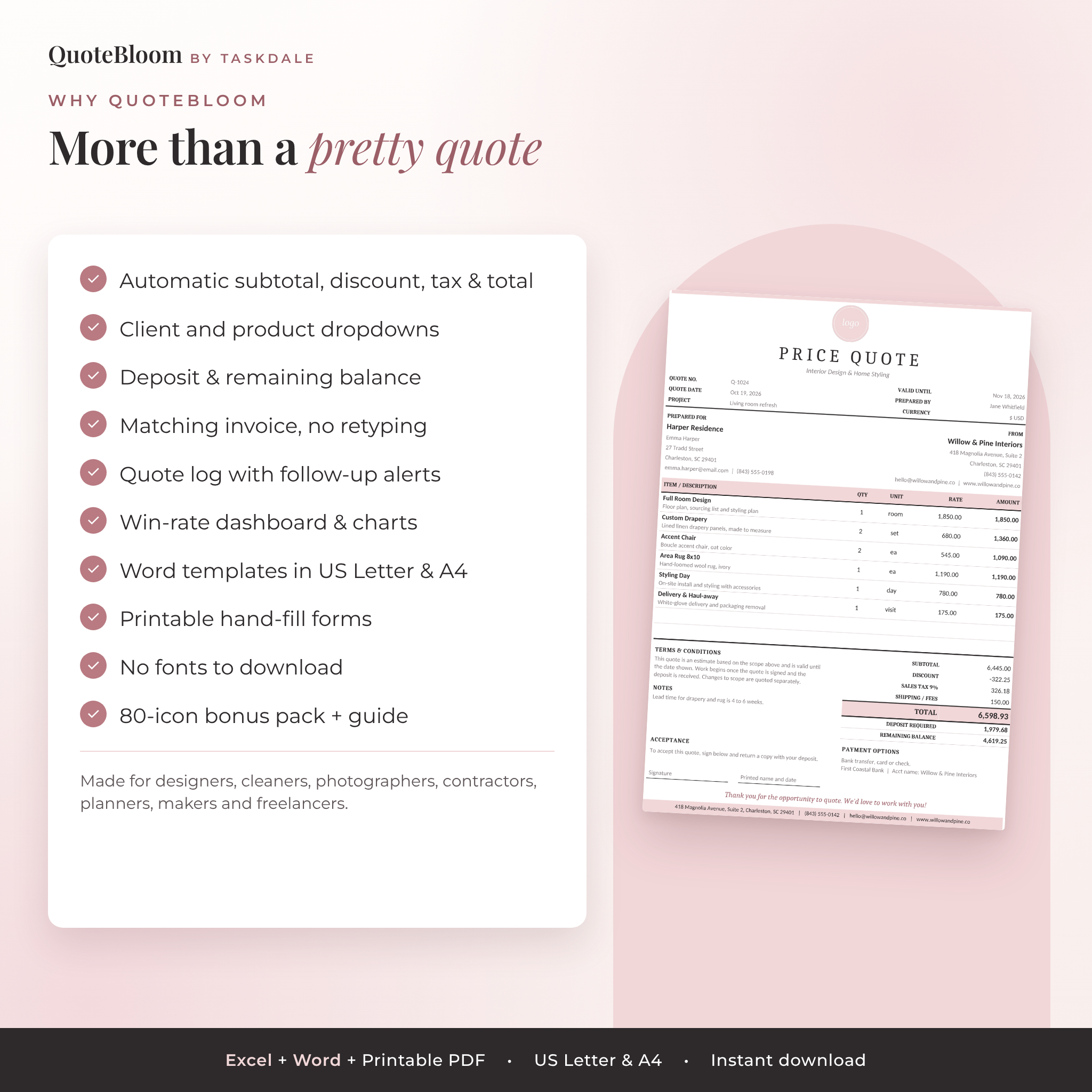
This price quote template gives you a soft blush quote that looks polished on paper and handles all the math in Excel. Pick a client and their address fills in. Pick an item and its price, unit and tax setting appear. Discounts, sales tax, a deposit and the remaining balance all calculate on their own. When the client says yes, a matching invoice is already built from the same lines.
You also get the same design as Word templates in US Letter and A4, printable hand-fill forms, a quote tracker, a dashboard and a bonus icon pack. It’s one tidy kit for quoting, invoicing and following up.
What This Editable Quote Template Does
Most quote templates on the market are a nice page with empty boxes. You still add the numbers yourself, retype the client’s address and copy everything into an invoice later. QuoteBloom takes care of those steps.
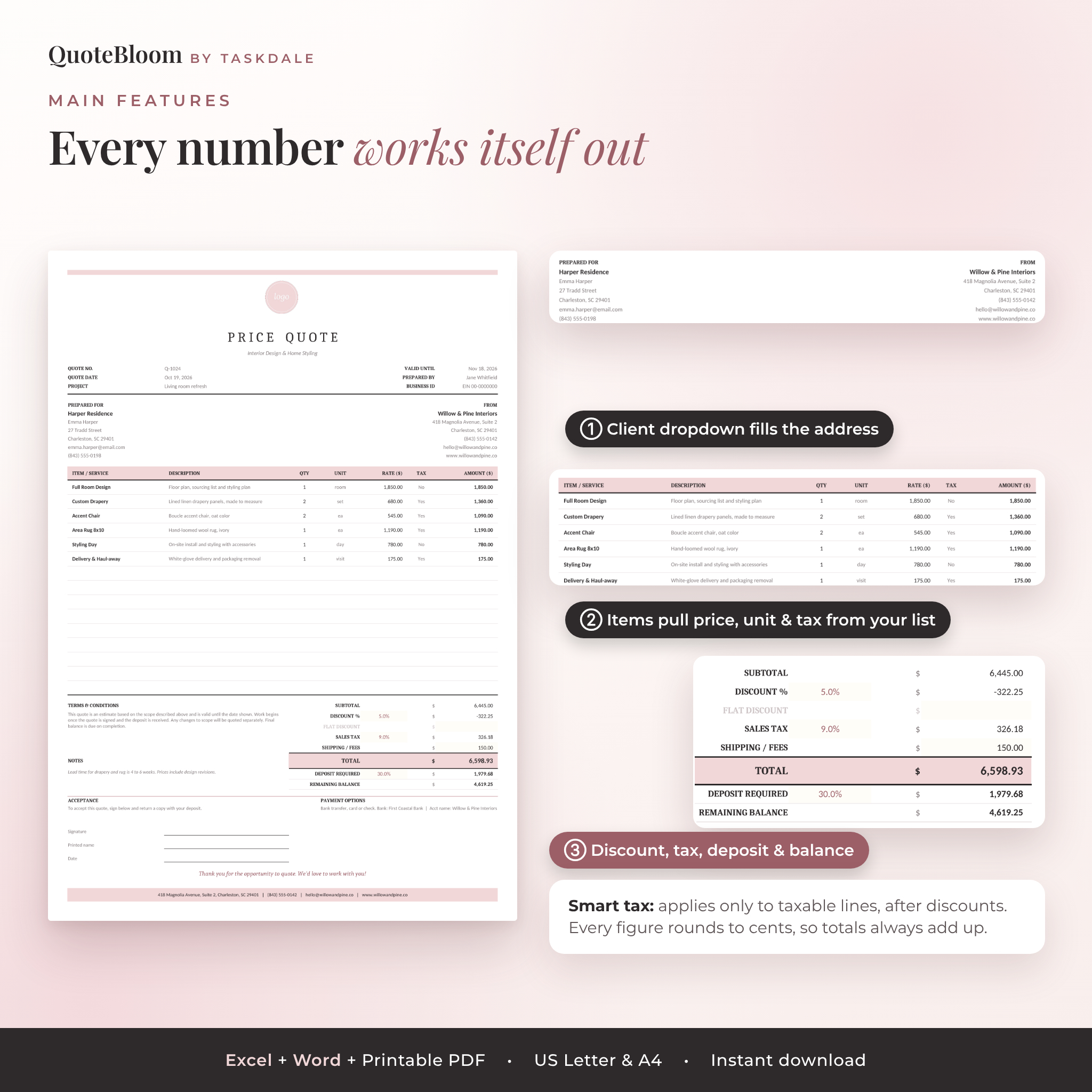
- Automatic totals: subtotal, percentage discount, flat discount, sales tax, shipping or fees, total, deposit and remaining balance.
- Smart tax: tax applies only to lines marked taxable, after their share of any discount. Every figure rounds to cents first, so your totals always add up.
- Client dropdown: keep up to 200 clients. Choose one and the contact, address, email and phone fill in.
- Product and service list: store up to 200 items with descriptions, units and rates. Pick one on the quote and it fills the line.
- Quote to invoice: the Invoice sheet copies the client, lines and totals. The deposit received comes off the balance due.
- Valid until and due dates: set your validity days and payment terms once. The dates work themselves out.
Who It’s For
QuoteBloom suits small businesses and freelancers who send quotes or estimates before starting work. Interior designers, cleaners, photographers, event planners, florists, bakers, contractors, landscapers, tutors, makers who take custom orders and virtual assistants all use this kind of template. If you’ve been quoting in an email or a plain Word table, this will save you time and look a lot more professional.
What’s Included
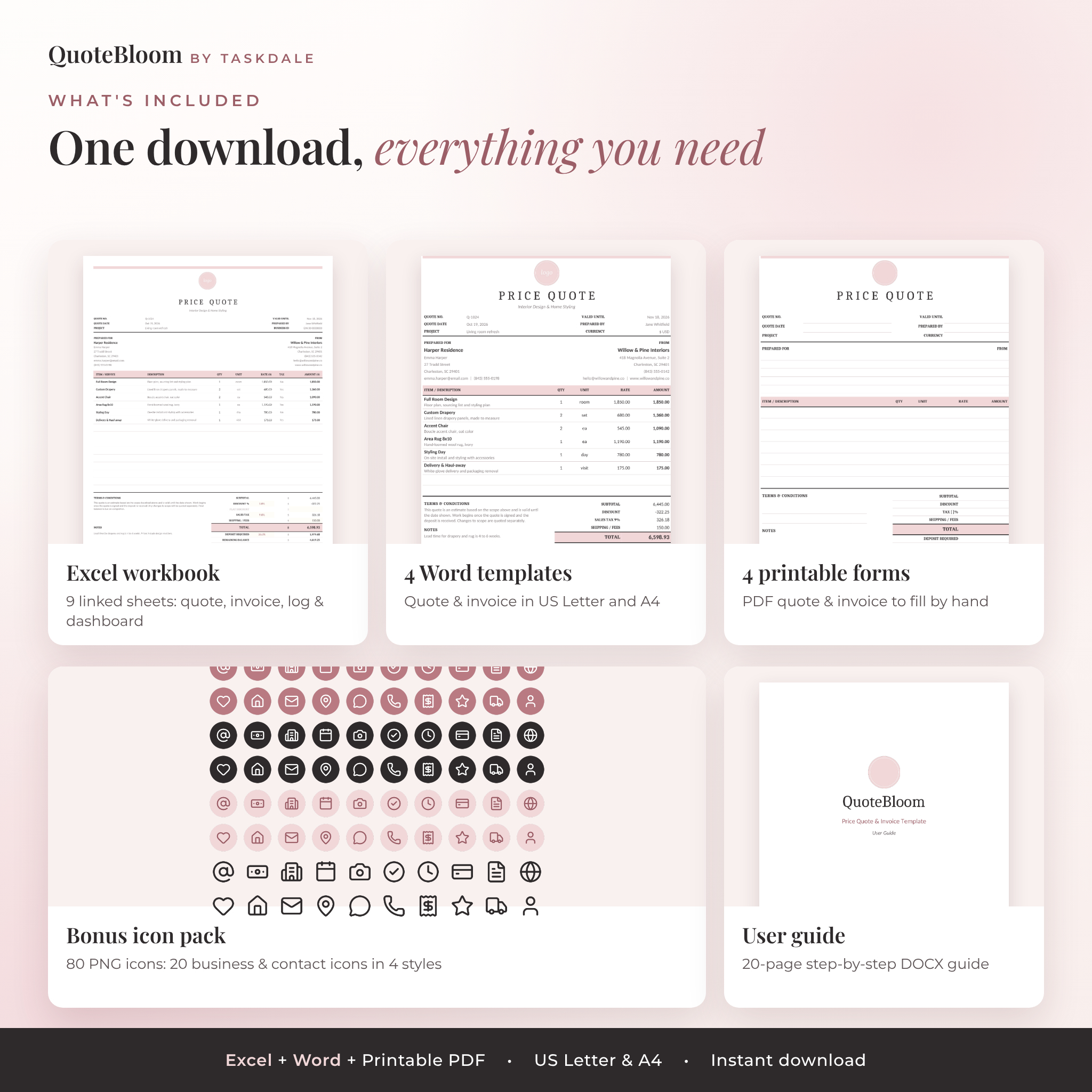
- Excel workbook (.xlsx) with 9 linked sheets: Start Here, Quote, Invoice, Settings, Catalog, Clients, Quote Log, Dashboard and Lists
- 4 Word templates (.docx): price quote and invoice, each in US Letter and A4
- 4 printable PDF forms: blank quote and invoice forms with writing lines, US Letter and A4
- Bonus icon pack: 80 PNG icons (20 business and contact icons in 4 color styles)
- User guide (.docx): 20 pages with screenshots, setup steps, tips, troubleshooting and FAQs
Features of the Quote and Invoice Workbook
A quote that fits on one page
The Quote sheet has 15 line items, a terms and conditions block, notes, payment options and a signature area for client acceptance. Unused rows such as a zero discount fade to light grey, so the printed page stays clean. It’s set to US Letter and scales to fit one page, and switching to A4 takes one click.
Any currency, $ by default
Type your currency symbol once in Settings. Every money column and total uses it: $, €, £, R, A$, C$, ₹ or anything else up to five characters. Name your tax Sales Tax, VAT, GST or HST.
Quote tracker with follow-up alerts
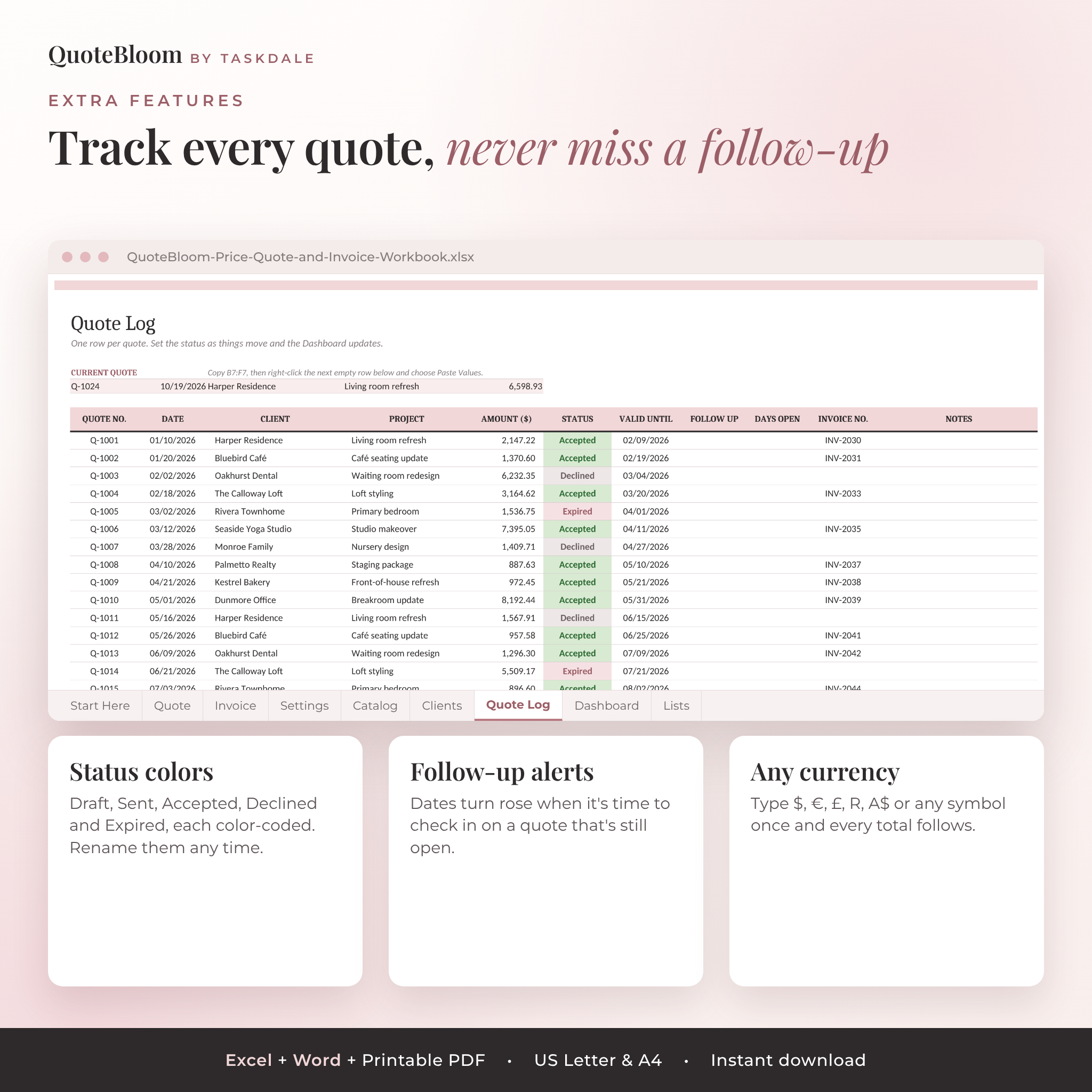
The Quote Log keeps up to 300 quotes with date, client, project, amount and status. Draft, Sent, Accepted, Declined and Expired each get their own color. Add a follow-up date and the cell turns rose when it’s time to check in. Days Open counts how long each pending quote has been waiting.
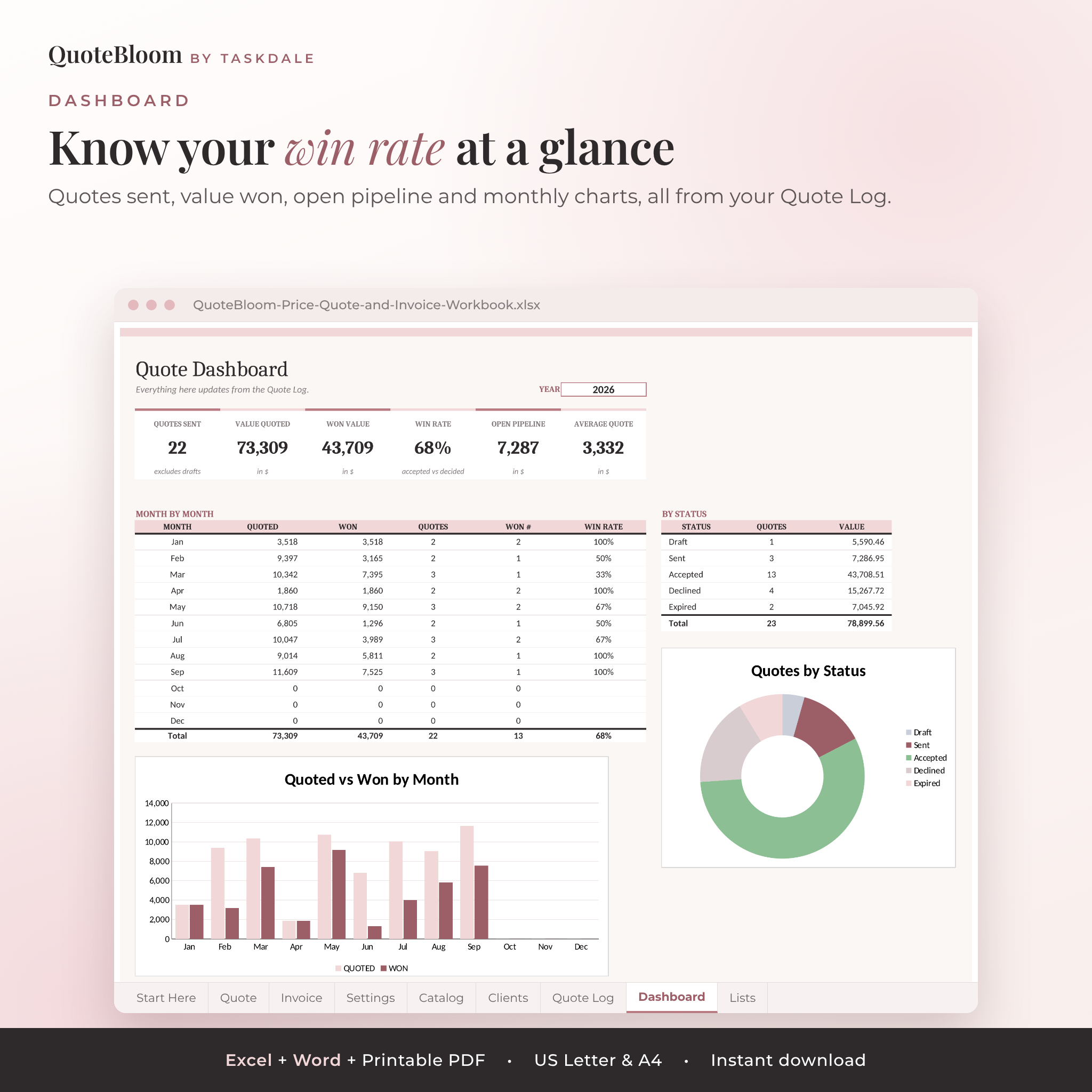
Sales dashboard
Choose a year and see quotes sent, value quoted, value won, win rate, open pipeline and average quote size. A month-by-month table, a quoted vs won chart and a status chart show where your work comes from.
Safe from accidental changes
Formula cells are protected with no password. Cream cells are for typing. Inputs are checked, so a quantity, rate or percentage can’t be entered in a way that breaks a total.
How It Works
- Download the files after checkout and open the Excel workbook.
- Add your business details, currency, tax rate and terms in Settings.
- List your products or services in the Catalog and your clients in Clients.
- On the Quote sheet, choose a client and items and type the quantities.
- Save it as a PDF or print it, then log it in the Quote Log.
- When the client accepts, open the Invoice sheet, add the invoice date and send it.
Customize It
Swap the round logo for your own with Change Picture. Recolor any cell with Fill Color, change fonts, rename statuses and add your own units. Everything uses Calibri and Cambria, which come with Microsoft Office, so there are no fonts to download first. The Word templates use built-in heading styles, so you can restyle a whole page in a couple of clicks.
File Formats and Software Requirements
- Microsoft Excel 2016 or newer, or Microsoft 365, on Windows or Mac. Also tested in LibreOffice Calc.
- Microsoft Word for the .docx templates.
- Any PDF reader to print the hand-fill forms.
- Paper sizes: US Letter and A4.
The workbook is built and tested for desktop Excel and LibreOffice. It hasn’t been tested in Google Sheets or Numbers.
Digital Download
This is an instant digital download. No physical item ships. Your files appear on the order confirmation page and in your account straight after payment. The license covers use in one business. You can send quotes and invoices made with it to your own clients, but you can’t resell or share the template files.
Real Ways People Use It
- An interior designer quotes a room refresh with design fees (not taxed) and furniture (taxed), plus a 30% deposit.
- A cleaning business keeps its standard services in the Catalog and builds a quote in two minutes during a phone call.
- A photographer sends a wedding package quote, then turns it into an invoice with the deposit already deducted.
- A contractor prints the blank quote forms for site visits, then types up the final version back at the office.
- A maker tracks every custom-order quote and checks the dashboard to see which months bring the most work.
Frequently Asked Questions
Does the quote template calculate totals automatically?
Yes, in the Excel workbook. Subtotal, discounts, tax, fees, total, deposit and balance all calculate. The Word templates are type-in versions.
Can I use it as an estimate template or job quote form?
Yes. Change the title to Estimate if you like. The layout works for estimates, bids and price quotations.
Does it work on a Mac?
Yes, with Microsoft Excel and Word for Mac.
Can I add my logo?
Yes. Right-click the logo placeholder, choose Change Picture and pick your file.
What if I don’t charge sales tax?
Set the tax rate to 0% in Settings. You can also mark single items as not taxable.
Is there a matching invoice template?
Yes. There’s an Invoice sheet in the workbook that fills from the quote, plus Word and printable invoice versions.
Do I need to install any fonts?
No. It uses Calibri and Cambria, which come with Microsoft Office.
Reviews
There are no reviews yet.