Bakery Business Spreadsheet for Google Sheets: Run Your Home Bakery From One Planner
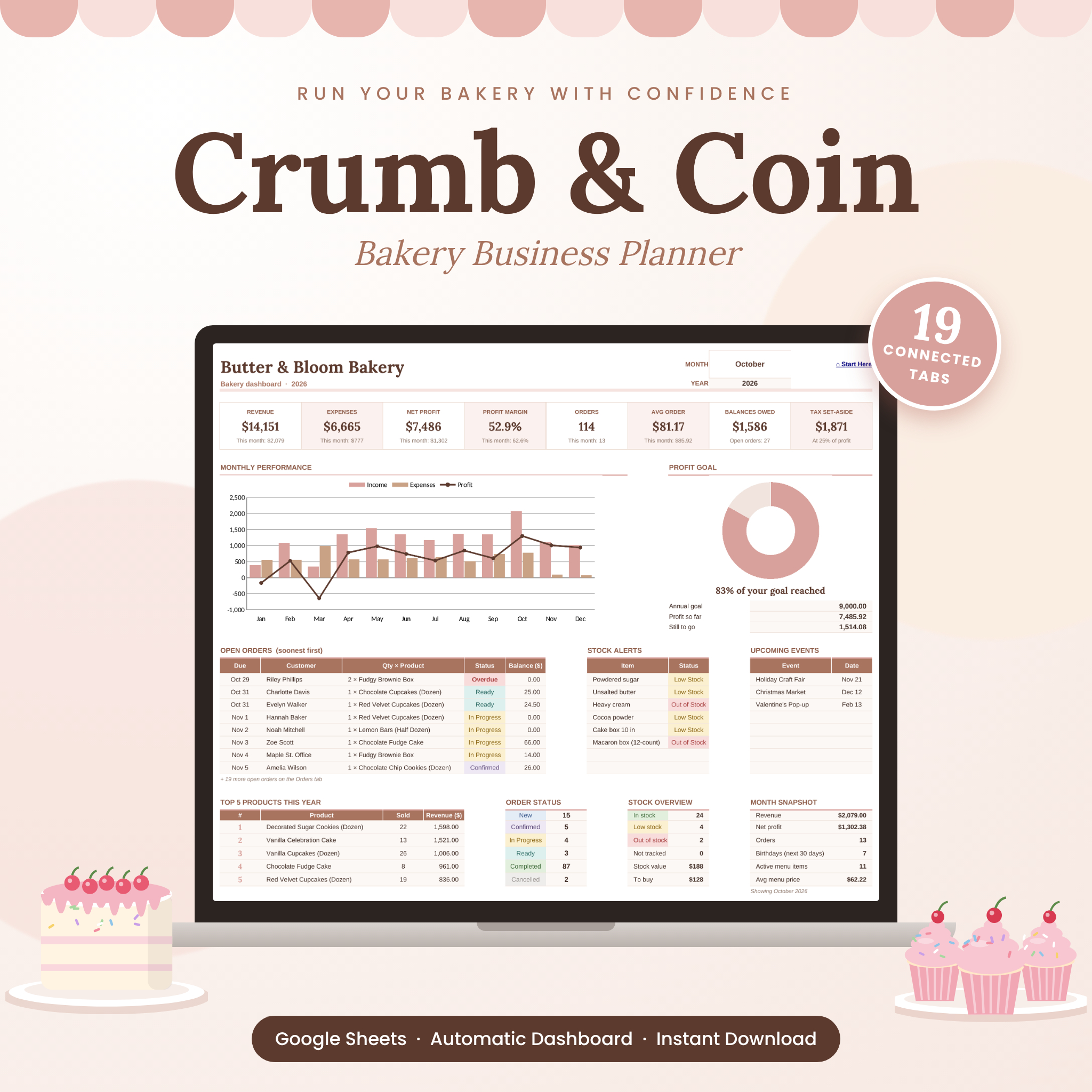
Crumb & Coin is an all-in-one bakery business spreadsheet for Google Sheets that helps home bakers, cottage food businesses and small bakeries price with confidence, organize every order and see real profit. It connects recipes, ingredient prices, orders, stock, customers, events and bookkeeping in one file, so a change in one place updates everything else.
Most bakery templates make you type the same numbers again and again. Crumb & Coin doesn’t. You enter what you pay for flour once and every recipe, menu price check and shopping list updates for you.
What This Bakery Planner Does
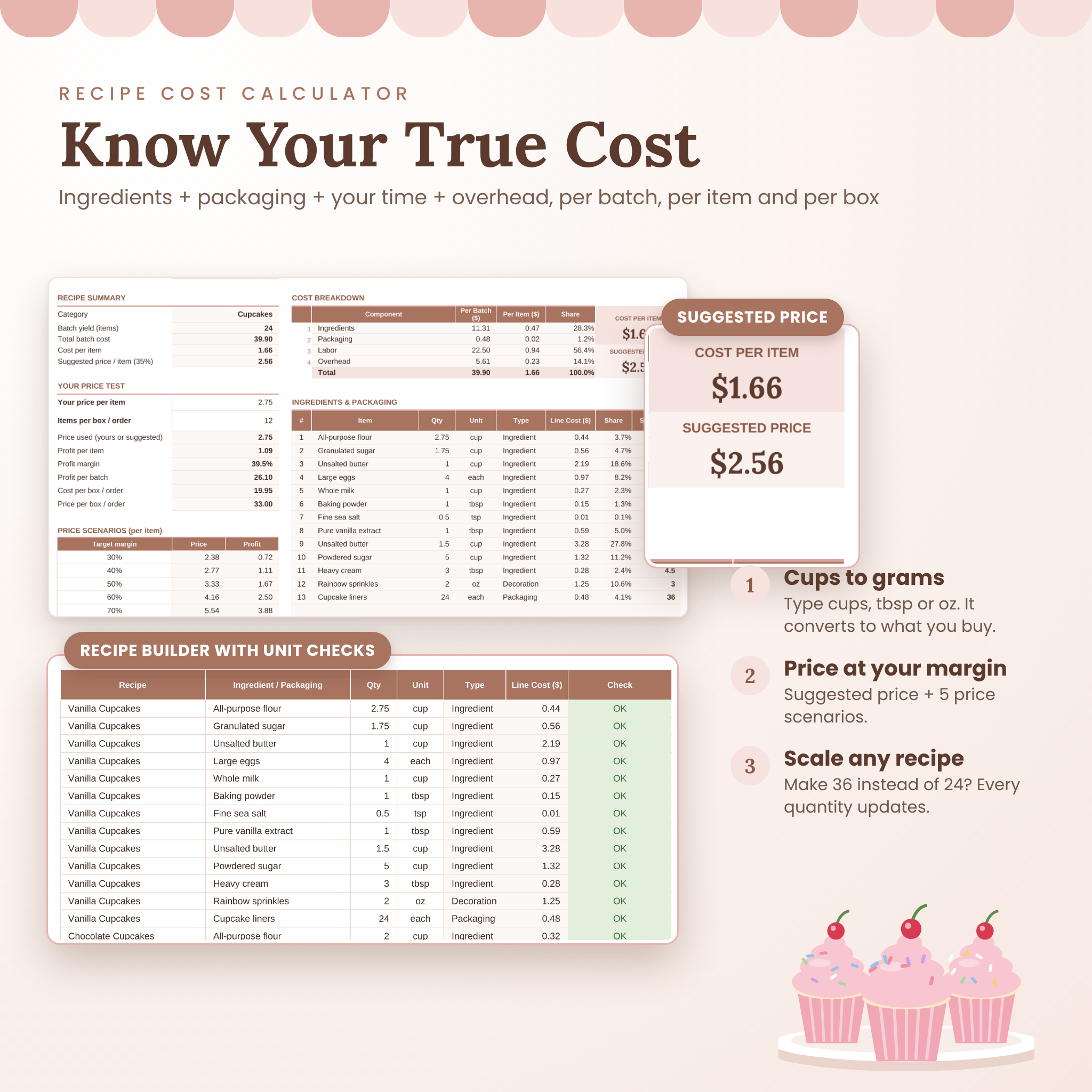
- Works out your true cost. Ingredients, packaging, your hourly wage and kitchen overhead, per batch, per item and per box.
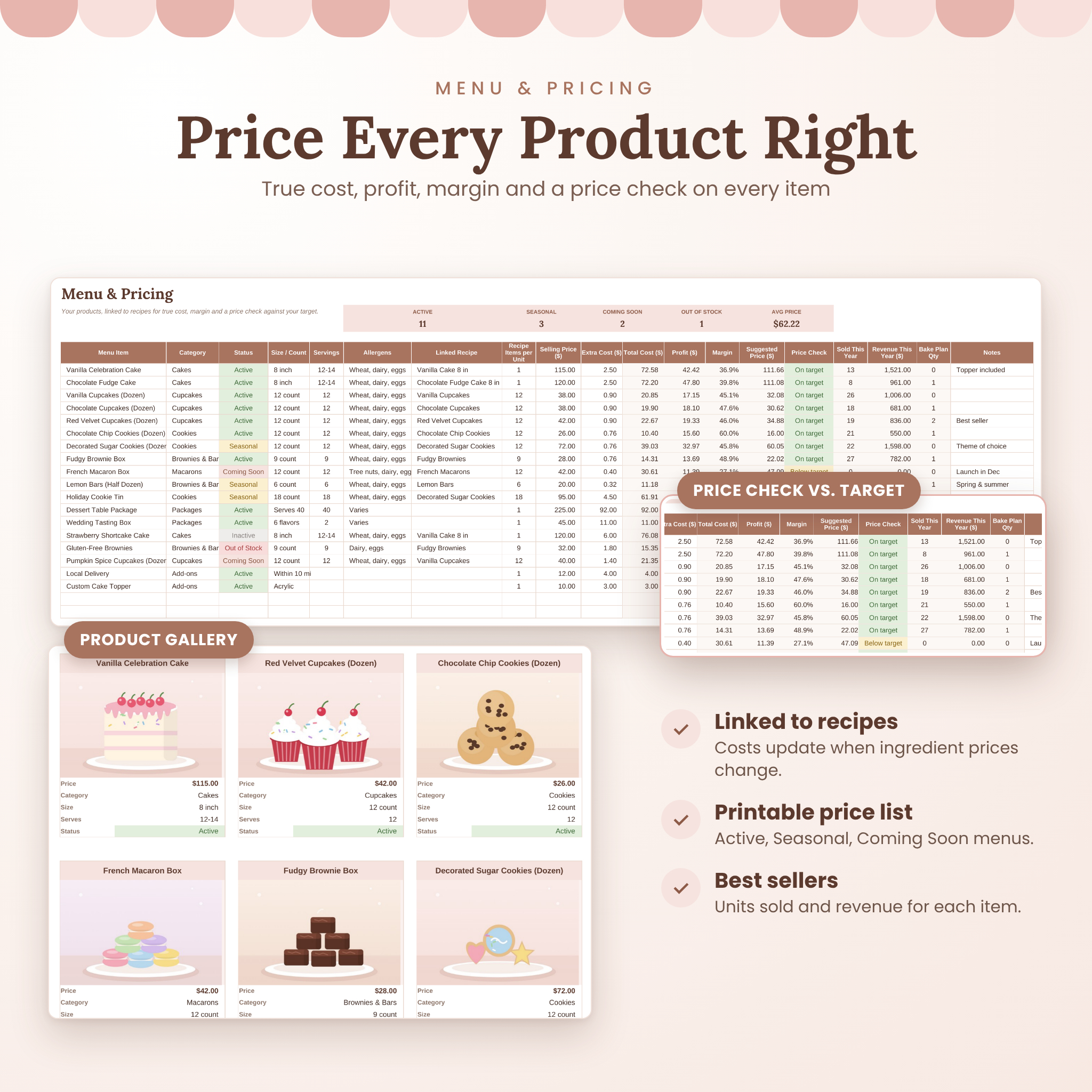
- Tells you if your prices are right. Every menu item gets a margin, a suggested price at your target margin and a color-coded price check.
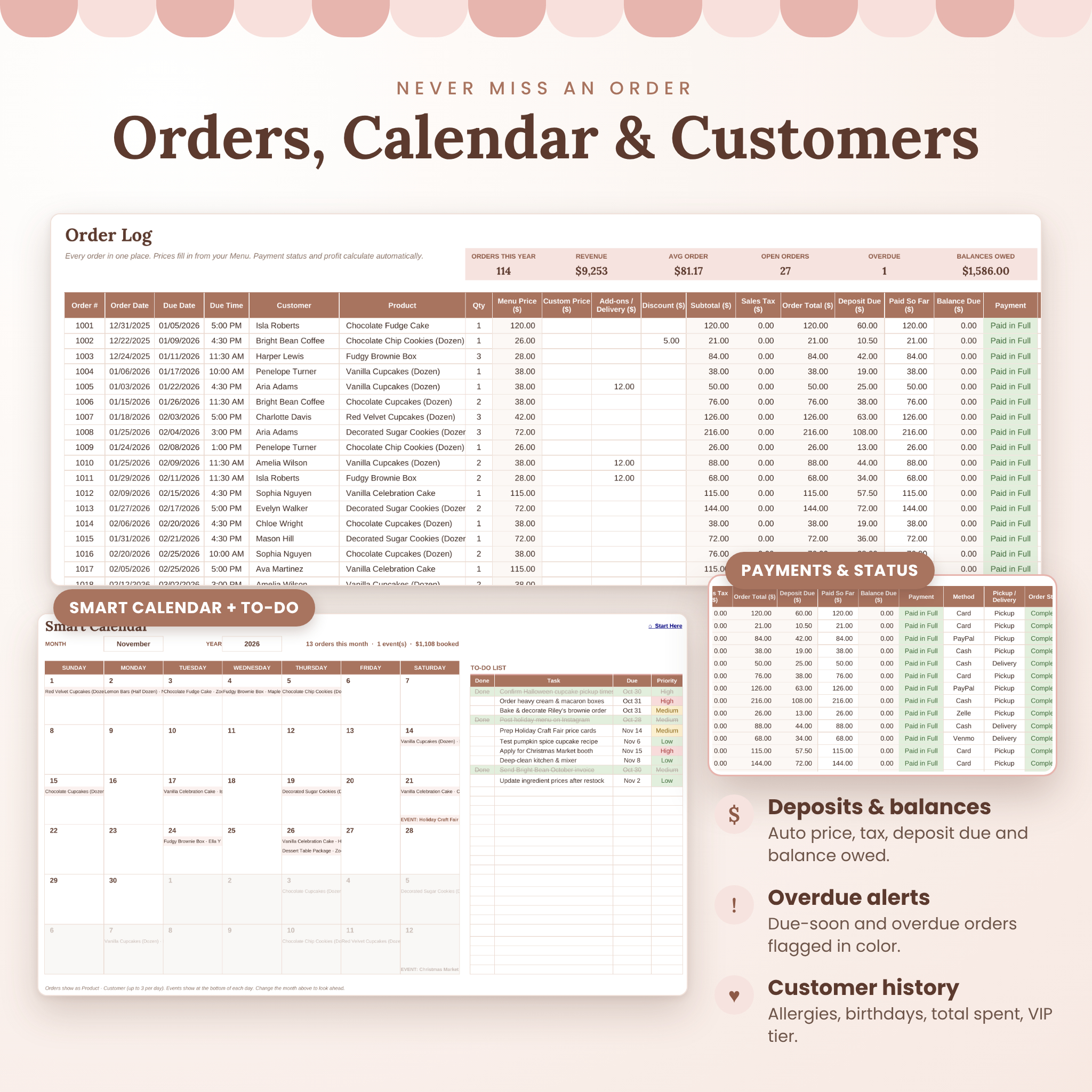
- Keeps orders under control. Prices fill in from your menu. Sales tax, deposits, balances, payment status and overdue alerts calculate themselves.
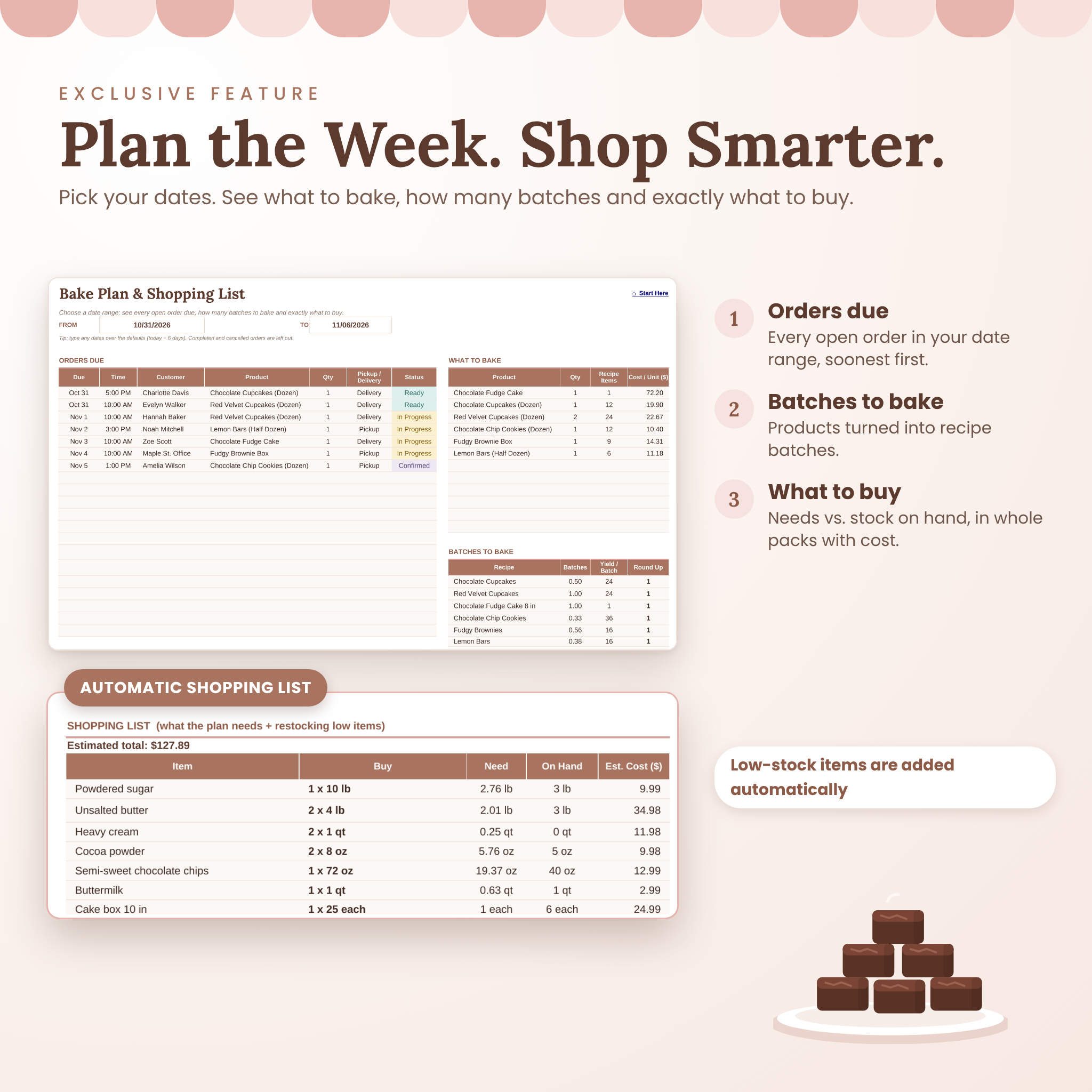
- Plans your baking week. Pick a date range to see every order due, how many batches to bake and an automatic shopping list.
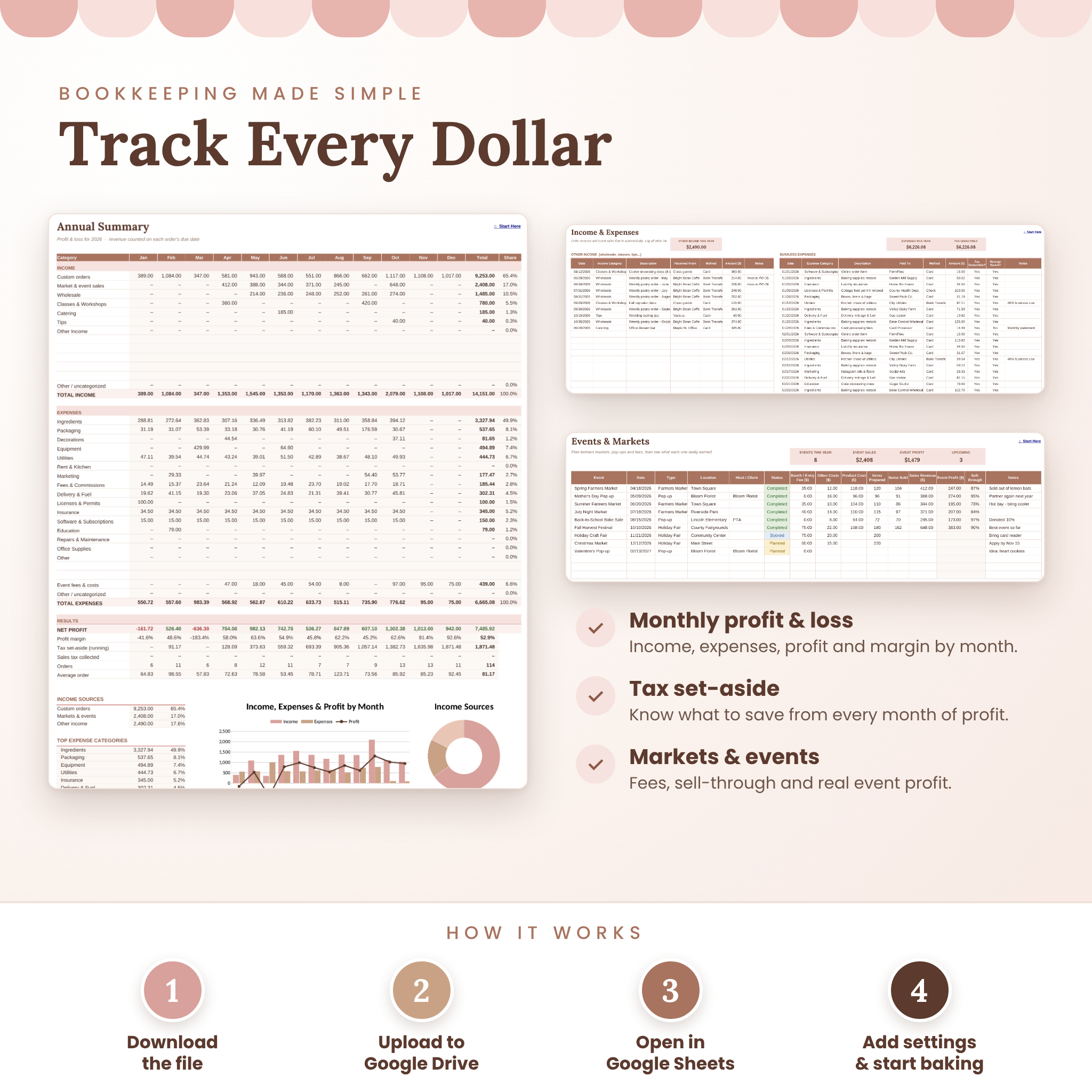
- Handles the bookkeeping. A monthly profit and loss summary, tax set-aside estimate, expense categories and charts.
Who It’s For
Built for home bakers and cottage bakeries selling cakes, cupcakes, cookies, brownies, macarons and custom treats. It also suits farmers market and pop-up bakers, cake decorators who quote custom orders, and growing bakery businesses that want clean records without monthly software fees. No spreadsheet experience needed: type in the white cells and the planner does the math.
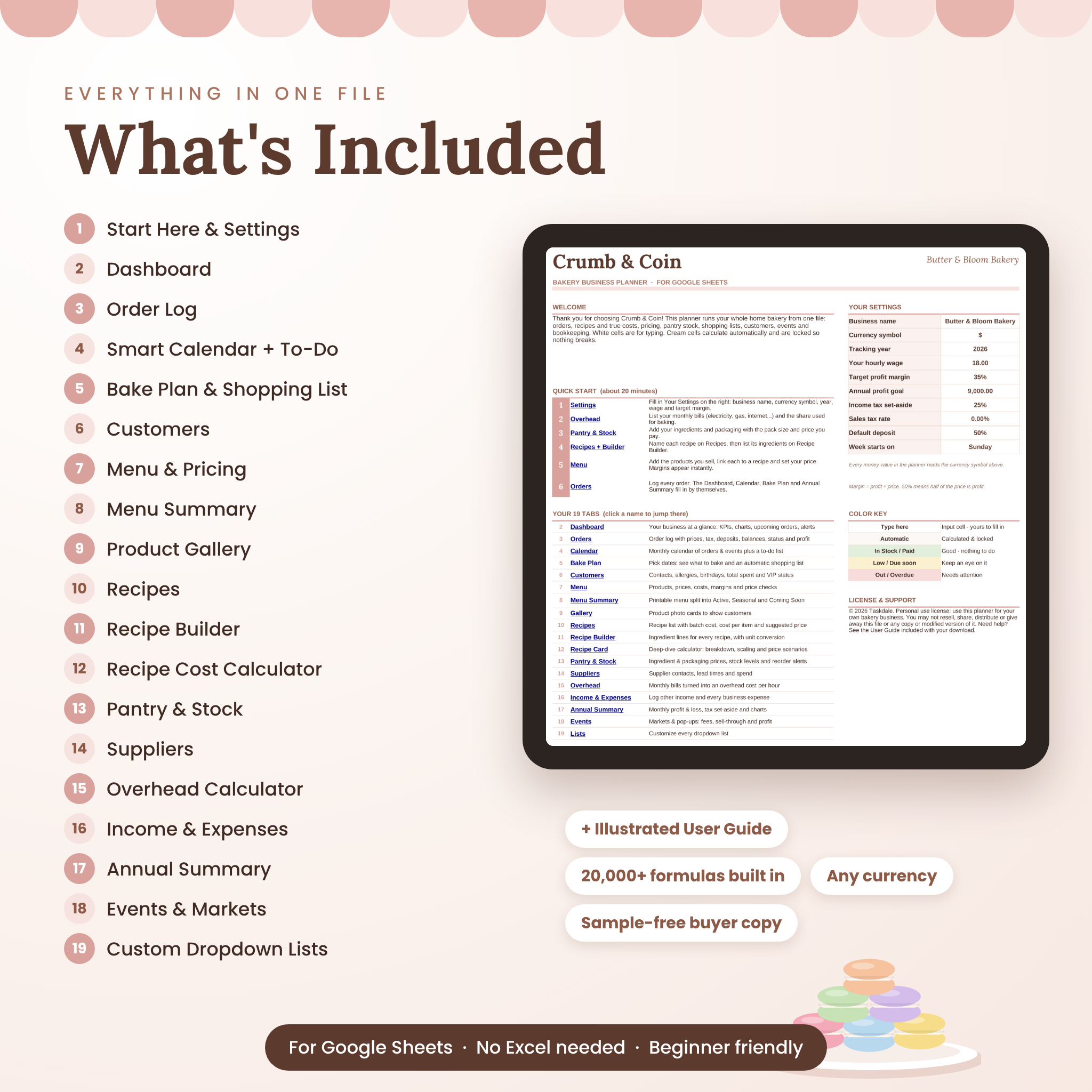
Features: 19 Connected Tabs
Dashboard and planning
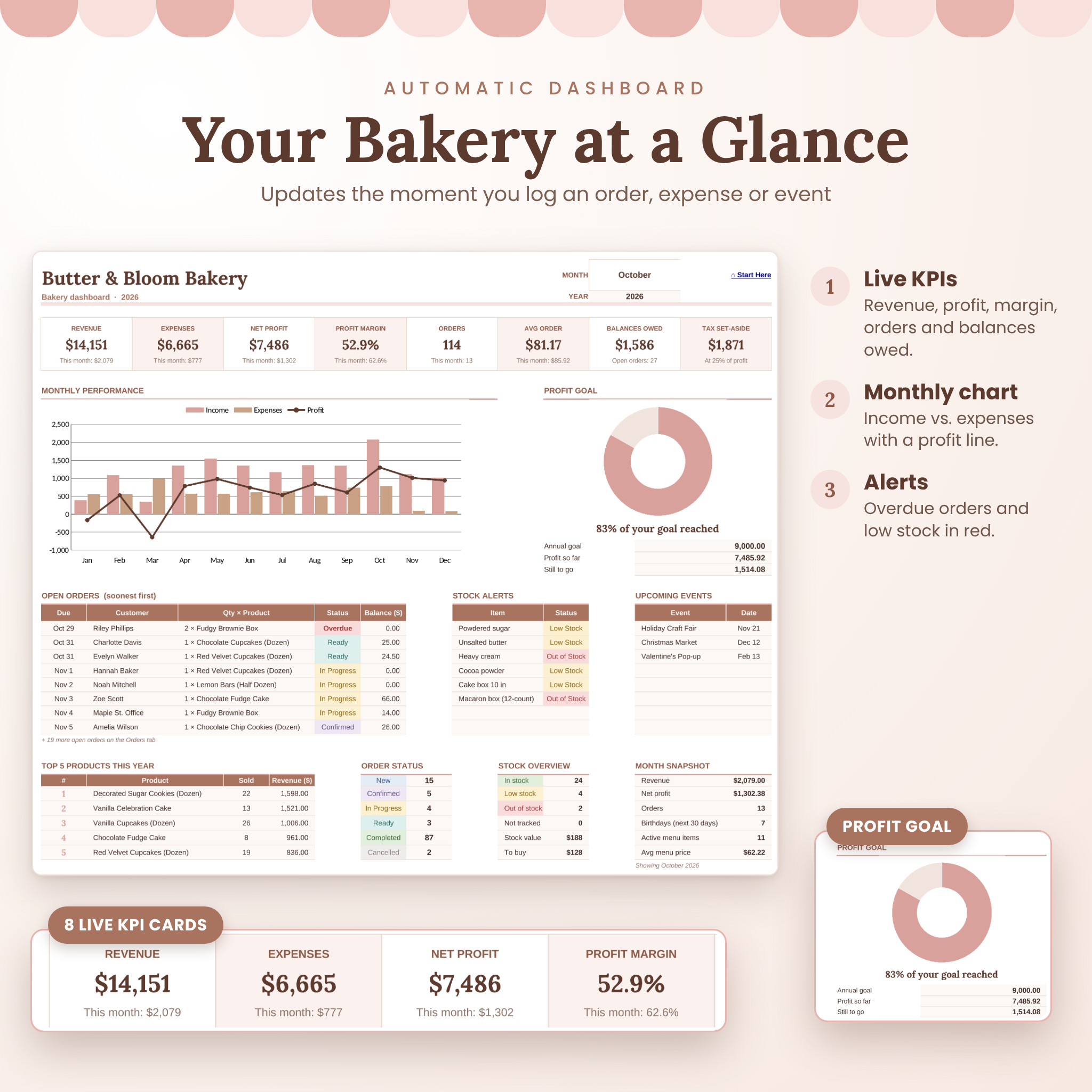
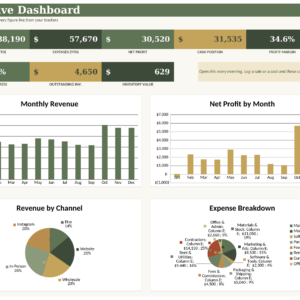
- Dashboard: 8 KPI cards (revenue, expenses, net profit, margin, orders, average order, balances owed, tax set-aside), a monthly income/expense/profit chart, a profit goal tracker, open orders, stock alerts, upcoming events, top 5 products and a month snapshot.
- Smart Calendar: a month view of orders and events with a built-in to-do list.
- Bake Plan & Shopping List: orders due, products to bake, recipe batches, and what to buy in whole packs with estimated cost.
Recipe costing and pricing
- Recipe Builder with unit conversion: enter amounts in cups, tbsp, tsp, oz, lb, g, ml or each. Cups convert to grams using an optional “grams per cup” value.
- Recipes: batch cost, cost per item and suggested price for up to 60 recipes.
- Recipe Cost Calculator: cost breakdown chart, your price test, 5 price scenarios, recipe scaling and a monthly sales projection.
- Menu & Pricing: true cost, profit, margin, suggested price, price check, units sold and revenue for every product.
- Menu Summary: a printable price list grouped into Active, Seasonal, Coming Soon and Out of Stock.
- Product Gallery: 12 photo cards that pull price, size, servings and status from your menu.
Operations and bookkeeping
- Order Log: 500 orders with custom prices, add-ons, discounts, sales tax, deposits, balances and estimated profit.
- Customers: allergies, birthdays and reminders, order count, total spent and VIP tiers.
- Pantry & Stock: pack prices, stock on hand, minimum levels and low-stock alerts.
- Suppliers: contacts, lead times and spend this year.
- Overhead Calculator: turns household bills into a fair overhead cost per baking hour.
- Income & Expenses: other income plus every expense, with tax-deductible and receipt tracking.
- Annual Summary: a 12-month profit and loss with charts.
- Events & Markets: fees, items prepared and sold, sell-through and event profit.
- Start Here and Lists: your settings, quick-start steps, tab links and editable dropdowns.
What’s Included
- Crumb & Coin Bakery Business Planner (.xlsx file for Google Sheets), a clean copy ready for your data
- Illustrated User Guide (.docx, 20 pages) covering setup, every feature, a grams-per-cup chart, troubleshooting and FAQ
How It Works
- Download your files right after purchase.
- Upload the planner to Google Drive and open it in Google Sheets (File > Save as Google Sheets).
- Fill in Your Settings: business name, currency, wage and target margin.
- Add your pantry items, recipes and menu, then start logging orders. The dashboard fills in by itself.
File Format and Software Requirements
- Format: .xlsx spreadsheet, built and tested for Google Sheets (free with a Google account)
- Works in a web browser on a computer. Use the Google Sheets app to check orders on a phone or tablet
- User guide: .docx (opens in Google Docs, Microsoft Word or Pages)
Customization
Change the currency symbol once and every money heading and dashboard figure updates. $ is the default, and €, £, R, A$ and others all work. You can also rename categories, payment methods, event types and other dropdowns on the Lists tab, restyle colors and fonts, and set your own wage, target margin, profit goal, deposit percentage, sales tax rate and week start day.
Real-Life Use Cases
- Quoting a custom birthday cake and knowing the price covers your time
- Planning Saturday’s market: what to bake, how many batches and what to buy on Thursday
- Spotting that your cookie boxes are below target margin and raising the price
- Seeing which customers owe a balance before pickup day
- Sending a birthday offer to customers with birthdays this month
- Handing your accountant a clean expense summary at tax time
Digital Download Information
This is a digital product. No physical item will be shipped. Files are available to download right after payment. Personal use license: use the planner for your own bakery business. Reselling, sharing or distributing the files is not permitted. © 2026 Taskdale.
FAQ
Do I need Microsoft Excel?
No. The planner is built and tested for Google Sheets, which is free with a Google account.
Can I use it for cakes and custom orders?
Yes. Link a cake recipe, add toppers or boards as extra cost and use the Custom Price column for quoted orders.
Does it convert cups to grams?
Yes. Enter recipes in cups or spoons. Add an item’s grams per cup once (a chart is in the guide) and costs convert automatically.
Can I use my own currency?
Yes. Type your symbol in the settings and every money heading and dashboard figure updates.
Will it work on my phone?
Yes. Use the Google Sheets app to view orders, the calendar and your shopping list. Initial setup is easiest on a computer.
Is my own time included in the price?
Yes. Set your hourly wage and each recipe’s hands-on hours. Labor is included in every cost and suggested price.
How many orders can I track?
Up to 500 orders a year, along with 60 recipes, 80 menu items, 150 pantry items and 300 customers.
Is this tax advice?
No. The tax set-aside is a planning estimate. Please check local rules with a tax professional.
Reviews
There are no reviews yet.