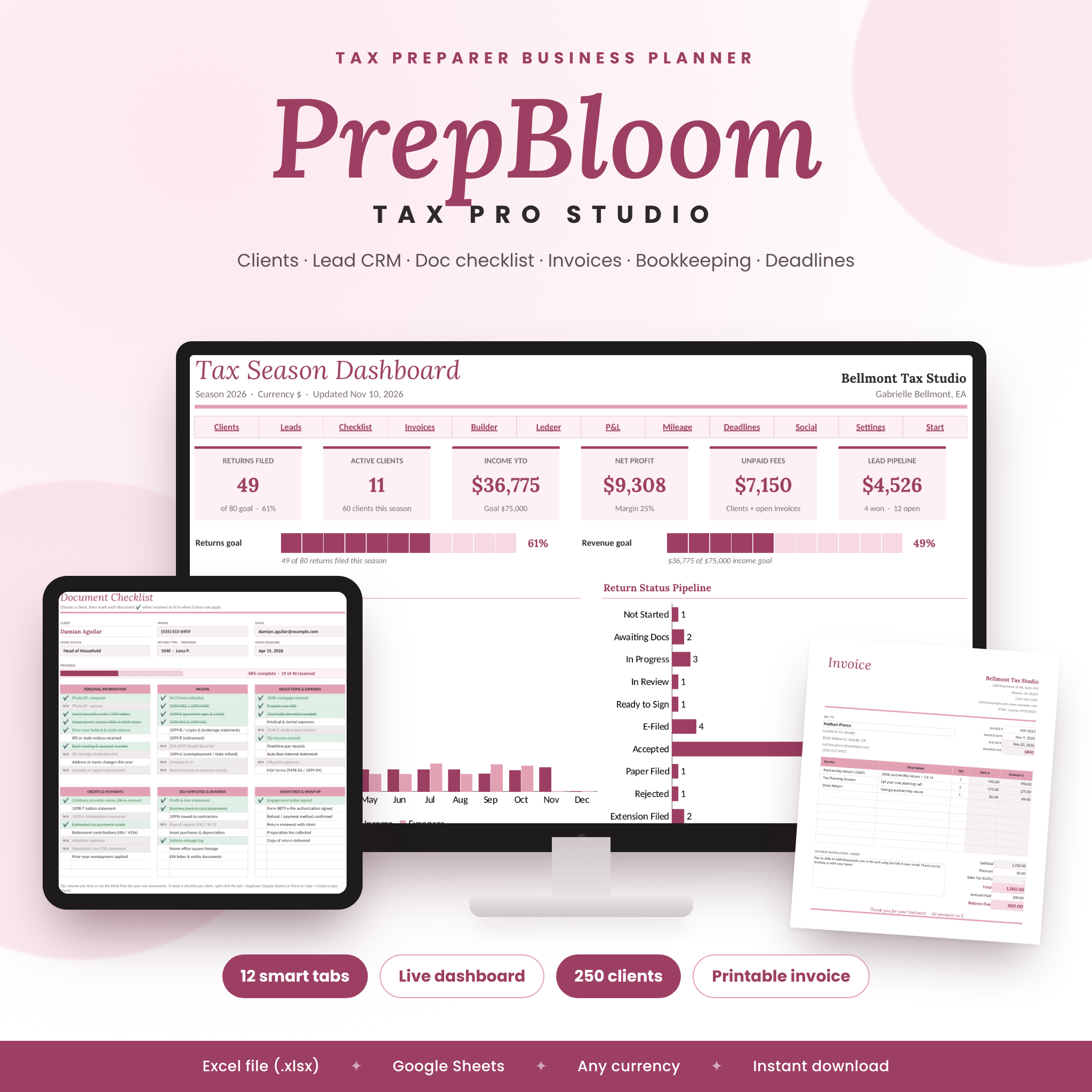
PrepBloom Tax Pro Studio is a tax preparer business planner spreadsheet that runs your whole practice from one file. Track every client and return from intake to IRS acceptance, follow up on leads, collect documents with a checklist, send invoices, keep your books and watch it all come together on a live dashboard. It is an Excel (.xlsx) workbook that also works in Google Sheets.
A Tax Preparer Business Planner That Does the Math for You
Most tax pro templates are a set of separate trackers. PrepBloom connects them. Pick a service and the fee fills in from your price list. Pick a client on the invoice and their details appear. Log income and expenses and your monthly profit and loss builds itself. Change one currency setting and every money value follows.
Who it is for
- Independent tax preparers, Enrolled Agents (EAs) and CPAs
- Bookkeepers who prepare returns for clients
- Seasonal tax offices and new tax businesses that want structure without paying for practice-management software
Features
Dashboard
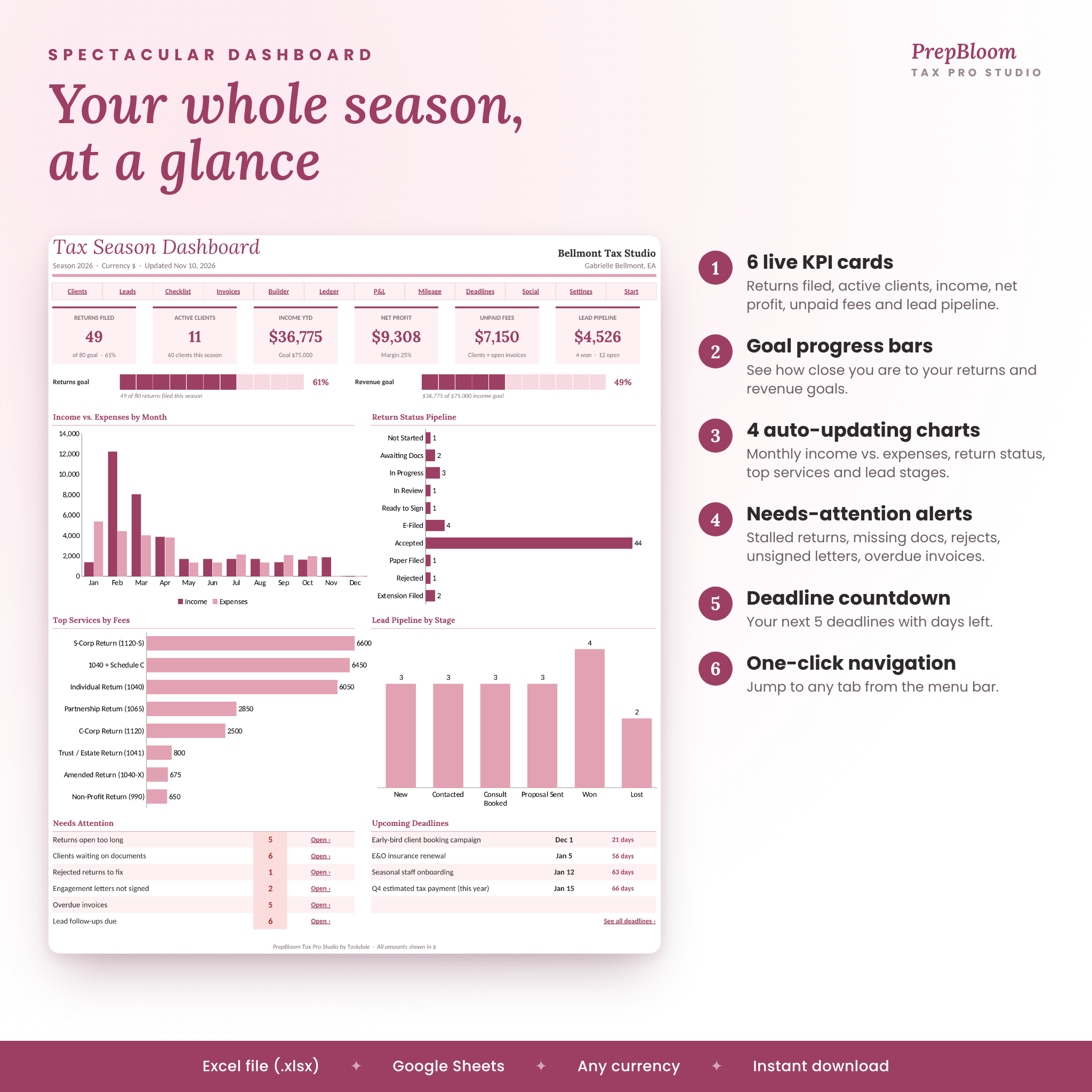
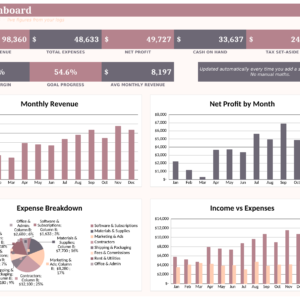
- 6 live KPI cards: returns filed, active clients, income year to date, net profit, unpaid fees and lead pipeline value
- Progress bars for your returns goal and revenue goal
- 4 automatic charts: income vs. expenses by month, return status pipeline, top services by fees, leads by stage
- Needs Attention alerts for stalled returns, missing documents, rejected returns, unsigned engagement letters, overdue invoices and lead follow-ups
- Your next 5 deadlines with days left, plus one-click navigation to every tab
Client tracker
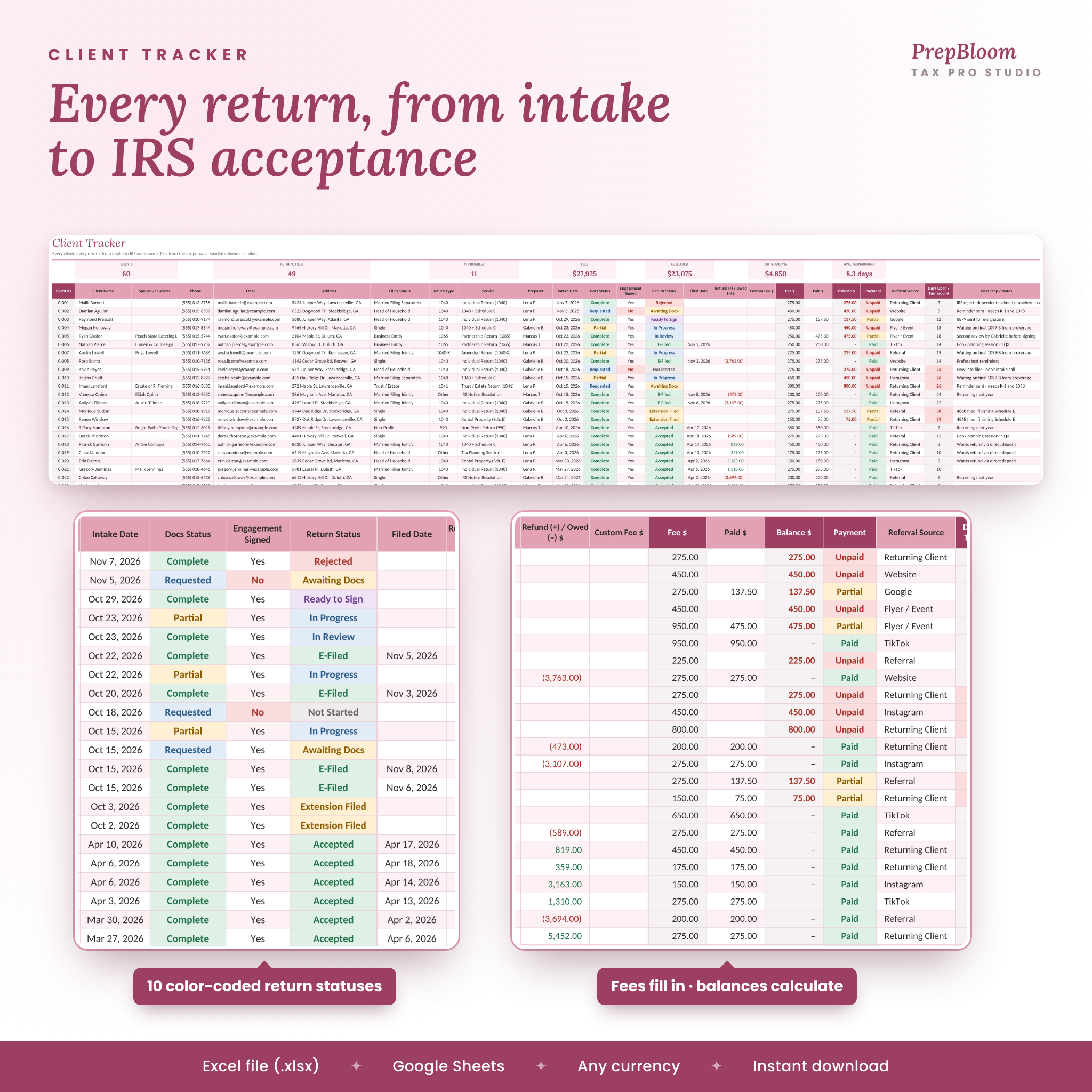
- Room for 250 clients with contact details, filing status, return type, service, preparer and intake date
- 10 color-coded return statuses, from Not Started to Accepted, Rejected or Extension Filed
- Document status, engagement letter, refund or amount owed, fee, payment, balance and referral source
- Automatic fees from your price list (with a custom fee option), plus days open and turnaround time
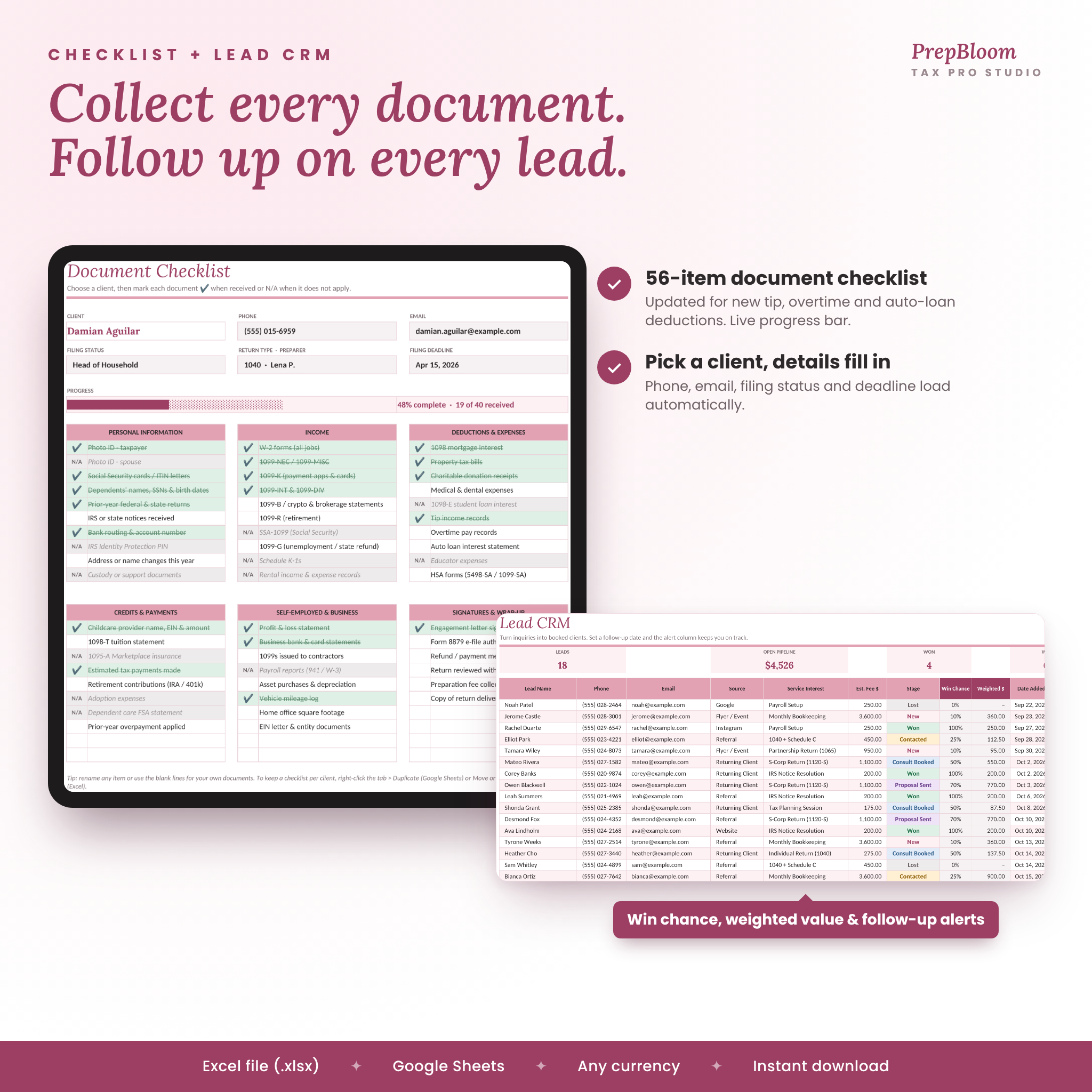
Lead CRM
- Track prospects by source, service interest, stage and estimated fee
- Automatic win chance and weighted pipeline value
- Follow-up alerts: Overdue, Today, This Week
Tax document checklist
- 56 items in 6 groups: personal information, income, deductions, credits and payments, self-employed and business, signatures and wrap-up
- Updated with items for tip income, overtime pay and auto loan interest records
- Choose a client and their details and filing deadline load automatically, with a live progress bar
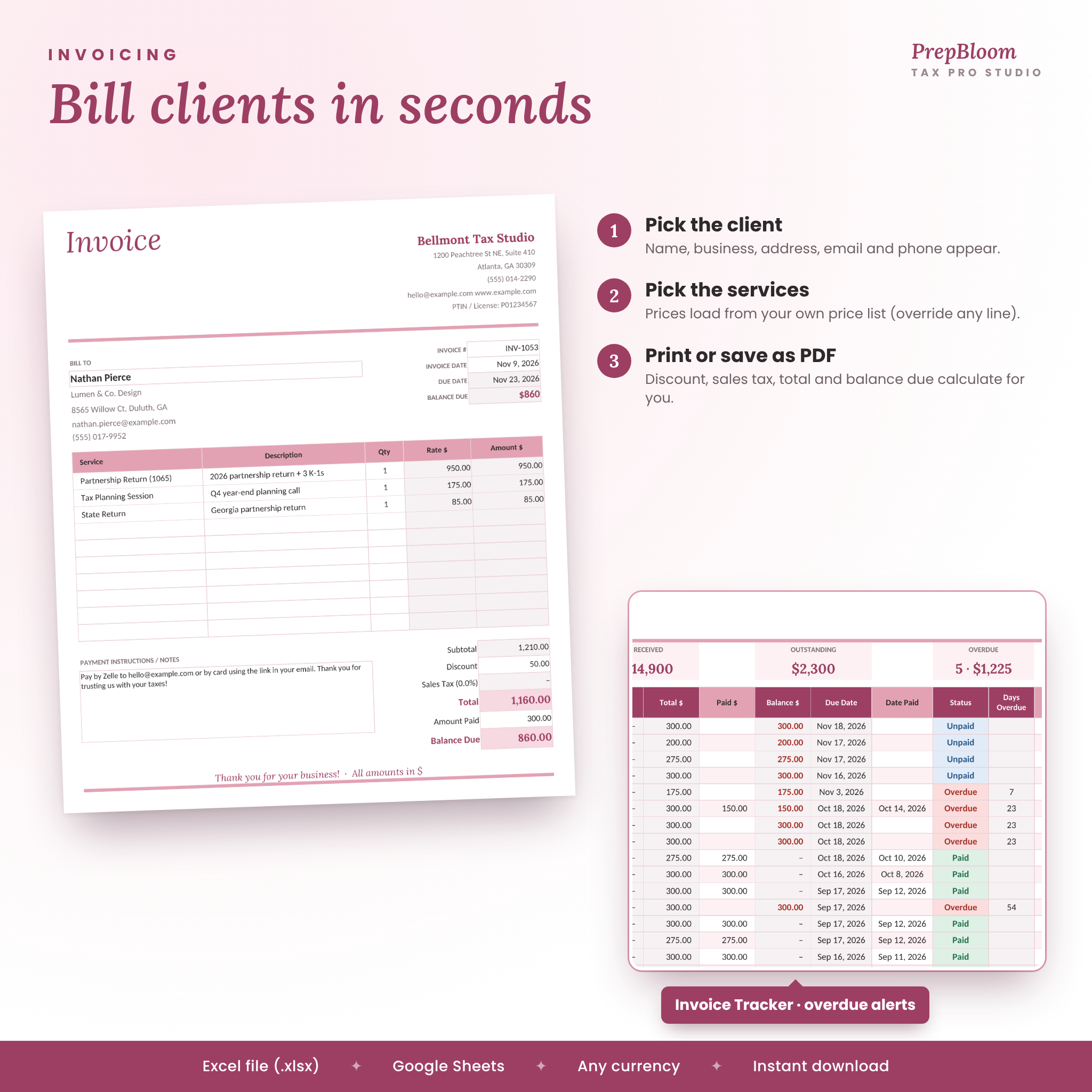
Invoicing
- Printable Invoice Builder with your business details, client lookup and price list
- Invoice Tracker with discount, sales tax, totals, balance, due dates, status and days overdue
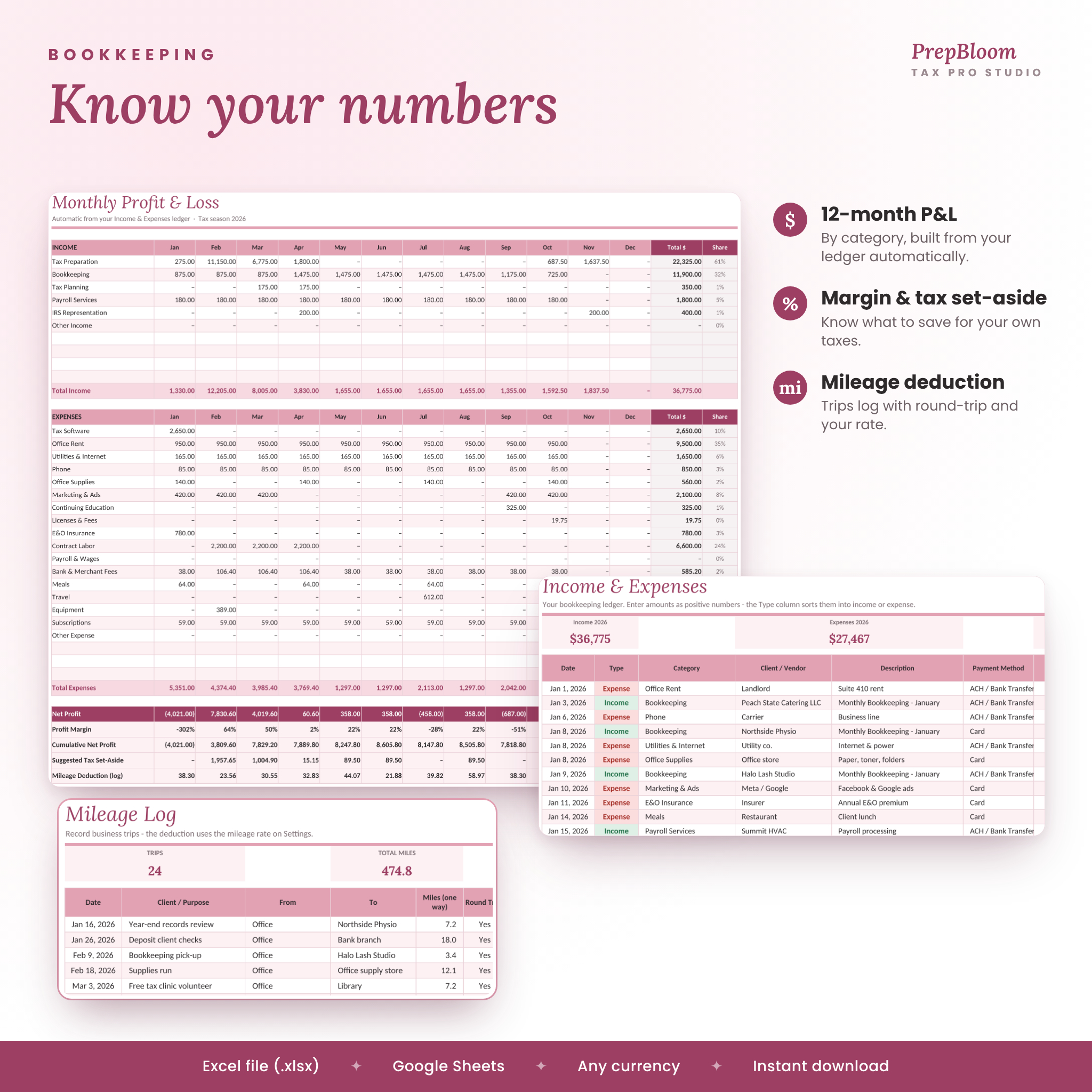
Bookkeeping and more
- Income and expense ledger with categories, payment methods and receipt tracking
- 12-month profit and loss with margin, cumulative profit and a tax set-aside estimate
- Mileage log with round trips and an editable mileage rate
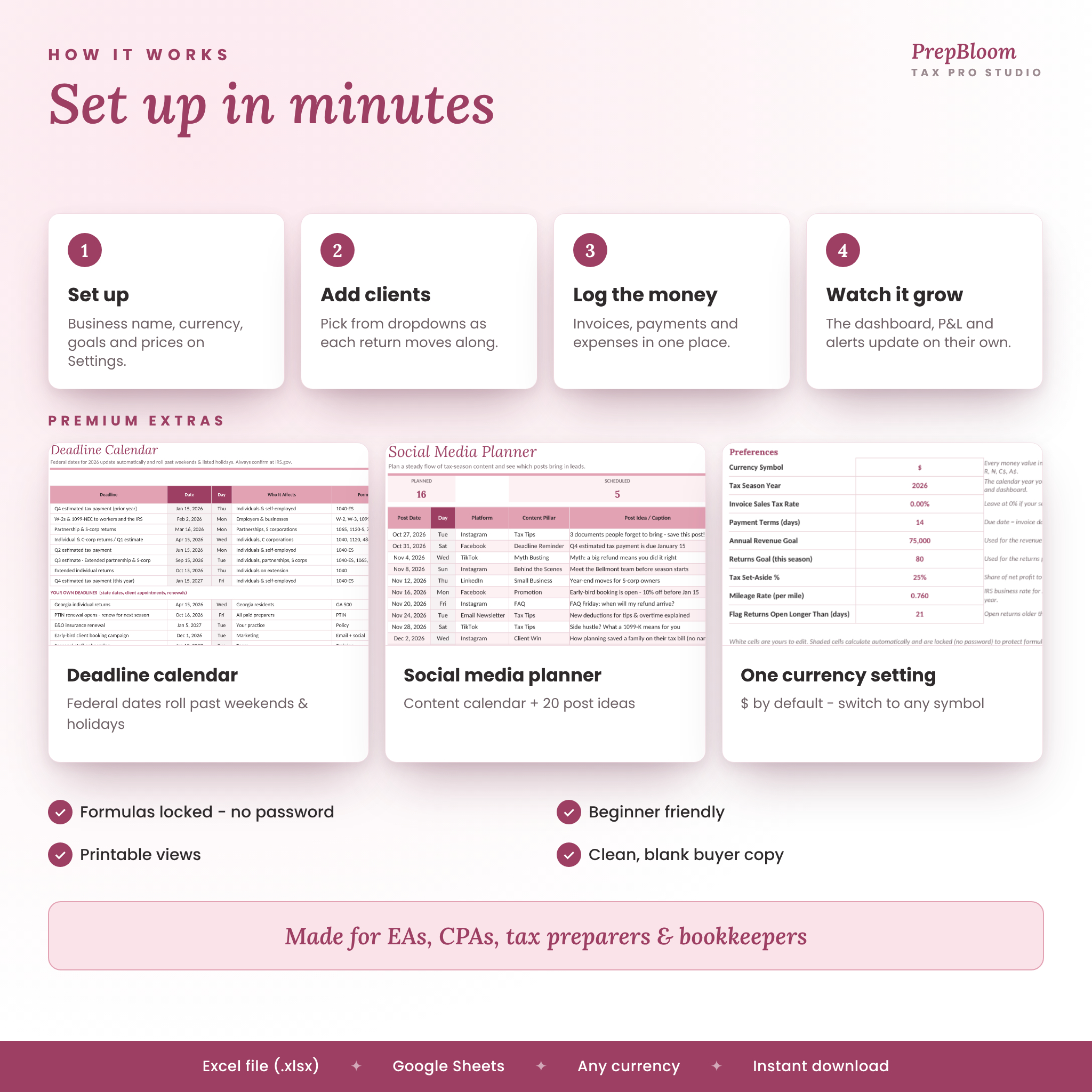
- Deadline calendar: federal dates update with your season year and move past weekends and listed holidays
- Social media planner with engagement and lead tracking, plus a 20-idea content bank
What’s Included
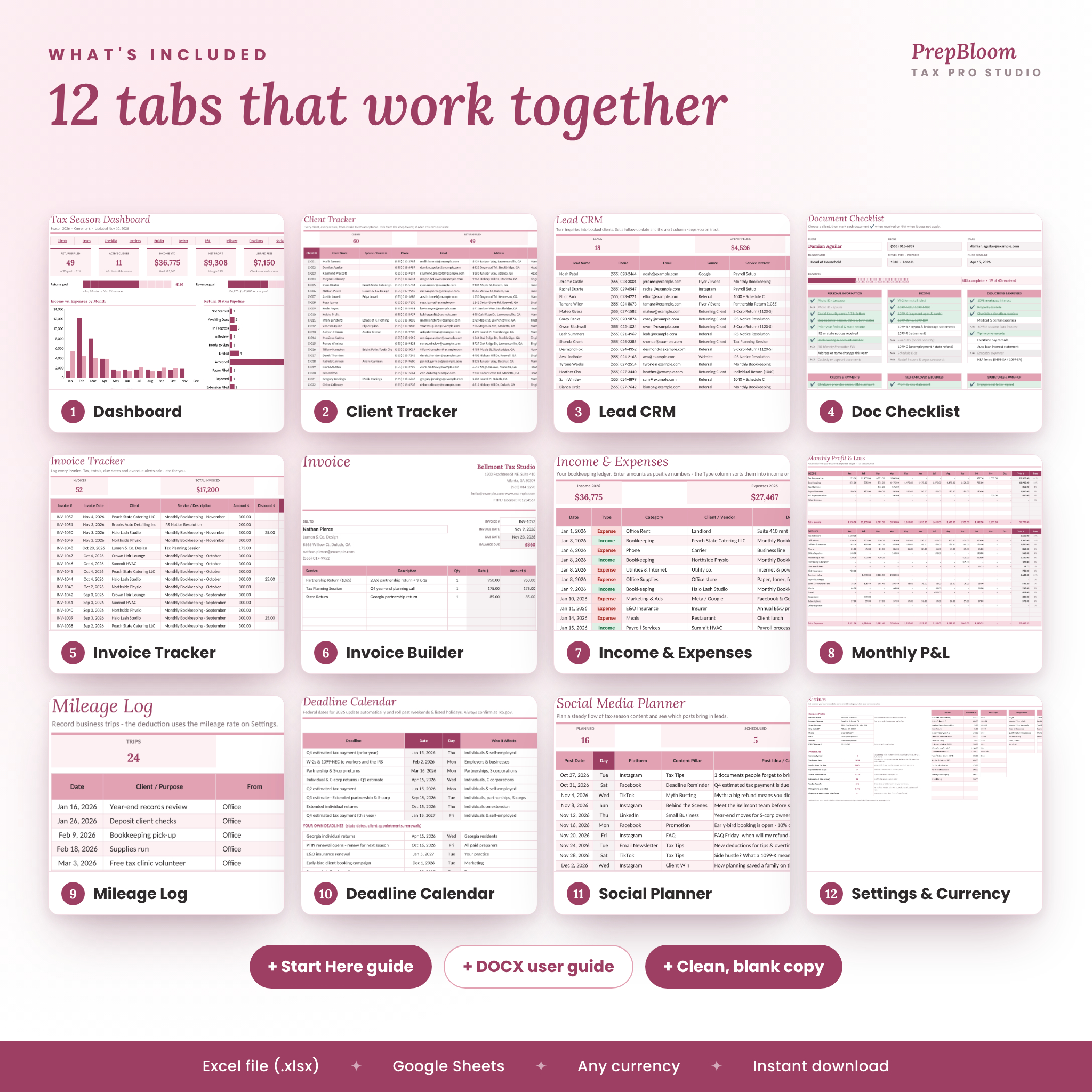
- PrepBloom Tax Pro Studio workbook (.xlsx) with 13 tabs: Start Here, Dashboard, Clients, Lead CRM, Doc Checklist, Invoice Tracker, Invoice Builder, Income & Expenses, Monthly P&L, Mileage Log, Deadlines, Social Planner and Settings
- Illustrated user guide (.docx) covering setup, every tab, customizing, troubleshooting and FAQs
- A clean, blank copy ready for your own data
How It Works
- Set up: add your business details, currency, season year, goals and prices on Settings.
- Add clients: use the dropdowns as each return moves along.
- Log the money: invoices, payments, expenses and mileage.
- Watch the dashboard: KPIs, charts, alerts and deadlines update on their own.
File Formats and Software Requirements
- File type: Excel workbook (.xlsx), no macros
- Google Sheets: upload to Google Drive and choose File > Save as Google Sheets. Formulas, dropdowns, charts and tab links carry over.
- Excel: Excel 2010 or newer, or Microsoft 365, on Windows or Mac
- US Letter print areas are set on every tab
Customization
Edit your services and fees, return types, filing statuses, income and expense categories, lead sources, preparers, payment methods, platforms and content pillars on Settings. Set any currency symbol (dollars by default). Formula cells are locked without a password so they stay safe, and you can unlock them any time.
Digital Download
This is a digital product. Nothing will be shipped. Your files are available to download right after purchase.
Use Cases
- A solo preparer running 80 to 250 returns a season who needs to see what is stuck
- An EA tracking business returns, IRS notices and planning sessions alongside individual returns
- A bookkeeper billing monthly clients and logging payroll income
- A new tax business setting goals, tracking leads from social media and building a referral pipeline
- Year-round off-season work: amended returns, late filers and extensions
FAQ
Does this tax preparer spreadsheet work in Google Sheets?
Yes. Upload the .xlsx to Google Drive and save it as a Google Sheet.
Can I use my own currency?
Yes. Change the currency symbol on Settings and every money value updates.
How many clients can I track?
250 clients, 150 leads, 300 invoices, 600 ledger entries, 300 trips and 200 social posts per workbook.
Do I need to know formulas?
No. You type in the white cells and pick from dropdowns. Everything else calculates.
Can I print invoices and checklists?
Yes. The Invoice Builder and Doc Checklist each print on one page or save as PDF.
Does it file returns or connect to my tax software?
No. It is a planning and tracking tool that works alongside your tax software.
Can I reuse it next season?
Yes. Make a fresh copy each season, update the season year and the deadline dates update for you.
License: for use in your own business only. Please do not resell, share or redistribute the files. This planner organizes your practice and is not tax, legal or accounting advice. Confirm deadlines and rates at IRS.gov.
Reviews
There are no reviews yet.