A dividend tracker spreadsheet that thinks in paychecks
Most dividend trackers stop at a list of stocks and a yield. Paycadence is a dividend tracker spreadsheet built around the question income investors actually ask: what does my portfolio pay me each month, and when will it pay for my life?
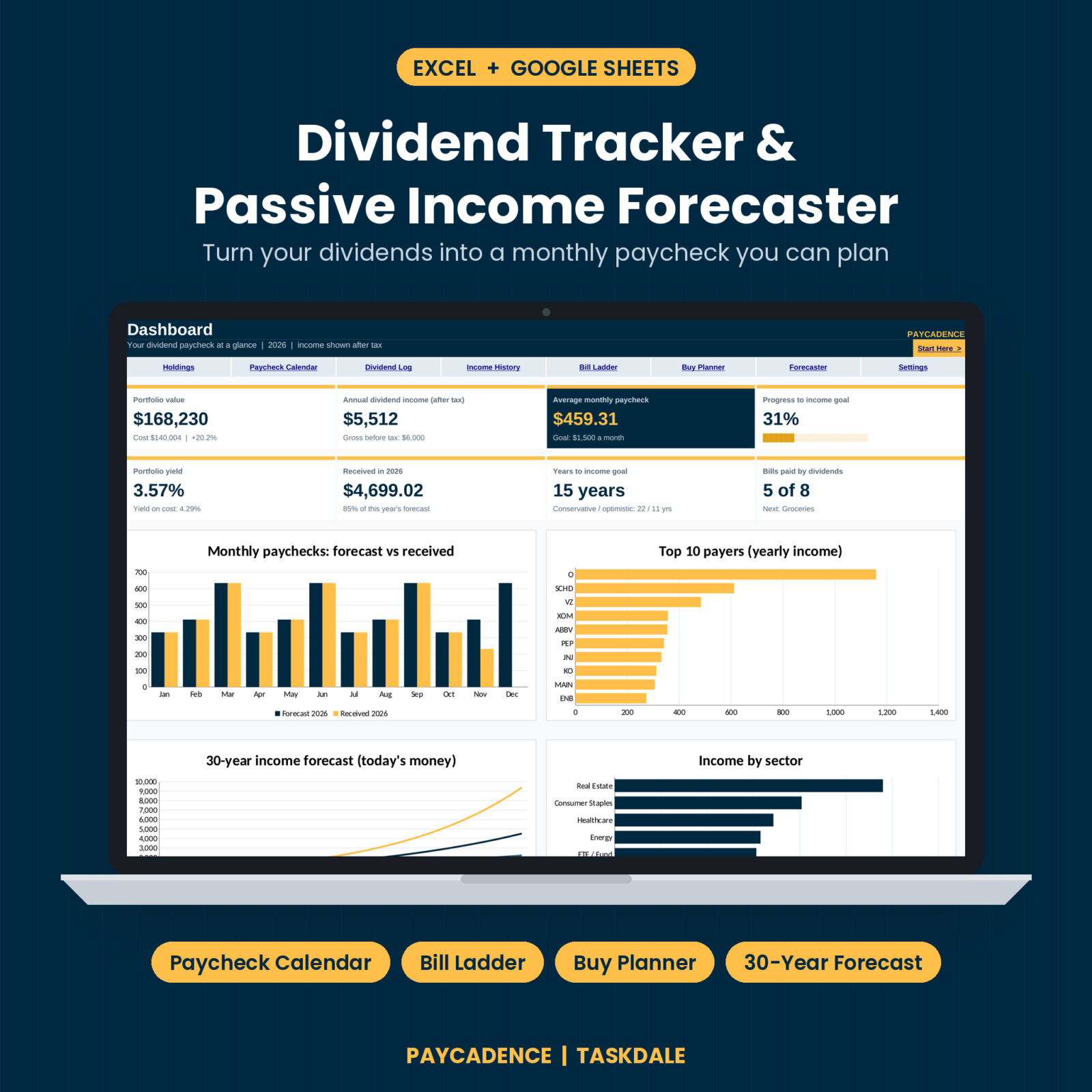
You type in your holdings once. The workbook does the rest. It builds a month-by-month paycheck calendar, tracks the dividends you receive, shows which bills your income already covers, lets you test a purchase before you buy, and forecasts 30 years of dividend growth in today’s money.
No logins. No add-ons. No subscription. Just one clean workbook for Excel and Google Sheets.
Who it’s for
- Dividend growth investors building a stream of passive income
- Anyone working toward a FIRE number or an early retirement income goal
- Retirees who want to see which bills their portfolio already covers
- Investors with several accounts (taxable, Roth IRA, Traditional IRA, 401(k), HSA) who want after-tax income in one place
- Beginners. White cells are for typing. Everything else fills itself
What makes it different
Paycheck Calendar with a gap finder
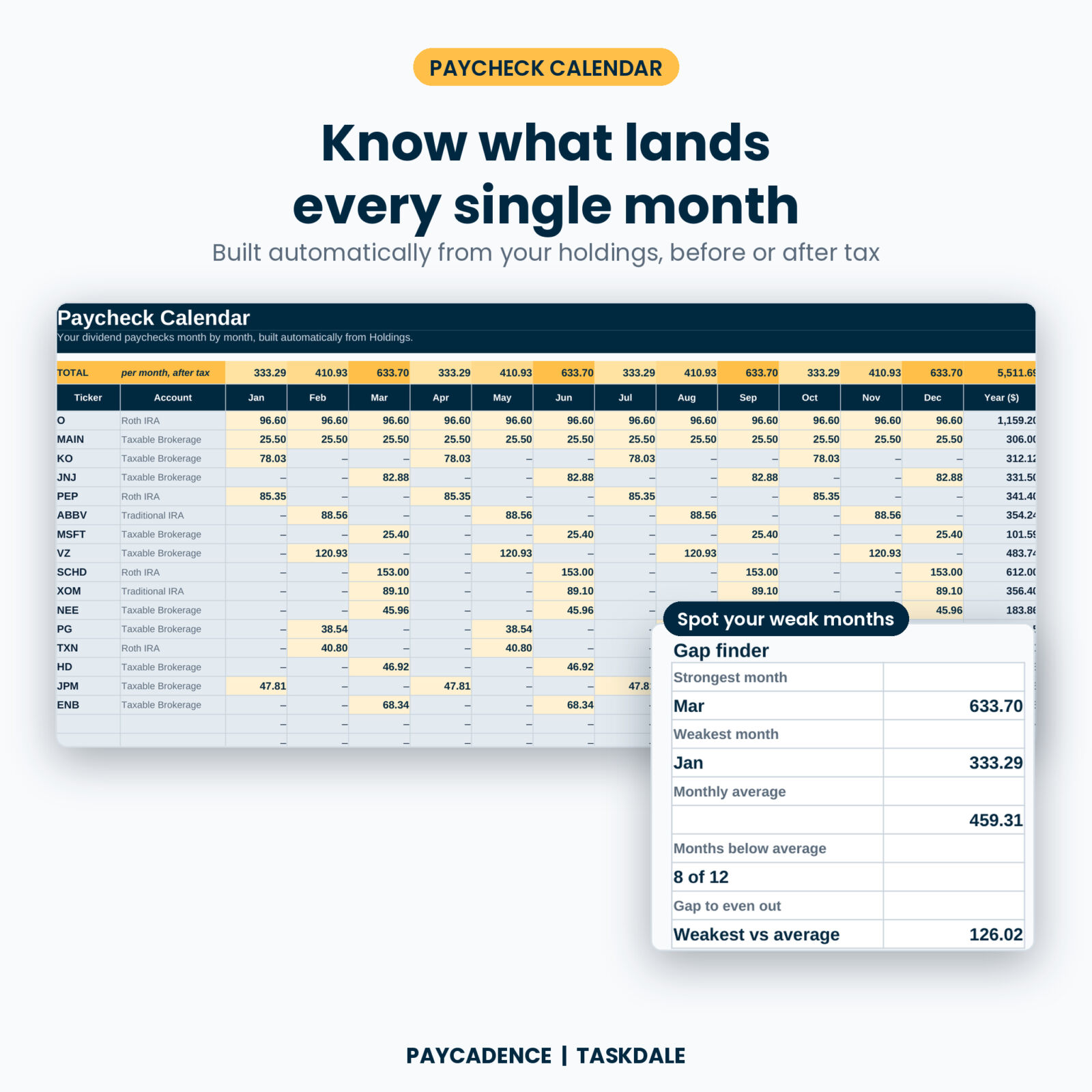
Every holding’s payments are laid out across 12 months, from its frequency and first pay month. A gold totals row shows your monthly dividend paycheck, and the gap finder names your strongest month, your weakest month and how far your weakest month sits below average. The calendar always adds up to your yearly income, so nothing gets lost to rounding.
Bill Ladder
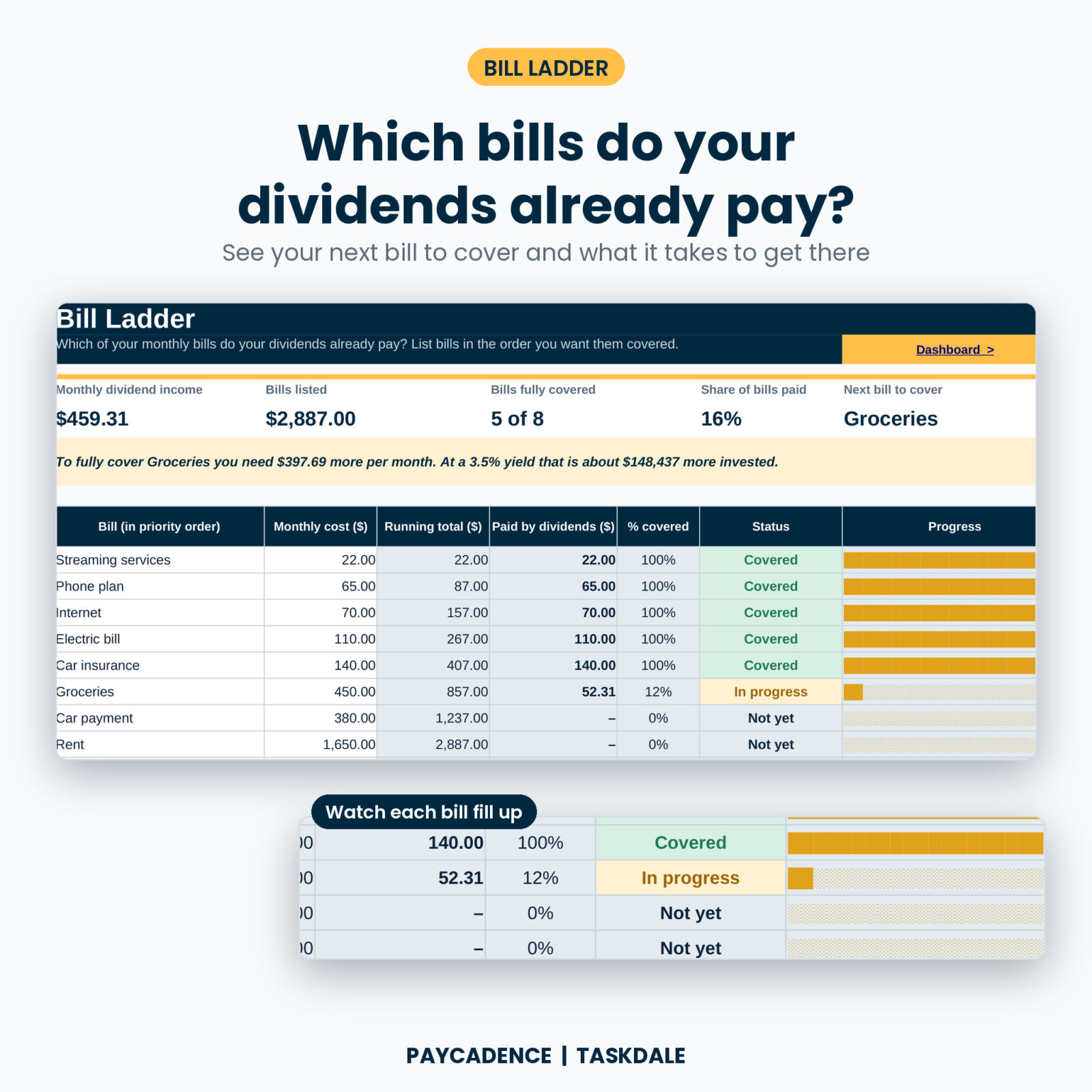
List your monthly bills in the order you want them covered. Streaming first, then phone, then electric, all the way up to rent. The ladder fills each bill with your monthly dividend income and marks it Covered, In progress or Not yet with a progress bar. It also tells you the next bill to cover, how much more monthly income you need for it, and roughly how much more you would need to invest at your chosen yield.
Buy Planner
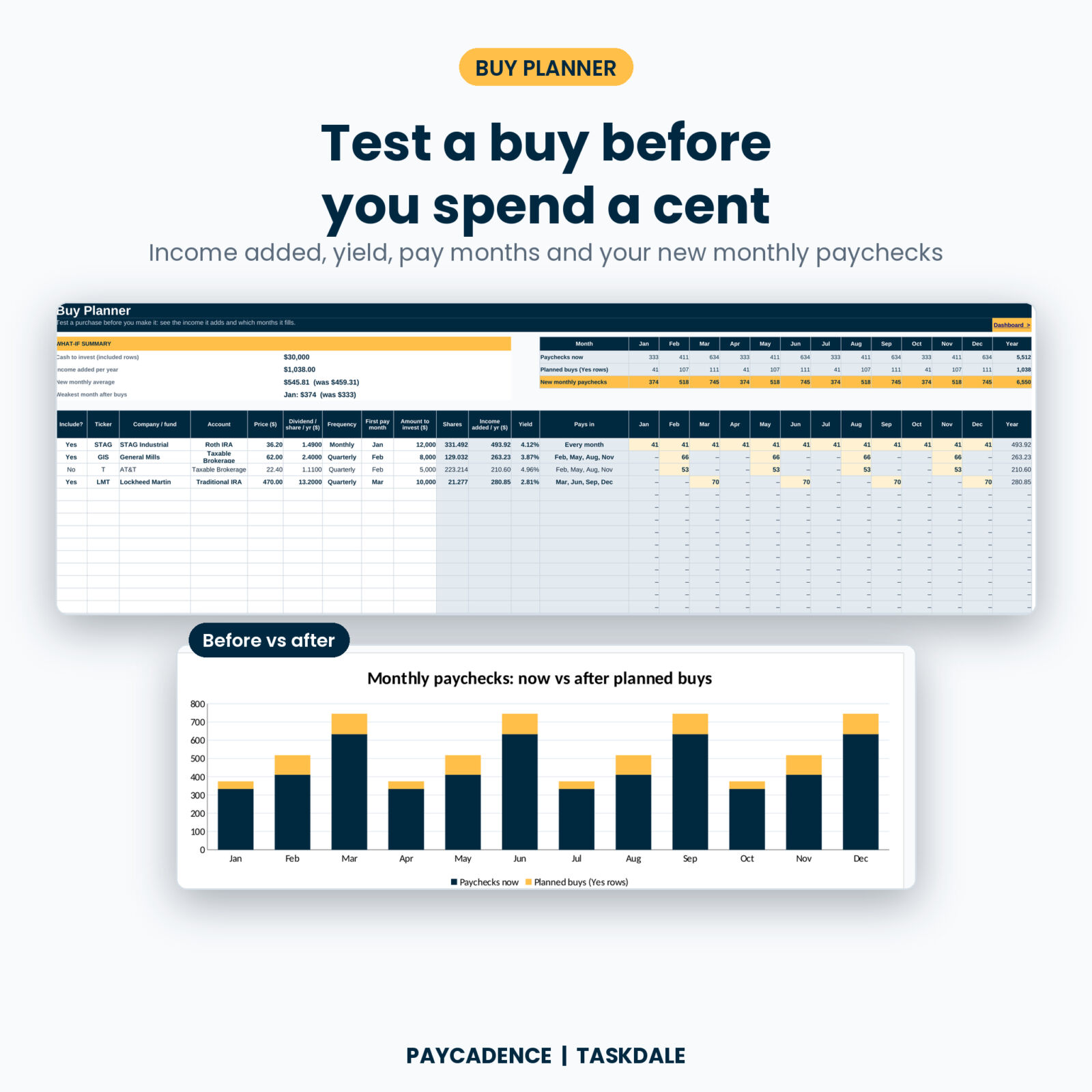
Thinking about a new position? Enter the price, dividend, frequency and how much you plan to invest. You see the shares it buys, the yearly income it adds, its yield and the exact months it pays. Flip Include to Yes on a few ideas and a chart shows your monthly paychecks before and after.
30-year Forecaster
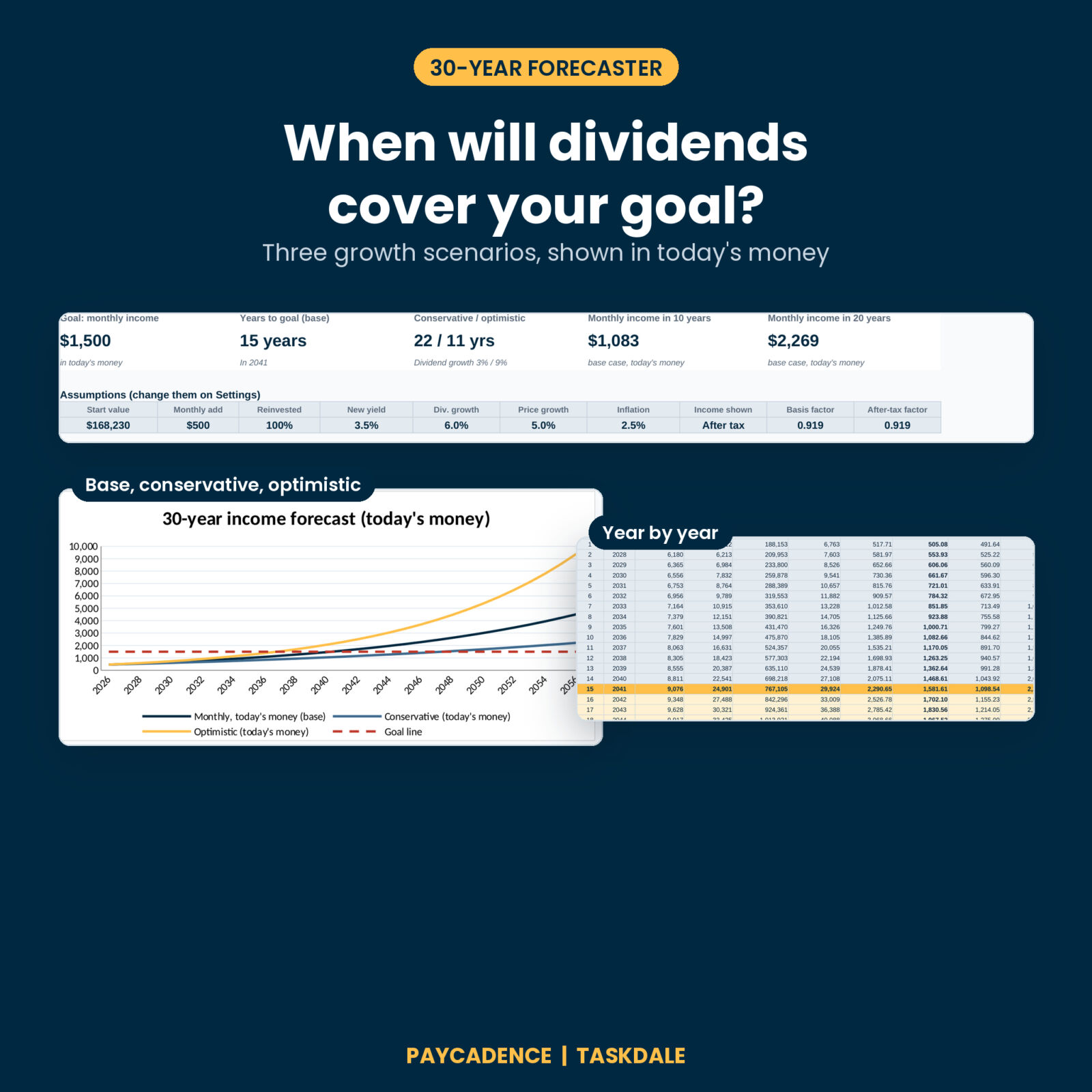
Set your monthly contribution, how much of each dividend you reinvest, your yield on new purchases, dividend growth, share price growth and inflation. Paycadence projects 30 years of portfolio value and dividend income, then shows your monthly income in today’s money with conservative, base and optimistic lines. The year you reach your goal is highlighted and shown on the dashboard.
Features
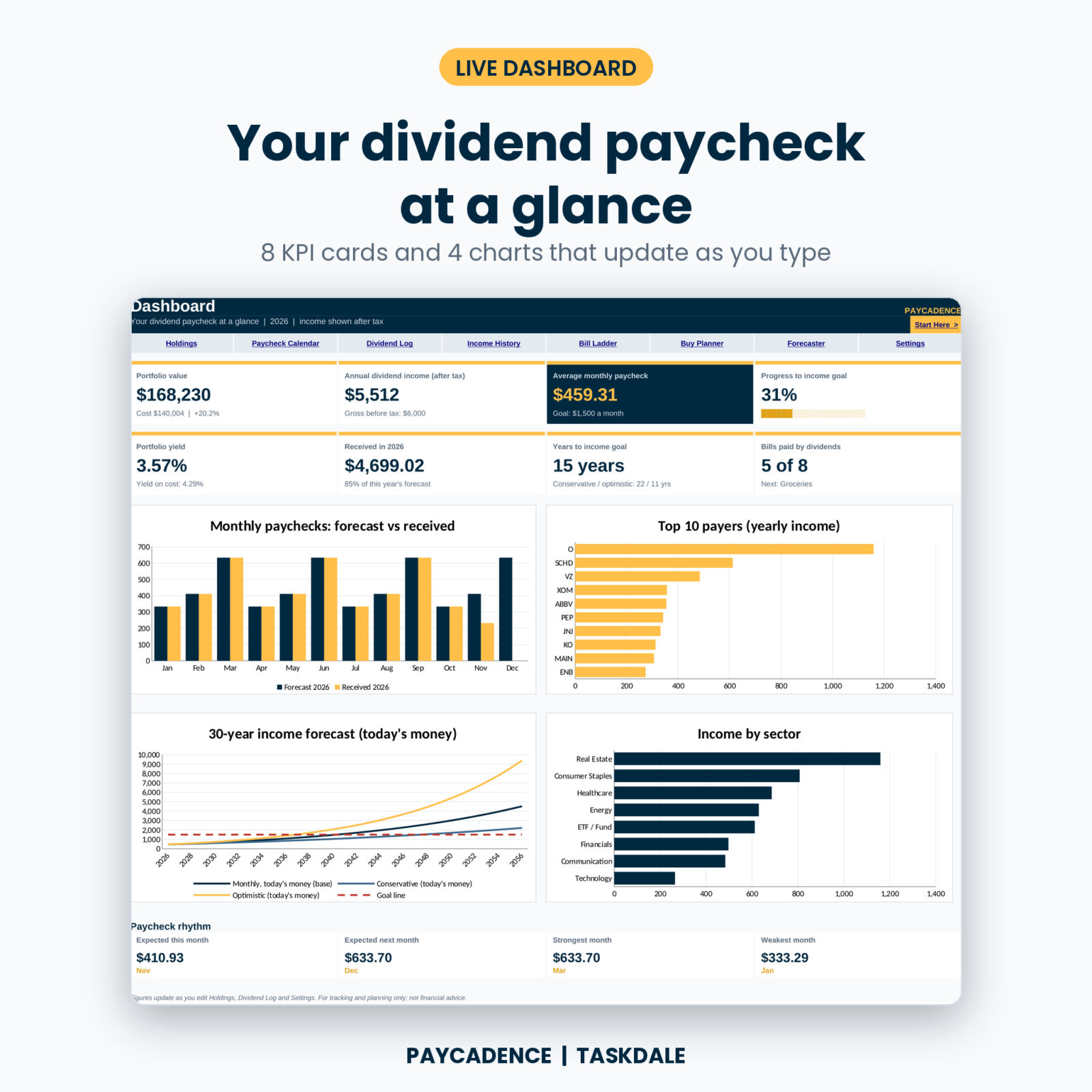
- Dashboard: 8 KPI cards (portfolio value, annual and monthly dividend income, goal progress, yield, yield on cost, received this year, years to goal, bills covered) plus 4 charts
- Holdings: up to 60 positions with cost basis, market value, gain/loss, yield, yield on cost, tax rate, after-tax income, share of income and pay months
- Dividend Log: up to 500 payments with tax withheld, net received, DRIP shares and price paid per share
- Income History: five years of received dividends by month with a heat map, year-over-year growth and a by-holding table
- Tax by account: mark each account type as taxed or not, set your rate, and override it for any single holding (handy for foreign withholding)
- Before or after tax: one switch changes the calendar, dashboard, bill ladder and forecast
- Any currency: one currency setting feeds every money label and card
- Dropdowns everywhere: sectors, accounts, frequency and months, with editable lists
- Locked formulas: formula cells are protected so you can’t break them by accident. No password, so you stay in control
- Start Here tab: a quick start with links to every tab
What’s included
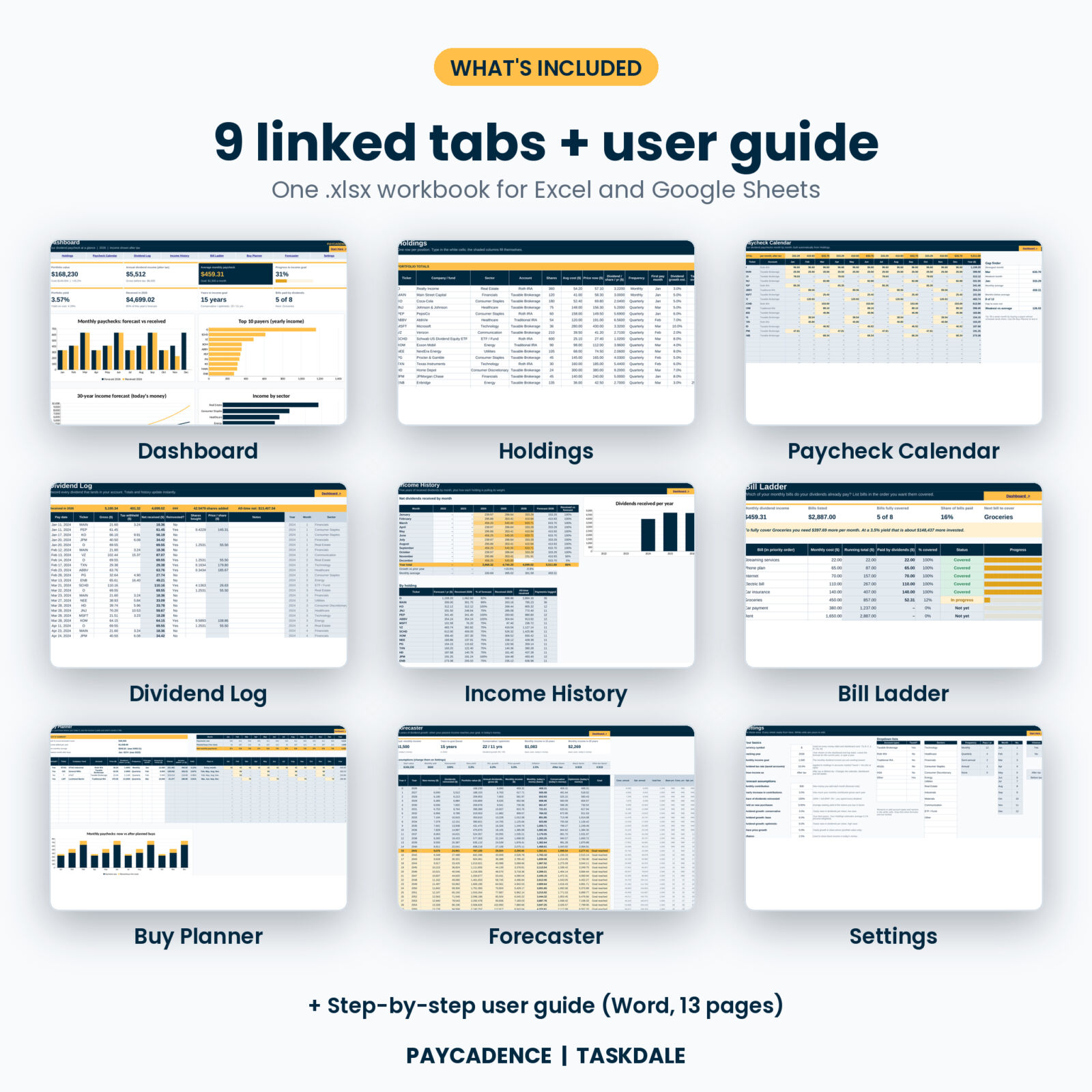
- Paycadence Dividend Tracker (.xlsx): 9 linked tabs. Start Here, Dashboard, Holdings, Paycheck Calendar, Dividend Log, Income History, Bill Ladder, Buy Planner, Forecaster and Settings
- User Guide (.docx, 13 pages): setup, every tab explained, customizing, tips, troubleshooting and FAQ
The workbook arrives clean and ready for your numbers. The listing images show it filled with example data so you can see how it looks in use.
How it works
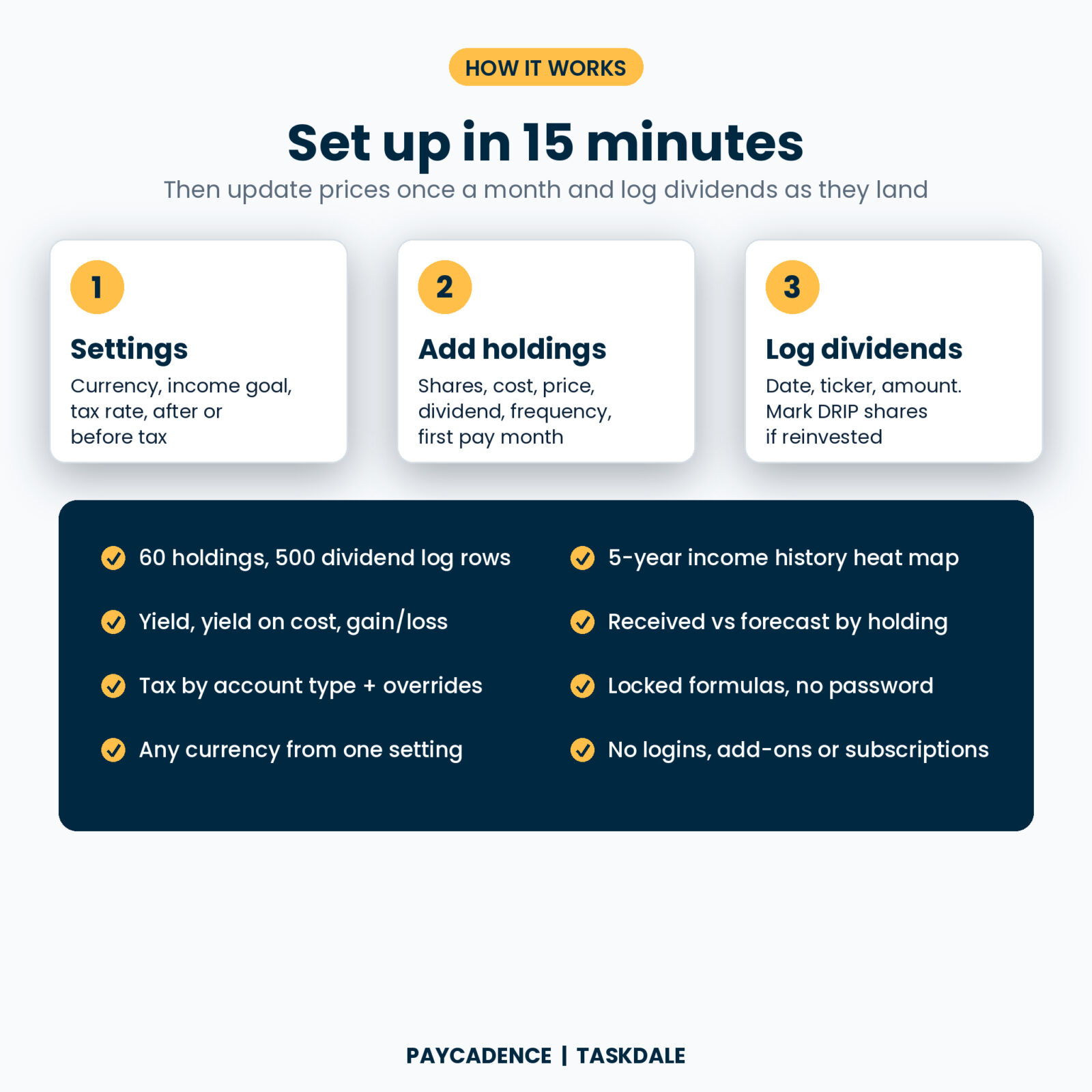
- Settings: choose your currency, monthly income goal, dividend tax rate and whether to show income before or after tax.
- Holdings: add each stock, ETF, REIT or fund with shares, average cost, current price, yearly dividend per share, frequency and first pay month.
- Log dividends: each time one lands, add the date, ticker and amount. Mark it reinvested and add the shares if you use DRIP.
- Check your dashboard: your monthly paycheck, goal progress, bills covered and years to goal update as you type.
Setup takes about 15 minutes with your brokerage statement open. After that, update prices once a month and log dividends as they arrive.
File format and software
- Microsoft Excel 2010 or later (Windows or Mac), and Excel for the web
- Google Sheets: upload the .xlsx to Google Drive and open it with Google Sheets. Every formula uses functions Google Sheets supports
- No macros, no scripts, no add-ons and no internet connection needed
Customizing
Rename account types and sectors, switch the currency symbol, and choose before or after tax on the Settings tab. Formula cells are locked without a password, so you can unprotect any sheet to change colors or fonts.
Real situations it handles
- You hold monthly payers and quarterly payers and want to know why March is great and January is thin
- You want your dividends to cover your phone and internet bill first, then your car insurance
- You are choosing between two stocks and want the one that fills your weakest month
- You want to know if adding more each month gets you to your goal five years sooner
- You hold the same fund in a Roth IRA and a taxable account and want accurate after-tax income
Instant digital download
This is a digital product. Nothing is shipped. Your files are ready to download right after checkout and stay in your Taskdale account.
FAQ
Does it pull live stock prices?
No. You type in prices and dividends, which keeps your data private and the file working offline. Updating takes a few minutes a month.
Does this dividend tracker work in Google Sheets?
Yes. Upload the .xlsx to Google Drive and open it with Google Sheets. All formulas use functions Google Sheets supports.
Can I track ETFs, REITs and monthly dividend stocks?
Yes. Pick Monthly, Quarterly, Semi-annual or Annual for each holding and the calendar places every payment in the right month.
Does it handle DRIP?
Yes. Mark a payment as reinvested and add the shares bought. The log shows the price paid per share, and the forecast lets you set how much you reinvest.
Can I use it outside the US?
Yes. Set your own currency symbol and tax rate, and rename the account types to match your country.
How many holdings can I track?
Up to 60 holdings, 500 dividend payments, 20 bills and 15 buy ideas.
Is this financial advice?
No. Paycadence is a tracking and planning tool. Forecasts are estimates based on the assumptions you enter.
Licence
For personal use only. Please don’t resell, share or redistribute the files.
Reviews
There are no reviews yet.