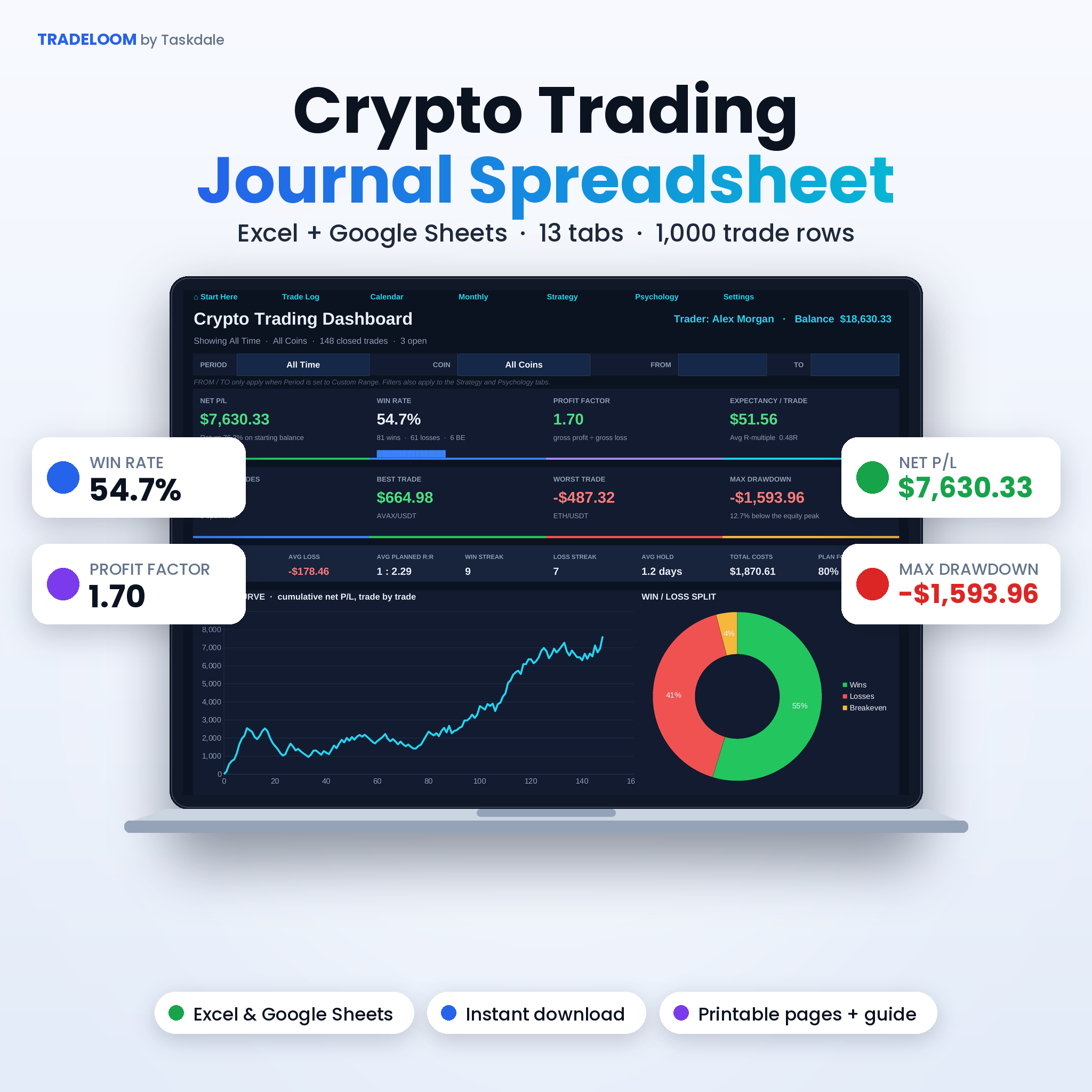
The Tradeloom Crypto Trading Journal is a spreadsheet for traders who want honest numbers. You type in a trade once. The journal does the rest: net P/L after fees and funding, R-multiple, risk %, balance, win rate, profit factor and drawdown. It runs in Microsoft Excel and Google Sheets, and it comes with printable pages and a 20-page user guide.
Most traders remember their last trade. Very few know their win rate on Tuesday shorts, or what FOMO entries cost them last quarter. This journal answers those questions in a few clicks.
What this crypto trading journal does
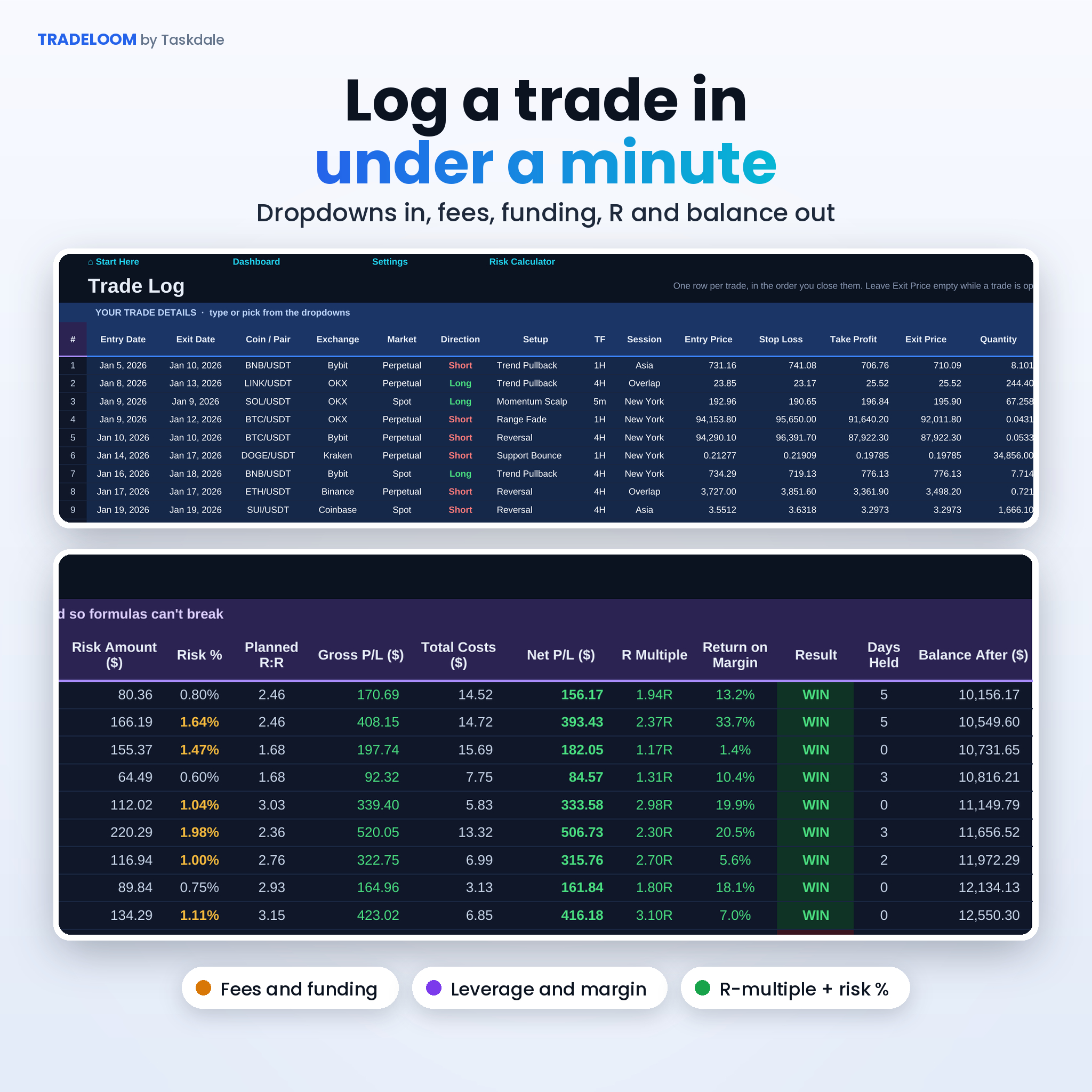
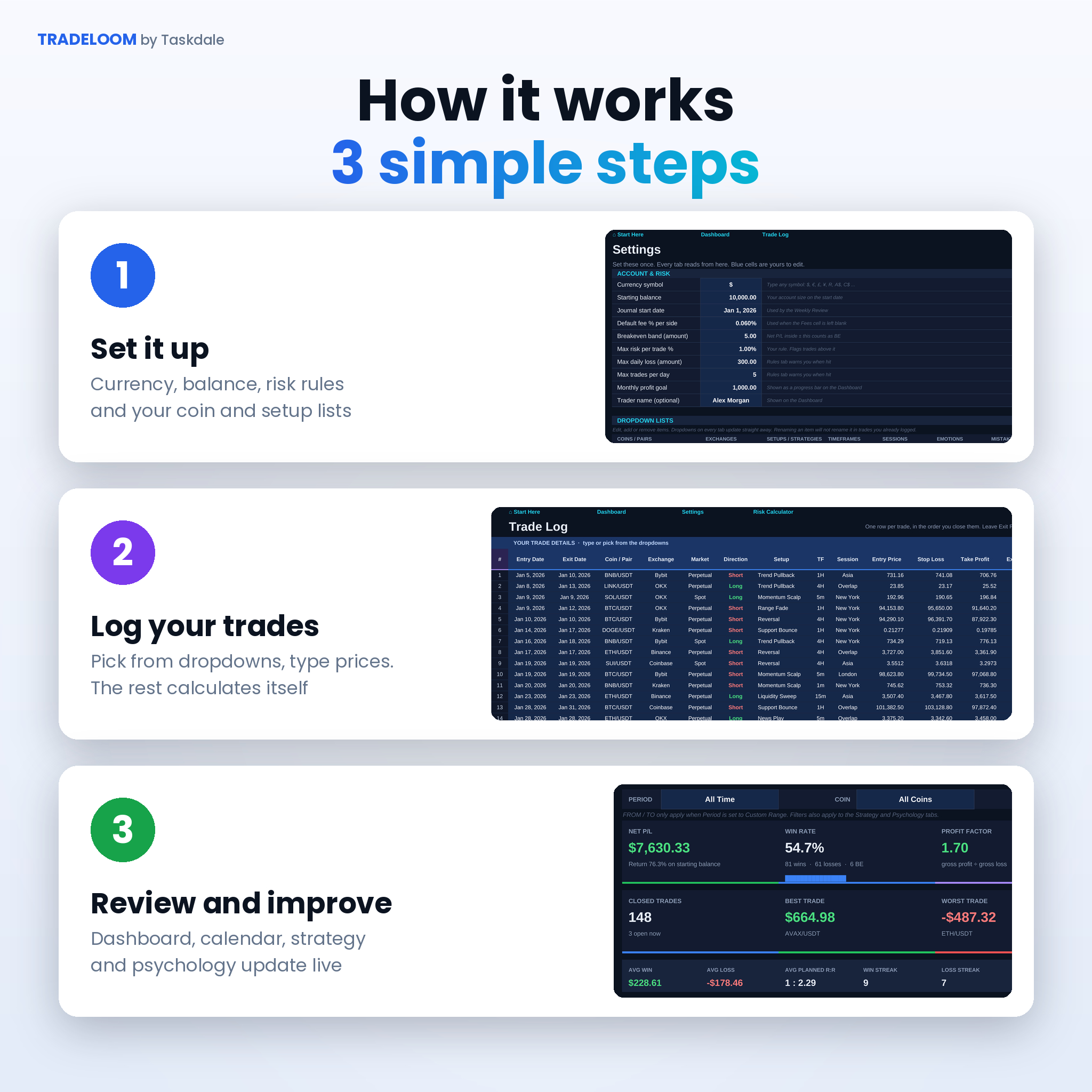
Every trade lives on one row. Pick the coin, exchange, setup and direction from dropdowns, then type the prices and quantity. The dark columns fill in by themselves. Leave the exit price empty while a trade is still open and it shows as OPEN until you close it.
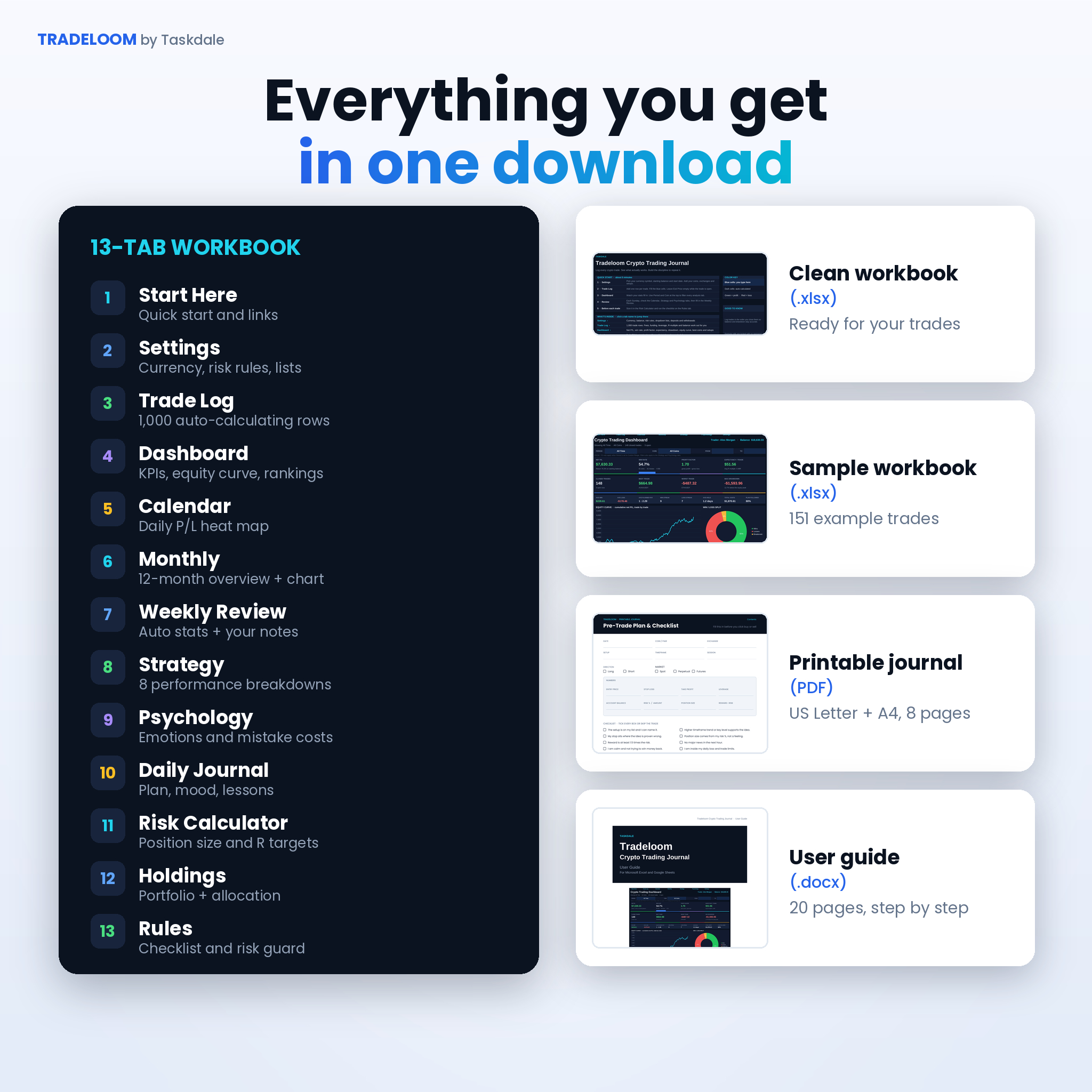
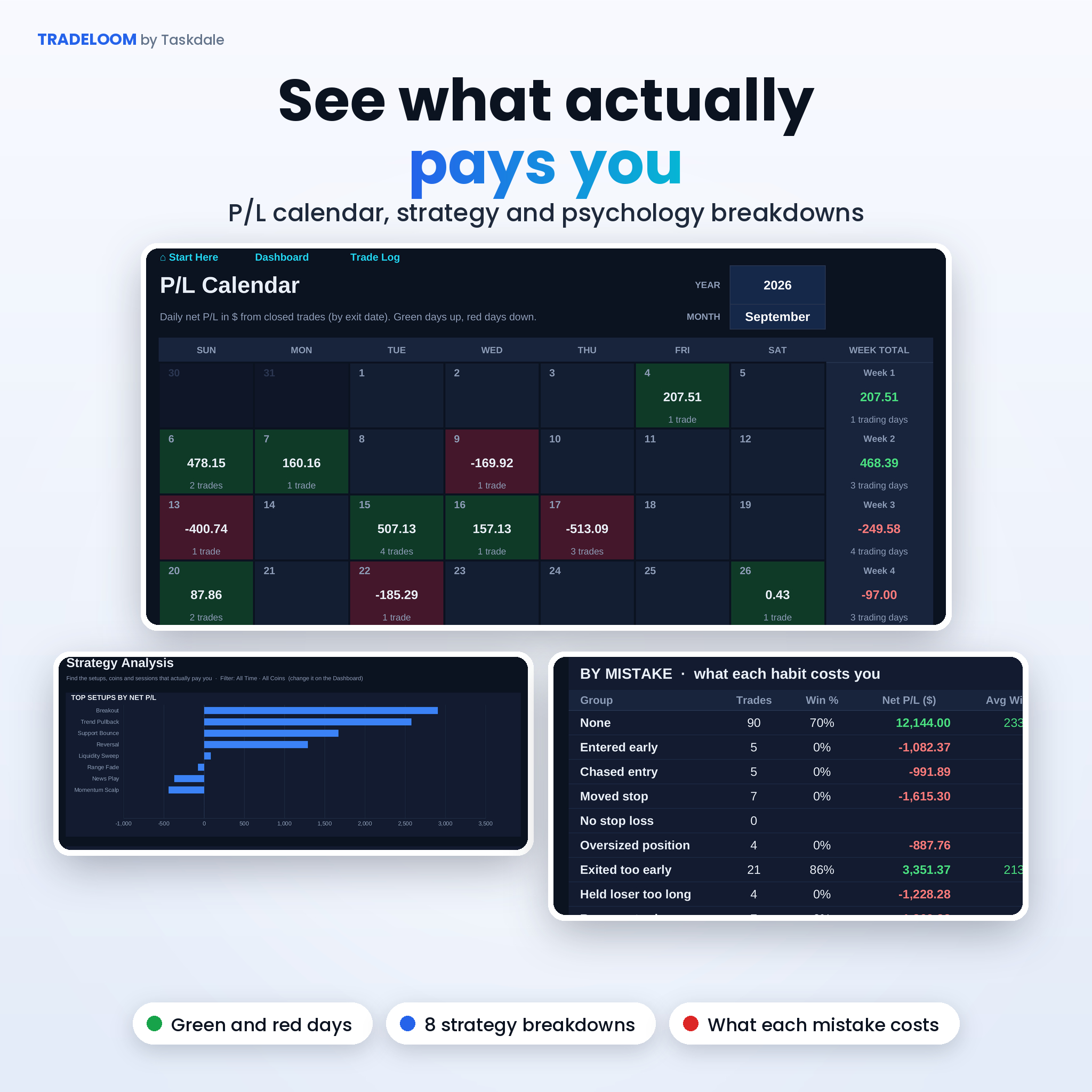
From there, 12 other tabs turn your log into answers. The Dashboard shows your edge at a glance. The Calendar shows every green and red day. Strategy and Psychology show where profit comes from and where it leaks out.
Who it’s for
- Spot traders on Binance, Coinbase, Kraken, OKX, Bybit and similar exchanges
- Futures and perpetual traders who use leverage and pay funding
- Day traders, swing traders and scalpers who want proof of what works
- New traders building good habits from day one. No spreadsheet skills needed
Features
Trade Log with 1,000 rows
- Entry and exit date, coin, exchange, market type, direction, setup, timeframe and session
- Entry, stop loss, take profit, exit, quantity and leverage
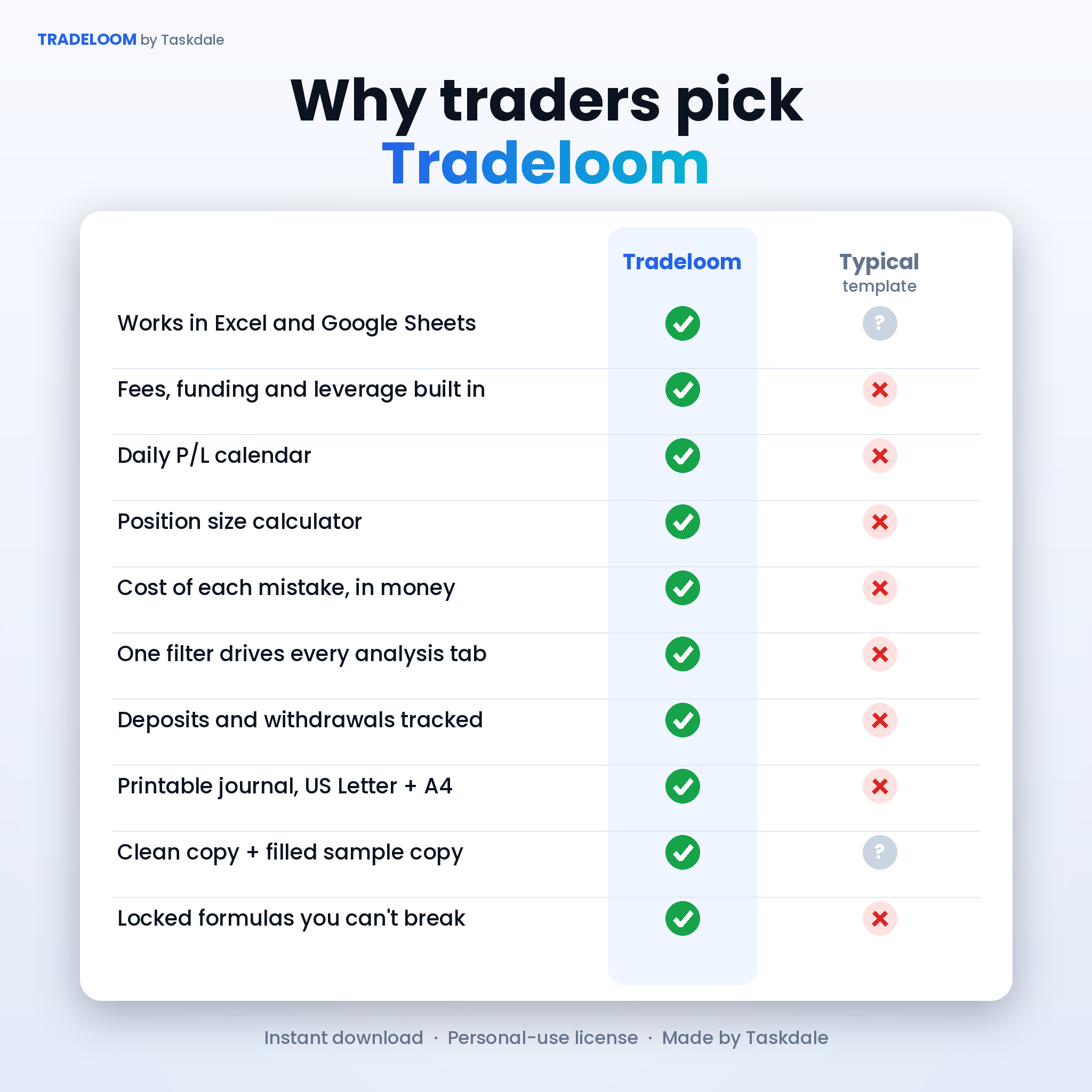
- Fees calculated from your default fee % if you leave the cell blank, plus a funding column for perps
- Auto position value, margin, risk amount, risk %, planned R:R, gross and net P/L, R-multiple, return on margin, days held and balance after
- WIN, LOSS, BE, OPEN and CHECK labels, with a warning when a trade breaks your max risk rule
Dashboard
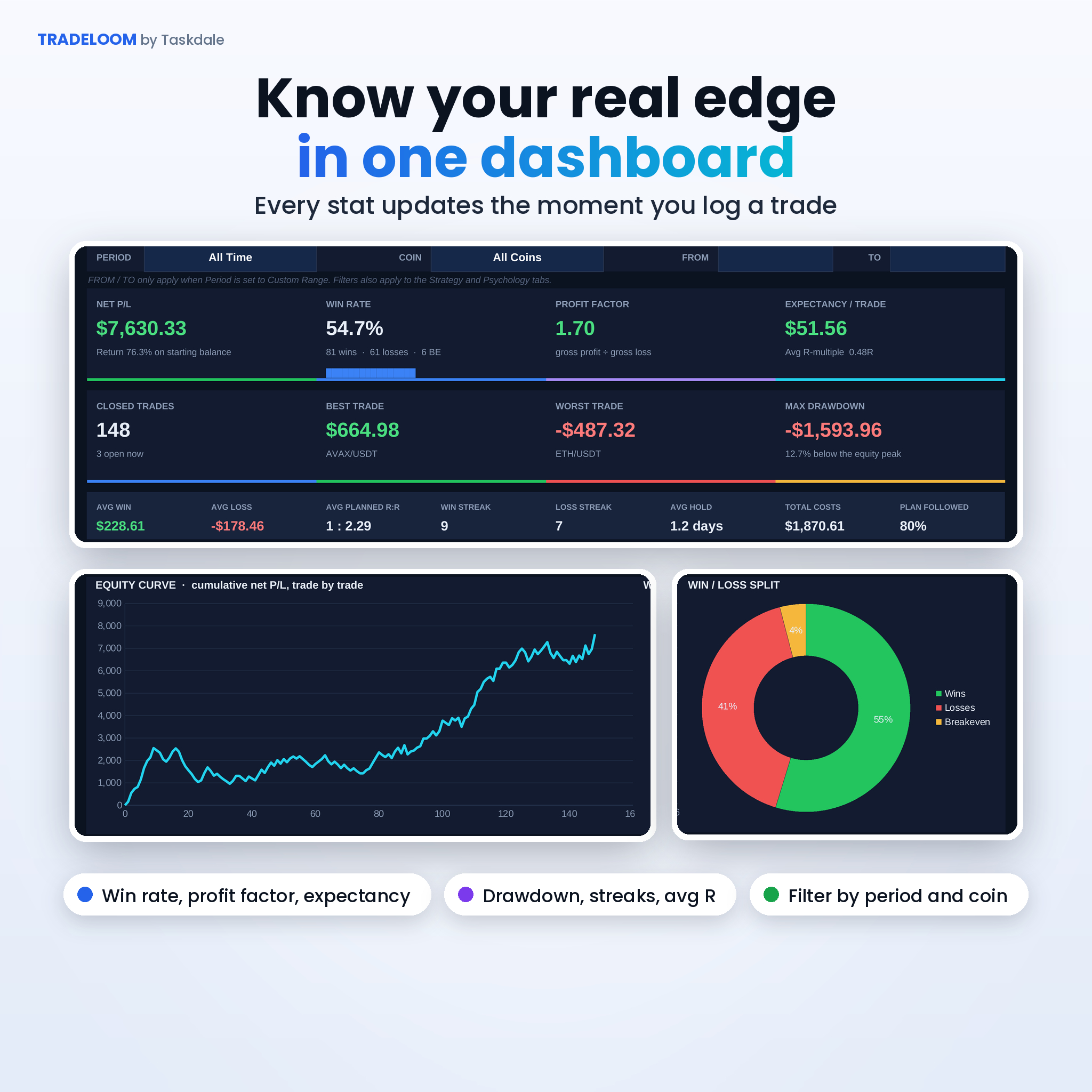
- Net P/L, win rate, profit factor, expectancy, average R, best and worst trade, max drawdown
- Average win and loss, win and loss streaks, average hold time, total costs and plan-followed %
- Equity curve, win/loss split, monthly goal bar, and your top coins and setups ranked best to worst
- Filter by period (all time, this year, this month, last 30 days, custom range and more) and by coin. The filter also drives the Strategy and Psychology tabs
Crypto P&L calendar, monthly and weekly reviews
- Daily P/L heat calendar with weekly totals, trading days, green and red day counts
- 12-month overview with gross profit, gross loss, profit factor, costs, running P/L, return % and a chart
- Weekly Review with auto stats plus space to grade your week and write what to keep and what to fix
Strategy and trading psychology analysis
- Results by setup, coin, long vs short, market type, session, timeframe, day of the week and exchange
- Results by emotion, mistake, plan discipline and confidence. The mistake table shows exactly what each habit costs you
- Daily Journal for your plan, bias, mood and lessons, matched to that day’s P/L
Extras
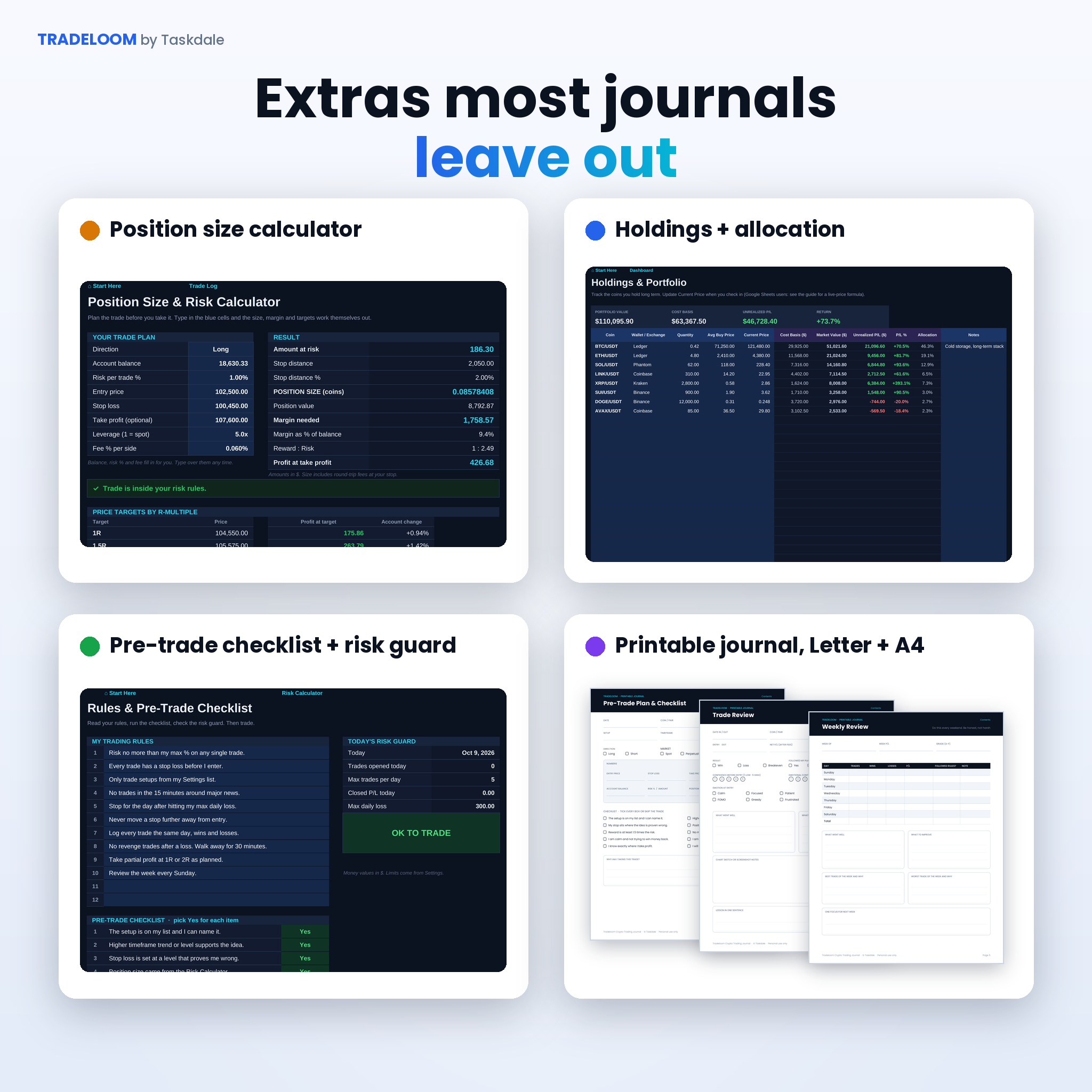
- Position size calculator: risk %, stop and leverage in, coin size, margin and 1R to 5R targets out
- Holdings tracker for long-term coins with cost basis, unrealized P/L and an allocation chart
- Trading rules, a 10-point pre-trade checklist and a daily risk guard that tells you when to stop
- Deposits and withdrawals that move your balance without touching your P/L
What’s included
- Tradeloom Crypto Trading Journal (.xlsx), clean and ready for your trades
- Sample workbook (.xlsx) with 151 example trades so you can see every tab working
- Printable Trading Journal PDF in US Letter and A4: pre-trade plan, trade review, daily plan, weekly and monthly review, trade log sheet and rules page
- User guide (.docx), 20 pages with setup steps, every tab explained, tips, troubleshooting and FAQ
How it works
- Download your files straight after checkout.
- Open the workbook in Excel, or upload it to Google Sheets.
- On Settings, set your currency symbol, starting balance and risk rules, and edit your coin and setup lists.
- Log trades on the Trade Log as you close them.
- Check the Dashboard, Calendar, Strategy and Psychology tabs and do your Weekly Review.
File formats and software
- Spreadsheet: .xlsx for Microsoft Excel 2016 or newer, Microsoft 365, Excel for Mac and Google Sheets (free Google account)
- Printables: PDF in US Letter and A4
- Guide: .docx for Word, Google Docs or Pages
- Works on desktop. Excel and Google Sheets mobile apps can view and edit it too
Customization
Pick any currency symbol, $ by default, and every money label follows. Add up to 30 coins, 20 setups, 12 exchanges and your own emotions and mistakes. Formula cells are locked without a password so you can’t break them by accident, and you can unlock them any time. Colors, fonts and column widths are yours to change.
Real ways traders use it
- A swing trader finds that breakout trades on the 4H pay, while range fades lose money, and drops the range fades.
- A futures trader sees that funding and fees ate 20% of gross profit and switches to lower-fee order types.
- A new trader notices that every revenge trade lost money, adds a rule, and the risk guard holds them to it.
- A part-time trader uses the printable pre-trade checklist next to the screen and logs trades at night.
Digital download
This is a digital product. No physical item is shipped. Your files are ready to download as soon as payment clears. Personal use license: please don’t resell or share the files. This journal is a record-keeping tool and not financial advice.
Crypto trading journal FAQ
Does this trading journal work in Google Sheets?
Yes. Upload the .xlsx to Google Drive and open it with Google Sheets. All formulas, dropdowns, filters and charts work there.
Can I track futures, leverage and funding fees?
Yes. Each trade has leverage, fees and funding columns, and net P/L, margin and return on margin account for them.
Does it connect to my exchange automatically?
No. You enter trades yourself, which takes under a minute each. It also keeps your data private.
Can I use it for stocks or forex?
Yes. Add tickers like AAPL or EUR/USD to the coin list and everything works the same.
What currency does it use?
Any currency you like. Type your symbol once on Settings. Dollars are the default.
Is it beginner friendly?
Yes. Blue cells are for typing, everything else calculates, and the guide walks you through setup in about five minutes.
How many trades can I log?
1,000 trades per workbook. Start a fresh copy each year to keep it fast.
Reviews
There are no reviews yet.