2027 Digital Budget Planner for GoodNotes, Built Around Your Paychecks
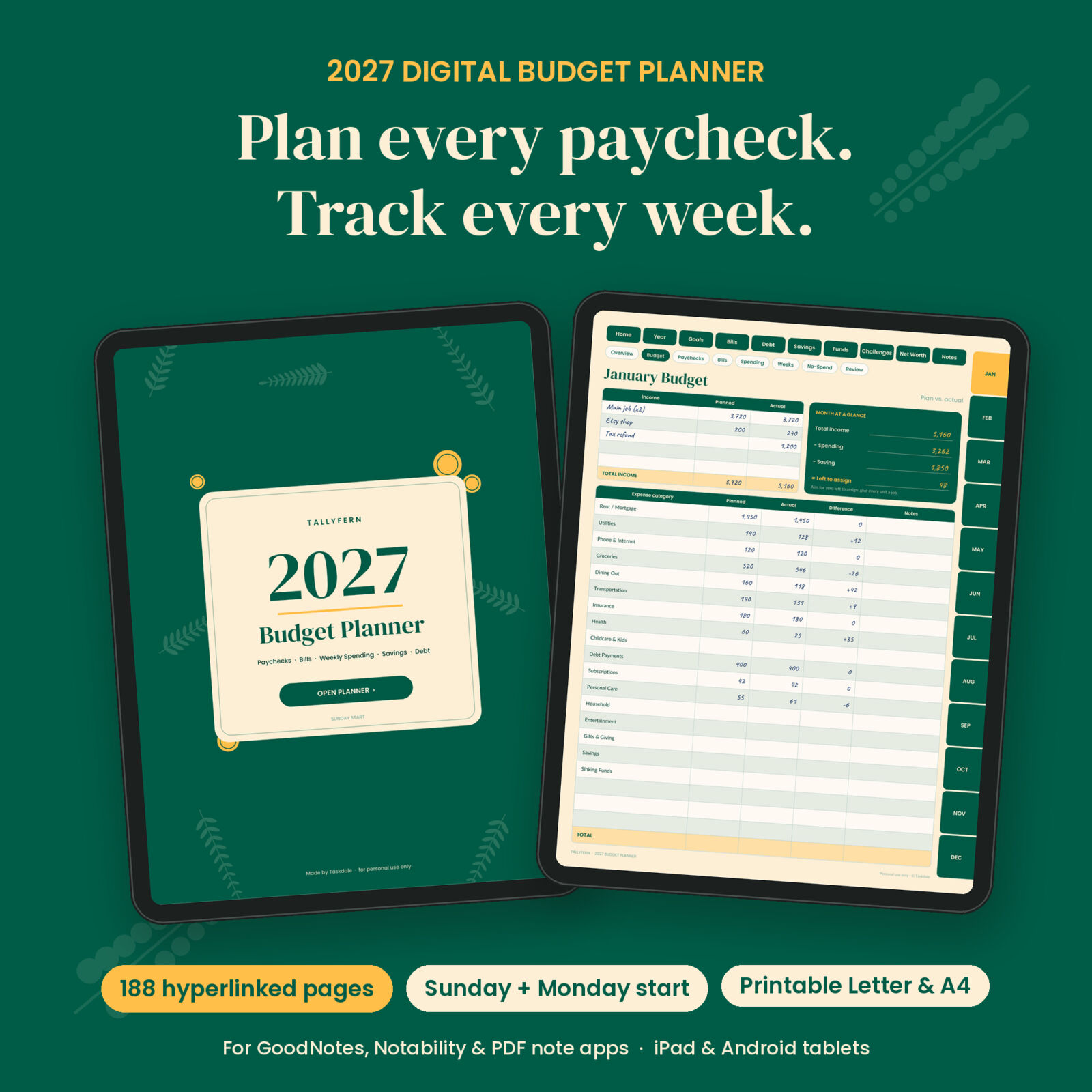
Tallyfern is a 2027 digital budget planner for GoodNotes, Notability and other PDF note apps. It is fully dated and hyperlinked, with 188 pages that follow the way money really moves: a paycheck lands, bills go out, and the small daily spending in between decides how the month ends.
Most budget planners give you one monthly page and leave the rest to you. Tallyfern gives every month eight pages, every week of 2027 its own dated spending page, and every paycheck its own plan. You write by hand, tap a tab, and you are where you need to be.
Who this budget planner is for
- Anyone paid weekly, biweekly or twice a month who wants to budget paycheck by paycheck
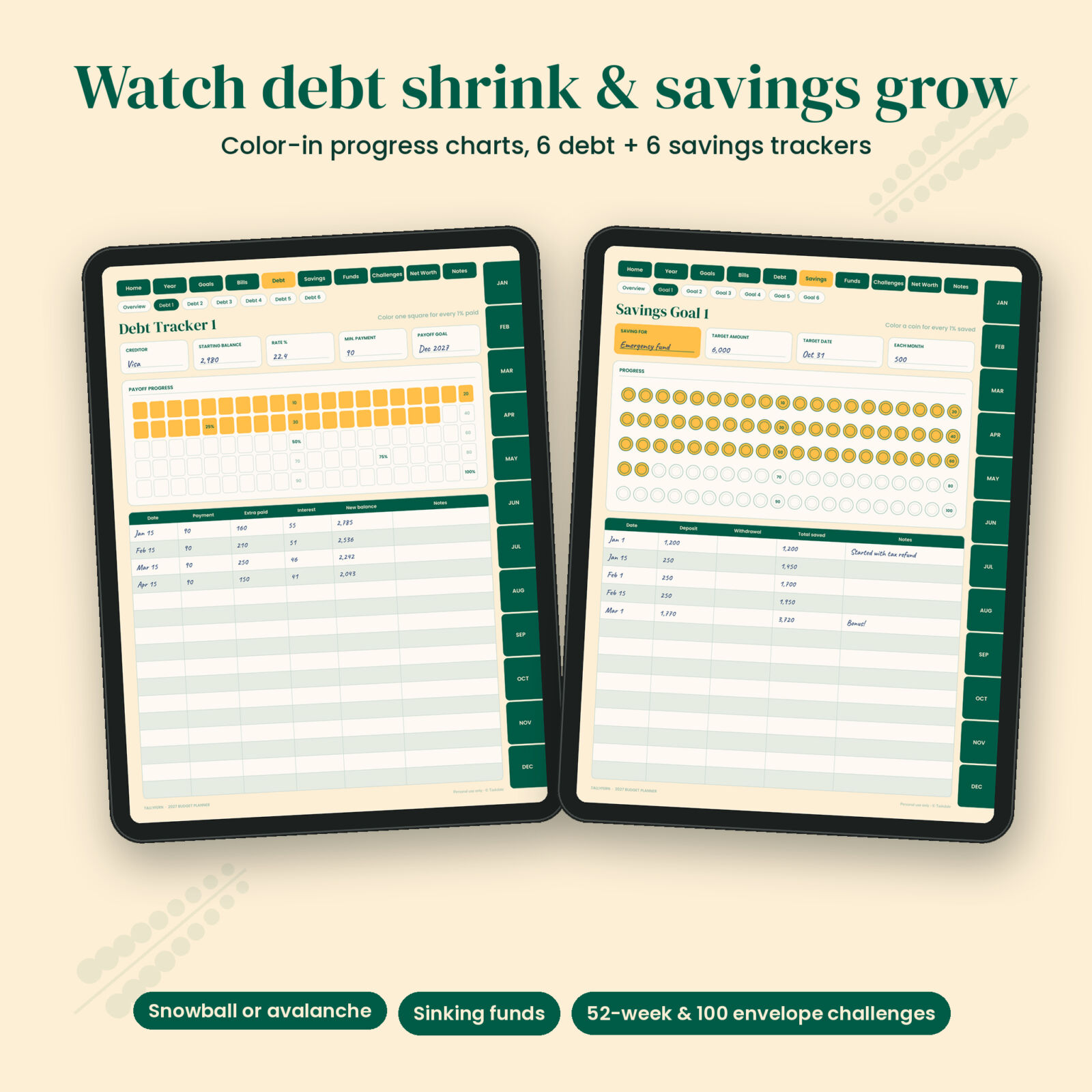
- People paying off credit cards, car loans or student loans with the snowball or avalanche method
- Savers building an emergency fund, a vacation fund or a house deposit
- Couples and families who want one place for bills, due dates and spending
- Beginners who like pen and paper but want it on their iPad or Android tablet
What makes Tallyfern different
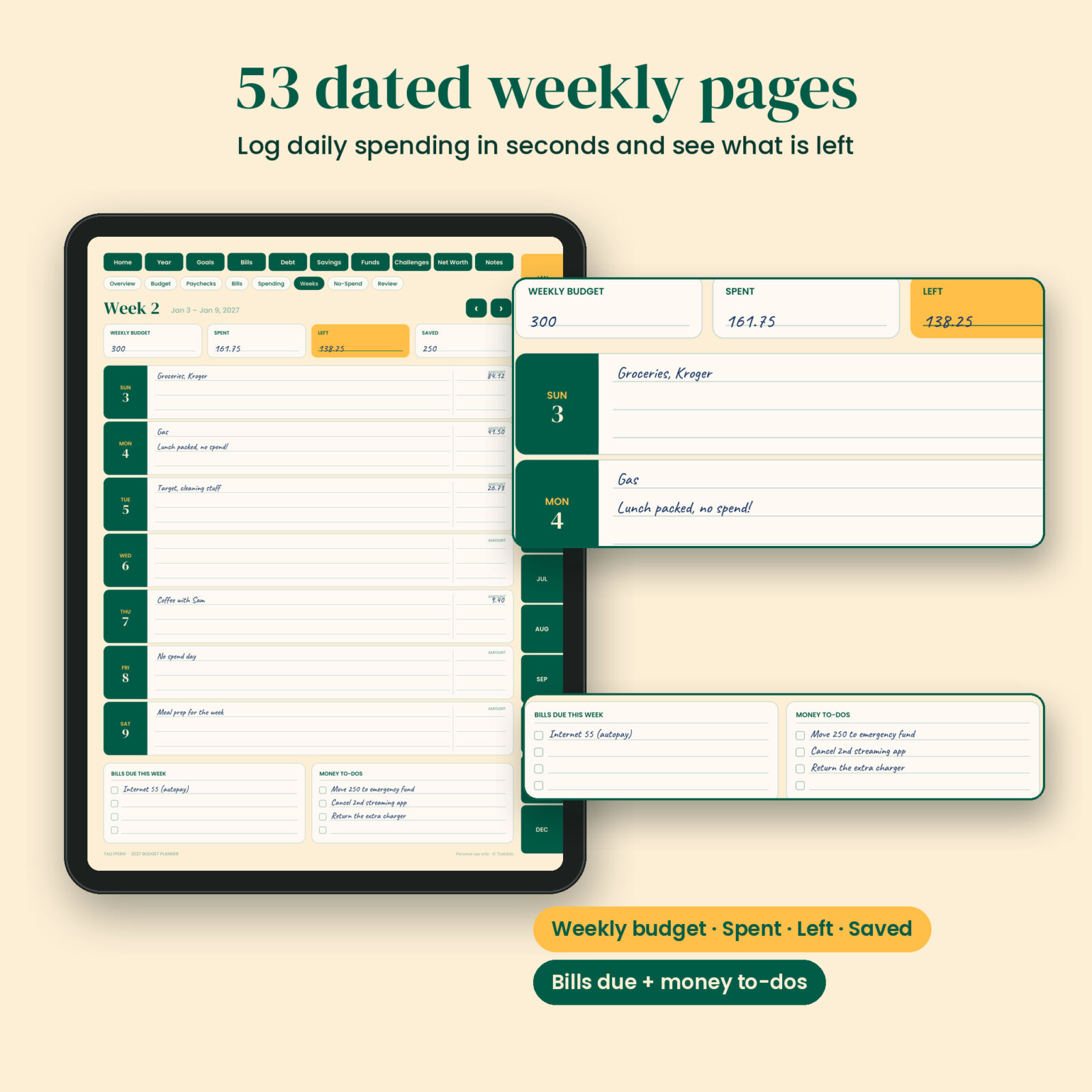
- 53 dated weekly spending pages. Each week has a weekly budget, Spent, Left and Saved boxes, seven day rows with an amount column, bills due and money to-dos.
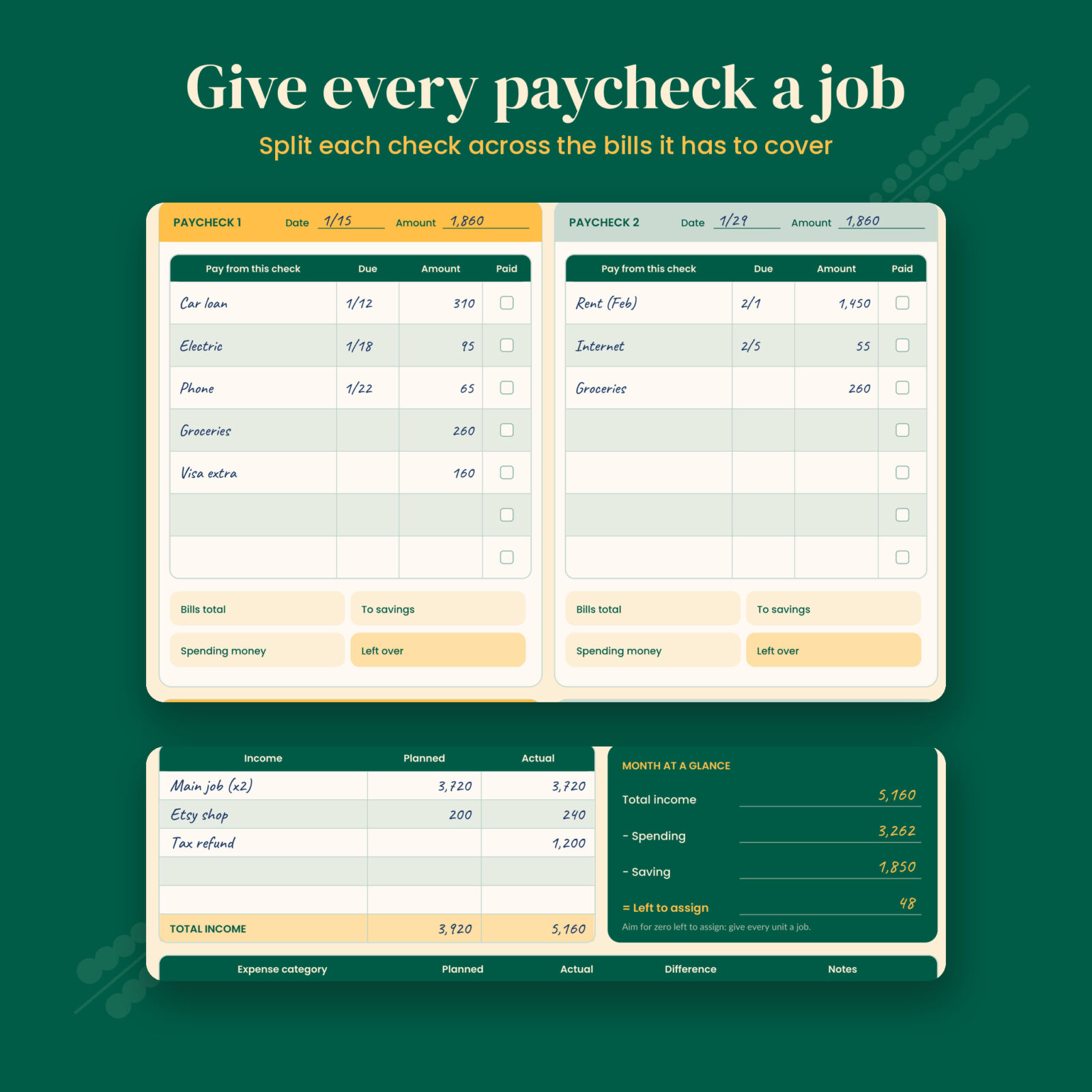
- A paycheck planner every month. Up to four paychecks, each with the bills it has to cover, tick boxes, and a split between savings and spending money.
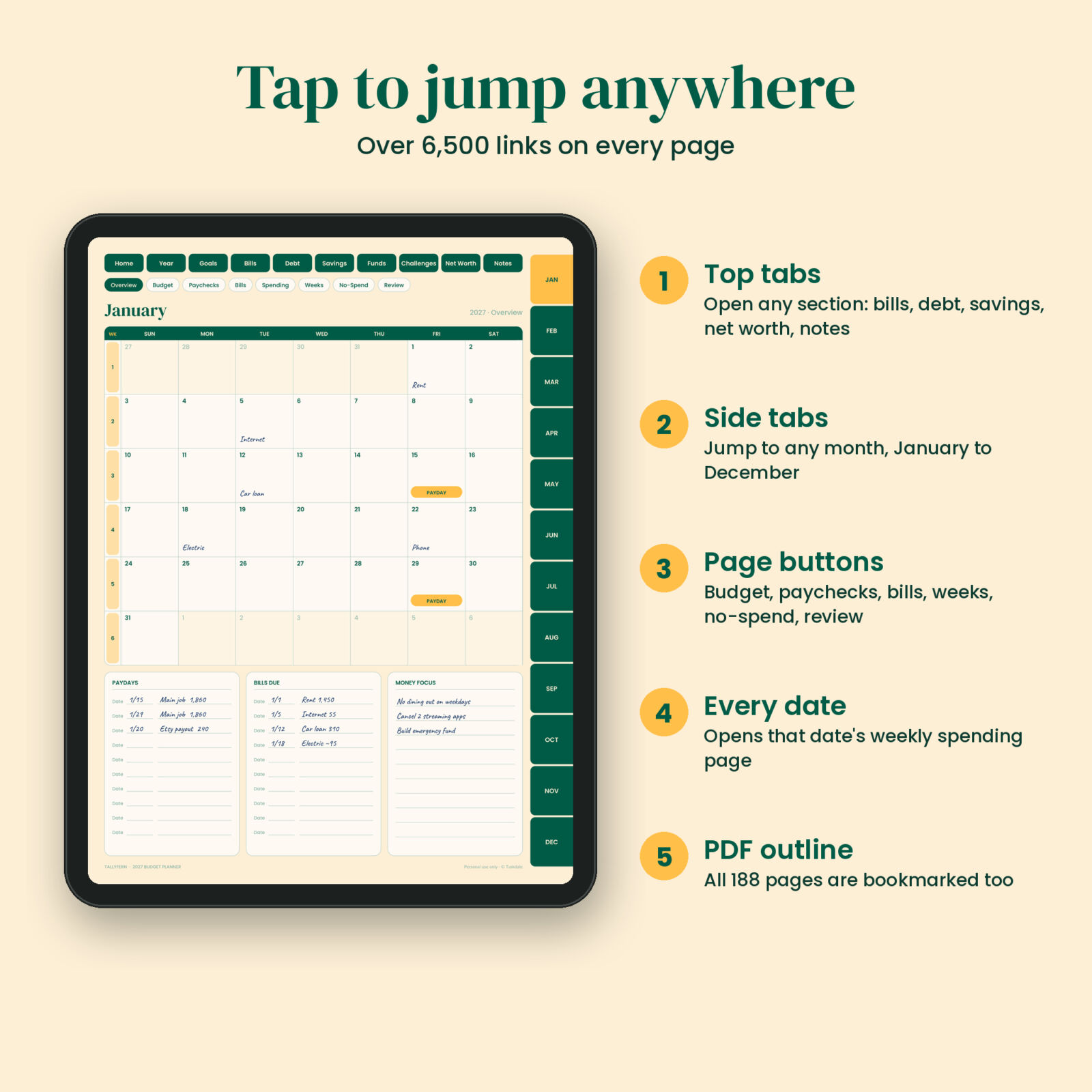
- Calendars that link to your weeks. Tap any date on the Year at a Glance or the month calendar and you land on that week’s page.
- Sunday start and Monday start. Both versions are included, so the weeks match how you think.
- Printable too. US Letter and A4 files with ink-friendly tabs, in both week starts.
What is included
Front section
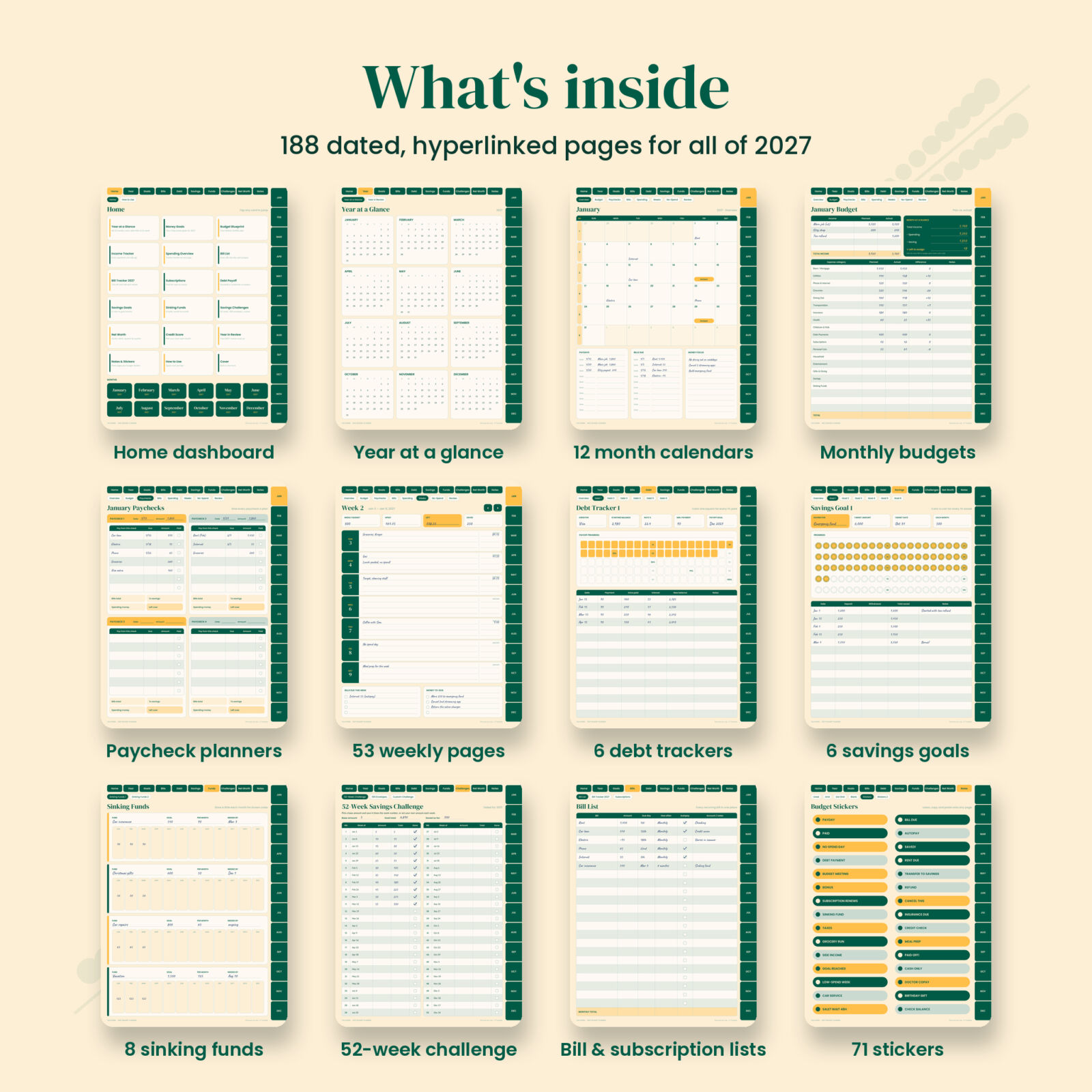
- Cover, Home dashboard with links to every section and month, How to Use page with a tappable planner map
- 2027 Year at a Glance (every date links to its weekly page)
- 2027 Money Goals with three goal blocks, a money word and habits checklist
- Budget Blueprint: your default monthly plan with 21 common categories and blank rows
- Income Tracker for up to four income sources, month by month
- Spending Overview: twelve months on one page by category
Bills
- Bill List with amount, due day, frequency, autopay and notes
- Bill Tracker 2027: one circle per bill per month to color when paid
- Subscription Tracker with keep or cancel boxes and yearly totals
Debt and savings
- Debt overview for up to 10 debts with snowball and avalanche explained
- 6 debt payoff trackers with a 100-square color-in chart and payment log
- Savings overview plus 6 savings goal trackers with 100 coins to color
- 8 sinking funds tracked month by month
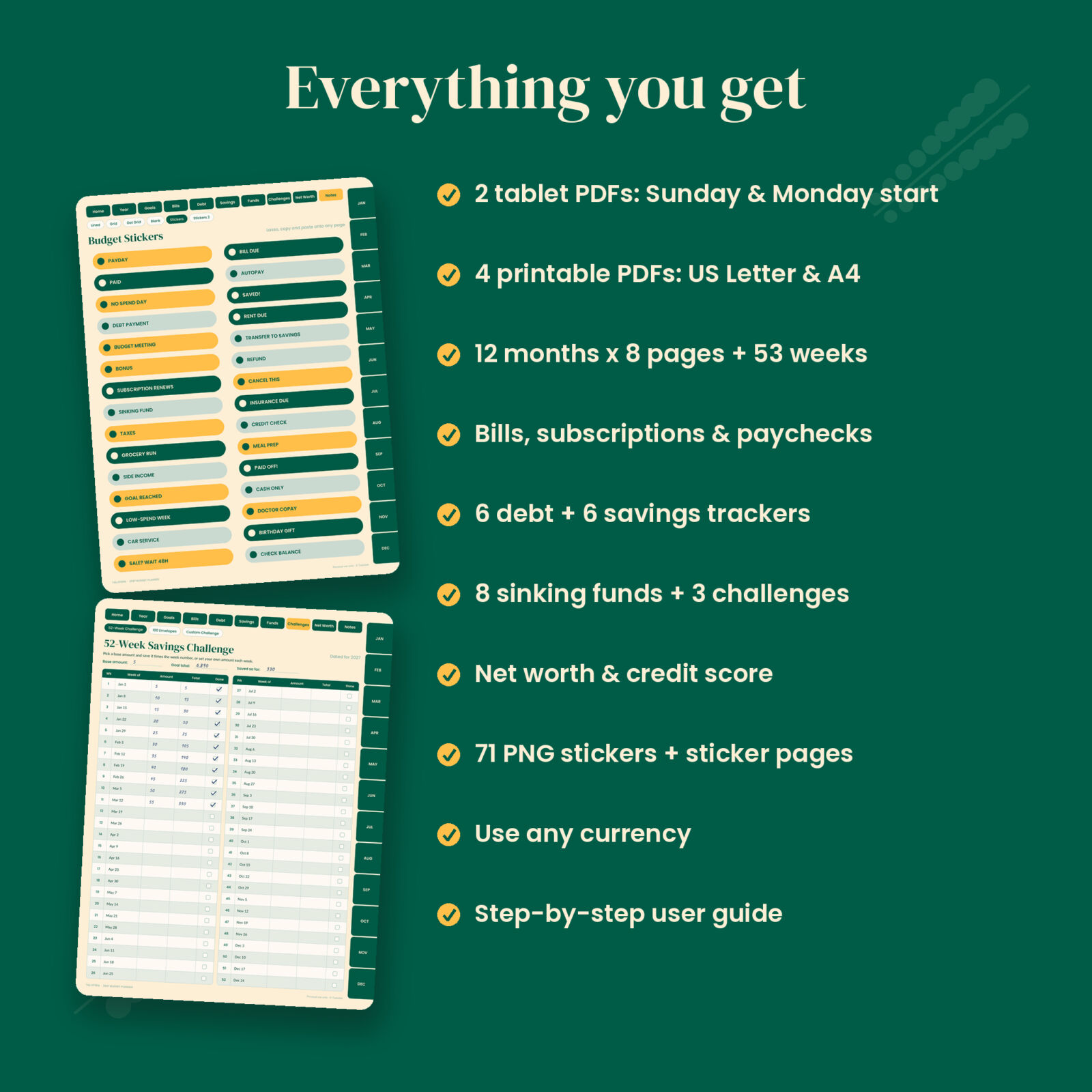
- 52-week savings challenge dated for 2027, 100 envelope challenge and a custom challenge page
- Quarterly net worth tracker and a credit score chart you plot by hand
Every month (x12)
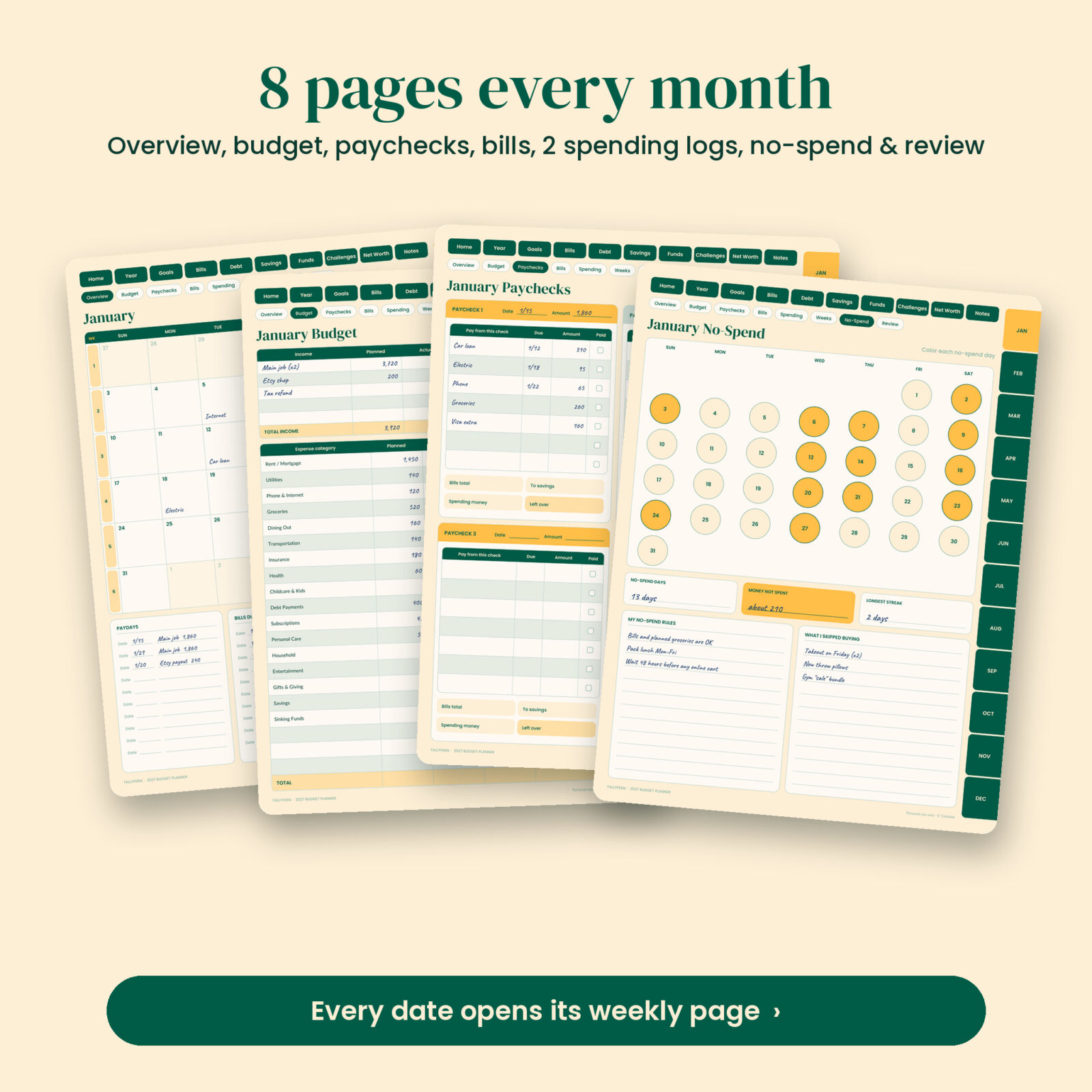
- Month overview calendar with week numbers, paydays, bills due and money focus
- Monthly budget: income planned vs. actual, Month at a Glance box (income minus spending minus saving equals left to assign) and 20 expense rows
- Paycheck planner for up to four paychecks
- Monthly bill tracker with paid and autopay boxes
- Two spending log pages with 28 rows each
- No-spend tracker calendar with rules, money not spent and longest streak
- Monthly review: income, spent, saved, debt paid, wins, leaks and next steps
Back section
- 2027 Year in Review
- Lined, grid, dot grid and blank notes pages made for duplicating
- Two sticker pages plus 71 transparent PNG stickers: payday, bill due, paid, no spend day, icons and date dots
How it works
- Download the files and import the tablet PDF (Sunday or Monday start) into your note app.
- Fill in your money goals and Budget Blueprint once.
- At the start of each month, copy the blueprint into the Budget page and mark paydays and due dates on the calendar.
- Plan each paycheck as it arrives, then log spending on the weekly pages as you go.
- Close the month with the review page and the yearly trackers. It takes about ten minutes.
Navigation is the same on every page. Top tabs open sections, side tabs open months, small page buttons switch between the pages inside a month, and arrows move from week to week. All 188 pages are also bookmarked in the PDF outline.
File formats and what you need
- 2 hyperlinked tablet PDFs, portrait, 3:4 ratio for iPad and Android tablets (about 1.5 MB each, so they open fast)
- 4 printable PDFs: US Letter and A4, Sunday and Monday start
- 71 transparent PNG stickers in a ZIP file
- User guide (DOCX) with setup steps, a monthly routine, troubleshooting and FAQ
- A PDF note app that supports internal links, such as GoodNotes or Notability on iPad, or Xodo, Noteshelf or Samsung Notes on Android. A stylus is recommended.
This is a handwritten planner. Nothing calculates automatically, and amounts are left blank so you can use any currency.
Make it yours
Duplicate any page in your app when you need more rows or more debt trackers. Copies keep their tabs. Use the blank category rows for your own spending groups, color-code with highlighters, and drop in stickers for paydays, bills and wins. The Pale Pine, forest green and mango palette stays calm on screen and easy to read at night.
Real ways people use it
- A nurse paid every other Friday plans which bills each check covers, so rent is never short.
- A couple paying off two credit cards colors the debt chart together every payday.
- A college grad tracks a starter emergency fund with the coin tracker and the 52-week challenge.
- A family uses the no-spend tracker to cut takeout and moves the difference into a vacation sinking fund.
Digital download
This is an instant digital download. No physical item will be shipped. You can download your files from your Taskdale account right after checkout.
FAQ
Is this 2027 budget planner dated?
Yes. It covers January to December 2027, with 53 weekly pages from the week containing January 1, 2027 to the week containing December 31, 2027.
Does it work with GoodNotes and Notability?
It is a standard hyperlinked PDF made for GoodNotes, Notability and other PDF note apps that support internal links. Tap links in read-only or view mode.
Can I use it on an Android tablet?
Yes, in a PDF note app with link support, such as Xodo, Noteshelf or Samsung Notes.
Does it calculate totals for me?
No. It is a handwritten planner. The pages are laid out so the math is quick and simple.
Can I print it?
Yes. US Letter and A4 versions are included for both Sunday and Monday start.
Can I use my own currency?
Yes. All money fields are left blank so any currency works.
Can I share it with a friend?
The planner is licensed for personal use only. Please do not share, resell or redistribute the files.
License: personal use only. You may use the files on your own devices and print copies for your household. Resale, sharing and redistribution are not allowed.
Reviews
There are no reviews yet.