A home inventory for insurance that does the math for you
Roomtrove is a home inventory for insurance built as a spreadsheet for Microsoft Excel and Google Sheets. You list what you own room by room. The workbook then works out the replacement cost and today’s value of every item, shows how well you can prove you own it, keeps an eye on warranties and appraisals, and checks your total against every insurance policy you have.
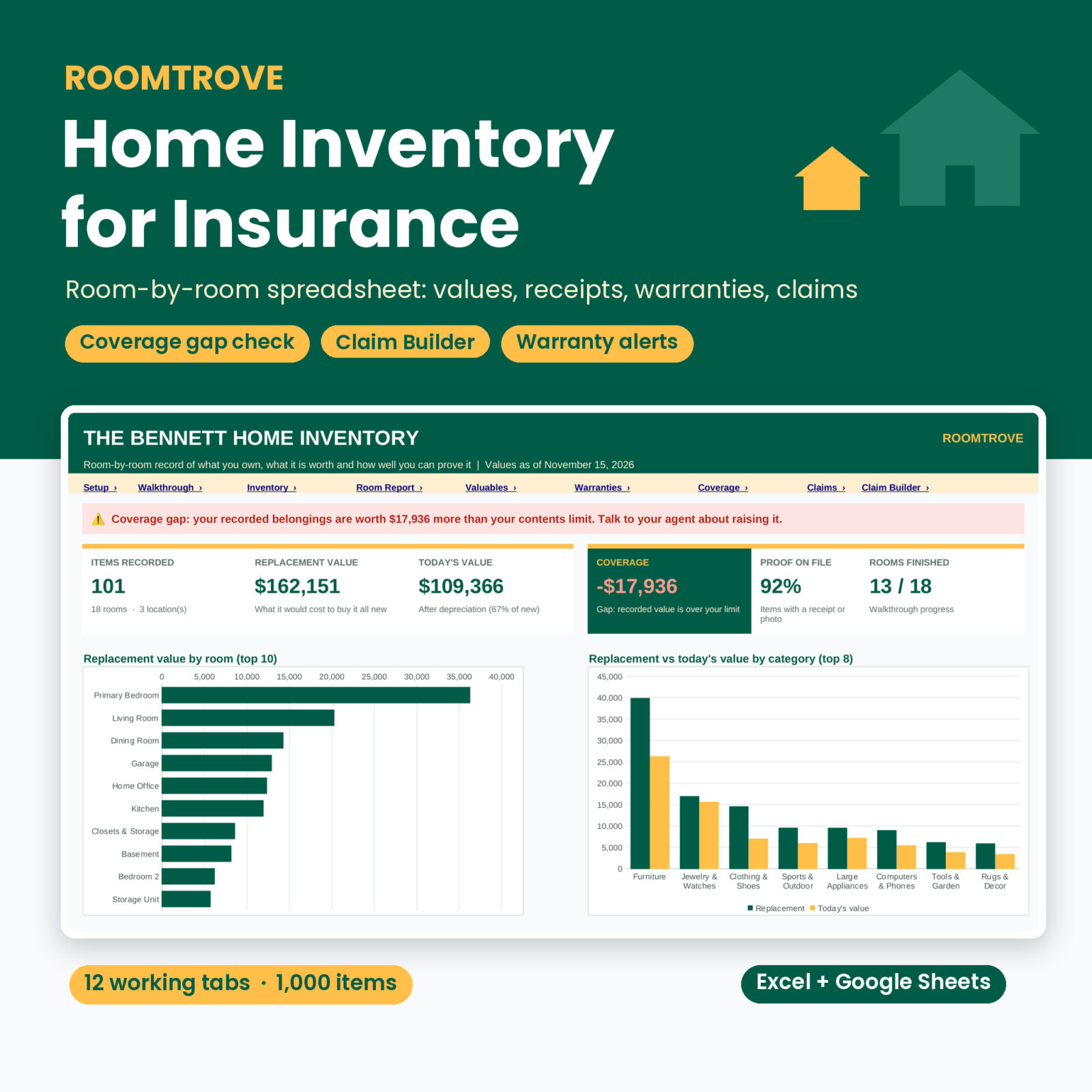
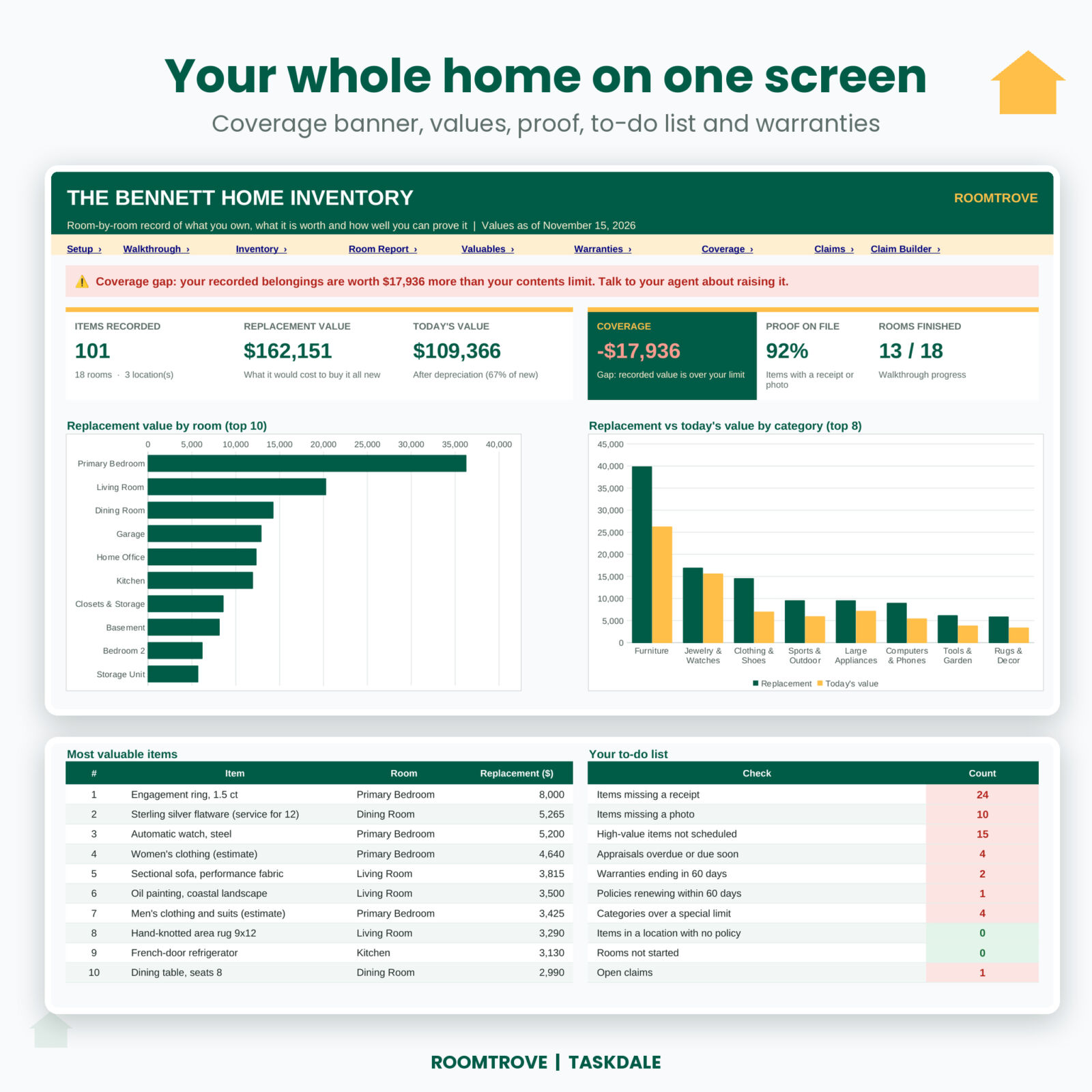
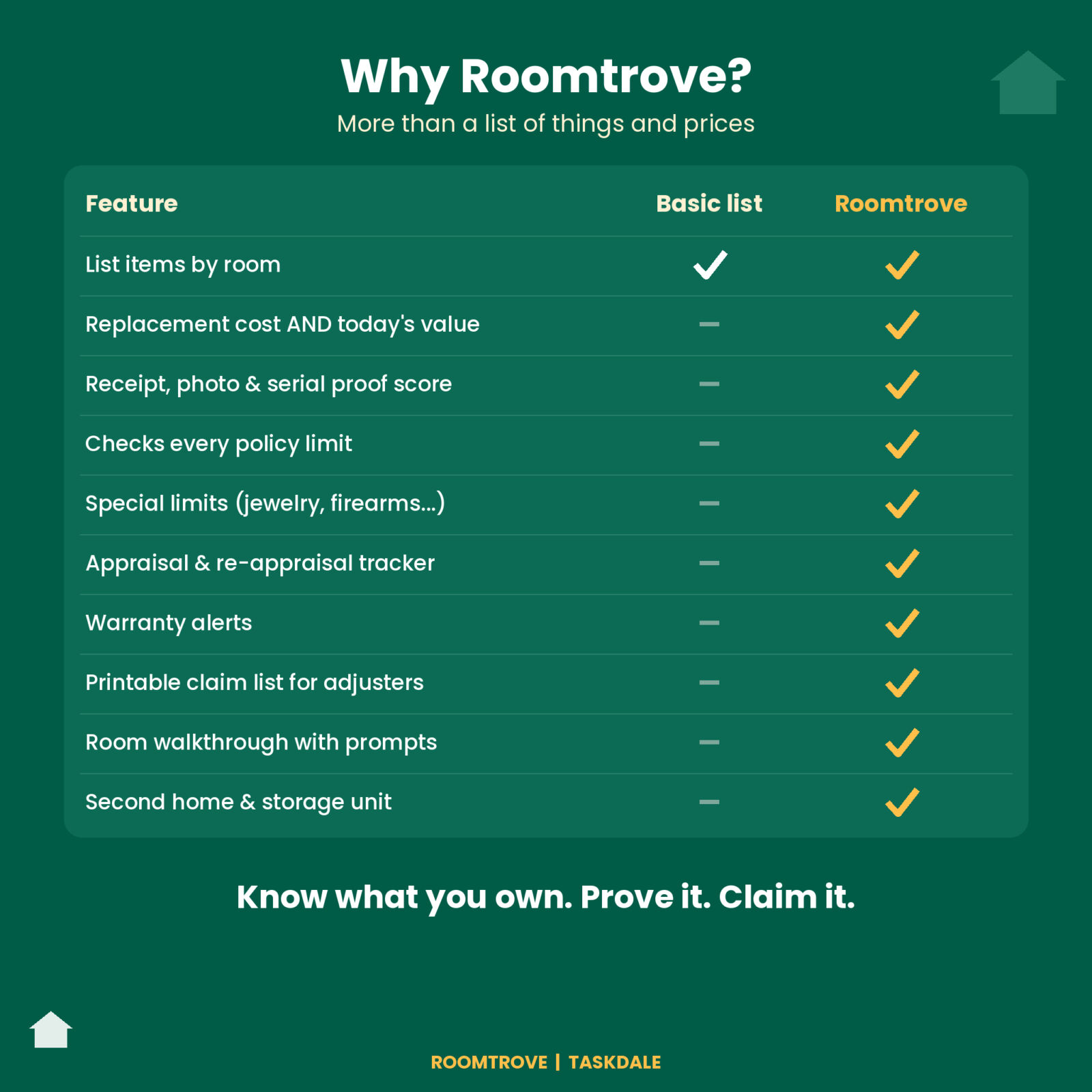
Most inventories stop at a list of things and prices. That list helps after a fire or a break-in, but it cannot tell you whether your contents limit still covers what you own. Roomtrove can. In the sample household, 101 items add up to a replacement value well over the home policy’s limit, and the banner says so in plain words.
Who it is for
- Homeowners and renters who want proof of their belongings before they ever need it.
- Anyone reviewing contents coverage at renewal, or wondering if the limit on the declarations page is enough.
- Households with a second home, a cabin, a storage unit or more than one policy.
- People with jewelry, watches, art, firearms or collections that need appraisals and a rider.
- Families preparing for a move, a renovation or an estate plan.
What the home inventory spreadsheet does
Room-by-room walkthrough
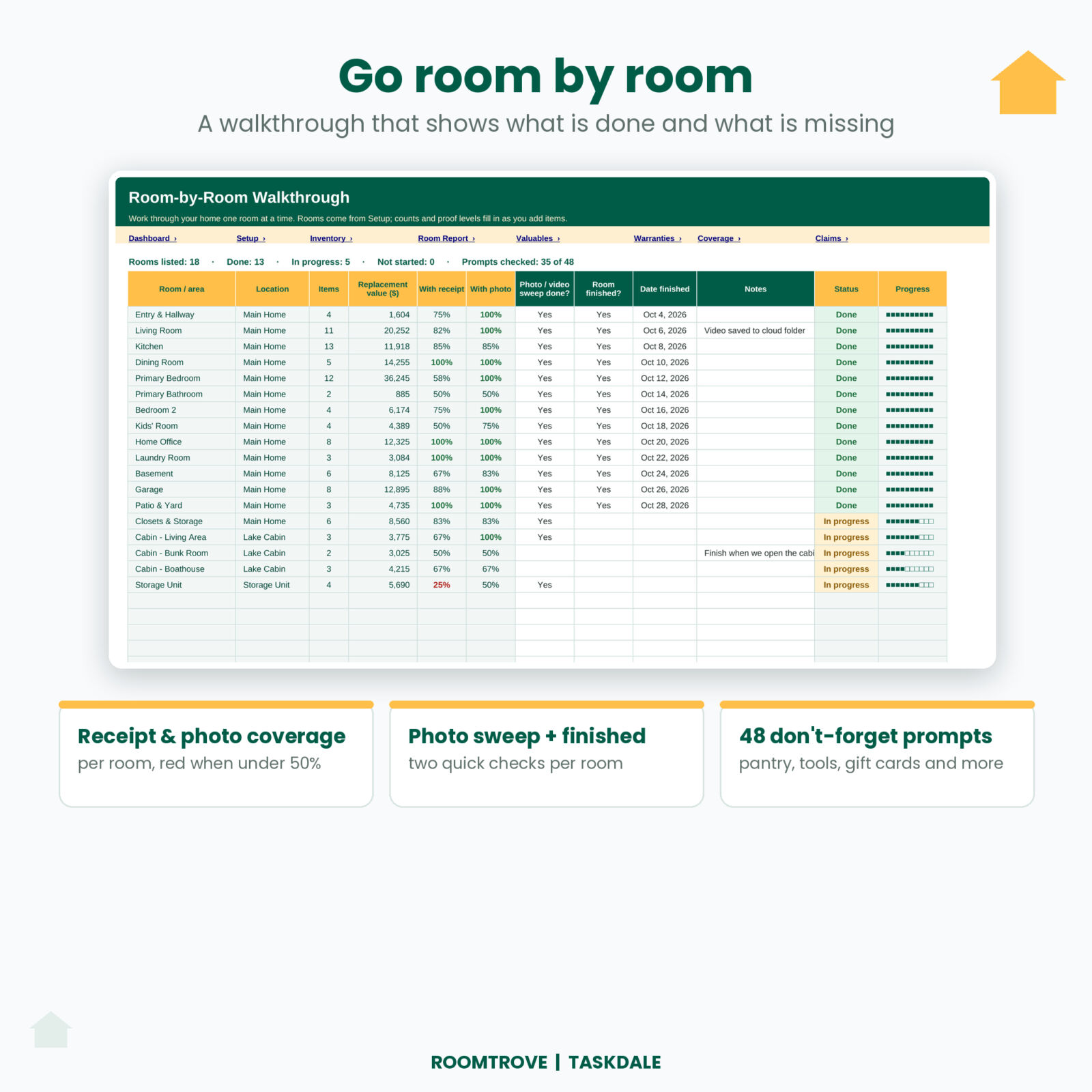
Every room you set up gets a row with its item count, value, the share of items with a receipt and a photo, a photo sweep check, a finished check and a ten-block progress bar. Below it sit 48 don’t-forget prompts grouped by area: small appliances, pantry and freezer food, clothing by type, tools, holiday decorations, gift cards and more. These are the things people leave off and then can’t claim.
Inventory with automatic values
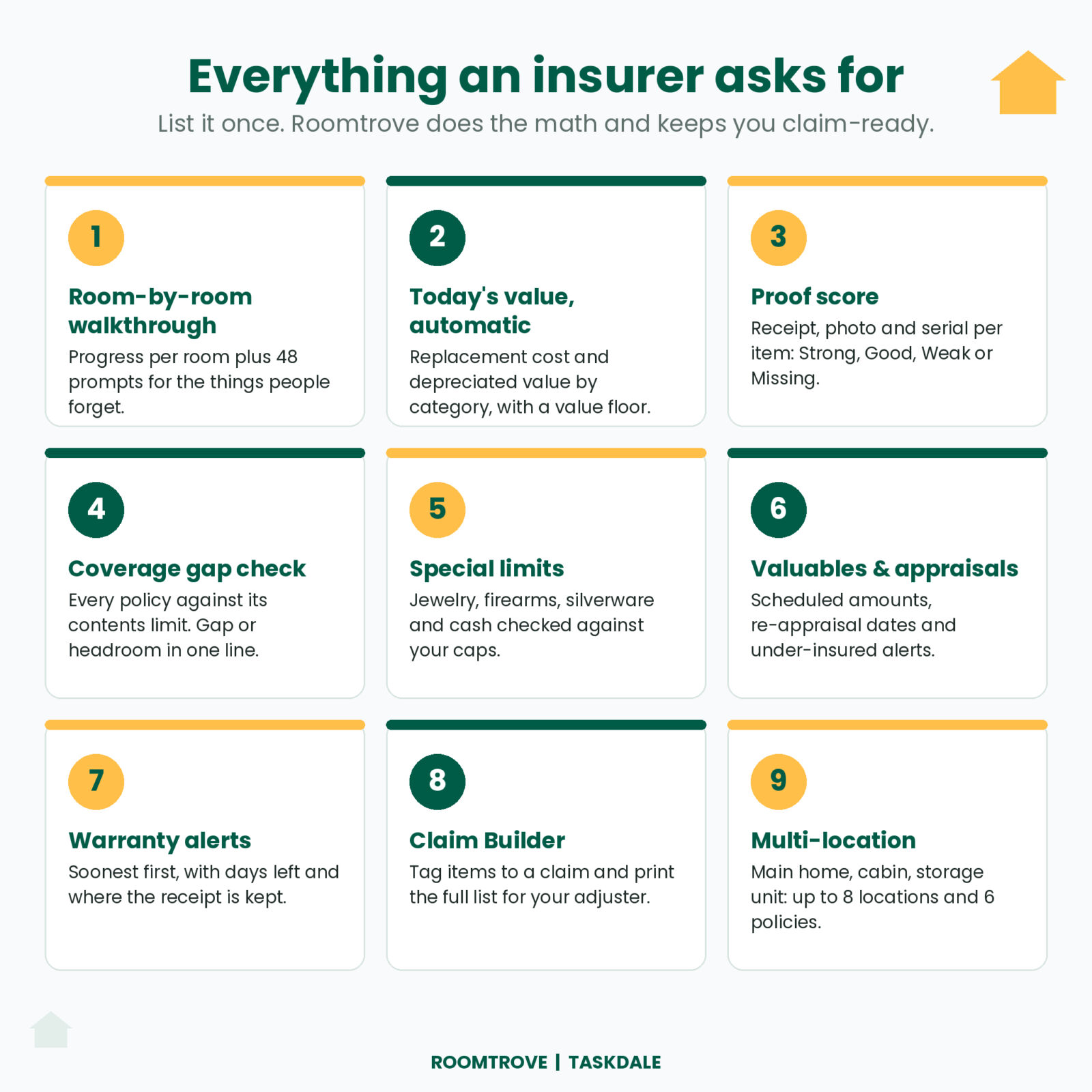
1,000 rows for items or sets. Pick the room and category, add the brand, model, serial number, quantity, purchase date and price. Roomtrove fills in the item ID, location, total paid, replacement cost, age and today’s value. Today’s value uses a useful life and a value floor per category, so a 3-year-old TV loses half its value while jewelry never drops below 80%. You can type your own value for antiques and appraised pieces.
Proof score
Each item gets Strong, Good, Weak or Missing based on whether you have a receipt, a photo and a serial number. Missing receipts and photos are highlighted, and a “where proof is kept” column holds a cloud folder link or a note.
Coverage gap check
Add up to 6 policies with their contents limit, deductible, claim basis and renewal date, then link each location to a policy. The Coverage tab shows the value each policy covers, the share of the limit used and the headroom or gap. Status reads Covered, Near limit or Under-insured. Items on a valuables rider are left out of the main total, and actual-cash-value policies count items at today’s value.
Special limits by category
Many policies cap theft of jewelry, firearms, silverware and cash. Roomtrove compares what you own in each category with the limit you enter and flags anything over.
Valuables and appraisals
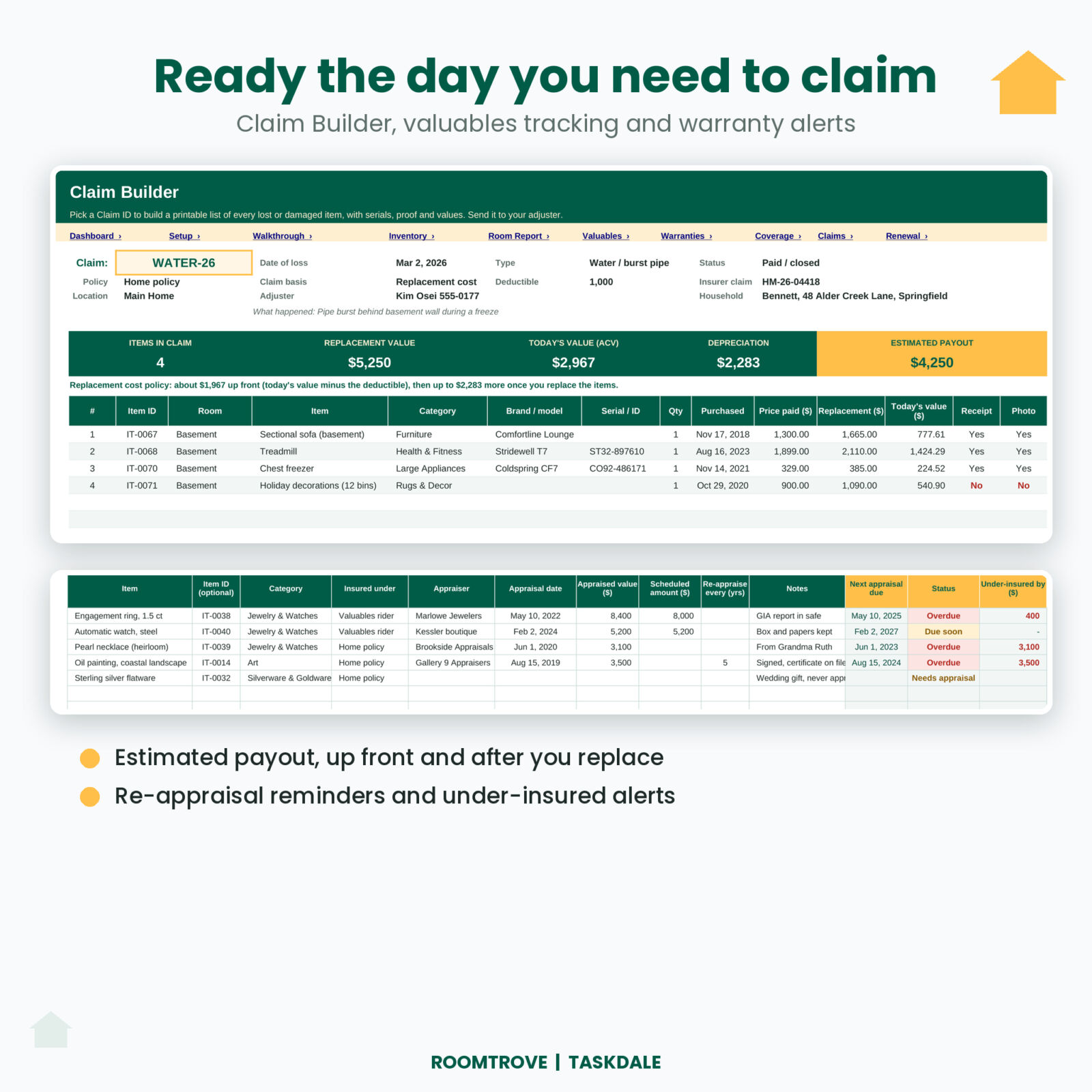
Track appraiser, appraisal date, appraised value and scheduled amount. The next appraisal date works itself out (every 3 years by default) with Overdue and Due soon flags, and you see how much an item is under-insured. An automatic list shows every unscheduled item above your high-value threshold.
Warranties
Every warranty sorted by end date with days left. Anything inside your alert window turns amber, so you can get that repair done while it is still free.
Claims and Claim Builder
Log an incident with a short Claim ID such as WATER-26, tag the damaged items on the Inventory, then pick the claim in the Claim Builder. You get a printable list with serials, purchase dates, prices, replacement cost, today’s value, receipts and photos, plus an estimated payout after the deductible.
Room Report and Renewal Review
Print any room on its own for an adjuster or a mover. Once a year, work the 12-step renewal checklist and save a snapshot so you can see how your belongings change.
The dashboard
A coverage banner, six cards (items, replacement value, today’s value, coverage headroom or gap, proof on file, rooms finished), value by room, replacement versus today’s value by category, your ten most valuable items, a to-do list that turns red when something needs attention, a proof-of-ownership chart and the next warranties to end. It updates as you type.
What is included
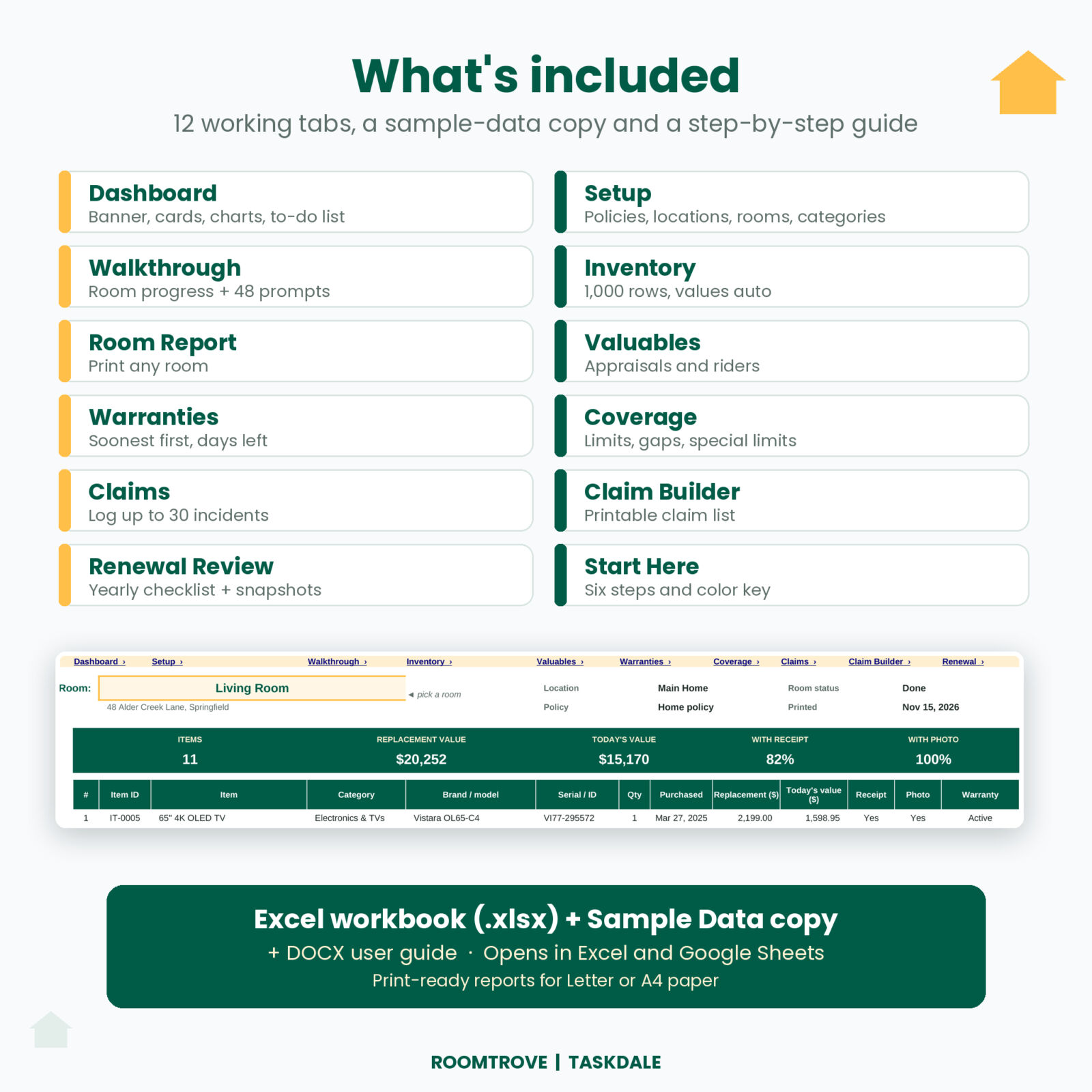
- Roomtrove Home Inventory for Insurance (.xlsx): a clean copy ready for your home.
- A Sample Data copy filled with a realistic household, so you can see every feature working before you start.
- A DOCX user guide with setup steps, every tab explained, tips, troubleshooting and FAQs.
Tabs: Start Here, Dashboard, Setup, Walkthrough, Inventory, Room Report, Valuables, Warranties, Coverage, Claims, Claim Builder and Renewal Review, plus two helper tabs.
How it works
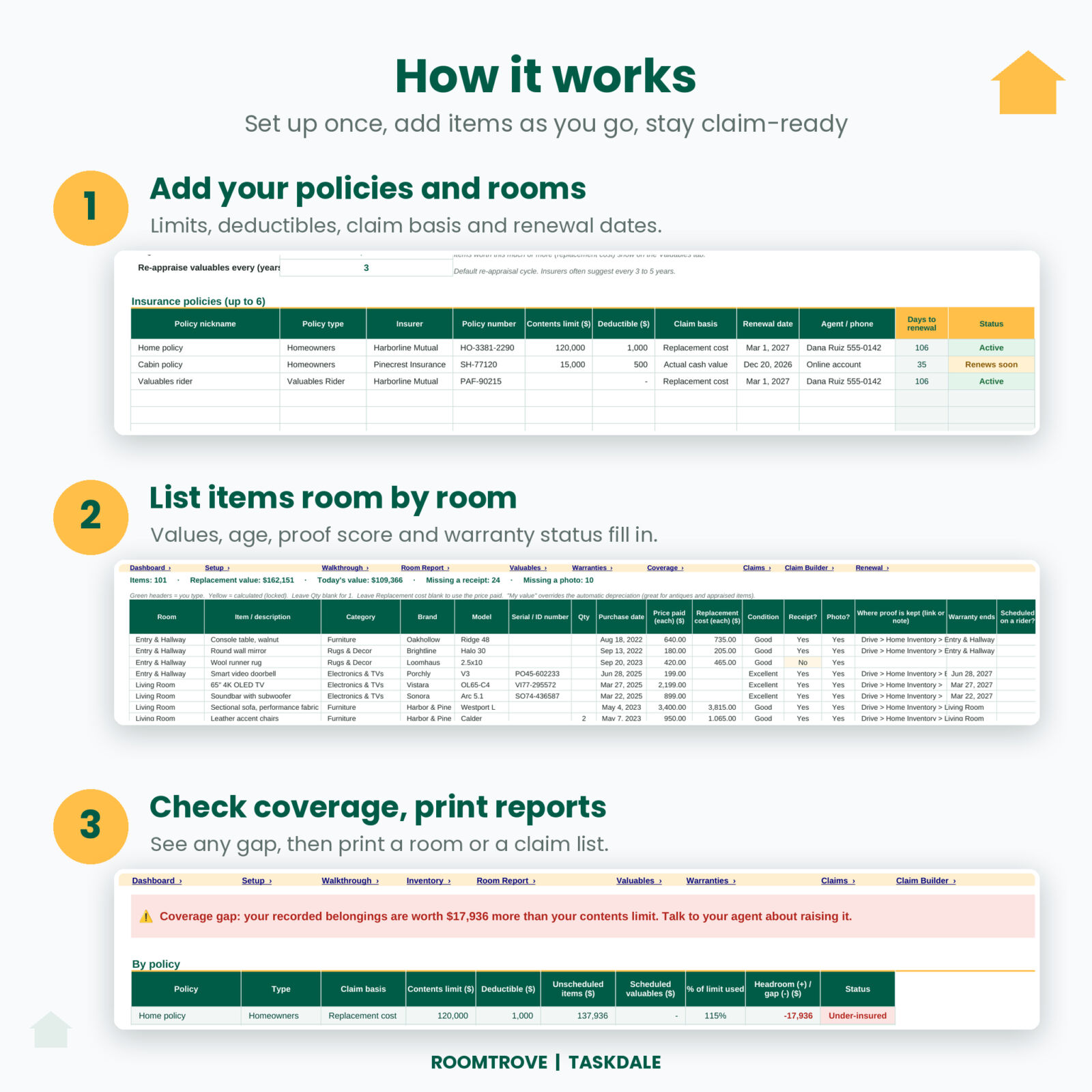
- On Setup, type your household name and currency, then add your policies, locations and rooms. Twenty-six categories come ready.
- Do a quick photo or video sweep of a room, then add its items on the Inventory. One room a night is plenty.
- Check the Dashboard and Coverage tab. Fix anything on the to-do list, and print a Room Report or a claim list when you need one.
File formats and software
- Excel workbook (.xlsx) for Microsoft Excel 2010 or newer on Windows or Mac.
- Google Sheets: upload the file to Google Drive and open it with Google Sheets. It uses only functions Google Sheets supports.
- No macros, no add-ins and no subscription.
Customization
Use any currency symbol: every money label follows one setting. Rename rooms, add up to 40 rooms and 8 locations, and change each category’s useful life, value floor and special limit to match your policy. Formula cells are locked without a password so nothing breaks by accident, and you can still change fonts and colors.
Real situations where it helps
- After a burst pipe: tag the basement items with one Claim ID and send the Claim Builder list to your adjuster the same day.
- After a break-in: serial numbers and photos for the stolen bike and tools are already on file for the police report and the claim.
- At renewal: the Coverage tab shows whether you need a higher limit or a rider for your engagement ring.
- Before a move: print each room so you know what was packed and what it is worth.
Digital download
This is a digital product. Nothing is shipped. Your files are ready to download right after checkout.
FAQ
Does it work with Google Sheets?
Yes. Upload the .xlsx to Google Drive and open it with Google Sheets, then save it as a Google Sheet.
How many items can I add?
1,000 rows. A row can be a set, such as “Dining chairs” with a quantity of 8, so most homes fit easily.
Can I add photos of my belongings?
Keep photos in a cloud folder and paste the link in the “where proof is kept” column. That keeps the file fast.
Does it work for renters?
Yes. Choose Renters as the policy type and enter your personal property limit.
What is the difference between replacement cost and today’s value?
Replacement cost is what it costs to buy the item new today. Today’s value (actual cash value) takes off age and wear. Your policy decides which one it pays, and Roomtrove shows both.
Can I track a vacation home or storage unit?
Yes. Add up to 8 locations and link each one to the policy that covers it.
Can I share the file?
The license covers personal use by you and your household. Please do not share, resell or redistribute the files.

Reviews
There are no reviews yet.