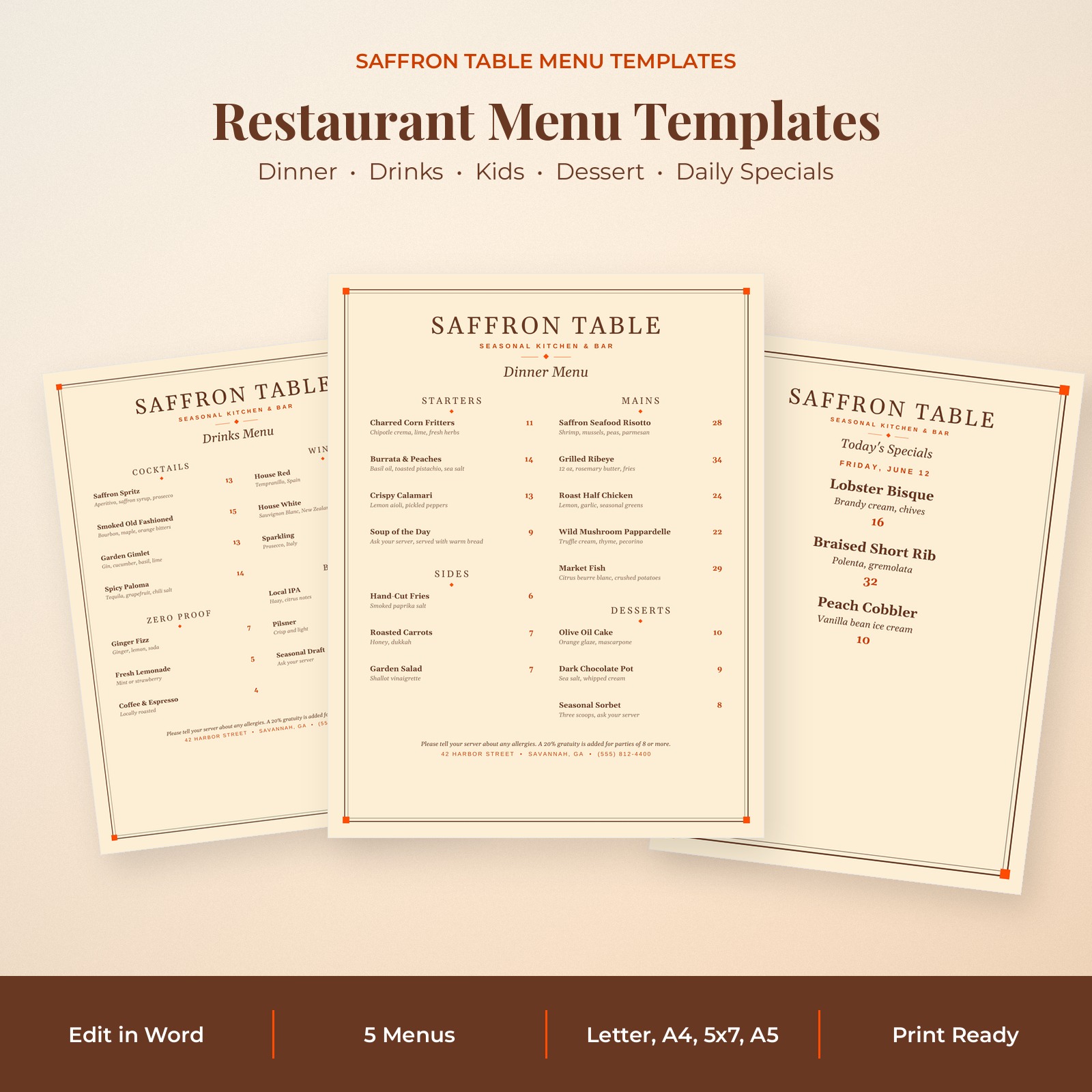


The Saffron Table Menu Templates are an elegant restaurant menu template collection for cafes, bistros, bars and restaurants. A classic double frame with saffron accents, refined serif lettering and neatly aligned prices give your menus an upscale look that is easy to read.
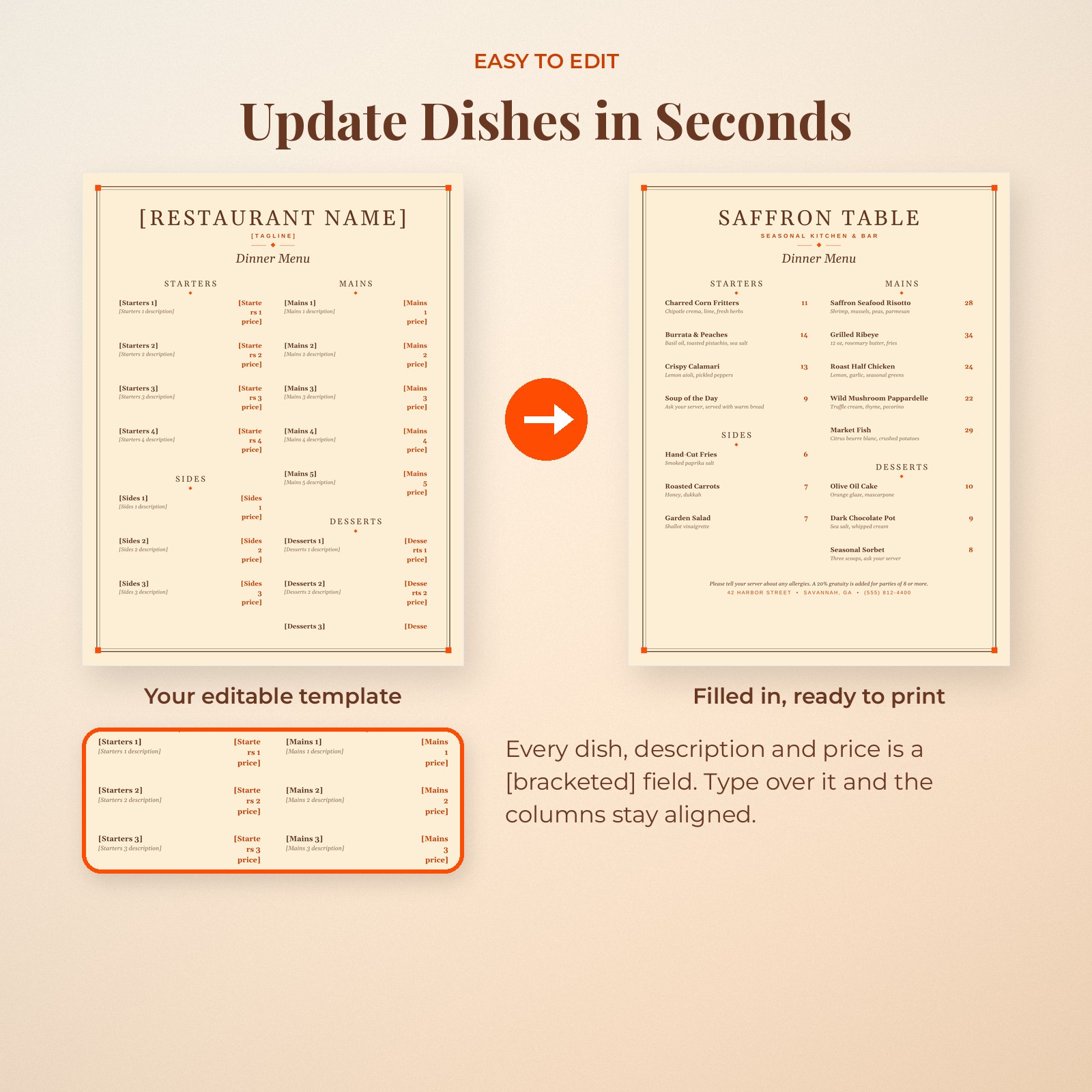
Every menu is a Microsoft Word compatible .docx file. Dish names, descriptions, prices and section headings are real text, so you can update the menu yourself in minutes and print new copies whenever your dishes change. No design skills are needed.
Why Choose the Saffron Table Menu Templates Restaurant Menu Template
- Five coordinated menus for every part of service
- Prices align automatically in their own column
- No design software or monthly fees needed
- Prices are plain numbers so the menu works in any currency
- Sections are easy to rename, add or delete
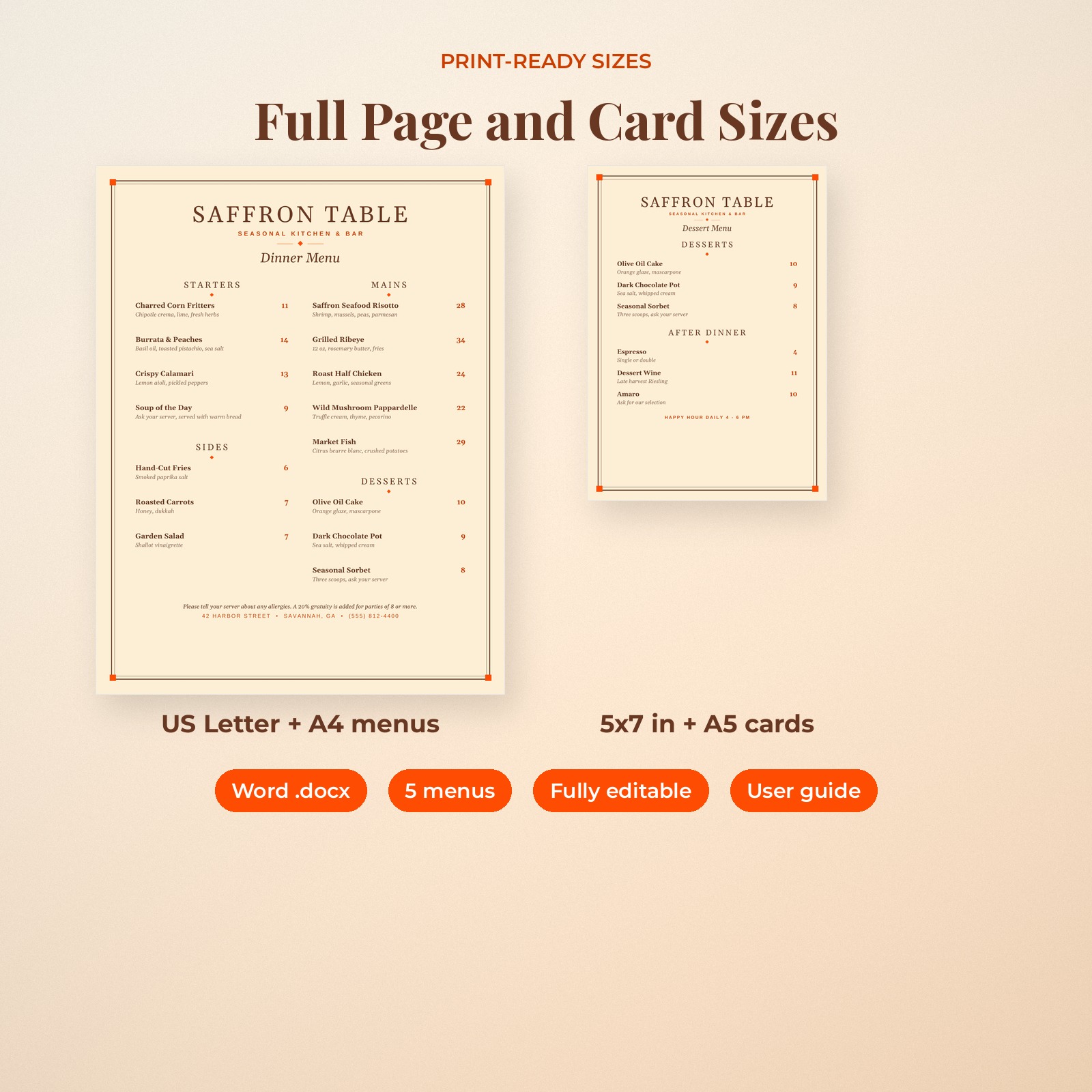
- Full-page and card sizes included
Who It Is For
- Restaurant, cafe and bistro owners
- Bars, wine bars and breweries
- Food trucks, pop-ups and caterers
- Event hosts who want a printed menu for a dinner party or rehearsal dinner
Features
Dinner Menu Template
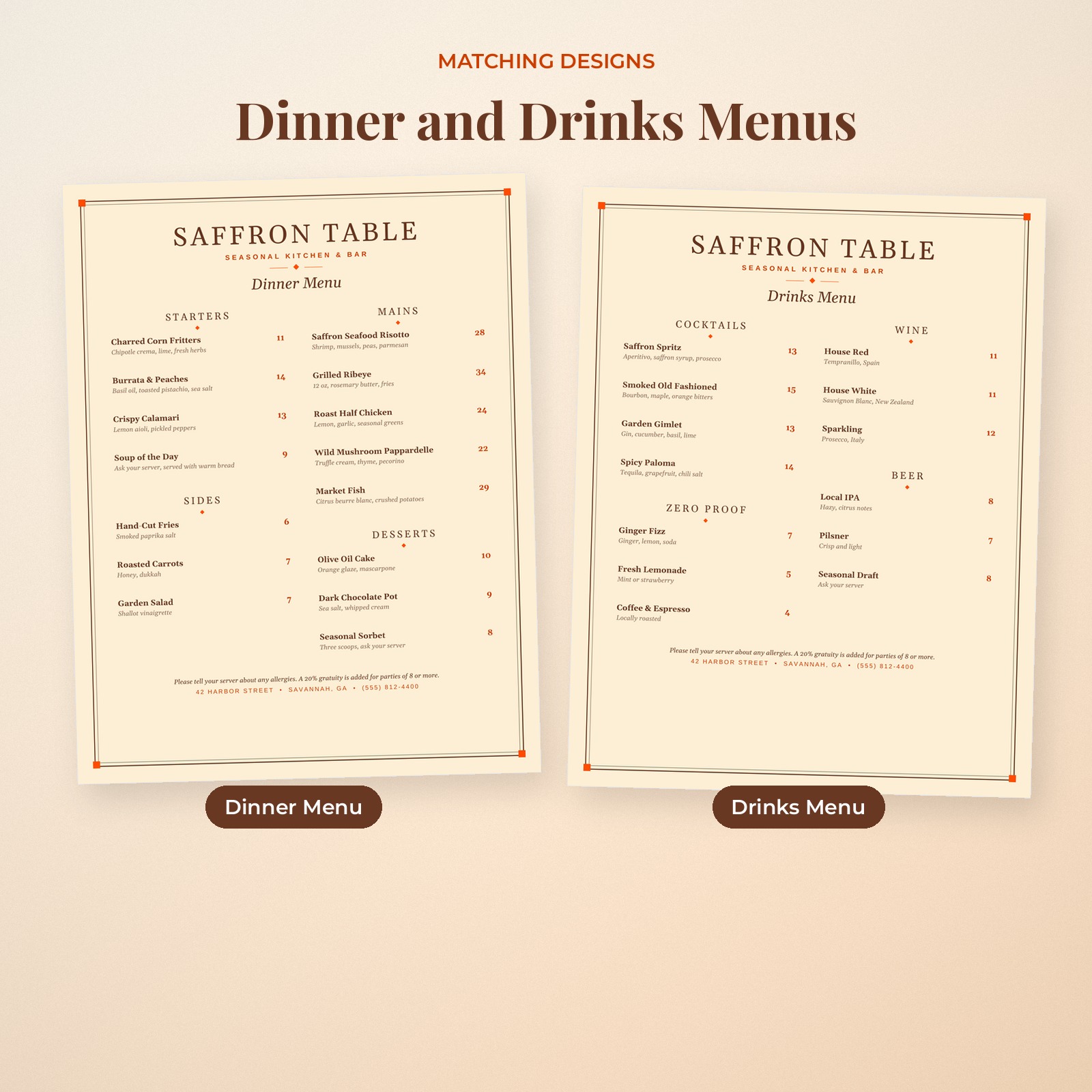
Starters, mains, sides and desserts in a balanced two-column layout with dish descriptions in italics and bold prices.
Drinks Menu Template
Cocktails, wine, beer and zero-proof drinks. Perfect for the bar or as a second page in a menu folder.
Kids Menu Template
Kid-friendly mains, breakfast, sides, drinks and treats in the same elegant style.
Dessert Menu and Daily Specials Card
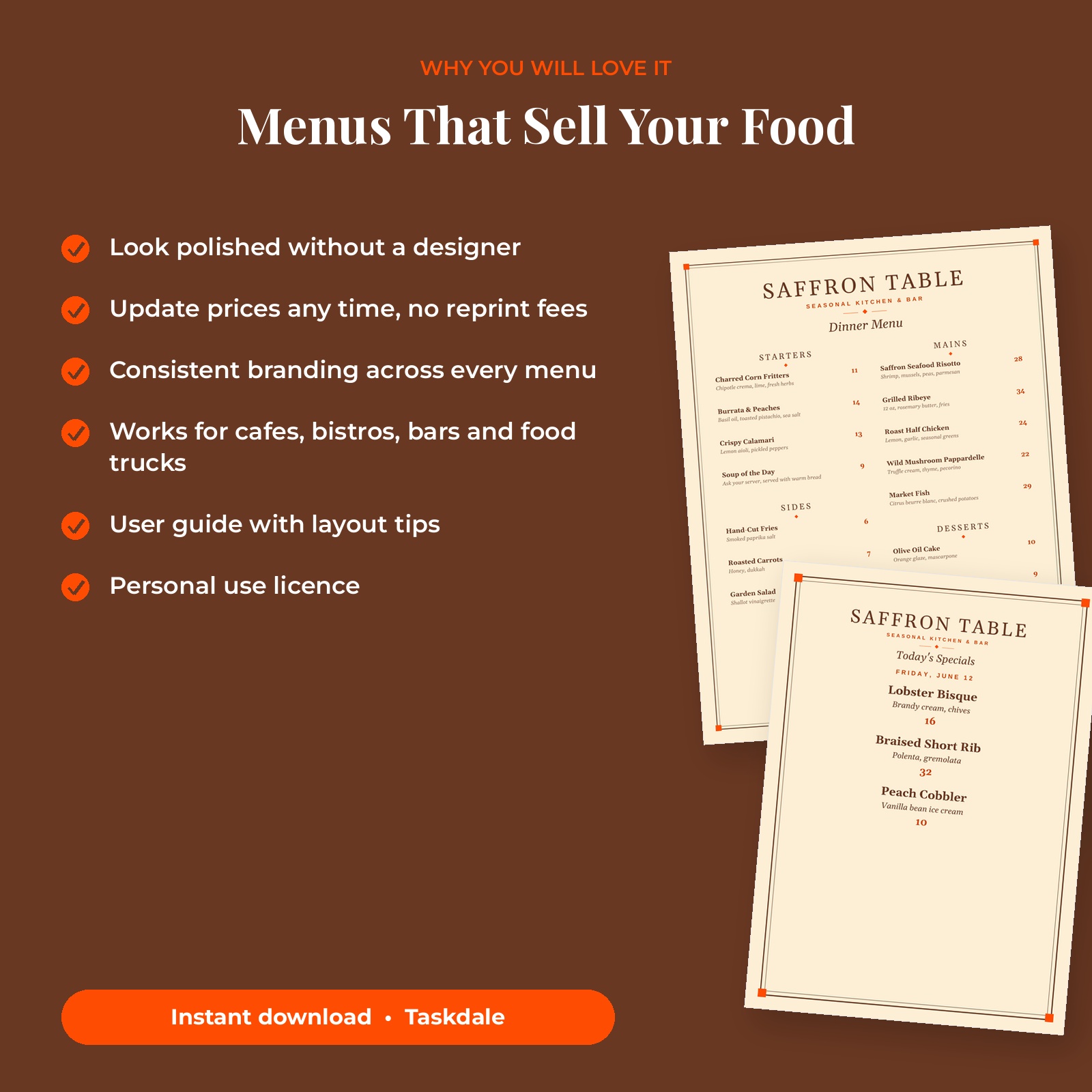
Two 5×7 in / A5 cards for desserts and after-dinner drinks, and for chalkboard-style daily specials.
Allergy and Gratuity Note
A small note at the bottom of each menu reminds guests to mention allergies and explains your service charge policy. Edit or delete it.
What’s Included
- Dinner menu (US Letter and A4)
- Drinks menu (US Letter and A4)
- Kids menu (US Letter and A4)
- Dessert menu (5×7 in and A5)
- Daily specials card (5×7 in and A5)
- User guide (.docx)
How It Works
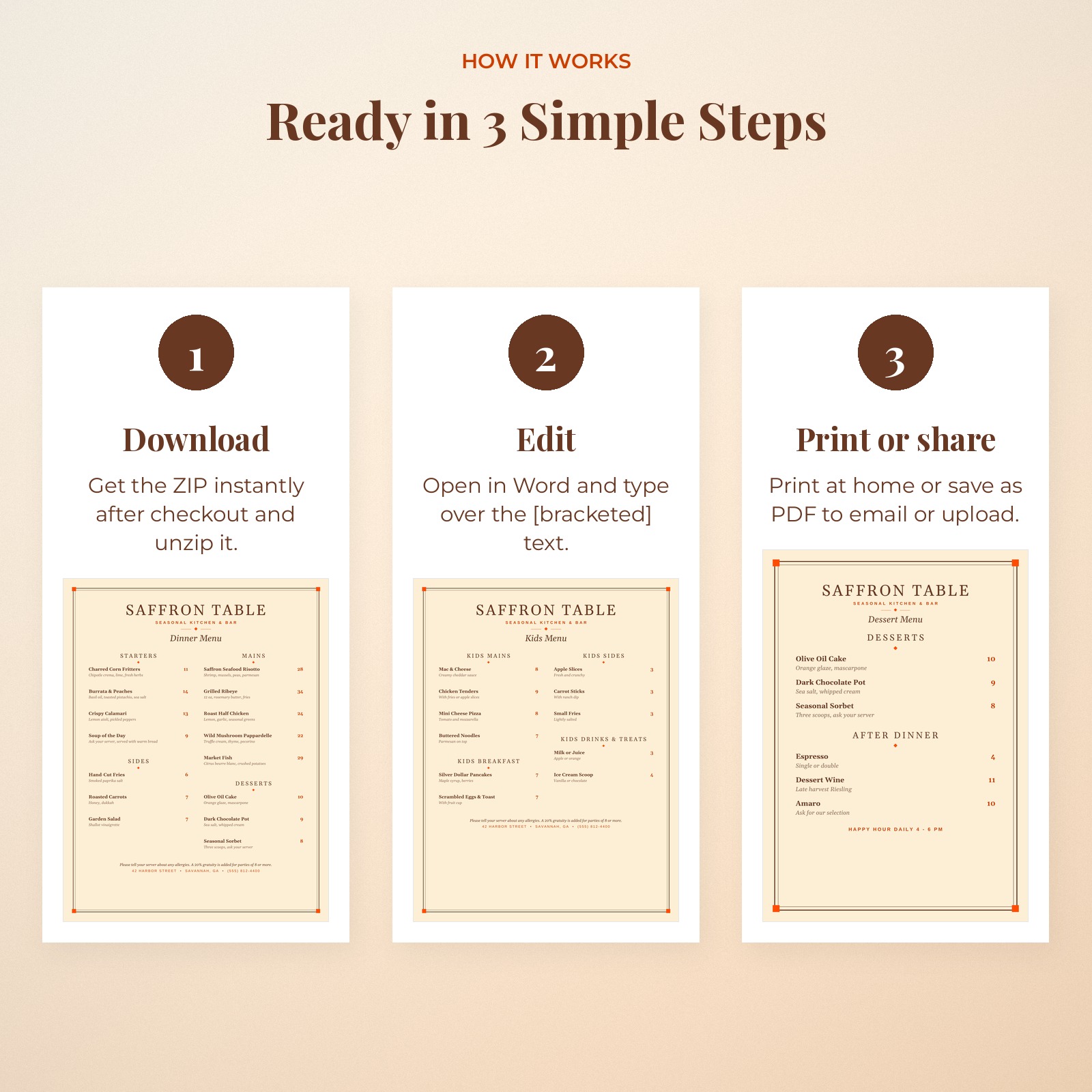
- Download the ZIP and user guide after checkout.
- Open a menu in Microsoft Word.
- Type over the [bracketed] dish names, descriptions and prices.
- Print on heavy matte paper or send the PDF to a print shop.
File Formats and Software Requirements
- 10 Microsoft Word compatible .docx files
- US Letter, A4, 5 x 7 in and A5
- User guide (.docx)
Edit in Microsoft Word or any word processor that opens .docx files. Every menu was rendered and checked in LibreOffice Writer. Fonts are Georgia and Arial, which come with Word.
Customizing Your Restaurant Menu Template
Rename sections, add or delete dishes, change the restaurant name and tagline, switch text colors or remove the frame. The frame artwork sits in the page header so it stays in place while you edit.
Real-Life Ways to Use It
- Daily service: Print fresh dinner menus whenever prices change.
- Bar program: Present cocktails and wine on the drinks menu.
- Families: Hand the kids menu with crayons.
- Weekly specials: Update the specials card each morning.
Menu Design Tips
Keep descriptions to one short line with two or three key ingredients. Guests scan menus in seconds, so short, sensory words such as charred, crispy or fresh sell more than long sentences.
Place your most profitable dishes at the top of each section and avoid lining up prices in a long column of numbers; this layout keeps each price next to its dish. Print on heavy matte paper and replace menus as soon as they are worn.
Digital Download Information
This is a digital product. No physical item will be shipped. Your files are available to download right after checkout from your order confirmation and your Taskdale account. Colors may look slightly different on screen and in print depending on your monitor and printer.
Licence: personal use only. You may edit and print the templates for yourself or your own single business. Reselling, sharing or redistributing the files, edited or unedited, is not allowed.
Restaurant Menu Template FAQ
Can I edit this restaurant menu template in Word?
Yes. Every dish, price and heading is editable text in Microsoft Word.
Can I add more dishes?
Yes. Copy a dish row and paste it below. If the menu becomes too long, reduce the font size slightly or move a section to page two.
Why are there no currency symbols?
Plain-number prices look modern and work in any currency. You can type a symbol if you prefer.
What sizes are included?
Full menus in US Letter and A4; dessert and specials cards in 5×7 in and A5.
Can I use it for a cafe or food truck?
Yes. Rename the sections to suit your offer, such as Coffee, Pastries and Sandwiches, and delete anything you do not need.
Can a print shop print it?
Yes. Save as PDF from Word and send the PDF.
Is it a Canva template?
No. These are Word .docx files.


Reviews
There are no reviews yet.