
Shelfbloom: a reading journal app and book tracker that lives on your device
Shelfbloom is a reading journal app and book tracker that runs in your web browser from one downloaded file. Log the books you want to read, the one on your nightstand and every book you finish. Shelfbloom turns those entries into progress bars, a yearly reading challenge, reading stats and a printable Year in Books. No subscription, no ads and no account.
Everything you enter stays on your own device, and the app works offline once you download it.
Who this reading tracker is for
- Readers with a yearly goal, like 24 or 52 books, who want to know if they are on pace.
- Book club members who keep ratings, reviews and favorite quotes in one place.
- Fantasy and mystery fans who lose track of which book in a series comes next.
- Goodreads or StoryGraph users who want a private copy of their reading history.
- Anyone with a TBR pile taller than the nightstand.
Features of the Shelfbloom reading journal app
A dashboard you will want to open
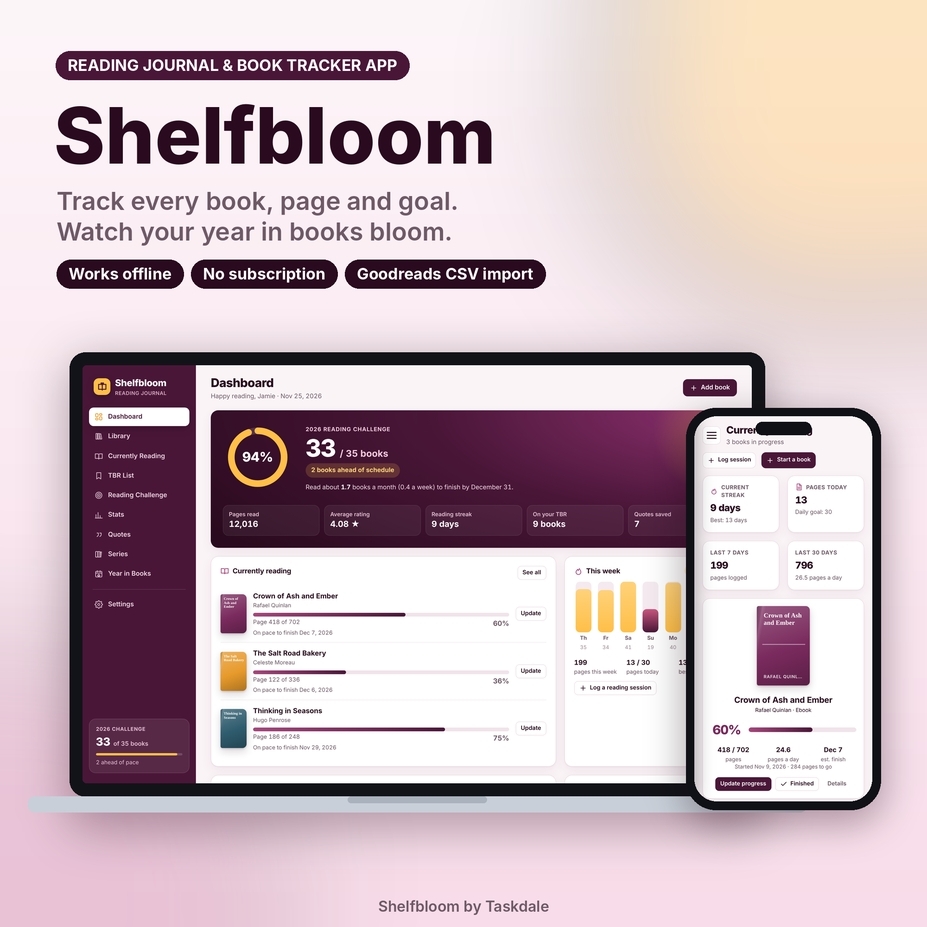
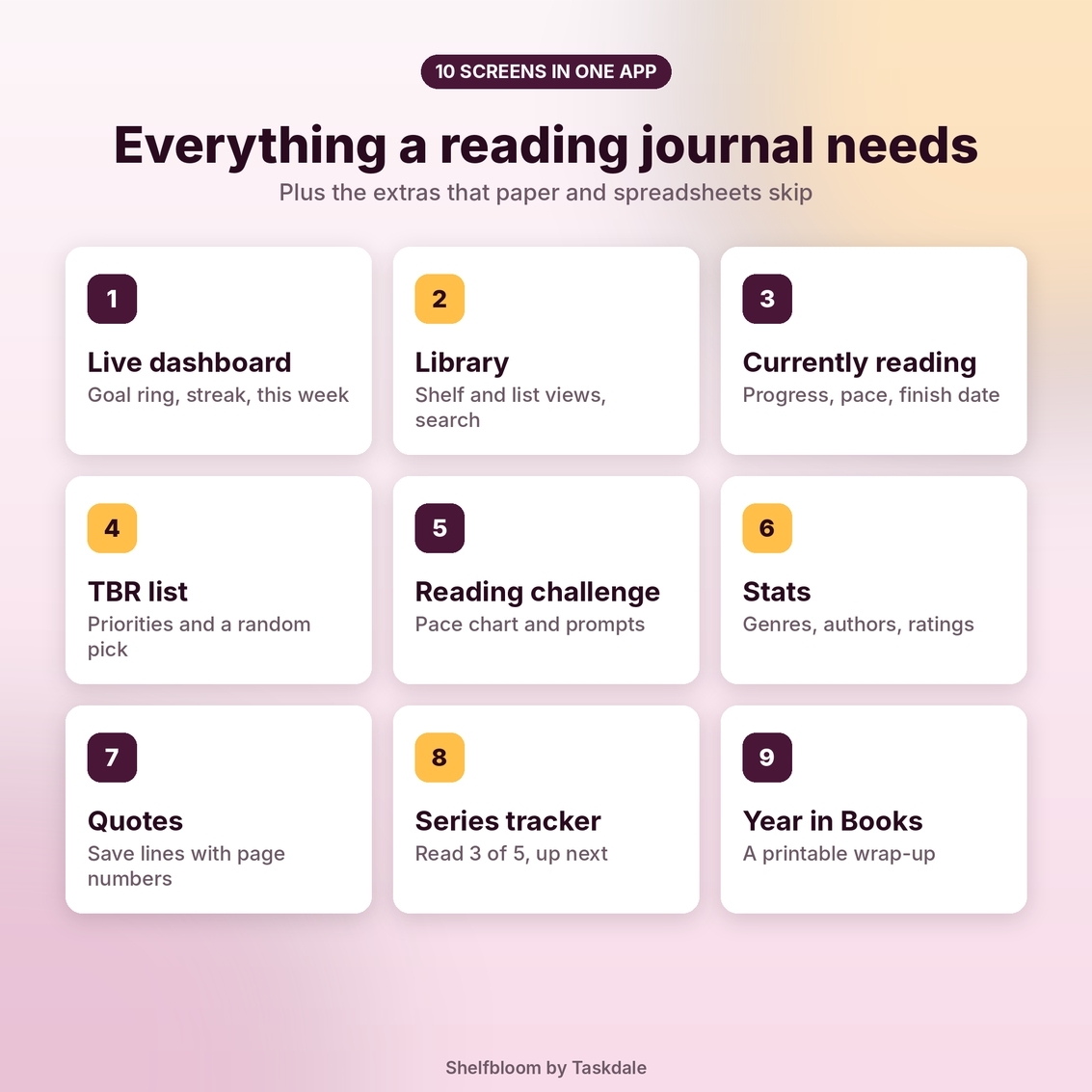
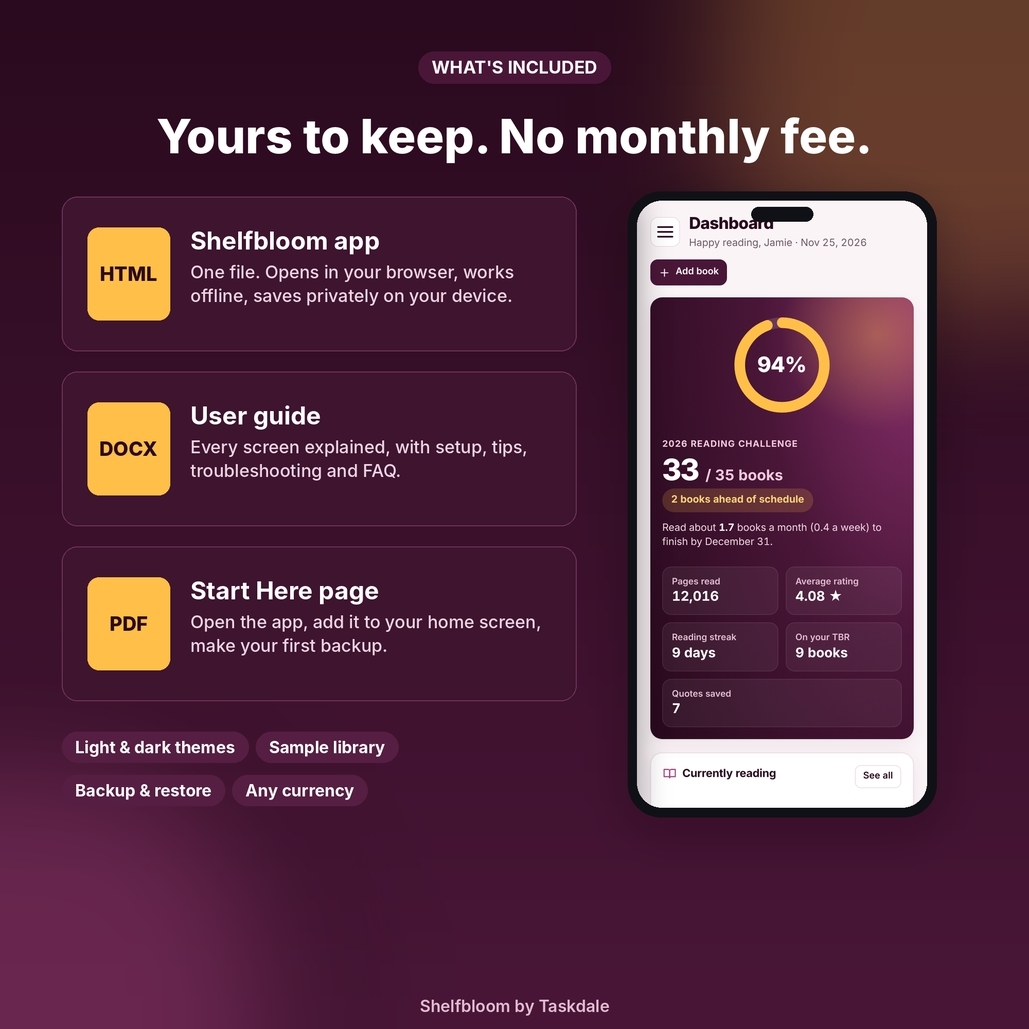
A berry banner shows this year’s reading challenge with a gold progress ring and a plain message such as “2 books ahead of schedule”. Below it sit pages read, average rating, your reading streak, the size of your TBR and quotes saved. Your current books show progress bars and an estimated finish date, and a seven-day chart turns gold on days you hit your page goal.
Library with shelf and list views
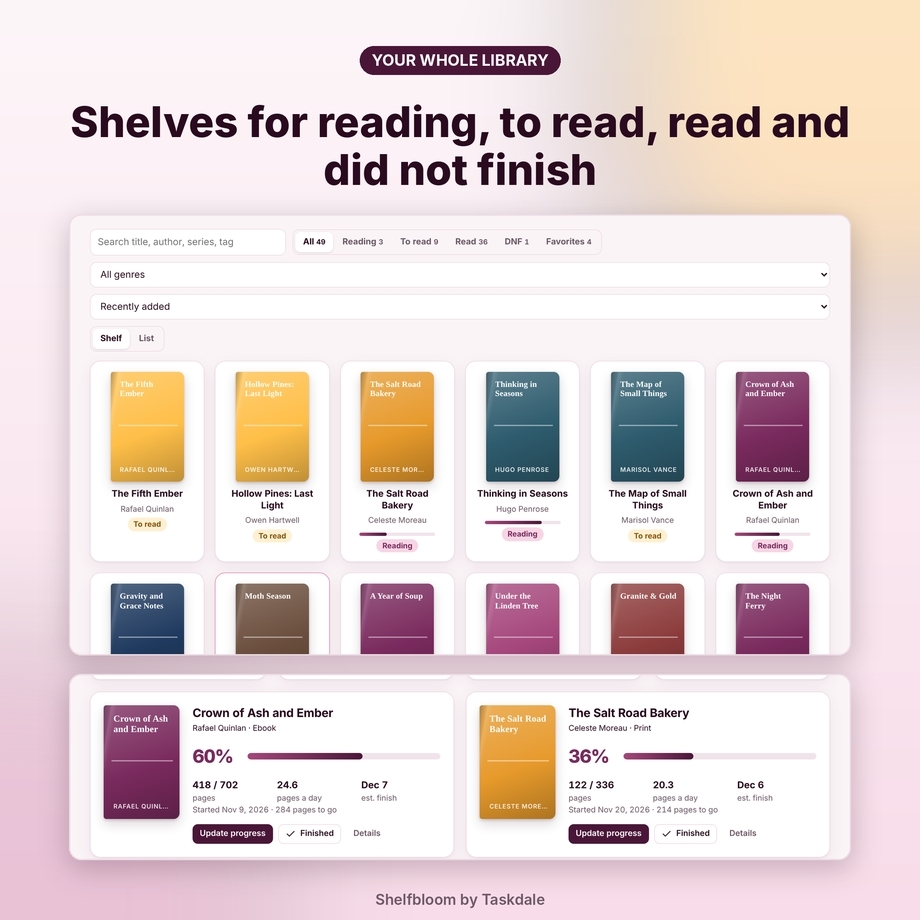
Filter by Reading, To read, Read, Did not finish or Favorites. Search titles, authors, series, genres and tags, and sort by rating, finish date or page count. Every book gets a drawn cover in the color you choose, so you never hunt for images.
Currently reading with pace and finish date
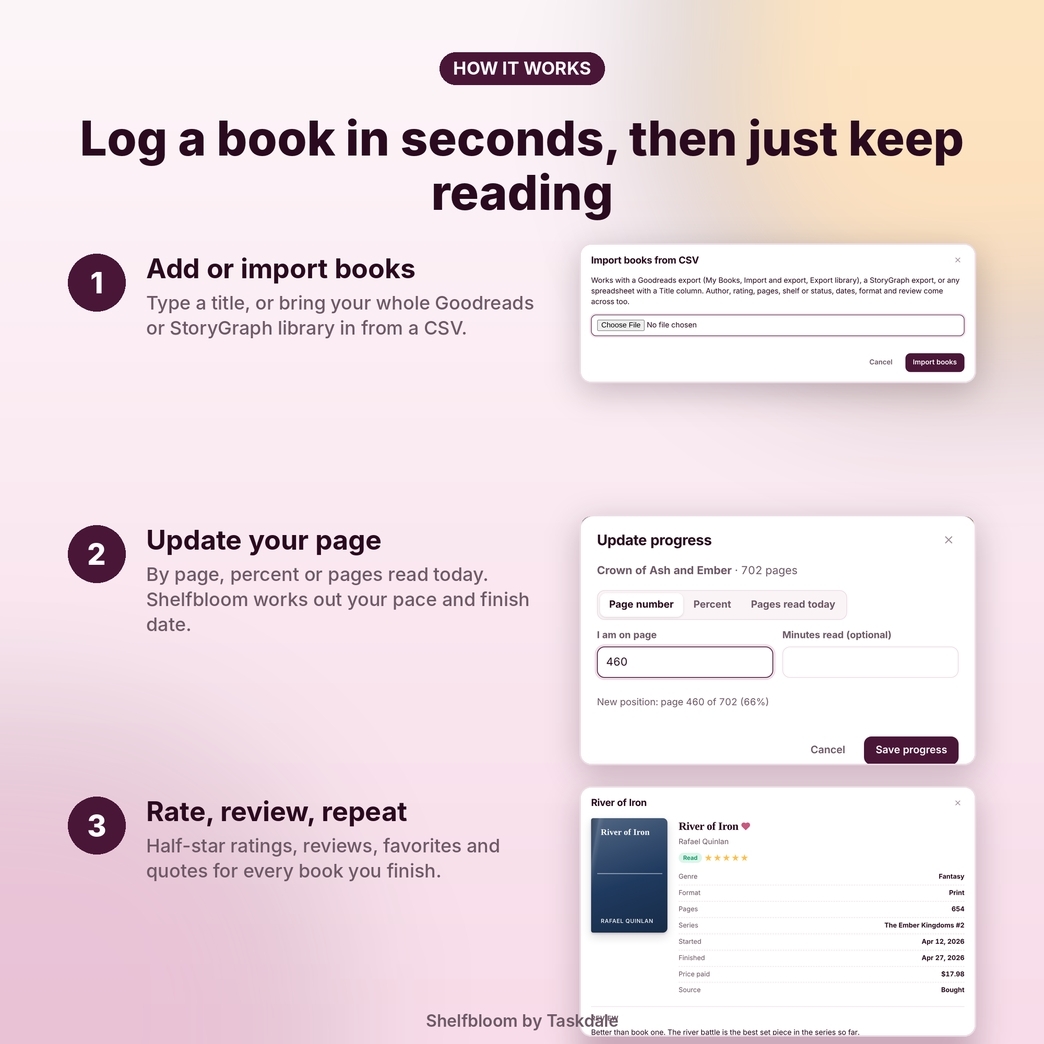
Update by page number, by percent (handy for ebooks) or by pages read today. Shelfbloom works out your pages a day and when you will finish. On page 120 of 300 after ten days, that is 12 pages a day and about 15 days to go. Each update goes into a reading log that builds your streak.
TBR list with Pick my next read
Sort your to-be-read pile into Up next, Soon and Someday. See the total pages waiting and how long the pile would take at your recent pace. Stuck? Pick my next read chooses a random book, with high-priority titles three times as likely to come up.
Yearly reading challenge and prompts
Set a book goal for any year. A pace chart compares the books you have read with the line your goal needs, and the app tells you how many books to read each month to finish by December 31. Add 12 starter reading prompts, such as a classic you never read or a book over 500 pages, and link a finished book to tick each one off.
Reading stats
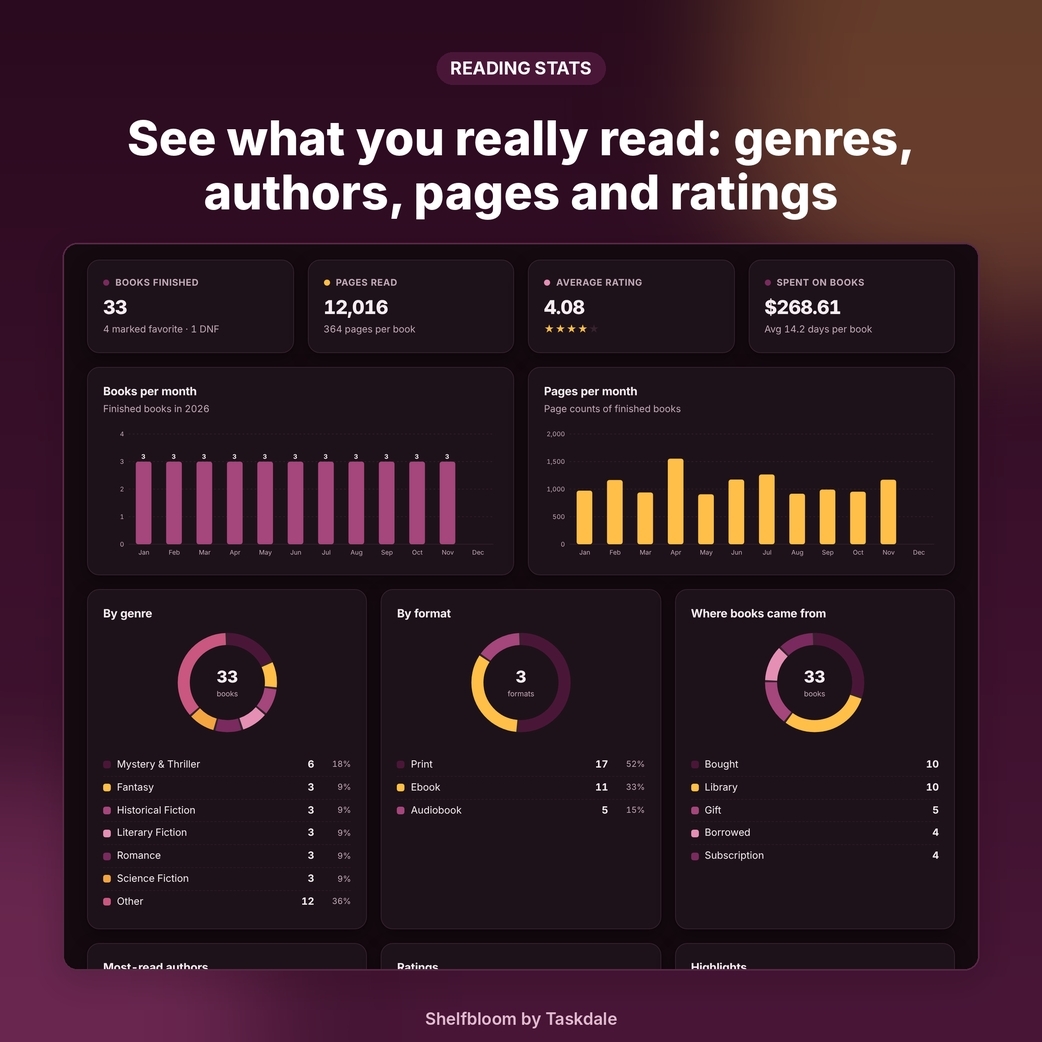
Books and pages per month, genre, format and source charts, most-read authors, a ratings breakdown, money spent on books, average days per book and highlights such as your longest book and fastest read.
Quotes, reviews and half-star ratings
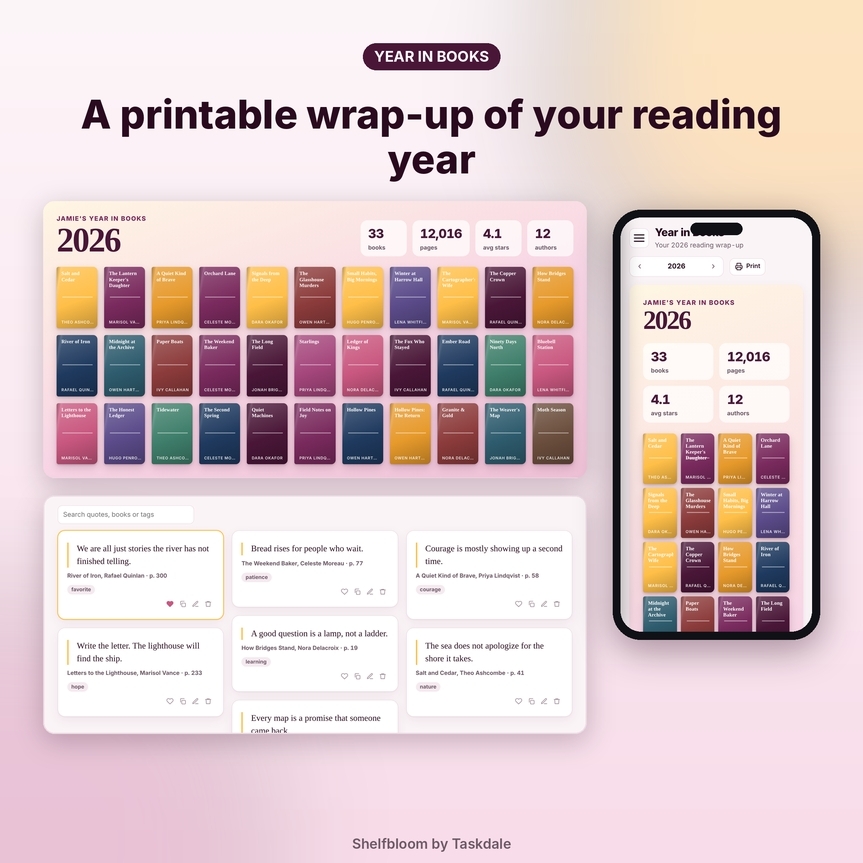
Rate in half stars, write a review and save favorite lines with the book and page number. Search your quotes, mark favorites and copy any quote with its source.
Series tracker
Give a book a series name and number and Shelfbloom shows “3 of 5 read”, the covers in order, empty slots for books you have not added and the one that comes next.
Year in Books wrap-up
A poster-style summary of any year: total books and pages, a mosaic of every cover, favorite genre, busiest month, most-read author and your top five books. Print it or save it as a PDF to share with your book club.
Goodreads and StoryGraph CSV import
Bring your history with you. Shelves, ratings, page counts, dates, formats and reviews come across, series like “(Hollow Pines, #2)” are split out, and duplicates are skipped.
What is included
- Shelfbloom reading journal app (one HTML file, about 150 KB)
- User guide (DOCX, with screenshots, tips, troubleshooting and FAQ)
- Start Here quick-start page (PDF)
- All three files together in one ZIP, plus the app and guide as separate downloads
How the book tracker works
- Download and unzip the files after checkout.
- Double-click the HTML file. It opens in your browser.
- Type your name, this year’s book goal and your currency, or explore a sample library first.
- Add books with the B shortcut or import a CSV, then update your page as you read.
File format and software requirements
Format: a single offline HTML app plus DOCX and PDF documents. You need a current web browser. We tested Shelfbloom in Google Chrome and Microsoft Edge at desktop, tablet and phone screen sizes. It uses standard web features, so other modern browsers should run it too. No internet connection, account or extra software is needed after download.
On Android, open the file in Chrome and add it to your home screen. On iPhone and iPad, Apple’s Files preview cannot run web apps, so open the file in a browser or an HTML viewer app; the guide shows how. Data is saved in the browser on each device, and Export and Import backup move it between devices.
Customization
Pick your currency for book prices from the list or type any symbol, set a daily page goal, choose light or dark mode and give any book its own cover color. Tags let you build your own shelves, such as “book club” or “reread”.
Digital download
This is a digital product. Nothing is shipped. Your files are ready right after checkout, with unlimited downloads from your account. Personal use license: use it for your own reading on your own devices. No resale, sharing or redistribution.
Real ways readers use this reading log
- Checking on November 1 whether 4 more books gets them to a 40-book goal.
- Bringing a printed Year in Books to the December book club meeting.
- Logging 25 pages on the train each morning to keep a 30-day streak alive.
FAQ
Is this a reading journal app or a template?
It is a working app. Charts, pace, streaks and stats calculate by themselves as you log books.
Is there a monthly fee?
No. You pay once and keep the app.
Can I import my Goodreads library?
Yes. Export your Goodreads or StoryGraph library as a CSV and import it from the Library screen.
Does it work on my phone?
Yes, the layout adapts to phones and tablets. On Android use Chrome. On iPhone or iPad, open the file in a browser or HTML viewer app, because the Files preview cannot run it.
Does it download book covers?
No. To stay private and offline, Shelfbloom draws a colored cover for each book from its title and author.
Can I track audiobooks and ebooks?
Yes. Set the format on each book and update by page or by percent.
Can I try it before adding my own books?
Yes. Click Explore with sample data on the welcome screen to load a sample library, then clear it in Settings.
Reviews
There are no reviews yet.