Tripora: the travel planner app that keeps every trip in one place
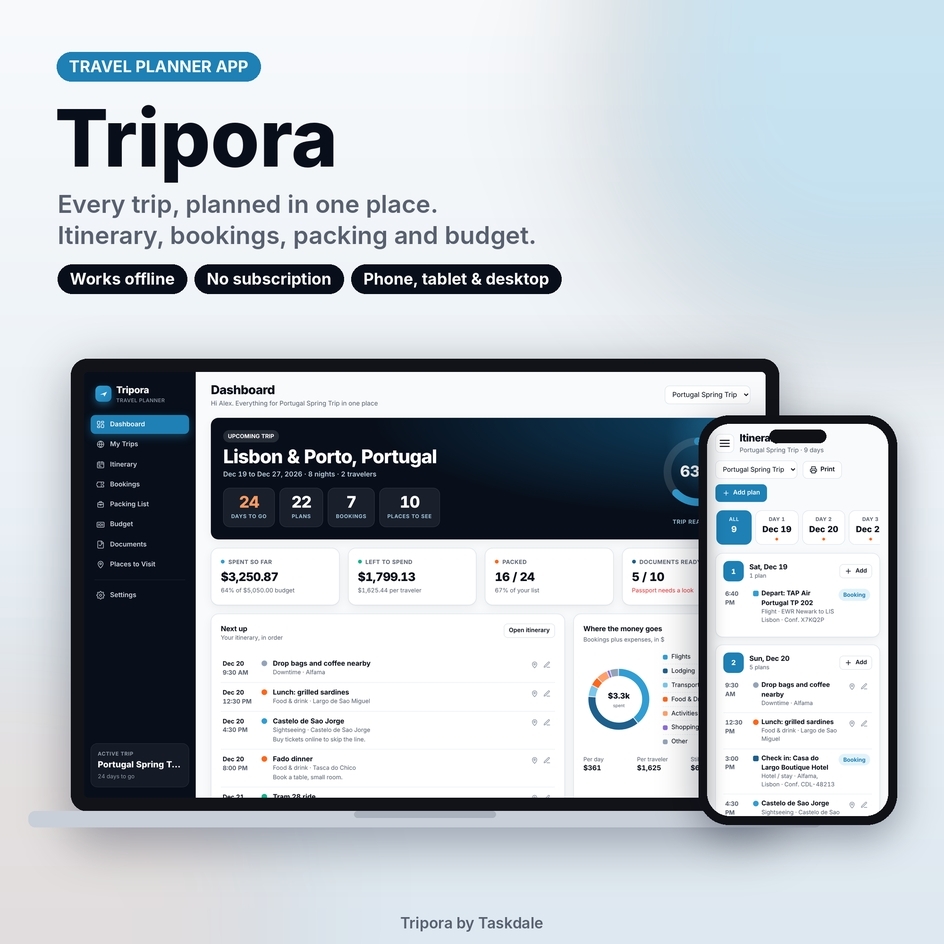
Tripora is a travel planner app that runs in your web browser from one downloaded file. Add a destination and dates, and it builds a day-by-day itinerary for you. Flights, hotels and car rentals sit next to your plans, your packing list ticks down as the bag fills, and the trip budget converts what you spend abroad into your own currency. No subscription, no sign-in and no account.
Everything is saved privately on your own device, and the whole app works offline after download.
Who this trip planner app is for
- Couples and families planning a vacation together, from a long weekend to a 90-day trip.
- City-break and road-trip travelers who like a clear plan with times for each day.
- Budget-minded travelers who spend in euros, pounds or pesos and want the total in dollars.
- Frequent travelers who want to reuse a packing list instead of starting over each time.
Features of the Tripora travel planner
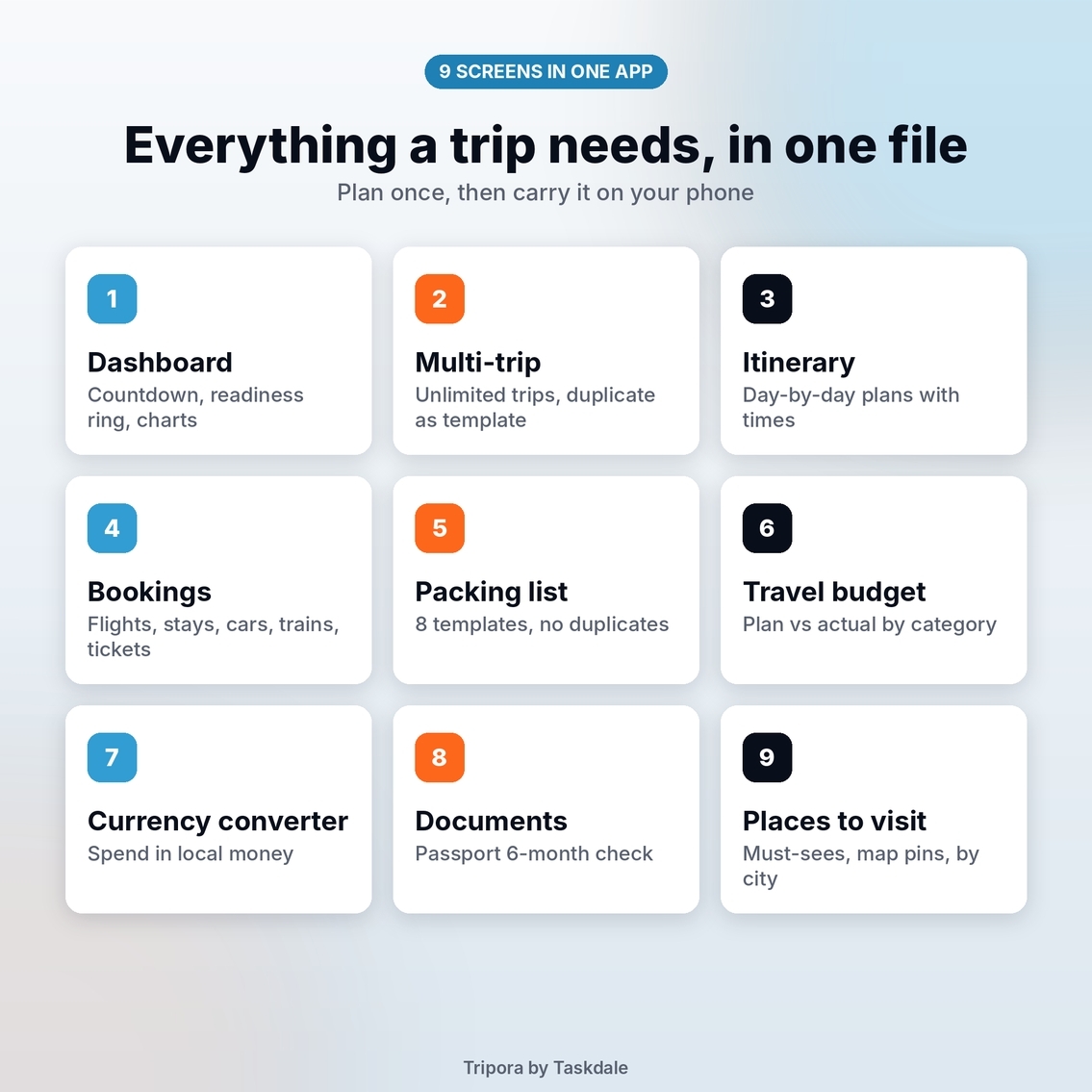
A dashboard worth opening every day
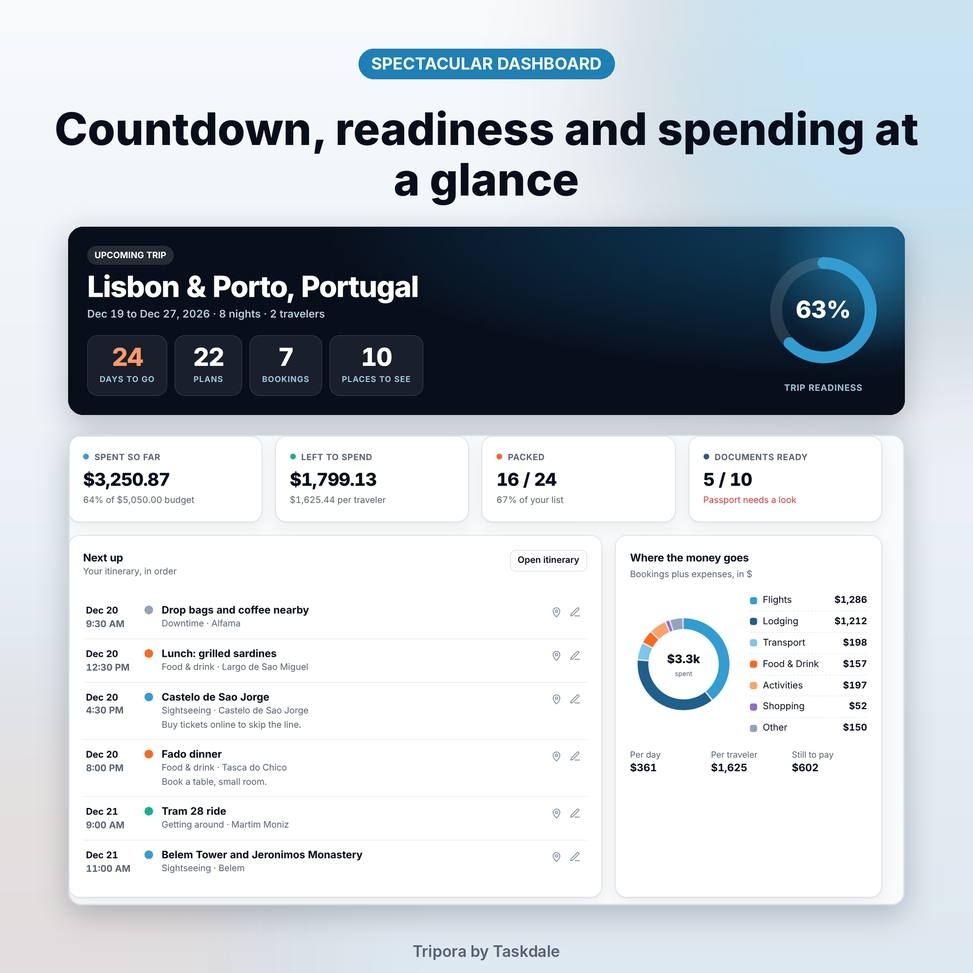
The dashboard opens with a dark hero card: destination, dates, nights and travelers, plus a countdown that reads 24 days to go before you leave and Day 3 of 9 while you are away. A large trip readiness ring averages how much is packed, how many documents are ready and how many bookings are paid. Below it you get spending against budget, the next six plans on your itinerary, a spending donut, a Still to do list and a planned vs spent chart for every category.
Day-by-day itinerary
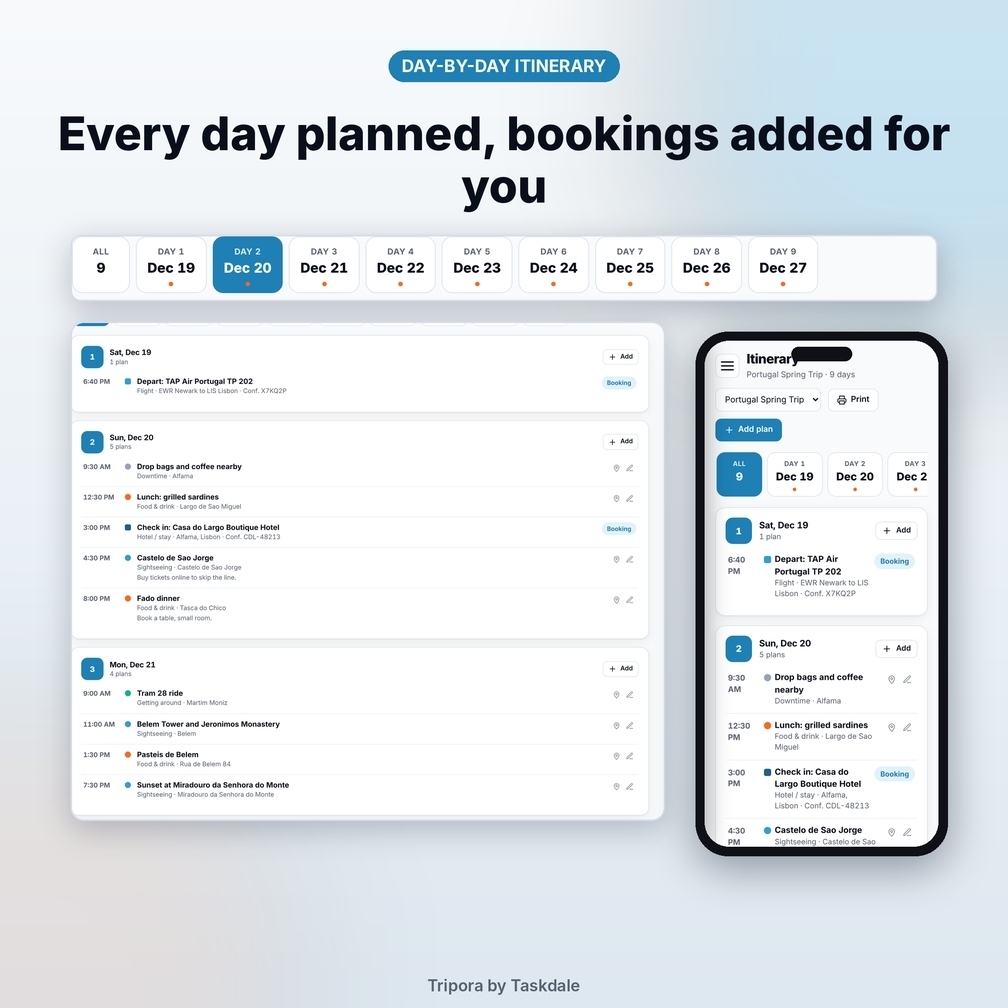
Tripora creates one card for each day of the trip. Add sights, meals, transfers and downtime with an optional time, a place and notes, and they sort themselves in time order. A strip of day buttons jumps straight to any day. Bookings drop into the right day automatically: your flight departure, hotel check-in and check-out, and car pick-up and drop-off. Tap the pin on any plan to open it in your maps app. Print the full itinerary or save it as a PDF.
Bookings with confirmation numbers
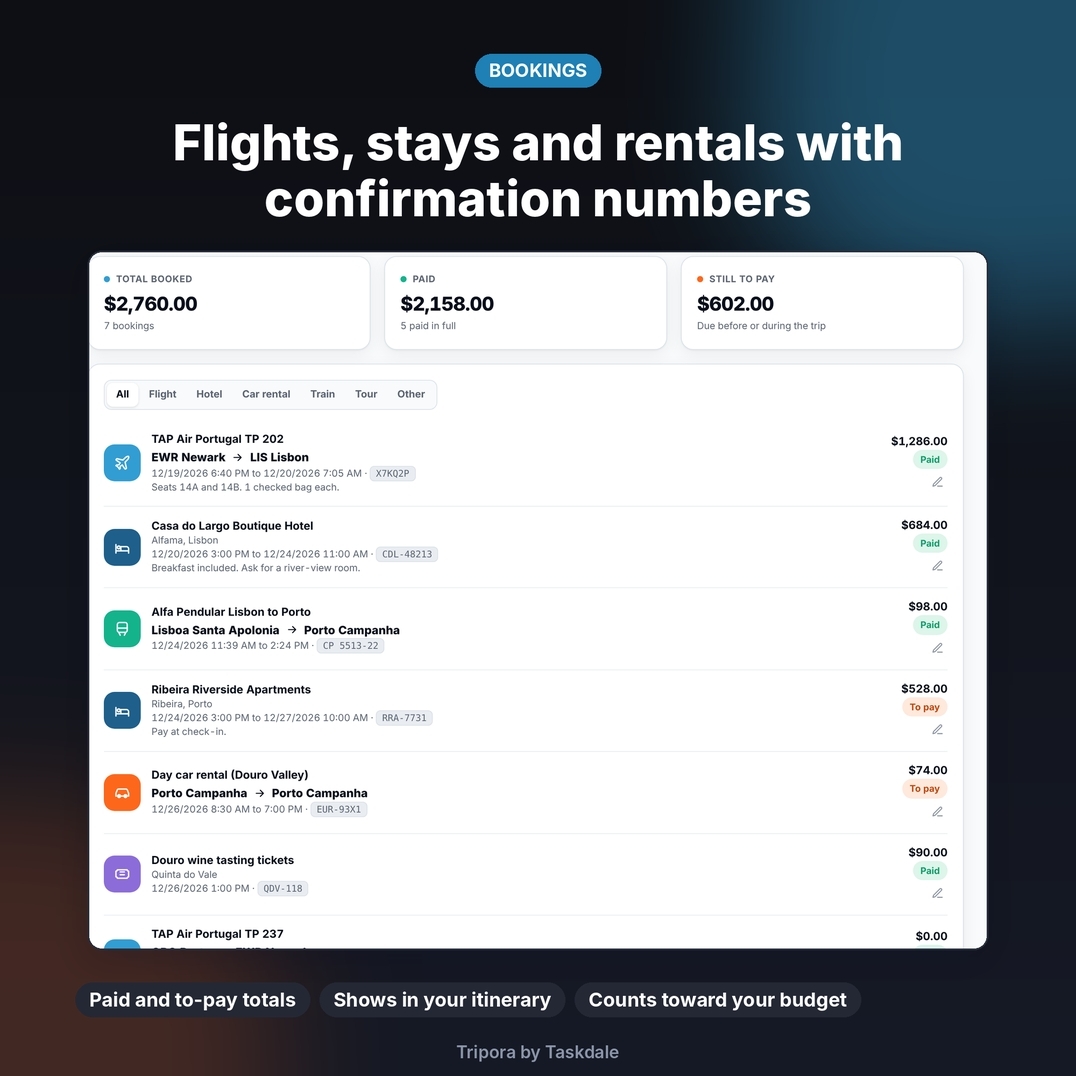
Save flights, hotels and stays, car rentals, trains, buses, ferries, tours and tickets. The form changes with the type, so flights ask for From and To airports and hotels ask for check-in and check-out. Each booking keeps its confirmation number, cost and paid status.
Packing list with 8 templates
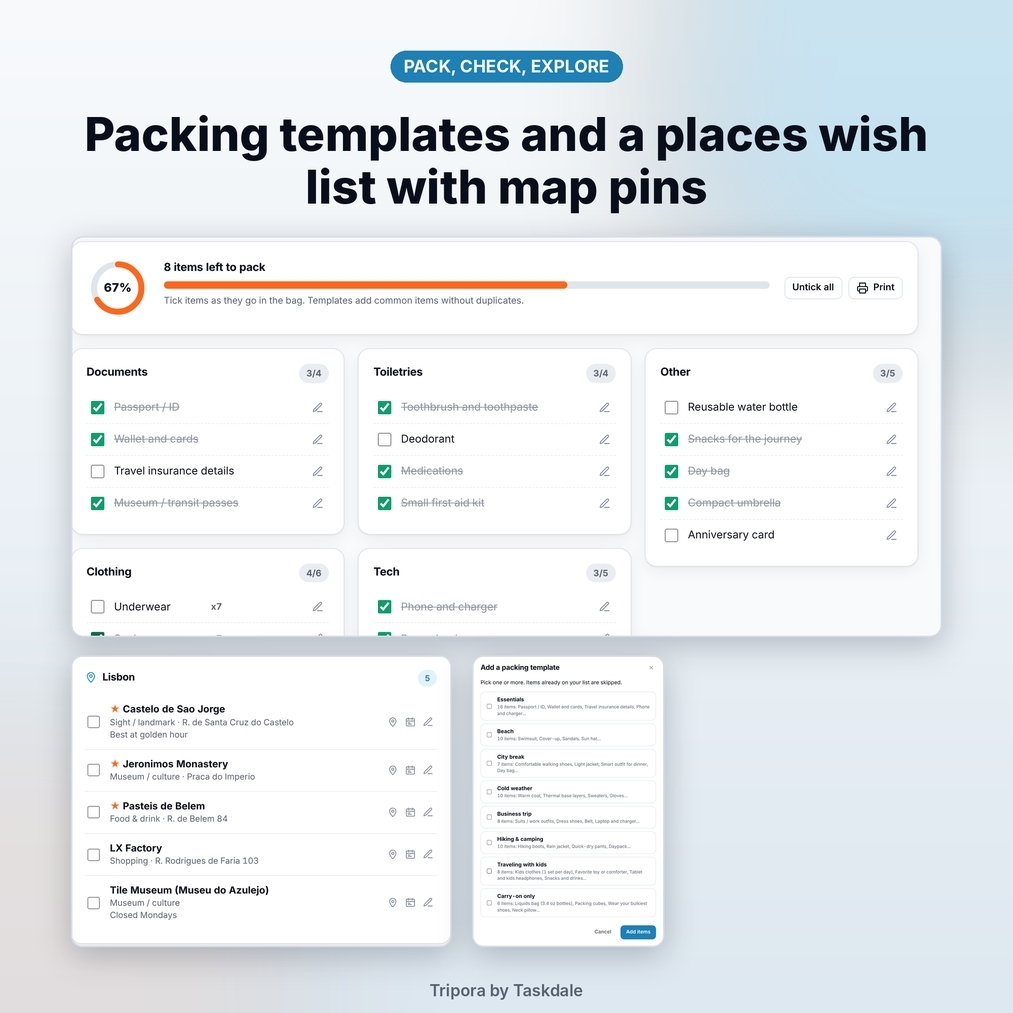
Start from Essentials, Beach, City break, Cold weather, Business trip, Hiking and camping, Traveling with kids or Carry-on only. Combine as many as you like and Tripora skips anything already on your list, so there are no duplicates. Items are grouped by category with quantities, a progress ring and an Untick all button for the trip home.
Travel budget and currency converter
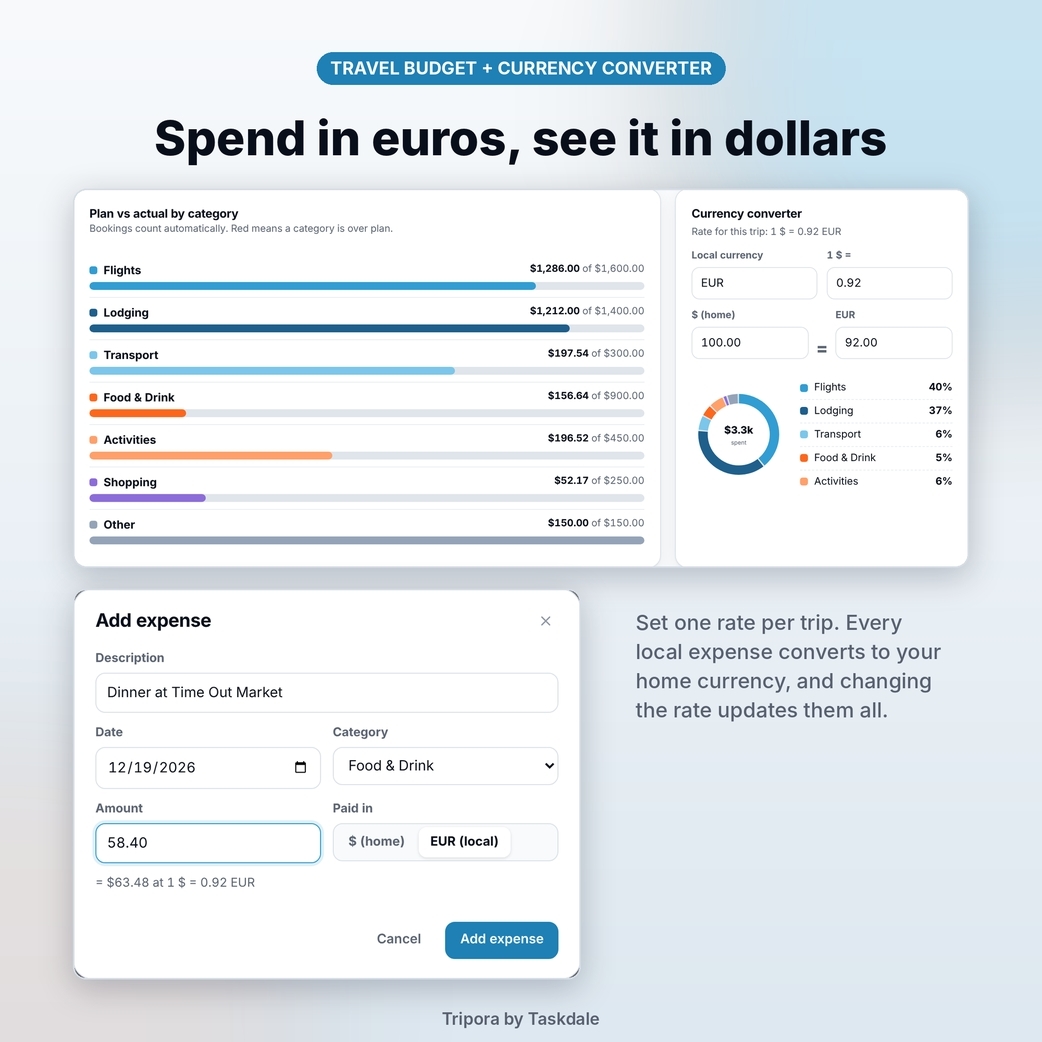
Plan seven categories: Flights, Lodging, Transport, Food and Drink, Activities, Shopping and Other. Booking costs count toward the budget on their own, and you log everyday expenses as you go. Enter a 46.00 EUR dinner and, at a rate of 1 $ = 0.92 EUR, Tripora records $50.00. Change the rate and every local expense converts again. You also see cost per traveler, cost per day and a red bar for any category that goes over plan. Export bookings and expenses to CSV for a spreadsheet.
Travel document checklist with a passport check
Every new trip starts with ten documents to check off, from passport and visa to insurance and emergency contacts. Add an expiry date and Tripora warns you when a passport runs out within six months of your return, a rule many countries enforce at the border.
Places to visit
Keep a wish list of sights, restaurants, museums and viewpoints, grouped by city. Star the must-sees, open any place in your maps app, add it to a day of your itinerary in two taps and tick it off once you have been.
Unlimited trips
Plan as many trips as you like and switch between them from any screen. Duplicate a trip as a template to copy its packing list, documents, places and budget plan for next year.
What is included
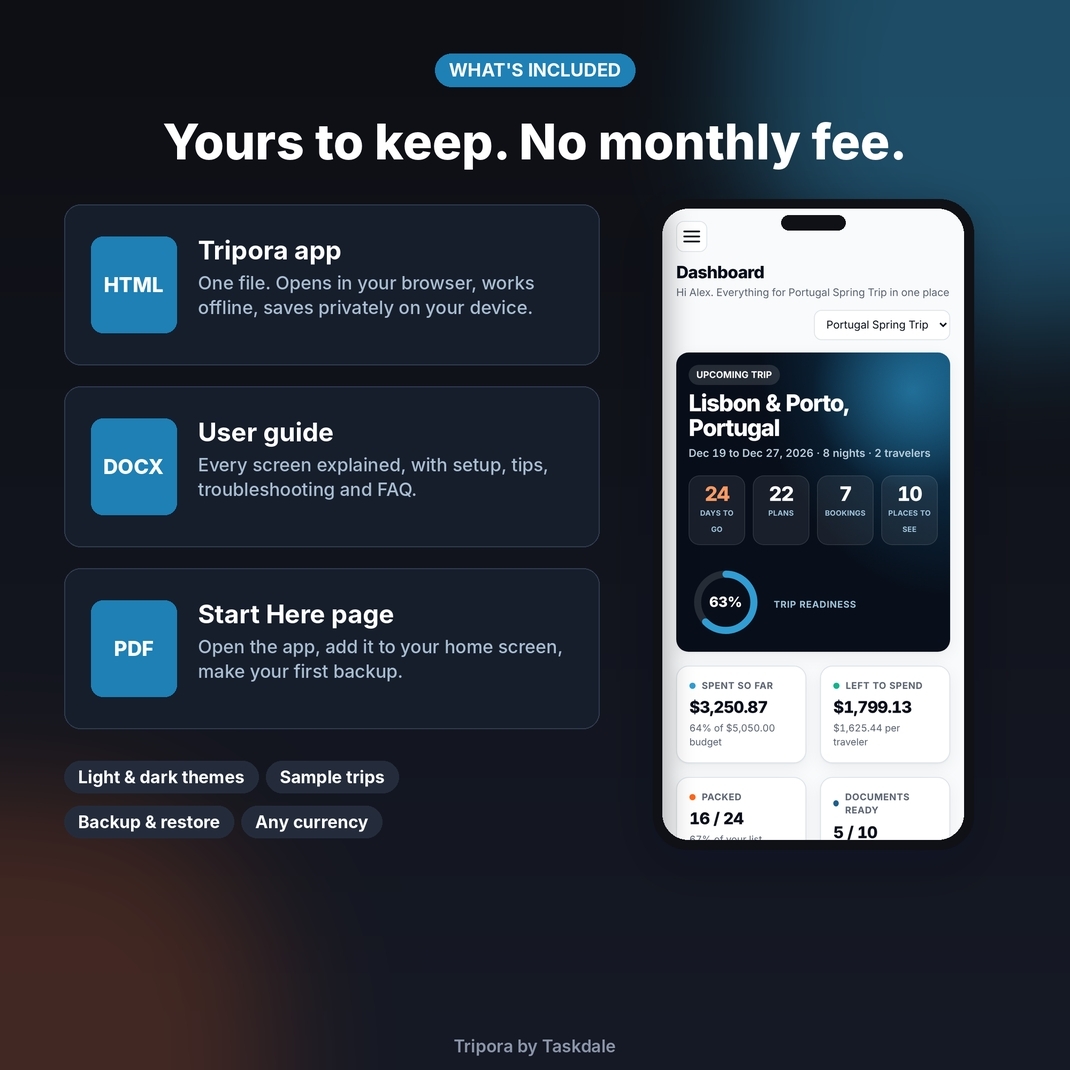
- Tripora-Travel-Planner.html: the app, one file of about 130 KB.
- Tripora User Guide (DOCX): 15 pages covering setup, every screen, tips, troubleshooting and FAQ.
- Start Here PDF: one page to open the app, add it to your home screen and make your first backup.
- Three sample trips you can load to explore, then clear with one click.
How the travel planner app works
- Unzip the download and double-click the HTML file. It opens in your browser.
- Choose your home currency and add a trip with its destination, dates, travelers and local currency.
- Add bookings, then fill each day of the itinerary, pick a packing template and set your budget.
- Watch the readiness ring climb. Export a backup and import it on the phone you take with you.
File format and requirements
Tripora is a single offline HTML file. We tested it in Google Chrome and Microsoft Edge at desktop, tablet and phone screen sizes. It uses standard web features only, so other current browsers should run it too. On Android, open it in Chrome and choose Add to Home screen. On iPhone and iPad, the Files preview cannot run web apps, so open the file in a browser or an HTML viewer app that opens local files.
Customization
Pick a home currency from the list or type any symbol, and choose a local currency and rate for each trip. Switch between light and dark themes, give each trip its own color, rename or add packing categories and documents, and edit every item.
Digital download
This is a digital product. No physical item ships. After purchase you can download the ZIP file right away, along with the HTML app and the user guide as separate files. Your data stays in your browser, so export a backup before you clear browsing data or switch devices.
Ways people use Tripora
- A couple planning nine days in Lisbon and Porto, splitting costs two ways and checking passports for the six-month rule.
- A family road trip through Banff with four travelers, an SUV rental and a hiking packing list.
- A yearly beach vacation duplicated from last year with the packing list ready to go.
FAQ
Does this travel planner app work offline?
Yes. Everything runs offline. Only the map pins open a website, and only when you tap one.
Is there a subscription?
No. You pay once and keep it.
Can I use it on my phone?
Yes. The layout fits phones and tablets. On iPhone, open the file in a browser or HTML viewer app rather than the Files preview.
Can I plan more than one trip?
Yes, as many trips as you want, each with its own itinerary, bookings, packing list, budget, documents and places.
Does it convert currencies automatically?
You enter the exchange rate for each trip, and Tripora converts every local expense with it. It does not fetch live rates, so your numbers never change without you knowing.
Can I print my itinerary?
Yes. Print the itinerary or the packing list, or save either as a PDF from the print window.
Personal use license. Use Tripora to plan your own trips on your own devices. No resale, sharing or redistribution. Made by Taskdale.
Reviews
There are no reviews yet.