Clearcount: the sobriety tracker app that counts your days, dollars and hours
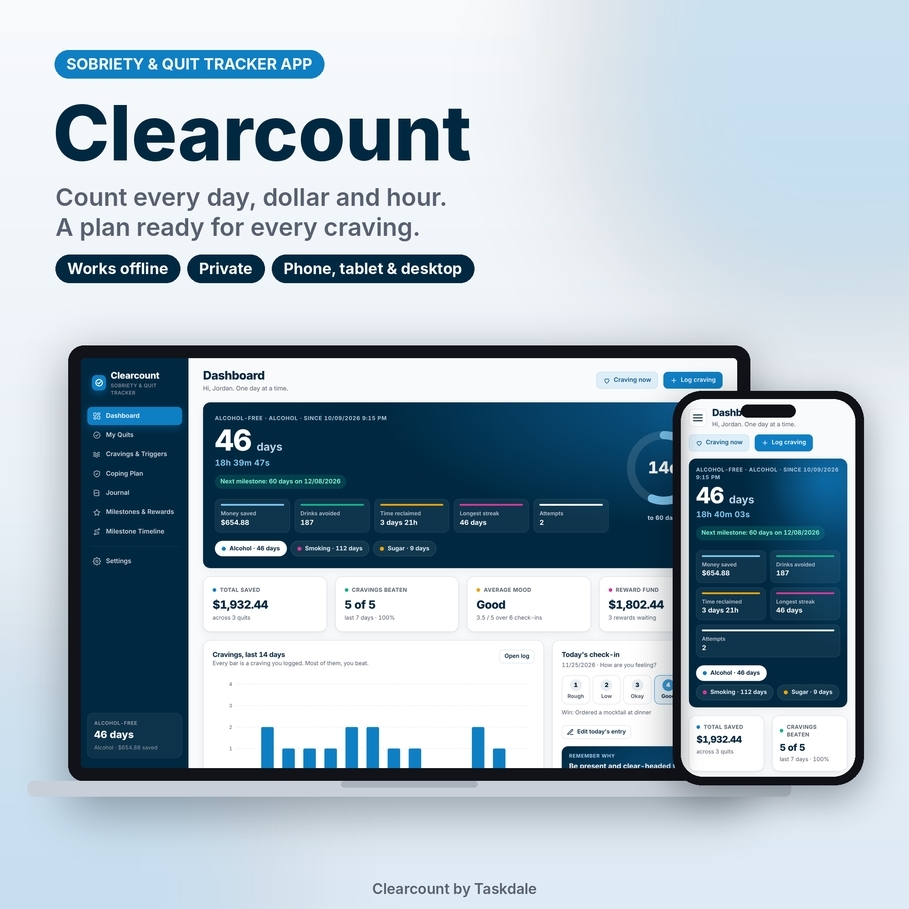
Clearcount is a sobriety tracker app and quit tracker that runs in your web browser from one downloaded file. Add what you are quitting, such as alcohol, smoking, vaping, sugar or caffeine, and enter your quit date. A live counter starts straight away: days in big type, then hours, minutes and seconds ticking underneath. Beside it you see the money you kept, the drinks or cigarettes you skipped and the hours you got back.
It works offline with no account and no subscription. Every entry stays on your own device, which matters when the subject is this personal.
Who this quit tracker is for
- Anyone going alcohol-free, from a dry month to long-term sobriety.
- Smokers and vapers who want to watch the savings climb day by day.
- People cutting sugar, caffeine, fast food or another habit they want to break.
- Anyone working a program who wants a private place to log cravings alongside their support.
Features of the Clearcount sober day counter
A dashboard built around your day count
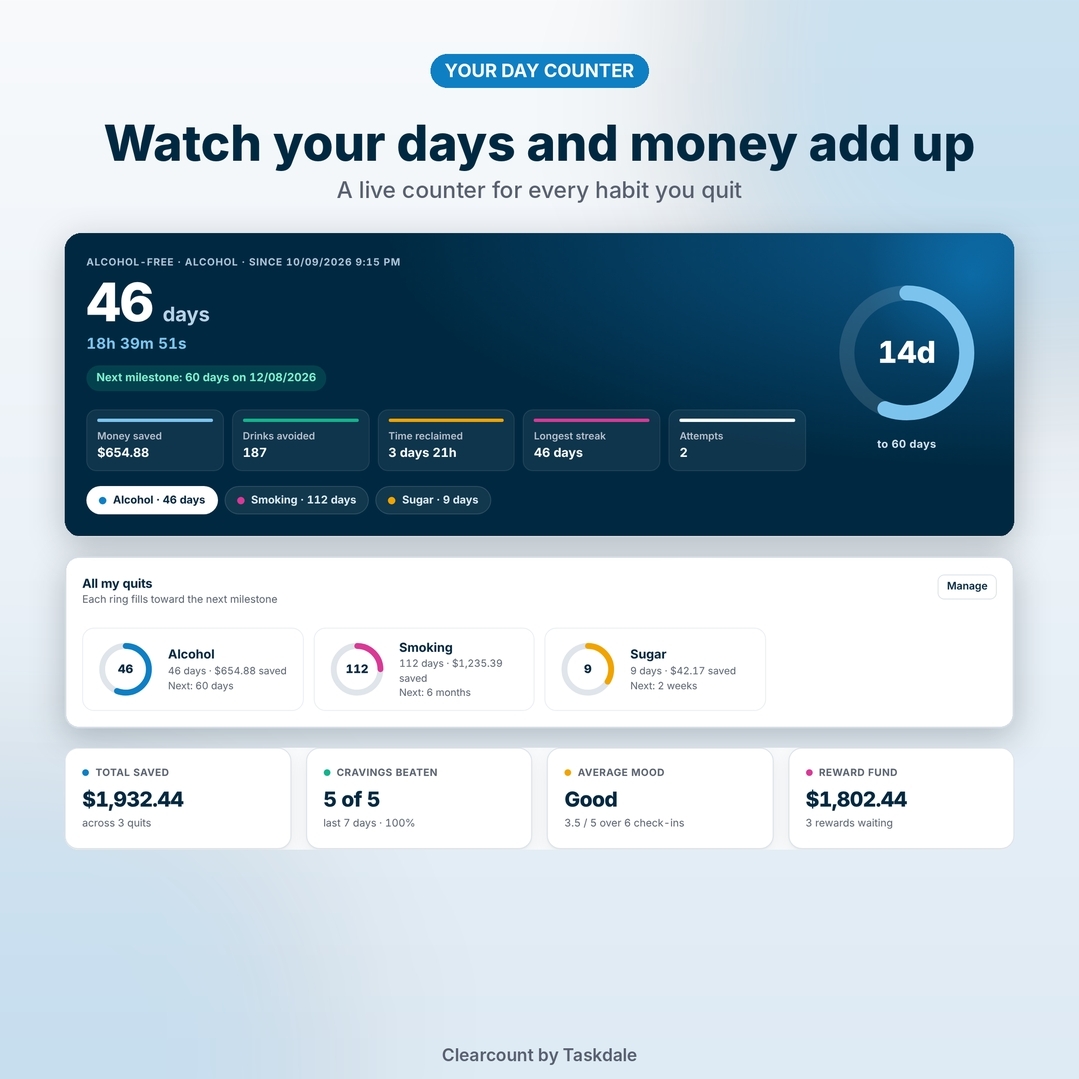
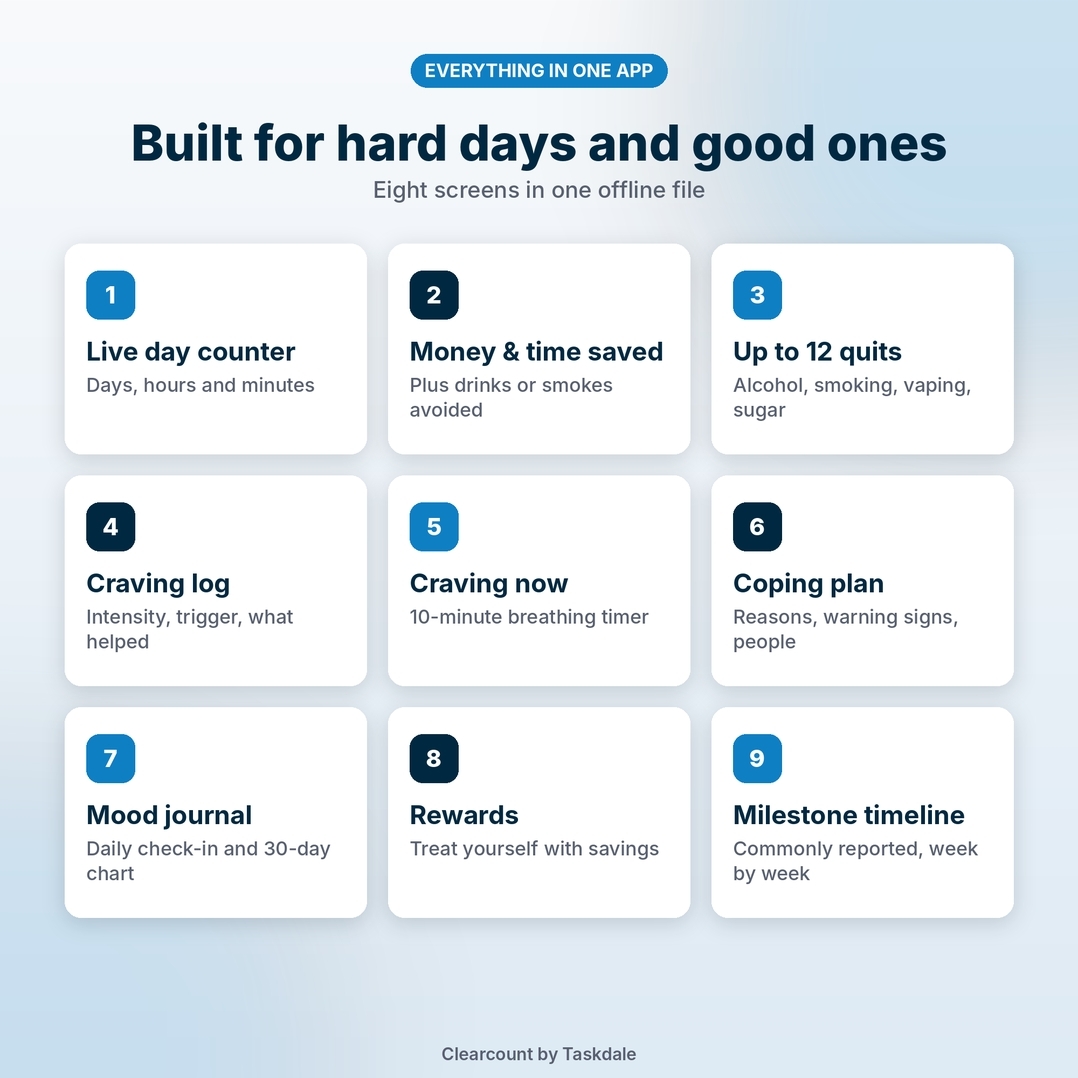
The dark hero card shows your main quit with a live counter, money saved, units avoided, time reclaimed, your longest streak and how many attempts you have made. A ring counts down to the next milestone, such as 60 days or 6 months. Tap a pill to switch the main counter. Below it: total saved across every quit, cravings beaten this week, your average mood, a 14-day craving chart, a quick mood check-in and one of your own reasons why.
Track up to 12 quits at once
Each quit has its own color, counter and math. Enter what you spent per day, how many per day and how many minutes each one took. A pack-a-day habit at 15 cigarettes and 6 minutes each gives back about 10 hours every week, and Clearcount shows that number as it grows. Slips are handled kindly: restart the counter or keep it running, and your old streak, longest streak and all-time savings stay on record.
Craving and trigger log
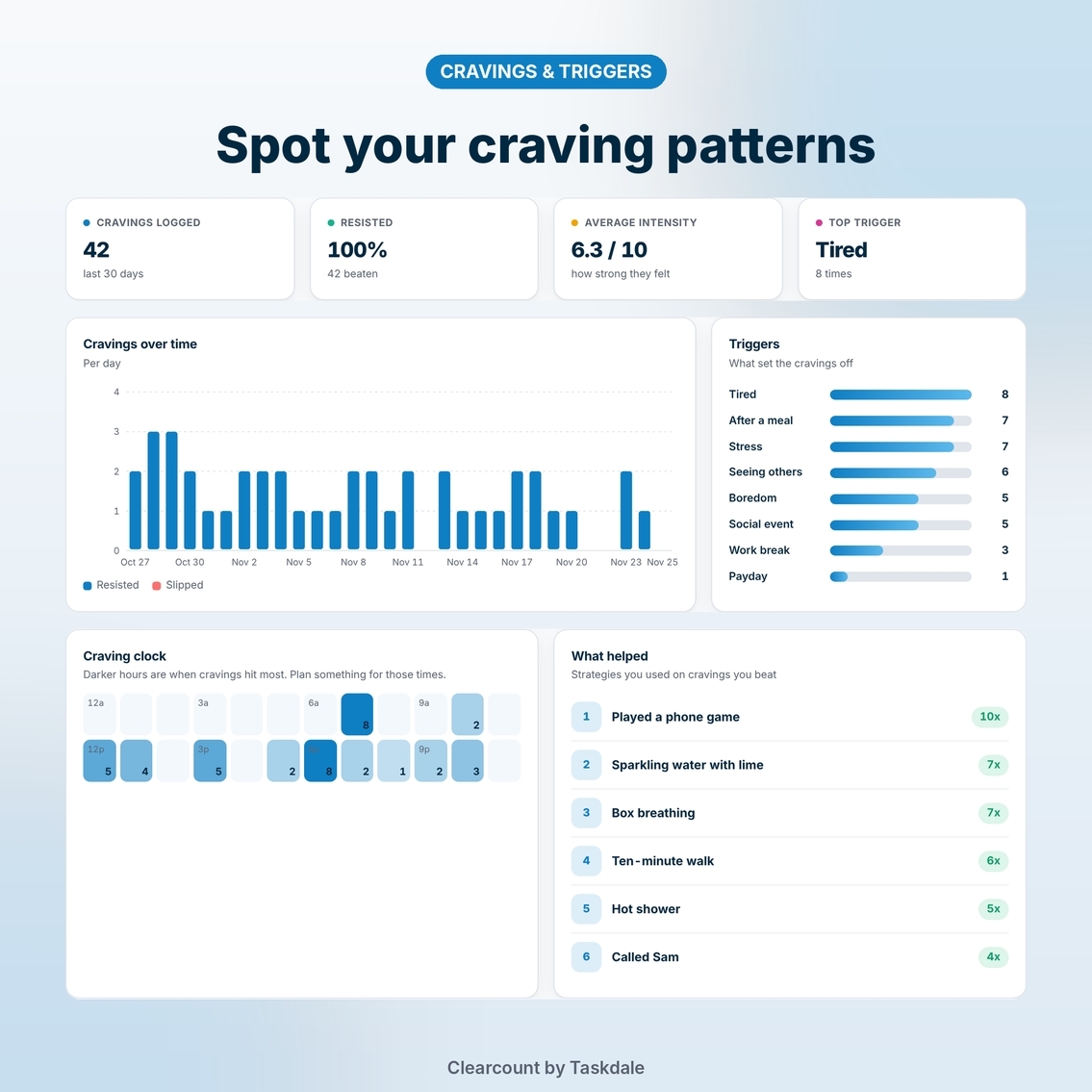
Log a craving in about 15 seconds: intensity from 1 to 10, the trigger, how long it lasted, what helped and whether you resisted. Charts show cravings over time, your top triggers, a 24-hour craving clock that reveals your hardest hours and the strategies that work best for you. Export the whole log to CSV to share with a counselor if you want to.
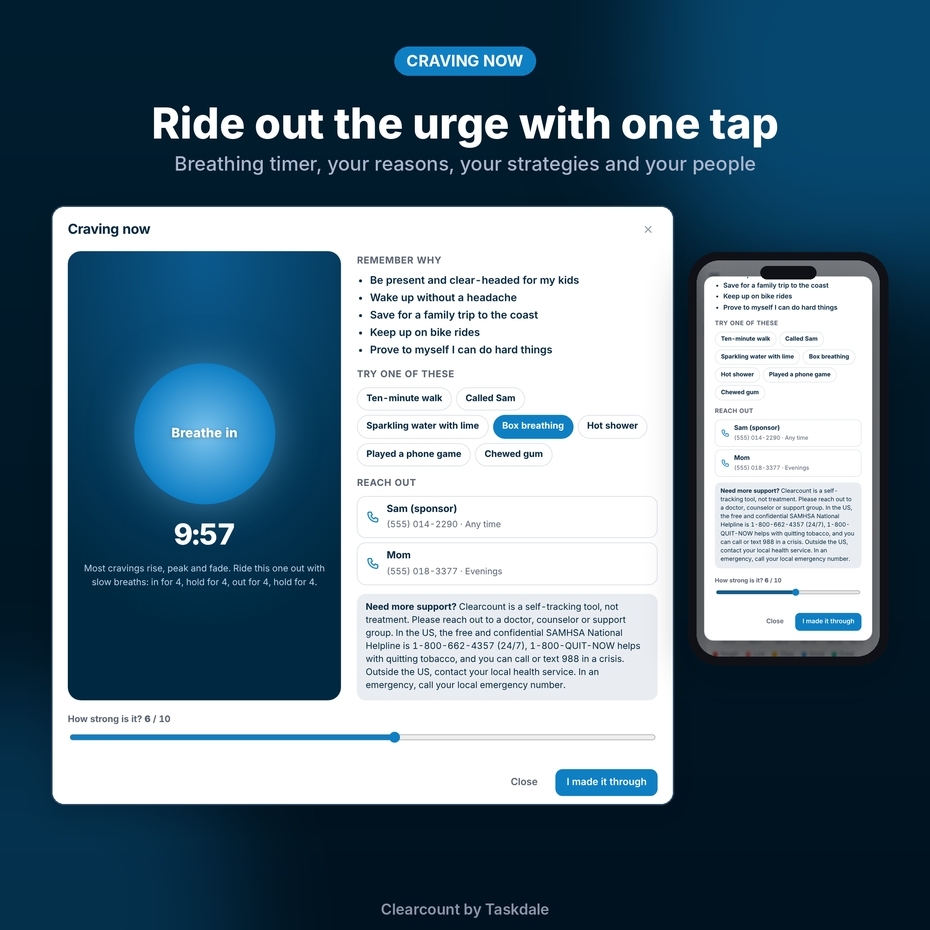
Craving now: a 10-minute breathing timer
When an urge hits, tap Craving now. A breathing circle guides you through box breathing while a 10-minute timer counts down. Your reasons, your coping strategies and your support people (with tap-to-call links on a phone) sit on the same screen. Made it through? One click logs the win.
Coping plan, mood journal and rewards
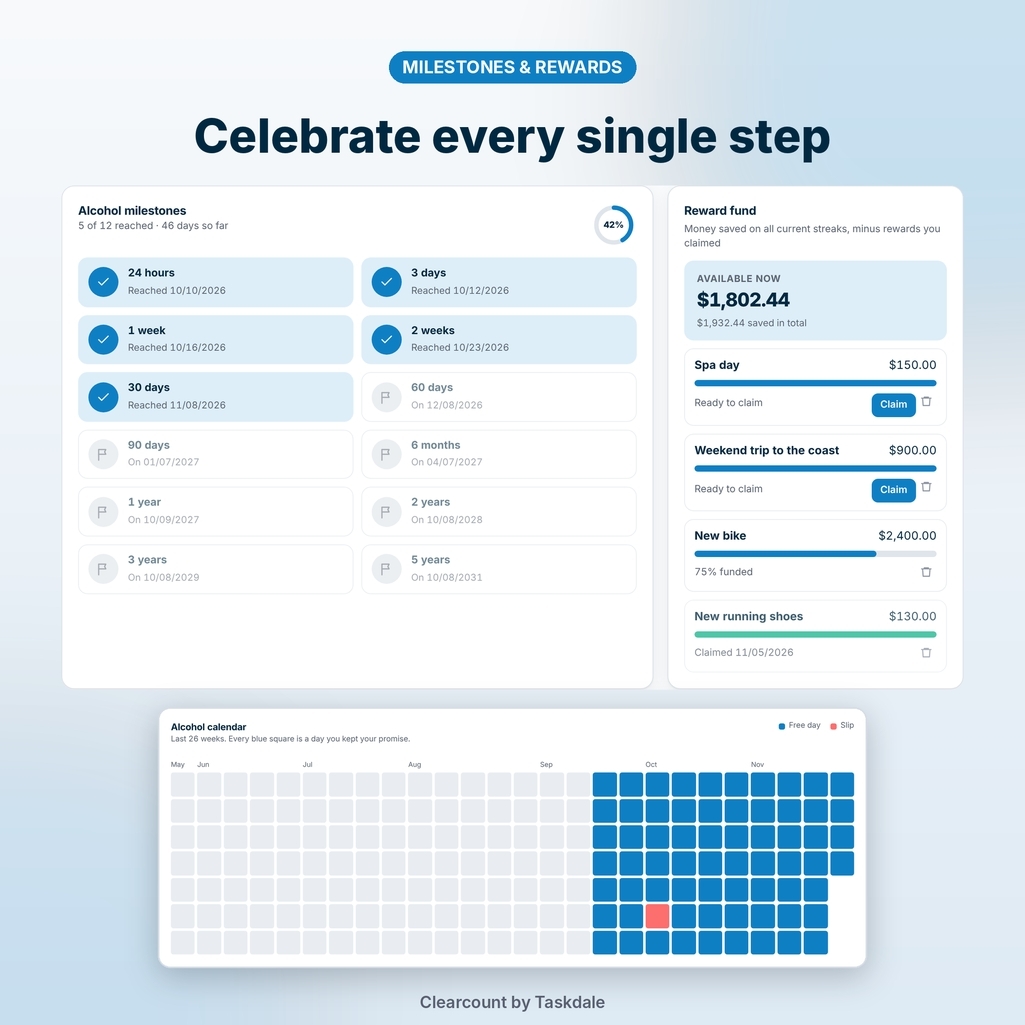
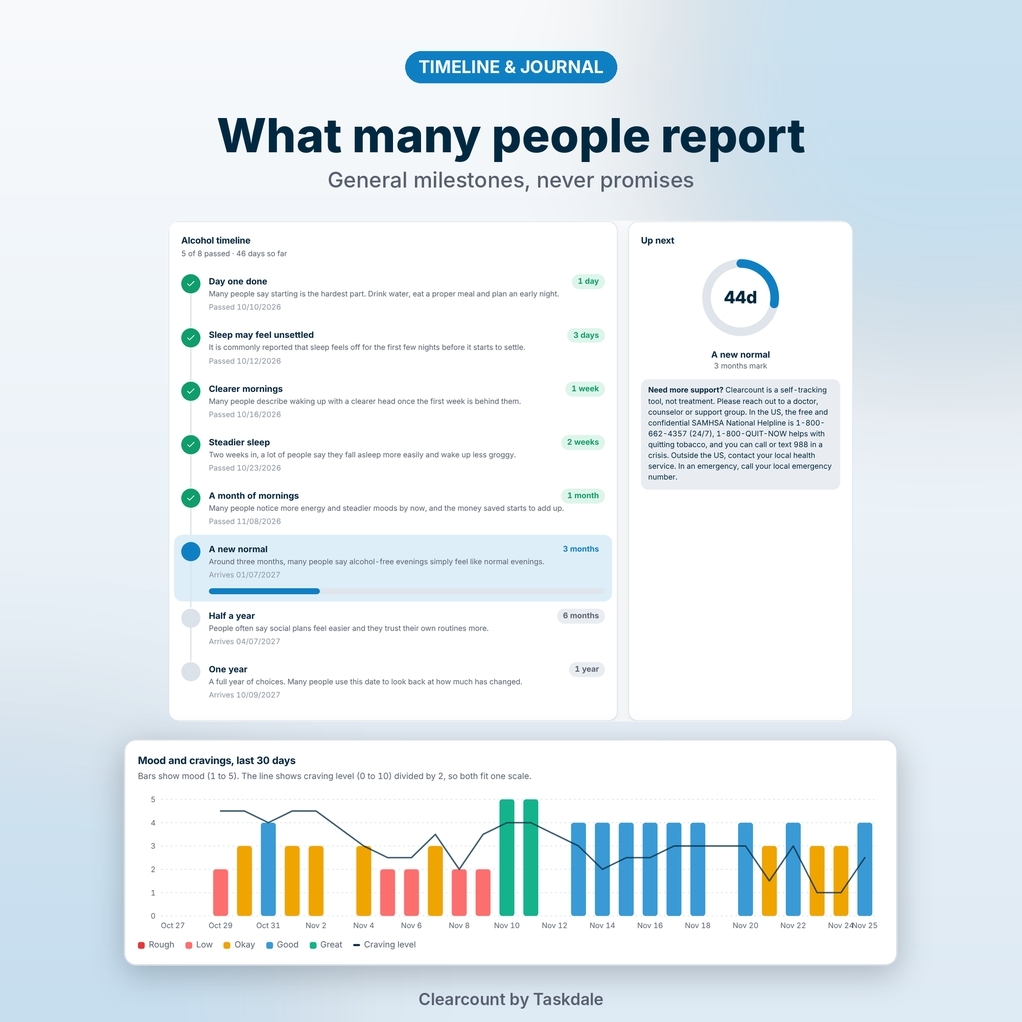
Write your reasons, warning signs, coping strategies and support contacts on a good day, then print the plan for your wallet. The journal saves a daily mood, craving level, one win and something you are grateful for, with a 30-day mood and craving chart and full search. Milestones run from 24 hours to 5 years, a 26-week calendar colors in every free day, and the reward fund turns saved money into treats you can claim.
A milestone timeline, framed honestly
The milestone timeline lists experiences that many people commonly report after quitting alcohol, smoking, vaping, sugar or caffeine, with a general timeline for other habits. They are presented as general milestones, not promises or medical facts, because everyone is different.
What is included
- Clearcount-Sobriety-Quit-Tracker.html: the app, one offline file.
- Clearcount User Guide (DOCX): 11 pages covering setup, every screen, tips, troubleshooting, FAQ and support lines.
- Start Here PDF: a one-page quick start with home screen steps.
You get a ZIP with all three files, and the app and guide are also available as separate downloads.
How the sobriety tracker app works
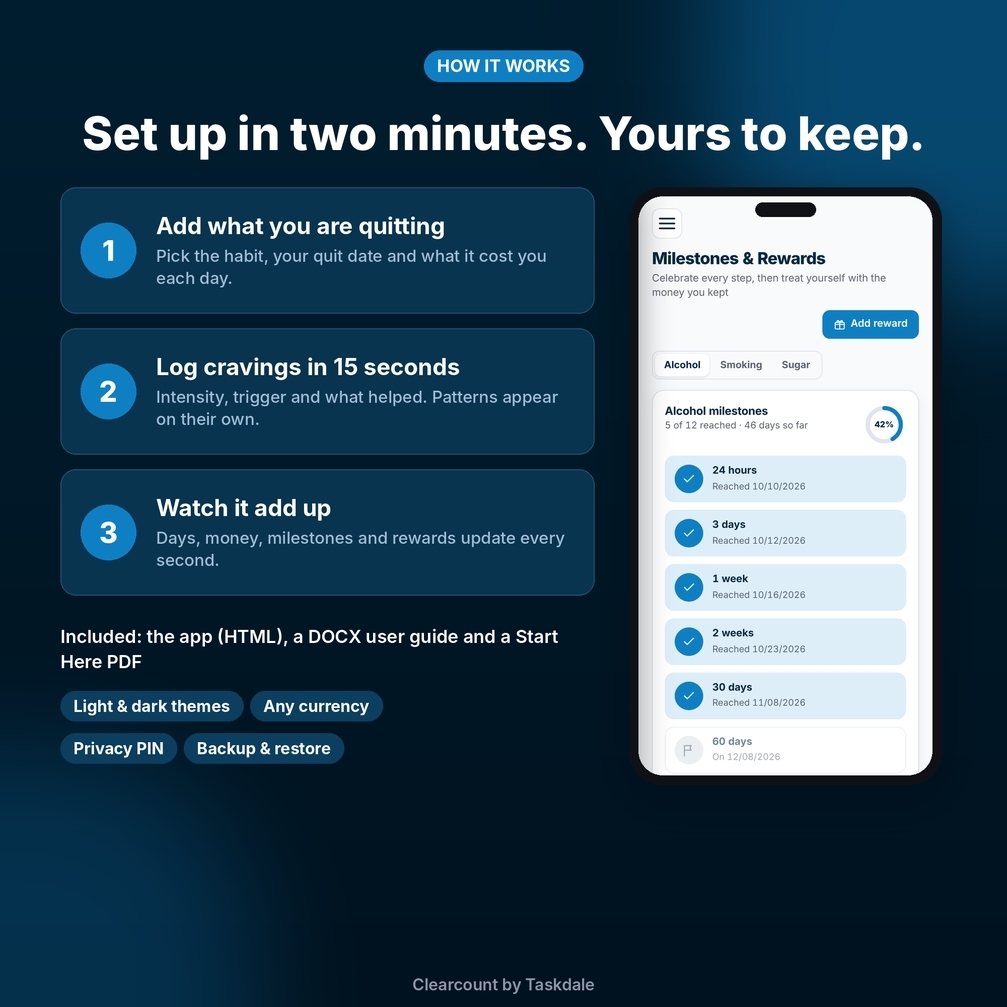
- Unzip the download and double-click the HTML file. It opens in your browser.
- Add your quit: the habit, your quit date and time and what it cost you per day.
- Write three reasons why on the Coping Plan screen.
- Log cravings as they come, check in your mood and watch the counter climb.
Want to look around first? Load the sample data with three quits, two months of cravings and four weeks of journal entries.
File format and software requirements
Clearcount is a single HTML file with everything built in. It needs no internet connection, no install and no account. We tested it in Google Chrome and Microsoft Edge at desktop, tablet and phone sizes. It uses standard web features, so other current browsers should work too.
On iPhone and iPad, the Files app preview cannot run web apps. Open the file in a browser or an HTML viewer app that opens local files. On Android, open it in Chrome and add it to your home screen.
Customization and privacy
Choose your currency from the list or type any symbol, before or after the amount. Every money value follows that one setting, with $ as the default. Rename each quit, change what it is counted in (drinks, pods, coffees), pick a color and switch between light and dark themes. An optional 4 to 8 digit PIN hides the app from casual eyes when it opens. Backups export to a JSON file you can import on another device.
Please note
Clearcount is a supportive self-tracking tool. It is not medical care or addiction treatment, and it makes no health claims. If you are struggling, please reach out to a doctor, counselor, support group or helpline. In the US, the SAMHSA National Helpline (1-800-662-4357) is free, confidential and open 24/7. If you drink heavily every day, talk to a doctor before stopping.
Digital download information
This is a digital product. Nothing is shipped. Your files are available to download right after purchase, with unlimited downloads. Personal use license: use it for your own tracking on your own devices. Please do not resell or share the files.
Real ways people use this quit tracker
- Counting a dry January, then deciding to keep going because the savings were real.
- Quitting cigarettes and vaping at the same time, with a separate counter for each.
- Spotting that most cravings hit at 5 PM on the commute and planning a call home instead.
FAQ
Can I track more than one habit?
Yes. Clearcount tracks up to 12 quits, each with its own counter, milestones and timeline.
What happens if I slip?
You choose: restart the counter or keep it running. Your past streaks, longest streak and savings stay in your history.
Does it work offline?
Yes. After download, everything runs in your browser with no internet.
Is my data private?
Your entries never leave your device. There is no account, server or cloud sync, and you can add a PIN.
Can I use it on my phone?
Yes. The layout fits phones, tablets and desktops. See the iPhone note above.
Is this a recovery or treatment program?
No. It is a self-tracking tool to use alongside whatever support works for you.
Is there a subscription?
No. You buy it once and keep it.
Reviews
There are no reviews yet.