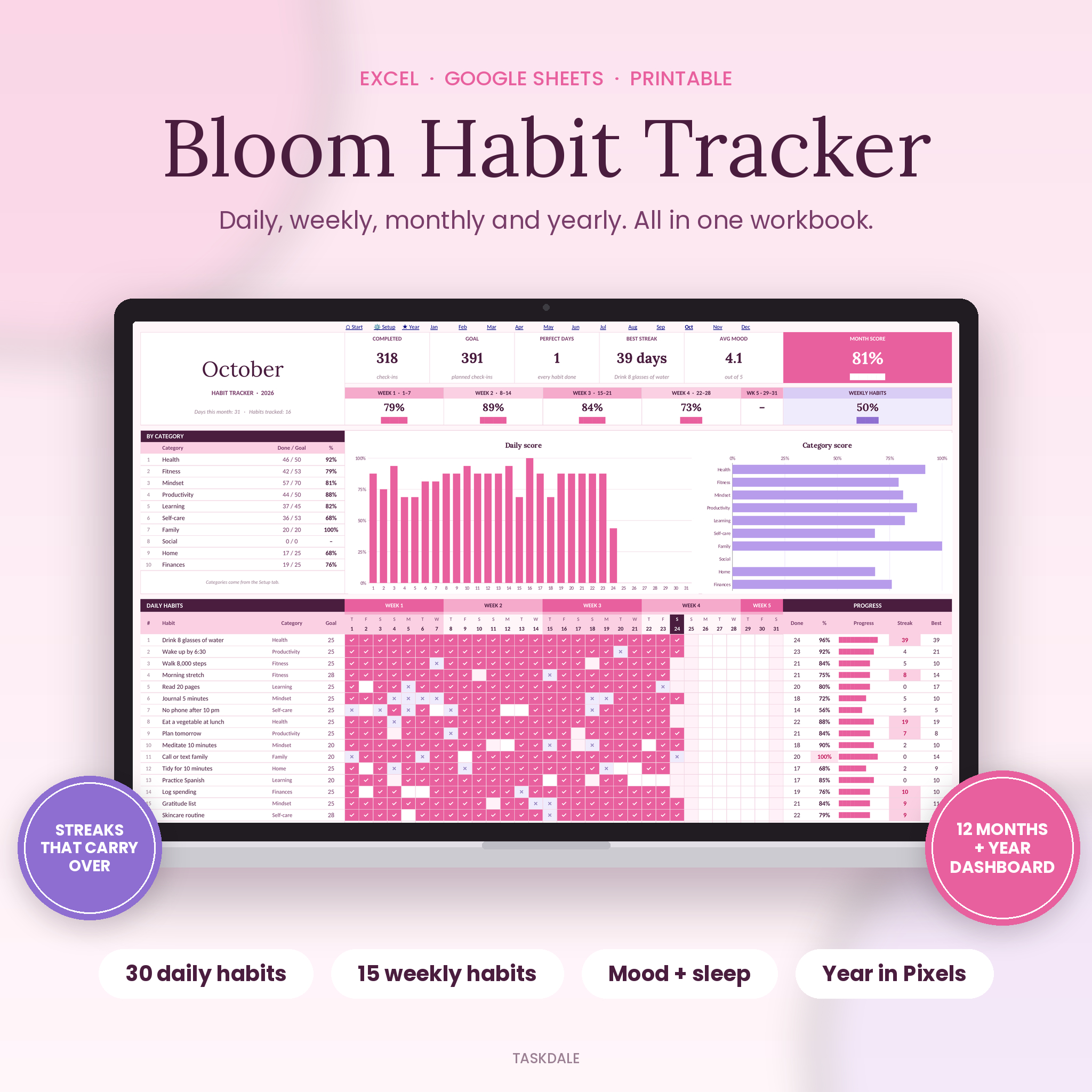
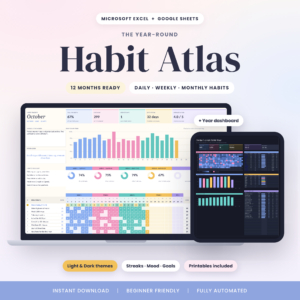
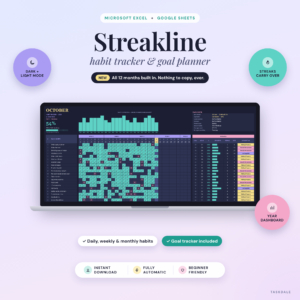
Bloom is a habit tracker spreadsheet for Excel and Google Sheets that covers your whole year. You list your habits once. Then you tick each day, and the workbook does the math: scores, streaks, charts, and a year view that shows exactly which habits stuck.
It has 12 month tabs, a Year dashboard, mood and sleep logging, weekly habits, and printable pages for days you’d rather use a pen. No macros, no add-ons, no subscription.
What this habit tracker spreadsheet does
Most trackers give you a grid and leave you to count. Bloom counts for you. Every time you pick done or missed for a day, these update on their own:
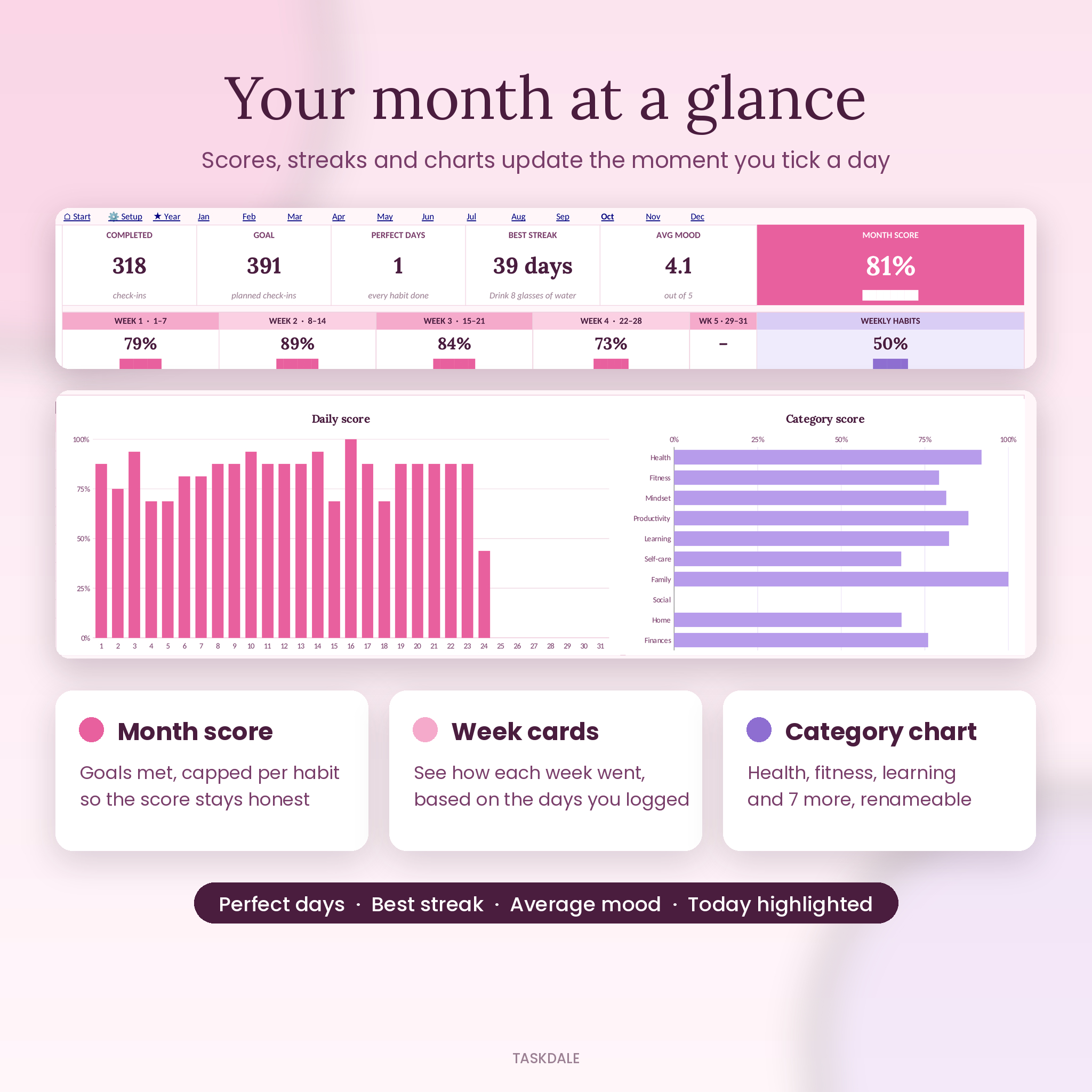
- Month score showing how close you are to your goals, capped per habit so one overachieving habit can’t hide one you dropped
- Week cards for weeks 1 to 5, based only on the days you actually logged
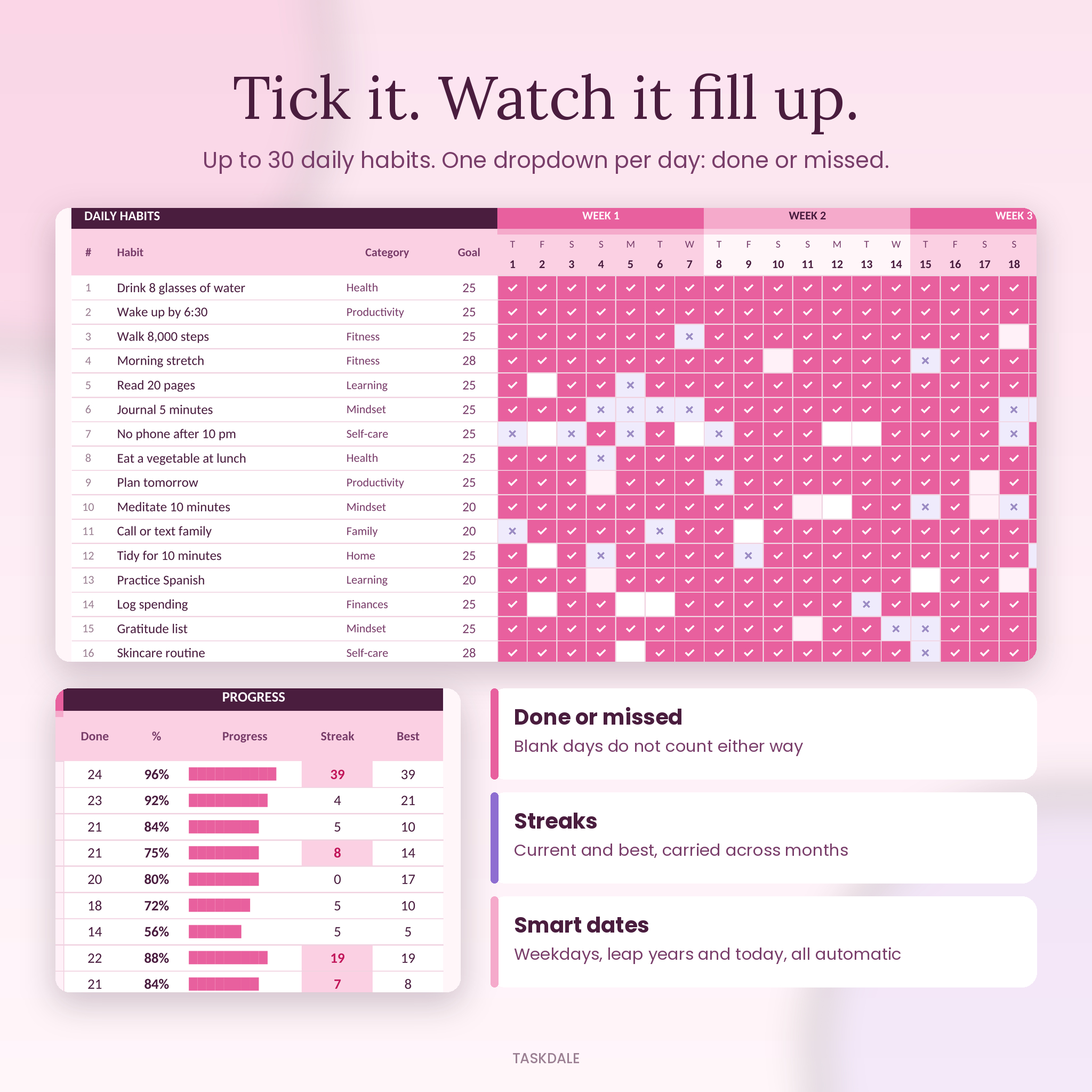
- Current and best streak for every habit. Streaks carry over from one month to the next, so a run from January 20 to February 10 reads 22 days, not 10
- Perfect days, the days you did every habit on your list
- Daily score chart and a category chart so you can spot your strong areas fast
Who it’s for
It’s for anyone building a handful of routines: drinking more water, reading before bed, walking, journaling, getting up earlier. It also suits people who get scattered during the week and need a check-in that takes ten seconds. One tap per habit, per day. If seeing a grid fill up with color keeps you going, you’ll like this one.
Features
Setup tab
- Pick any tracking year. Dates, weekdays and leap years sort themselves out
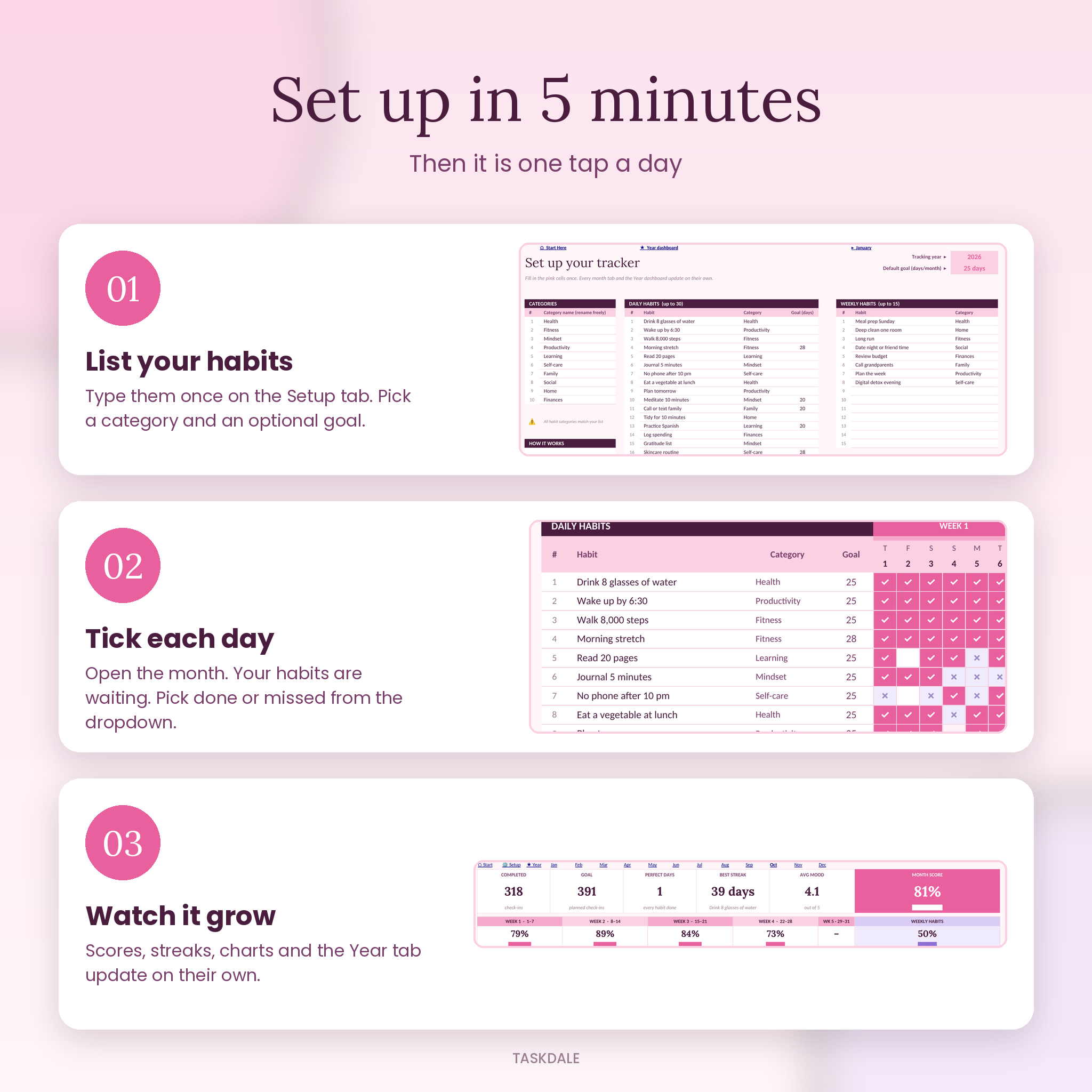
- Up to 30 daily habits and 15 weekly habits
- 10 categories (Health, Fitness, Mindset, Productivity, Learning, Self-care, Family, Social, Home, Finances), all renameable
- A default monthly goal, plus an optional goal for any single habit
- A built-in check that flags a habit in red if you rename the category it uses
12 month tabs
- Daily grid with a done or missed dropdown in every cell
- Days that don’t exist (like February 30) turn grey and are ignored
- Weekends are tinted and today’s date is highlighted
- Done, %, progress bar, current streak and best streak for each habit
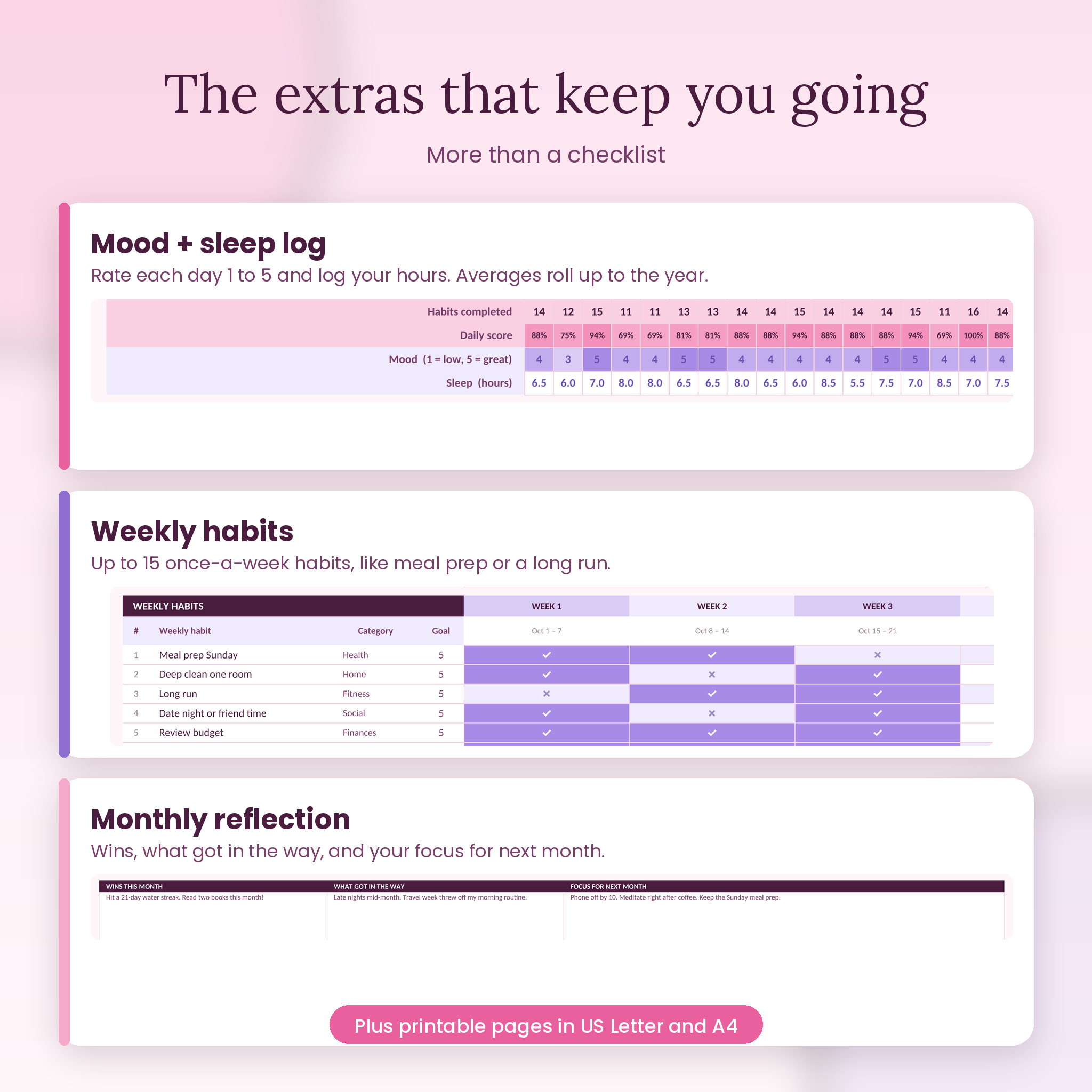
- Mood rating (1 to 5) and sleep hours for every day, with monthly averages
- Weekly habits section with a tick per week
- Reflection boxes: wins this month, what got in the way, focus for next month
Year dashboard
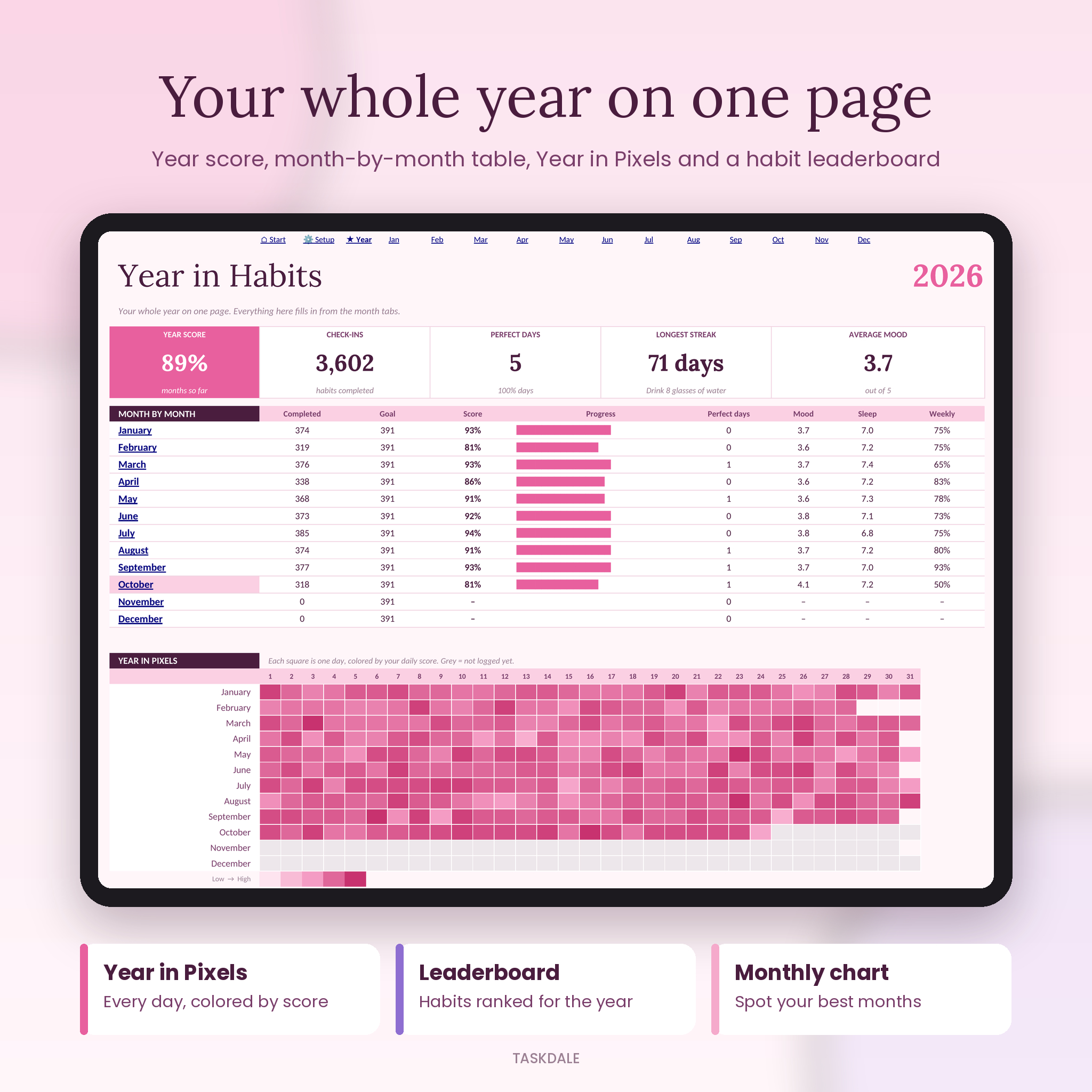
- Year score for the months so far, total check-ins, perfect days, longest streak and average mood
- Month-by-month table with score, perfect days, mood, sleep and weekly habit score
- Year in Pixels: every day of the year colored by its daily score
- Monthly score chart
- Habit leaderboard that ranks all your habits for the year, top three highlighted
Printable pages
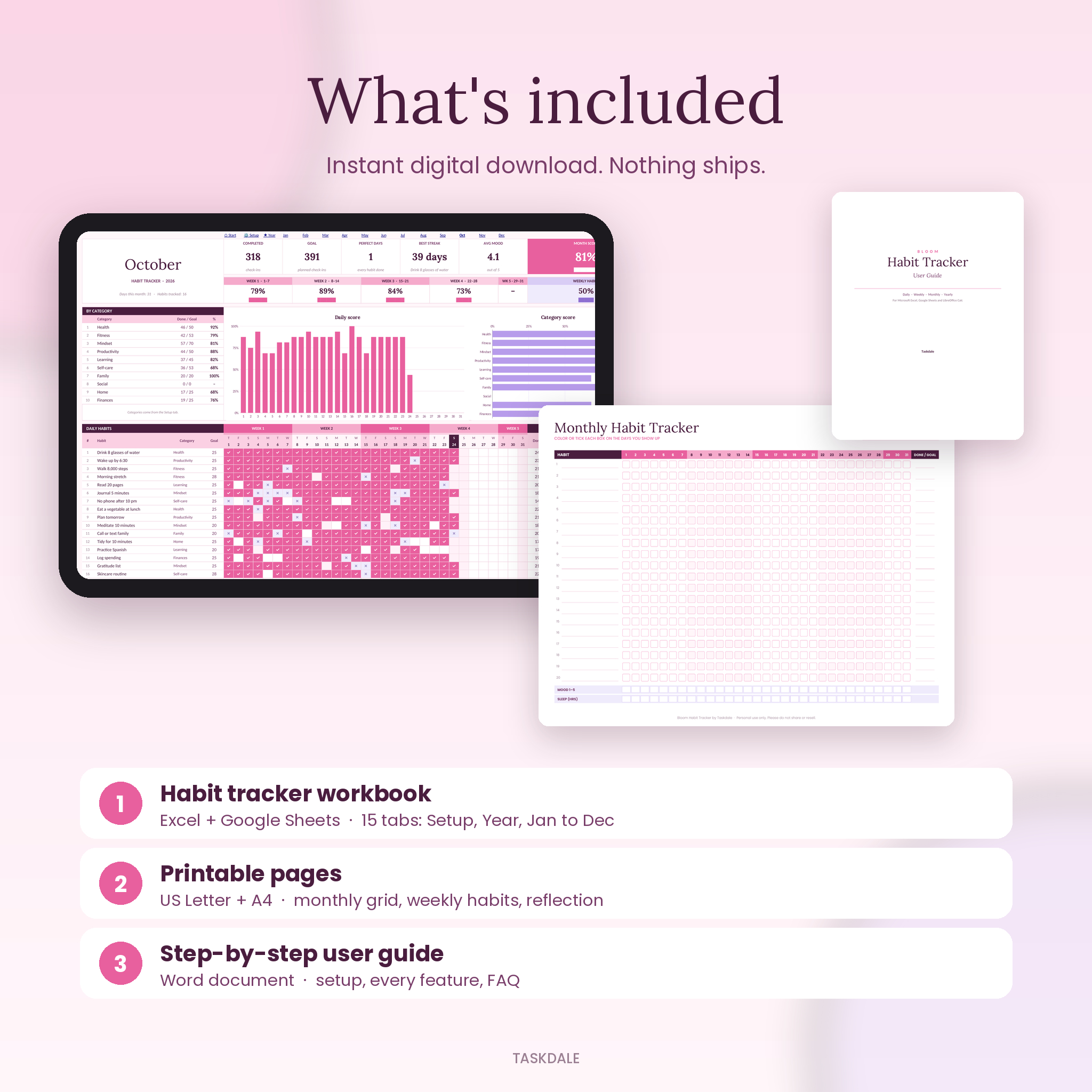
A monthly habit grid for 20 habits with mood and sleep rows, plus a weekly habits and reflection page. Both come in US Letter and A4.
What’s included
- Bloom Habit Tracker workbook (.xlsx) with 15 tabs: Start Here, Setup, Year, January to December
- Printable pages, US Letter (PDF)
- Printable pages, A4 (PDF)
- Step-by-step user guide (Word .docx)
How it works
- Download the files right after checkout.
- Open the workbook in Excel, or upload it to Google Drive and open it with Google Sheets.
- On the Setup tab, type your year and list your habits.
- Open this month’s tab and tick each day with done or missed.
- Check the Year tab whenever you want the big picture.
File formats and software
- Microsoft Excel for Windows or Mac (2010 or newer) and Microsoft 365
- Google Sheets (free Google account). Upload the .xlsx to Drive, open with Google Sheets, then choose File > Save as Google Sheets. Dropdowns, colors, charts and the Year in Pixels all work there
- LibreOffice Calc also works
- Printables are PDF files you can print at home
Apple Numbers is not supported.
Customizing your habit tracker
Rename categories, change goals, or swap a habit for a single month by typing over its name on that month’s tab. Colors and fonts can be changed on every tab. Formula cells are locked so nothing breaks by accident, but there’s no password. You can unprotect any sheet if you want to tinker.
Real ways people use it
- A fresh start in January: set five habits for the new year and watch the Year in Pixels fill up
- A health reset: water, steps, veggies at lunch and sleep hours, with mood logged next to them so you can see the link
- Study routines: reading, language practice and an evening plan, tracked by category
- Home and money habits: tidy for 10 minutes, log spending, review the budget weekly
- A mid-year restart: open whatever month you’re in and start there. Earlier months just stay empty
Digital download
This is an instant digital download. Nothing will be shipped. Your files are ready on the order confirmation page and in your email right after payment.
FAQ
Does this habit tracker work in Google Sheets?
Yes. Upload the .xlsx to Google Drive, open it with Google Sheets and save it as a Google Sheets file. The guide walks you through it in three steps.
Is it a 2026 or 2027 habit tracker?
Both, and any year after. Type the year on the Setup tab and all 12 months update.
How many habits can I track?
Up to 30 daily habits and 15 weekly habits, plus mood and sleep every day.
Can I use it on my phone?
Yes, through the Google Sheets or Excel app. Ticking a day works fine on a phone. Charts are easier to read on a bigger screen.
Can I start in the middle of the year?
Yes. Open the current month and begin. Past months stay blank, and the year score only counts months that have started.
Do I need to know formulas?
No. You only type habit names and pick done or missed. Everything else is already built.
Is there a printable version?
Yes. Printable monthly and weekly pages are included in US Letter and A4.
License: for personal use only. Please don’t share, resell or redistribute the files. Made by Taskdale.

Reviews
There are no reviews yet.