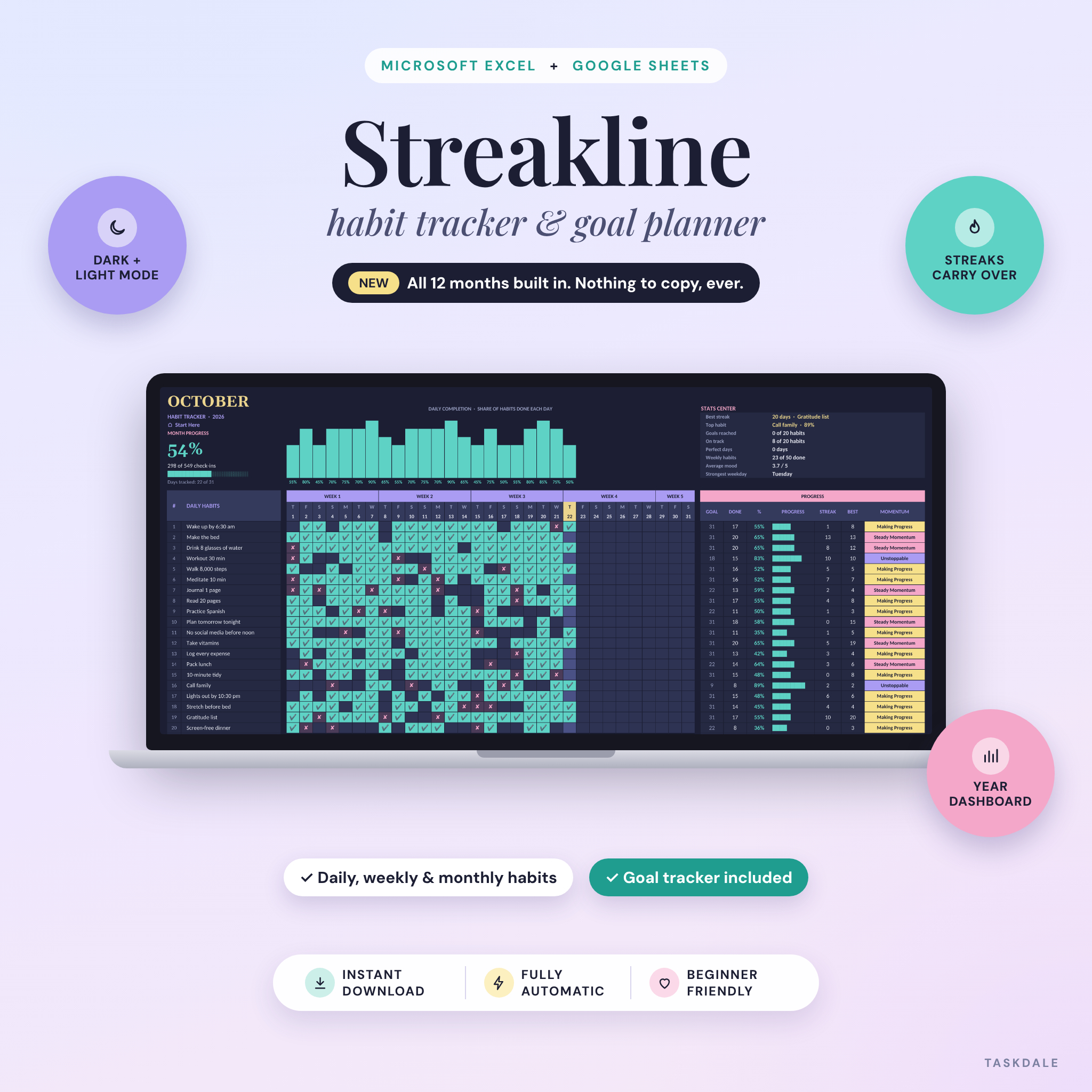
Streakline is a habit tracker spreadsheet for Microsoft Excel and Google Sheets that does the counting for you. Tick a habit, and your streaks, monthly goals, momentum labels and year dashboard all update on their own. All twelve months are already built in, so you set it up once and never copy a tab again.
You also get both a dark mode and a light mode edition, a filled example file and a step-by-step user guide. One download covers the whole year.
Why this habit tracker spreadsheet is different
Plenty of habit trackers give you a single month and ask you to duplicate it every four weeks. That’s where most people quit. Streakline was built to fix the small annoyances that make a tracker go stale:
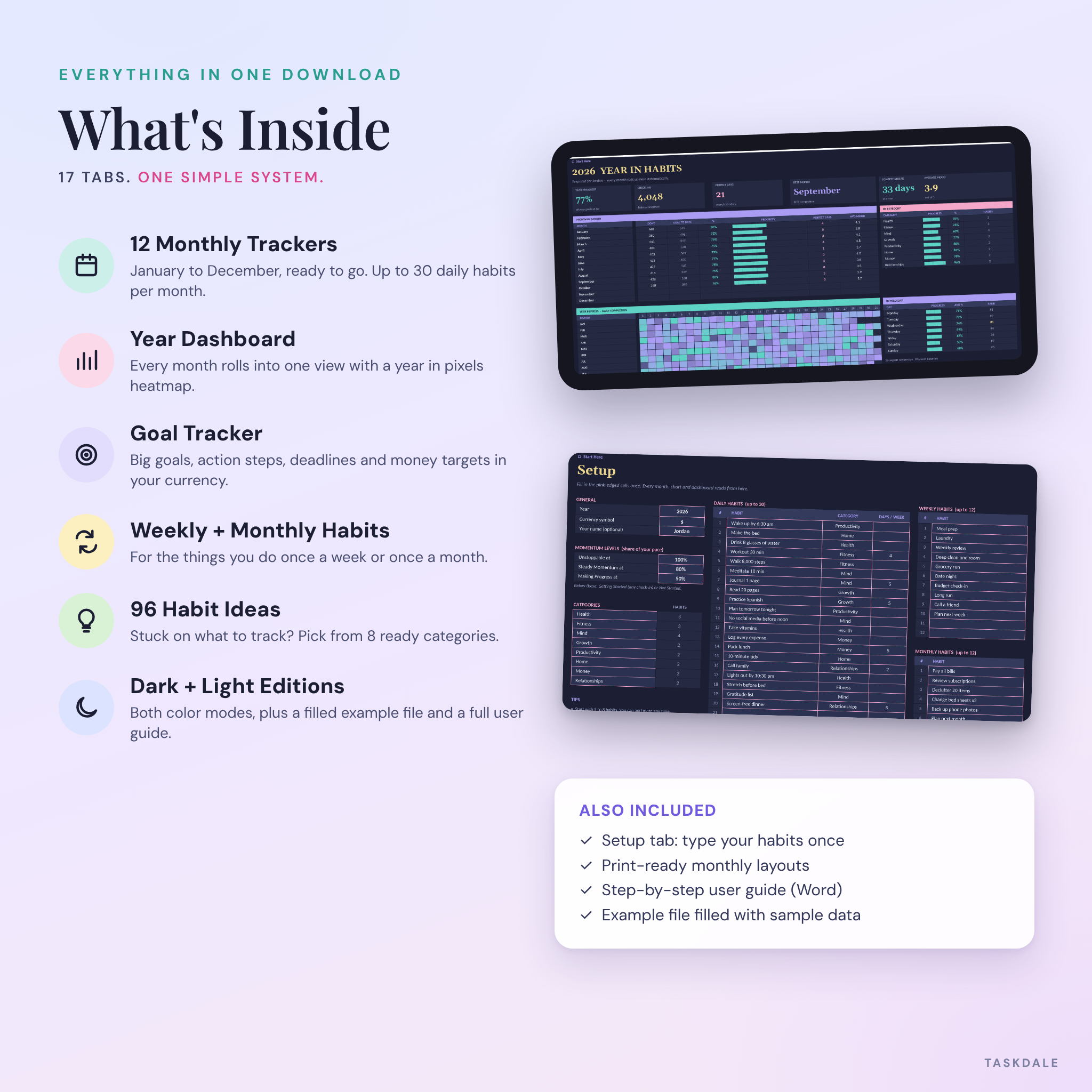
- 12 months ready to go. January to December share one habit list. Type your habits once on the Setup tab and they appear everywhere.
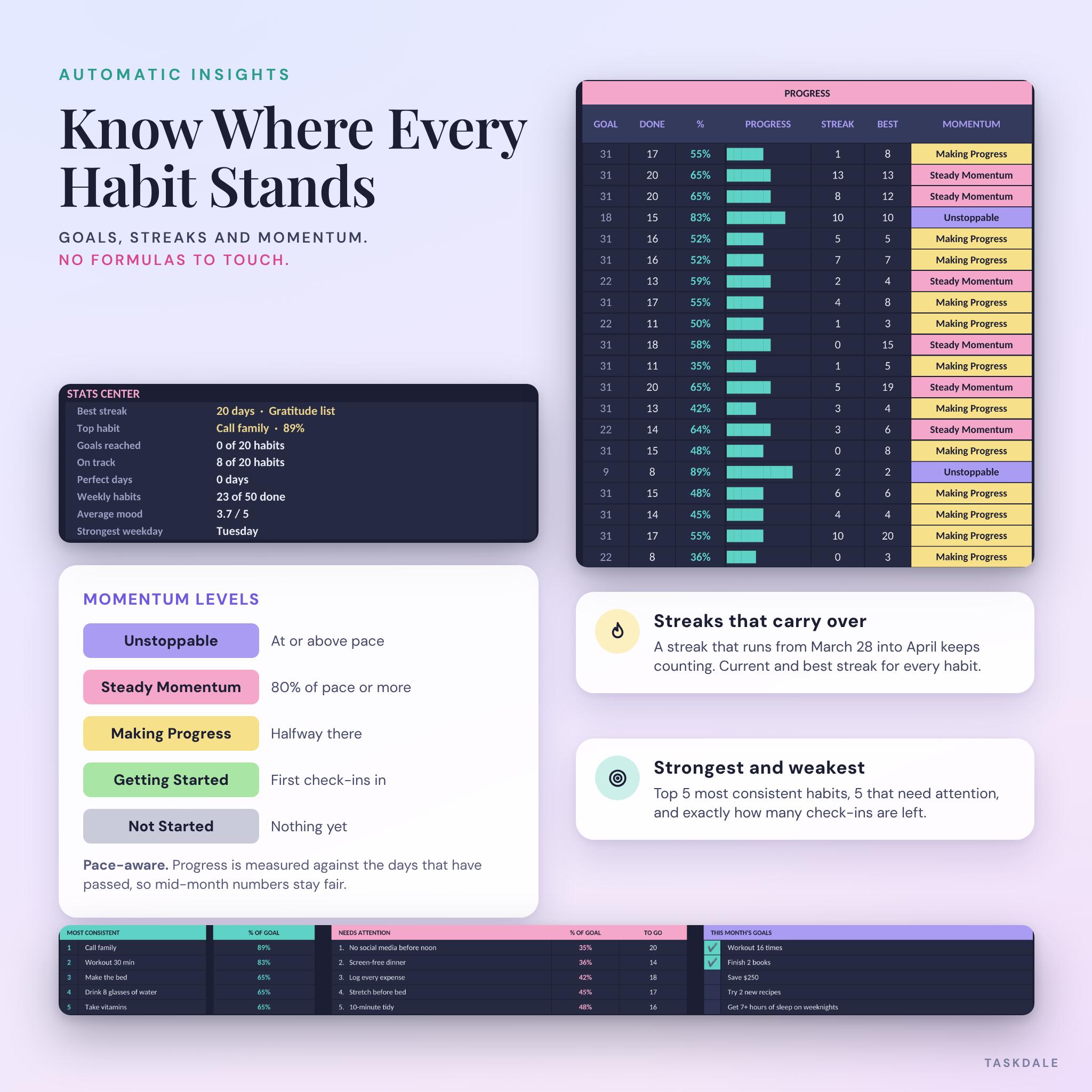
- Streaks carry over. A run that starts on March 28 keeps counting into April. Your best streak is never wiped by a new month.
- Fair mid-month numbers. Momentum is measured against pace, meaning the days that have actually passed. On the 10th, ten check-ins puts a daily habit right on track.
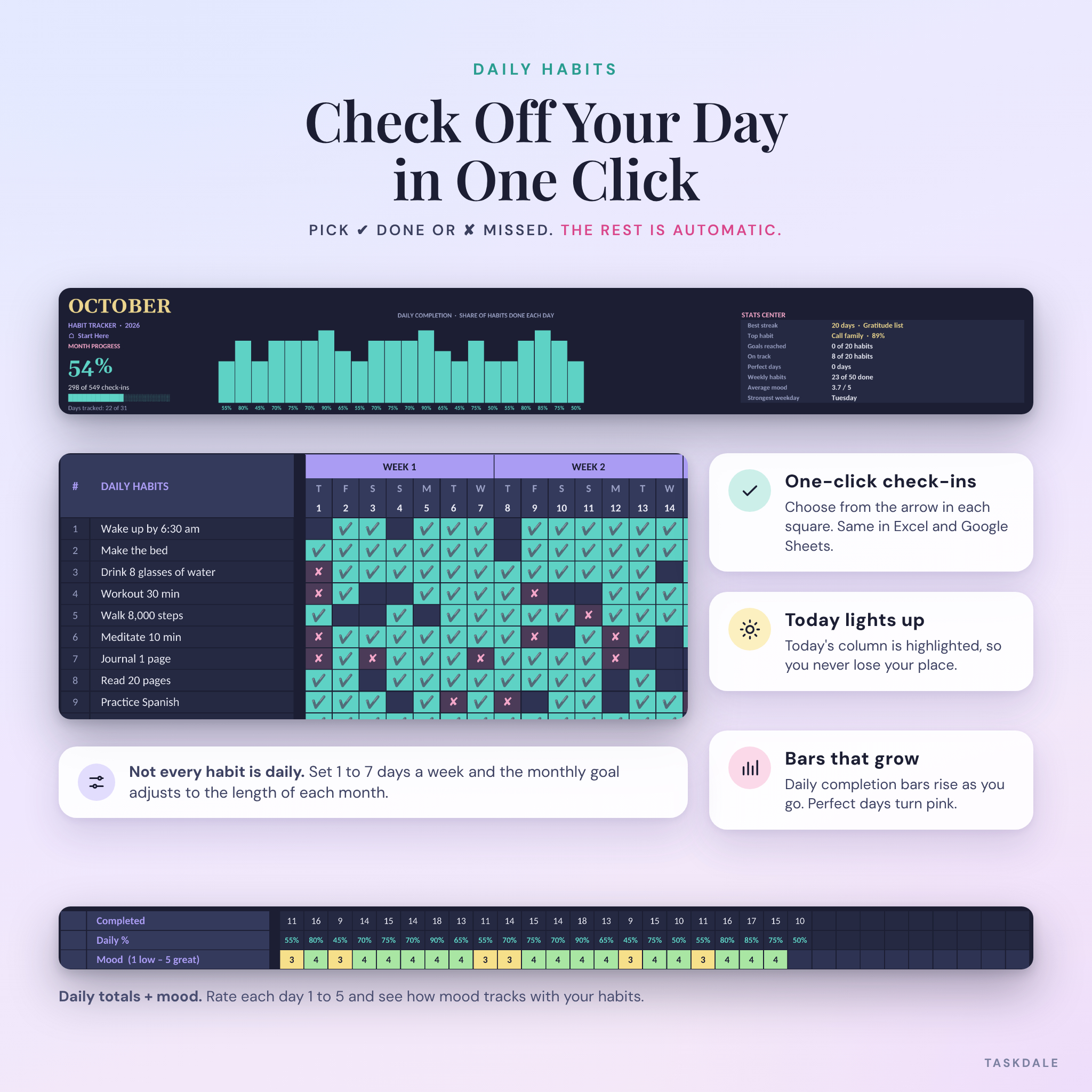
- Habits that aren’t daily. Set 1 to 7 days a week for any habit. The monthly goal adjusts to the length of each month.
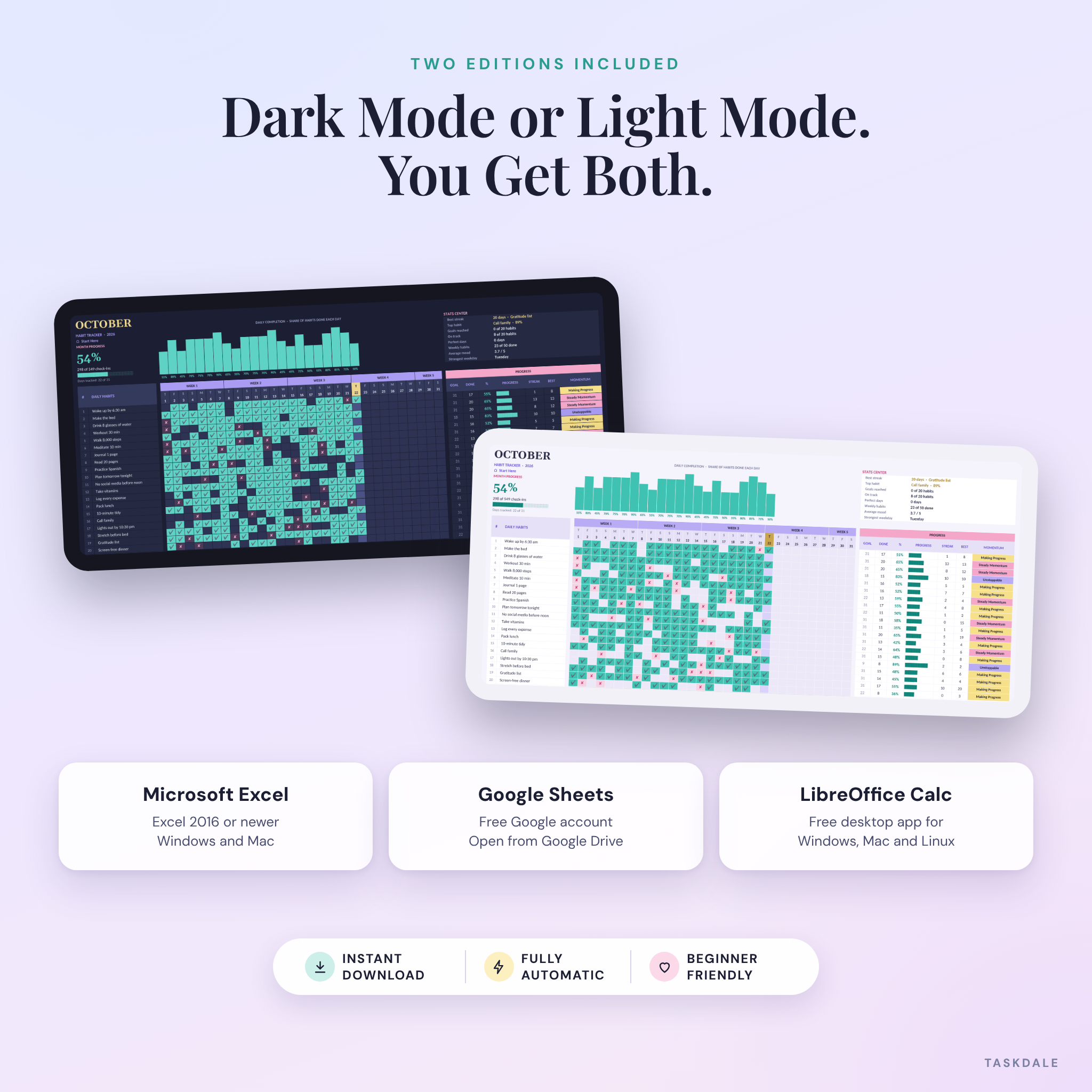
- Both color modes included. Dark and light editions, same features.
Features
Monthly habit tracker (x12)
- Up to 30 daily habits with one-click check marks (✔ done, ✘ missed)
- Daily completion bar chart that grows as you go, with perfect days in pink
- Today’s column highlighted so you never lose your place
- Goal, done, percentage, current streak, best streak and a momentum label for every habit
- Stats Center: best streak, top habit, goals reached, habits on track, perfect days, average mood and strongest weekday
- Daily mood rating from 1 to 5
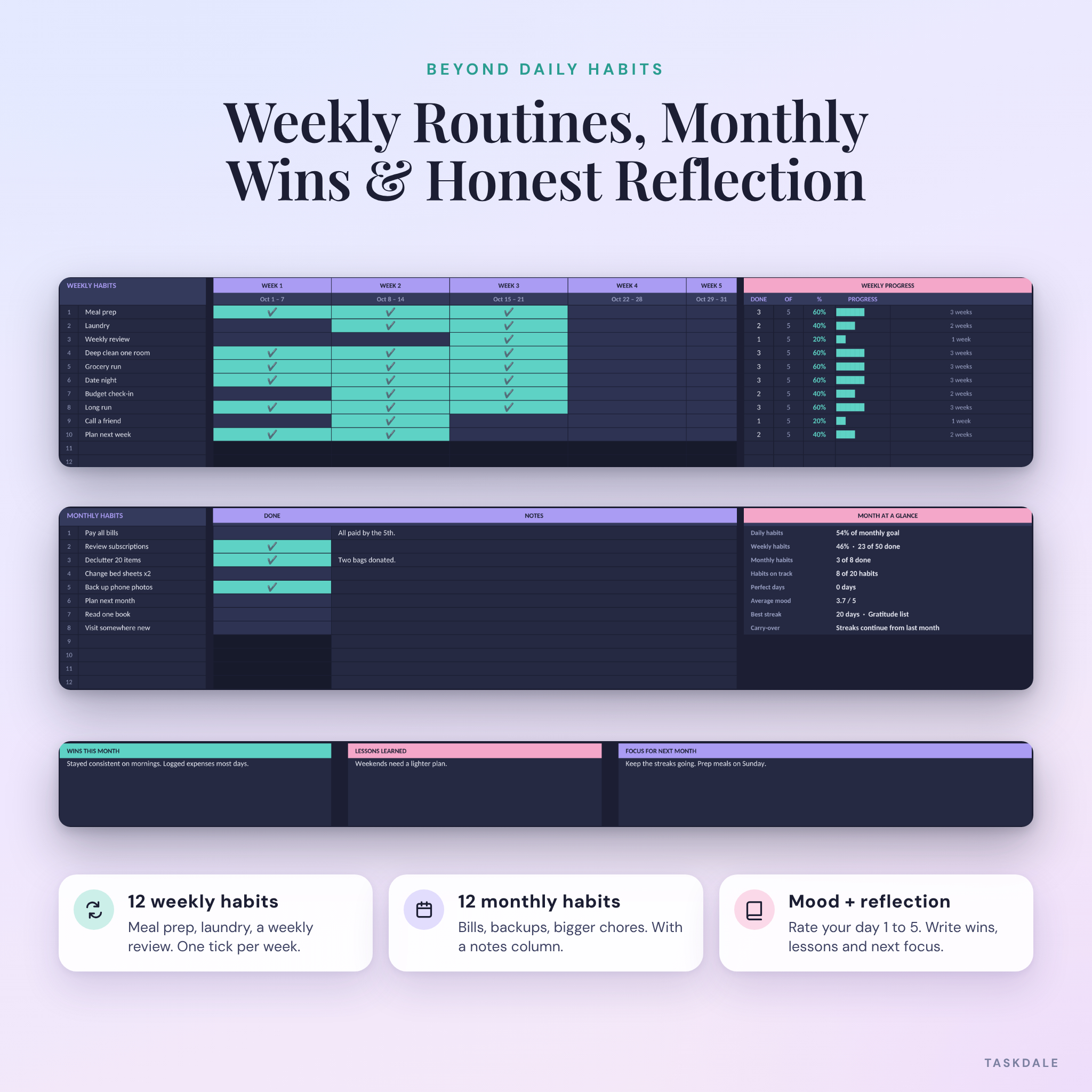
- 12 weekly habits with one check per week
- 12 monthly habits with a notes column
- Top 5 most consistent habits and 5 that need attention, with check-ins left
- Monthly goals checklist plus wins, lessons and next month’s focus
Year dashboard
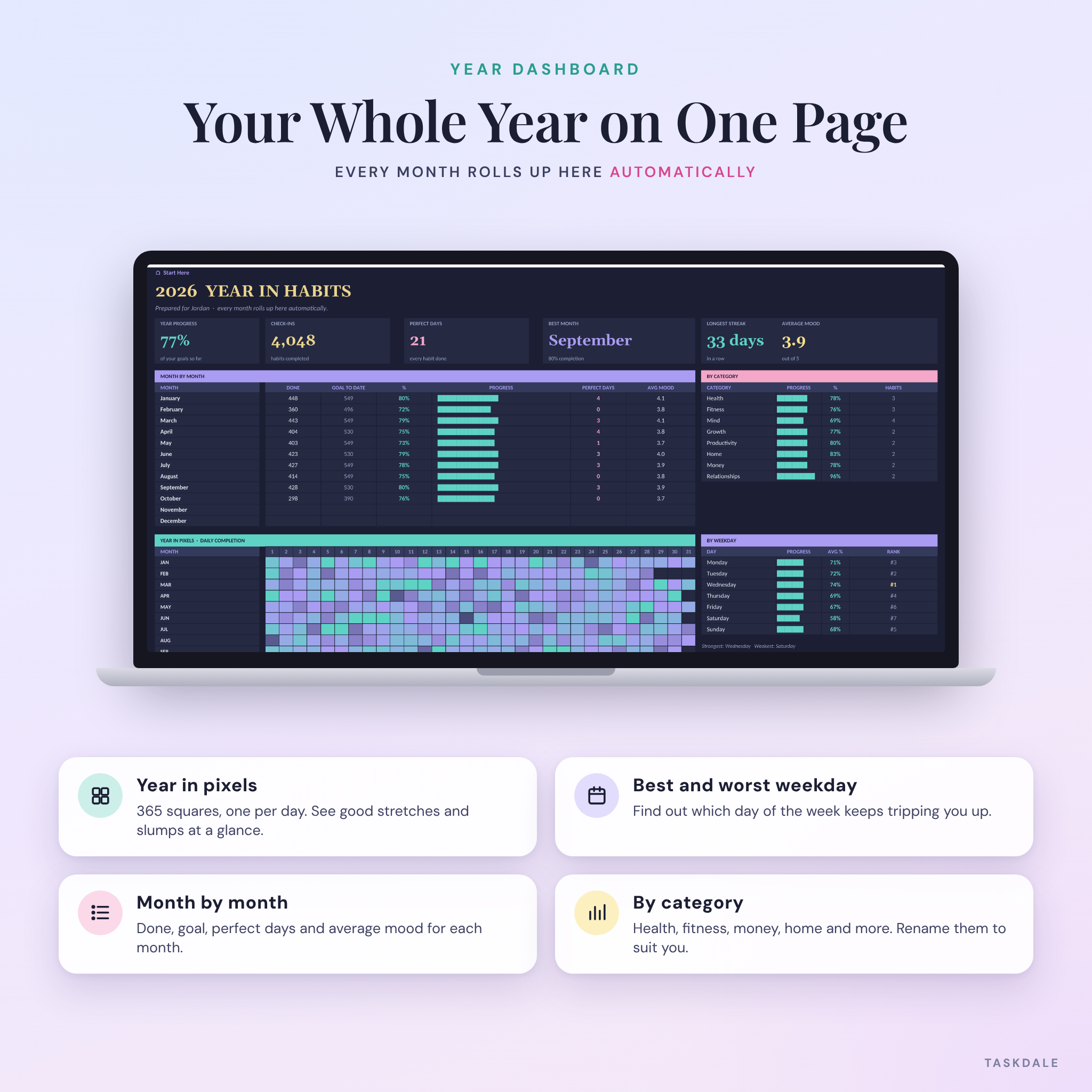
- Year progress, total check-ins, perfect days, best month, longest streak and average mood
- Month-by-month table and a monthly completion chart
- Year in pixels heatmap with one square per day
- Progress by category and a weekday ranking that shows your strongest and weakest days
- A year-long summary for every habit
Goal tracker
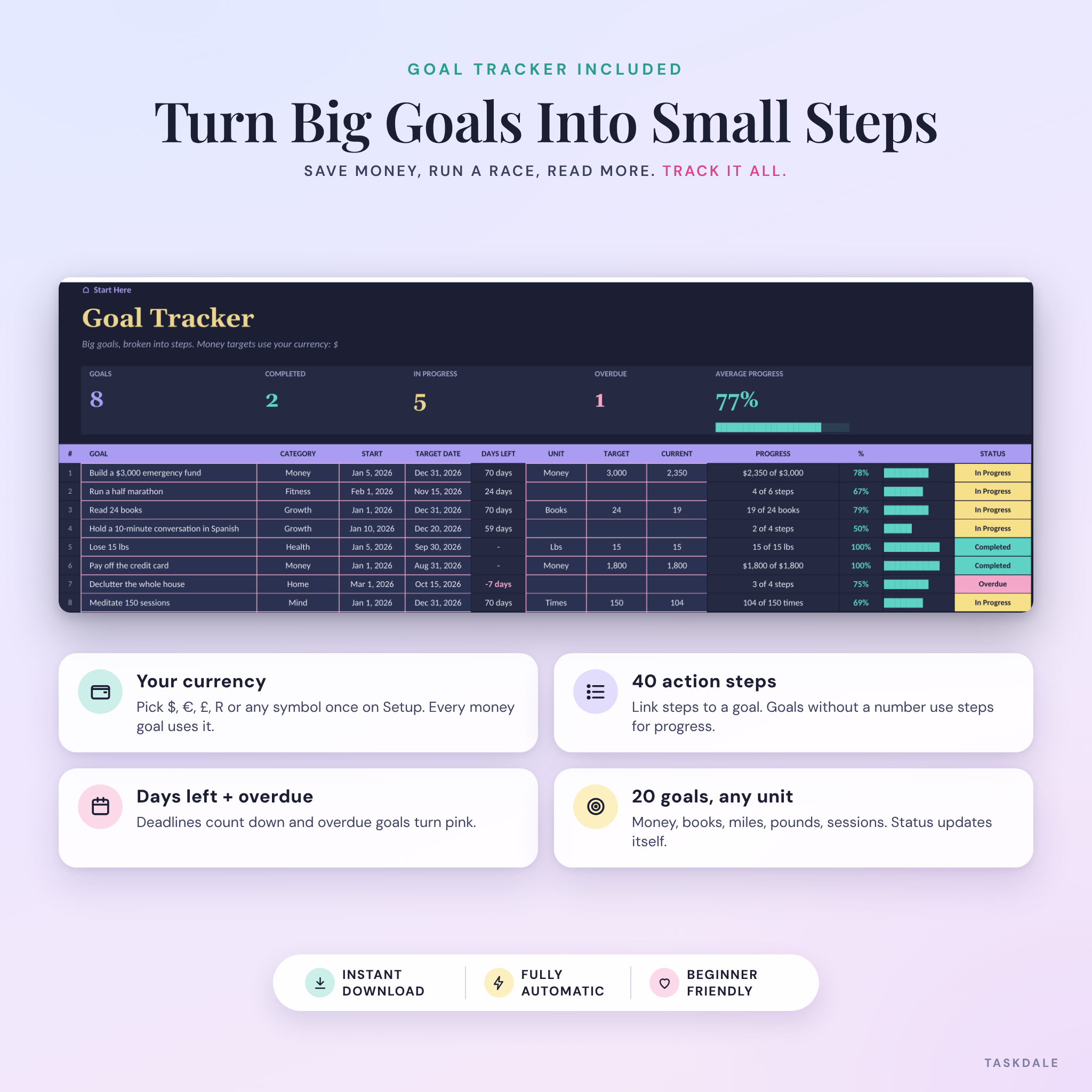
- Up to 20 goals with categories, start dates, target dates and days left
- Units for anything you measure: money, books, miles, pounds, sessions and more
- Money targets show in your own currency
- 40 action steps linked to goals, with automatic status: Not Started, In Progress, Completed or Overdue
Extras
- Setup tab for your year, currency, name, categories and momentum levels
- 96 habit ideas across 8 categories
- Start Here tab with quick start steps and links to every tab
- Print-ready monthly layouts (landscape, one page wide)
What’s included
- Streakline-Habit-Tracker-Dark.xlsx (blank, dark mode)
- Streakline-Habit-Tracker-Light.xlsx (blank, light mode)
- Streakline-Habit-Tracker-Example-Dark.xlsx (filled with sample data so you can see every feature working)
- Streakline-User-Guide.docx (15-page guide with setup steps, troubleshooting and FAQ)
How it works
- Download the files right after checkout.
- Open Setup and type your year, currency and habits. It takes about ten minutes.
- Check off your day on the current month’s tab. Pick ✔ from the arrow in each square.
- Watch it update. Streaks, goals, charts and the year dashboard fill in by themselves.
Who it’s for
It suits anyone building a routine. Think fitness and sleep habits, study sessions, self-care, chores or money habits like logging expenses. If you like seeing progress in colors and numbers instead of a plain list of ticks, you’ll get a lot out of it. Beginners are welcome too, since you never write a formula.
Real ways people use it
- A new-year reset with 6 to 8 habits and a few big goals, like saving $3,000 or running a half marathon
- A fitness plan with workouts 4 days a week and daily steps, water and sleep
- A study routine with reading, language practice and review sessions
- A home routine with daily tidying, weekly laundry and monthly bill checks
- A mood and habit log to see which habits line up with your better days
File formats and requirements
- Format: .xlsx spreadsheets plus a .docx user guide
- Microsoft Excel 2016 or newer on Windows or Mac
- Google Sheets with a free Google account (upload to Google Drive, then open)
- LibreOffice Calc
- No macros, add-ins or subscriptions
Customization
Rename the categories, adjust the momentum levels, switch currency or change the year on the Setup tab and everything follows. Formula cells are protected without a password, so you can’t break anything by accident, and you can still unlock a sheet whenever you want to restyle it.
Digital download
This is a digital product. Nothing will be shipped. Your files are available to download as soon as payment is confirmed. Because it’s an instant download, it isn’t eligible for returns, but if anything doesn’t work as described, contact us and we’ll help.
FAQ
Does this habit tracker work in Google Sheets?
Yes. Upload the .xlsx file to Google Drive and open it with Google Sheets. All formulas, colors and the chart work there.
Do I have to copy the tracker every month?
No. All twelve months are already in the file and share one habit list.
Can I use it for 2027 or any other year?
Yes. Type the year on the Setup tab and every date and weekday updates.
Can I track habits that aren’t daily?
Yes. Set 1 to 7 days a week for any habit, and use the weekly and monthly sections for less frequent routines.
Will it work on my phone?
Yes, through the Excel or Google Sheets app. Setup is easier on a computer, and daily check-ins are quick on a phone.
Can I change the currency?
Yes. Pick any symbol on the Setup tab. Dollars are the default, and every money value in the goal tracker uses your choice.
Is there a dark mode?
Yes. You get both a dark mode and a light mode edition.
License
Personal use license for one person. You may not share, resell, give away or redistribute the files or any part of them. © Taskdale.
Reviews
There are no reviews yet.