Junk Removal Spreadsheet: Know What Every Load Really Cost You
This junk removal spreadsheet follows every job from the first phone call to the final payment, then shows what each load earned after dump fees, crew labor and expenses. Type a load size such as 3/4 and the workbook turns it into cubic yards for your truck. Log a dump ticket and it checks the amount against your facility’s posted rates, then splits the cost across the jobs that were on that truck. It is made for Microsoft Excel 2016 or later, with no macros and no monthly fee.
Who This Junk Removal Business Tracker Is For
It is built for owners and office managers of junk removal and hauling companies with one to four trucks, usually 15 to 20 cubic yard dump trucks or box trucks, running a few jobs a day. Household junk, furniture, appliances, garage and estate cleanouts, yard waste, light construction debris and property manager move-outs all fit. If your records live in a notebook and a shoebox of receipts, this replaces both.
Main Benefits
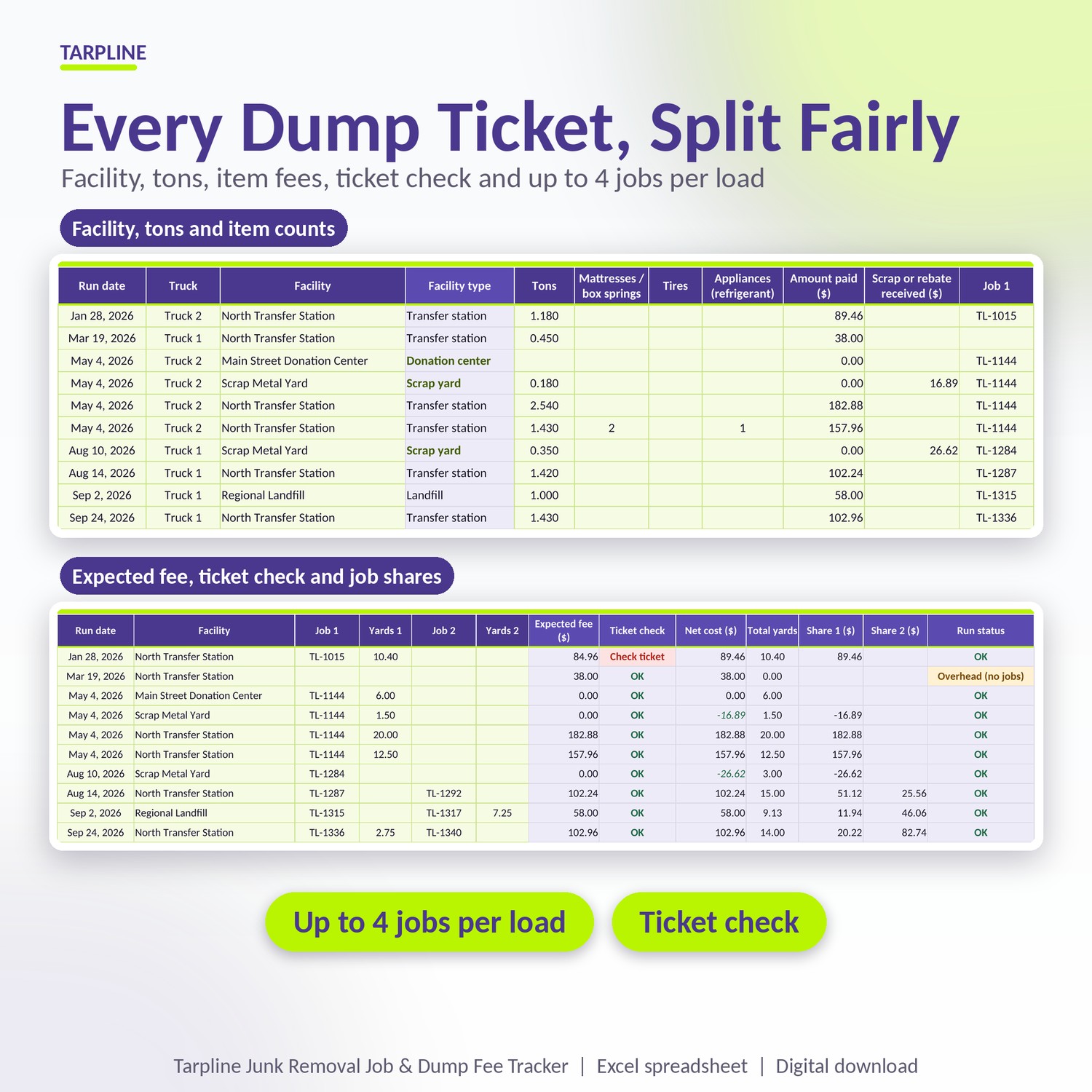
- Stop guessing dump costs per job. One ticket can cover three jobs. The tracker shares the net cost by cubic yards, and rounding pennies always land on Job 1, so the shares add up to the ticket exactly.
- Catch tickets that do not match your rates. Each ticket gets an expected fee and an OK or Check ticket flag.
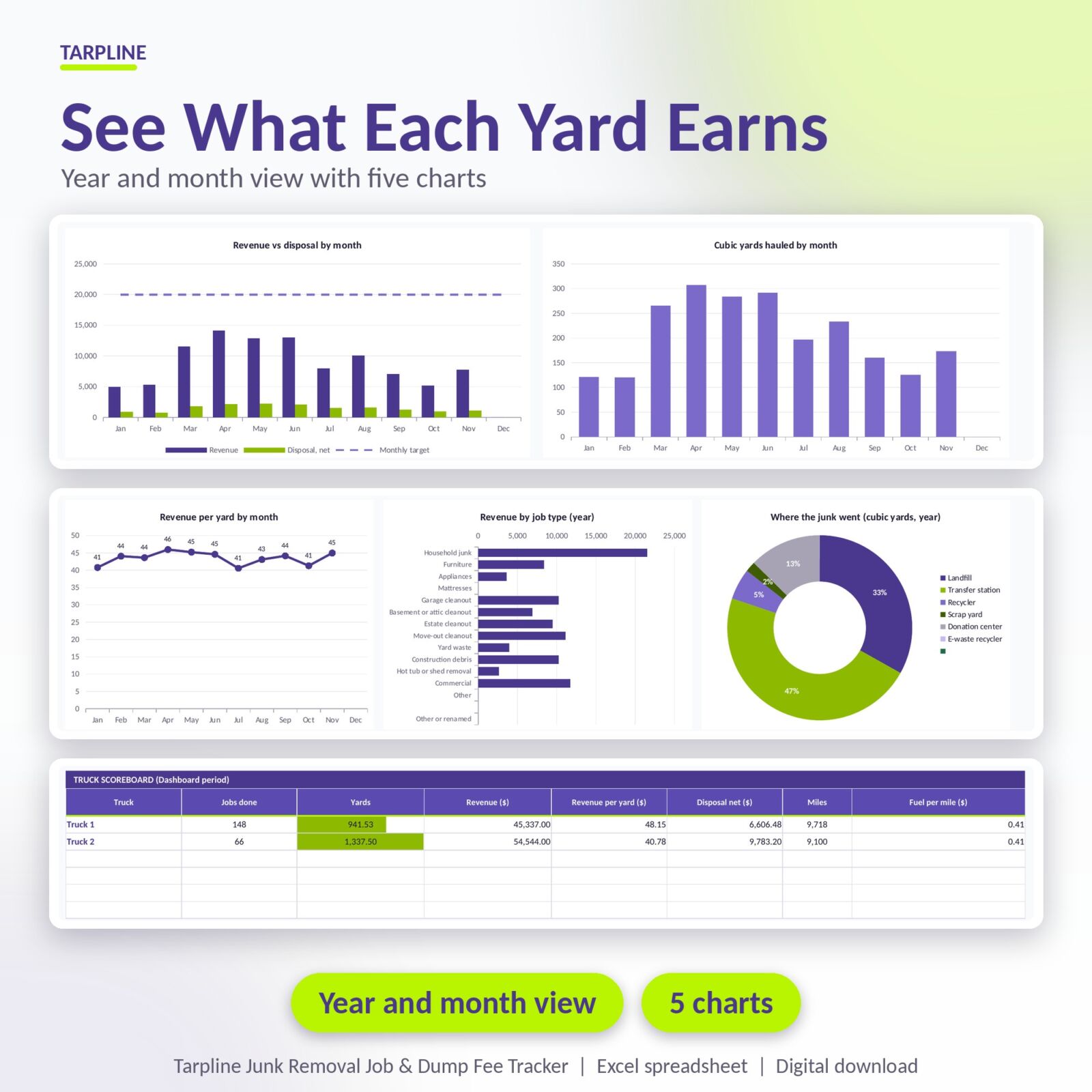
- See revenue per cubic yard by job, truck, job type and month, so you know whether the 20 yard truck earns more per yard than the 15.
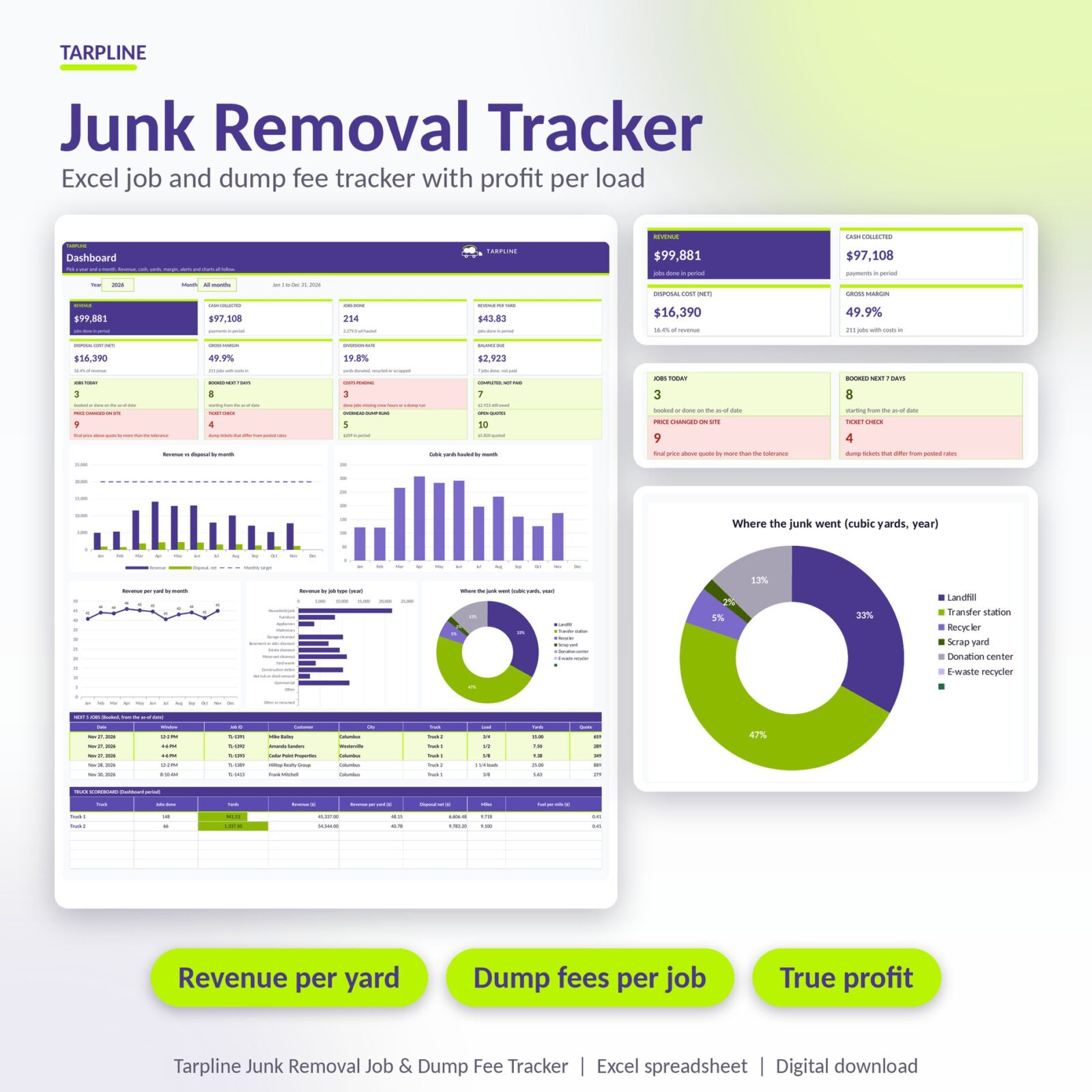
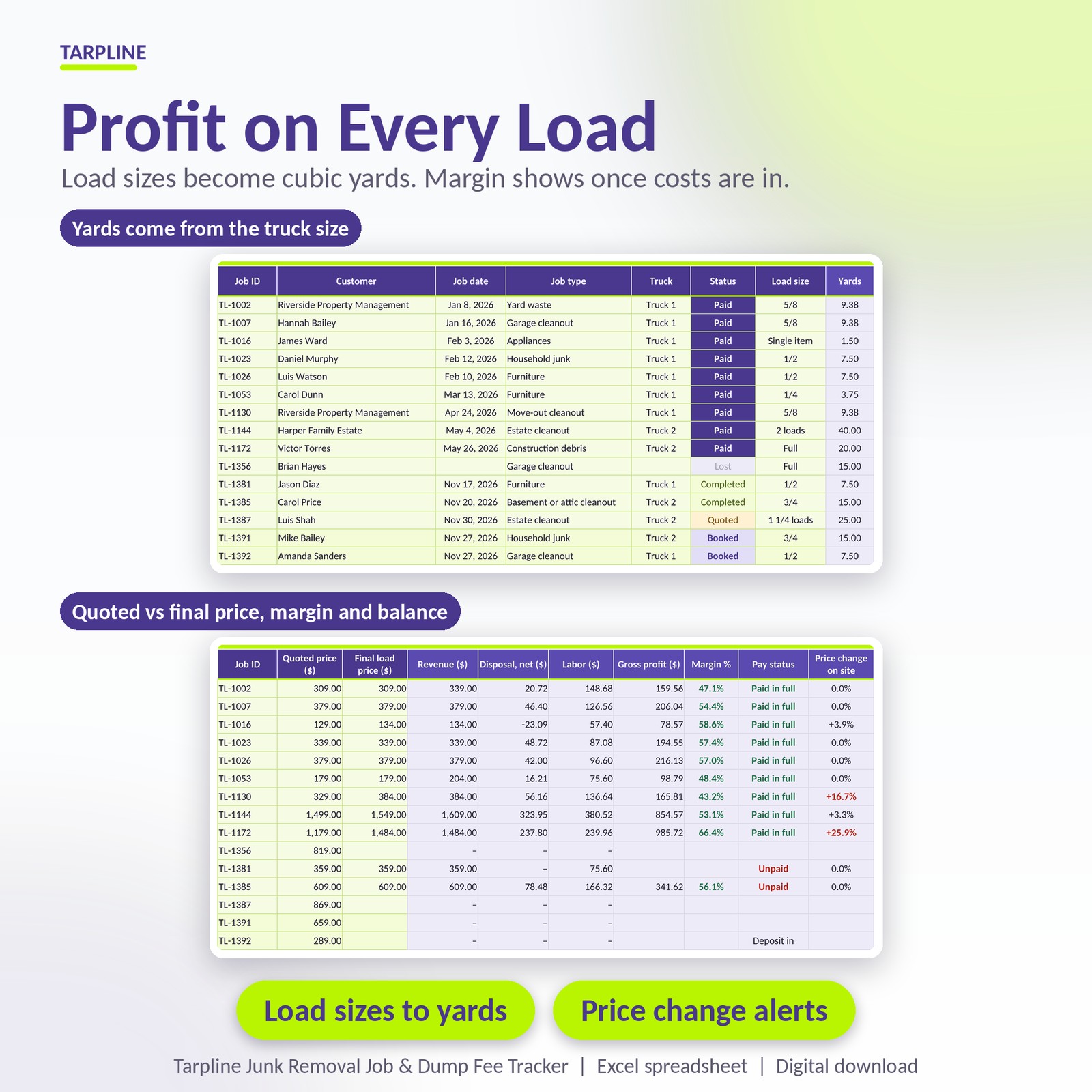
- Trust the margin. Profit and margin show only after a job has crew hours and a dump run, so a job with no costs logged never shows a fake 90% margin.
- Spot on-site price changes before customers complain, with quoted and final price side by side.
- Get paid on every completed job. A balance due tile and a completed, not paid alert keep unpaid jobs in front of you.
Features
Jobs
- Up to 1,000 jobs with customer, address, lead source, job type, truck, crew lead, arrival window and status (Request, Quoted, Booked, Completed, Paid, Canceled, No-show, Lost).
- Load sizes from a single item and 1/8 up to 3 loads, with each truck’s own capacity. Single items use a yards override.
- Quoted price, final load price, add-ons, discount, revenue, collected, balance and pay status.
Dump Runs
- One row per ticket: facility, tons, mattress, tire and appliance counts, other item fees and the amount paid.
- Up to 4 jobs per load, split automatically by cubic yards.
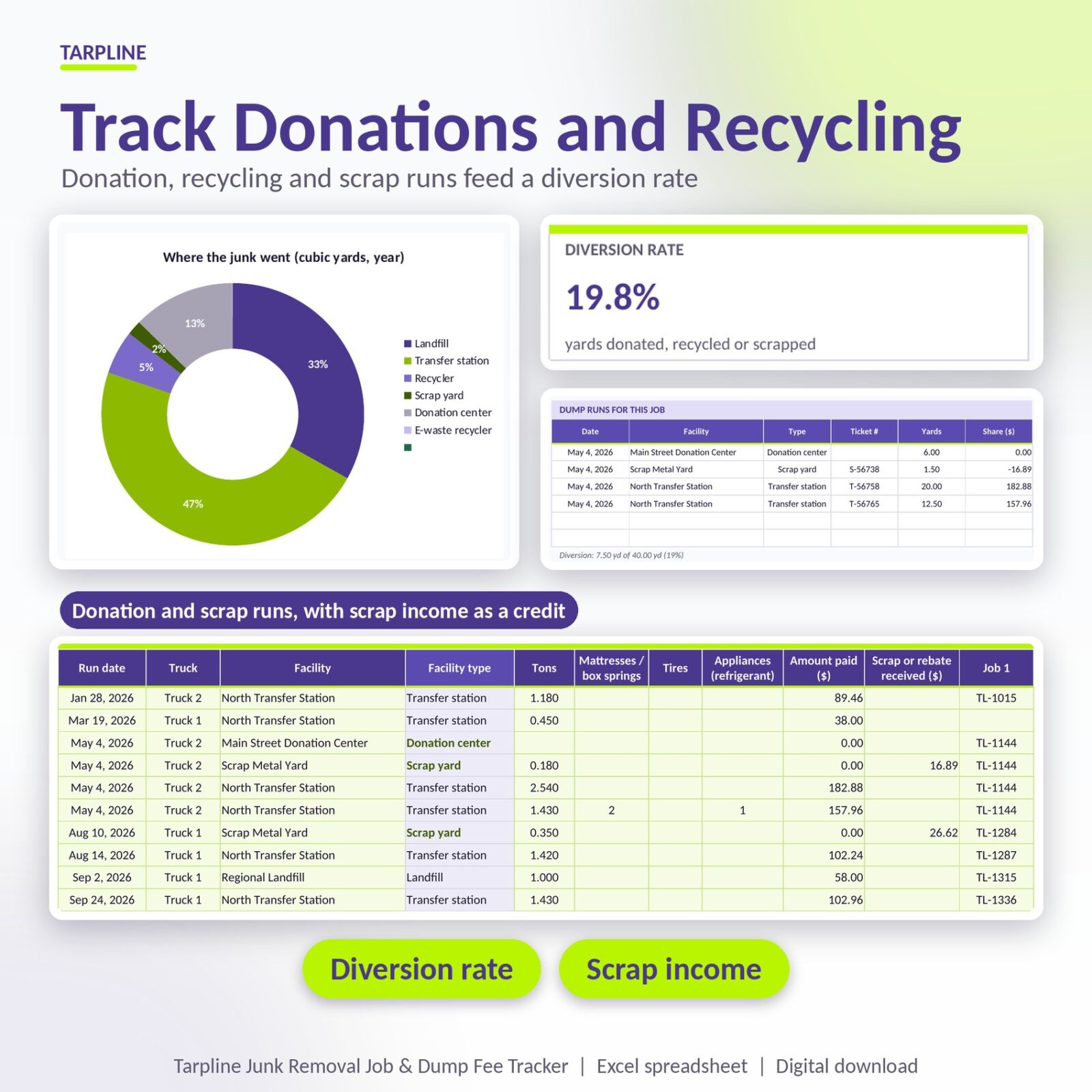
- Scrap income lowers the job’s disposal cost. Donation, recycling, e-waste and scrap runs feed a diversion rate.
- Facilities sheet with rate per ton, minimum charge and item fees for up to 25 facilities, plus average cost per ton by facility.
Labor, expenses, payments and miles
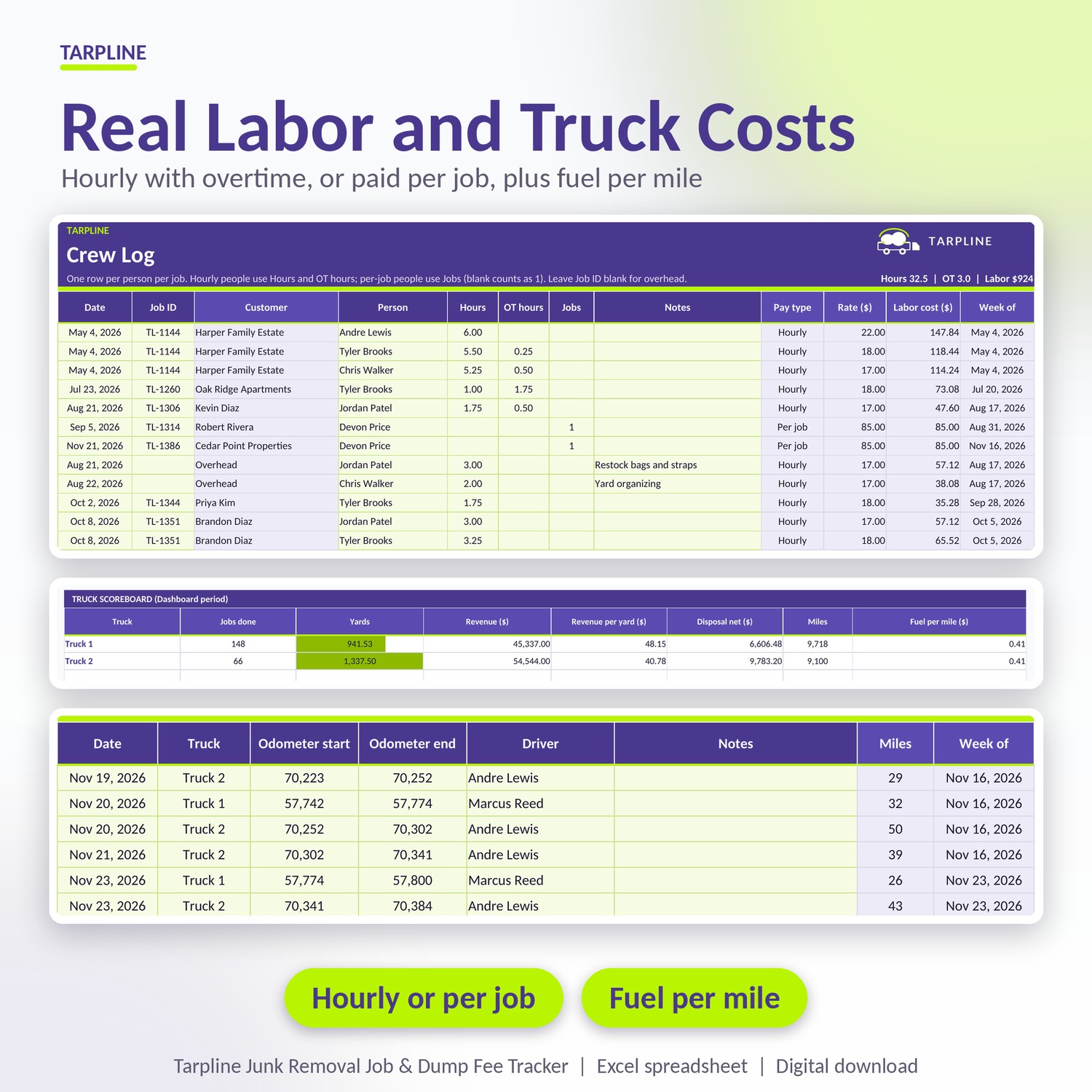
- Crew log for hourly pay with overtime, or per-job pay, with your own labor burden percentage.
- Expenses with a Job ID, or left blank for overhead. Fuel per mile for each truck.
- Payments for deposits, payments and refunds. Truck log with odometer readings.
Dashboard and Job Report
- Year and month selectors, 8 KPI tiles, 8 alerts, 5 charts, the next 5 booked jobs and a truck scoreboard.
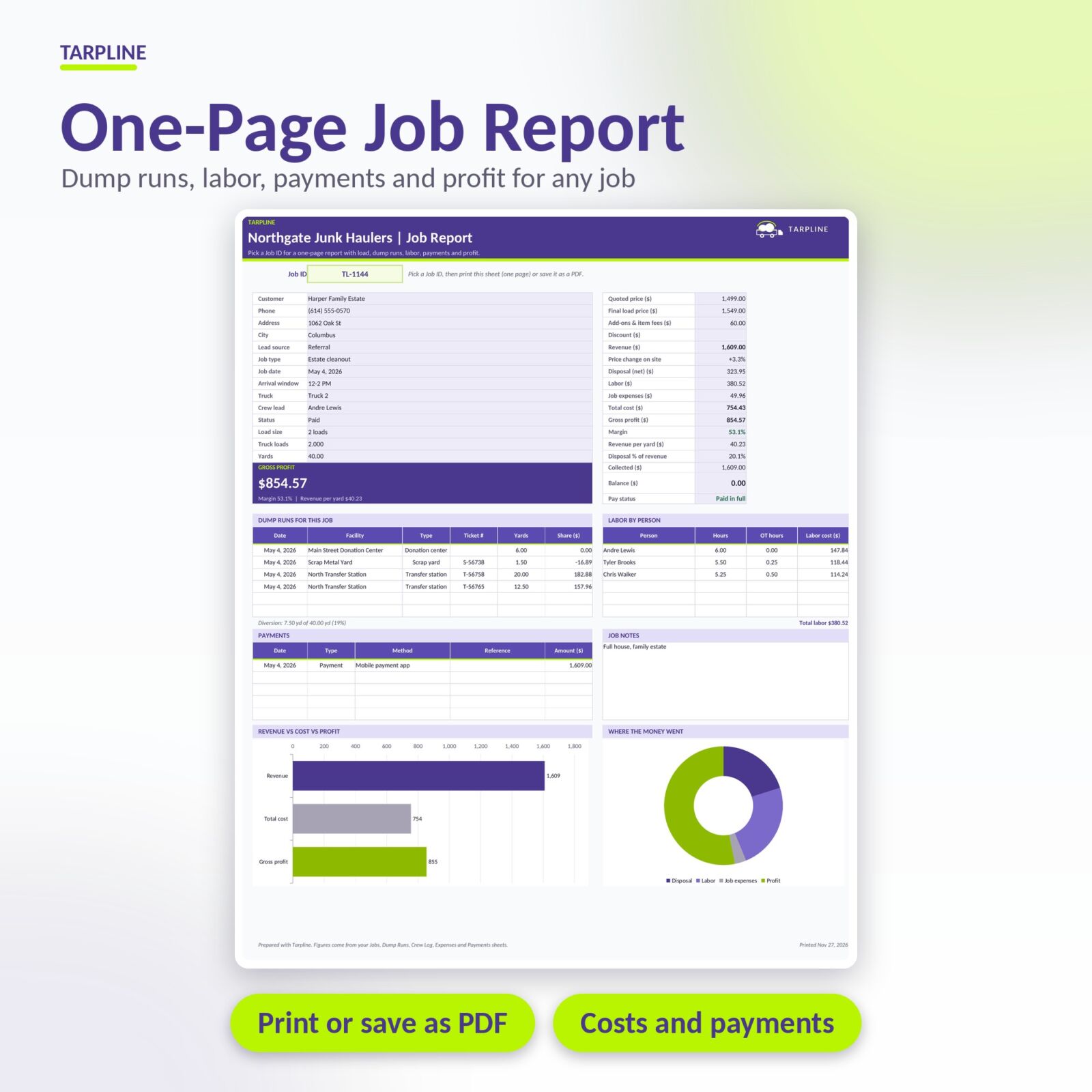
- A one-page Job Report with dump runs, labor, payments, profit and two charts. Print it or save it as a PDF.
What Is Included
- Tarpline Junk Removal Job & Dump Fee Tracker (.xlsx), 13 sheets, empty and ready for your data.
- User guide (.docx) with worked examples and troubleshooting.
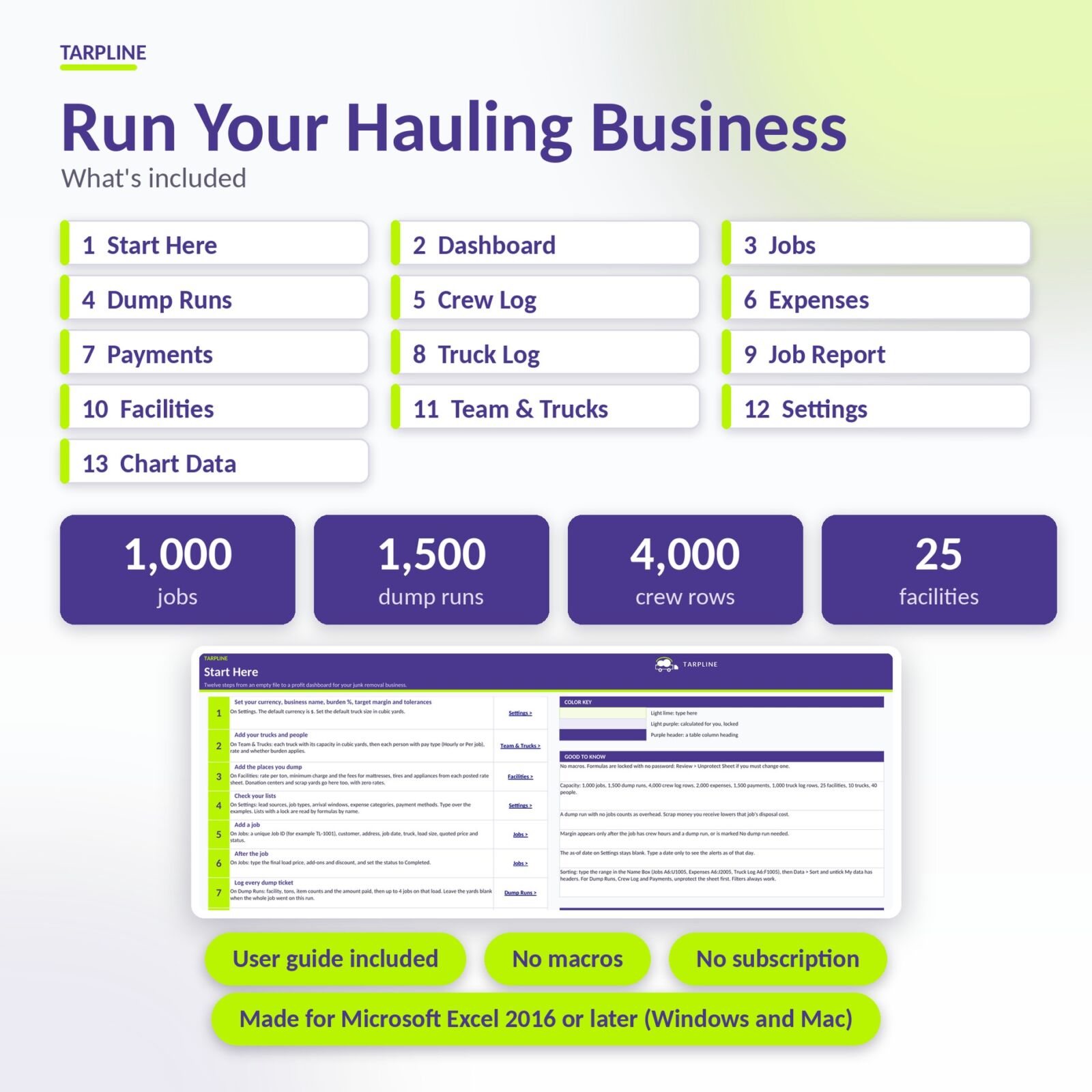
The 13 sheets are Start Here, Dashboard, Jobs, Dump Runs, Crew Log, Expenses, Payments, Truck Log, Job Report, Facilities, Team & Trucks, Settings and Chart Data.
How It Works
- Set your currency, burden percentage and target margin on Settings.
- Add your trucks with their size in cubic yards, your crew with pay rates, and your dump sites with rates from their posted fee sheets.
- Add a job, then type the final price after the work is done and mark it Completed.
- Log each dump ticket and the jobs on that load. Leave Yards blank when the whole job went on one run.
- Log crew time, expenses, payments and miles. Open the Dashboard and pick a year and month.
Worked example from the guide: a landfill ticket with 1.95 tons and one appliance has an expected fee of 131.40. The ticket says 135.00, so the tracker flags it for a second look.
Software and File Information
Made for Microsoft Excel 2016 or later (Windows and Mac), including Excel for Microsoft 365. The workbook uses no macros, no add-ins and only standard functions. It has not been tested in Google Sheets or Numbers. Formulas are locked without a password and every input cell is open, with dropdowns and checks that stop a bad entry from breaking a formula. This is a digital download: you receive the files right after purchase and nothing is shipped.
Customization
Type your own currency symbol once and every heading, tile and report follows. Rename or add job types, lead sources, arrival windows, expense categories and payment methods. Set your target margin, price change tolerance and monthly revenue target. The colors and layout stay consistent on every sheet.
Use Cases
- A Saturday with three small jobs on one transfer station ticket.
- An estate cleanout that took two landfill runs and a donation drop.
- Selling a load of appliances for scrap and seeing the income against that job.
- Checking whether the 20 yard truck earns more per yard than the 15 yard truck.
- A property manager who pays on invoice terms a few weeks after the work.
Frequently Asked Questions
Does this junk hauling business spreadsheet work on Mac?
It is made for Microsoft Excel 2016 or later on Windows and Mac, and it uses no macros or add-ins.
Does it work in Google Sheets?
It has not been tested there. It is made for Excel.
How do I split one dump ticket across several jobs?
On Dump Runs, pick up to four Job IDs on the same row. The net cost is shared by cubic yards.
Can I track scrap metal income?
Yes. Type what you received in the scrap or rebate column. It lowers the cost of the jobs on that run.
How does it work out cubic yards?
Truck loads multiplied by the truck’s capacity. Three quarters of a 15 yard truck is 11.25 yards.
Can I change the currency?
Yes. Type your symbol on Settings and every money heading and tile follows.
How many jobs does it hold?
1,000 jobs, 1,500 dump runs, 4,000 crew log rows and 2,000 expenses in one file. Start a new file for a new year.
Is it a subscription?
No. It is a one-time download for your own business.
License
Single business license. Use it for your own business. Do not resell, share or upload the file. This tracker records your own figures and is not accounting, tax or legal advice. Burden is your estimate of payroll costs. Follow your facilities’ rules for hazardous and special waste.


Reviews
There are no reviews yet.