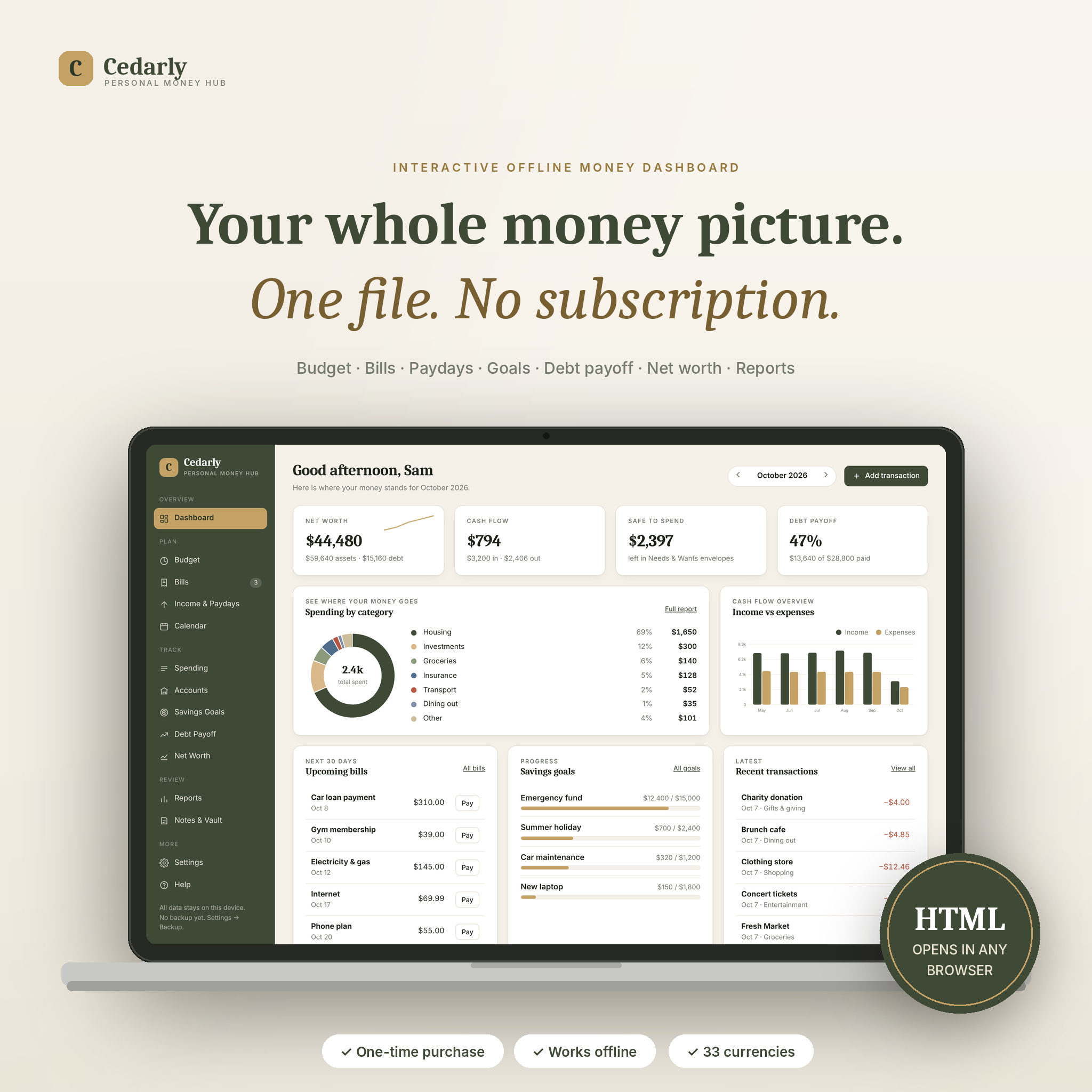

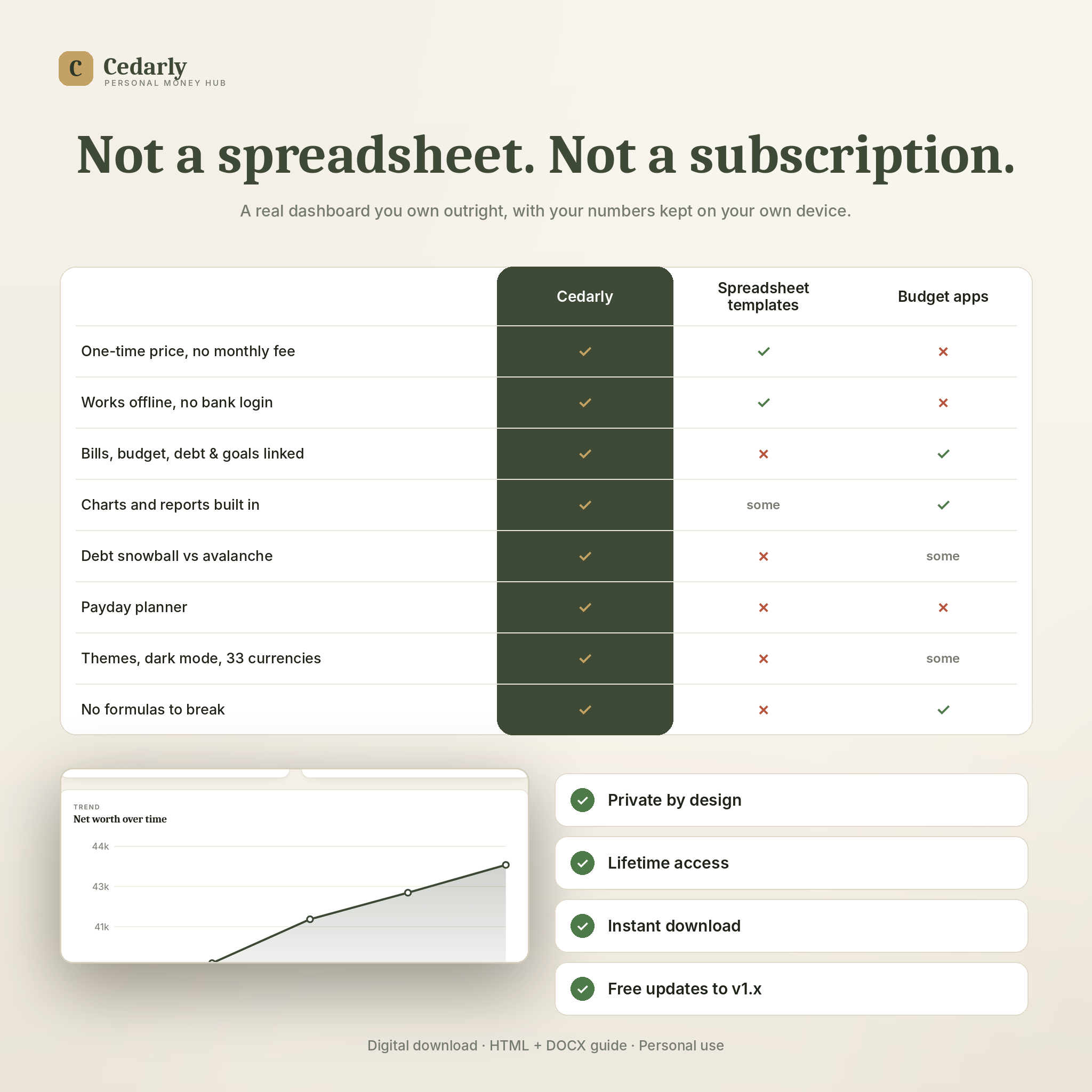
Most budget templates are a spreadsheet with nicer colours. Cedarly is a real dashboard. Double-click one file and it opens in your browser like an app: a sidebar, live charts, a month switcher, forms instead of cells. Mark a bill paid and the transaction is logged, the budget bar fills, the account balance drops and the report updates. One entry, everywhere.
Nothing leaves your computer. There is no account, no cloud and no monthly fee. You buy it once and it is yours.
Who it is for
People starting a zero-based or 50/30/20 budget who want the whole picture in one place. Couples and families juggling several accounts and paydays. Anyone paying off debt who wants a real payoff date. Savers building an emergency fund or sinking funds for the costs they can see coming. And anyone who would rather not hand a budgeting app their bank password.
What makes it different
Cedarly links everything together. Your bills feed your budget. Your paydays are matched to the bills they need to cover. Your debt payments update your accounts. Your goals tell you the monthly amount that gets you there on time. Instead of five separate trackers, you get one set of numbers that agree with each other.
Features
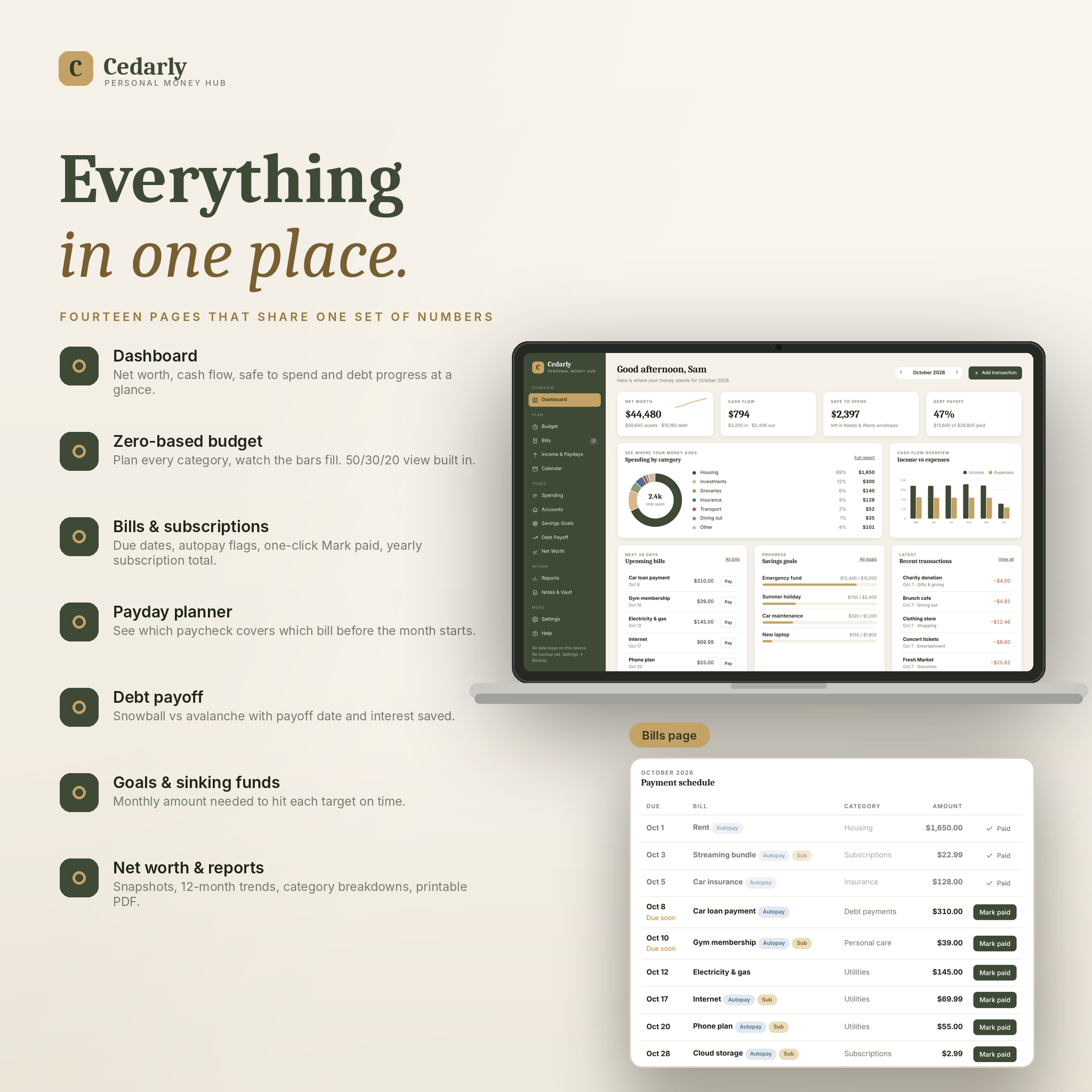
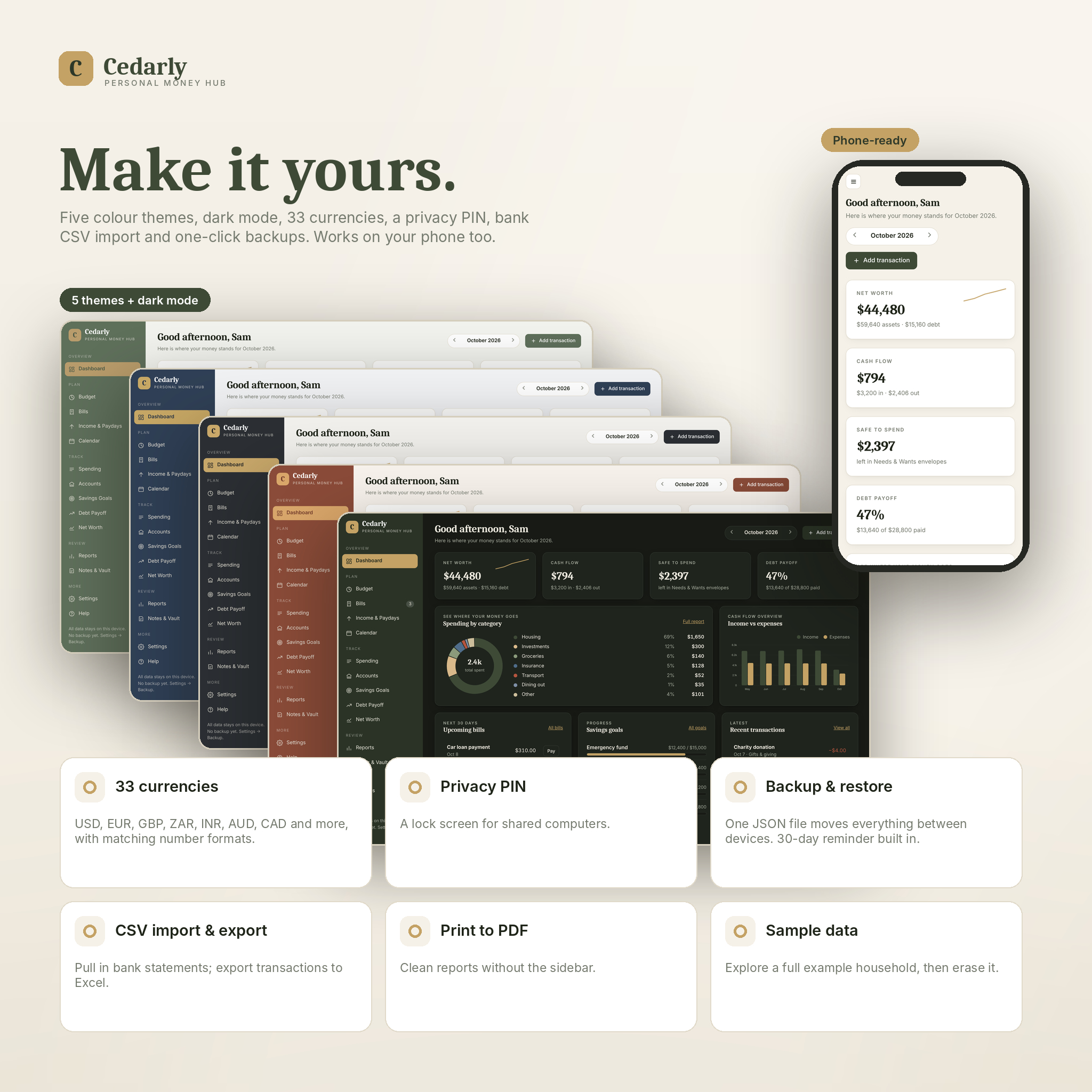
Dashboard: net worth, cash flow, safe to spend and debt progress at a glance, with spending by category, six months of income against expenses, upcoming bills with a Pay button, goal progress and recent transactions.
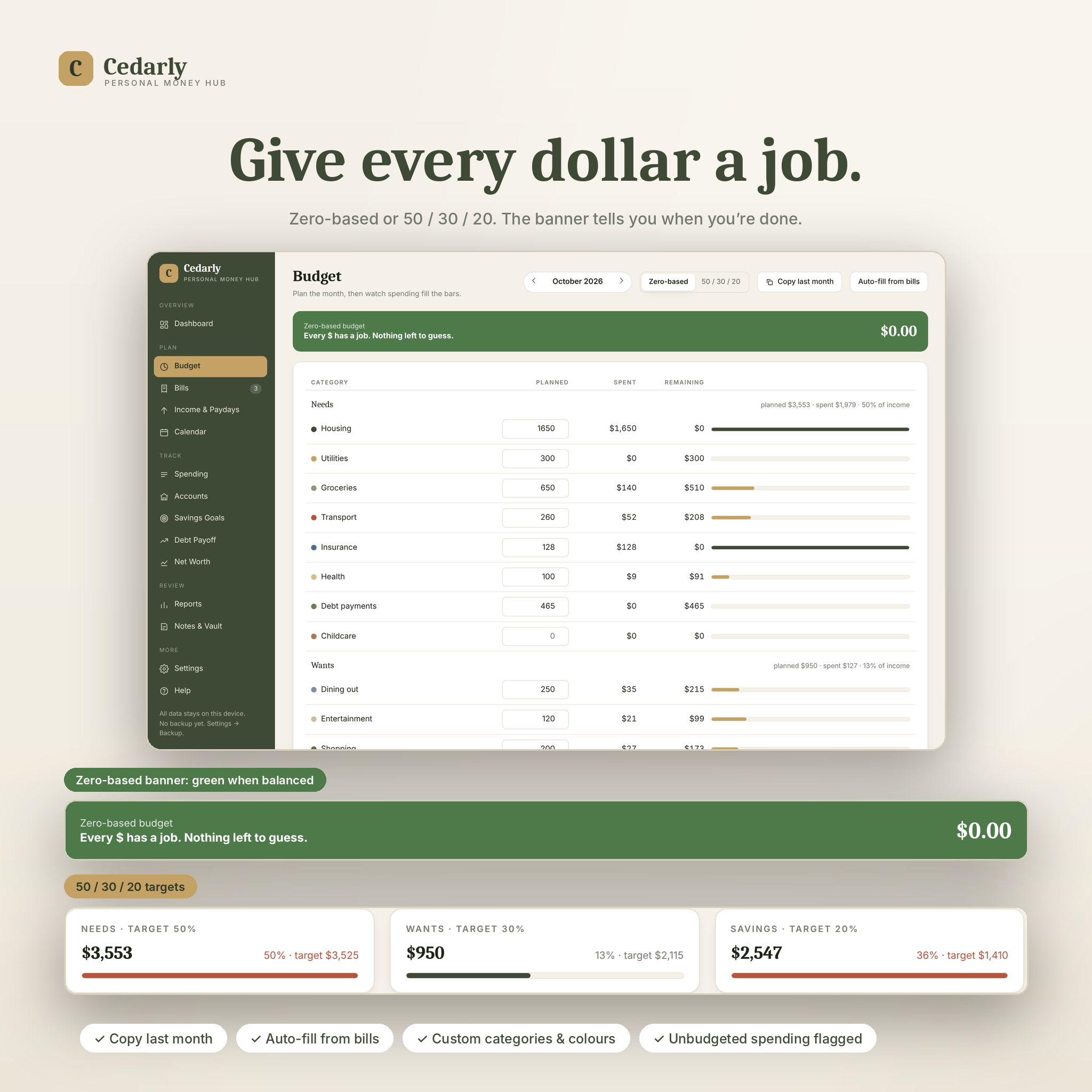
Budget: zero-based planning with planned, spent and remaining for every category. A banner counts down what is left to assign and turns green at zero. Switch to a 50/30/20 view with target cards. Copy last month, auto-fill from bills, and flag spending you never planned for.
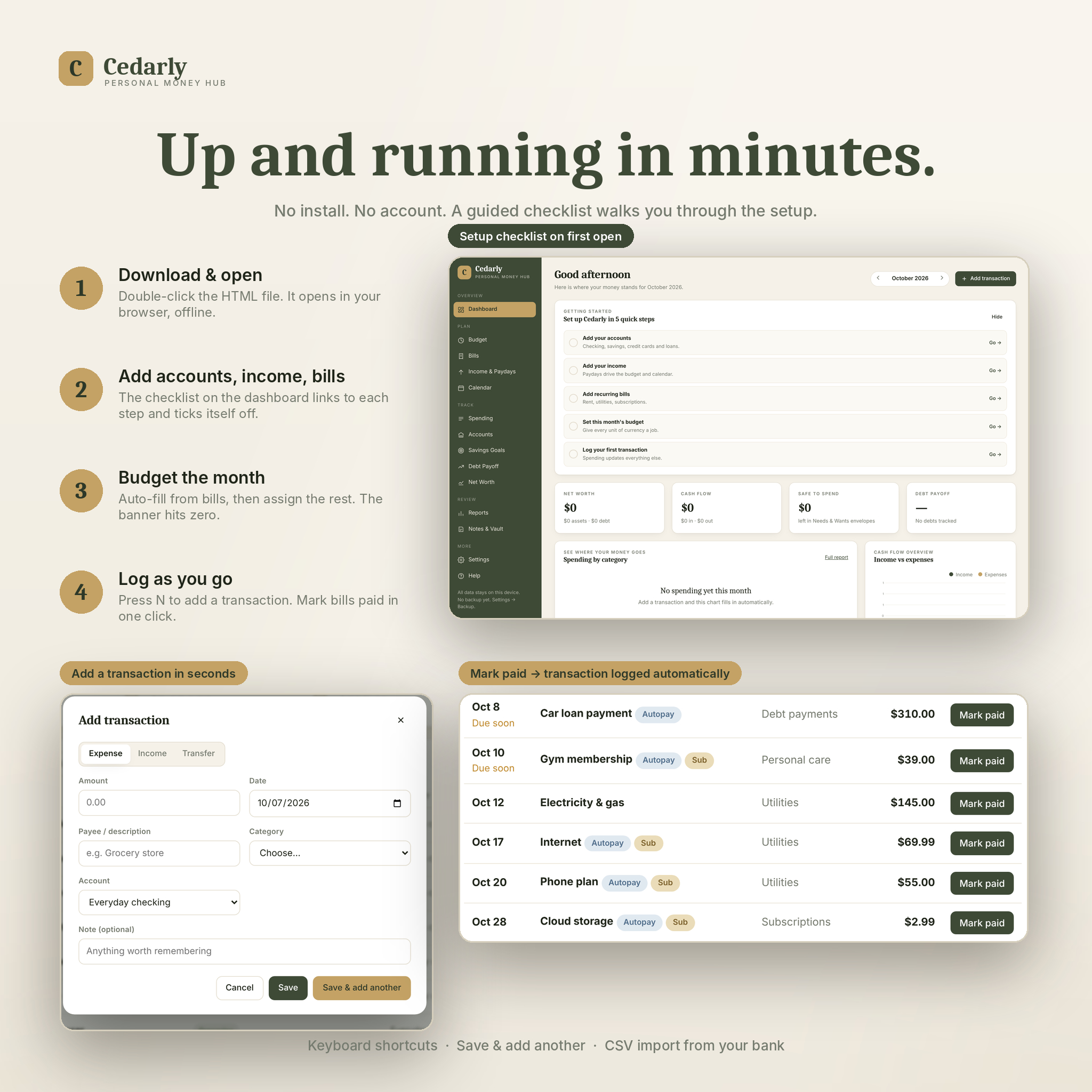
Bills & subscriptions: a monthly payment schedule in date order with Due soon and Overdue flags, autopay and subscription tags, one-click Mark paid, and the yearly cost of all your subscriptions.
Income & paydays: a payday planner that shows which paycheck covers which bill, and what is left after. Weekly, every two weeks, twice a month and monthly all supported. Variable income works too.
Calendar: bills, paydays and goal deadlines on one month view.
Spending: every transaction, searchable and filterable. Save & add another for fast entry. Import CSV statements from your bank. Export to CSV for Excel.
Accounts: checking, savings, cash, credit cards, loans, investments and assets. Balances calculate from your transactions. Adjust to match your bank in one step.
Savings goals & sinking funds: target, saved so far, target date, monthly amount needed and the date you will get there at your current pace.
Debt payoff planner: enter each debt once. Snowball and avalanche are simulated side by side with months to debt-free and total interest for each. See how many months faster an extra payment makes you. Record payments against linked accounts.
Net worth: assets minus liabilities by account type, with monthly snapshots that build a trend chart.
Reports: planned vs actual by category, 12-month trends, needs/wants/savings split, top payees, and a year summary table. Print to PDF.
Notes & vault: policy numbers, important contacts, a money to-do list, all stored on your device only.
Extras: 5 colour themes plus dark mode, 33 currencies with matching number formats, a privacy PIN, one-click backup and restore, a backup reminder, keyboard shortcuts, a guided setup checklist, and a full sample household you can load to explore and erase in one click.
What is included
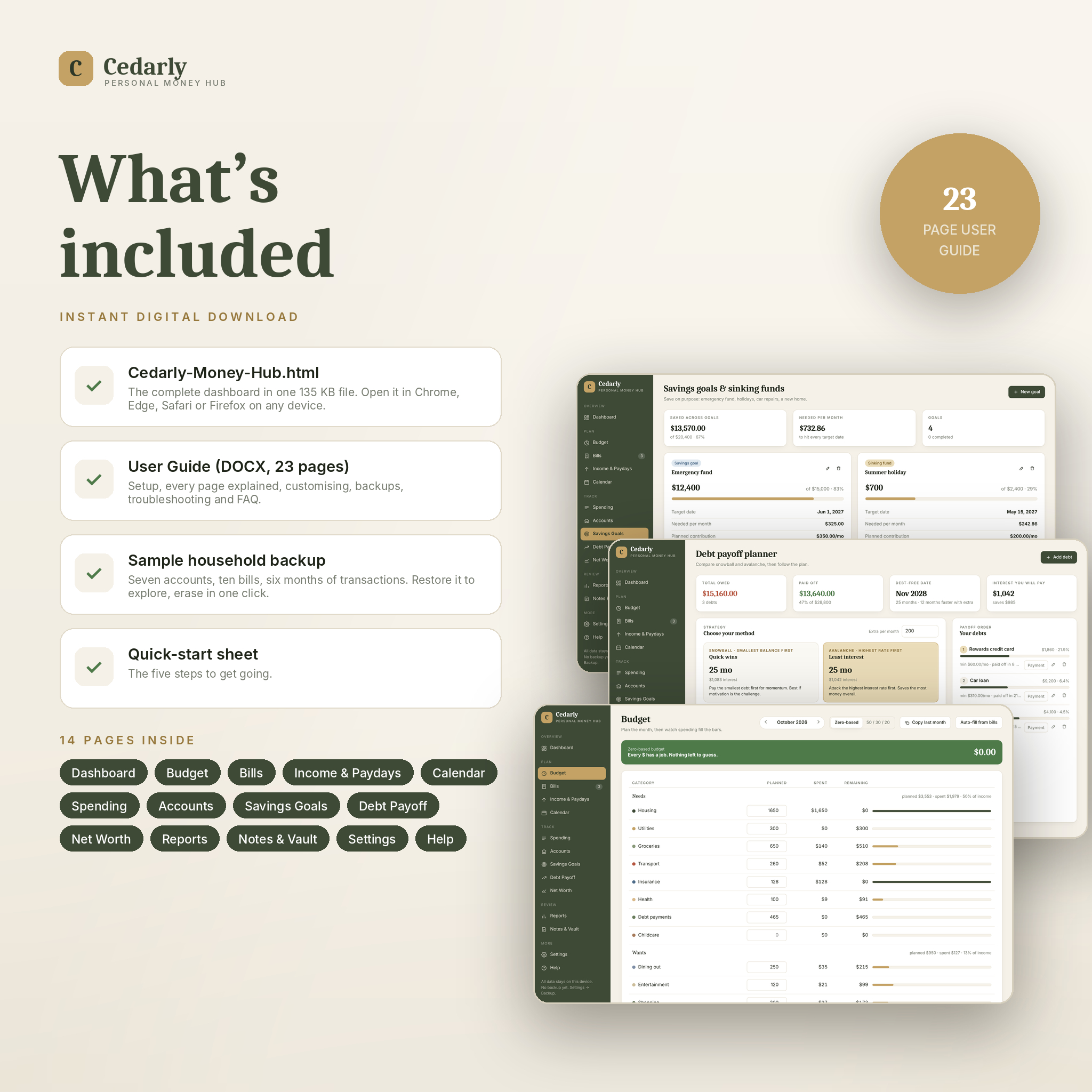
- Cedarly-Money-Hub.html (the dashboard, 135 KB)
- Cedarly-Money-Hub-User-Guide.docx (23 pages: setup, every page explained, customising, backups, troubleshooting, FAQ)
- Sample-Backup.json (an example household to explore)
- Quick-Start.txt
How it works
Unzip, double-click the HTML file, and it opens in your browser. A checklist on the dashboard walks you through adding accounts, income and bills, setting the month’s budget and logging your first transaction. From then on you log spending as it happens (press N) and tick off bills as you pay them. Once a month, save a net worth snapshot and download a backup.
File formats and requirements
HTML (the dashboard), DOCX (guide), JSON (sample backup), TXT. Works in Chrome, Edge, Firefox, Safari and Brave on Windows, Mac, Linux, Chromebook, Android and iPhone. No internet connection is needed. Your data is stored in the browser you open the file in; use the backup file to move it between devices.
Customisation
Rename, recolour, regroup, add or delete categories. Choose your currency and number format. Pick a theme and light or dark mode. Set your week start day and a PIN. Everything is changed from inside the dashboard; no code needed.
Digital download
This is an instant digital download. No physical item will be shipped. Files are available straight after payment. For personal use only; not for resale or redistribution. Because it is a digital product, returns are not accepted, but if anything does not work as described, message us and we will put it right.

Reviews
There are no reviews yet.