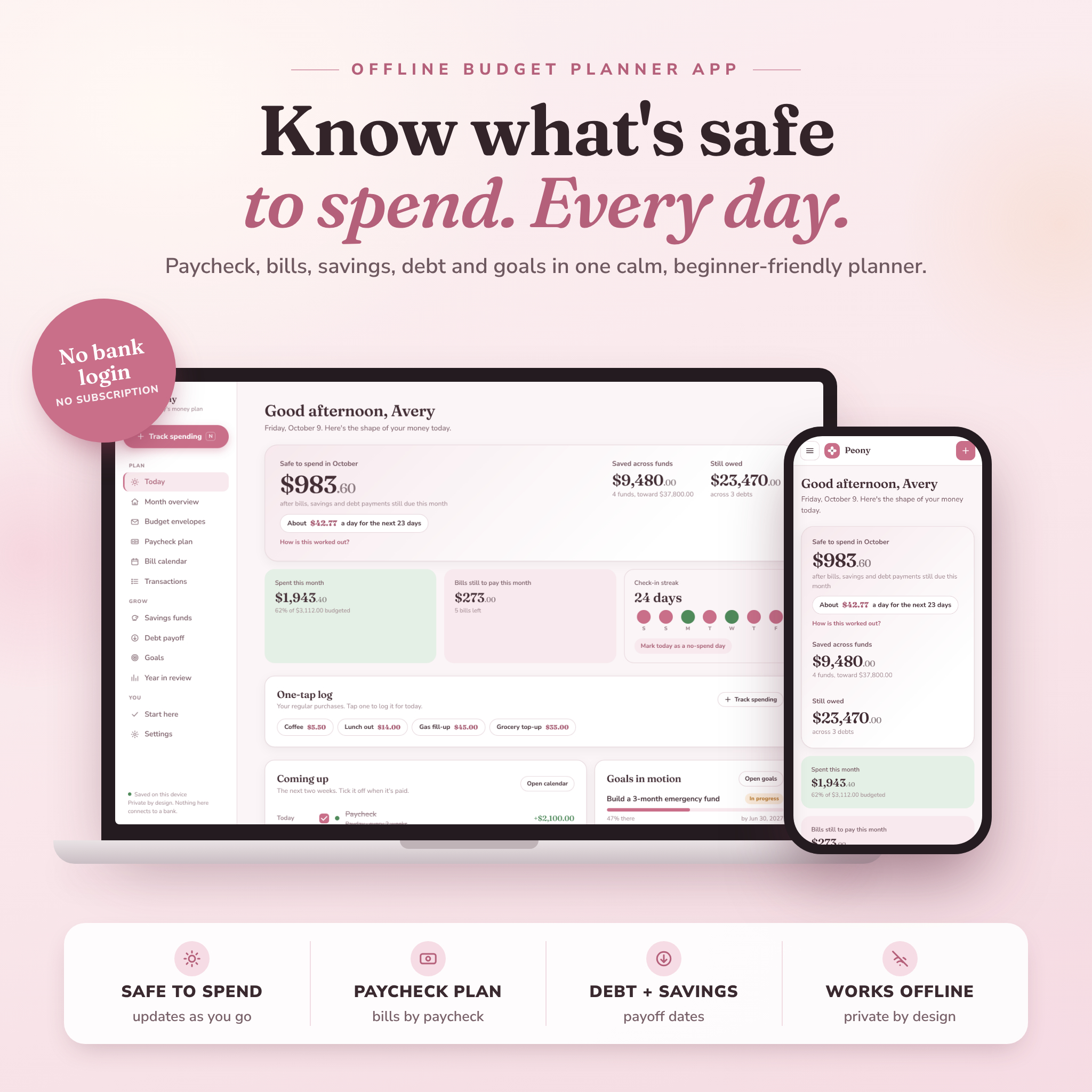
This budget planner app answers the one question your bank balance can’t: how much can you actually spend right now? Peony subtracts every bill, savings transfer and debt payment still due this month, then shows you one clear number. It also breaks that number down into a daily amount. So you can say yes to the coffee, or skip it, without doing math in your head.
Peony is a one-time download. It opens in your web browser, works offline, and never asks for a bank login.
A paycheck budget planner that does the boring part for you
Most budget spreadsheets fall apart by week three. Too many tabs, too many formulas, too easy to break. Peony was built for people who want fewer steps. That includes a lot of folks with ADHD, and plenty of people who are simply tired.
You add your rent, phone bill and subscriptions once and set them to repeat. Then you tick them off as they’re paid. Ticking a bill logs it in the right budget envelope automatically. Tick your payday and the money shows up as income. Tick a savings transfer and your fund grows. That’s it.
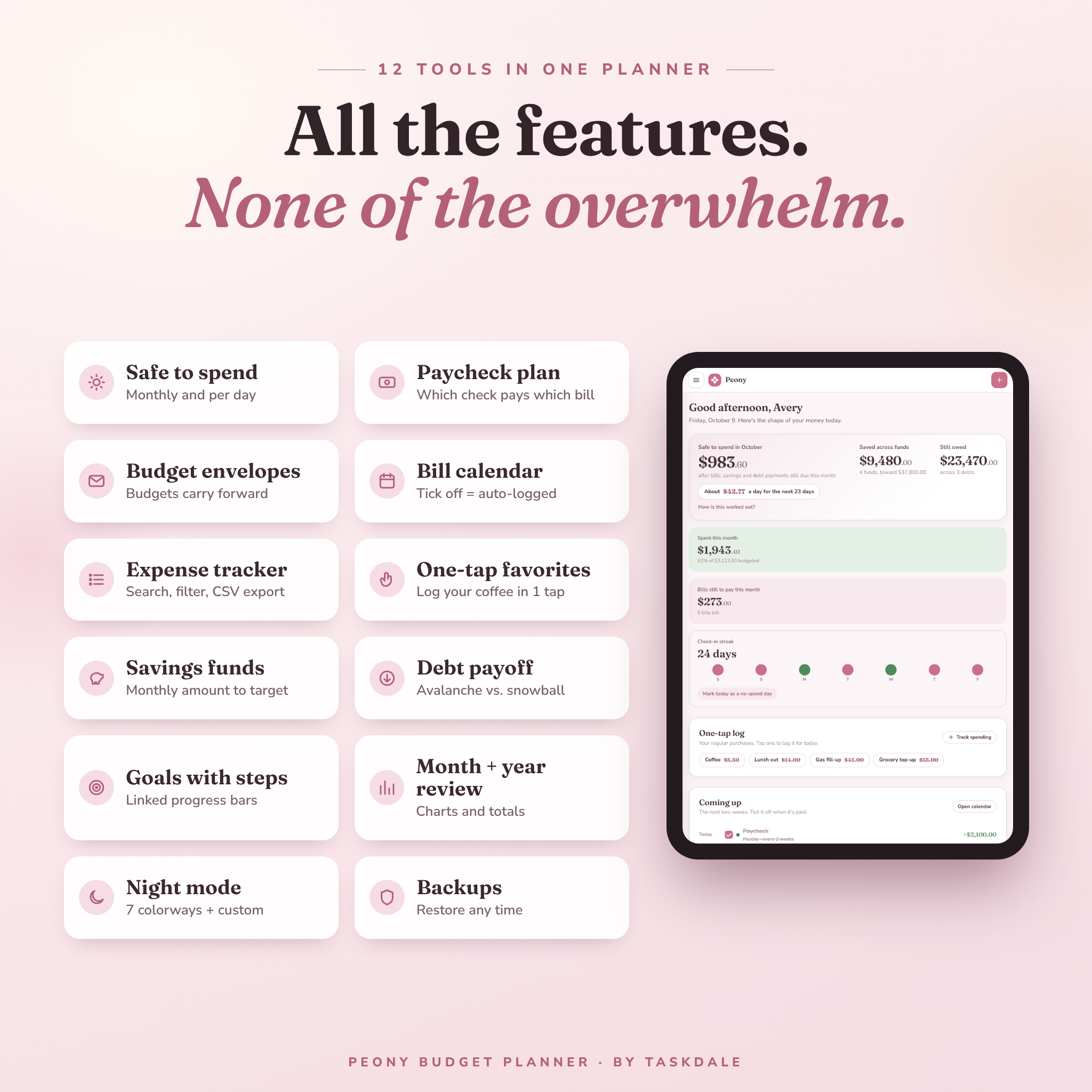
What’s inside this budget planner app
Daily check-in
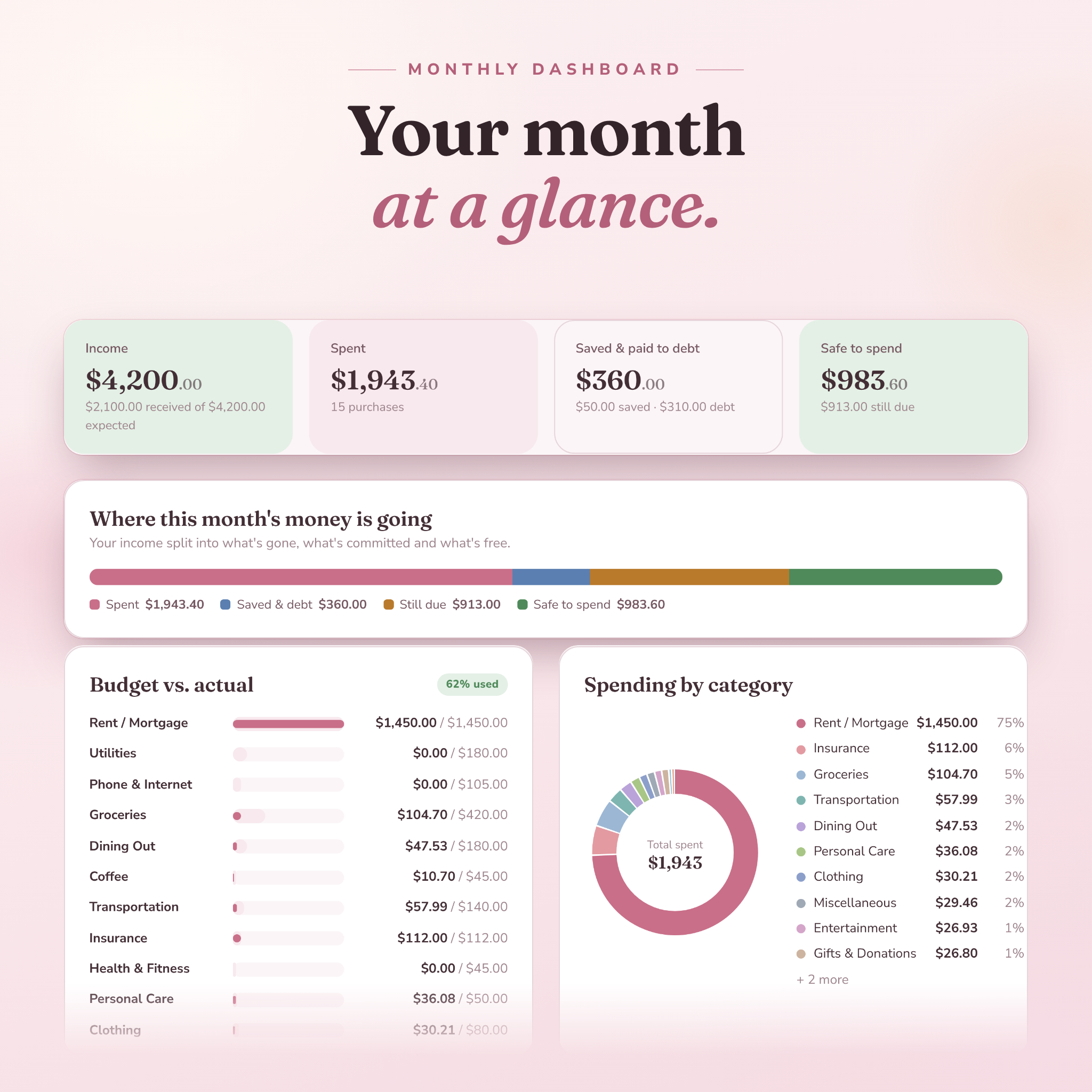
- Safe to spend for the month and per day, with a “how is this worked out?” breakdown
- Coming up: bills and paydays for the next 14 days, with tick boxes
- Check-in streak and a no-spend day button
- One-tap favorites to log your usual purchases in a single click
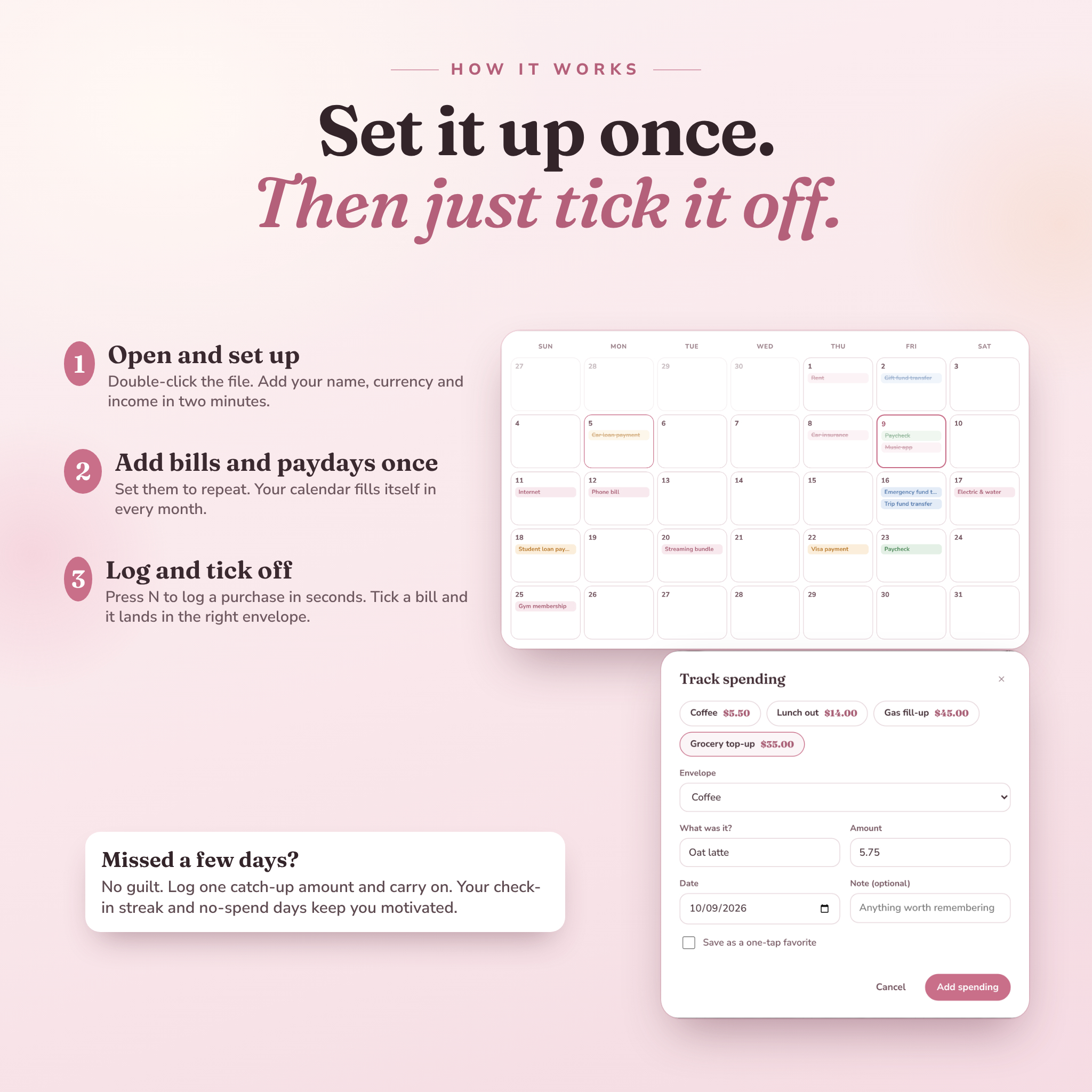
- A friendly welcome back catch-up option if you miss a few days
Budgeting and planning
- Budget envelopes with 16 ready-made categories you can rename, recolor or delete
- Budgets that carry forward each month, so there’s no monthly re-setup
- Left to assign meter for zero-based budgeting
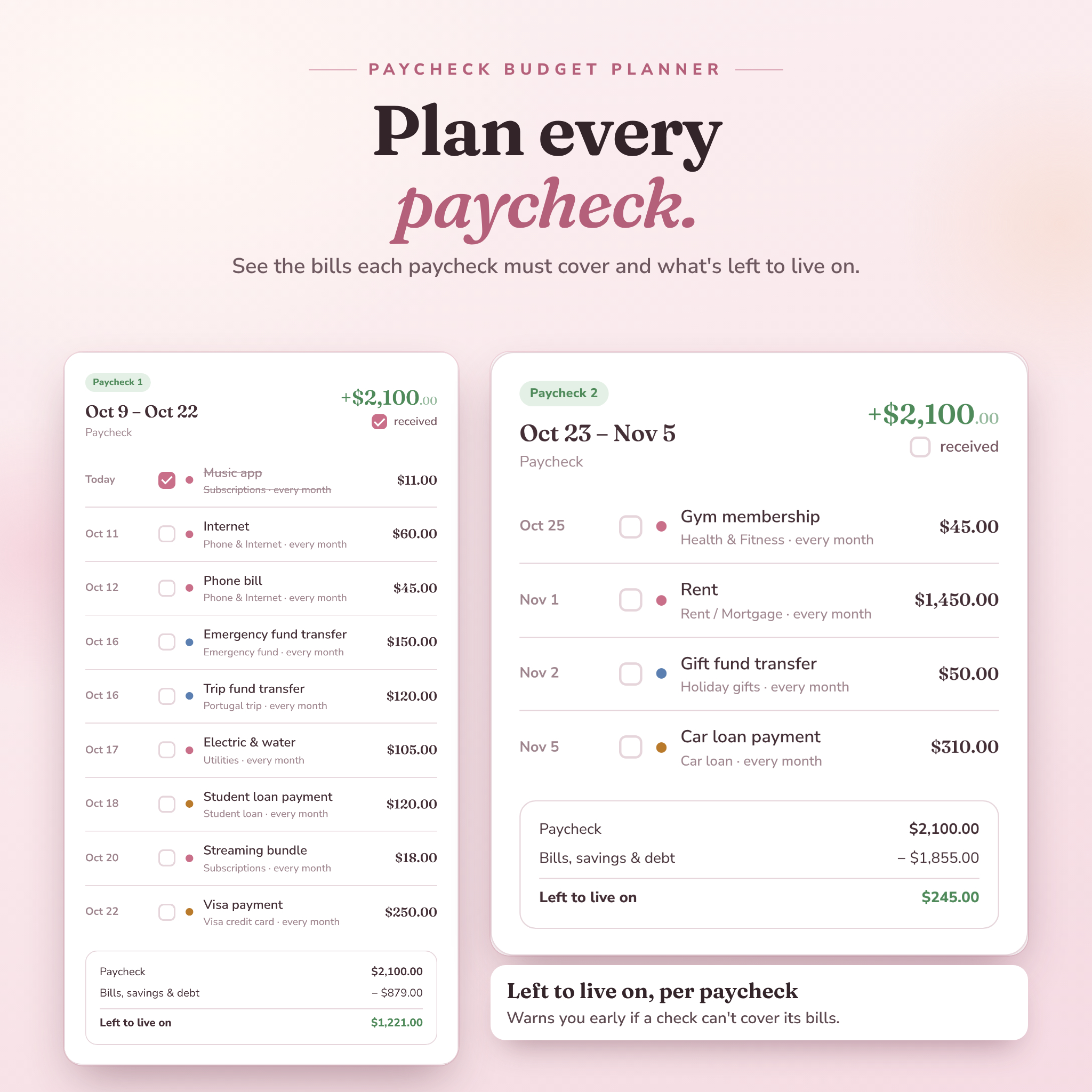
- Paycheck plan that groups bills under the paycheck that pays them (weekly, every 2 weeks or monthly pay)
- Bill calendar for bills, paydays, savings transfers, debt payments and reminders, with repeats
- Recurring bills and subscriptions table with monthly and yearly cost
Tracking and reports
- Expense tracker: press N on your keyboard and log a purchase in seconds
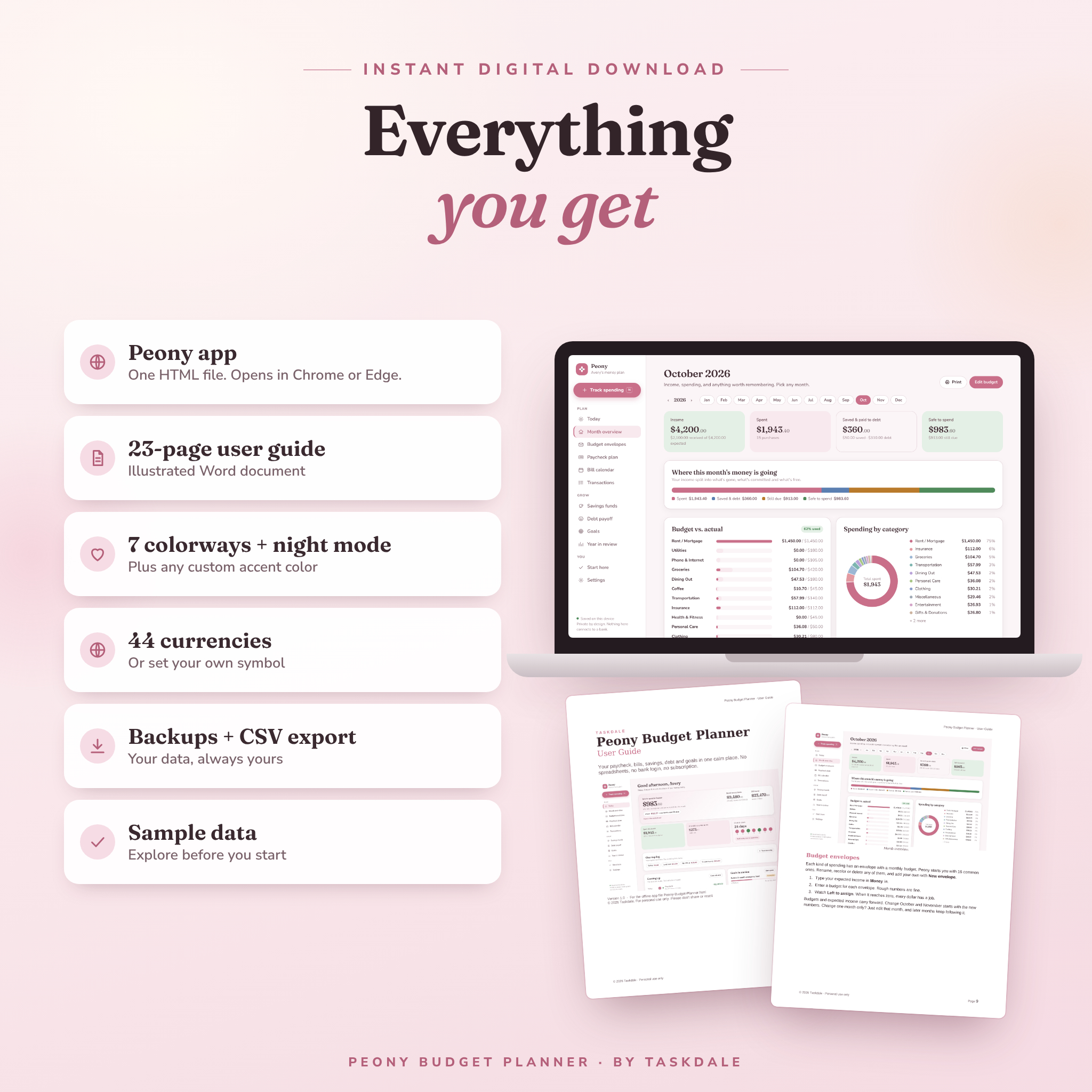
- Month overview with budget vs. actual bars, a spending-by-category chart and monthly notes
- Transactions log with search, filters, edit, undo and CSV export
- Year in review with a 12-month chart, full table and top envelopes
- Print-friendly month and year pages
Savings, debt and goals
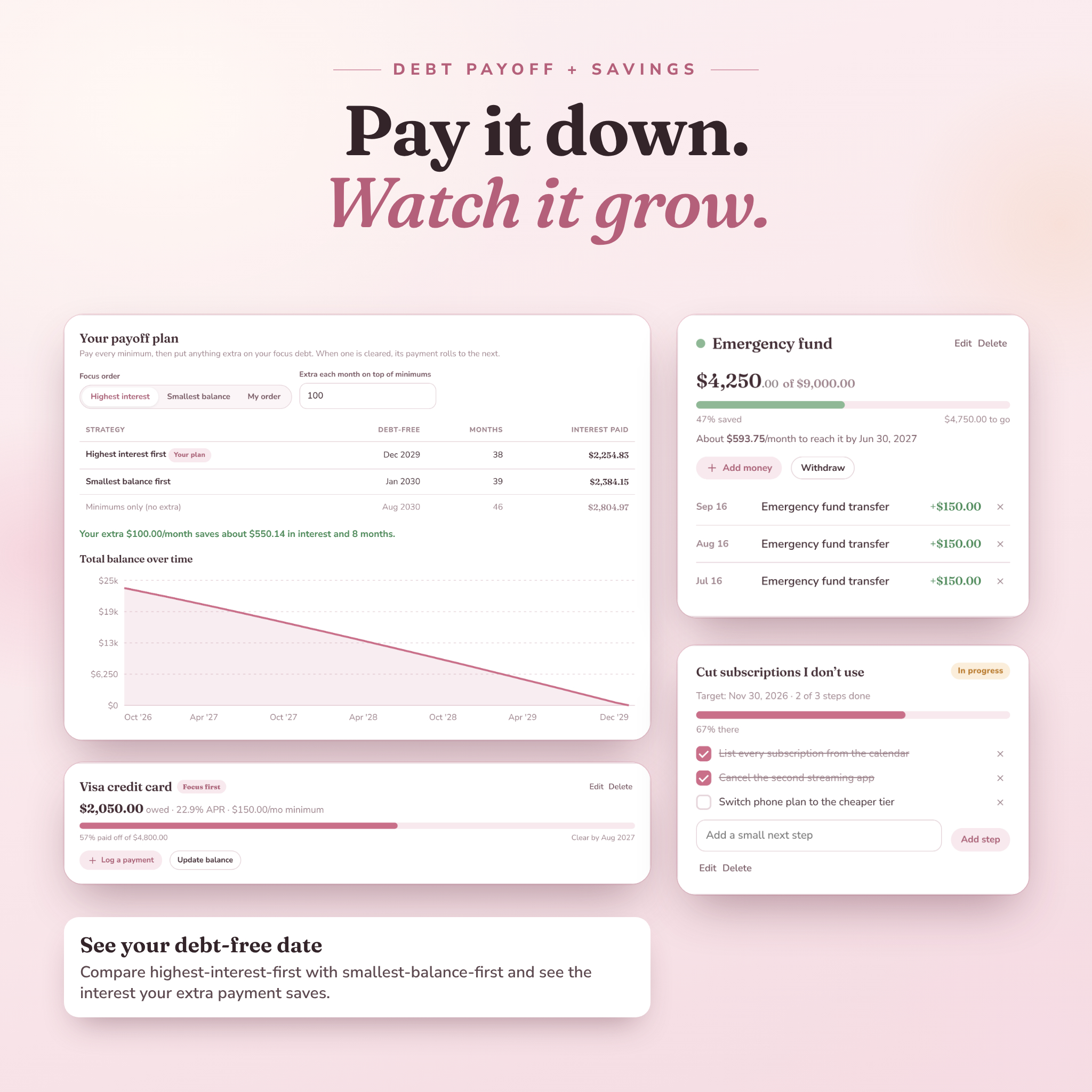
- Savings funds tracker with targets, dates and the amount to save each month
- Debt payoff tracker comparing highest-interest-first (avalanche) and smallest-balance-first (snowball), with your debt-free date and interest saved
- Goals you can break into steps or link to a fund or debt so progress updates itself
Make it yours
- 7 colorways (Blush, Sage, Lavender, Sky, Clay, Mocha, Berry) plus any custom color
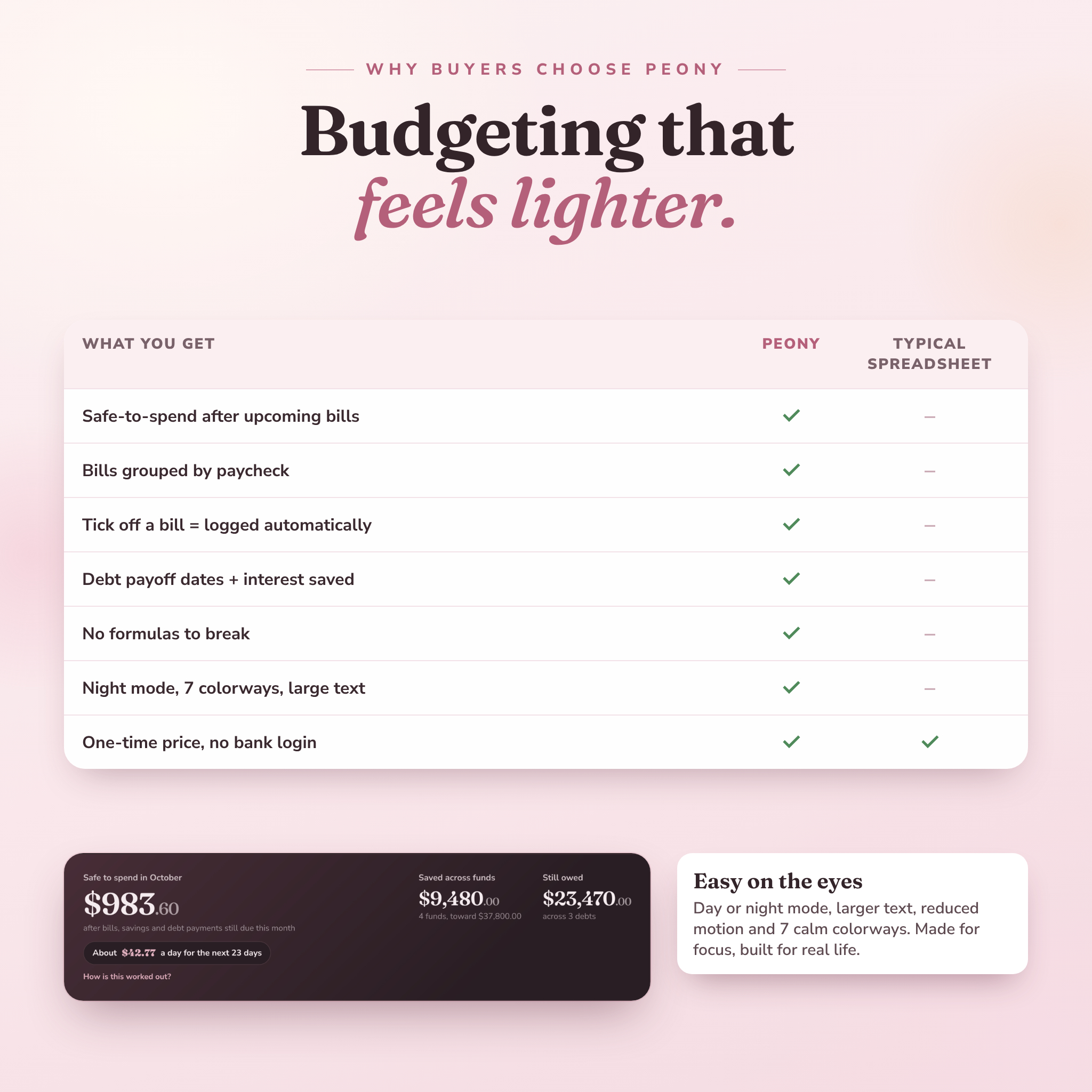
- Night mode, large text option and a motion-off setting
- 44 currencies, or set your own symbol. US dollars by default
- Backup and restore in two clicks
Who this budget planner is for
- Beginners who want a simple monthly budget planner without spreadsheets
- Anyone looking for an ADHD-friendly budget planner with clear visuals and fewer steps
- People living paycheck to paycheck who need to budget by paycheck
- Anyone paying off credit cards or loans who wants a real debt-free date
- Couples sharing one household budget on one computer
How it works
- Download and open. Unzip, then double-click the Peony file. It opens in Chrome or Edge.
- Two-minute setup. Add your name, currency and monthly take-home pay. Or load the sample data and look around first.
- Add bills and paydays once. Set them to repeat.
- Log and tick off. Log purchases as they happen and tick bills as they’re paid. Peony keeps every total current.
Real-life ways people use it
- Checking “safe to spend” in the grocery store parking lot before a big shop
- Seeing that the 1st-of-the-month paycheck has to cover rent, so the 15th one covers everything else
- Finding $40 a month in forgotten subscriptions in the recurring bills table
- Watching a credit card payoff date move closer after adding $100 extra a month
- Saving for a trip with a target date and a monthly amount that adjusts as you go
File format and requirements
- Format: one HTML app file (not Excel, not Google Sheets), plus a 23-page illustrated user guide (Word .docx)
- Works on: laptops and desktops (Windows, Mac, Chromebook) in Google Chrome or Microsoft Edge
- Internet: not needed after download
- Privacy: your data stays in your browser on your computer. Nothing connects to a bank
- Phones and tablets: the layout adapts to smaller screens, but phones can’t reliably save data from a downloaded file, so use Peony on a computer
Digital download
This is an instant digital download. You’ll get a ZIP file with the Peony app, the user guide, your license and the font licenses. The user guide is also available as a separate download. Nothing is shipped.
License: for your own personal or household use. Please don’t share, resell or redistribute the files.
Peony is an organizing tool, not financial advice. Payoff dates and interest are estimates.
FAQ
Is this an Excel or Google Sheets budget template?
No. It’s a budget planner app in a single HTML file. There are no formulas to break and no spreadsheet skills needed.
Do I need to connect my bank?
No. You enter amounts yourself, which keeps your data private and keeps you aware of your spending.
Is there a subscription?
No. You pay once and keep it.
Can I use it on my phone or iPad?
Use it on a laptop or desktop. Phones and tablets can’t reliably save data from a downloaded HTML file.
Does it work with my currency?
Yes. Choose from 44 currencies or set a custom symbol. Every amount updates at once.
What if I miss a few days of tracking?
Log one catch-up amount and carry on. Peony is built to be forgiving.
Can I move my budget to a new computer?
Yes. Download a backup in Settings, copy it with the app file, and restore it on the new computer.
Can I use it next year too?
Yes. Switch years with the arrows. Your history keeps building.


Reviews
There are no reviews yet.