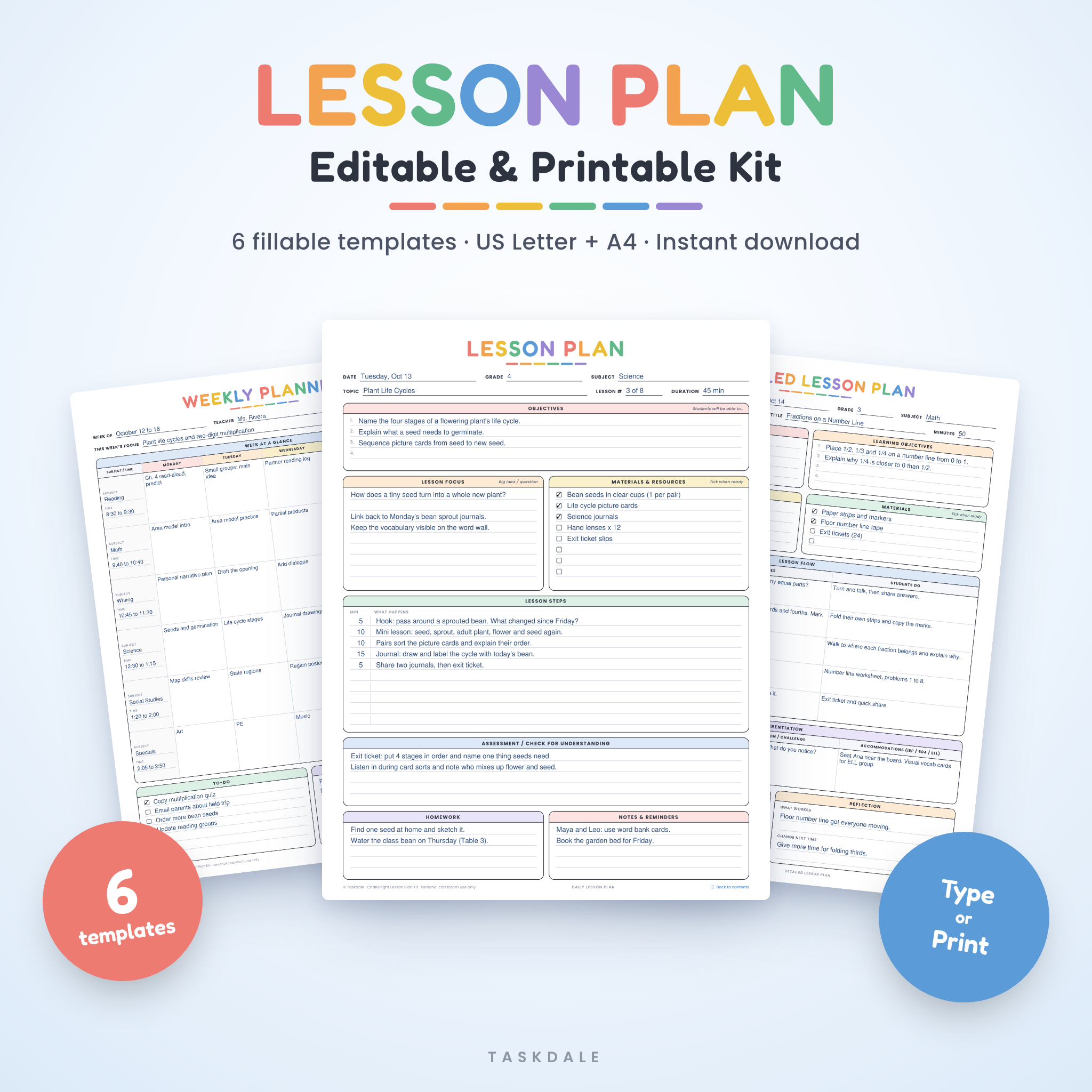
This editable lesson plan template kit gives you six fillable planning pages in one bright, easy PDF. Type straight into every line, tick off your materials, save a copy for each lesson and print. Or print the pages blank and plan with a pen. It comes in US Letter and A4, so it fits your printer wherever you teach.
Most lesson plan templates stop at one page. Teachers kept telling us they also needed a weekly view, a unit map, a sub plan and somewhere to reflect. So we put all of it in one file, in the same cheerful rainbow style, with a clickable contents page to jump between them.
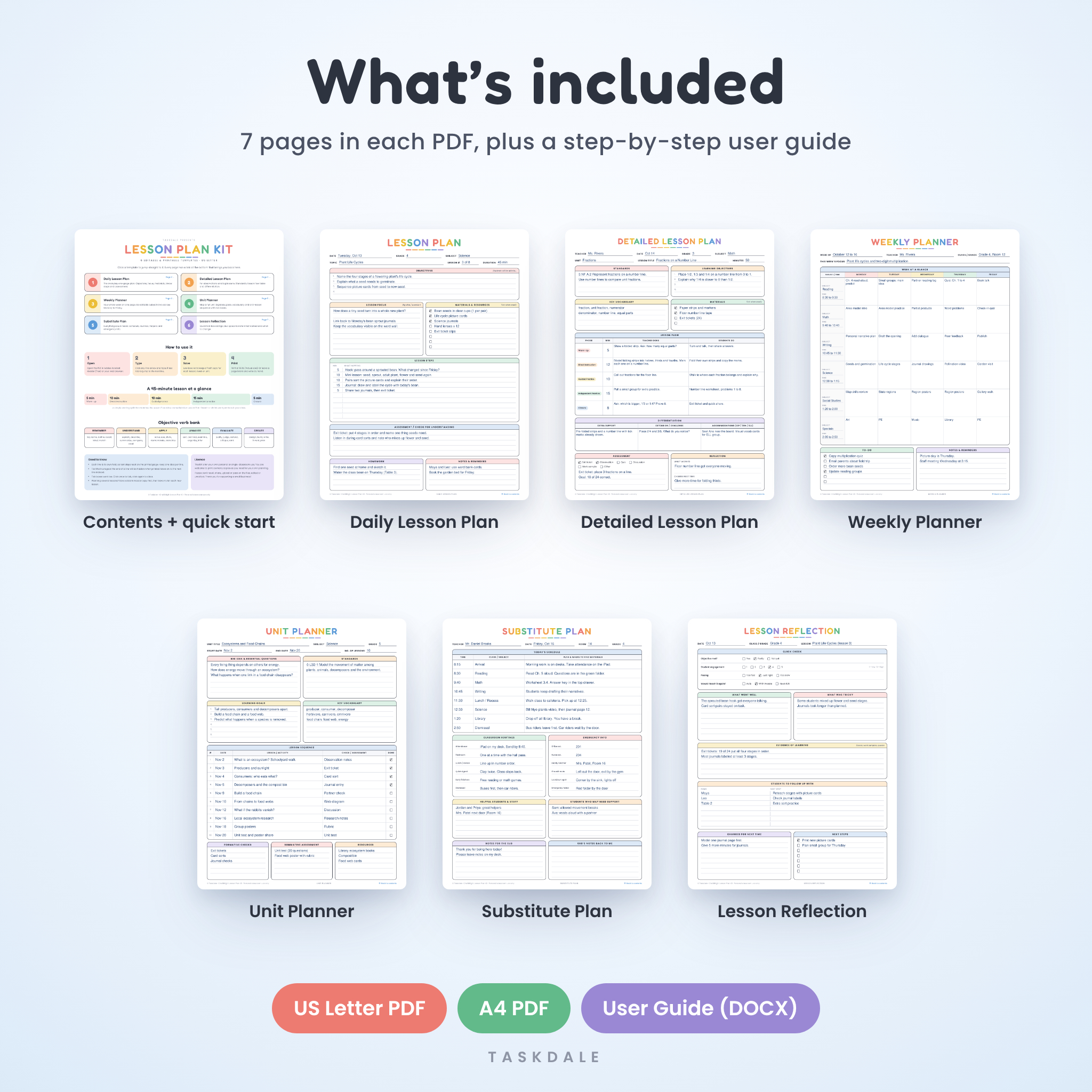
What’s inside the lesson plan template kit
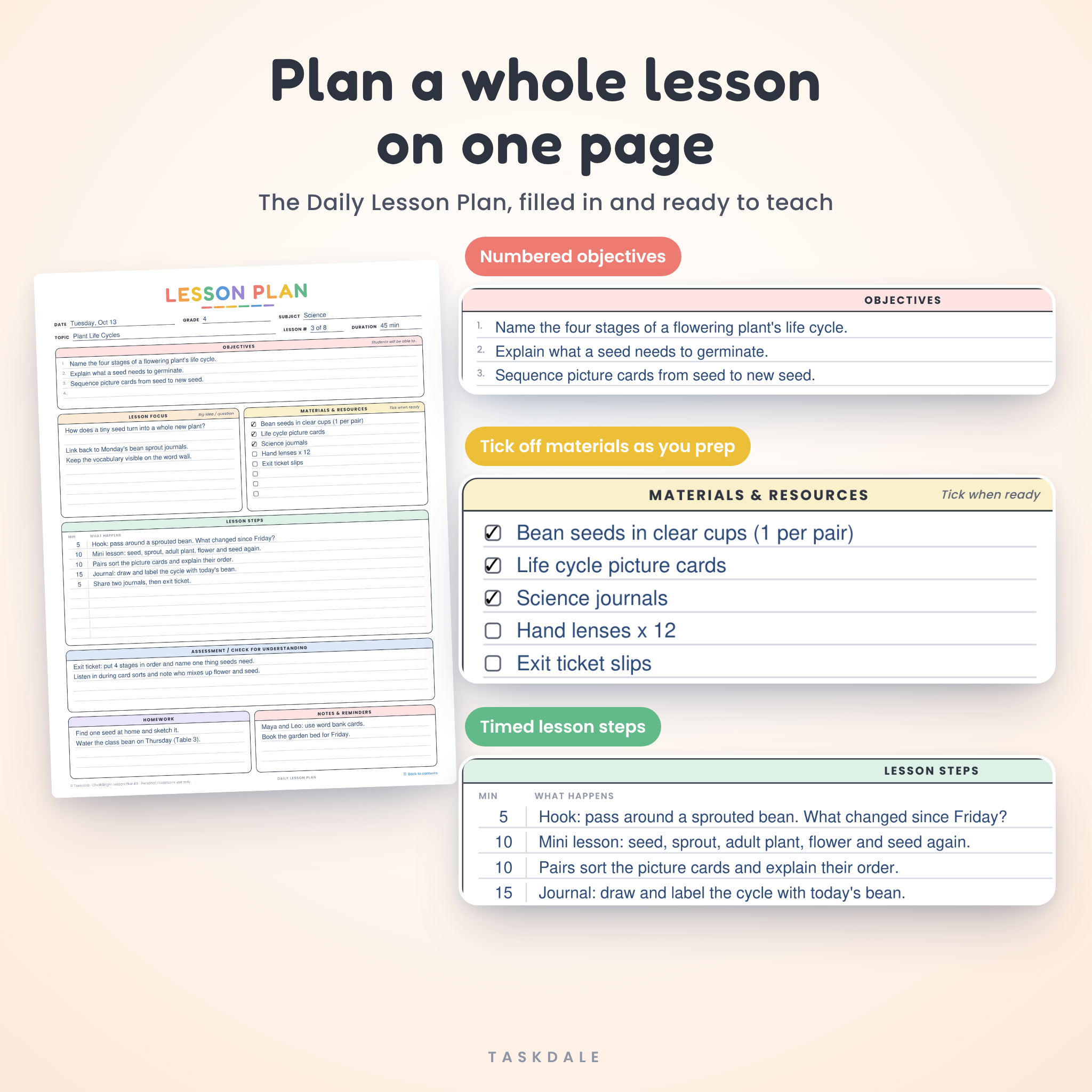
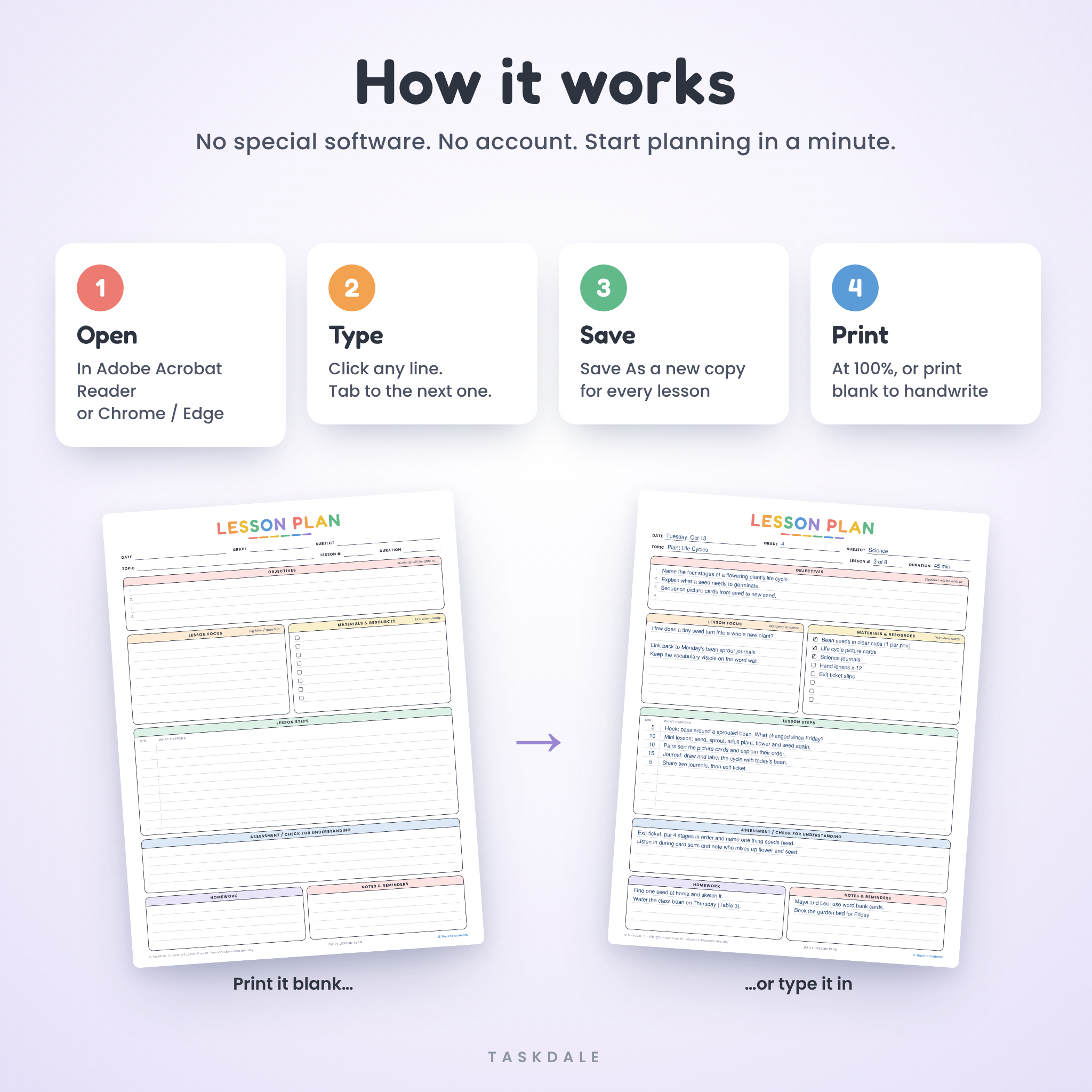
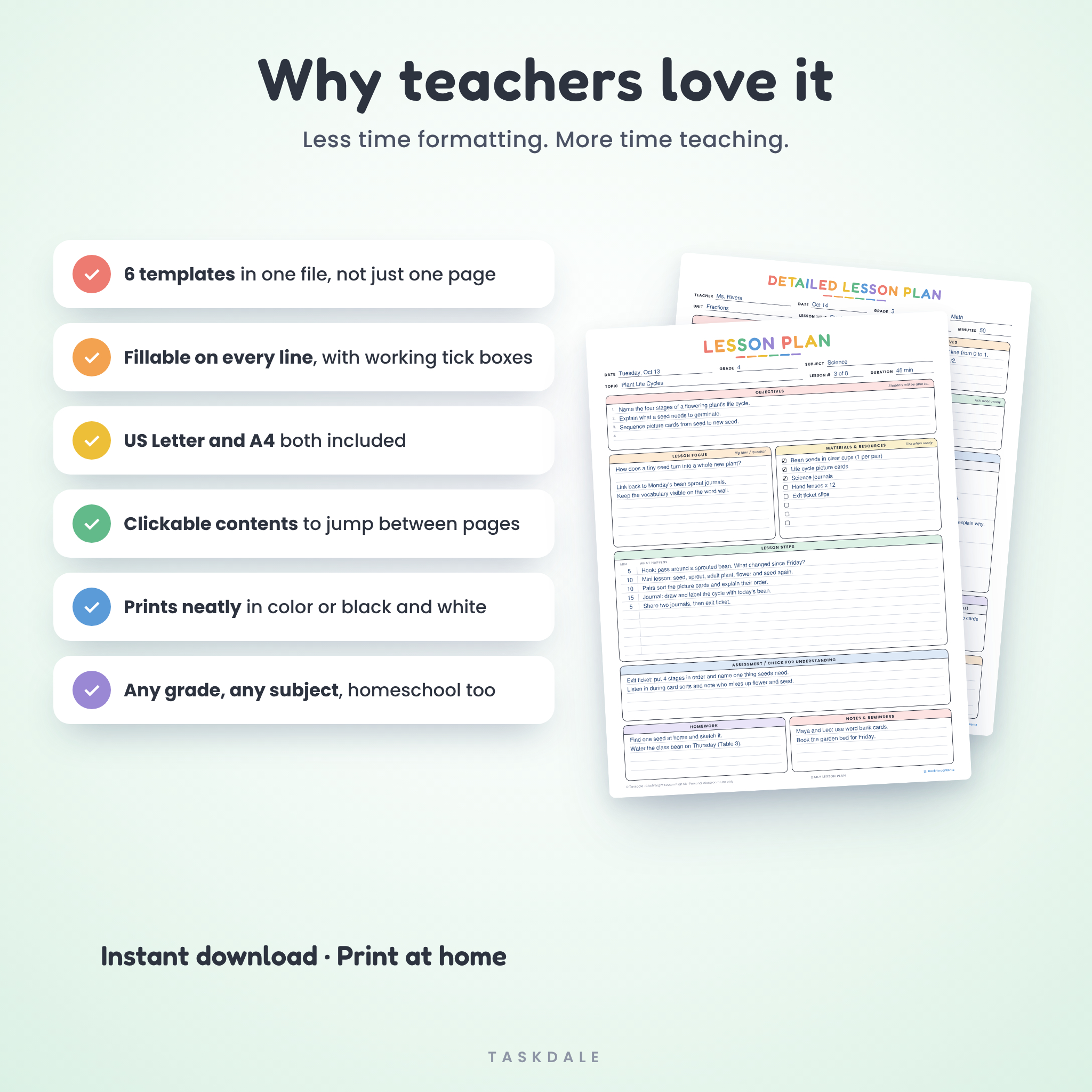
- Daily Lesson Plan: date, grade, subject, topic, numbered objectives, lesson focus, a materials list with tick boxes, timed lesson steps, assessment, homework and notes. All on one page.
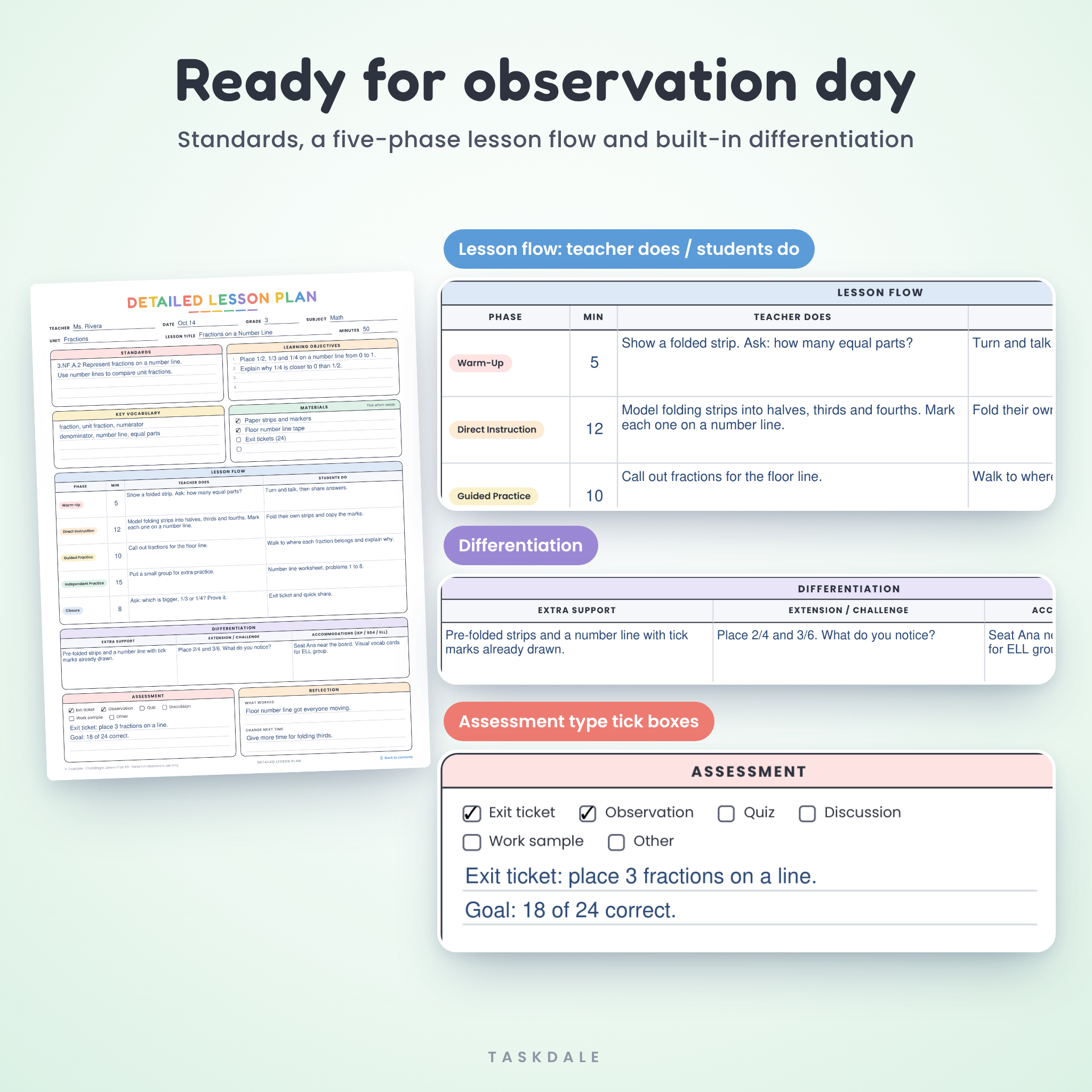
- Detailed Lesson Plan: standards, learning objectives, key vocabulary, a five-phase lesson flow table (Warm-Up, Direct Instruction, Guided Practice, Independent Practice, Closure), differentiation for support, extension and IEP / 504 / ELL accommodations, assessment type tick boxes and a short reflection.
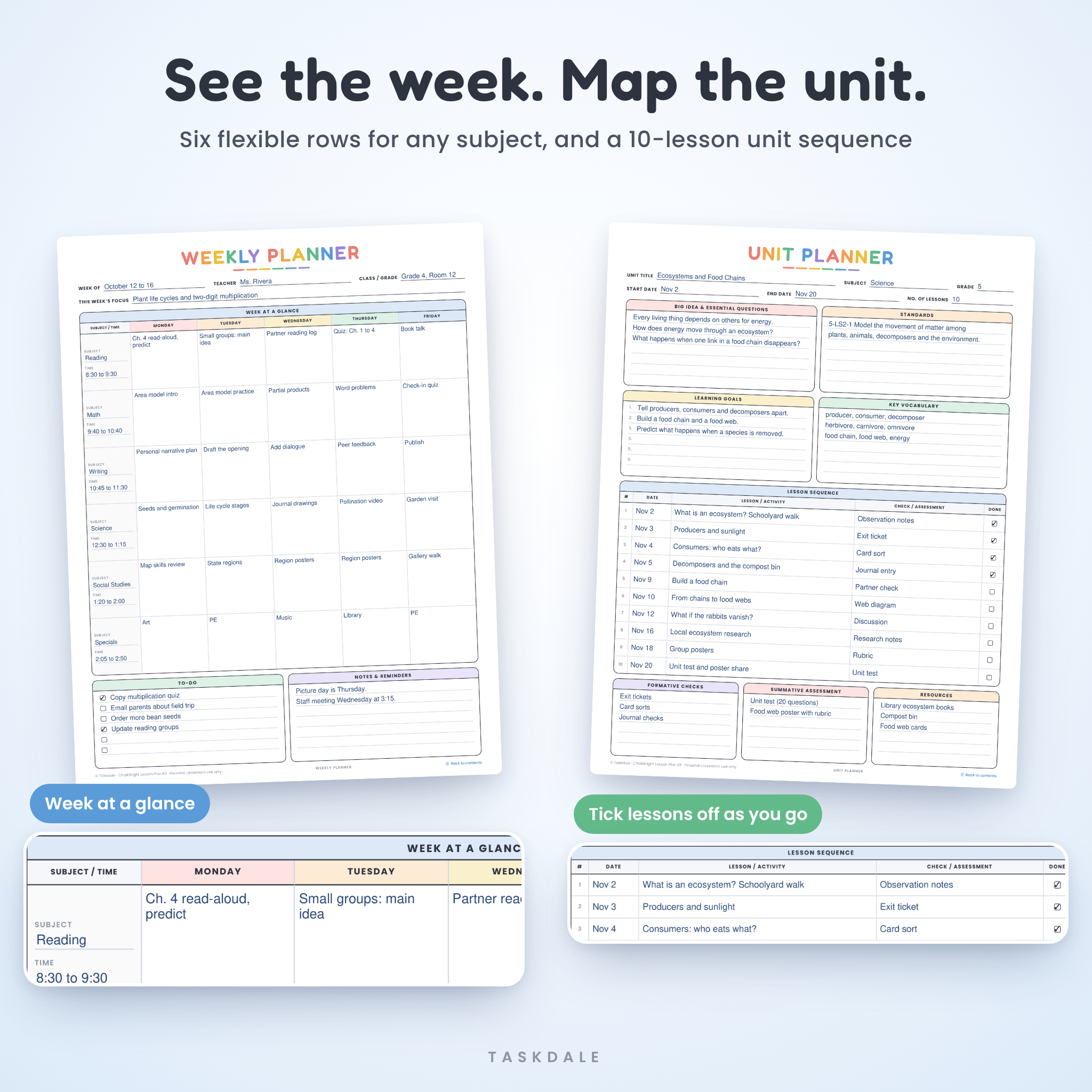
- Weekly Planner: six editable subject rows across Monday to Friday, a weekly focus line, a to-do list with tick boxes and space for notes.
- Unit Planner: big idea, essential questions, standards, learning goals, vocabulary and a 10-lesson sequence with dates and a Done box for each lesson.
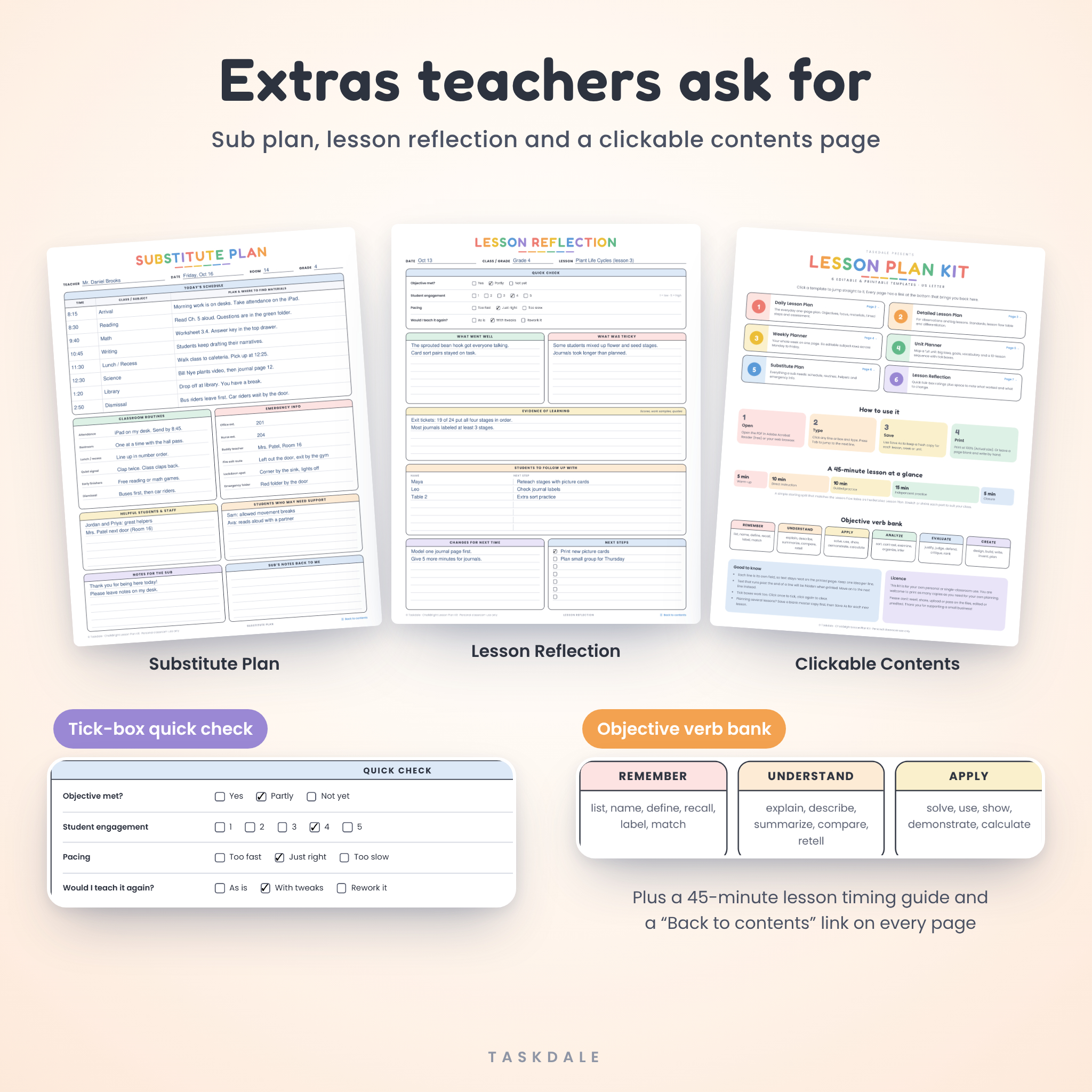
- Substitute Plan: an eight-row schedule, six classroom routines, emergency info, helpful students and staff, and a box for the sub to write back to you.
- Lesson Reflection: tick-box ratings for objective met, engagement (1 to 5), pacing and “would I teach it again”, plus space for evidence and next steps.
- Contents page: clickable cards that jump to each template, a 45-minute lesson timing guide and an objective verb bank.
Why teachers like it
Every line is its own fillable field, so your typed plan prints as neatly as a handwritten one. Press Tab and you move to the next line. Click a tick box and it ticks. There is nothing to set up.
The pastel colors look great on screen and still print clearly in black and white. Each page has a “Back to contents” link in the corner, which makes moving around the file quick when you have it open on your laptop.
And because none of the lines are tied to a grade or a set of standards, the kit works for kindergarten, middle school, high school science, homeschool days or a weekly tutoring session.
How it works
- Download the PDF that matches your paper: US Letter (8.5 x 11 in) or A4.
- Open it in Adobe Acrobat Reader (free) or in Chrome or Edge.
- Save a blank master copy first. Then use Save As to keep a fresh copy for each lesson, week or unit.
- Click any line and type. Tick the boxes as you go.
- Print at 100% (Actual size), or keep it digital.
File formats and software
- 2 fillable PDF files: US Letter and A4, 7 pages each
- 1 user guide in Word format (DOCX), with screenshots of every template
- Fills in with Adobe Acrobat Reader (free) on Windows and Mac, or with the built-in PDF viewer in Chrome and Edge
- No Canva, Word or paid software needed to fill in the planner
Customization
Everything you type is editable: titles, subjects, times, steps, notes. The six Weekly Planner rows can hold subjects, class periods, small groups or even different children if you homeschool. The page layout, headings and colors are fixed so every page prints cleanly.
Digital download
This is a digital product. No physical item will be shipped. Your files are ready to download right after checkout. Print at home, at school or at a local print shop.
When you’ll use this lesson planner
- Writing tomorrow’s science lesson in ten minutes after school
- Preparing a detailed plan for a formal observation or a student teaching placement
- Mapping out a three-week unit before it starts, then ticking lessons off as you teach them
- Leaving a clear, calm sub plan when you are out sick
- Planning a homeschool week for two kids on one page
- Jotting down a five-minute reflection so next year’s version of the lesson is better
Lesson plan template FAQ
Can I type in it or do I have to handwrite?
Both. Every line and box is fillable on a computer, and every page also prints blank with lines spaced for handwriting.
Is this a Google Docs or Canva template?
No. It is a fillable PDF. You can still open it from Google Drive in Chrome to type in it.
Which size should I download?
Choose US Letter if you are in the US, Canada or Mexico. Choose A4 for most other countries. Both are included.
Can I save my plans?
Yes. Use Save or Save As in Acrobat Reader, or the download button in your browser’s PDF viewer. We suggest one saved copy per lesson.
Will it work on an iPad?
We tested the kit on a desktop computer in Chrome. Many tablet PDF apps support fillable forms, so it is worth a try, but a computer gives the best results.
Can I change the headings or colors?
The headings and colors are fixed so the layout stays neat. Everything you type is fully editable.
Does it print in black and white?
Yes. The soft pastel colors print as light grays, and every line and label stays easy to read.
Can I share it with my grade-level team?
The license covers one teacher. Please ask colleagues to buy their own copy.
License
For personal use or use in a single classroom. You may print as many copies as you need for your own planning. Please do not resell, share, upload or redistribute the files, edited or unedited, or use the designs in products of your own.
Reviews
There are no reviews yet.