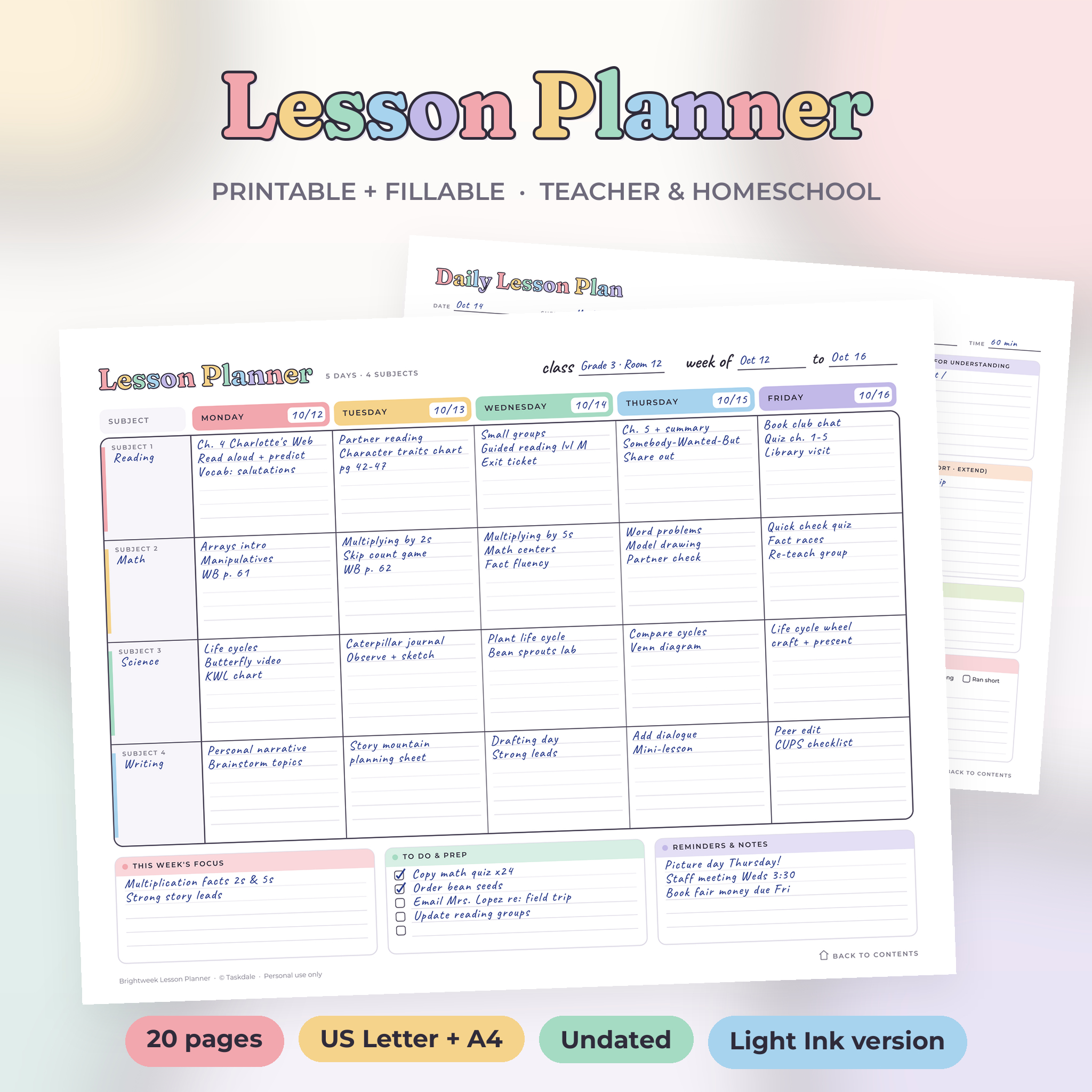
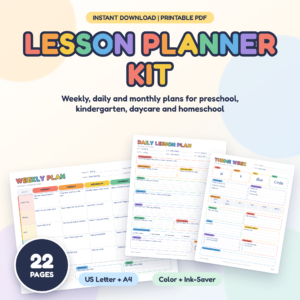
Sunday night planning shouldn’t take two hours. The Brightweek Lesson Planner Kit is a printable lesson planner with soft pastel days, clean lines and real room to write. You get 20 undated pages in one PDF. Fill them in on your computer or print them and plan by hand.
It started with the classic weekly grid: five colored days across the top, subjects down the side. Then we added the pages teachers kept asking for. There’s a daily lesson plan, a unit planner, a year at a glance, an attendance tracker, a grade tracker and a sub plan page. They all match.
What you get in this printable lesson planner
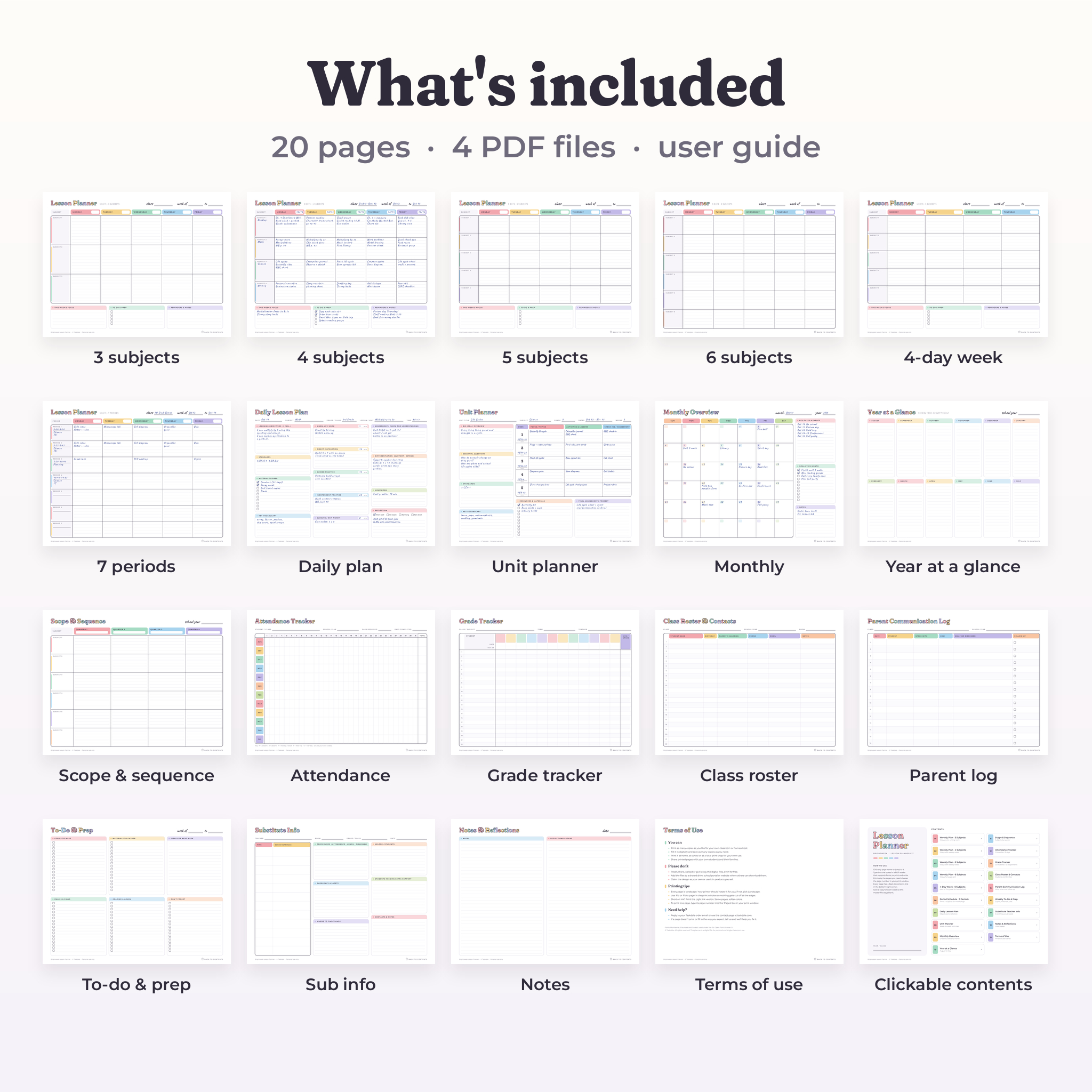
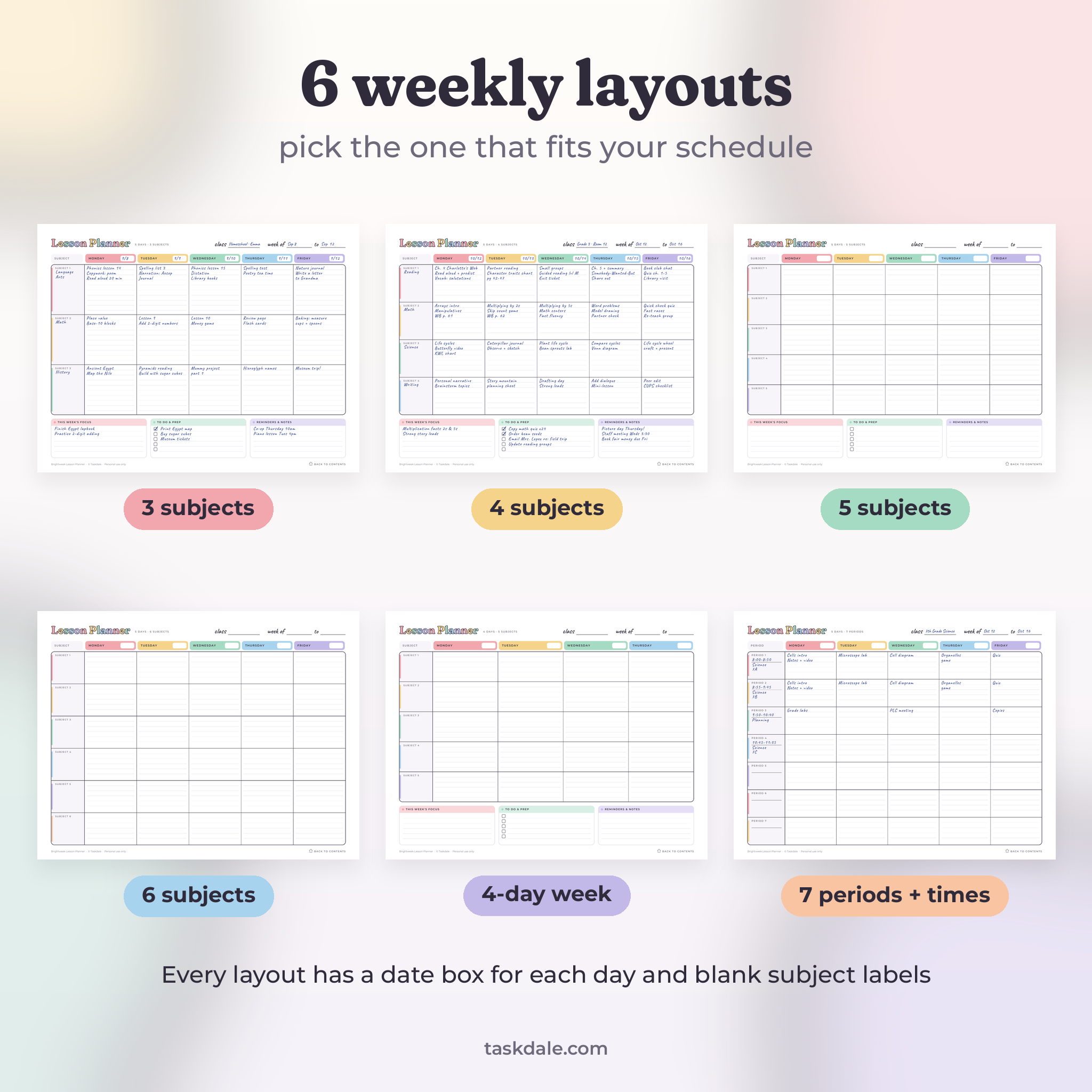
- 6 weekly lesson plan layouts: 3, 4, 5 or 6 subjects across Monday to Friday, a 4-day week (Monday to Thursday) and a 7-period schedule with time slots.
- Weekly notes on most layouts: a box for the week’s focus, a to-do checklist and a reminders box.
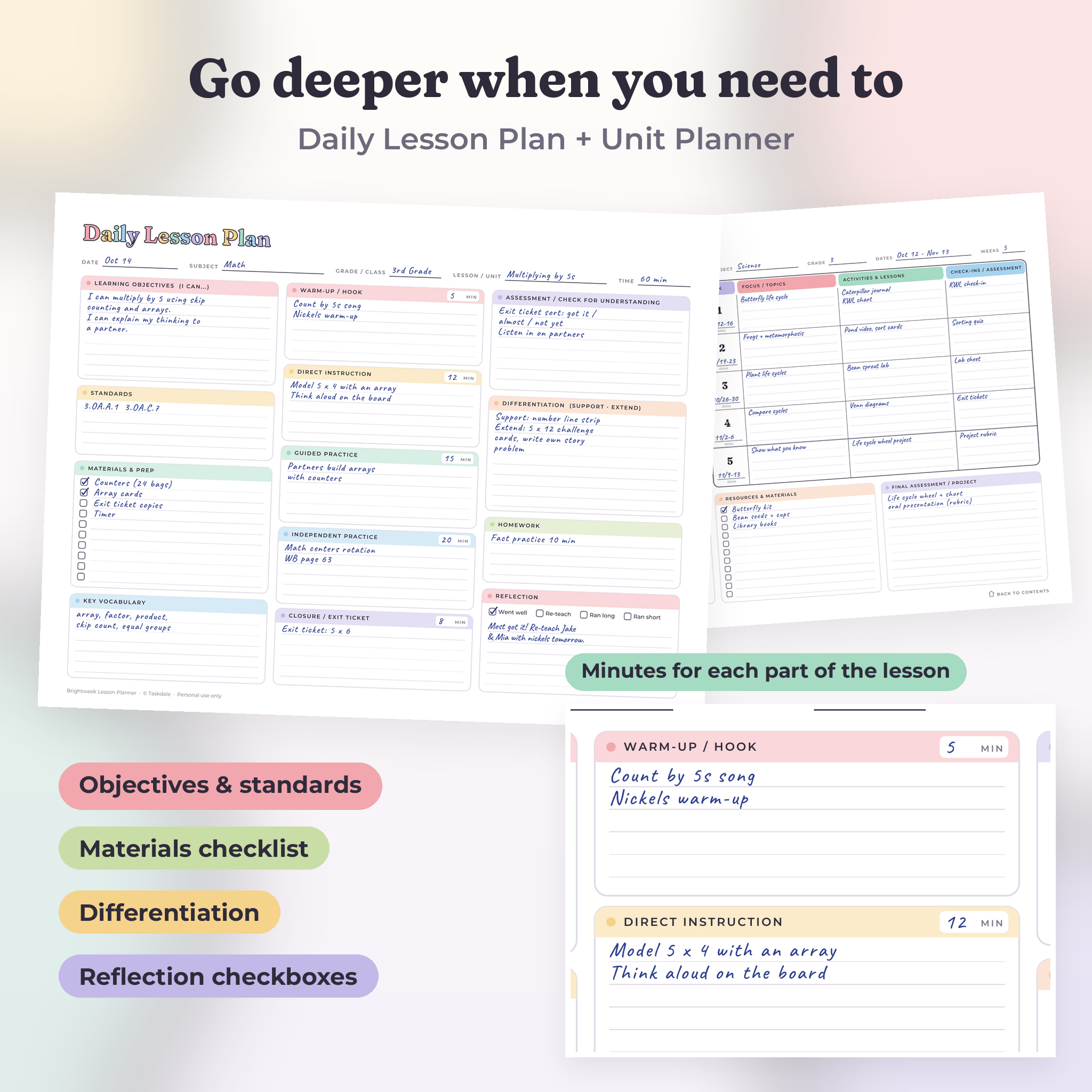
- Daily Lesson Plan: objectives, standards, materials checklist, vocabulary, a five-part lesson flow with minutes, assessment, differentiation, homework and reflection checkboxes.
- Unit Planner: big idea, essential questions, standards, vocabulary and a five-week map.
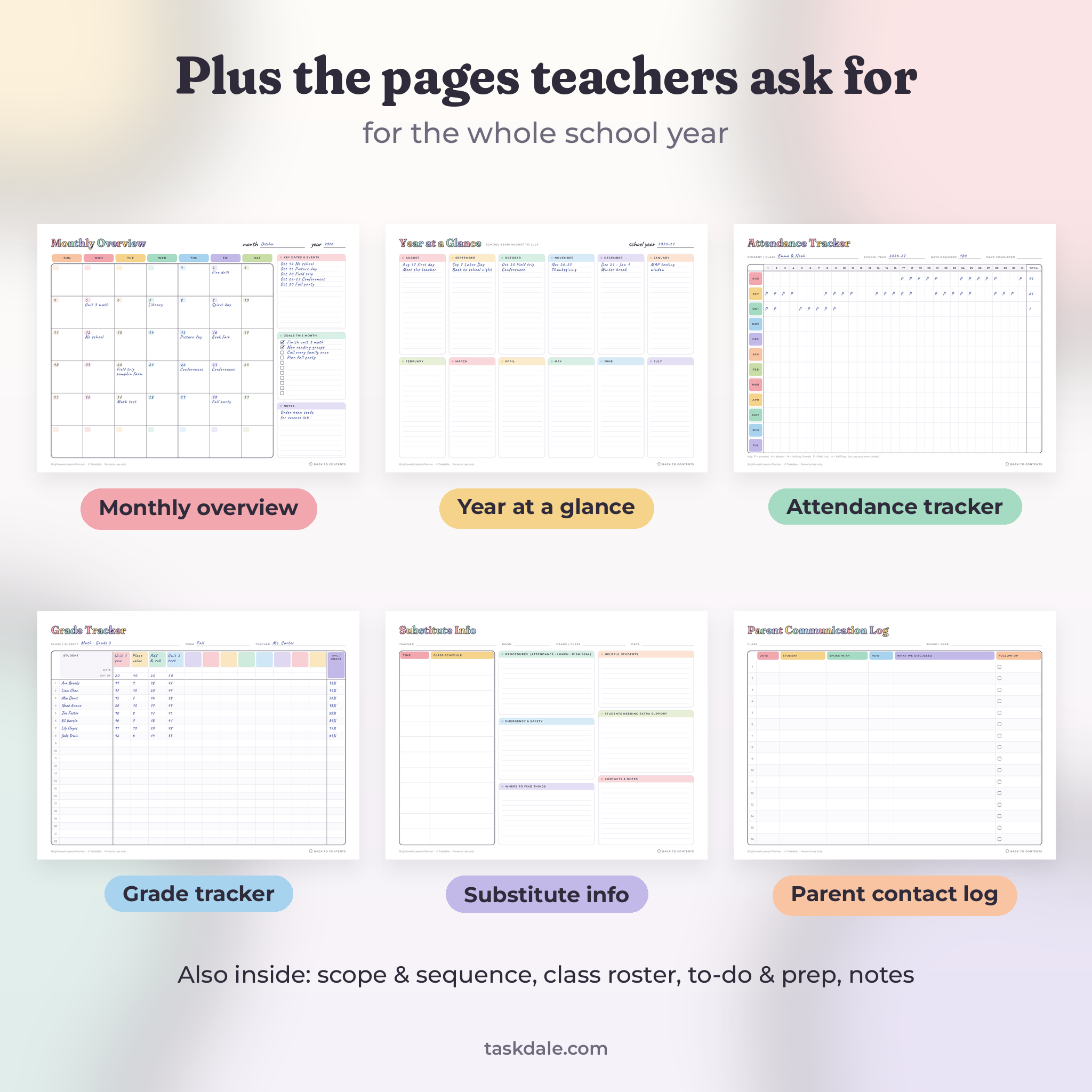
- Monthly Overview: an undated calendar with key dates, monthly goals and notes.
- Year at a Glance: August to July on one page.
- Scope & Sequence: six subjects across four quarters.
- Attendance Tracker: 12 months by 31 days with a monthly total.
- Grade Tracker: 22 students by 12 assignments, with date, points and an average column.
- Class Roster & Contacts and a Parent Communication Log.
- Weekly To-Do & Prep, Substitute Teacher Info and Notes & Reflections.
- A clickable contents page so you can jump to any page, plus a link back on every page.
Who it’s for
Elementary teachers will like the 4, 5 and 6 subject layouts. Middle and high school teachers can use the 7-period schedule, which has a time box and class name for each period. Homeschool parents usually reach for the 4-day week and the attendance tracker, since many states ask families to keep a record of school days. Tutors, co-op leaders and student teachers will get a lot out of the daily lesson plan template too.
How the fillable lesson planner works
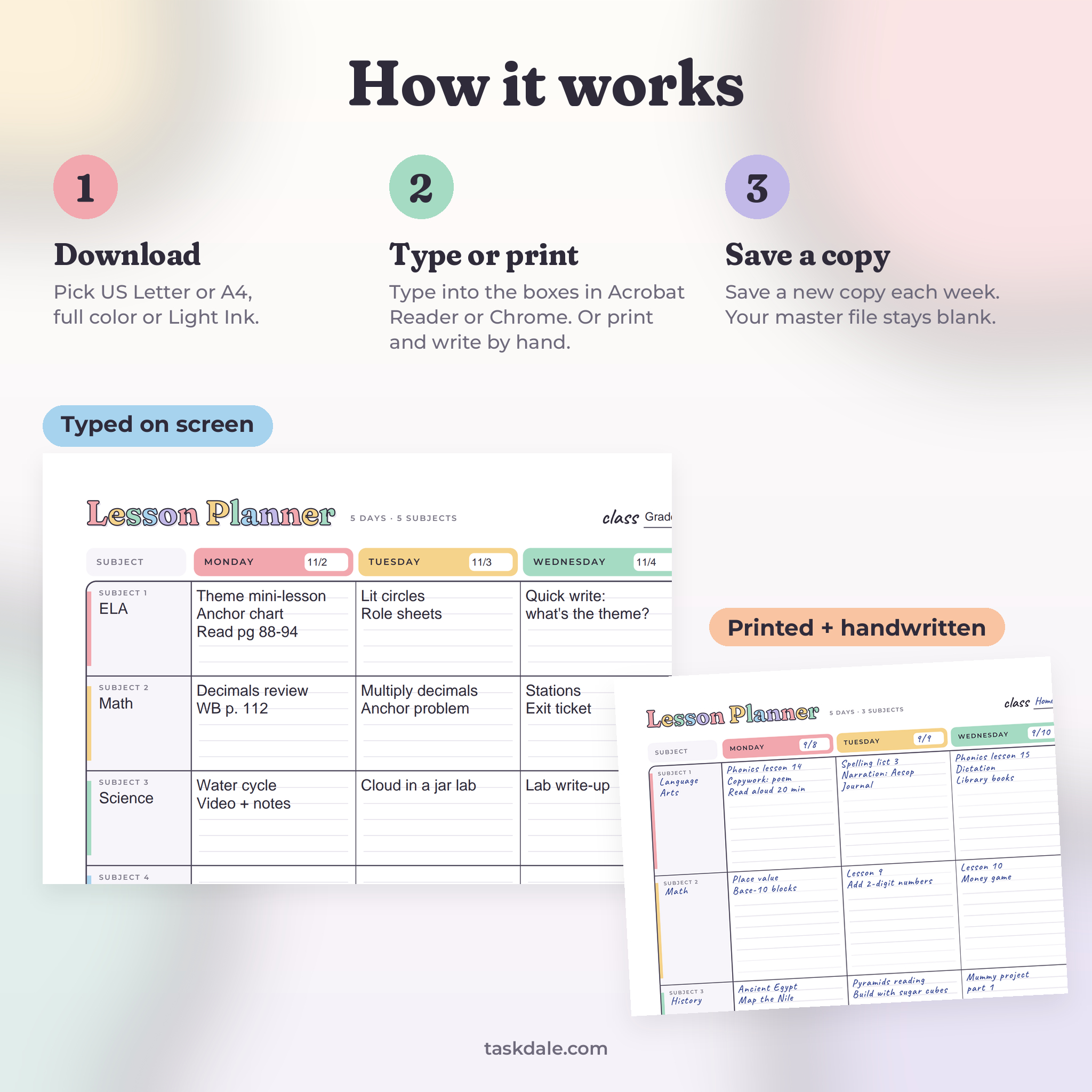
Type on screen
Every writing space is a fillable box. Open the PDF in Adobe Acrobat Reader (free) or Google Chrome, click a box and type. Press Tab to move to the next one. The big lesson boxes shrink your text as you type more, so a long note still fits. Checkboxes tick with one click.
Or print and write
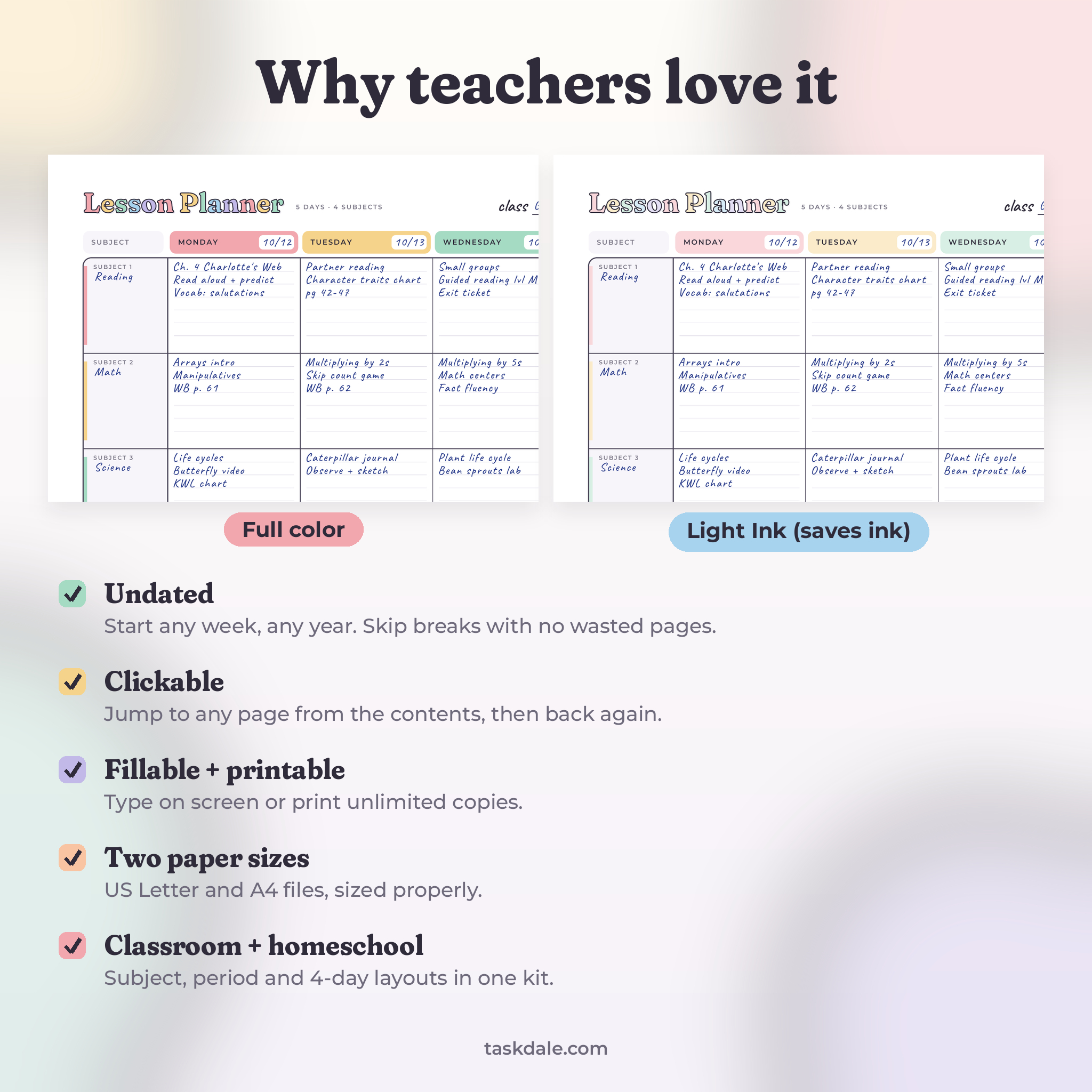
Prefer pen and paper? Print the pages you need, as many times as you need. Every page is landscape and sized properly for its paper, so there’s no scaling or cropping. Short on ink? Print the Light Ink version. It’s the same layout with paler colors.
Undated, so nothing goes to waste
Write the dates yourself. Start in August, January or the middle of March. Skip spring break without leaving blank pages behind.
Why it’s better than a single weekly page
Most printable teacher planners give you one weekly grid and stop there. Brightweek keeps that easy weekly view and adds what you actually use in a school year:
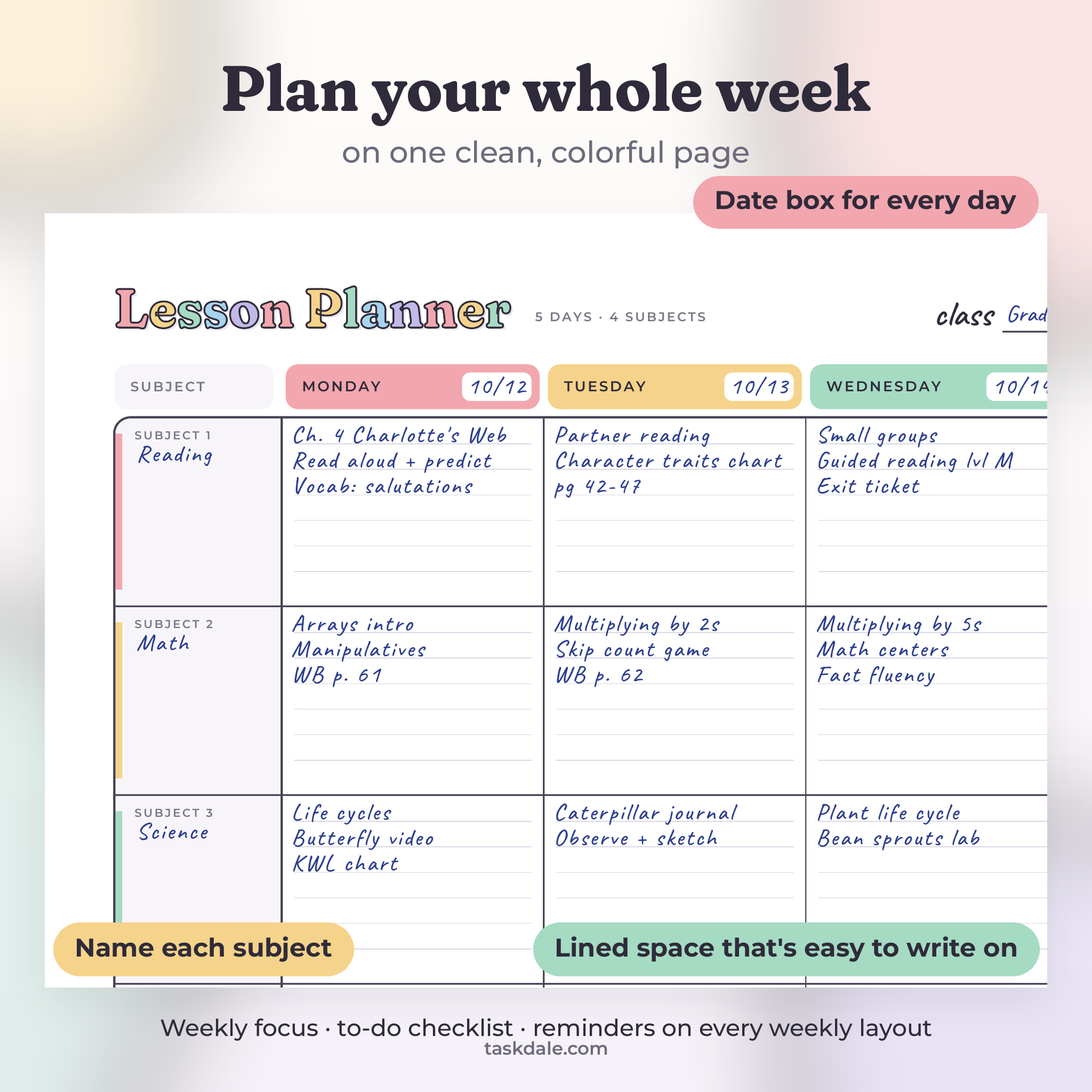
- Labeled subject boxes and a date box for each day, so your plans make sense months later.
- Both US Letter and A4 files, each laid out for its own paper size.
- A to-do checklist under the weekly grid, so prep tasks don’t end up on sticky notes.
- Undated monthly and yearly pages that match the weekly ones.
- A full user guide with printing tips and answers to common questions.
Real ways teachers use it
- A 3rd grade teacher prints 40 copies of the 4-subject page, punches holes and builds a binder for the year.
- A homeschool mom of two saves one fillable copy per child each week and logs school days on the attendance tracker.
- A 7th grade science teacher types the period schedule on Friday and prints it for the sub folder with the Substitute Info page.
- A student teacher fills in the Daily Lesson Plan before each observation and uses the reflection boxes afterward.
- A co-op leader maps the semester with the Scope & Sequence page and shares printed copies with other parents.
File formats and requirements
- 4 PDF files: US Letter (11 x 8.5 in) and A4, each in full color and Light Ink.
- 1 DOCX user guide.
- Fill in with Adobe Acrobat Reader (free) or the Google Chrome PDF viewer. Some phone and tablet apps don’t support typing into PDF boxes. If yours doesn’t, print the pages instead.
- Print on any home or school printer.
Customizing your lesson plan template
Subject labels are blank, so you can write any subject, group, time or child’s name. Use the 4-day page for short holiday weeks. Use the period page for any day split into blocks, like specials or tutoring slots. Print the Notes page on the back of a weekly page for double-sided planning. The colors and fonts in the PDF are fixed, but the Light Ink file gives you a softer look.
Digital download
This is an instant digital download. Nothing will be shipped. After checkout you’ll get download links on the order page and in your email. You’re welcome to print unlimited copies for your own classroom or homeschool. Please don’t share, resell or upload the files. Each purchase covers one teacher or one family.
FAQ
Is this lesson planner dated?
No. Every page is undated, so you can start any week of any year.
Can I type into it?
Yes. It’s a fillable PDF. Open it in Adobe Acrobat Reader or Google Chrome and type into any box.
Does it come in A4?
Yes. You get US Letter and A4 files, each laid out for its own paper size.
Will it work for homeschool?
Yes. The 4-day week, attendance tracker and year at a glance are made with homeschool families in mind.
Does the grade tracker calculate averages?
No. The trackers are for writing or typing your numbers, so they work the same way on paper and on screen.
Can I use it in GoodNotes?
We haven’t tested it in note-taking apps, so we can’t promise how the fillable boxes behave there. Printing or Adobe Acrobat Reader works well.
How many times can I print it?
As many times as you like for your own classroom or homeschool.
Reviews
There are no reviews yet.