Teacher Planner Spreadsheet for Lessons, Grades and Attendance
Most teachers do not have a planning problem. They have a scattered one. Lessons live in one notebook, grades in another, attendance on a clipboard and the parent calls on a sticky note. Classroom Compass pulls all of it into one teacher planner spreadsheet, and the tabs talk to each other.
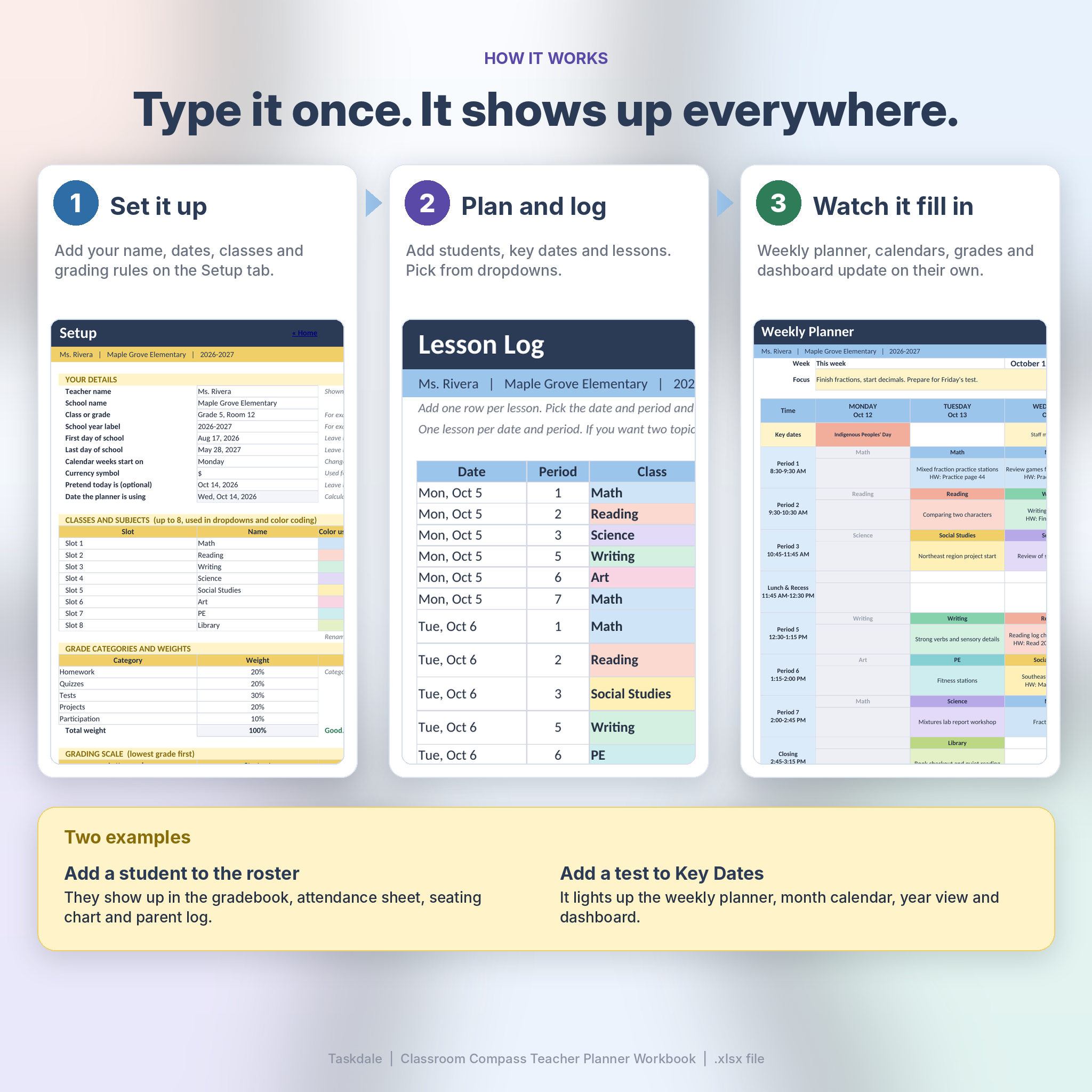
Add a student to the roster once. They appear in the gradebook, the attendance sheet, the seating chart and the parent log. Add a test to Key Dates and it shows up in the weekly planner, the month calendar, the year view and your dashboard. You type less, and nothing goes out of date.
What You Get Inside the Workbook
Plan your week
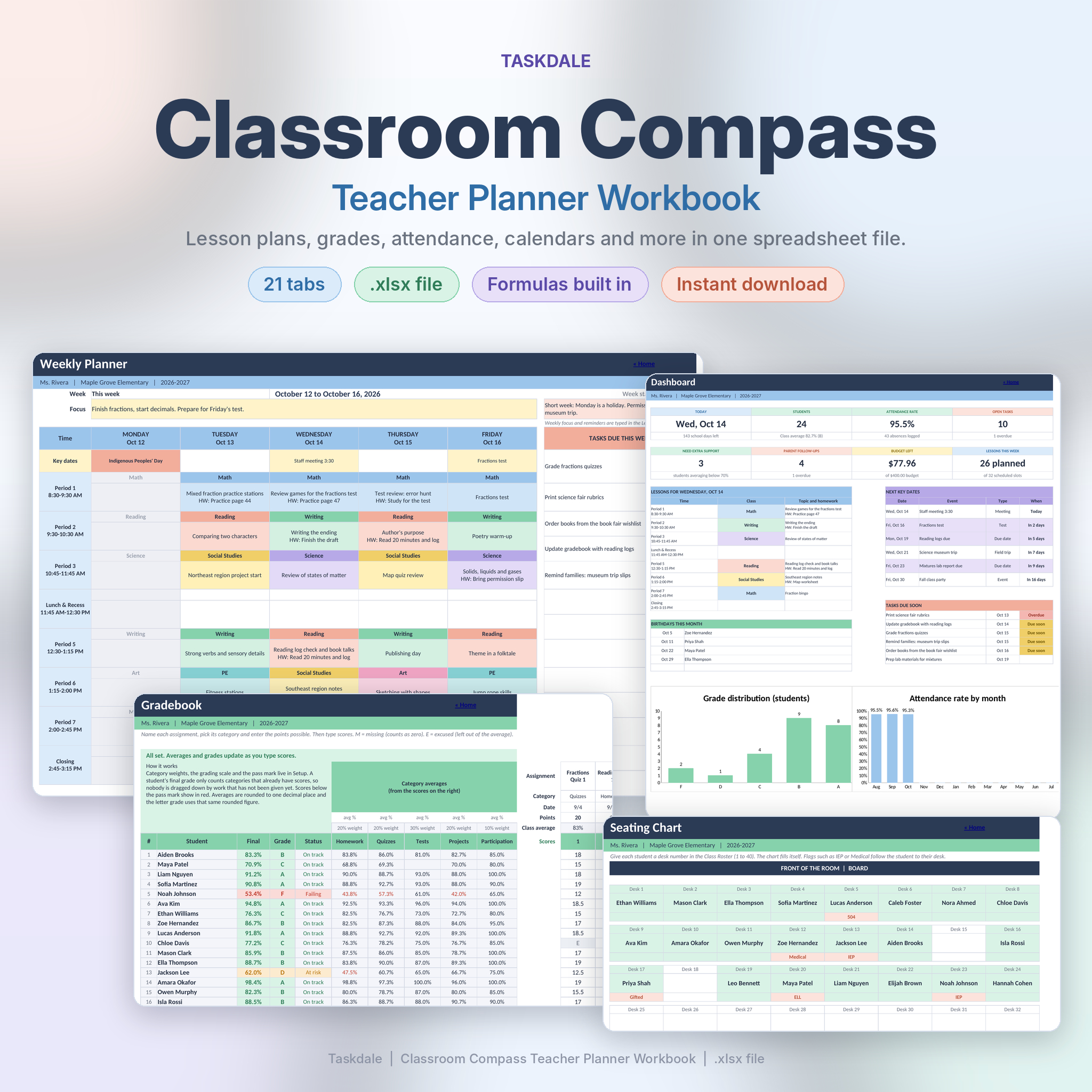
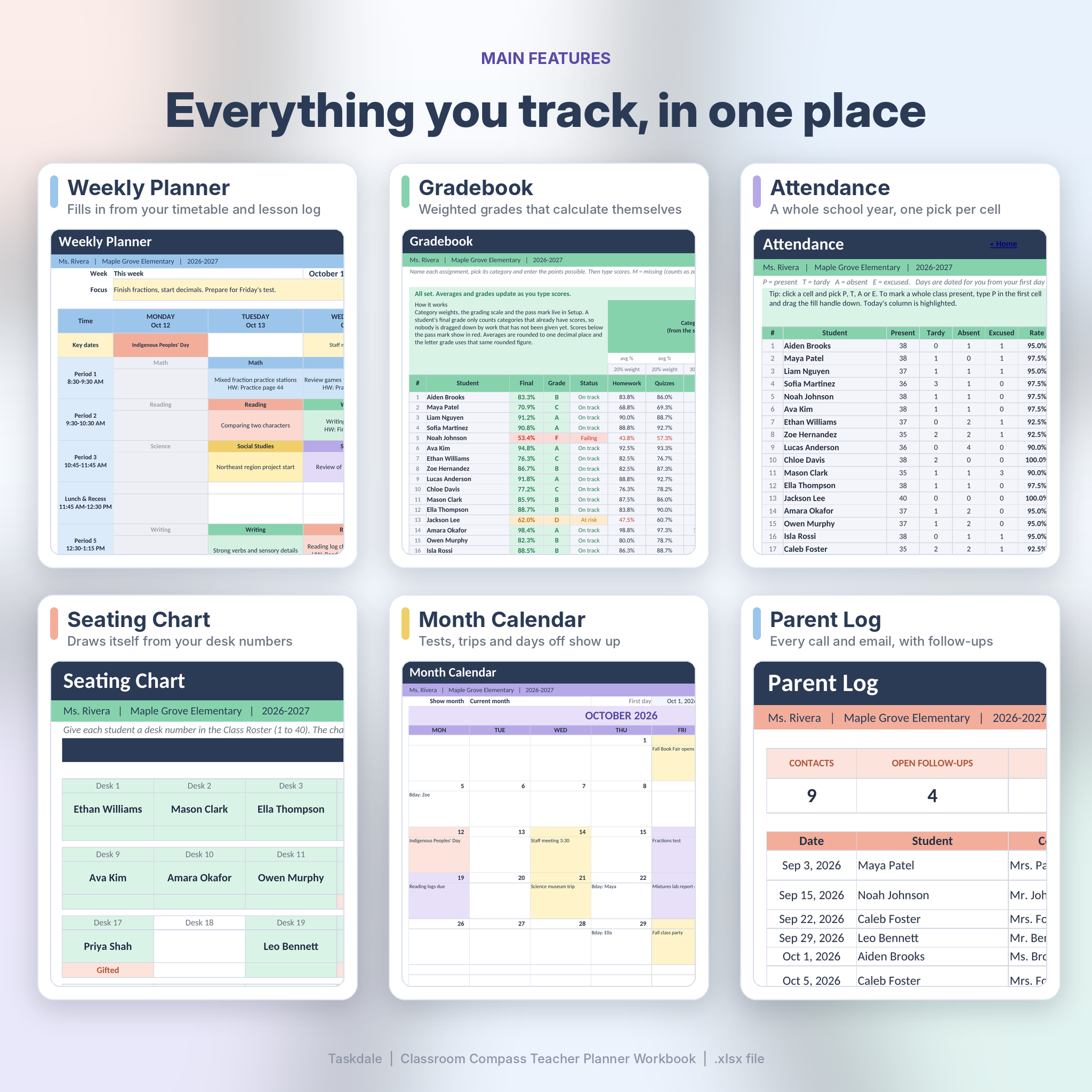
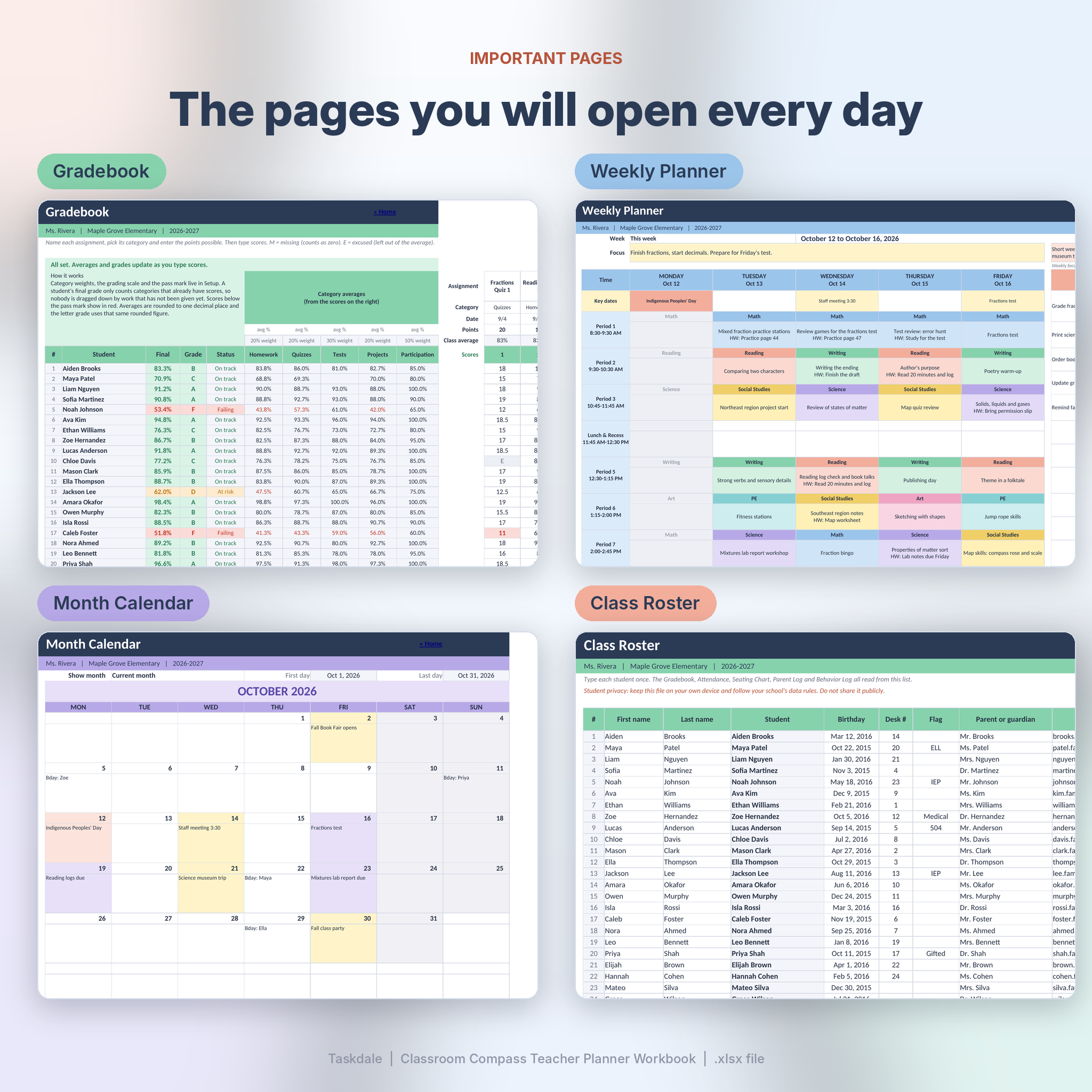
Set up your timetable once, then log lessons by date and period. The Weekly Planner fills itself in, colored by subject, with each lesson topic and homework note. A Month Calendar and a Year at a Glance page show tests, trips and days off. A Unit Planner lays your units out on a timeline, and a To-Do list flags what is overdue.
Track grades and attendance
The Gradebook handles weighted categories. Type scores, or M for missing work and E for excused, and it works out each student’s average, letter grade and status. Categories you have not graded yet are left out, so nobody is marked down for work you have not given. A banner warns you if your weights do not add up to 100 percent.
Attendance covers a full school year. Pick P, T, A or E from a dropdown in each cell. Dates skip weekends and the days off you list, and every student gets a running attendance rate.
Keep people and paperwork in order
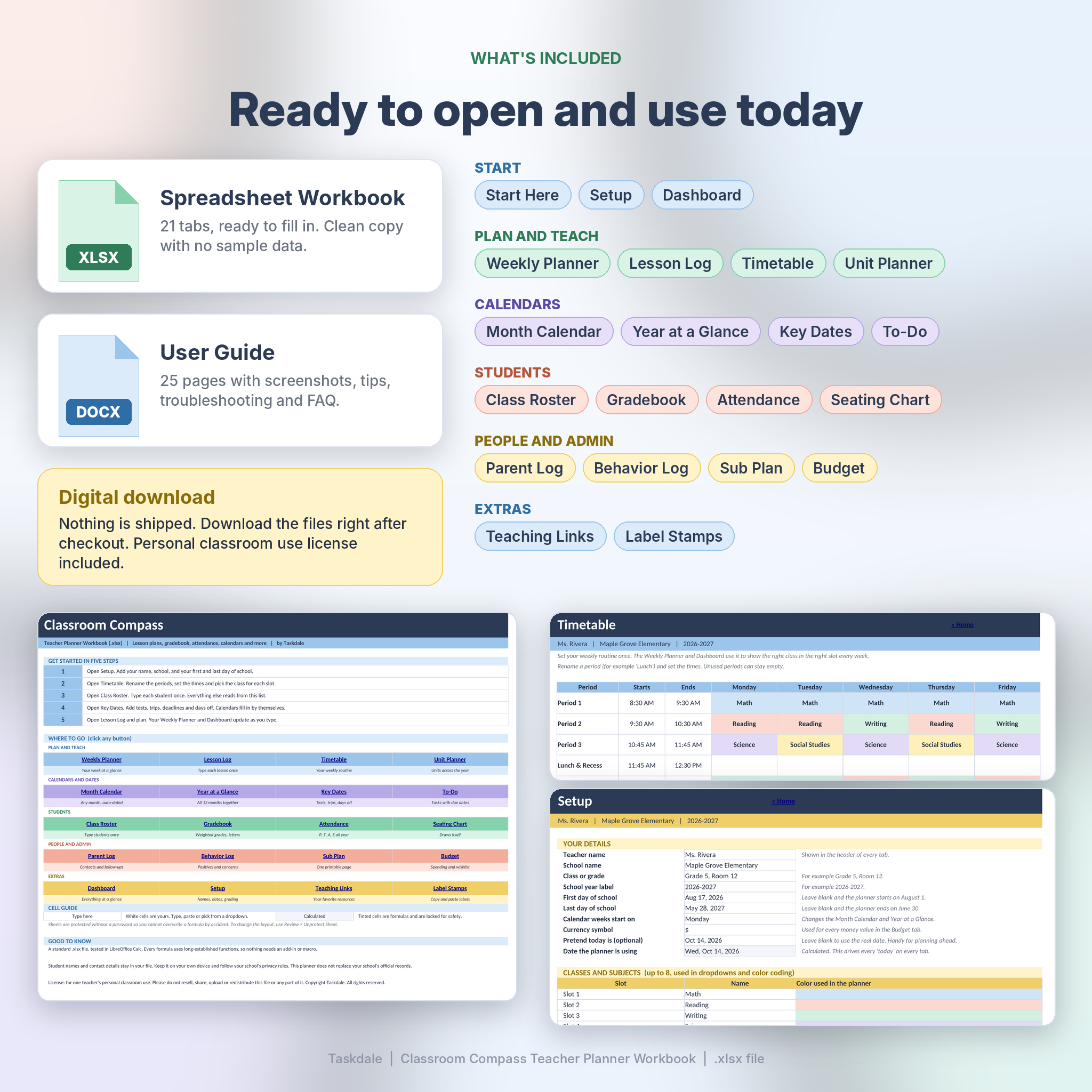
- Class Roster for up to 40 students, with birthdays, desk numbers, support flags and guardian details.
- Seating Chart that draws itself from the desk numbers in your roster.
- Parent Log with follow-up dates, so no call or email slips through.
- Behavior Log with a positive and concern tally for each student.
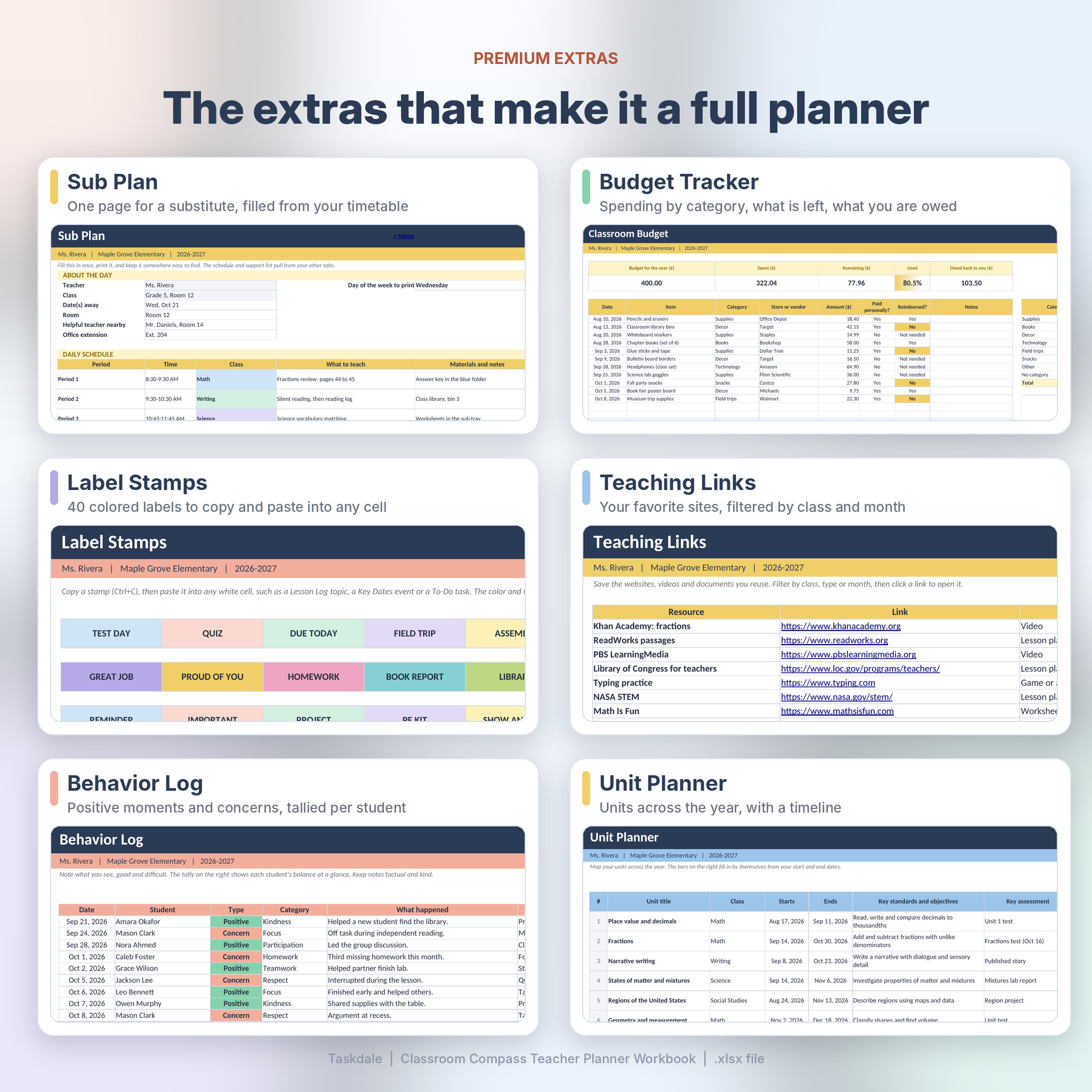
- Sub Plan, a one-page plan for a substitute that fills in from your timetable.
- Budget tracker with spending by category and a wishlist.
Plus a few extras
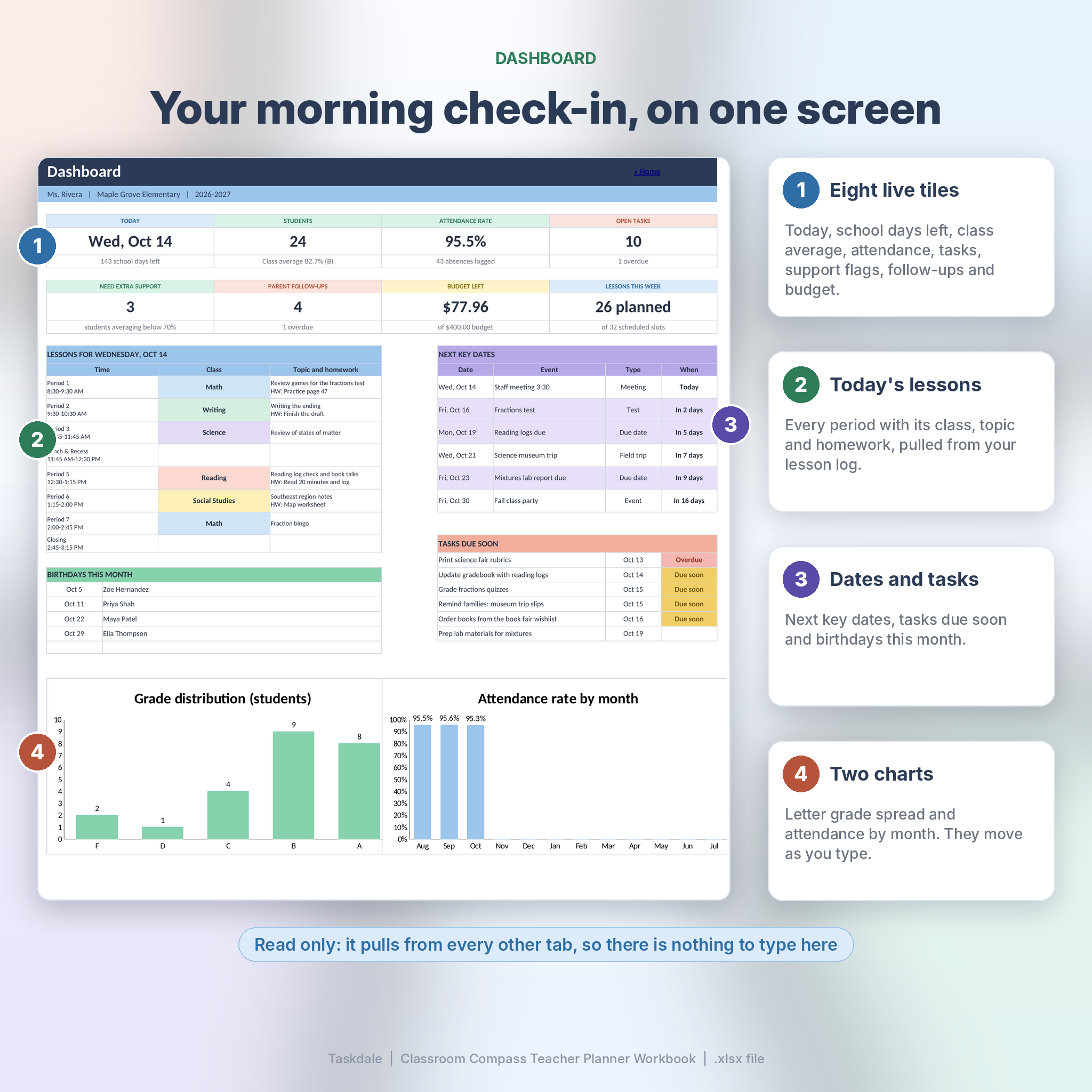
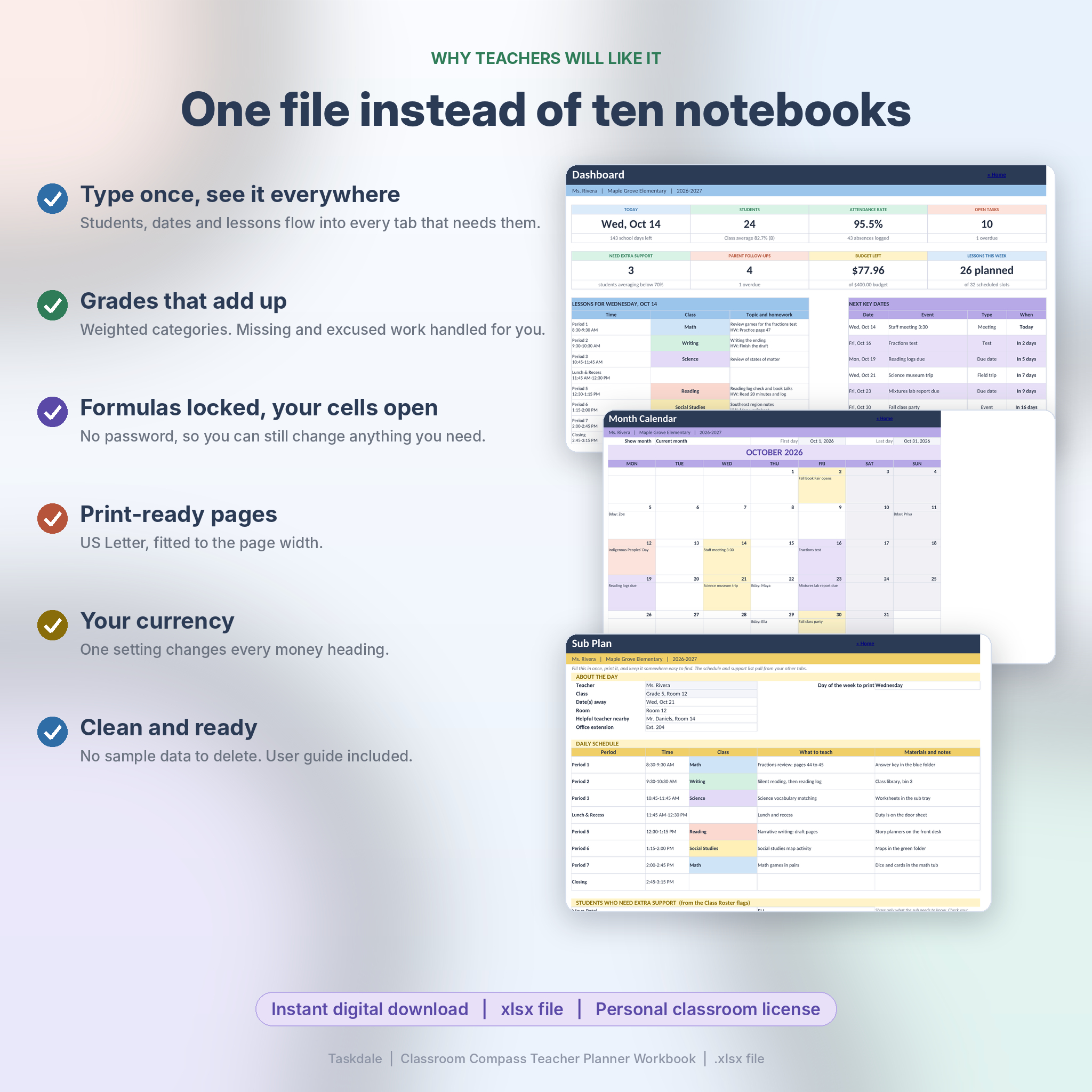
The Dashboard is your morning check-in: today’s lessons, upcoming dates, tasks due soon, birthdays and two charts. Teaching Links stores your favorite websites. Label Stamps gives you 40 colored labels, such as TEST DAY and FIELD TRIP, to copy into any cell. One cell on the Setup tab sets your currency symbol, and every money heading follows it.
What Is Included
- Classroom-Compass-Teacher-Planner.xlsx: the planner, 21 tabs, clean and ready for your class. No sample data to delete.
- User guide (DOCX): 25 pages with screenshots, a start-up checklist, tips, troubleshooting and a FAQ.
- 8 preview images on this listing show the real pages, filled with sample data. The sample is not in the download.
Who It Is For
- Elementary, middle and high school teachers who want one place for planning and records.
- Homeschool parents keeping lessons, grades and attendance in order.
- Tutors and teaching assistants who need a simple record for a small class.
- Teachers starting a new school year who would rather build a fresh file than patch an old one.
File Format and Requirements
- One .xlsx workbook and one .docx guide. US Letter page size, with every tab set up to print.
- Tested in LibreOffice Calc, which is free. Every formula uses long-established functions, with no macros or add-ins. It is a standard .xlsx file, but we have only tested it in LibreOffice Calc. We have not tested Microsoft Excel, Google Sheets, Apple Numbers or phone and tablet apps.
- Formula cells are locked so you cannot overwrite them by accident. There is no password, so you can unprotect any sheet and change it.
- Capacity: 40 students, 30 assignments, 190 school days, 500 lessons, 150 key dates. It is built for one class group. Teaching more than one? Save a copy of the file for each.
- The Weekly Planner runs Monday to Friday.
Digital Download
This is a digital product. Nothing is shipped. After checkout you can download the workbook and the user guide straight away. If something is wrong with your files, contact us and we will put it right.
License: personal use for one teacher. Please do not resell, share, upload or redistribute the files.
Frequently Asked Questions
Do I need to be good with spreadsheets?
No. If you can type into a table and pick from a dropdown, you can use it. The formulas are already built and locked. The user guide walks through each tab.
Can I use it for more than one class?
It is built for one class group of up to 40 students. If you teach several groups, keep one copy of the file for each.
Does it work in Excel or Google Sheets?
We tested it in LibreOffice Calc. It is a standard .xlsx file, but we have not tested Microsoft Excel, Google Sheets or Numbers, so we cannot promise how it behaves there.
Can I change the grading scale and categories?
Yes. Setup lets you rename classes, set five grade categories with their weights, and edit the letter grades and pass mark.
Can I use a different currency?
Yes. The default is $. Type any symbol into the currency cell on Setup and every money heading follows it.
Can I reuse it next year?
Yes. Keep the original as your clean master, save a copy for each school year and enter the new dates.
Does it keep student data online?
No. It is a file on your own device, and nothing is uploaded anywhere. Follow your school’s privacy rules about what you store.
Can I share it with colleagues?
The license covers one teacher. Each colleague needs their own copy.
Reviews
There are no reviews yet.