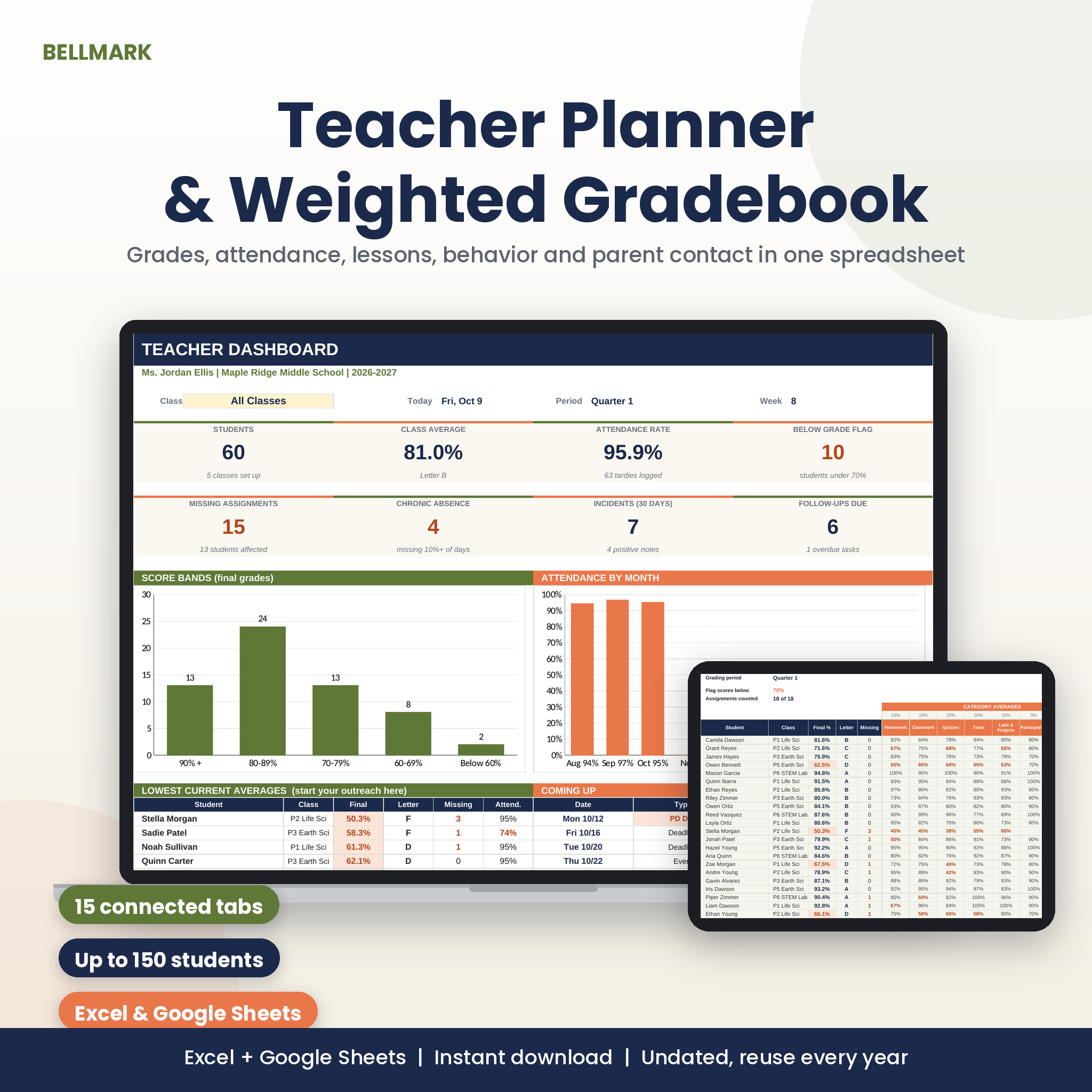
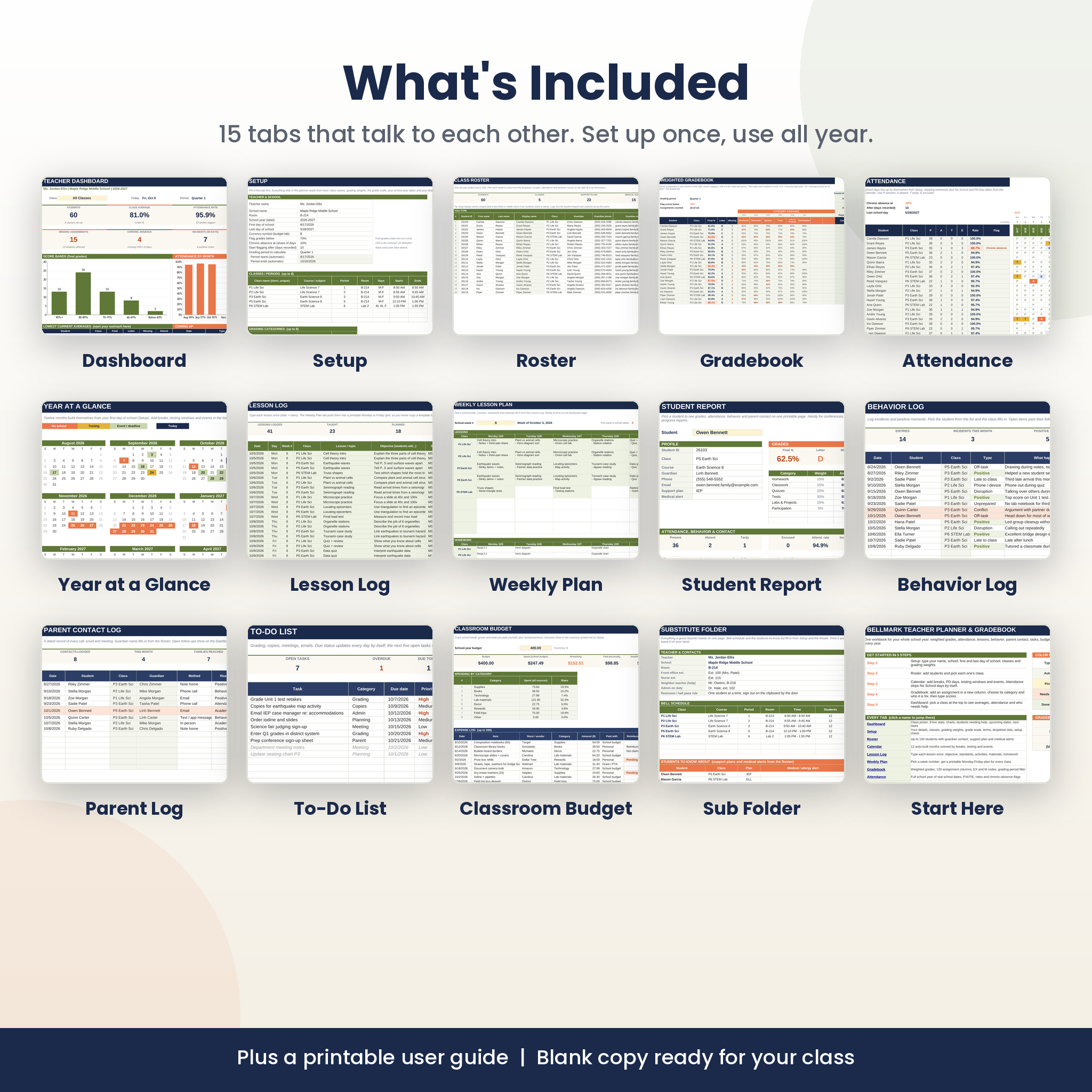
The Bellmark Teacher Planner Spreadsheet is a weighted gradebook, attendance tracker and lesson planner in one file. It runs in Microsoft Excel and Google Sheets. You fill in one Setup tab with your dates, classes and grading weights. After that the 15 tabs feed each other, so a student you add on the Roster shows up in the gradebook, the attendance grid and every dropdown.
It’s built for the jobs that eat your evenings. Averaging grades. Counting absences. Finding last month’s parent call. Writing sub plans at 6 a.m.
What this teacher planner spreadsheet does
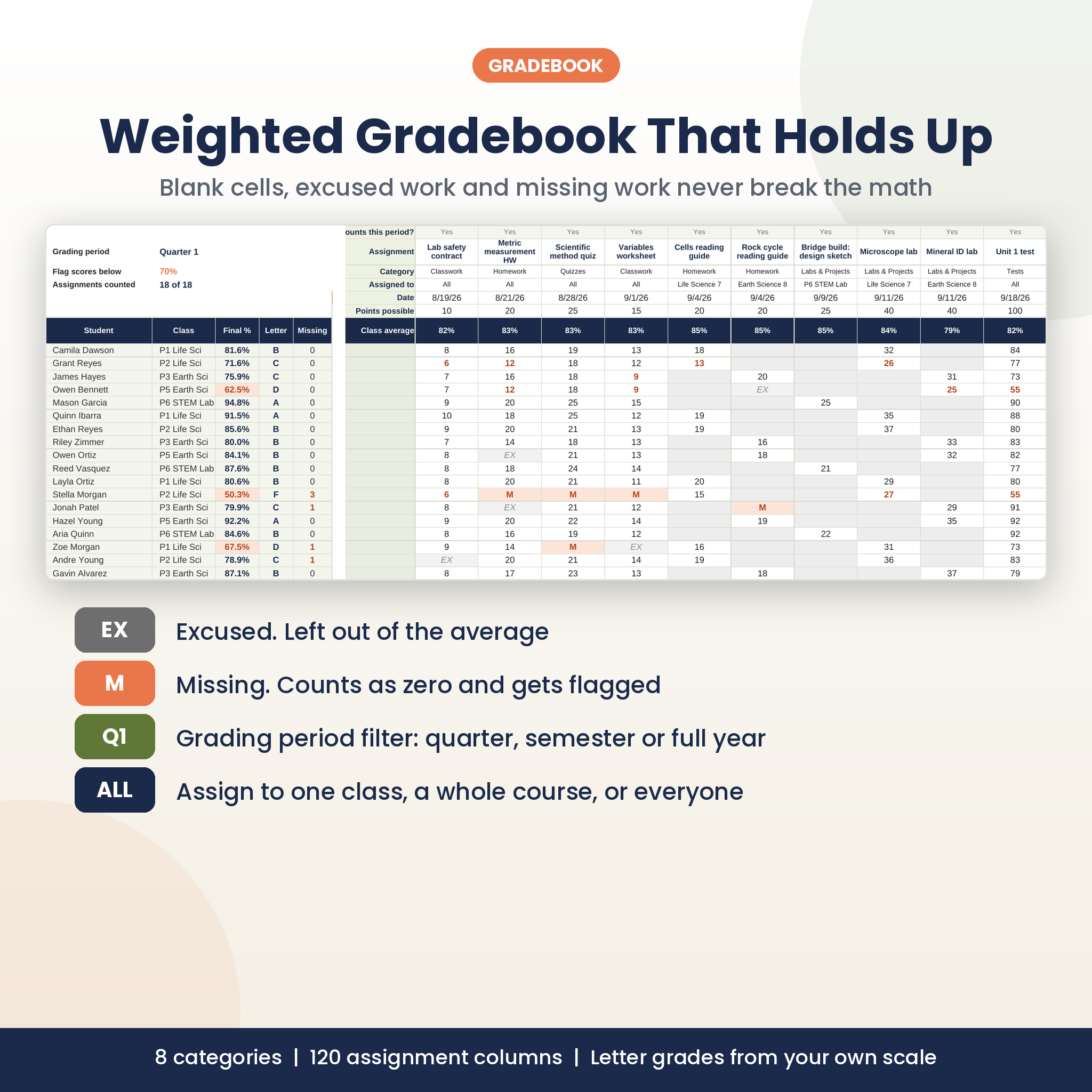
Most free gradebooks break the moment a cell is left blank. This one doesn’t. Type EX and the assignment is ignored for that student. Type M and it counts as a zero and gets flagged in coral. Leave it blank and it simply waits until you grade it.
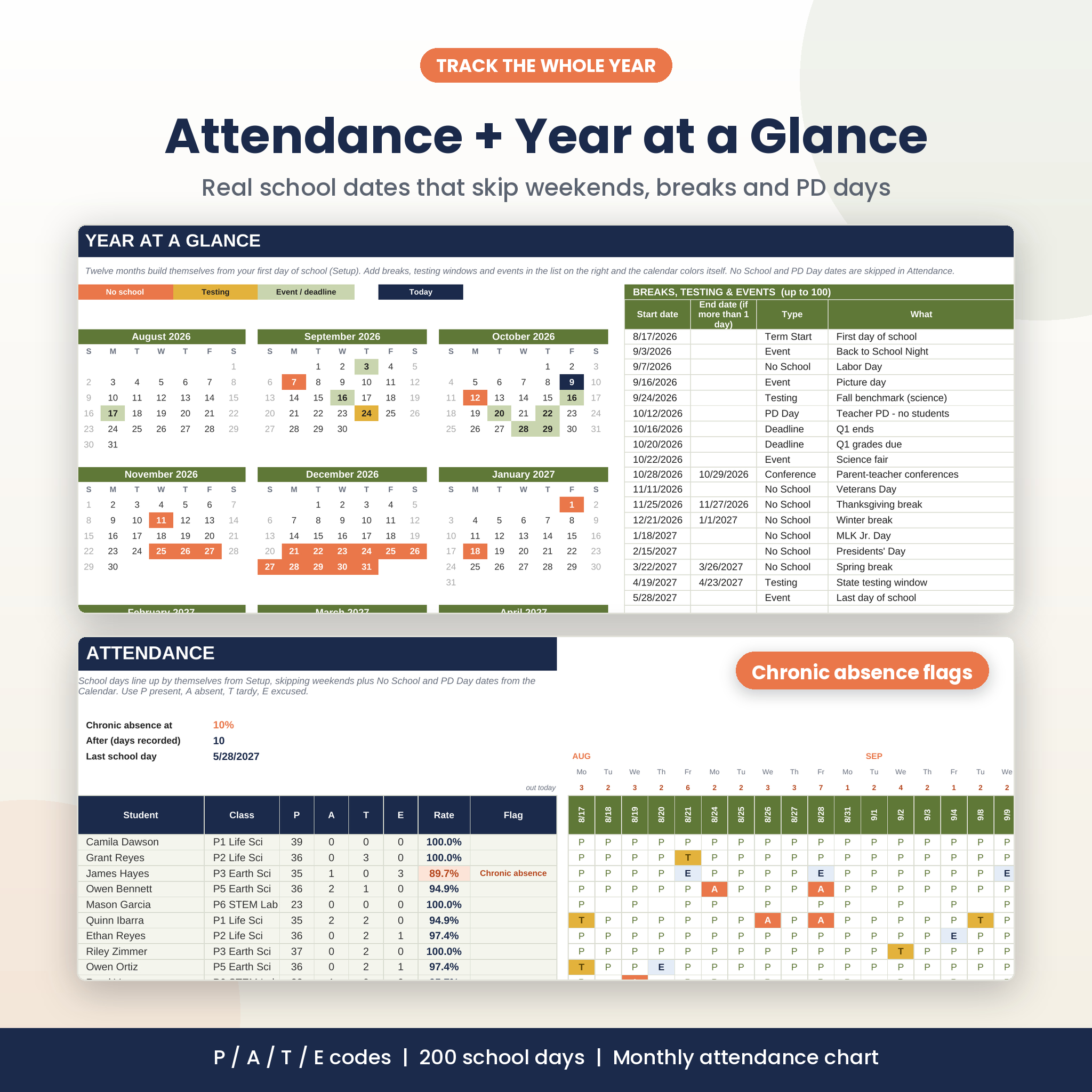
Attendance works off real dates. The grid builds 200 school days from your first and last day of school, then skips weekends plus any No School or PD Day you add to the calendar. No more typing dates across 30 columns every month.
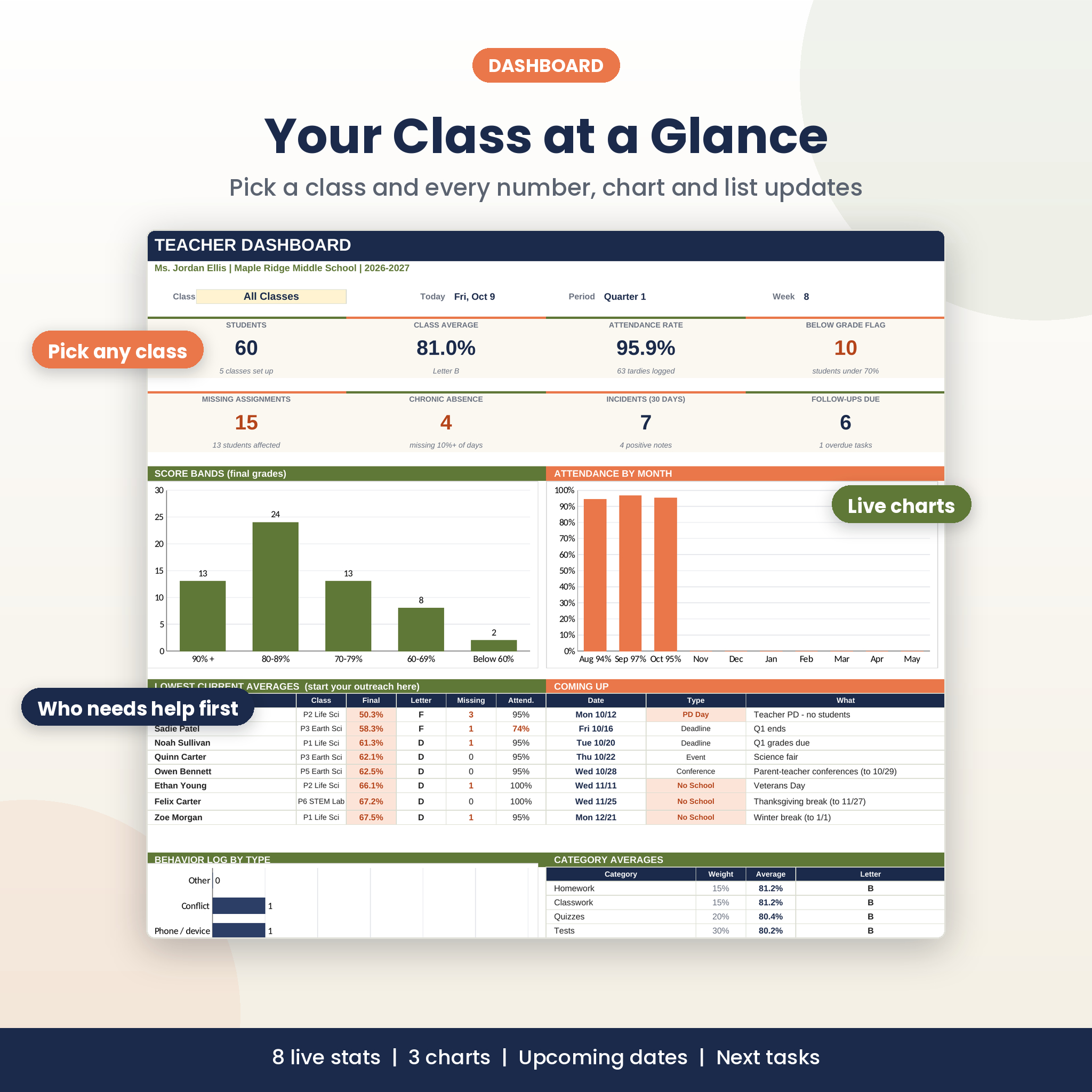
And the Dashboard pulls it all together. Pick one class or all of them and you get eight live numbers, three charts, the lowest current averages, the next dates on your calendar and your next five tasks.
Who it’s for
- Middle and high school teachers juggling five or six class periods
- Elementary teachers with one class (set your grading categories to subjects and each subject gets its own average)
- Special education teachers who track support plans, behavior and family contact
- Homeschool parents and tutors who want weighted grades without writing formulas
What’s included
- Dashboard: class picker, 8 stat tiles, score-band chart, attendance by month, behavior chart, lowest averages, upcoming dates, next tasks
- Setup: school-year dates, up to 8 classes, 8 grading categories, your own grade scale, grading periods, editable dropdown lists and a Setup Check that flags anything out of place
- Roster: 150 students with guardian contact, support plan, medical alerts and a live watch list
- Weighted Gradebook: 120 assignment columns, category averages, letter grades, missing-work counts and a quarter or semester filter
- Attendance Tracker: P, A, T and E codes, totals, attendance rate and chronic-absence flags
- Year at a Glance: 12 mini calendars that color themselves from your breaks, testing windows and events
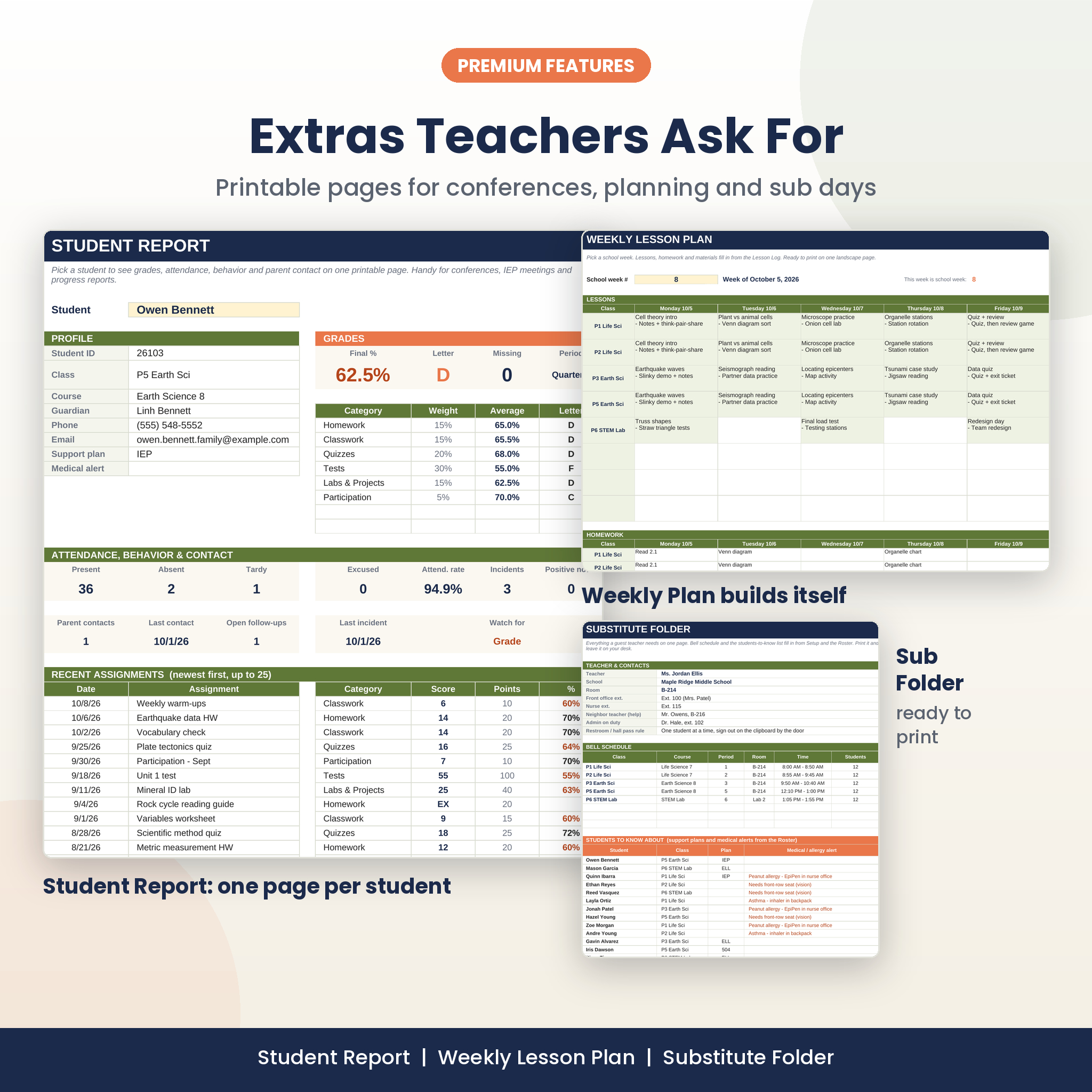
- Lesson Log + Weekly Plan: type each lesson once, then print a Monday to Friday plan for any week
- Student Report: one printable page per student for conferences and IEP or 504 meetings
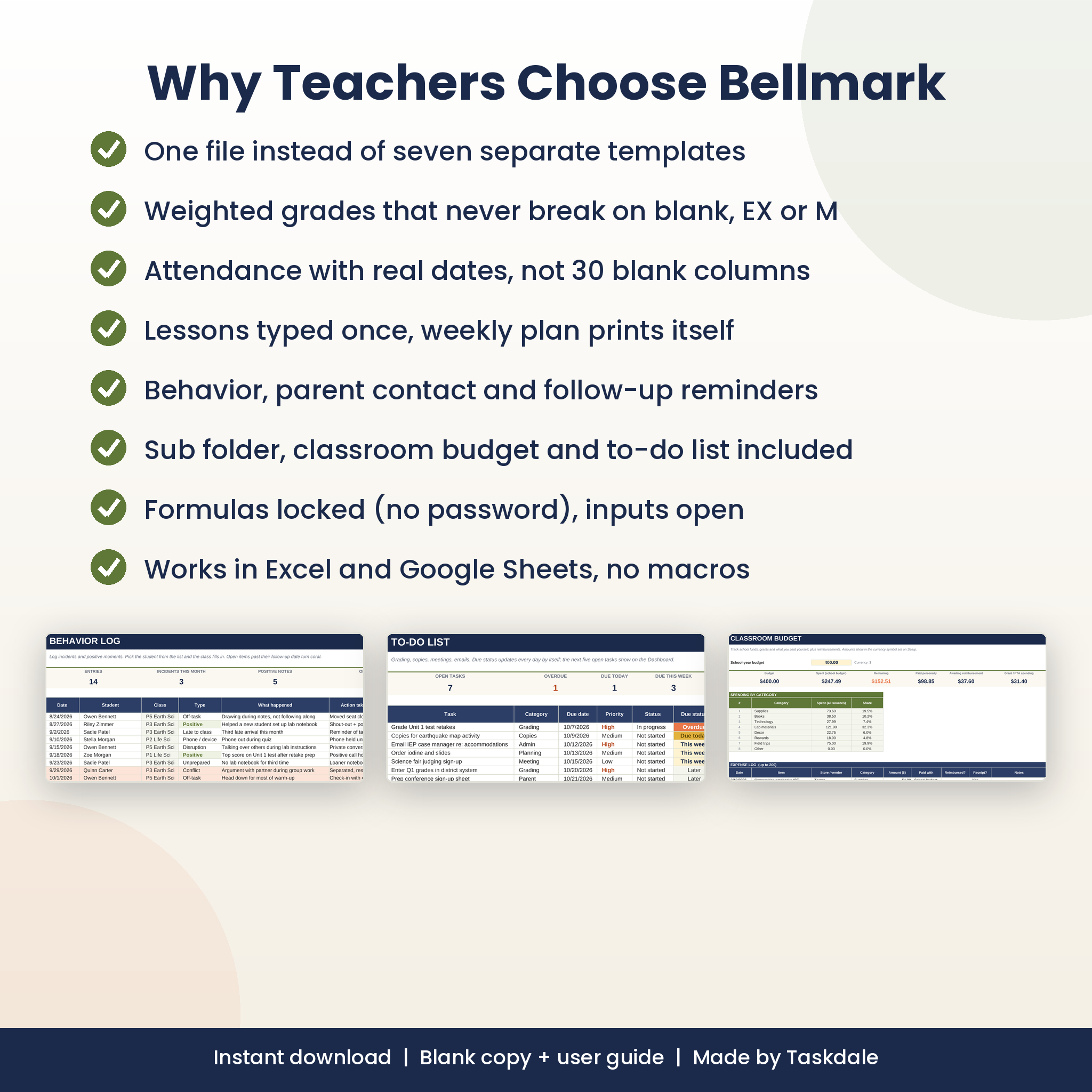
- Behavior Log and Parent Contact Log: follow-up dates, open items highlighted, positive notes counted too
- To-Do List, Classroom Budget and Substitute Folder
- A 16-page DOCX user guide with screenshots, troubleshooting and FAQ
How it works
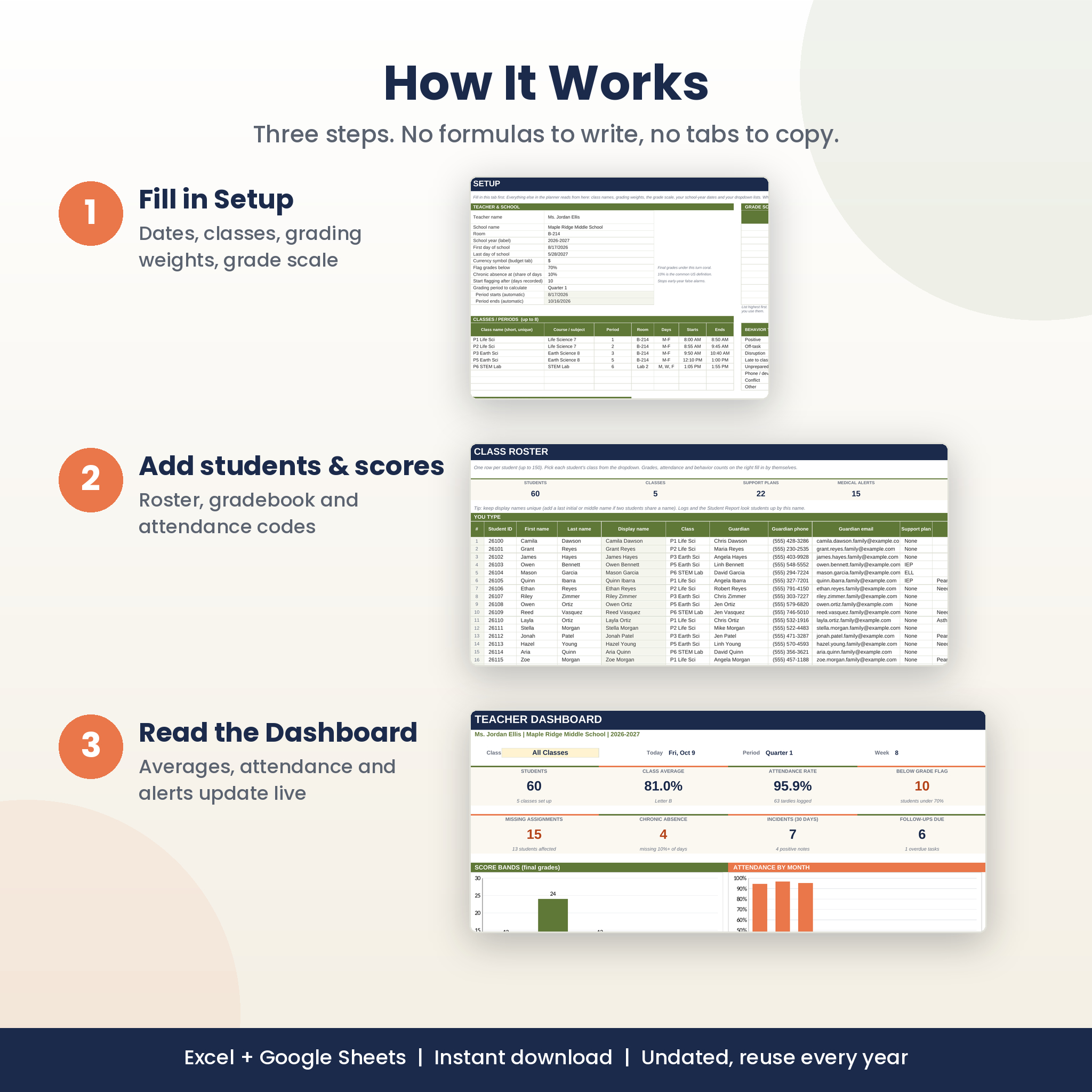
- Fill in Setup: your dates, classes, weights and grade scale.
- Add students to the Roster and pick each one’s class.
- Add breaks and testing windows to the Calendar.
- Add assignments in the gradebook and type scores. Mark attendance with one letter.
- Open the Dashboard and pick a class.
An assignment can go to one class, every section of a course, or everyone. So a test you give to periods 3 and 5 takes one column, not two.
Features teachers notice first
- Category weights rescale fairly when a category has no grades yet
- Grading-period filter: switch between Quarter 1, Semester 2 or Full Year in one cell
- Chronic absence uses the common 10% rule, and you can change the threshold
- Formulas are locked without a password, so you can’t break them by accident but can still unlock them
- Clickable navigation between every tab
File formats and software
- One .xlsx workbook (blank, ready for your class) and one .docx user guide
- Works in Microsoft Excel (Windows, Mac, Excel for the web) and Google Sheets
- No macros, add-ons or scripts
- Undated, so you can reuse it every year
Customize it
Rename classes and categories, change the weights, add plus and minus letters to the grade scale, edit every dropdown list and set your own currency symbol for the budget tab. Fonts and colors can be changed freely. The Setup Check tells you if a change needs a follow-up, like re-picking a renamed class.
Real ways teachers use it
- Pulling a Student Report two minutes before a parent conference
- Spotting who slipped under 70% before progress reports go home
- Printing the Weekly Plan on Friday afternoon
- Leaving the Sub Folder on the desk with bell times, allergies and an emergency lesson
- Checking which families still need a follow-up call this week
Digital download
This is an instant digital download. Nothing ships. You’ll get the files right after checkout. The screenshots show made-up sample students; your copy comes blank.
FAQ
Does this gradebook work in Google Sheets?
Yes. Upload the .xlsx to Google Drive and choose File > Save as Google Sheets. Dropdowns, charts, colors and tab links all carry over.
Is it a weighted gradebook?
Yes. Up to 8 categories with any weights you choose, plus letter grades from your own scale.
How many students and classes does it hold?
150 students across 8 classes, 120 assignments and 200 school days.
Can I use it next school year?
Yes. It’s undated. Change the dates on Setup and the calendar and attendance rebuild.
Will it work on a Mac or Chromebook?
Yes, with Excel for Mac, Excel for the web or Google Sheets.
Can I print it?
The Weekly Plan, Student Report, Sub Folder and Dashboard are set up to print cleanly.
Can I share it with other teachers?
The license covers one teacher. Please buy a copy for each teacher, or contact us about a school license.
License: personal use by one teacher. Please do not resell, share or redistribute the files.
Reviews
There are no reviews yet.