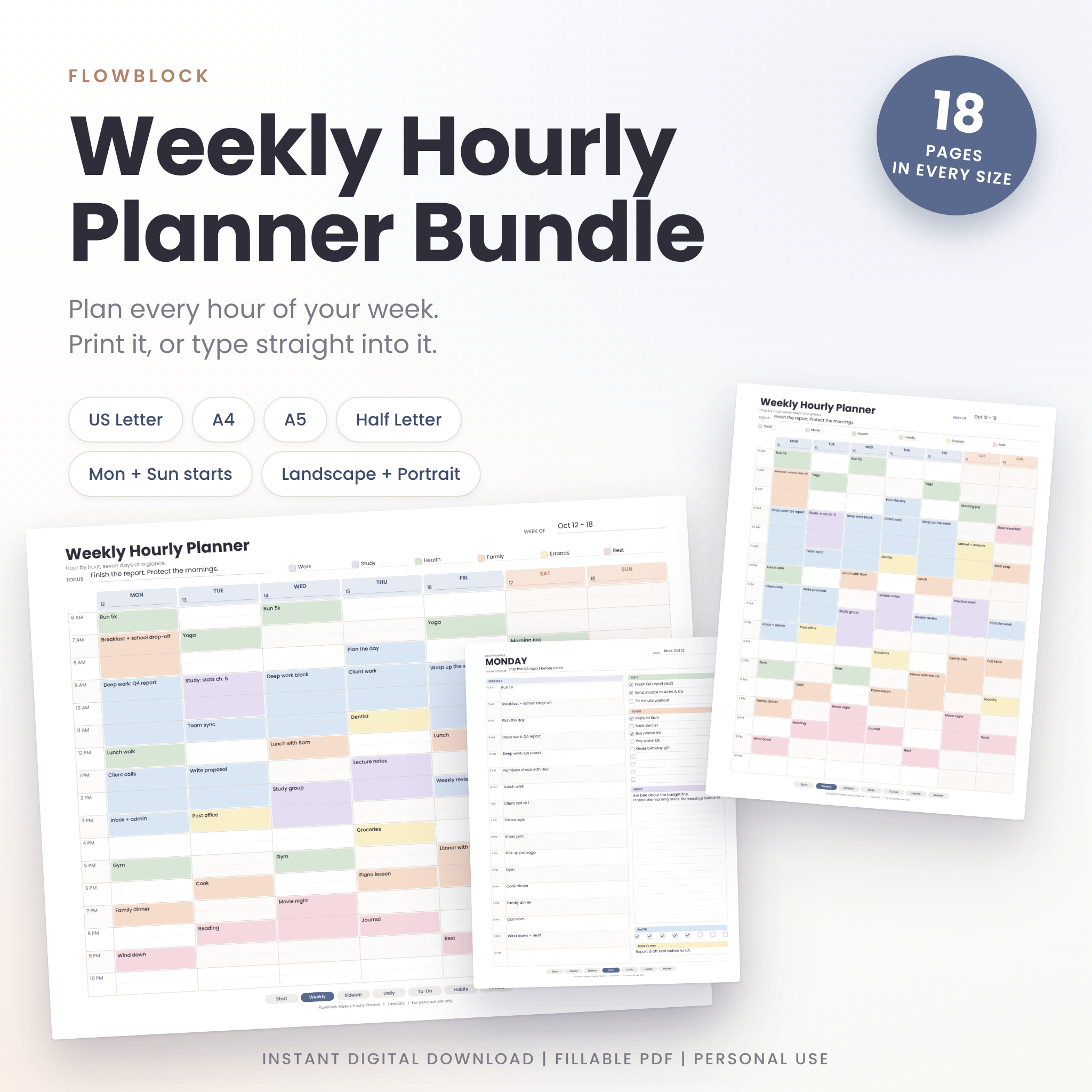
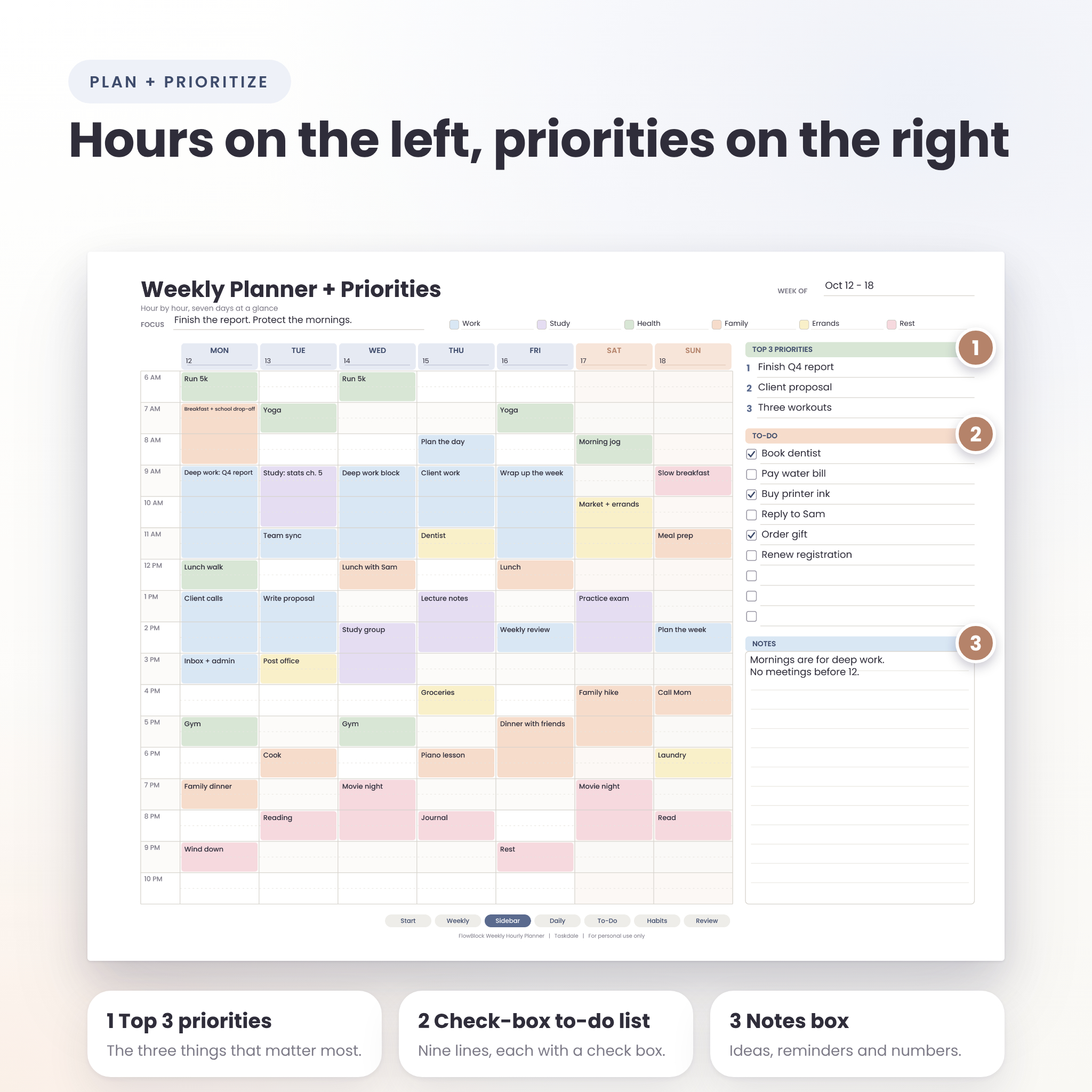
Some weeks run you. This weekly hourly planner printable helps you run the week instead. Every day is split into hour rows from 6 AM to 10 PM, with a dotted half-hour line inside each one, so a 20-minute call and a three-hour study block both have a place to sit.
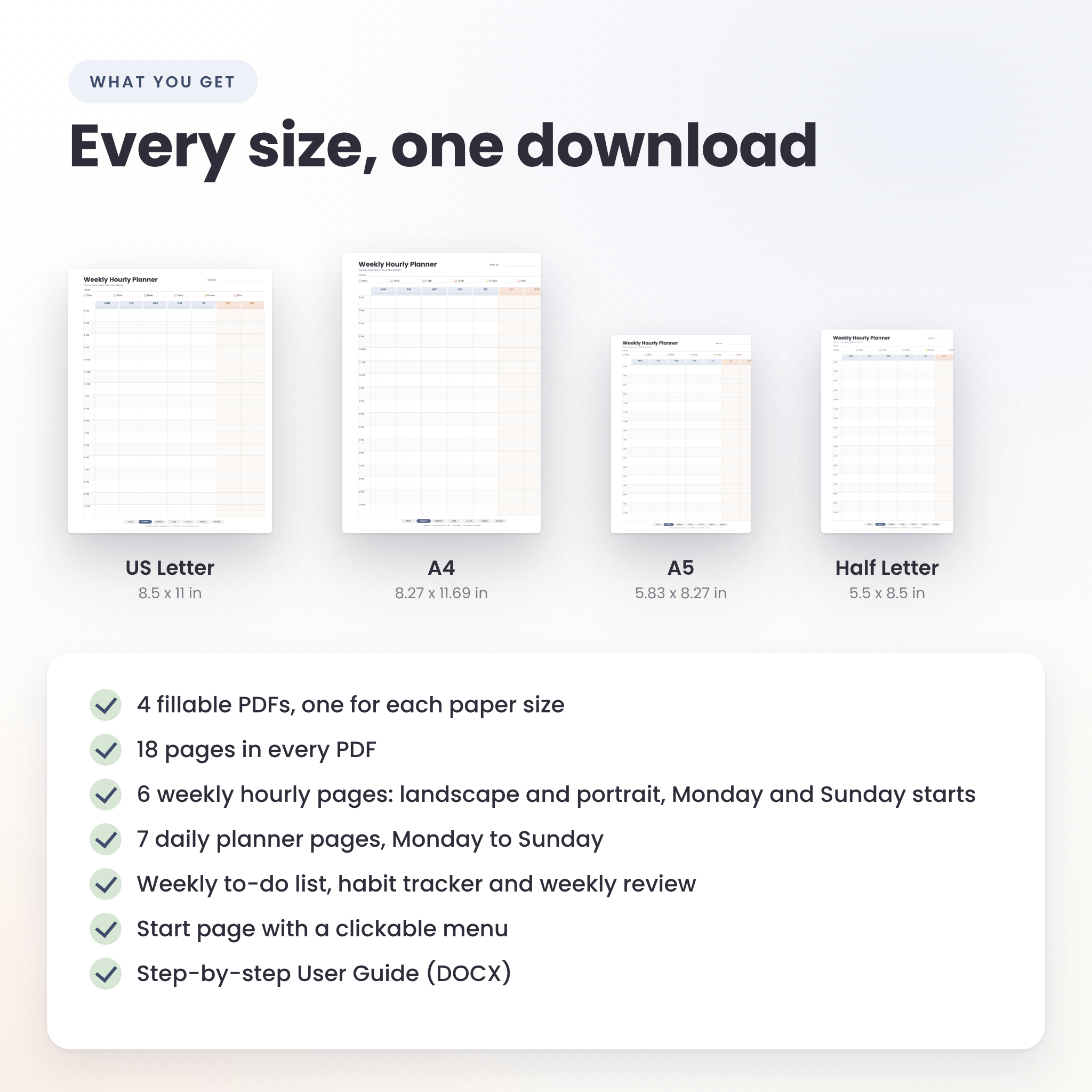
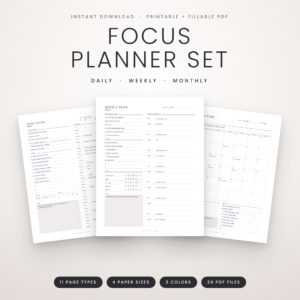
You get four fillable PDFs, one each for US Letter, A4, A5 and Half Letter. Every PDF holds the same 18 pages: weekly hourly grids, daily planners, a to-do list, a habit tracker and a weekly review. Print them. Or type straight into the boxes. Your call.
A Weekly Hourly Planner That Fits How You Work
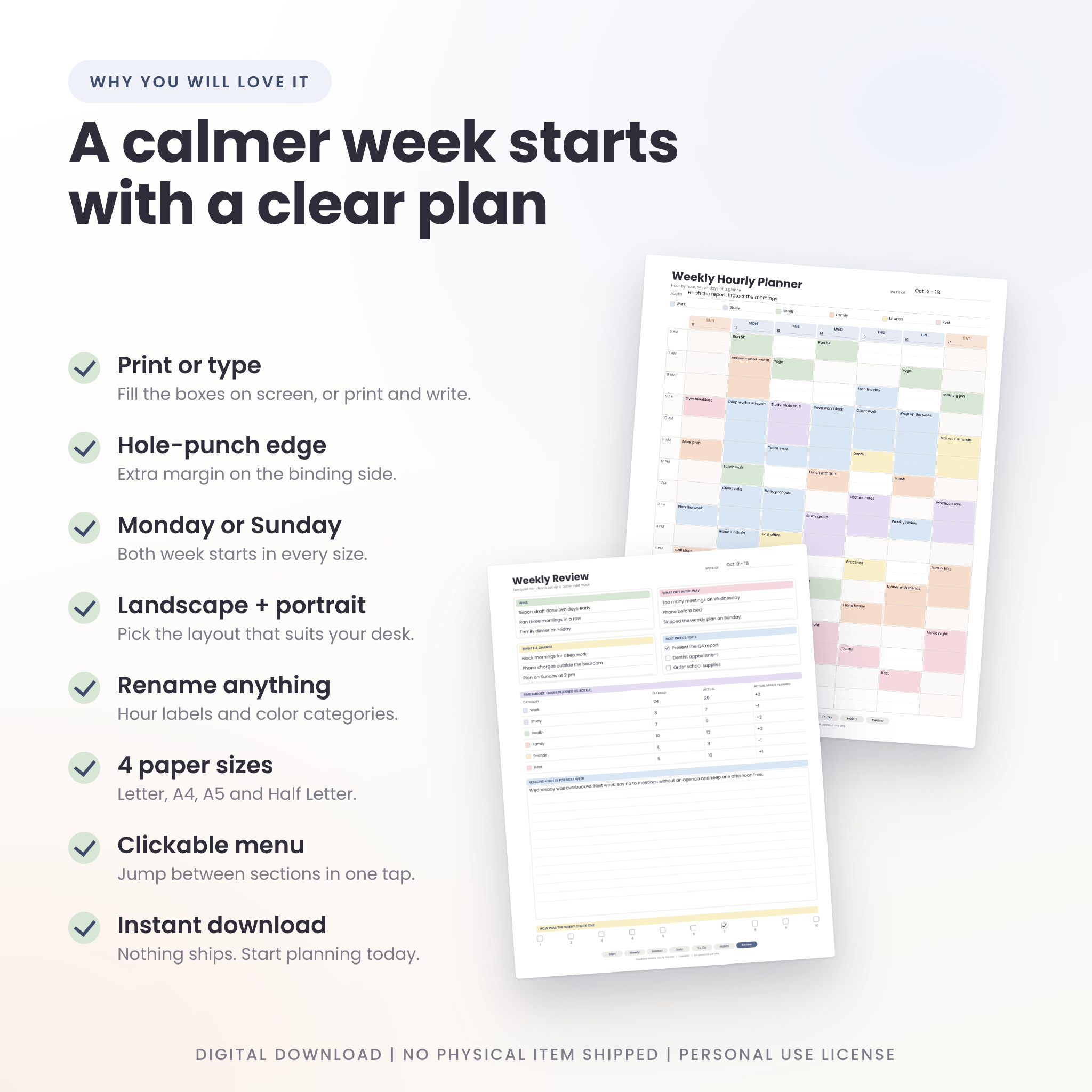
Most hourly planners hand you one layout and wish you luck. FlowBlock gives you choices. Landscape grids for wide, roomy boxes. Portrait grids for binders and clipboards. Monday starts and Sunday starts, already built, so you never have to flip anything yourself.
Who it is for
- Students fitting classes, study time and a social life into one week
- Parents and caregivers juggling school drop-offs, work and everything between
- Freelancers and remote workers who need to see where the hours go
- Shift workers, because every hour label can be changed
- Anyone who likes time blocking and wants a clean page for it
Main Benefits
- See the whole week at once. Seven days, 17 hour rows, one page.
- Protect your important work. Block it in first, then fit the rest around it.
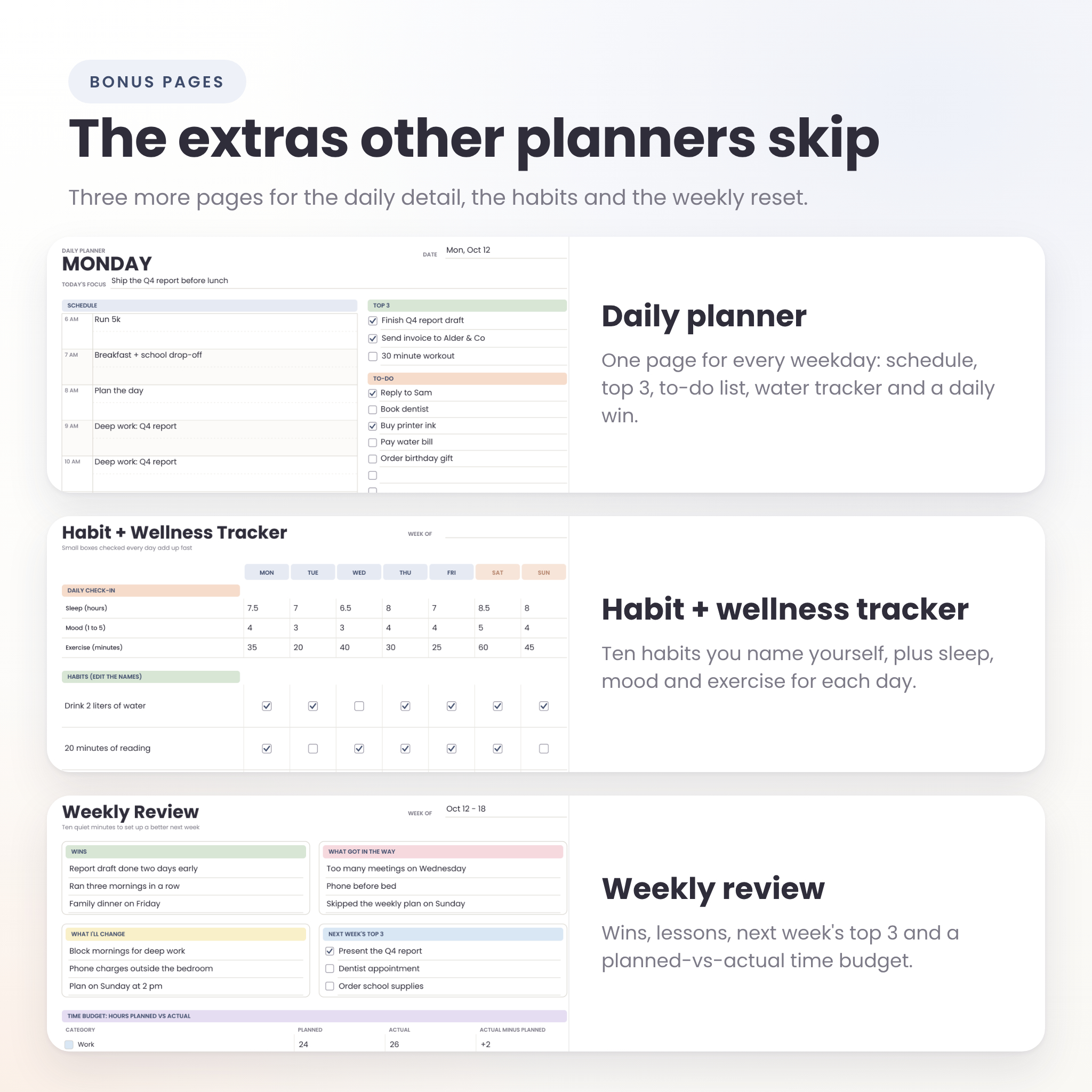
- Spot where time leaks. The weekly review compares planned and actual hours for six categories.
- Stay flexible. Print what you need, when you need it. Type when you are at the computer.
What Is Included
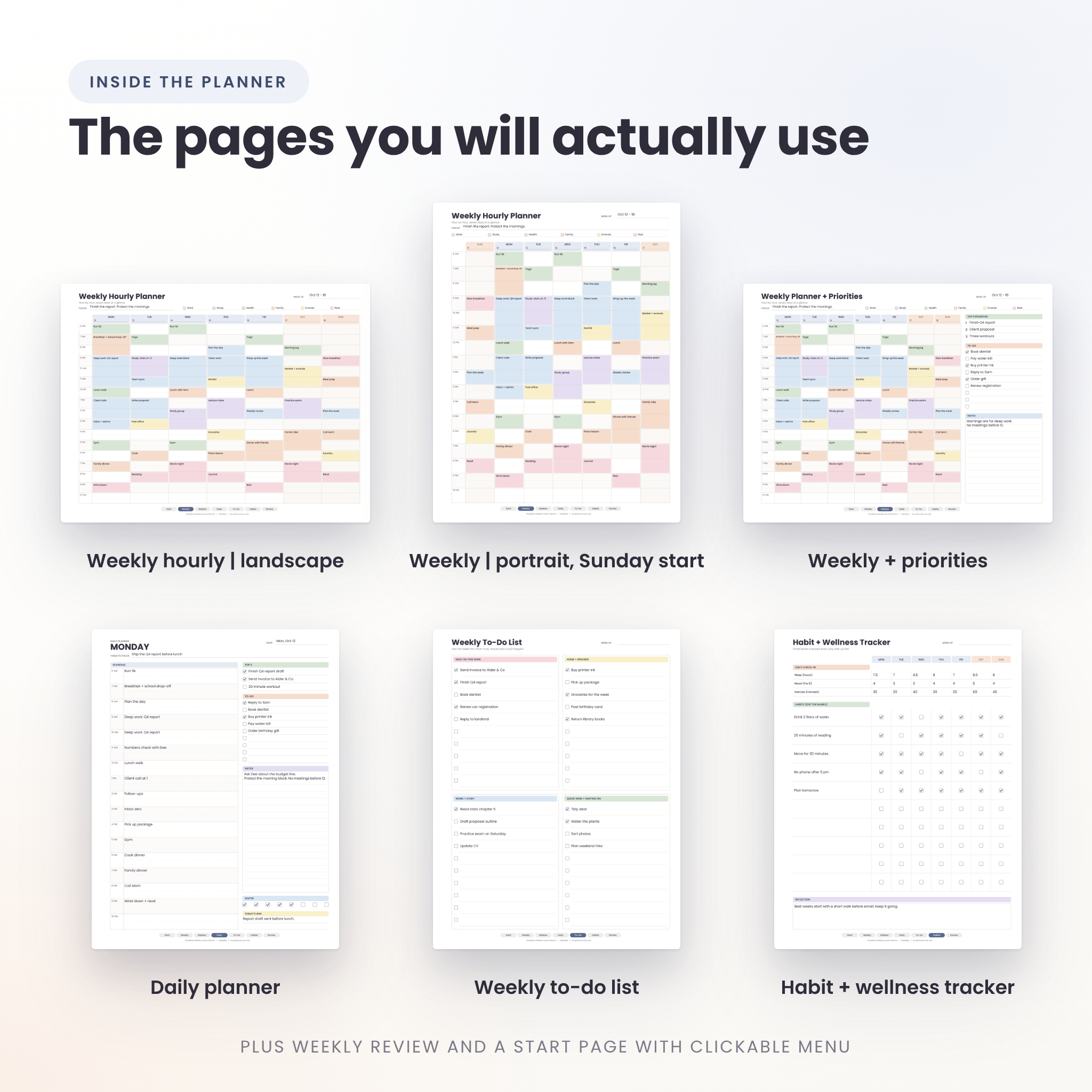
Each of the four PDFs contains 18 pages:
- 1 Start page with clickable buttons to every section
- 4 weekly hourly grids: landscape and portrait, each with a Monday and a Sunday start
- 2 weekly planners with priorities: the hourly grid plus a Top 3 list, nine check-box to-do lines and a notes box
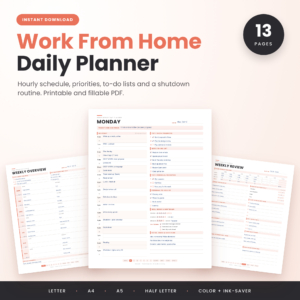
- 7 daily planners, Monday to Sunday: hourly schedule, Top 3, nine to-do lines, notes, eight water check boxes and a Today’s Win box
- 1 weekly to-do list with four boxes and ten lines each
- 1 habit and wellness tracker: ten habits you name yourself, plus sleep, mood and exercise for each day
- 1 weekly review: wins, what got in the way, what to change, next week’s top 3 and a planned-versus-actual time budget
- 1 license page
You also get a step-by-step user guide as a Word (DOCX) file, and a ZIP that holds everything in one folder.
Features You Will Notice
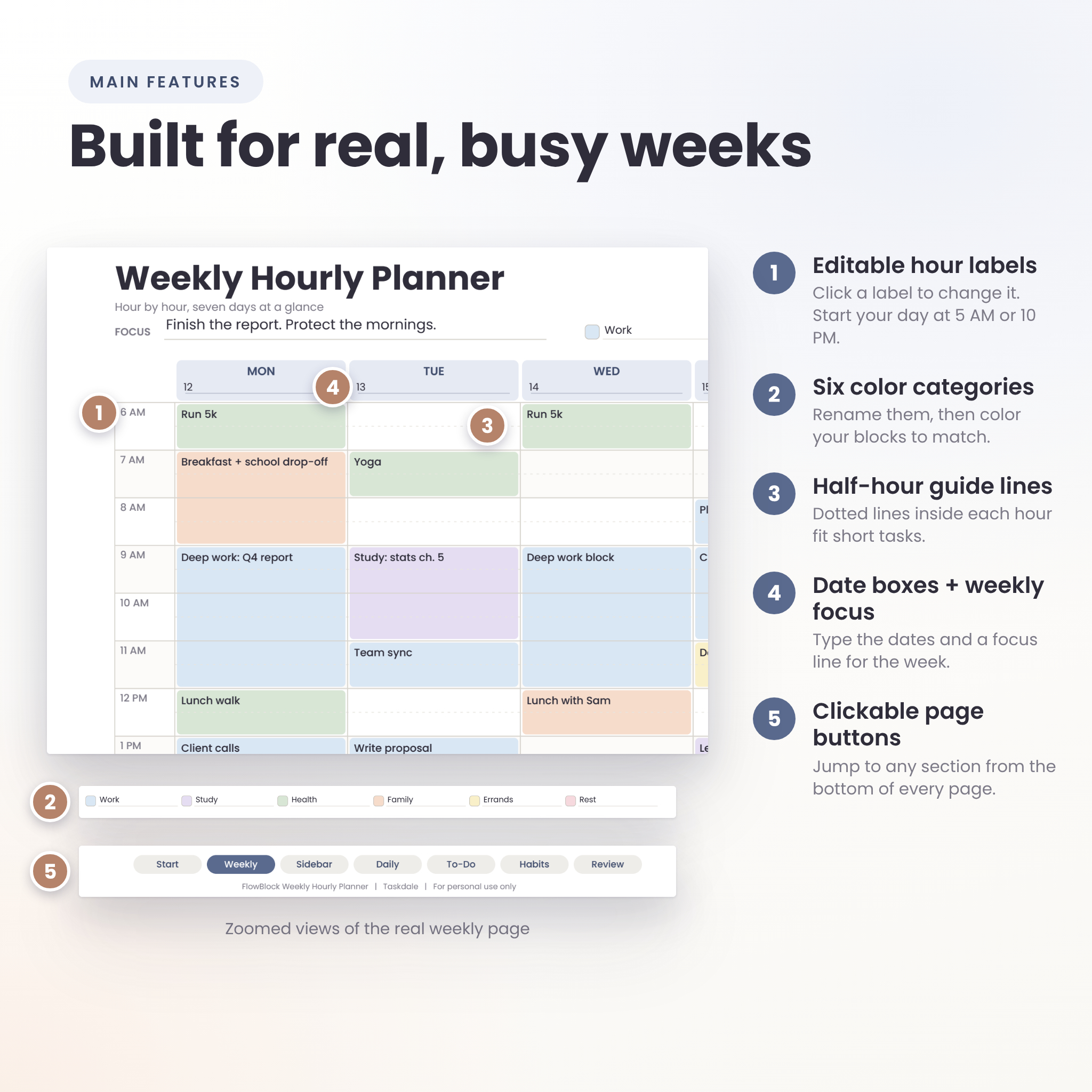
- Editable hour labels. Click any label and type your own. Start the day at 5 AM or 10 PM.
- Six color categories. Rename them, then color your blocks to match with highlighters or a PDF highlight tool.
- Half-hour guide lines inside every hour row
- Date boxes and a weekly focus line on every weekly page
- Clickable page buttons at the bottom of every page, plus a bookmarks list in your PDF reader
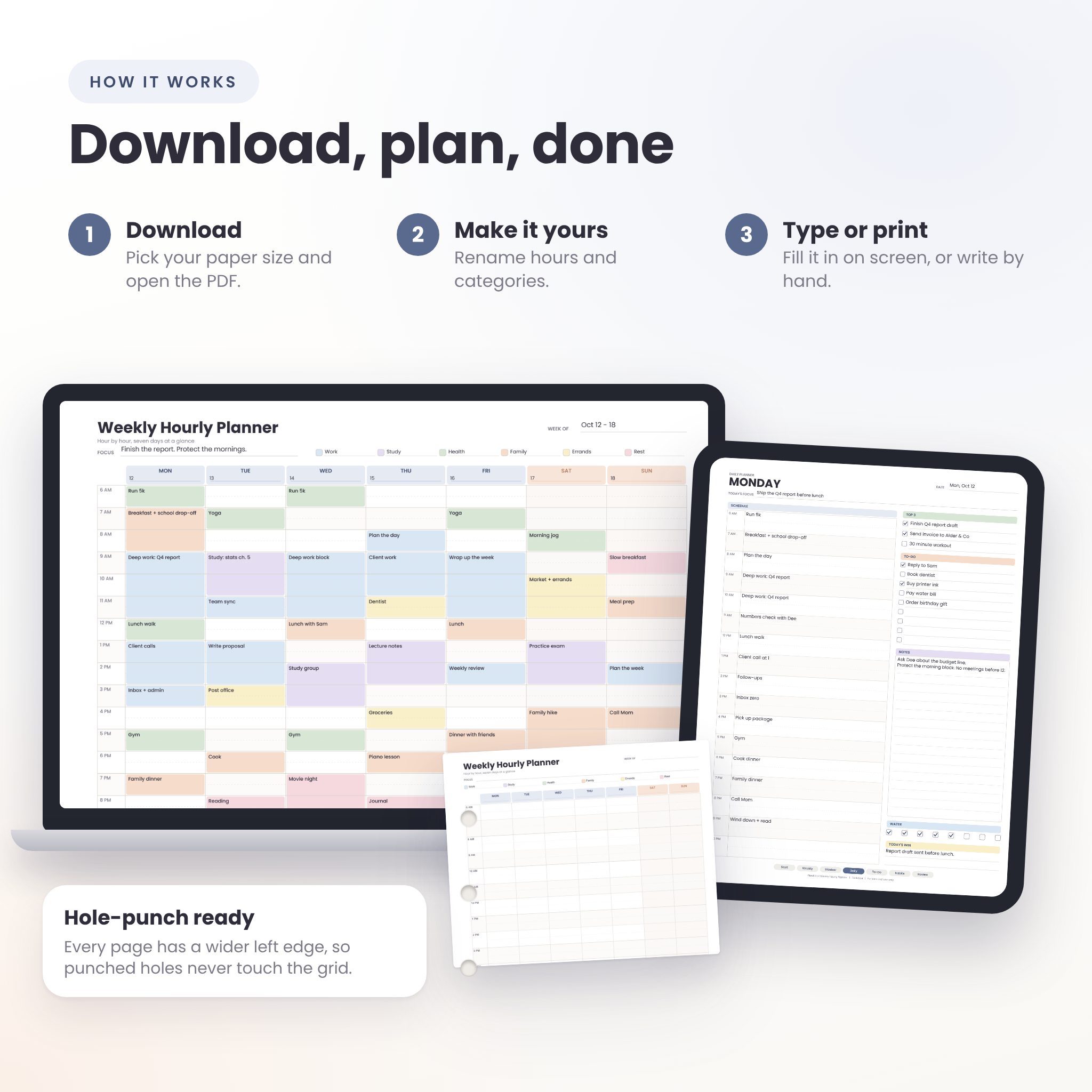
- Hole-punch margin. Every page has a wider left edge, so a punch on the left side clears the grid
- Print-safe margins. Content stays at least 0.25 inch from every edge
- Undated pages, so you can start any week of the year
How It Works
- Download your files and open the PDF that matches your paper size.
- Change the hour labels and color names if you want to. Type the dates and a focus line.
- Block out your week, hour by hour. Type in the boxes, or print and write by hand.
- On Friday, fill in the weekly review and plan the next week.
File Formats and Software
- Planner: 4 fillable PDF files (US Letter 8.5 x 11 in, A4, A5, Half Letter 5.5 x 8.5 in)
- User guide: 1 DOCX file
- Bundle: 1 ZIP file with all of the above
- You need: any PDF reader. A program that opens DOCX files is needed only for the guide.
The boxes are standard PDF form fields. We tested typing, check boxes and page buttons in the PDF viewer built into Google Chrome. Other readers that support form fields should behave the same way, but some tablet note-taking apps ignore typed fields. If yours does, print the pages or write on them with a stylus.
Customization
You can rename all 17 hour labels on every page, the six color categories on every weekly page and the weekly review, and the ten habit names. The page layout stays fixed on purpose, so everything stays lined up.
Digital Download Information
This is a digital product. Nothing is shipped. After checkout your files are ready to download straight away from your order confirmation and your account. Colors can look slightly different on screen and on paper. A personal use license is included: print for yourself and your household, but please do not share, resell or redistribute the files.
Real Ways People Use It
- Time-block the work week, with deep work in the morning and meetings after lunch
- Map a university week: lectures, study blocks, part-time job and gym
- Run a family schedule with school drop-offs, practices and dinner times
- Plan freelance client hours and see how much is billable
- Build a shift-work week that starts at 10 PM instead of 6 AM
- Print A5 or Half Letter pages for a small ring-bound planner
Frequently Asked Questions
Is the weekly hourly planner dated?
No. It is undated, so you can start any week of the year and write the dates in the date boxes.
Can I type into it, or do I have to print it?
Both work. The boxes are fillable in PDF readers that support form fields. You can also print the pages and write by hand.
Which paper size should I choose?
Use US Letter if you print on 8.5 x 11 paper, and A4 for most other countries. A5 and Half Letter suit smaller planners and binders.
Can I change the start time of the day?
Yes. Click each hour label and type your own time. This is handy for early risers and night-shift workers.
Is there a Monday start and a Sunday start?
Both are included in every PDF, for landscape and portrait, so you never have to change the layout.
Can I print it more than once?
Yes. Print as many copies as you like for your own use. Reselling or sharing the files is not allowed.
Does it work on an iPad?
It is a standard PDF, so it opens in any app that opens PDFs. Typing into the boxes depends on the app, and we have not tested every one. You can also write on the pages with a stylus in an app that lets you annotate PDFs.
Reviews
There are no reviews yet.