Fillable Work Planner PDF for Calmer, Clearer Workdays
Most workdays go sideways before ten in the morning. An email lands, a call runs long, and the one thing you meant to finish never gets touched. Focus Desk is a fillable work planner PDF built to stop that. Open the Work Day Planner, write your top three, block your hours, and get going. It takes about five minutes.
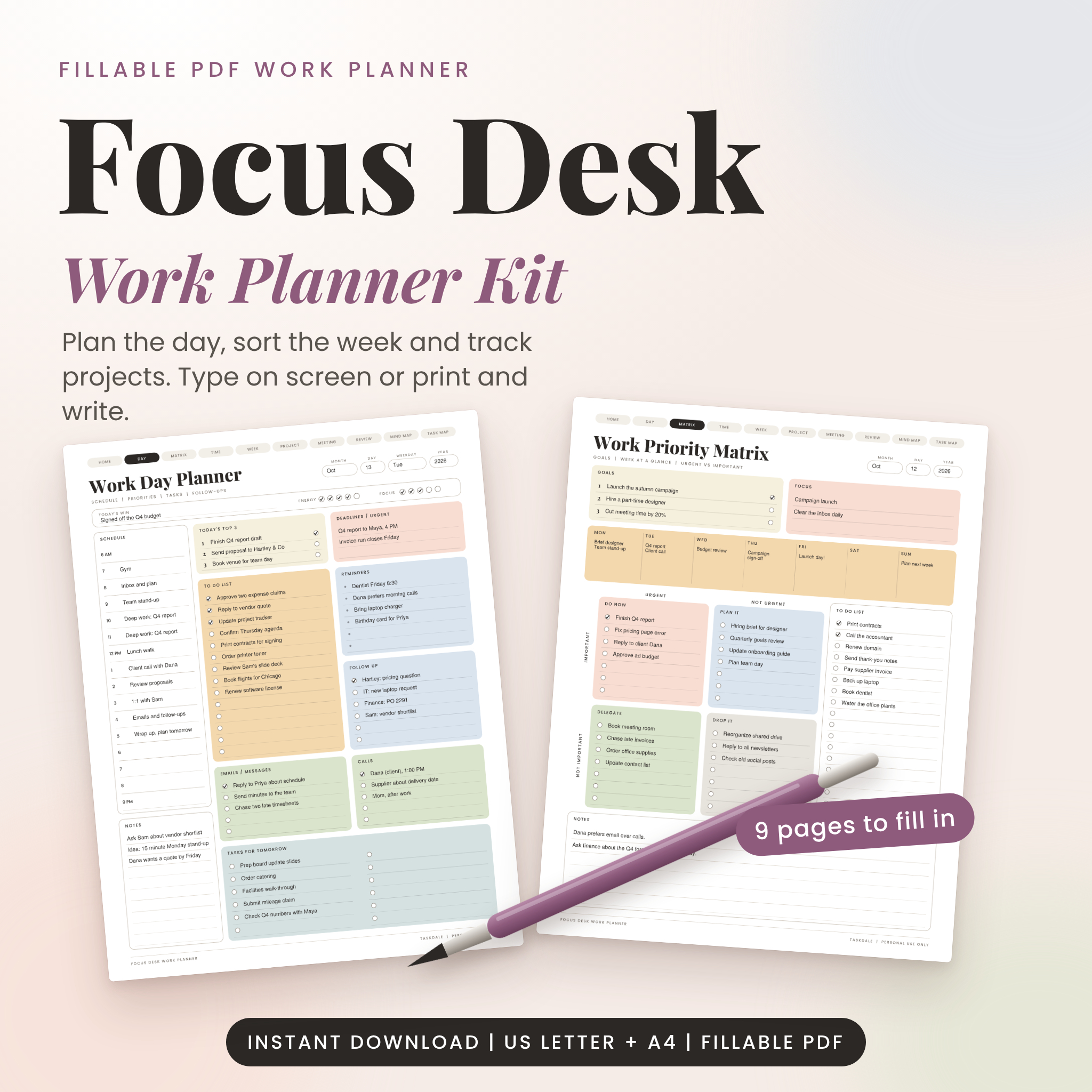
The kit holds nine planner pages and a clickable Start Here page. Type into them on your computer, or print them and use a pen. Same pages, your choice.
Who this planner is for
- Office workers and team leads who want a plan they can see at a glance.
- Freelancers and business owners juggling clients, invoices and deadlines.
- Remote workers who need a clear start and a clear stop to the day.
- Anyone who likes a printable planner but wants the option to type.
What you get
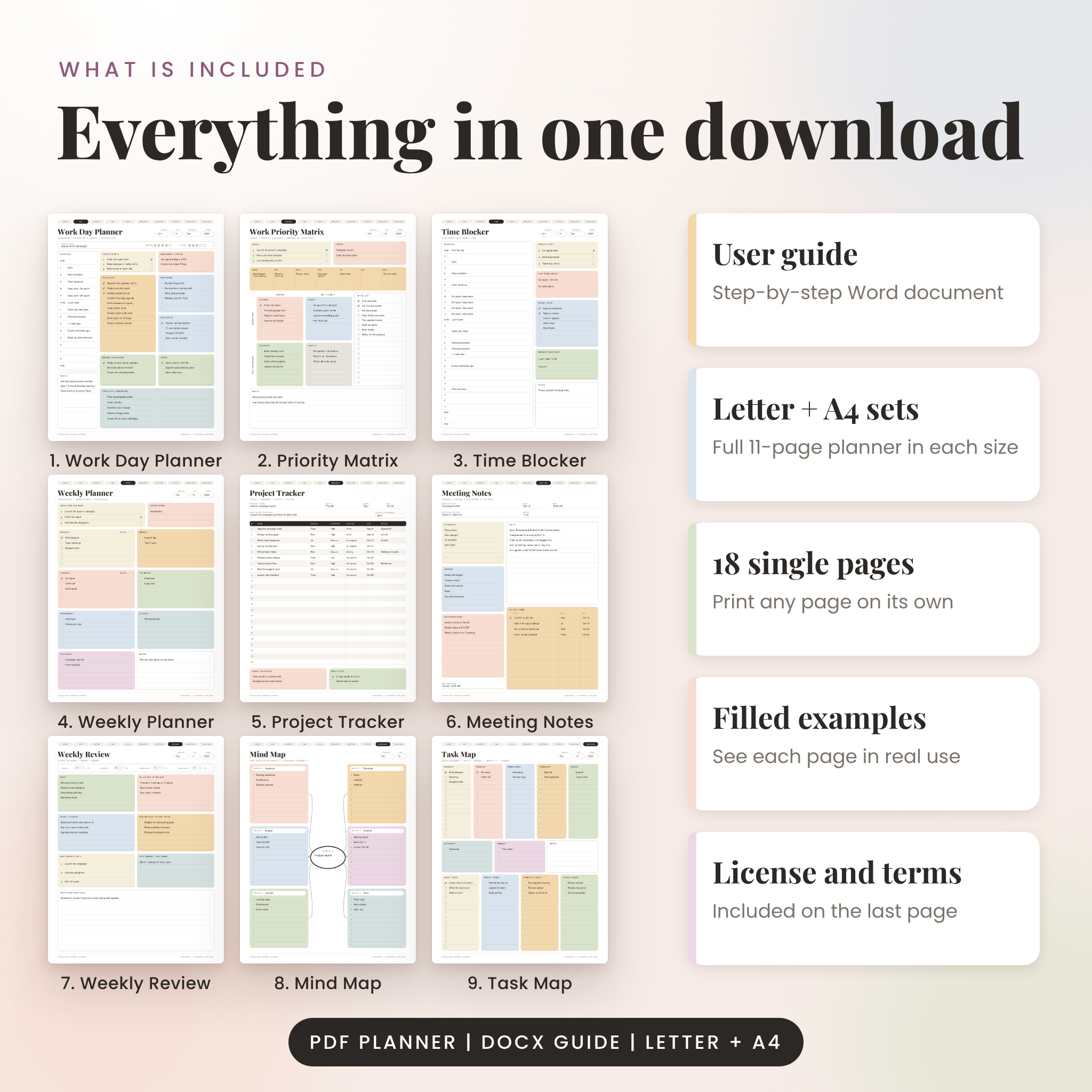
Nine fillable planner pages
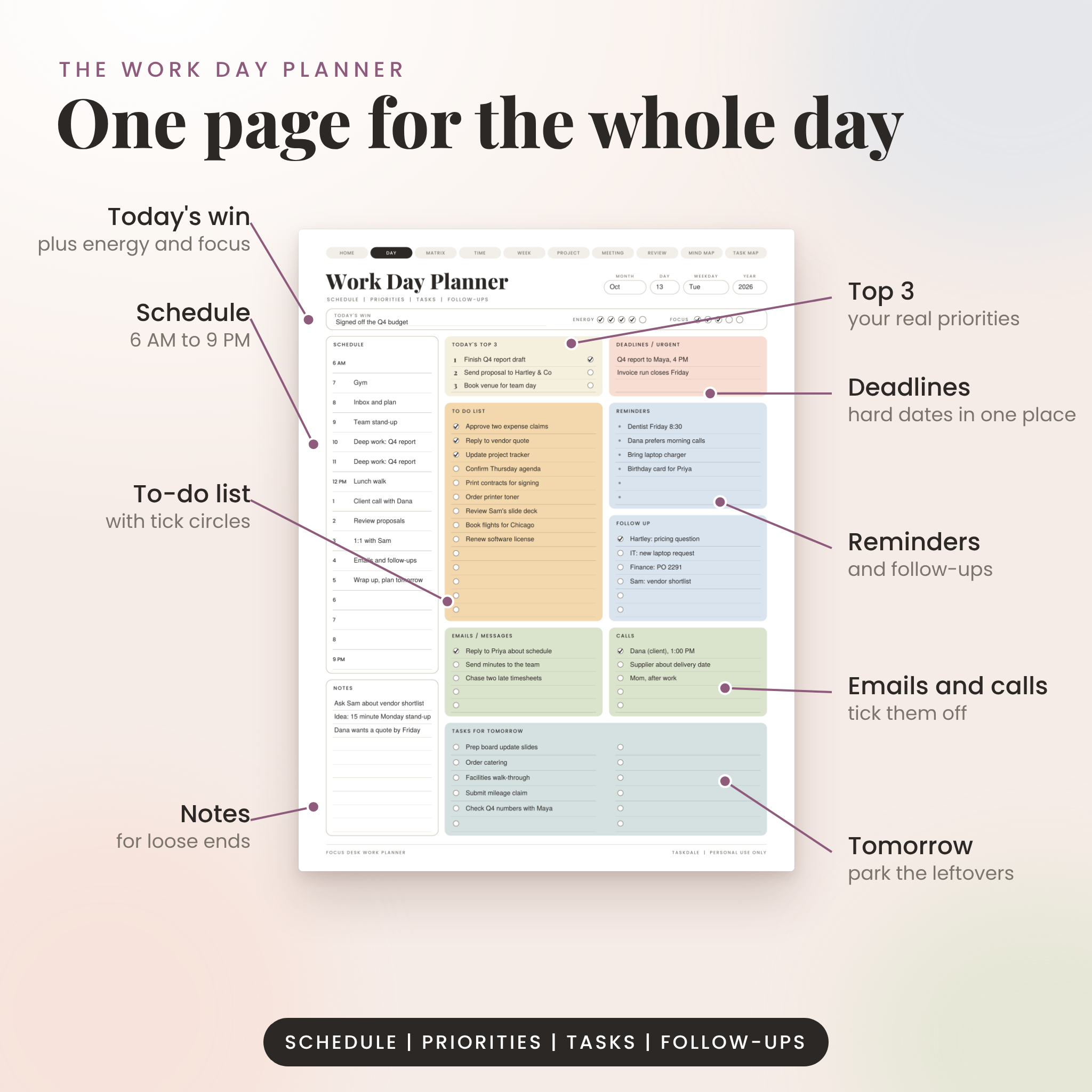
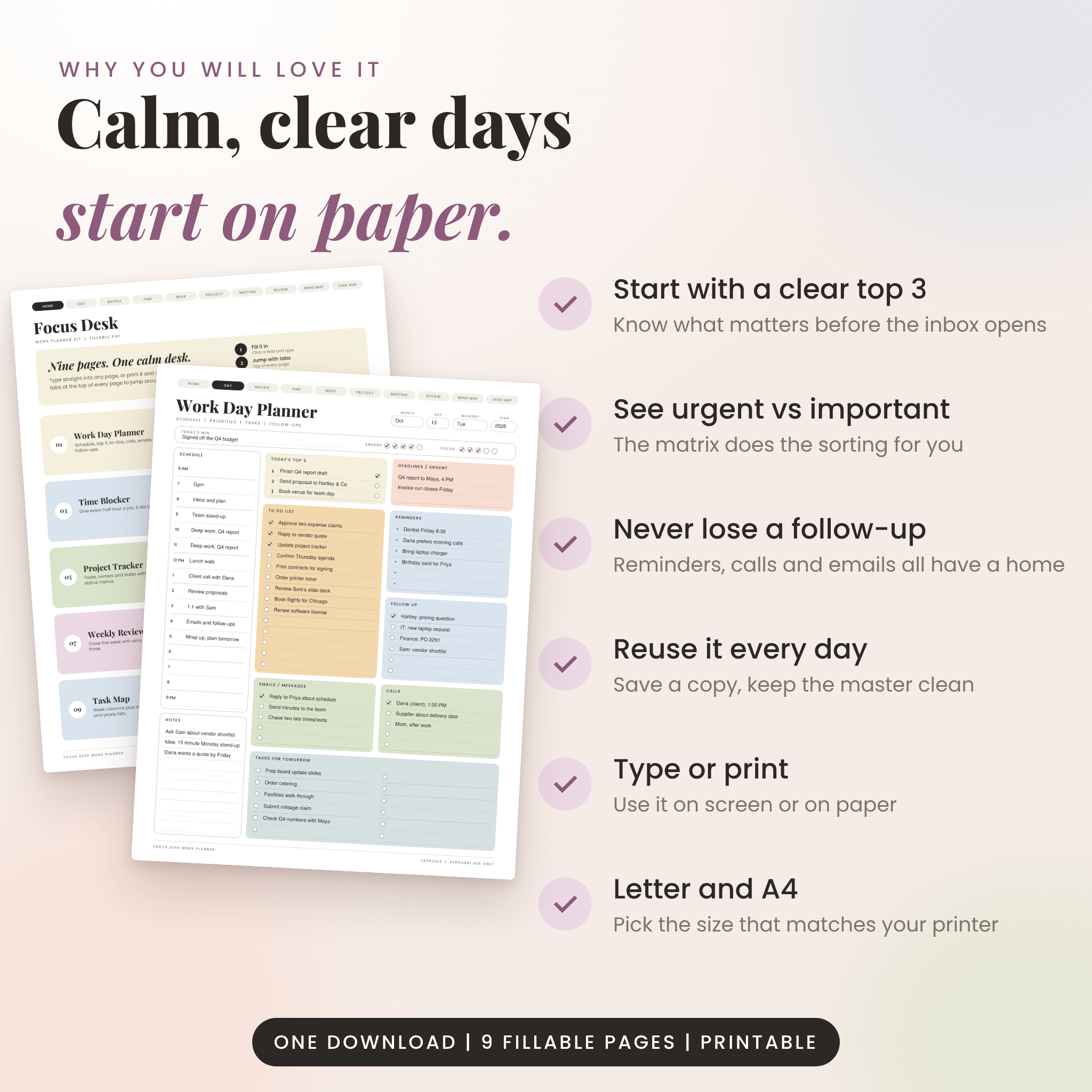
- Work Day Planner. Top 3, a 6 AM to 9 PM schedule, to-do list, deadlines, reminders, follow-ups, emails, calls, tasks for tomorrow, plus a spot for today’s win and quick energy and focus ratings.
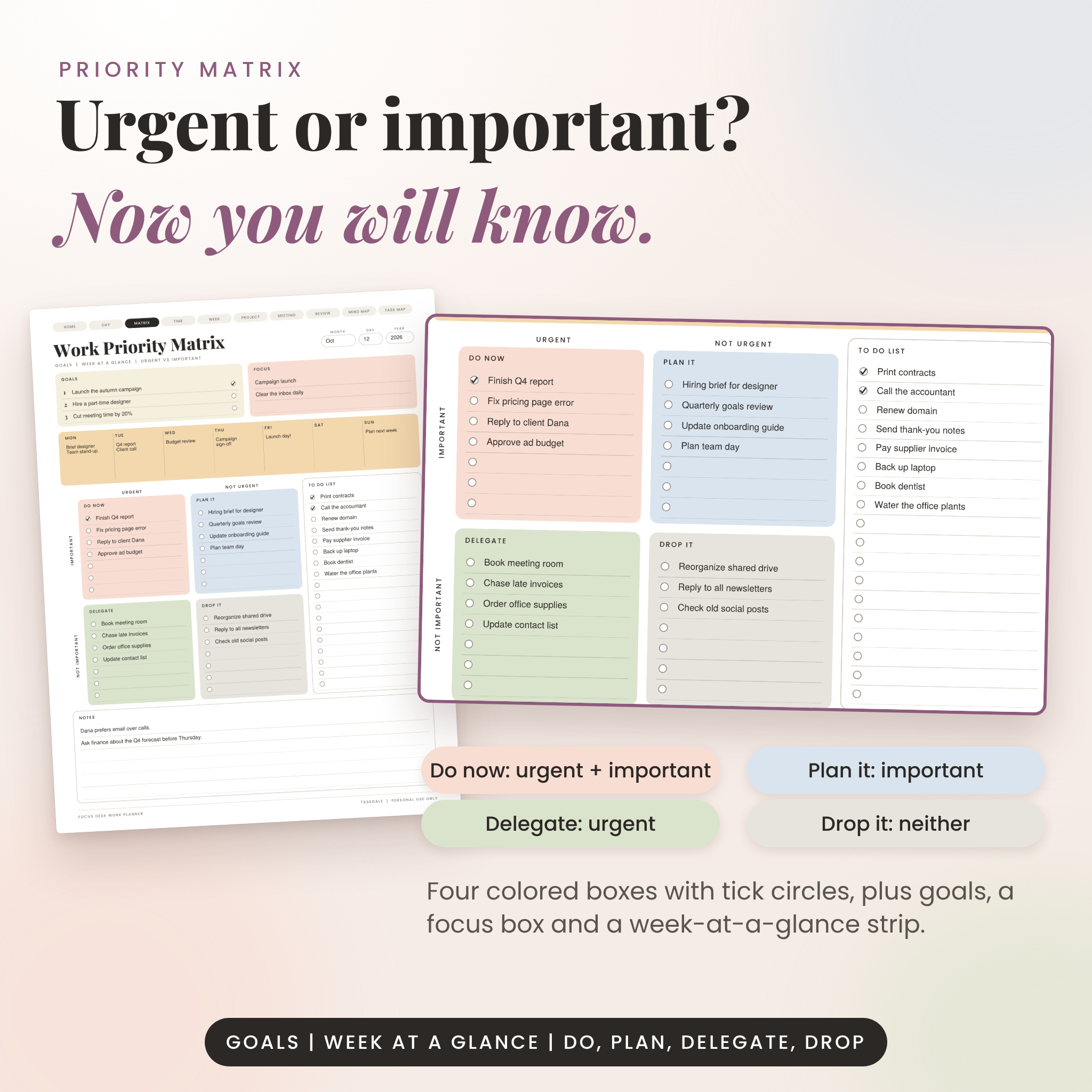
- Work Priority Matrix. Goals, a focus box, a week-at-a-glance strip and four boxes: do now, plan it, delegate, drop it.
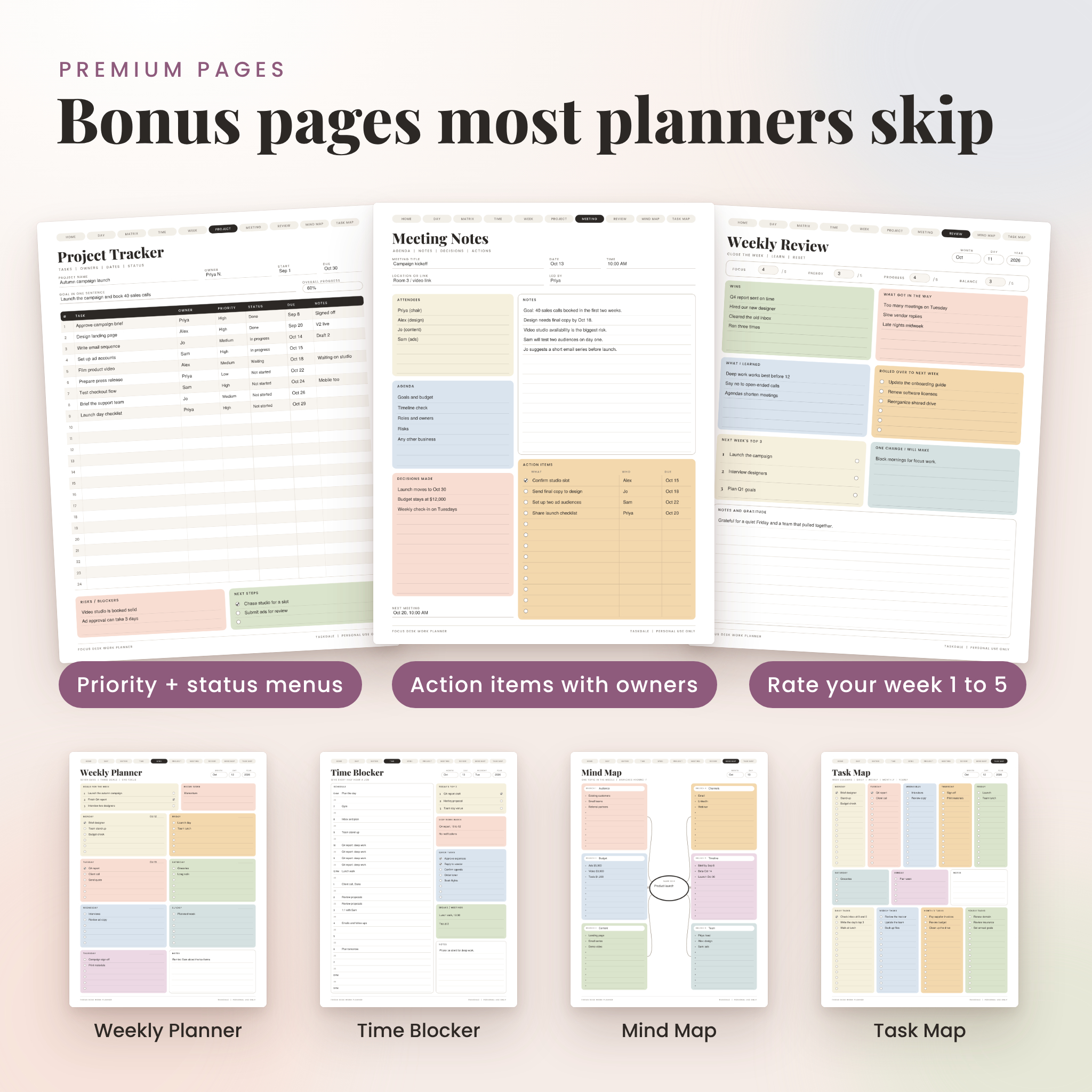
- Time Blocker. Half-hour slots from 6 AM to 9 PM with a deep work block, quick tasks and breaks.
- Weekly Planner. Three goals, a focus word and a card for each day of the week.
- Project Tracker. Task table with owner, due date, and dropdown menus for priority and status, plus an overall progress menu.
- Meeting Notes. Agenda, attendees, notes, decisions and action items with owners and dates.
- Weekly Review. Wins, what got in the way, lessons, rolled-over tasks and next week’s top 3, with 1 to 5 ratings.
- Mind Map. One central idea and six branches for brainstorming.
- Task Map. Monday to Friday columns, weekend boxes and daily, weekly, monthly and yearly lists.
Extras in the download
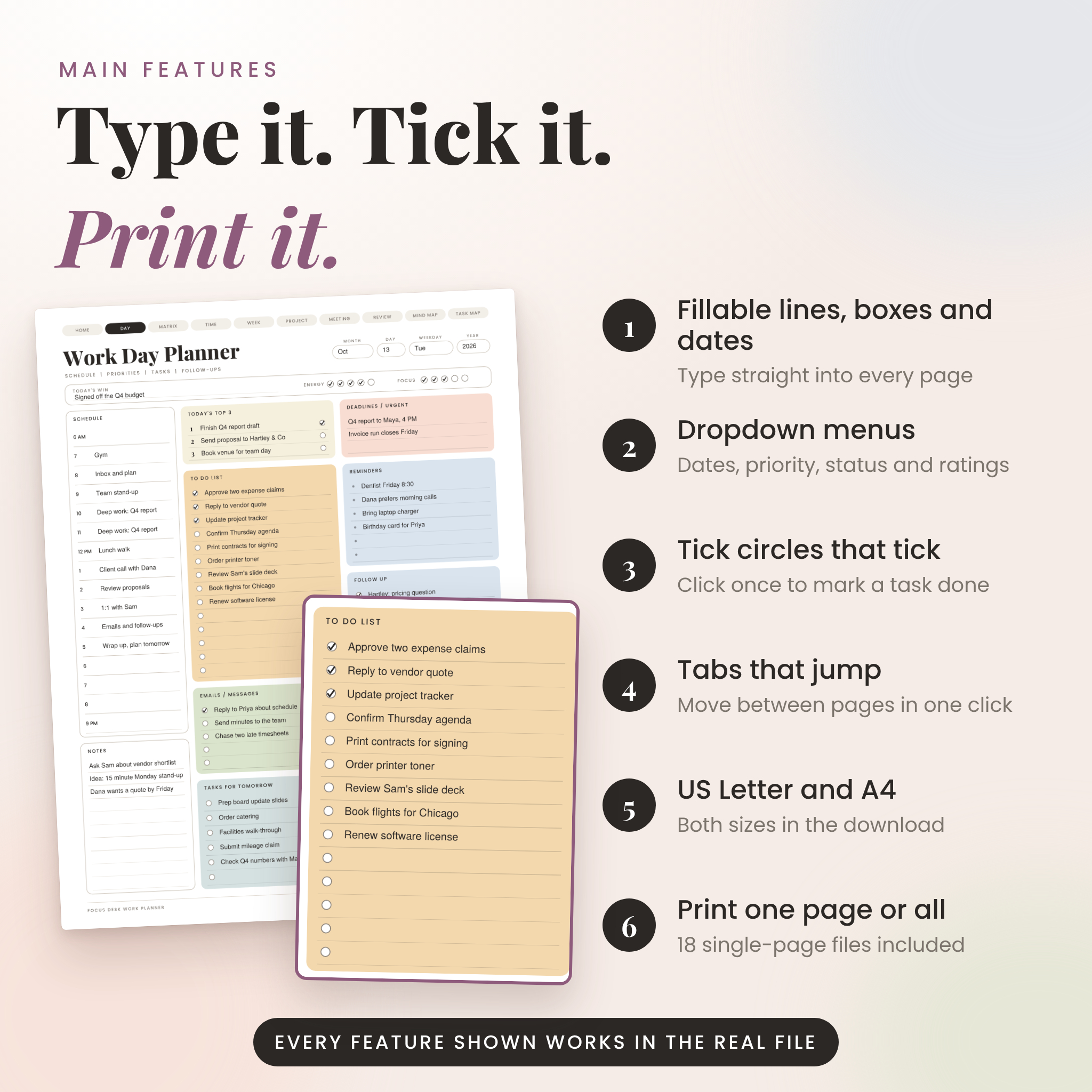
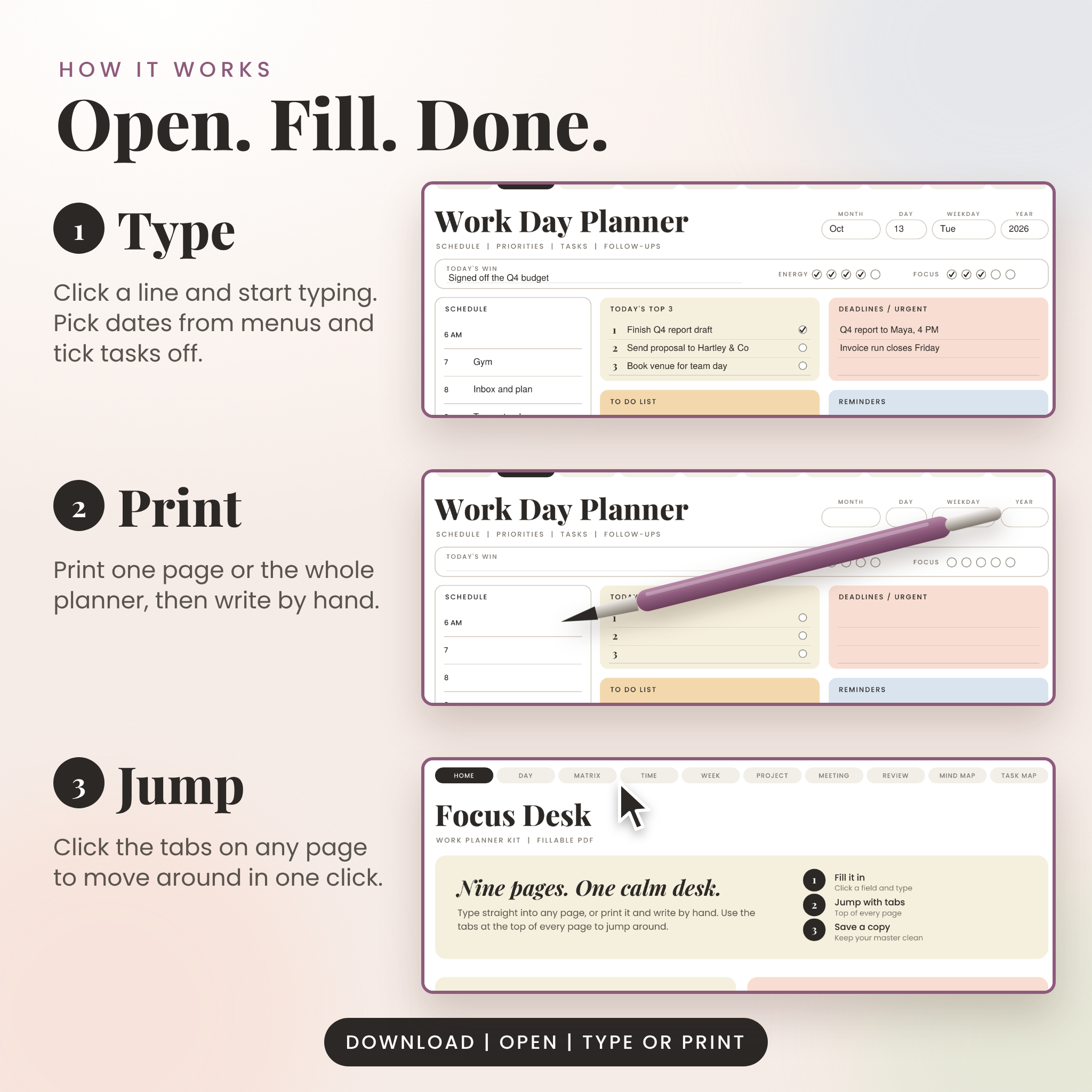
- A Start Here page with clickable tiles, and tabs at the top of every page that jump you around.
- 18 single-page PDFs (nine in each size), so you can print one page without the rest.
- Filled examples of every page, so you can see how people use them.
- A Word user guide with a page-by-page tour, tips, troubleshooting and FAQ.
- A license and terms page.
How it works
- Buy and download the ZIP file.
- Unzip it and open the folder that matches your paper size, US-Letter or A4.
- Open the planner in a PDF reader. Click any line, box or date and type. Click a circle to tick a task off.
- Choose Save As and give your copy a new name. Your blank master stays clean for tomorrow.
Prefer paper? Print the page you need at actual size. The lines are spaced for handwriting, and the tick circles are big enough to hit with a pen.
Features that make it easy to use
- Fillable lines, boxes and tick circles on every planner page.
- Dropdown menus for dates, priority, status and ratings. You can also type your own words.
- Soft pastel colors that print clearly in color or black and white.
- US Letter and A4 versions of every page.
- Title and label fonts are embedded, so the pages look the same on every computer.
File formats and software
The planner pages are PDF files with fillable fields. To type into them you need a PDF reader that supports forms, such as the free Adobe Acrobat Reader. To print only, any PDF viewer works. The user guide is a DOCX file that opens in Microsoft Word, Google Docs or LibreOffice. This is a digital product, so no physical item is shipped.
Customization
The designs themselves are finished and are not editable. What you can change is everything that matters day to day: every line, date, rating and status is yours to fill in, and the dropdowns accept custom text. Save as many dated copies as you like for your own use.
Real ways people use it
- Fill out the Work Day Planner at 8:45 AM and keep it open next to your email.
- Run Monday’s team stand-up from the Priority Matrix, then pick the three things that cannot slip.
- Block deep work in the Time Blocker before meetings take over the calendar.
- Track a product launch, event or client project in the Project Tracker.
- Print the Meeting Notes page for every call, then type the action items into your task list.
- Spend ten minutes on the Weekly Review every Friday and start Monday with a plan.
Digital download information
You get one ZIP file after checkout. Inside are the planner PDFs in both sizes, the single pages, the filled examples and the user guide. Nothing is mailed. Because this is an instant digital download, refunds are not available once the files are delivered, but if something does not open we will help you sort it out.
License: for personal use by one person. Please do not resell, share or redistribute the files. The full terms are on the last page of the planner.
Frequently asked questions
Can I type into the planner?
Yes. Open it in a PDF reader that supports forms, click a field and type. Save a copy to keep your entries.
Is it a printable planner too?
Yes. Print any page at actual size. Single-page files make it quick to print just what you need.
Does it come in US Letter and A4?
Both. Each size has its own folder, so pick the one that matches your printer.
Can I edit the design or change the colors?
No. The layouts are finished PDFs. You can type into every field, and the dropdown menus accept your own text.
Will it work in a note-taking app on a tablet?
You can import the PDF pages into many note apps and write on them with a stylus. We have not tested each app, and some flatten form fields, so typing may not work there.
Can I use it with my team?
The license covers one person. Colleagues can get their own copy.
How do I reuse the pages every day?
Keep the master untouched. Open it, fill it in, then use Save As with today’s date.
Reviews
There are no reviews yet.