Weekly Meal Planner for Google Sheets: Plan Dinner, Skip the Panic
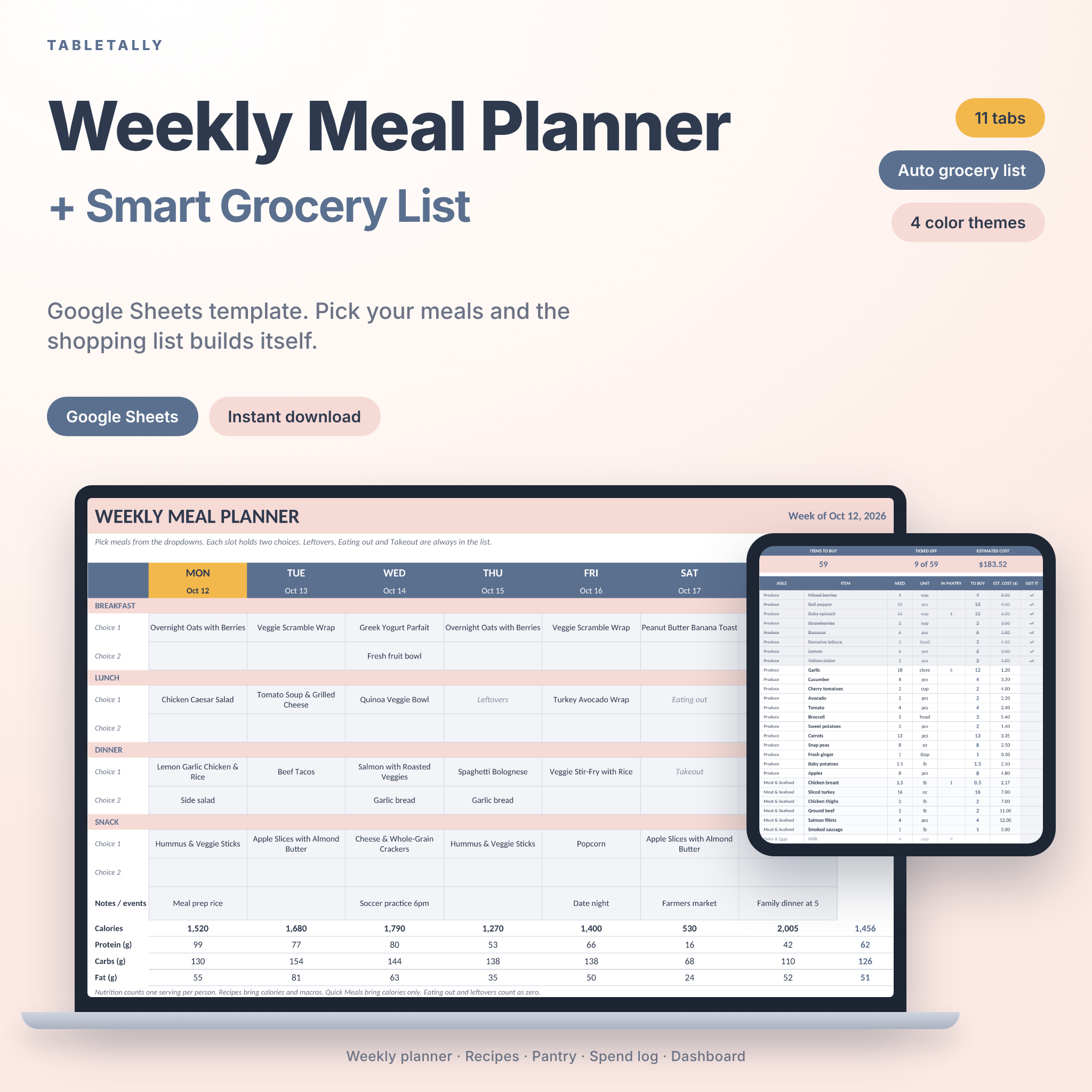
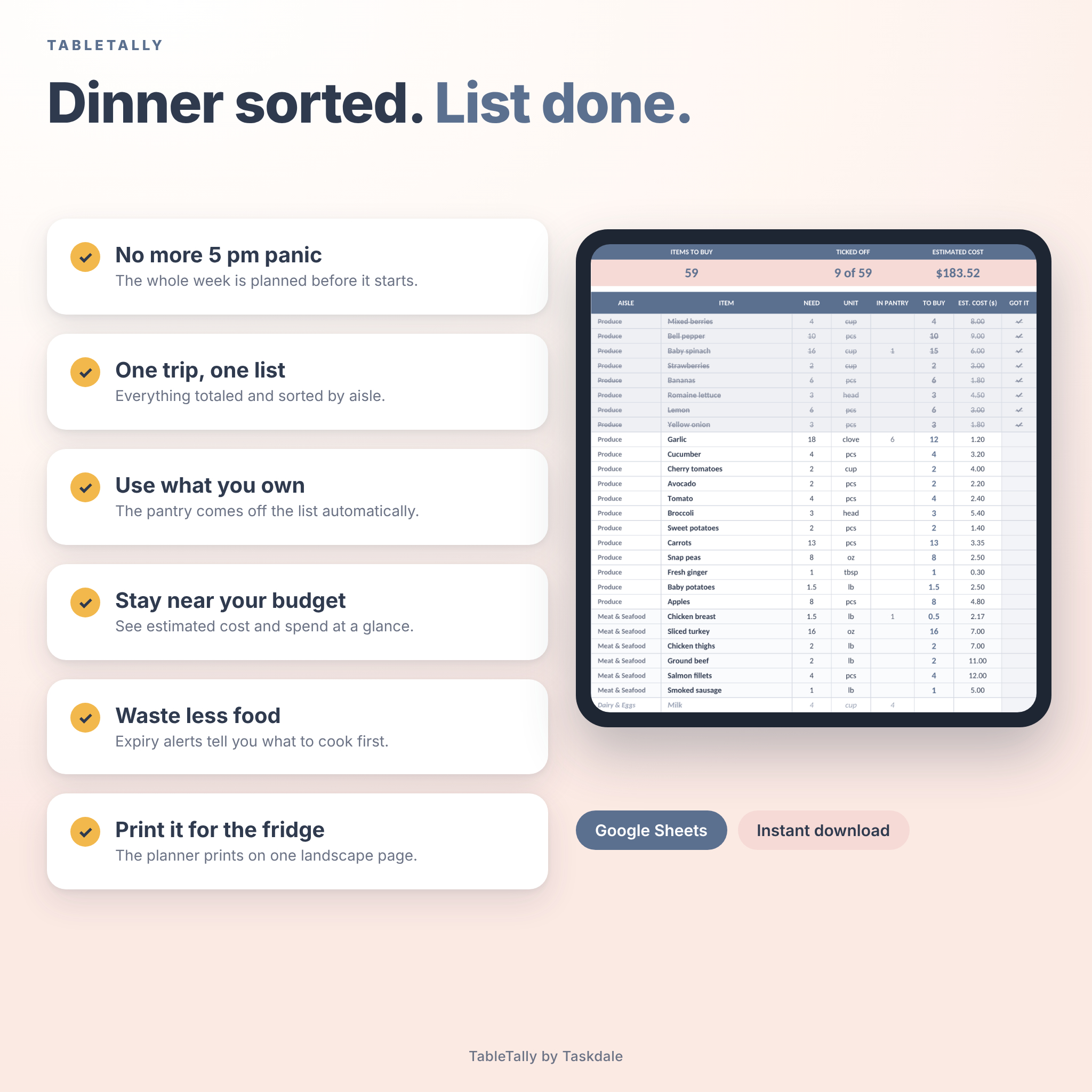
This weekly meal planner for Google Sheets does the boring part for you. Pick your meals for the week, and the grocery list fills itself in, sorted by store aisle. No retyping. No hunting through recipes to see what you’re out of.
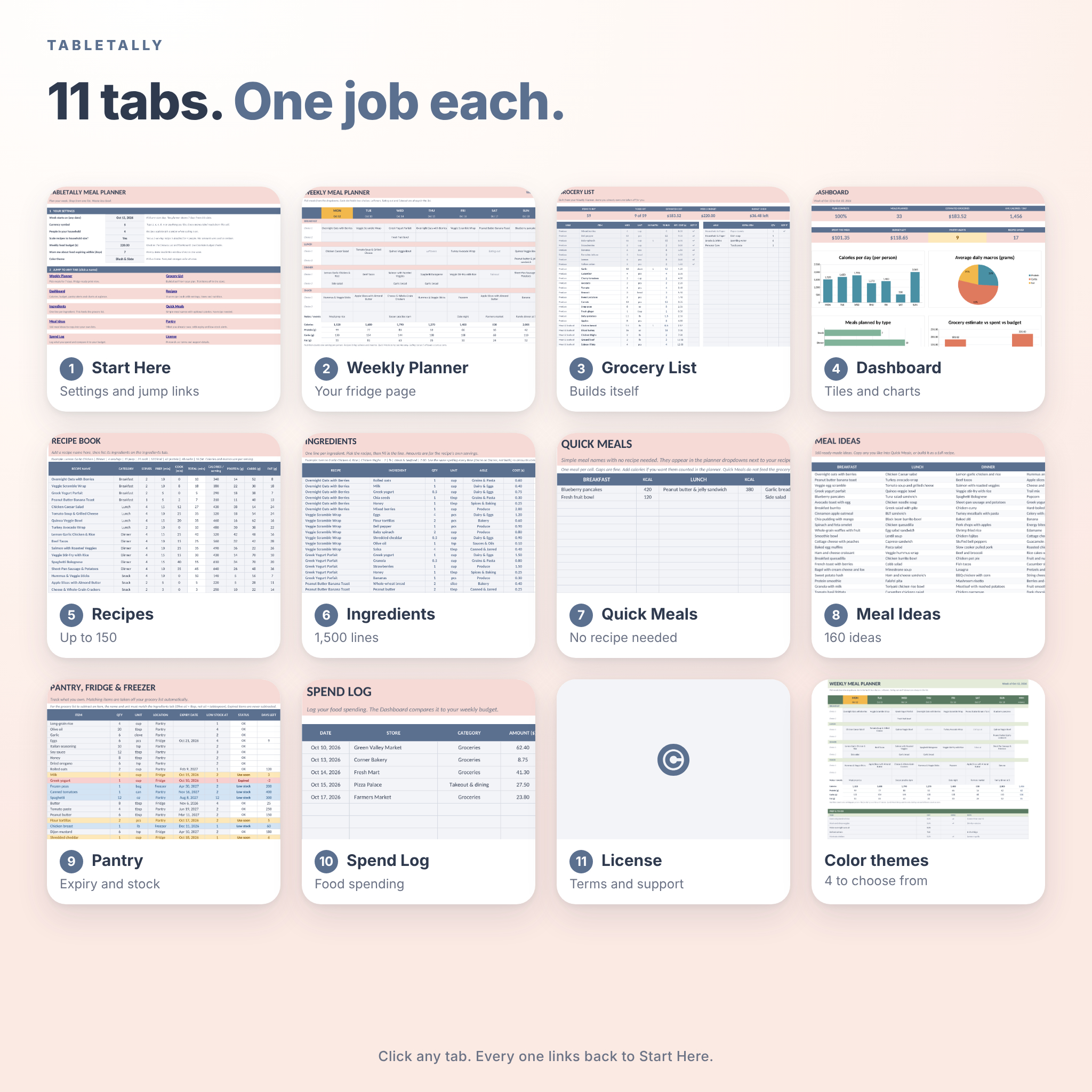
TableTally is one spreadsheet with eleven tabs. It has a seven-day planner, a recipe book, a pantry tracker, a spend log and a dashboard. You download it, open it in Google Sheets, and have your first week planned in about ten minutes.
What you get
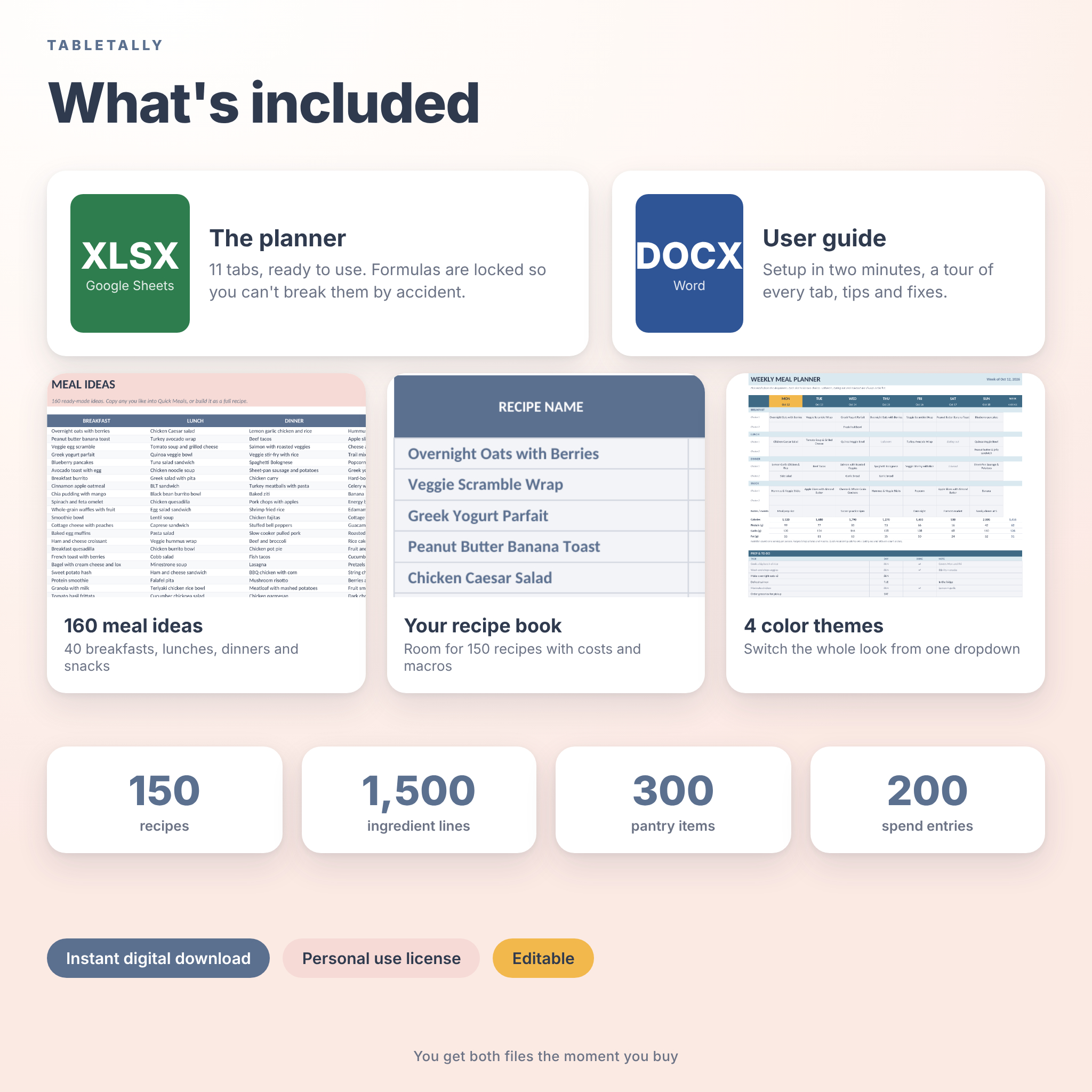
- TableTally-Meal-Planner.xlsx, the planner itself, ready to use with every tab already set up.
- A step-by-step user guide in Word format (DOCX) with setup, a tour of every tab and a troubleshooting table.
- 160 meal ideas already in the file: 40 breakfasts, 40 lunches, 40 dinners and 40 snacks.
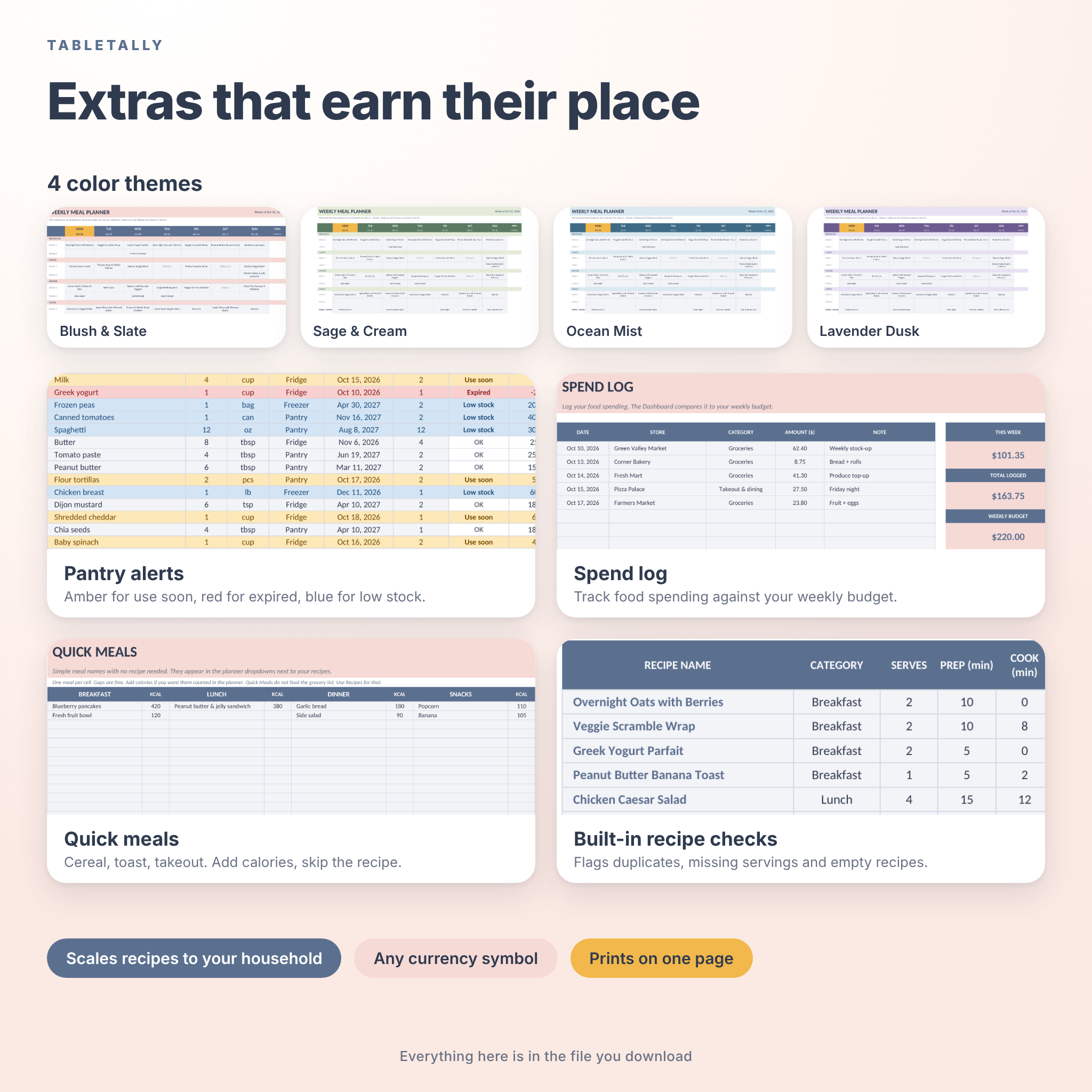
- Four color themes you can swap with one dropdown.
How it works
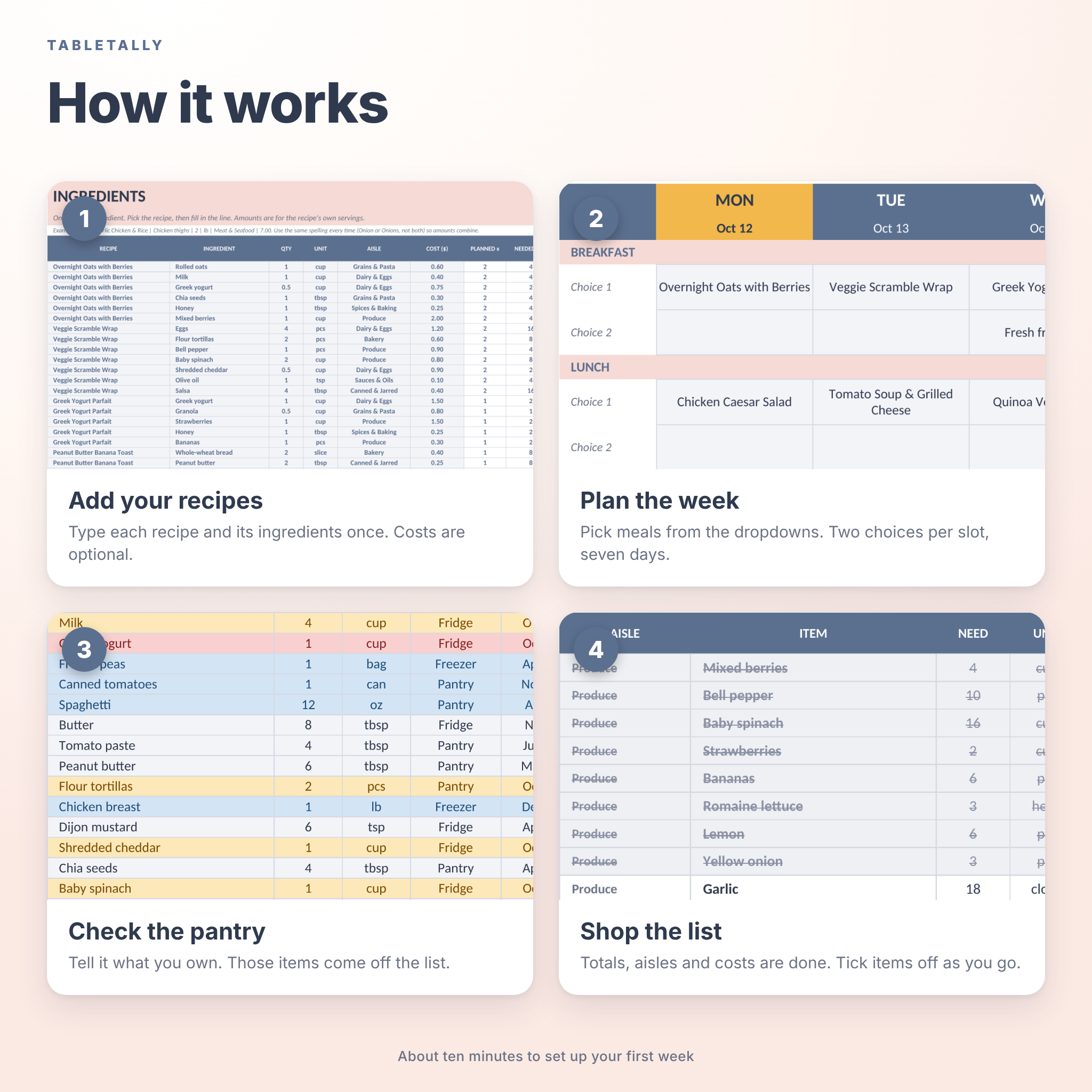
- Add your recipes. Type each recipe and its ingredients once. Costs and calories are optional.
- Plan the week. Choose meals from dropdowns. Every slot has two choices, so sides and backups have a home.
- Tell it what you own. List your pantry, fridge and freezer. Anything you already have comes off the shopping list.
- Shop the list. Totals, units, aisles and estimated costs are done. Tick items off as you go.
Features inside the planner
Weekly planner
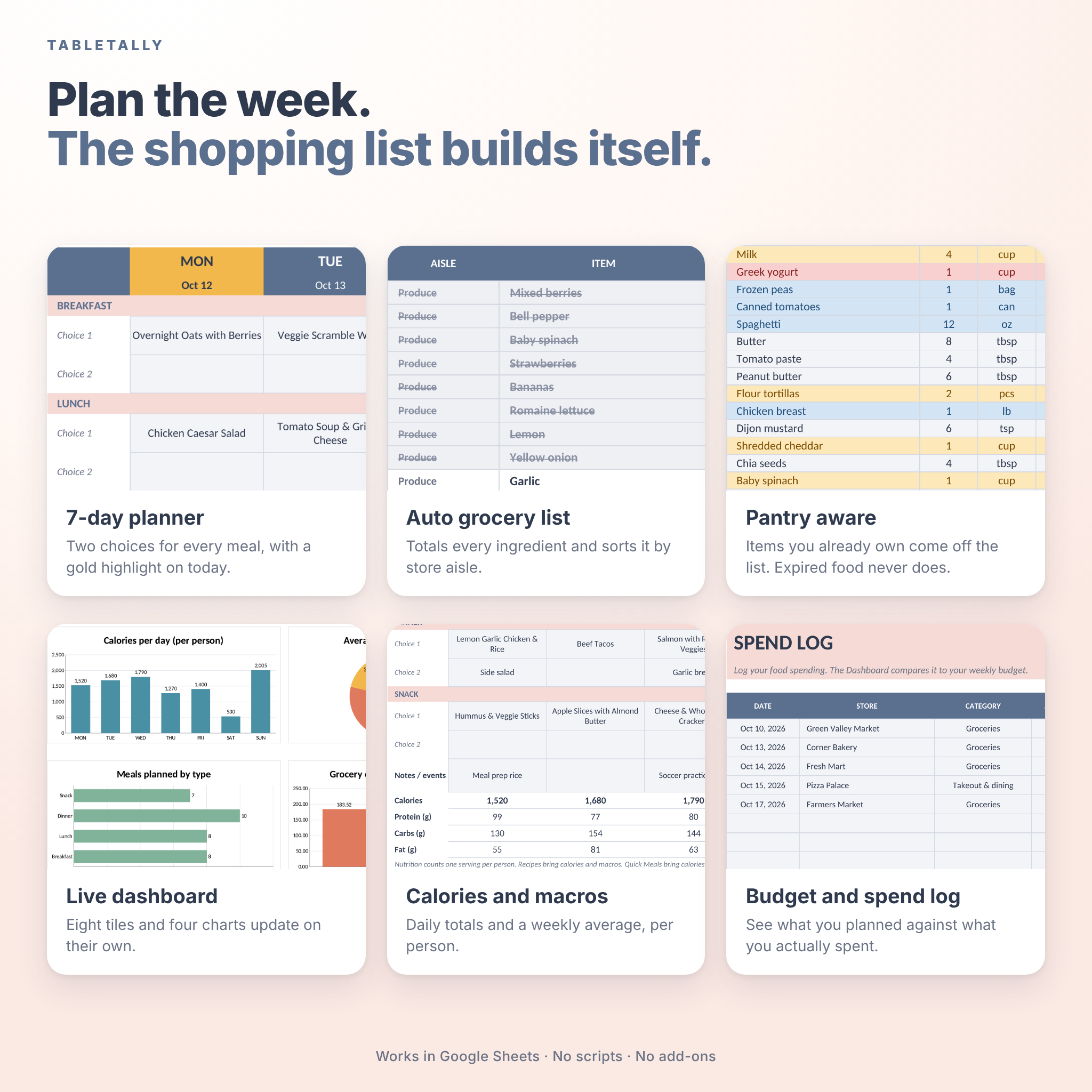
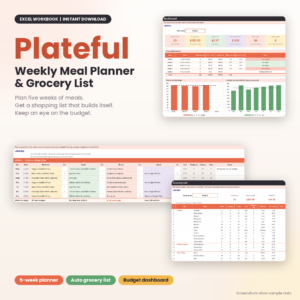
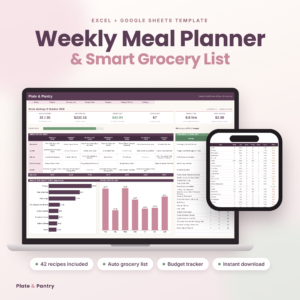
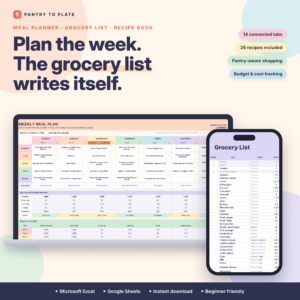
Seven days, four meal types, two choices per slot. Today is highlighted in gold. Daily calories, protein, carbs and fat add up underneath, with a weekly average. There is also a notes row for practice nights and late meetings, plus a small prep and to-do list.
Grocery list that builds itself
If three meals use garlic, you see one garlic line with the combined amount. Recipes scale to your household size, so a recipe written for two becomes the right amount for four. You can turn scaling off if you’d rather use amounts exactly as typed. There is also a space for extras like dish soap and paper towels.
Pantry tracker
Log what you own, where it lives and when it expires. Rows turn amber when food needs using soon, red when it has expired and blue when stock runs low. Expired items are never counted against your list, so you buy a fresh one.
Dashboard
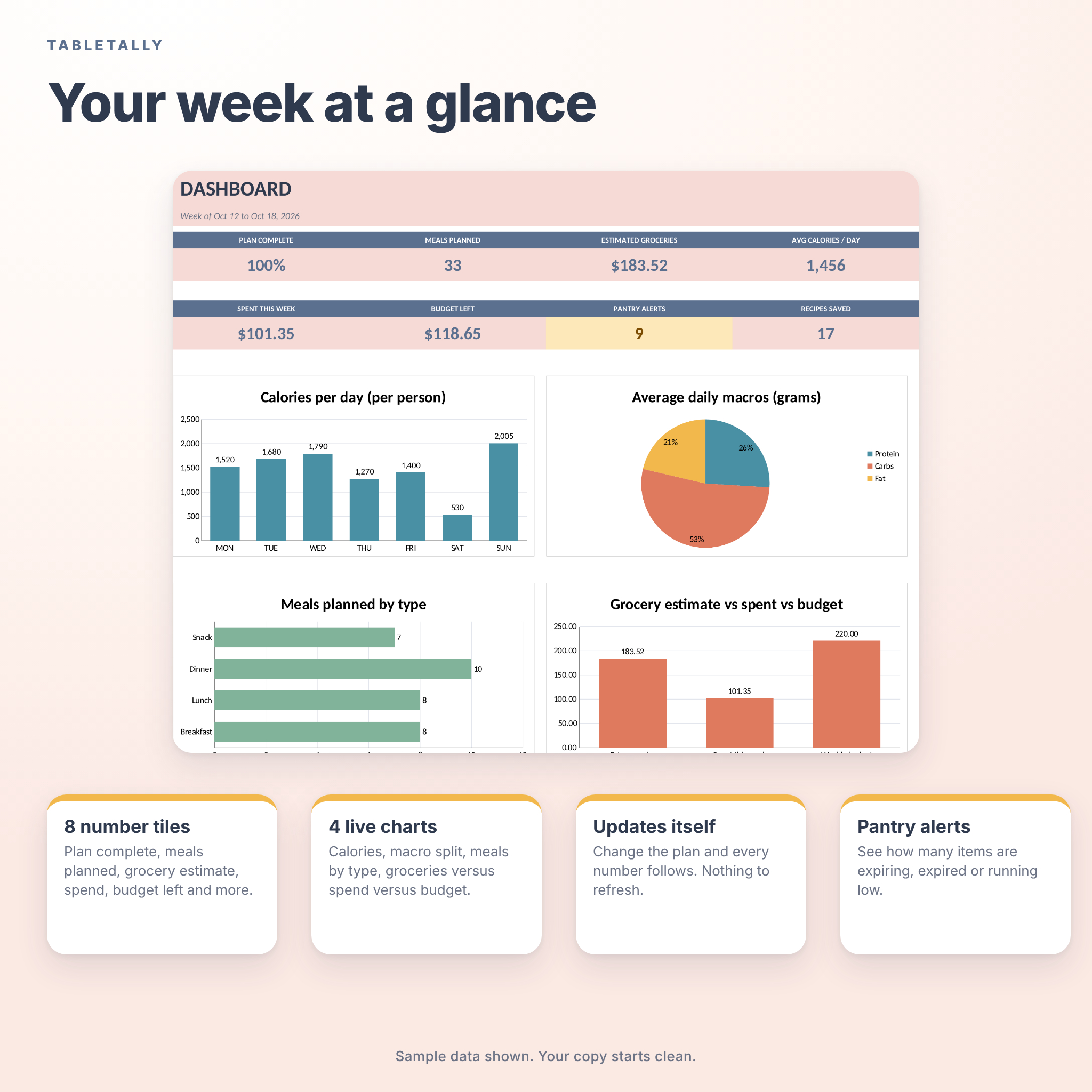
Eight number tiles and four charts: calories per day, macro split, meals by type, and groceries versus spend versus budget. Everything updates on its own when you change the plan.
Spend log and budget
Log each food purchase with a date, store and category. Set a weekly budget and see what is left.
Quick meals and meal ideas
Cereal, toast, a favorite takeout order. Add these as Quick Meals with a calorie count, no full recipe needed. When you’re stuck, open Meal Ideas and borrow one.
Built to hold a real kitchen
Room for 150 recipes, 1,500 ingredient lines, 300 pantry items and 200 spend entries. The automatic grocery list shows up to 80 items, with 40 more lines for extras you type yourself.
Use cases
- Families who want dinner decided before 5 pm.
- Meal preppers planning one big shop for the week.
- Couples and housemates who share the cooking and the shopping.
- Anyone cutting food waste or sticking to a grocery budget.
- Anyone tracking calories and macros per person.
Customize it
Change the color theme, the currency symbol, your household size and your weekly budget from the Start Here tab. Every money label reads from one currency cell. Units are free text, so metric and US units both work. Formulas are locked without a password, so you can’t overwrite one by accident, and you can unlock a sheet if you want to go deeper.
File formats and requirements
- Planner: .xlsx file, built and tested in Google Sheets. You need a free Google account.
- User guide: .docx file, opens in Word or Google Docs.
- No scripts, macros or add-ons. Nothing asks you to authorize anything.
- We have only tested TableTally in Google Sheets, so that is the app we recommend and support.
Digital download
This is a digital product. Nothing is shipped. After checkout you get a download link for both files. Upload the .xlsx to Google Drive, open it, and choose File, then Save as Google Sheets. The guide walks you through it.
License: personal use for you and your household. Please don’t resell, share or upload the files anywhere. Full terms are inside the file and the guide.
Frequently asked questions
Do I need to pay for Google Sheets?
No. Google Sheets is free with a Google account.
Will it work in Excel?
It is a standard .xlsx file, but we only built and tested it in Google Sheets. That is the one we can support.
Do I need to allow any scripts or add-ons?
No. There are none, so you will never see a permission pop-up.
Can two people use the same planner?
Yes. Share your own working copy in Google Sheets with the people in your household and you can both see and edit it.
Does it work with metric units?
Yes. Units are free text, so g, kg, ml and L work as well as cups, ounces and pounds.
Are the calories and prices accurate?
They are only as accurate as the numbers you type in. TableTally adds them up. It doesn’t look anything up.
Can I change the colors and currency?
Yes. Pick one of four themes and type any currency symbol on the Start Here tab.
Can I print it?
Yes. The weekly planner is set to print on one landscape page, and the grocery list prints as a checklist.
Reviews
There are no reviews yet.