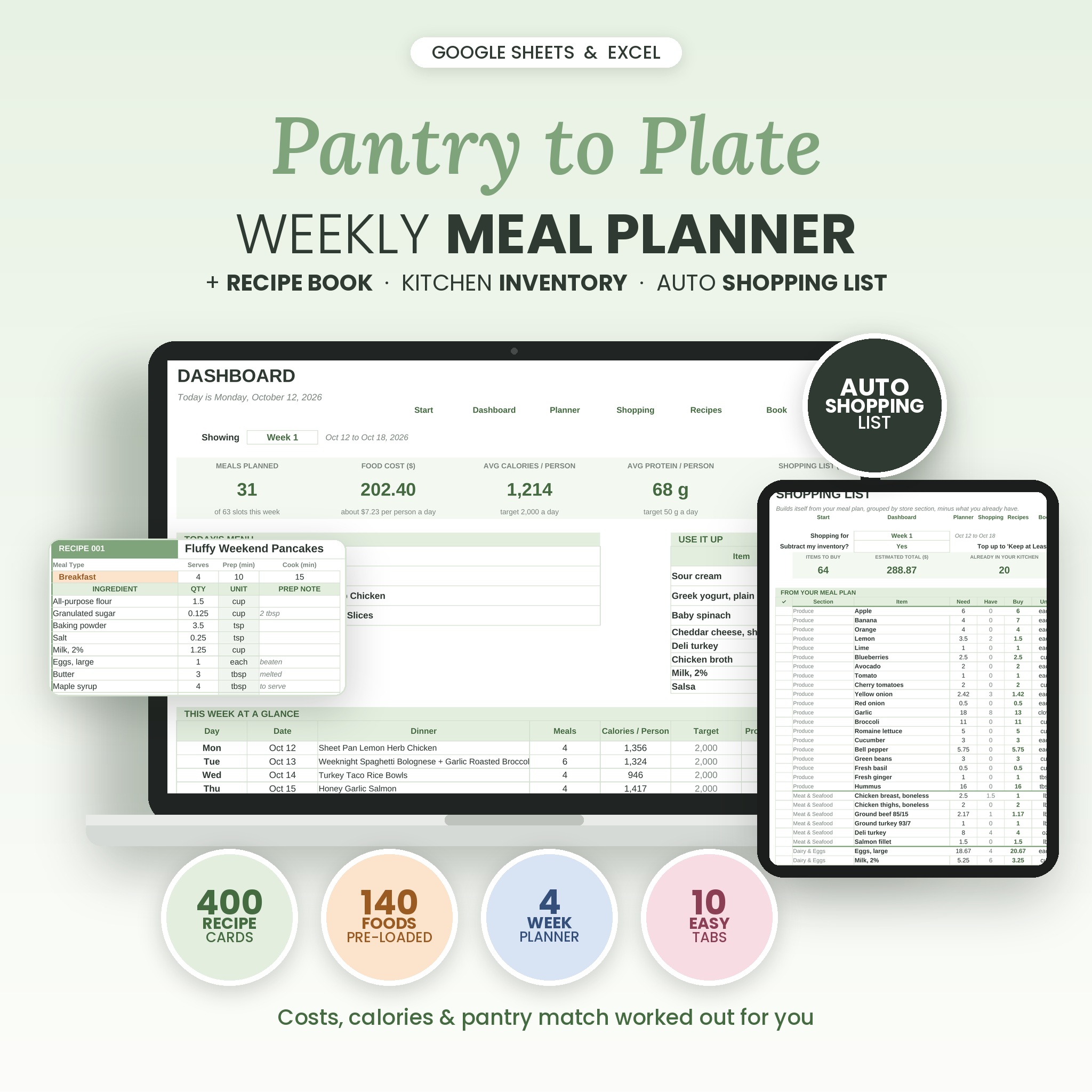
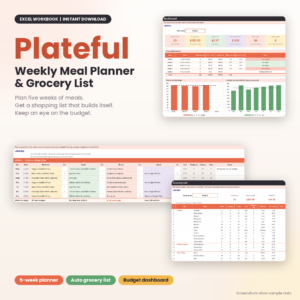
This weekly meal planner spreadsheet plans your family’s meals, builds your grocery list for you, and keeps track of what’s already in your fridge, freezer and pantry. Pick a recipe for Tuesday dinner and the shopping list, food cost and calories update on their own. It works in Microsoft Excel and Google Sheets.
Pantry to Plate started from a simple question: why do most meal planners stop at the plan? The plan is the easy part. The hard part is the list, the budget and the half bag of spinach going bad in the crisper. So this one handles all of it.
What the meal planner spreadsheet does
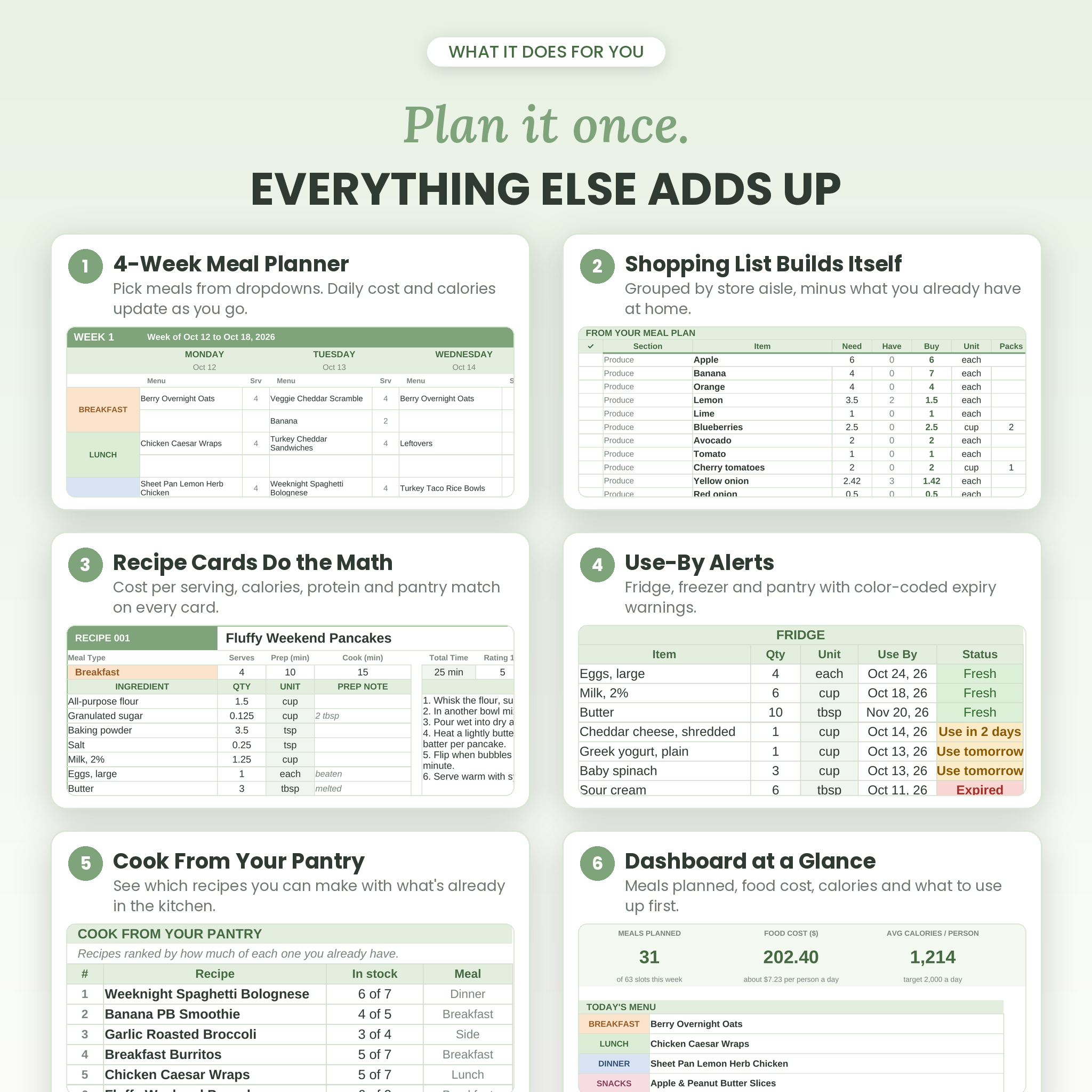
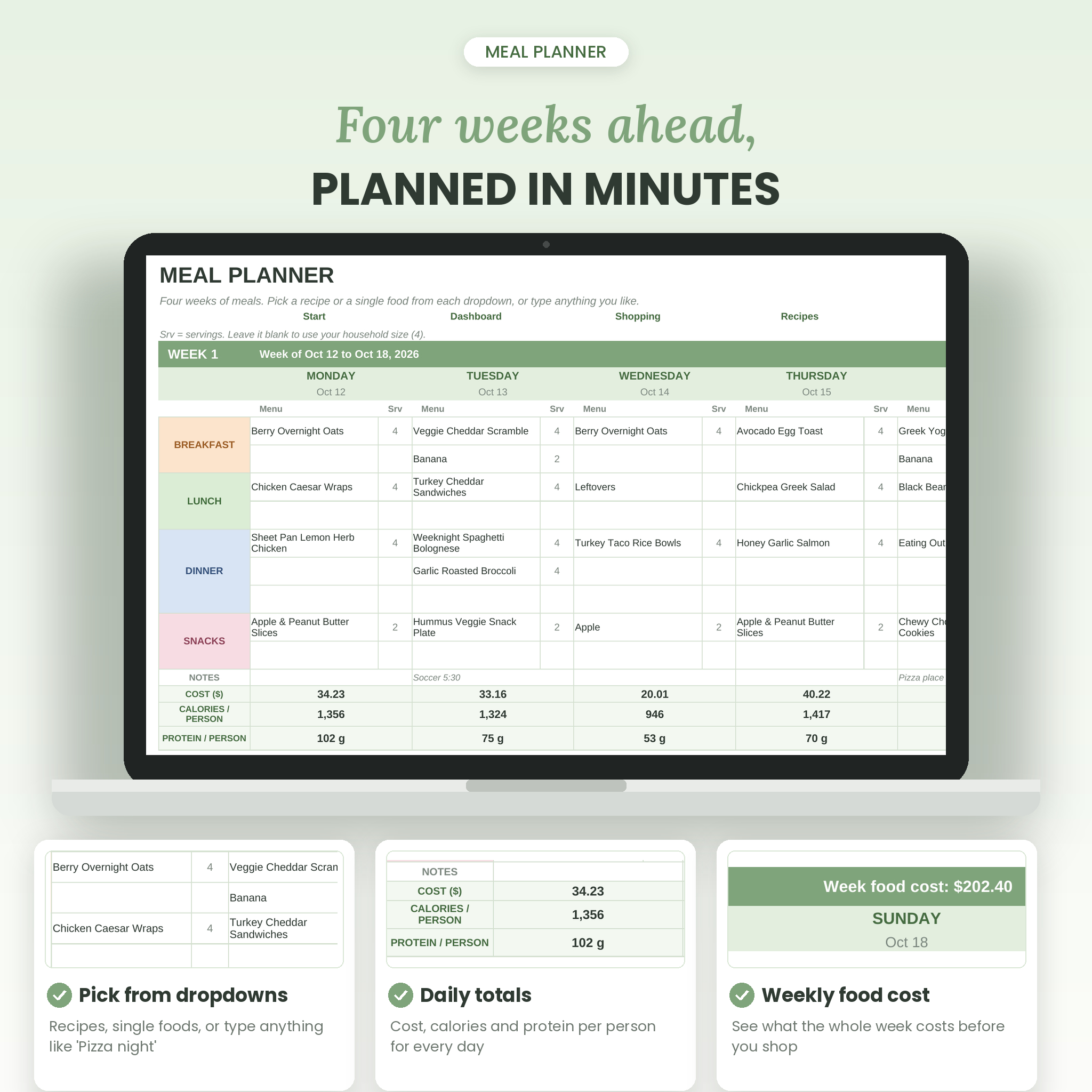
- Plans up to four weeks. Every day has slots for breakfast, lunch, three dinner lines and snacks. Pick from a dropdown or type anything, like “Pizza at Grandma’s”.
- Writes your grocery list. It adds up every ingredient from every planned recipe, groups items by store aisle and subtracts what you already have at home.
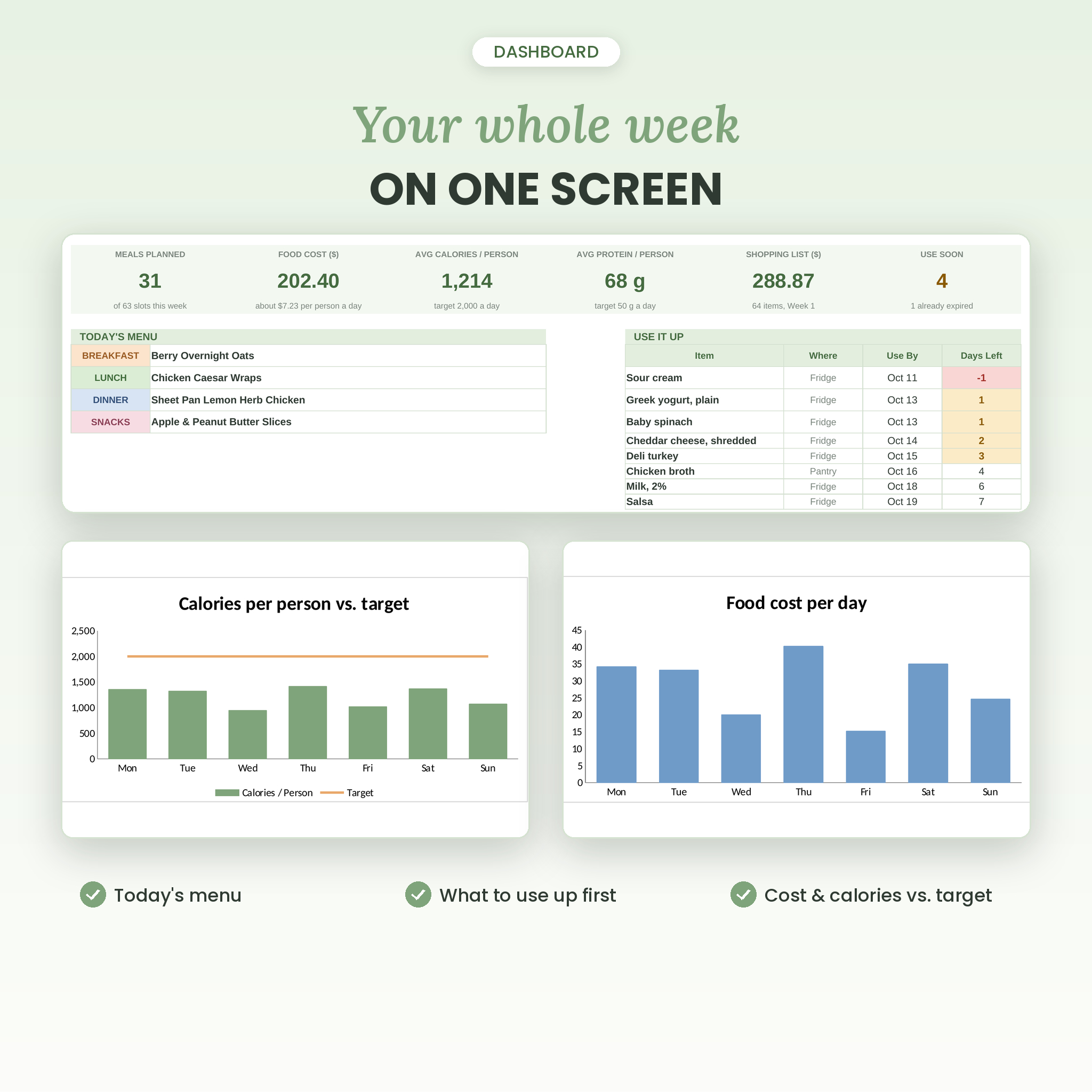
- Shows what meals cost. Cost per serving on every recipe, cost per day on the planner and an estimated total for your shopping trip.
- Tracks calories and protein. Per serving on each recipe and per person on each day, checked against targets you set.
- Warns you before food spoils. Use-by dates in the inventory turn amber when it’s time to use something and red once it has expired.
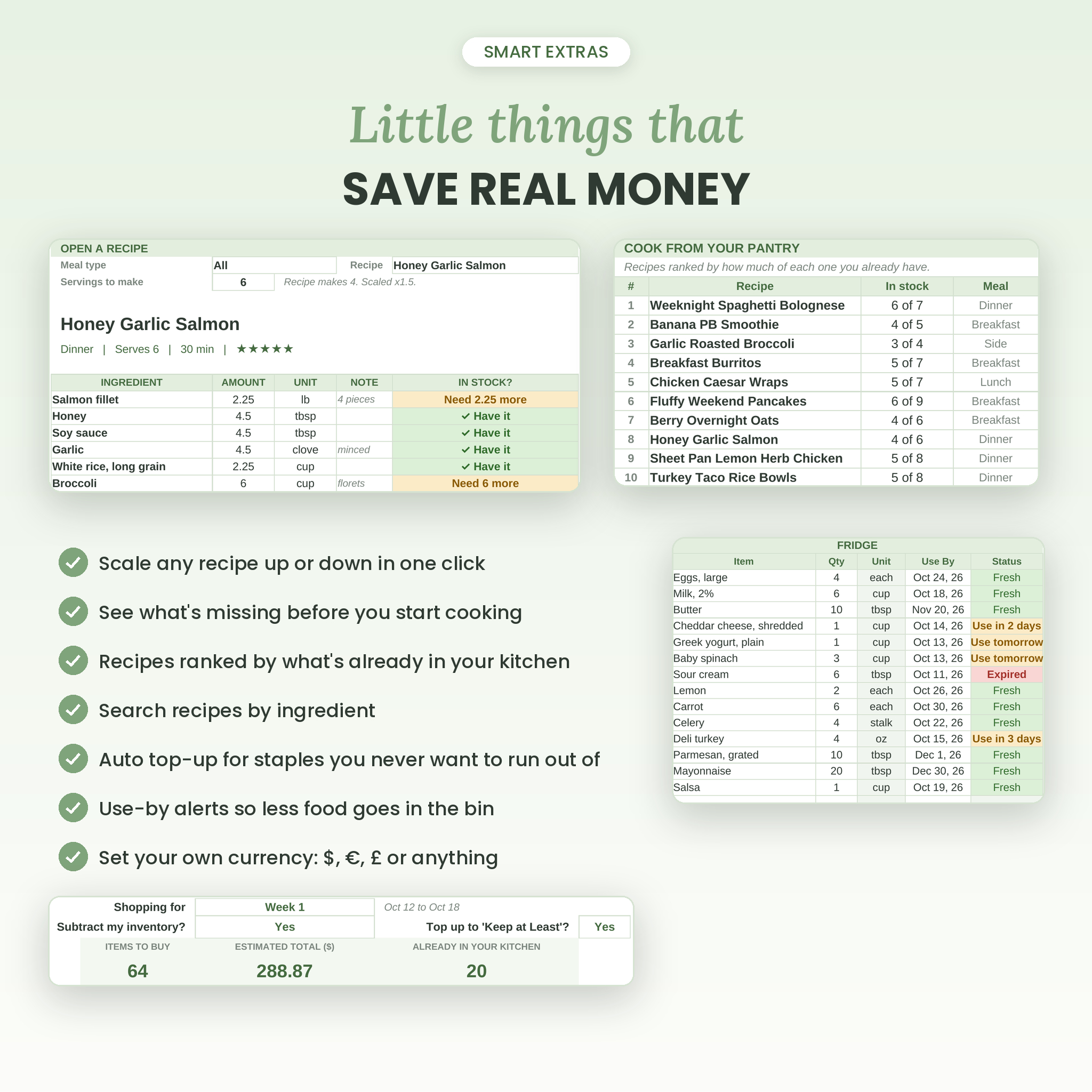
- Suggests what to cook tonight. Recipes are ranked by how many ingredients you already have.
Who it’s for
Busy parents. Couples who meal prep on Sundays. Anyone trying to cut the grocery bill or throw out less food. You don’t need spreadsheet skills. If you can choose from a dropdown and type a number, you can use it.
What’s included
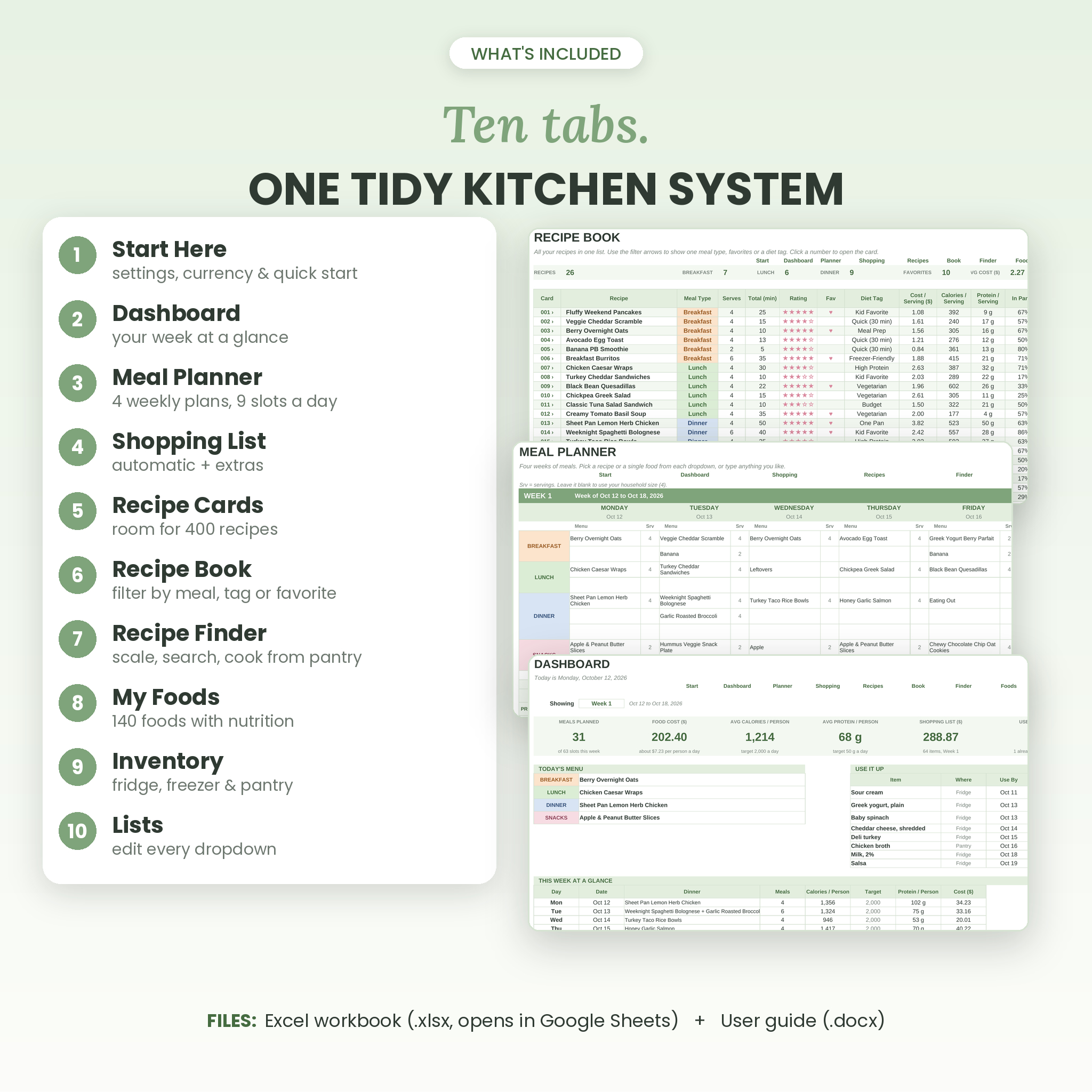
- Pantry to Plate Meal Planner workbook (.xlsx) with 10 tabs
- Step-by-step user guide (.docx, 19 pages with screenshots)
The 10 tabs
- Start Here: currency, household size, plan start date, daily nutrition targets and a quick start list
- Dashboard: meals planned, weekly food cost, average calories, today’s menu, items to use up and two charts
- Meal Planner: four weekly planners with notes and daily cost, calories and protein
- Shopping List: automatic list by week or for all four weeks, plus an extras box
- Recipe Cards: 400 recipe cards with 15 ingredient lines, instructions, rating, tags and a photo spot
- Recipe Book: every recipe in one list you can filter, with links to each card
- Recipe Finder: scale any recipe, cook from your pantry, search recipes by ingredient
- My Foods: ingredient database for up to 1,000 foods, with 140 common foods already filled in
- Inventory: fridge, freezer and pantry, 100 rows each, with use-by alerts
- Lists: edit every dropdown, including the order of your store sections
How it works
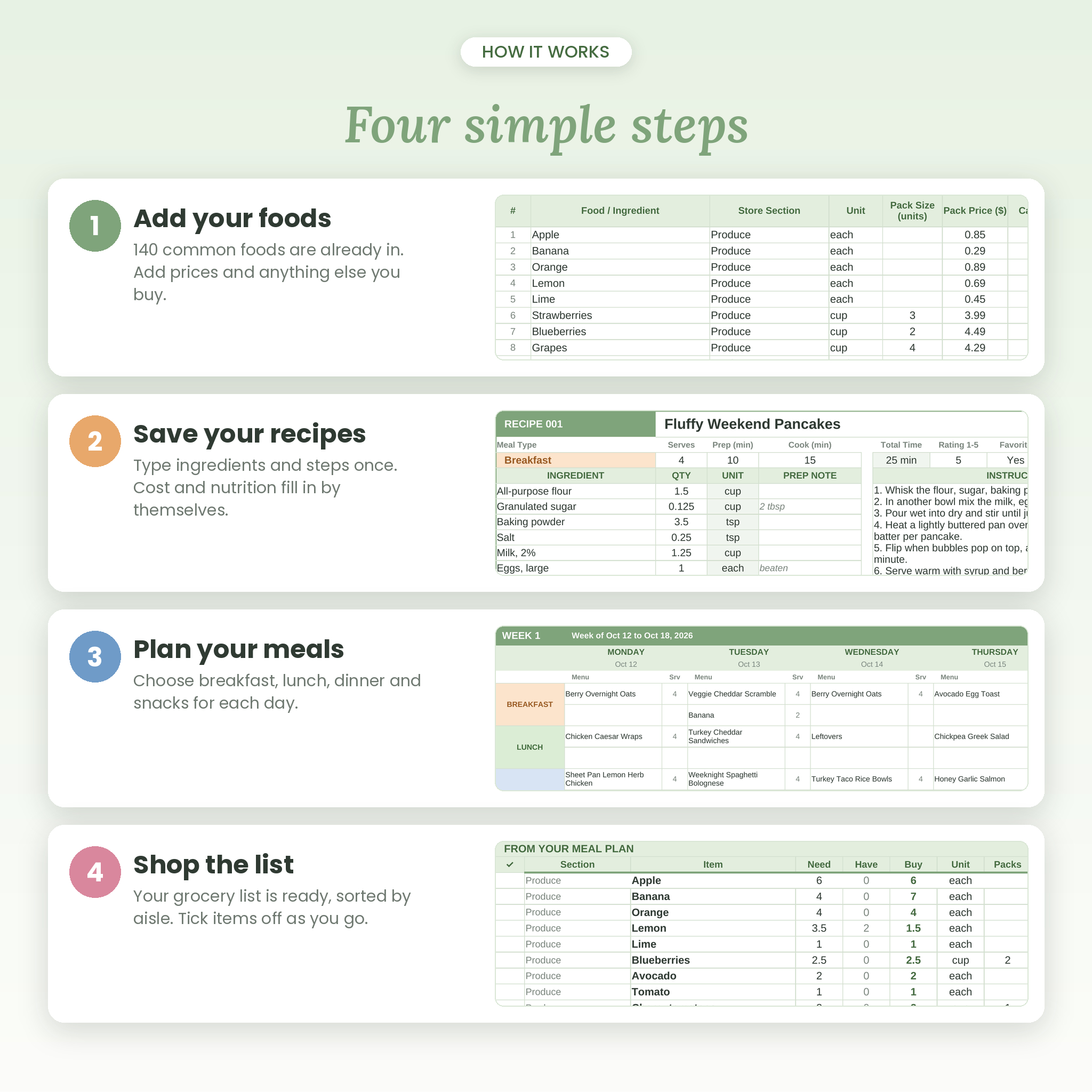
- Add your foods. 140 everyday foods come pre-loaded with nutrition per unit. Add your prices and anything else you buy.
- Save your recipes. Pick ingredients from a dropdown and type the amounts. Cost and nutrition per serving appear by themselves.
- Plan your meals. Choose meals for each day and set servings, or leave servings blank to use your household size.
- Shop the list. Pick a week and your list is ready, sorted by aisle, with pack counts and an estimated total.
Features that make it different
Starter food library
Typing calories and macros for every single ingredient takes hours. So 140 common foods, from eggs and chicken breast to rice and spices, come with typical label nutrition already entered. You can edit any value.
Pantry-aware shopping
Turn on “Subtract my inventory” and the list only shows what you actually need. Set a “Keep at Least” amount on staples like milk or butter and the list tops you up automatically.
Buy by the pack
Add the pack size and pack price for a food and the list tells you how many packs to grab. The estimated total uses whole packs, the way stores really charge.
Recipe scaling
Making a four-serving recipe for six? Type 6 and every amount scales, with a check beside each ingredient showing whether you have enough.
Your own currency
Dollars by default. Change one setting to €, £, R, C$ or anything else and every money label follows.
Ways you might use it
- A family of five planning dinners every Sunday and shopping once a week instead of three times
- A couple doing high-protein meal prep, watching protein per person for each day
- A parent using “Cook From Your Pantry” on a Thursday when the fridge is almost empty
- Someone on a tight budget comparing the cost per serving of their go-to recipes
- A household using the freezer list so the ground beef doesn’t get forgotten
File formats and software
- Excel workbook (.xlsx). Works in Microsoft Excel and in Google Sheets with a free Google account.
- No macros, add-ons or scripts. Classic formulas only.
- Best used on a computer or tablet. You can view and tick off the shopping list on your phone in the Google Sheets or Excel app.
- Print-ready layouts for the planner, shopping list and recipe card view.
Customization
Rename store sections and put them in your store’s order. Add your own units, meal types and diet tags. Change colors and fonts as you like. Formula cells are locked to prevent accidents, with no password, so you can unlock them any time.
Digital download
This is a digital product. Nothing is shipped. Your files are ready to download as soon as payment goes through, and the guide walks you through opening the planner in Excel or Google Sheets. Licensed for personal use only. Please don’t share or resell the files.
FAQ
Does this meal planner work in Google Sheets?
Yes. Upload the file to Google Drive, open it, then choose File > Save as Google Sheets. The guide shows each step.
Do I need Microsoft Excel?
No. Google Sheets is free and works fine.
Does the grocery list really build itself?
Yes. It reads your meal plan and recipe cards, adds up each ingredient, subtracts what’s in your inventory and sorts everything by store section.
How many recipes can it hold?
400 recipe cards with 15 ingredients each, and up to 1,000 foods.
Can I track macros?
Yes. Calories, protein, carbs, fat and fiber per serving on each recipe, with calories and protein per person shown for each day.
Can I use my own currency?
Yes. Change the symbol once on the Start Here tab.
Is it a subscription?
No. You pay once and keep it.
Are the nutrition numbers exact?
They’re typical label values for planning. Brands differ, so swap in your own numbers whenever you want more precision.
Reviews
There are no reviews yet.