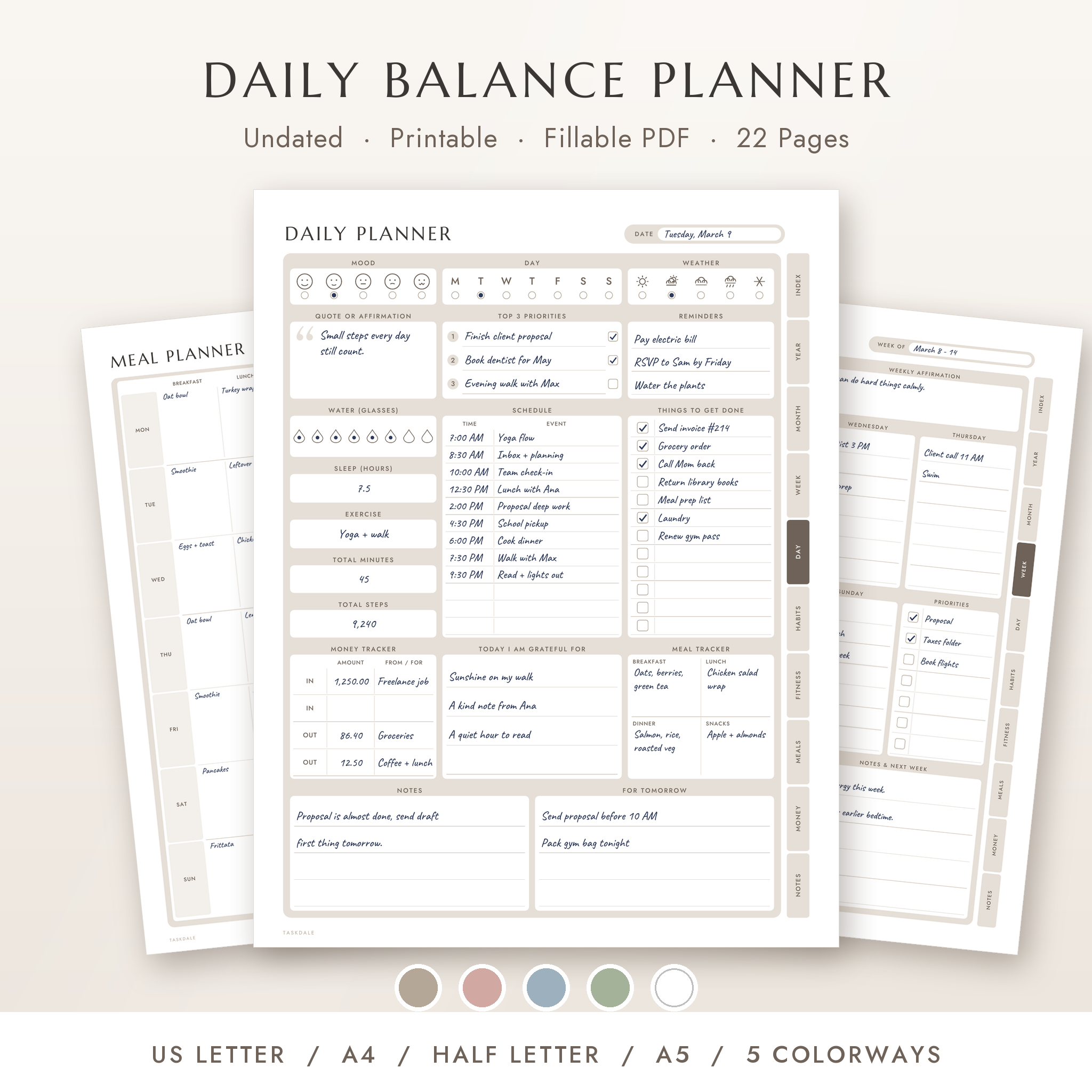
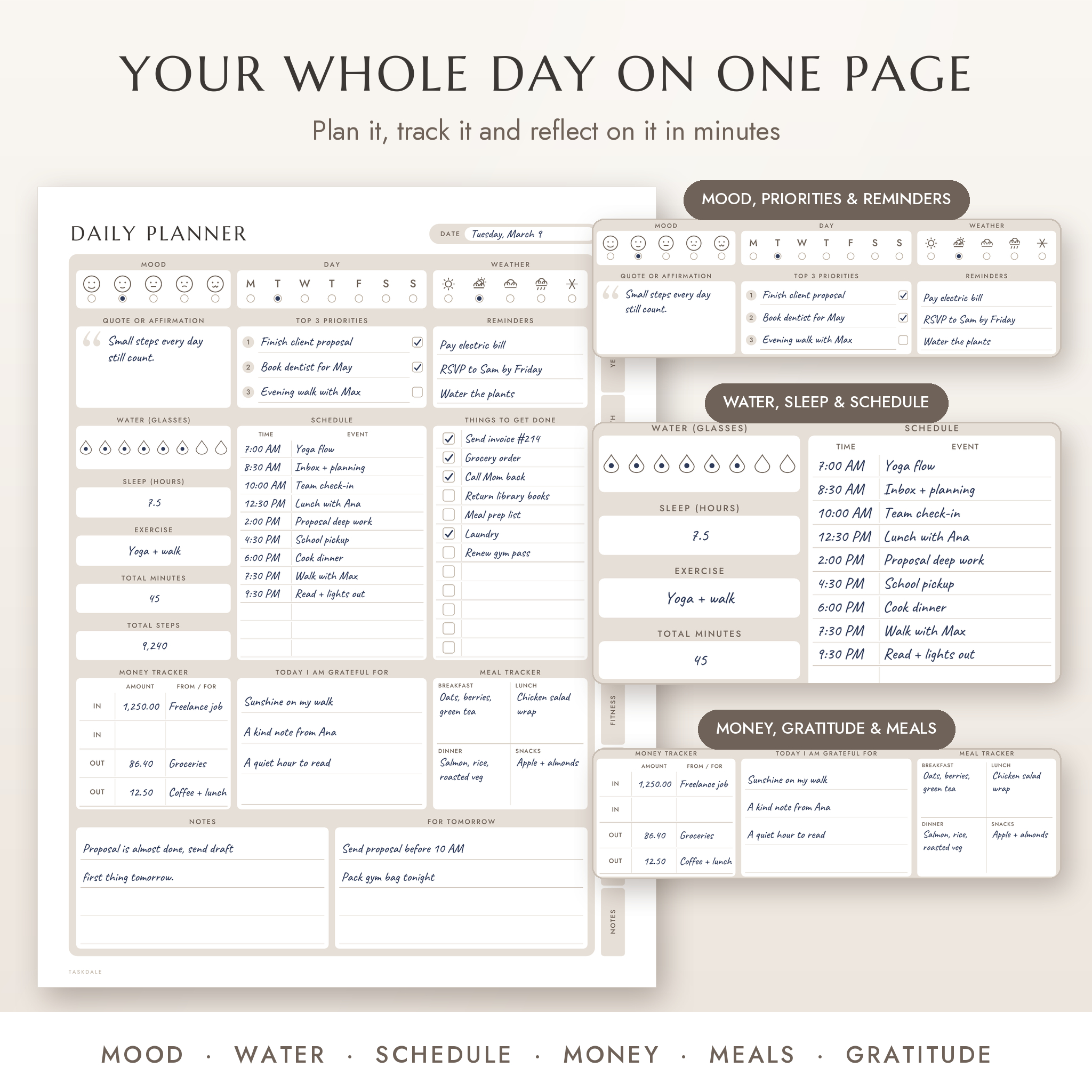
The Daily Balance Planner is an undated printable daily planner that puts your whole day on one calm, easy page. Plan your top priorities, follow your schedule, count glasses of water, log your workout, jot down meals, track a little spending and end the day with three things you are grateful for. Print it, or type straight into it as a fillable PDF. It works for 2026, 2027 or any year you start.
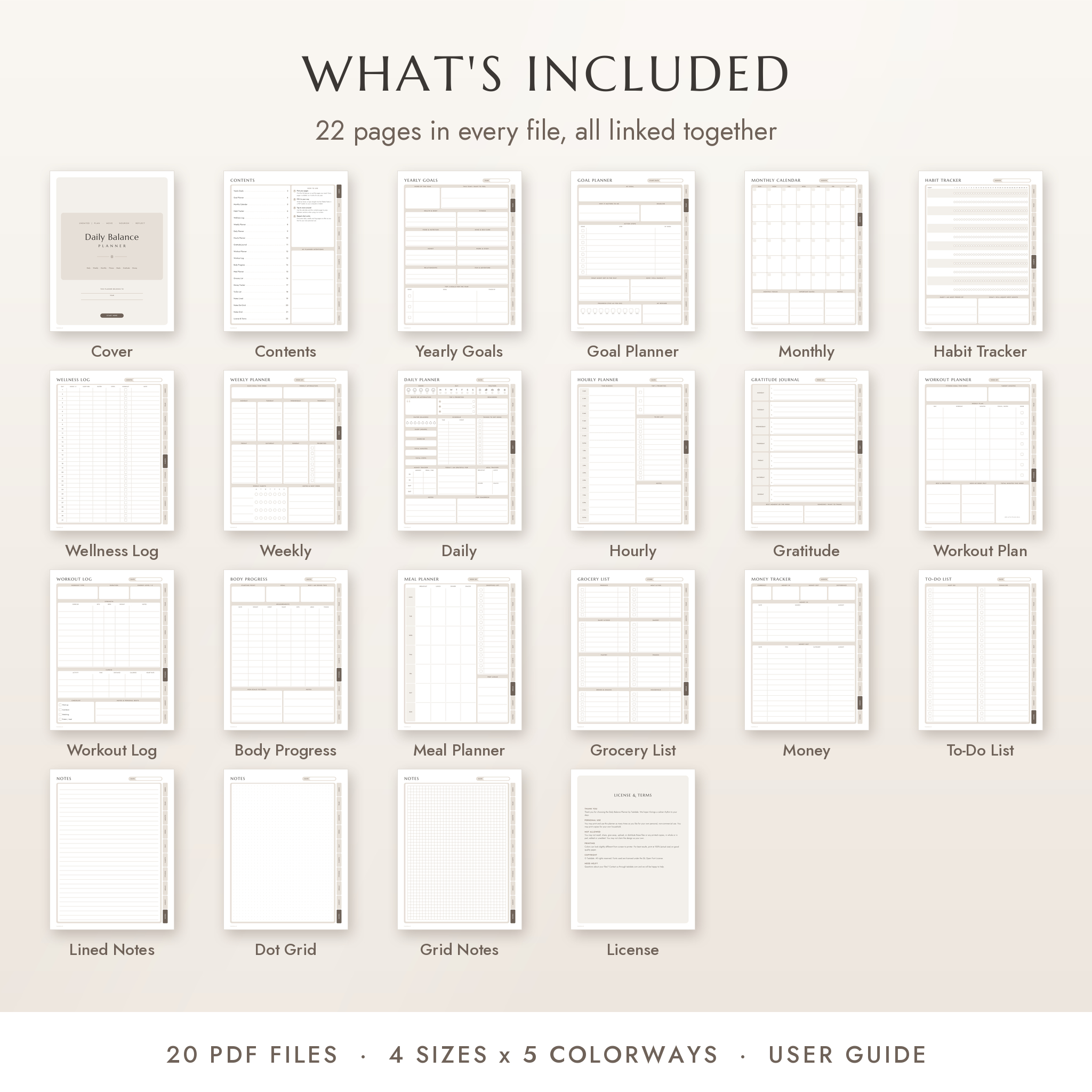
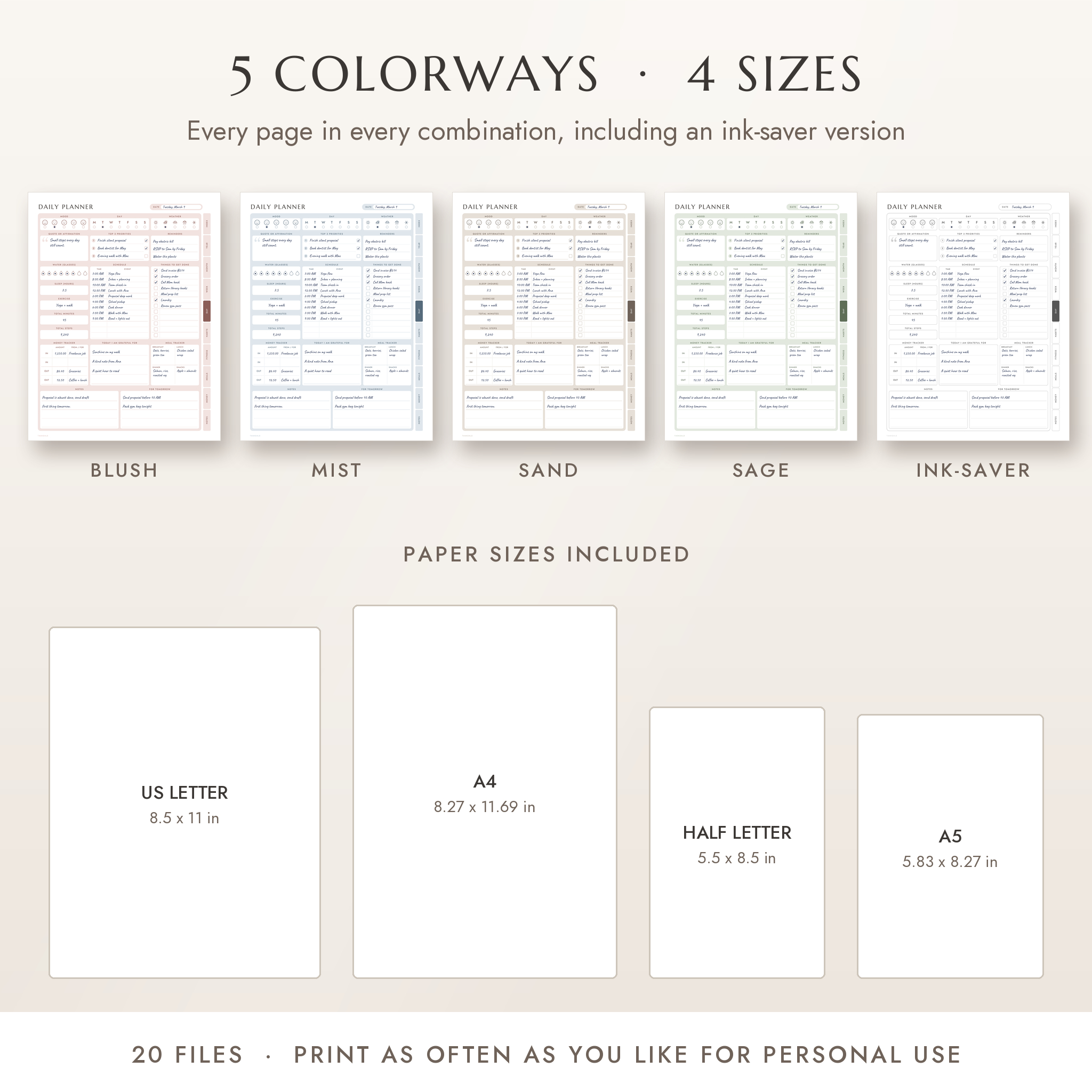
You get 22 pages in every file, 4 paper sizes and 5 colorways. That is 20 ready-to-use PDFs plus a step-by-step user guide.
Why this printable daily planner is different
Most minimalist daily planners give you one page and some note paper. This one starts with a soft, tidy daily layout and then builds the rest of your week around it:
- A full system, not a single sheet. Daily, hourly, weekly, monthly and yearly pages work together.
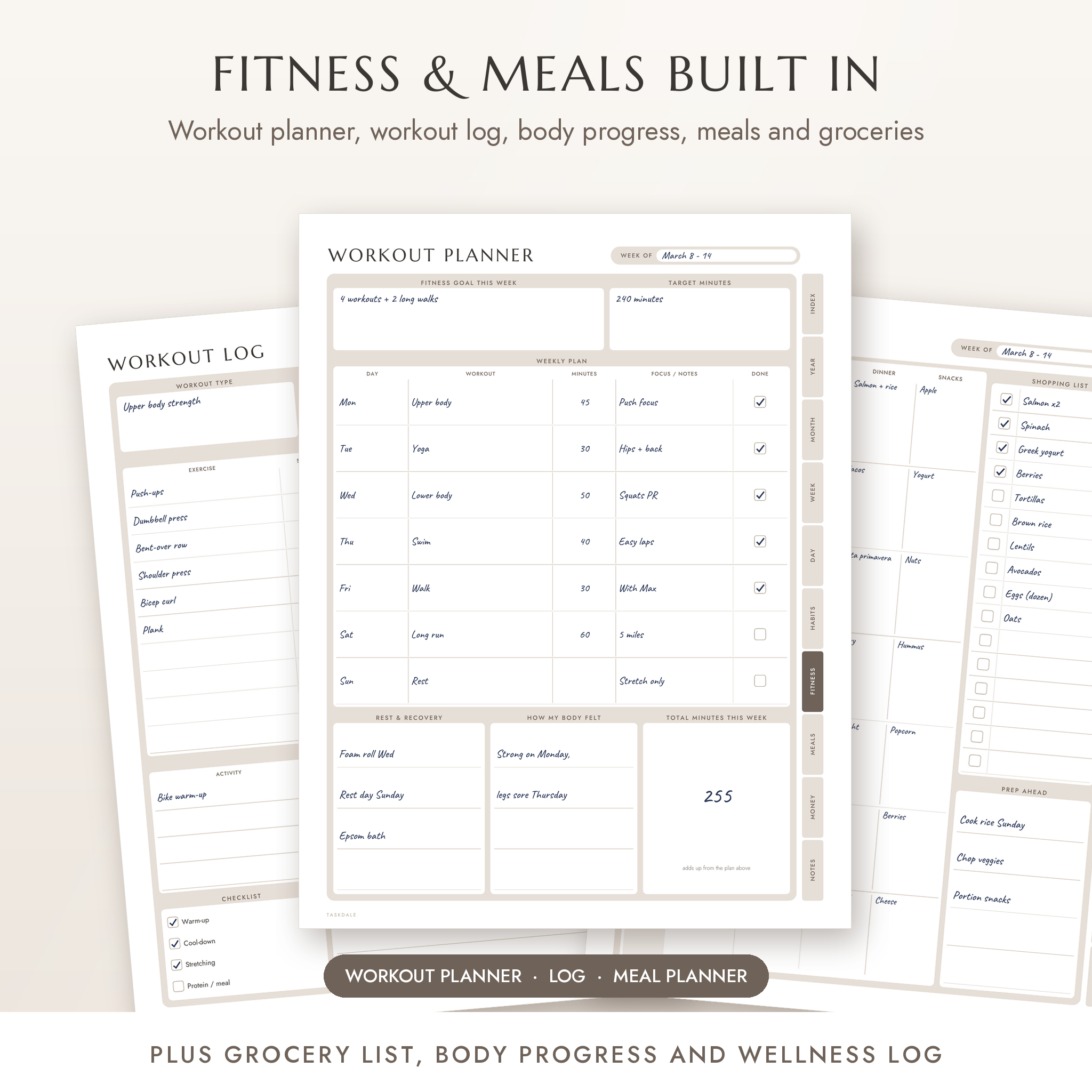
- Fitness and food built in. A workout planner, a workout log, body progress, a weekly meal planner and a grocery list.
- Fillable on screen. Every writing space is a form field. Money totals and weekly workout minutes add themselves up.
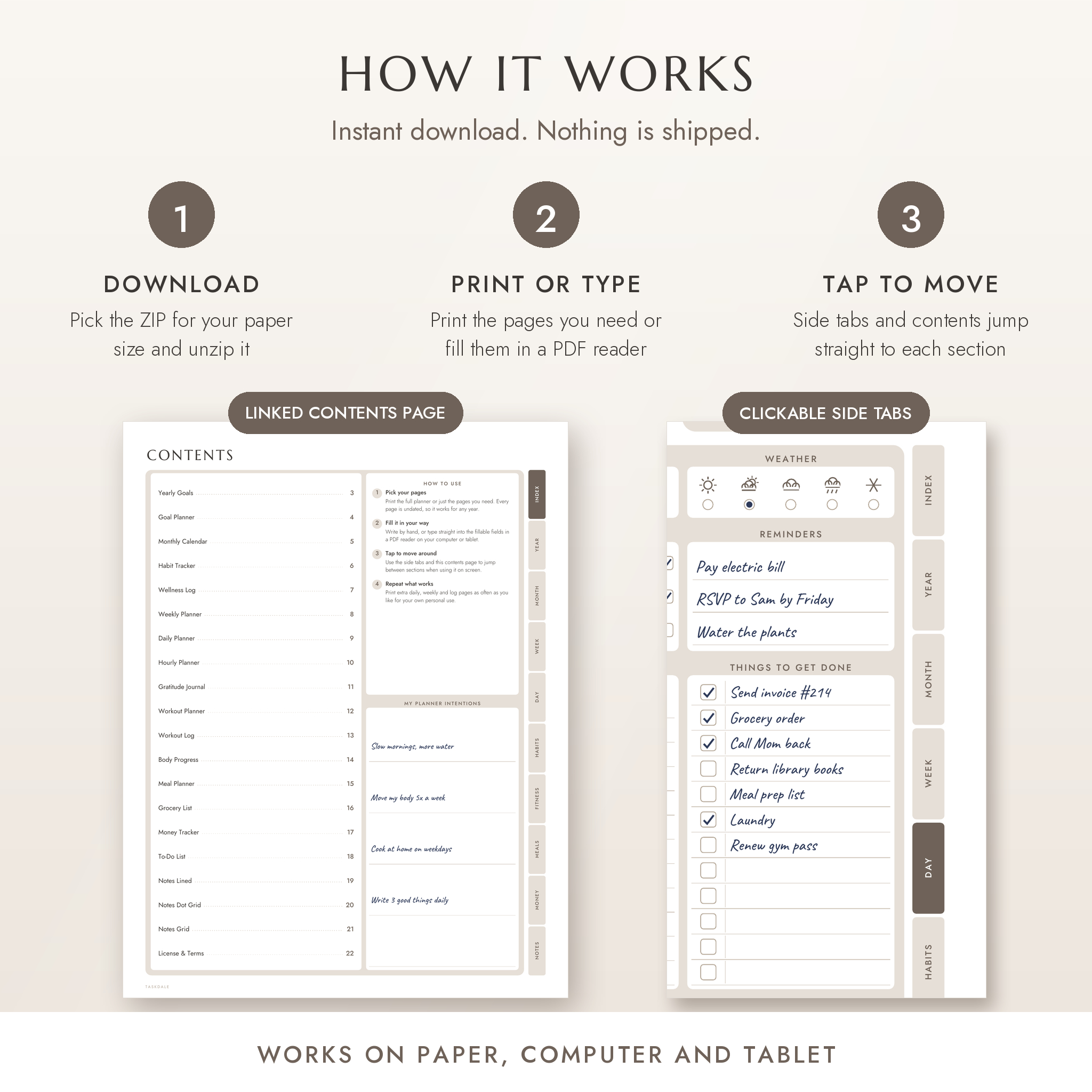
- Clickable side tabs. Jump between Day, Week, Month, Habits, Fitness, Meals, Money and Notes with one tap.
- An Ink-Saver colorway. White panels with fine outlines, for people who print a lot.
What is included
22 planner pages
- Cover and linked Contents page
- Yearly Goals (8 life areas plus your top 3 goals) and a Goal Planner with action steps and a 10% to 100% progress bar
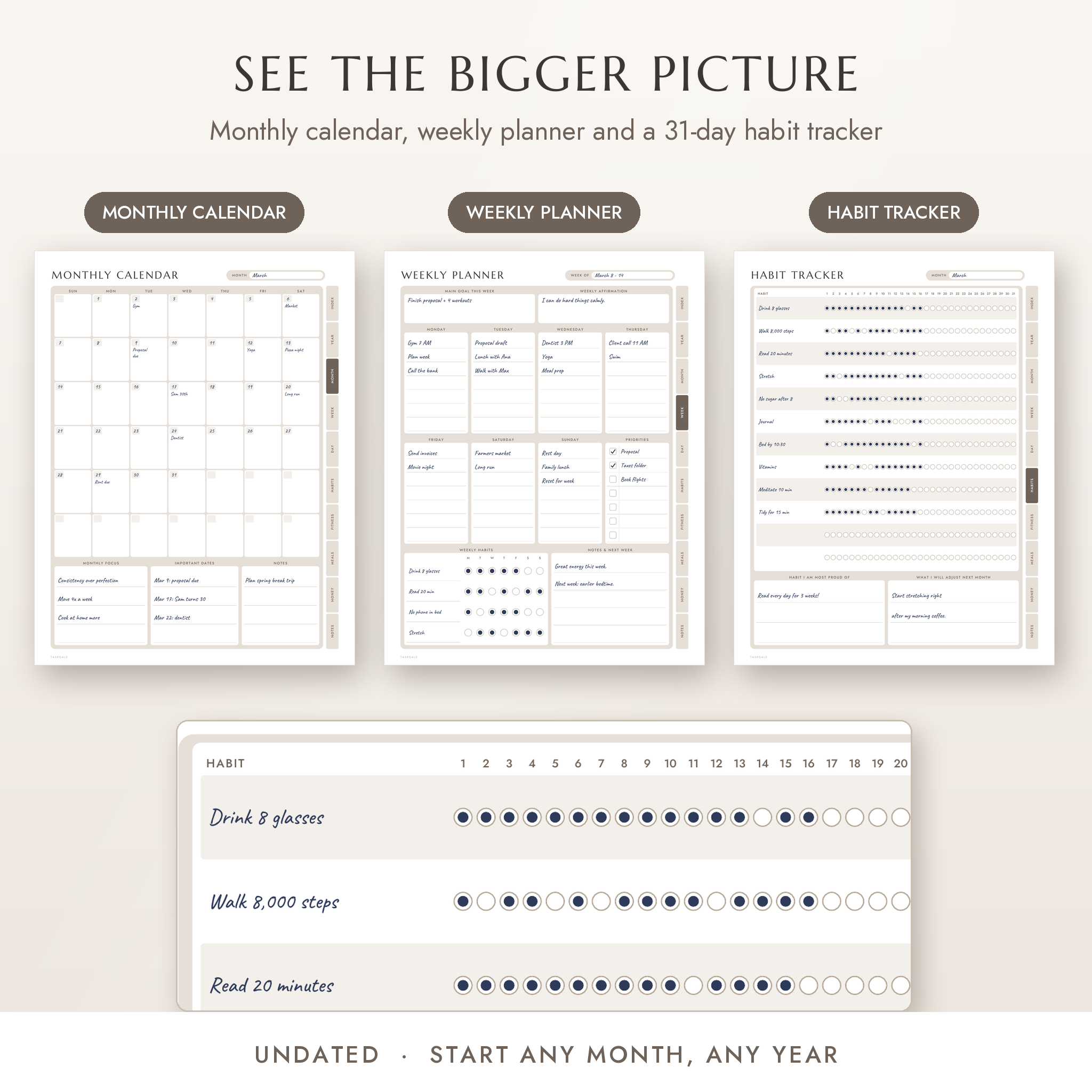
- Undated Monthly Calendar with notes for each day
- Habit Tracker (12 habits x 31 days) and a Wellness Log for mood, sleep, water, steps and workouts
- Weekly Planner with priorities and a weekly habits row
- Daily Planner with mood, day, weather, quote, top 3, reminders, water, sleep, exercise, steps, schedule, to-do list, money tracker, gratitude, meal tracker, notes and a plan for tomorrow
- Hourly Planner from 5 AM to 10 PM in 30-minute blocks
- Gratitude Journal (one week per page)
- Workout Planner, Workout Log and Body Progress tracker
- Weekly Meal Planner with shopping list, plus a Grocery List sorted by store section
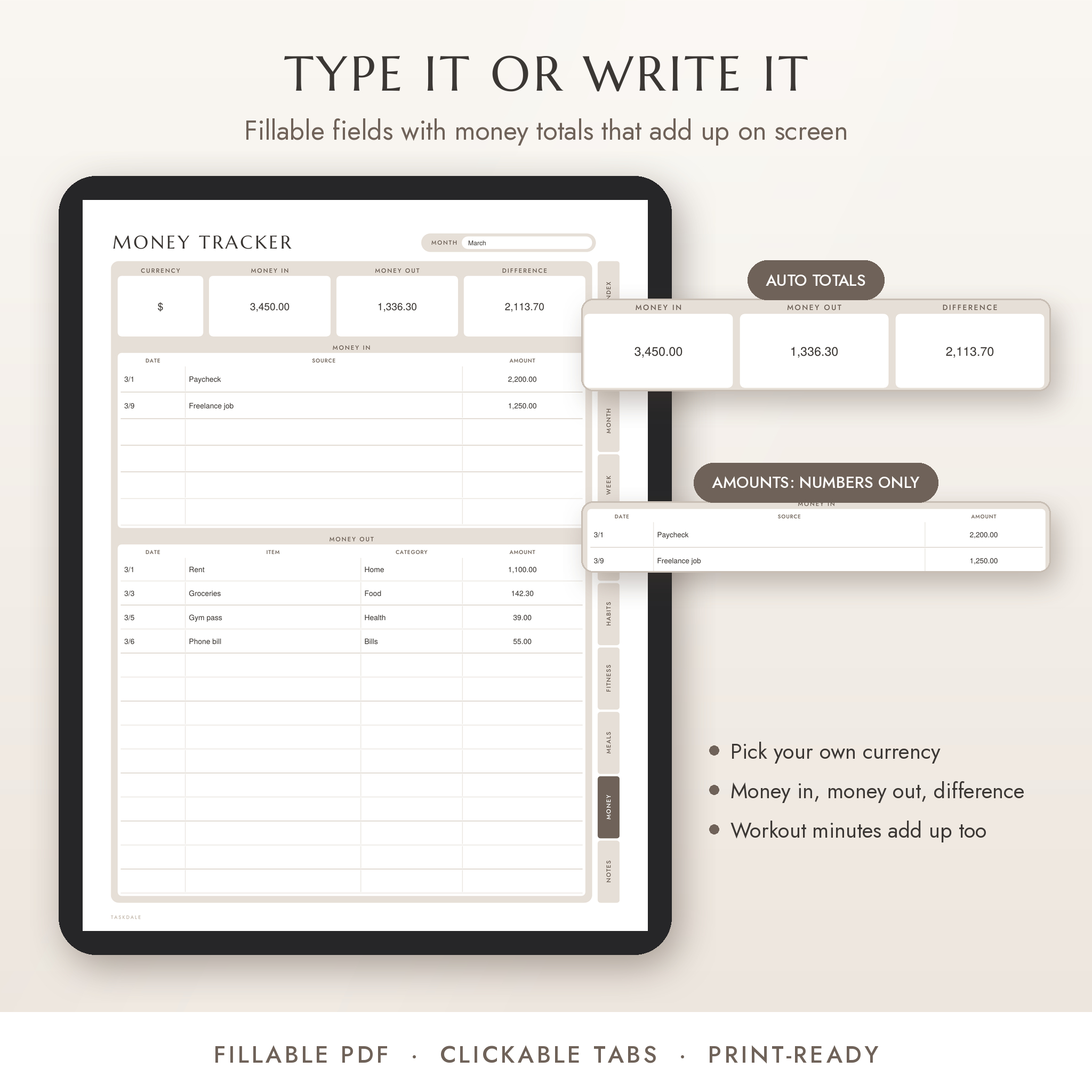
- Money Tracker with money in, money out and the difference
- To-Do List, plus lined, dot grid and square grid notes pages
Sizes and colors
- US Letter (8.5 x 11 in), A4 (210 x 297 mm), Half Letter (5.5 x 8.5 in) and A5 (148 x 210 mm)
- Sand, Blush, Mist, Sage and Ink-Saver colorways
- DOCX user guide with printing tips, a page-by-page walkthrough and troubleshooting
How it works
- Buy and download your files right away. Nothing is shipped.
- Unzip the folder for your paper size and open the colorway you like.
- Print the pages you need at 100% (actual size), or fill them in on your computer or tablet.
- Print fresh pages whenever you want. Every page is undated.
Fillable PDF planner features
Every box on every page is a fillable field. Click, type and press Tab to move on. Mood, day and weather use small tap-to-select dots. Check boxes tick on and off. On the Money Tracker, type your currency once, then add amounts. Money in, money out and the difference fill in for you, and amount boxes only accept numbers so a typo will not break your totals. The Workout Planner adds up your weekly minutes the same way.
The side tabs and Contents page are linked, so moving around the planner on screen takes one tap. The PDF bookmarks list every page too.
File formats and software
- 20 PDF files, delivered in 4 ZIP folders (one per paper size), plus one DOCX user guide
- Open with any PDF reader to view and print
- To type into the fields, use a PDF reader that supports forms. Adobe Acrobat Reader is free and recommended. We also tested the fields, totals and links in the Firefox browser PDF viewer.
- Some basic viewers, like Apple Preview, let you type but will not work out the totals
- No special software, accounts or subscriptions needed
Customizing your planner
The page design and colors are fixed, but what goes in them is all yours. Choose any of the five colorways, or mix them. Print only the pages you use. Name your own habits each month, pick your own currency on the Money Tracker and set your own units (lb or kg, in or cm) on Body Progress. The Half Letter and A5 files can also be printed two to a sheet on full-size paper and cut in half for smaller binders.
Who it is for
- Busy professionals who want a calm, one-page plan for the day
- Anyone building healthier routines around water, sleep, steps, workouts and meals
- Moms and dads juggling family schedules, school pickups and grocery runs
- Students who like a clear daily to-do list and a weekly overview
- People starting a gratitude or self-care habit
Real ways to use it
- Print a stack of daily pages on Sunday and keep them on a clipboard by the kitchen.
- Pair the Weekly Meal Planner with the Grocery List to cut down on midweek takeout.
- Use the Workout Planner and Workout Log to train for your first 5K or 10K.
- Keep a monthly Habit Tracker on the fridge so the whole family can see your streaks.
- Fill in the Money Tracker on your laptop each evening and watch the totals update.
- Slip A5 or Half Letter pages into the ring binder you already own.
Instant digital download
This is a digital product. You will receive download links right after checkout, and nothing physical will be mailed. Colors may look a little different from screen to printer. The files are for your personal use. You may print them as often as you like for yourself and your household, but you may not share, resell or redistribute them.
FAQ
Is this daily planner dated?
No. Every page is undated, so you can start any day of any year, including 2026 and 2027.
Can I fill it in on my computer or tablet?
Yes. It is a fillable PDF. Use a PDF reader with form support, such as the free Adobe Acrobat Reader.
Which paper sizes are included?
US Letter, A4, Half Letter and A5. All four come with every purchase.
Can I print it more than once?
Yes. Print as many copies as you need for your own personal use.
Does it fit an A5 or Half Letter binder?
Yes. The A5 and Half Letter files are sized for those binders. Punch on the left side, since the tabs sit on the right.
Will it use a lot of ink?
The soft colorways use light tints. If you print often, pick the Ink-Saver version, which has white panels and thin outlines.
Do the money totals work in every app?
They use the standard form scripts that Adobe Acrobat Reader runs, and we tested them in the Firefox PDF viewer. In simpler viewers you can still type, but add the totals by hand.
Reviews
There are no reviews yet.