Count where your recipes live right now. A few dozen screenshots. Browser bookmarks you haven’t opened since 2021. A cookbook with a torn receipt marking page 112. A Pinterest board. And the one that matters most, written in your mum’s handwriting on a card that’s been splashed with gravy twice.
If you want to know how to organize recipes so you actually cook from them, the answer isn’t a prettier folder. It’s a small set of decisions you make once: what to keep, how to group it, and what every recipe page must say. Do that and the collection starts working for you.
Here’s the method, step by step.
Step 1: Gather everything in one pile
Spend one evening collecting. Screenshot folder, bookmarks, saved posts, notes app, the kitchen drawer. Don’t sort yet. Just get every recipe into one place, even if that’s a single album on your phone and a shoebox on the counter.
You’ll probably find 150 to 300 “recipes”. Don’t panic. Most of them are about to go.
Step 2: Cull hard
Go through the pile and sort into three groups:
- Cooked and loved. You’ve made it, people ate it, you’d make it again.
- Want to try. Looks good, never made it. Be honest about whether you ever will.
- Delete. The 14-step croquembouche you saved during a bored week. Duplicates. Anything you made once and thought was “fine”.
Most people end up with 30 to 60 keepers and a short “to try” list. That’s a healthy recipe collection. A big one you never open isn’t.
Step 3: Pick categories that match how you cook
Categories should answer the question you ask when you open the book. For most home cooks that’s “what meal is this?”, so meal-based groups work best: breakfast, lunch, dinner, snacks, sauces, desserts, drinks.
Avoid splitting too finely. “Chicken dinners”, “beef dinners” and “pork dinners” sounds tidy, but you end up flicking between three sections every Sunday. Keep the protein as a tag instead.
Step 4: Use the same page layout for every recipe
This is the step that makes a collection feel like a book. Every recipe gets the same fields in the same places, so your eye knows where to look:
- Name, servings, prep and cook time
- Ingredients, in the order you use them
- Numbered steps (short ones)
- A rating, and a note on who loved it
- Tags: vegetarian, freezer-friendly, make-ahead, kid-approved
- Source, so you can find the original
- Your tweaks (“half the chilli for the kids”, “needs 10 more minutes in our oven”)
The tweaks line is the one people skip, and it’s the most useful thing on the page. It’s what turns someone else’s recipe into yours.
Step 5: Build an index
An index at the front of each category lets you scan 20 recipes in five seconds. Write the name, the time it takes and a rating. When you’re planning the week on a Sunday and need “something under 30 minutes”, the index answers it without opening a single page.
Step 6: Connect recipes to your meal plan
A recipe collection sitting on its own gets used for special occasions. A recipe collection next to your weekly plan gets used every night. When you pick Thursday’s dinner, the ingredients should flow straight onto that week’s shopping list.
Paper binder or digital recipe book?
Binders are lovely on the counter, but they’re bulky and hard to search. Apps are searchable but often bury your recipes under adverts or subscriptions. A hyperlinked PDF recipe book on a tablet sits in the middle: it has tabs and an index you tap, it looks like a real book, and you write on it like paper.
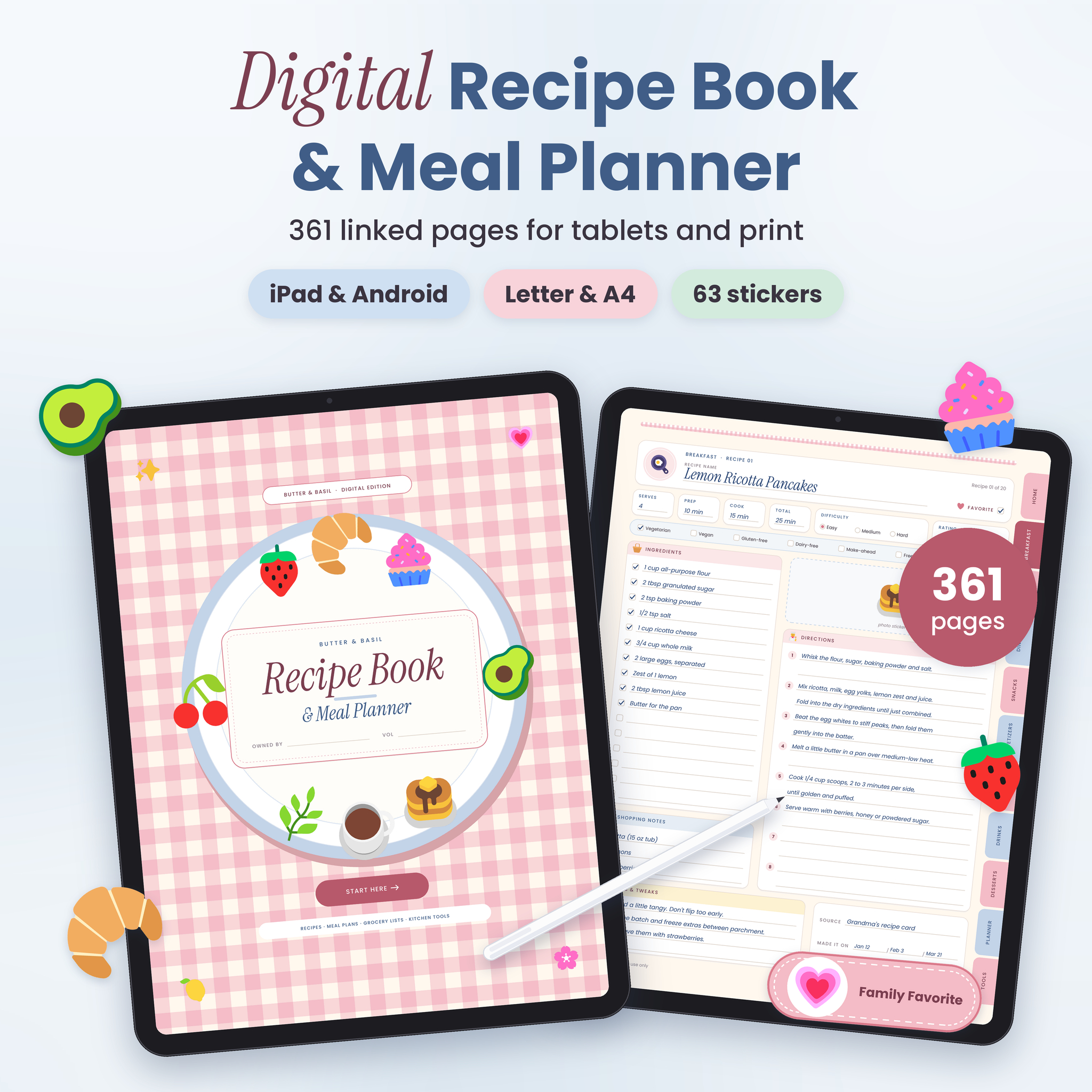
The Butter & Basil Digital Recipe Book follows the method above closely. It has 160 blank recipe pages in 8 categories (Breakfast, Lunch, Dinner, Snacks, Appetizers, Sauces, Drinks and Desserts), and each category has a divider and a 20-row linked index. Every recipe page has serves, prep, cook and total time, difficulty, a 5-star rating, a favourite box, diet tags, 16 ingredient checkboxes, 8 numbered steps, a photo spot, source, a notes and tweaks box, and “made it on” dates. It also includes Recipes to Try and Family Favorites pages for your step 2 sort, plus a year of undated weekly meal plans, each with a grocery list right behind it. You get a tablet PDF and printable US Letter and A4 copies for a binder.
If your collection is bigger, or you bake by weight, Hearthside has more room: 300 recipe pages in 12 sections, with an index of 25 slots per section. You can pick from five page styles, including a Baker’s Page with cups, grams and ounces columns. Its planner section is dated for 2027 and 2028, so it suits people who like real dates on their weeks.
Keeping the collection tidy after day one
- Add new recipes only after you’ve cooked them. Until then they live on the “to try” page.
- Review every few months. If you haven’t made something in a year, it can go.
- Update tweaks straight after cooking. You won’t remember next month that it needed more salt.
- Back it up. Keep a copy of your filled-in PDF in cloud storage. A dropped tablet shouldn’t cost you grandma’s lasagne.
How to organize recipes: common questions
What’s the best way to organize recipes from the internet?
Copy the parts you need onto your own recipe page: ingredients, short steps and your tweaks. Keep the link as the source. Websites change or vanish, and a recipe page you’ve written yourself doesn’t come with a life story and twelve pop-ups.
How many categories should a recipe book have?
Six to twelve is enough for most families. Fewer than six and sections get crowded. More than twelve and you’ll forget which one you filed something under.
Should I organize recipes by meal or by ingredient?
By meal for the main sections, and by ingredient as a tag. That way you can find “dinners” quickly and still spot every recipe that uses chicken.
How do I digitize handwritten family recipes?
Photograph each card, then copy the recipe onto a matching recipe page and paste the photo into the photo space. You keep the handwriting and get a page you can read at a glance.