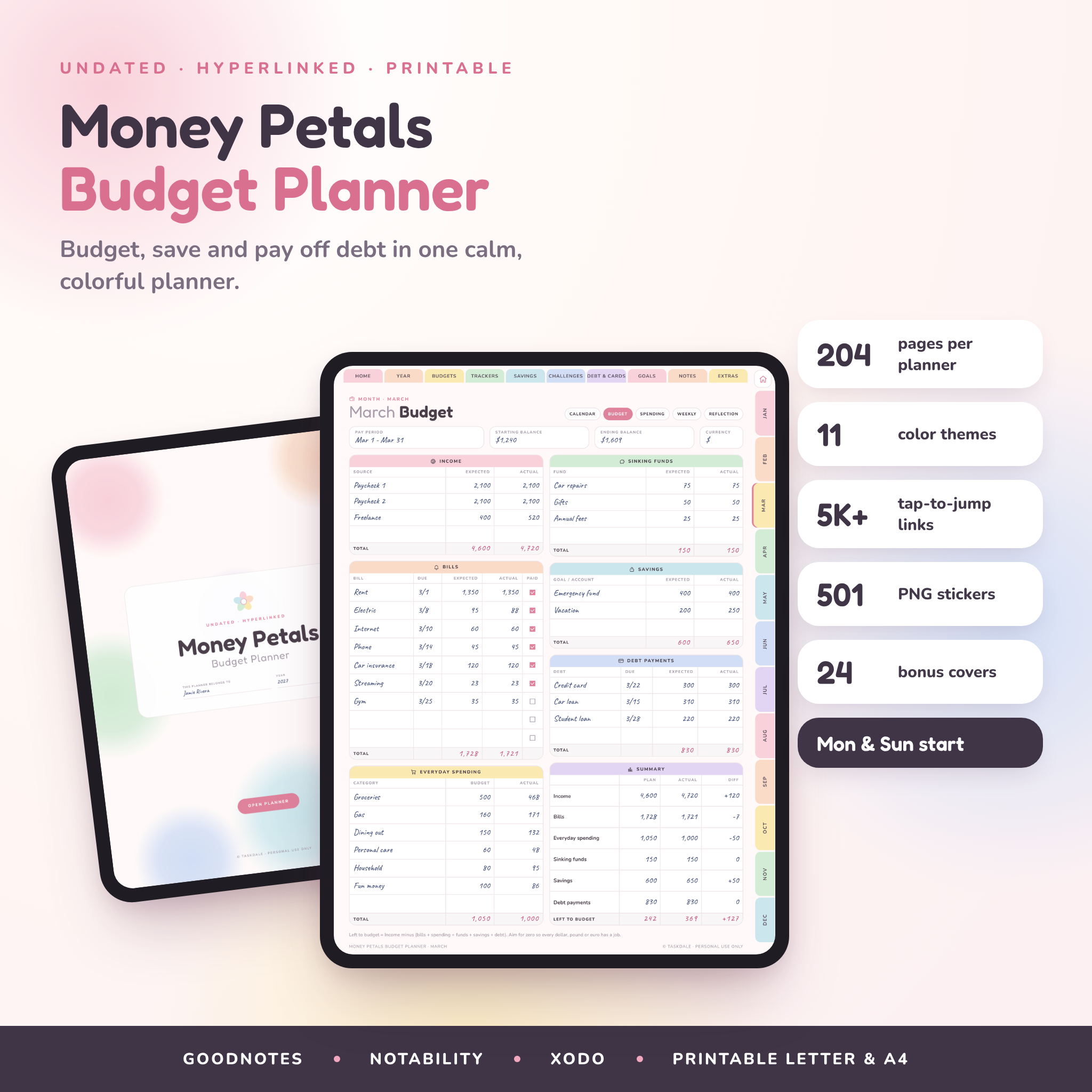
The Money Petals Digital Budget Planner gives you one calm, colorful place to plan your money. Budget each month, log what you spend, grow your savings and watch debt shrink, all inside a hyperlinked PDF you use on your tablet. It’s undated. Start in March, take a break in July, pick it back up in September. Nothing goes to waste.
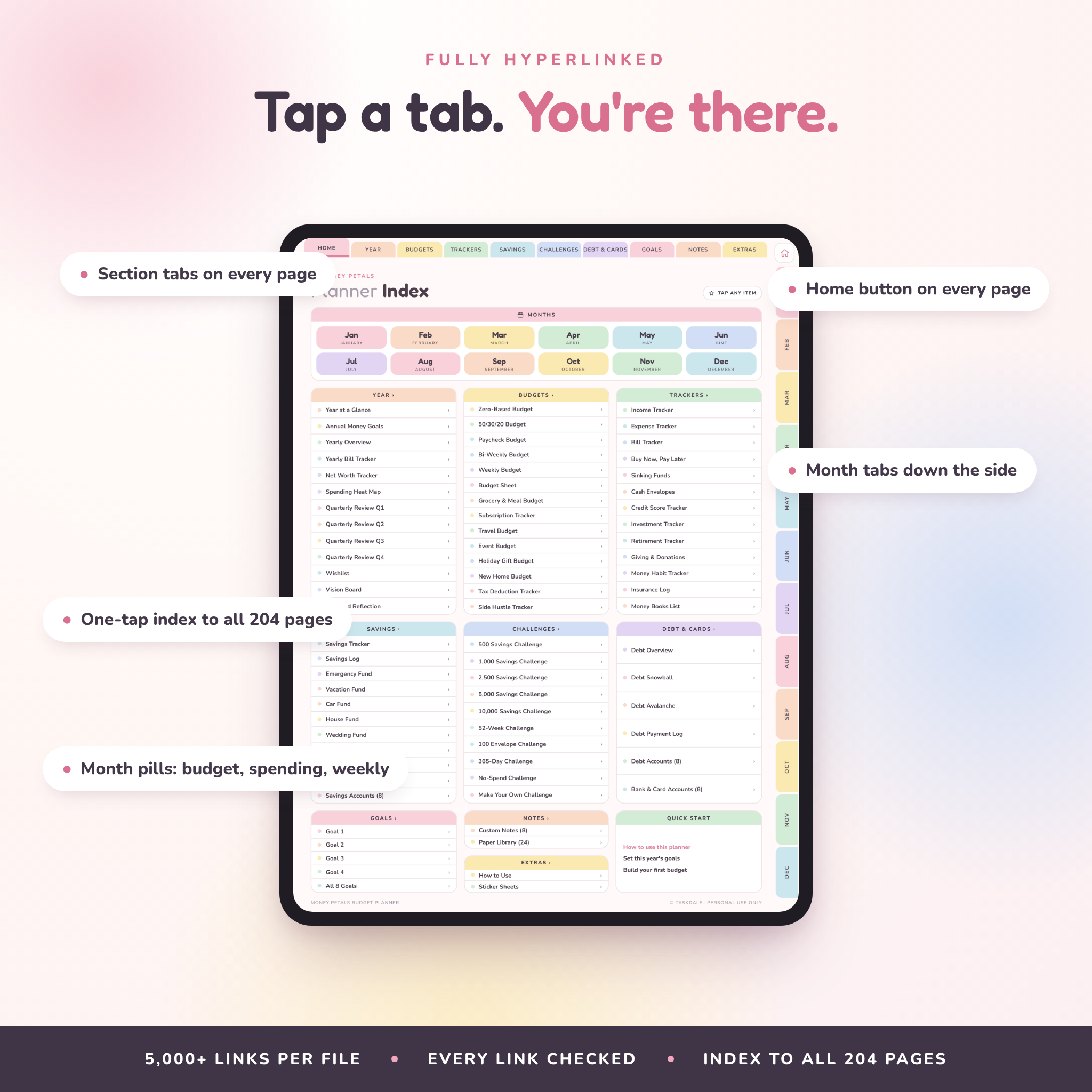
Every page is one tap away. Tabs run across the top for each section and down the side for each month, and there’s a home button on every page. Each planner file holds 204 pages and more than 5,000 links, and every single link was checked before release.
What this digital budget planner helps you do
- See where your money goes. A monthly budget, a spending log and weekly check-ins show the full picture without a spreadsheet.
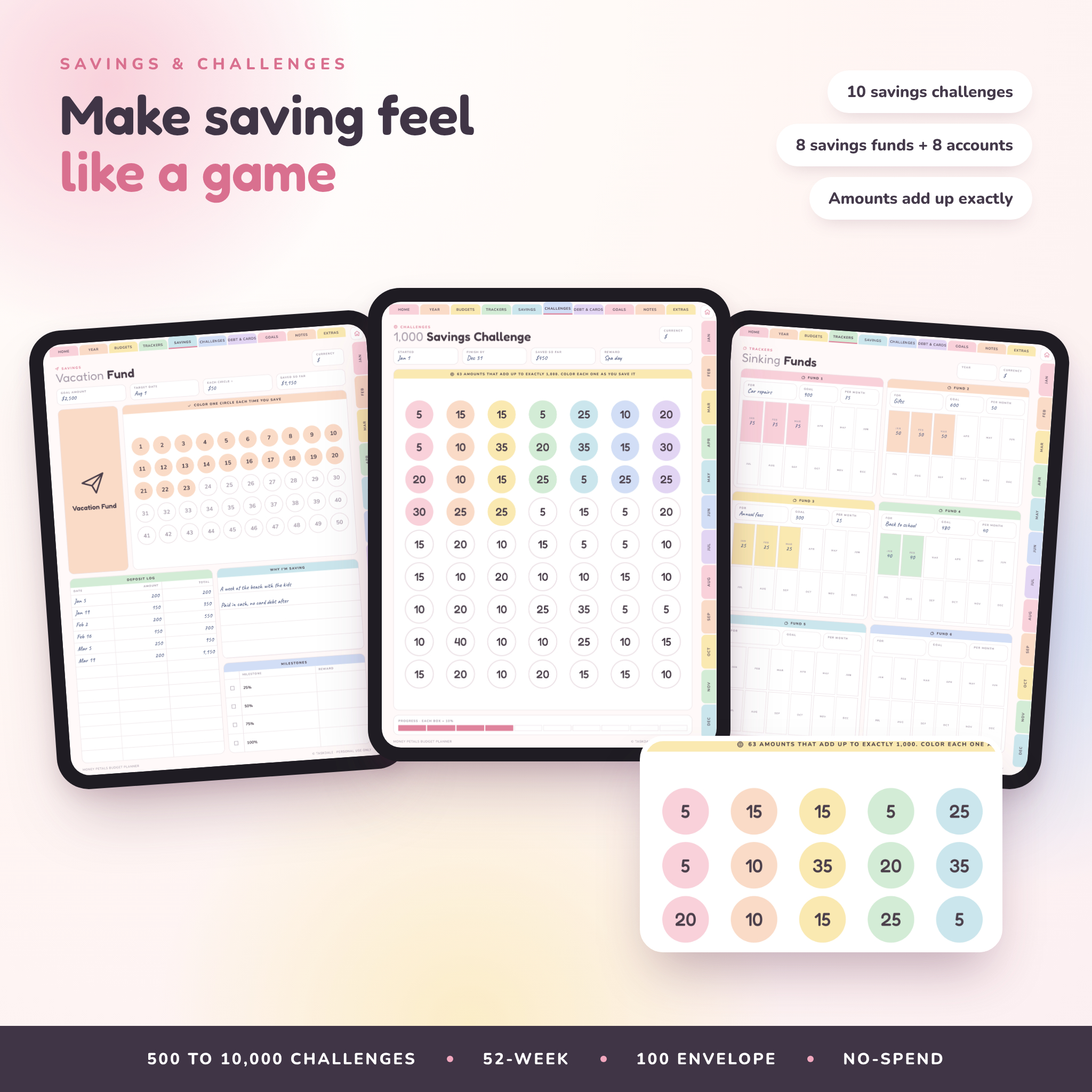
- Save with a plan. Eight themed savings funds, eight savings account pages, sinking funds and ten savings challenges.
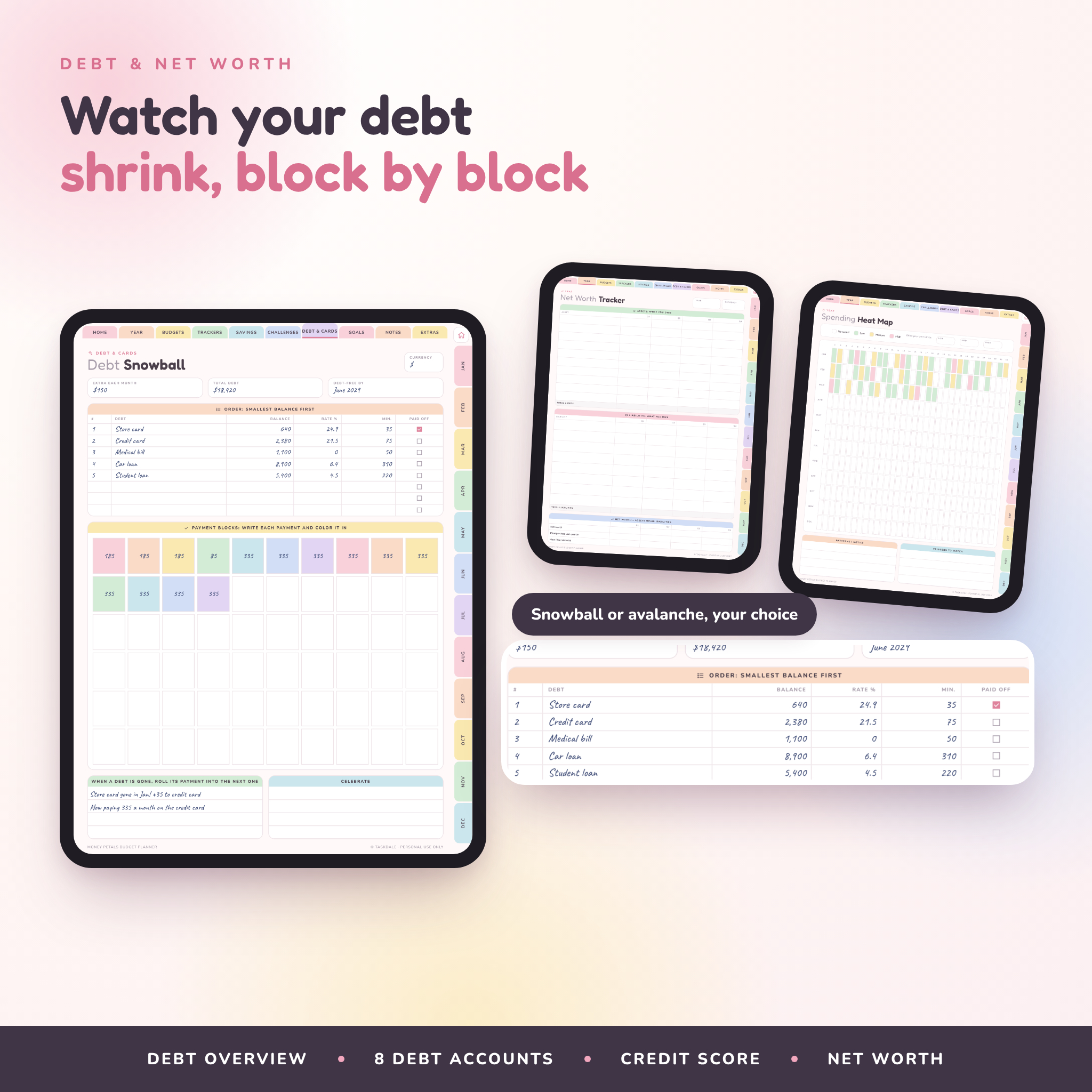
- Pay off debt faster. Snowball and avalanche planners, a payment log, and a page for each of up to eight debts.
- Stay on track all year. Annual goals, quarterly reviews, a net worth tracker and a year-end reflection.
Who it’s for
It suits beginners who want something simple, and it suits people who already budget and want everything in one place. Couples use it for a monthly money date. Families use the grocery and meal page every week. If you are working on debt, the snowball blocks make progress you can actually see.
What’s included
Digital planner (22 PDF files)
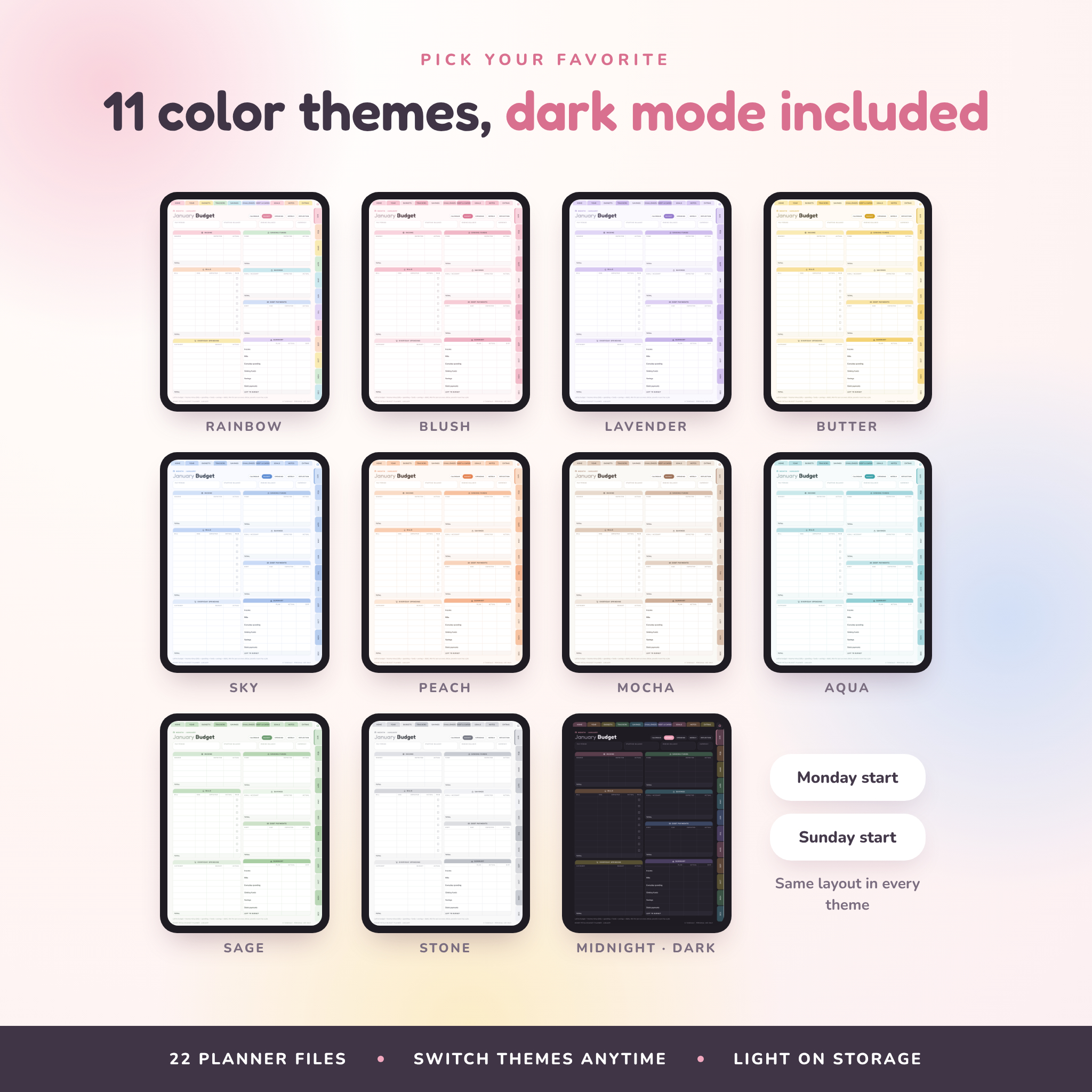
- 11 color themes: Rainbow, Blush, Lavender, Butter, Sky, Peach, Mocha, Aqua, Sage, Stone and Midnight (dark mode)
- Every theme comes in Monday-start and Sunday-start versions
- 204 hyperlinked pages per file, each file under 5 MB so it opens quickly
Inside each planner
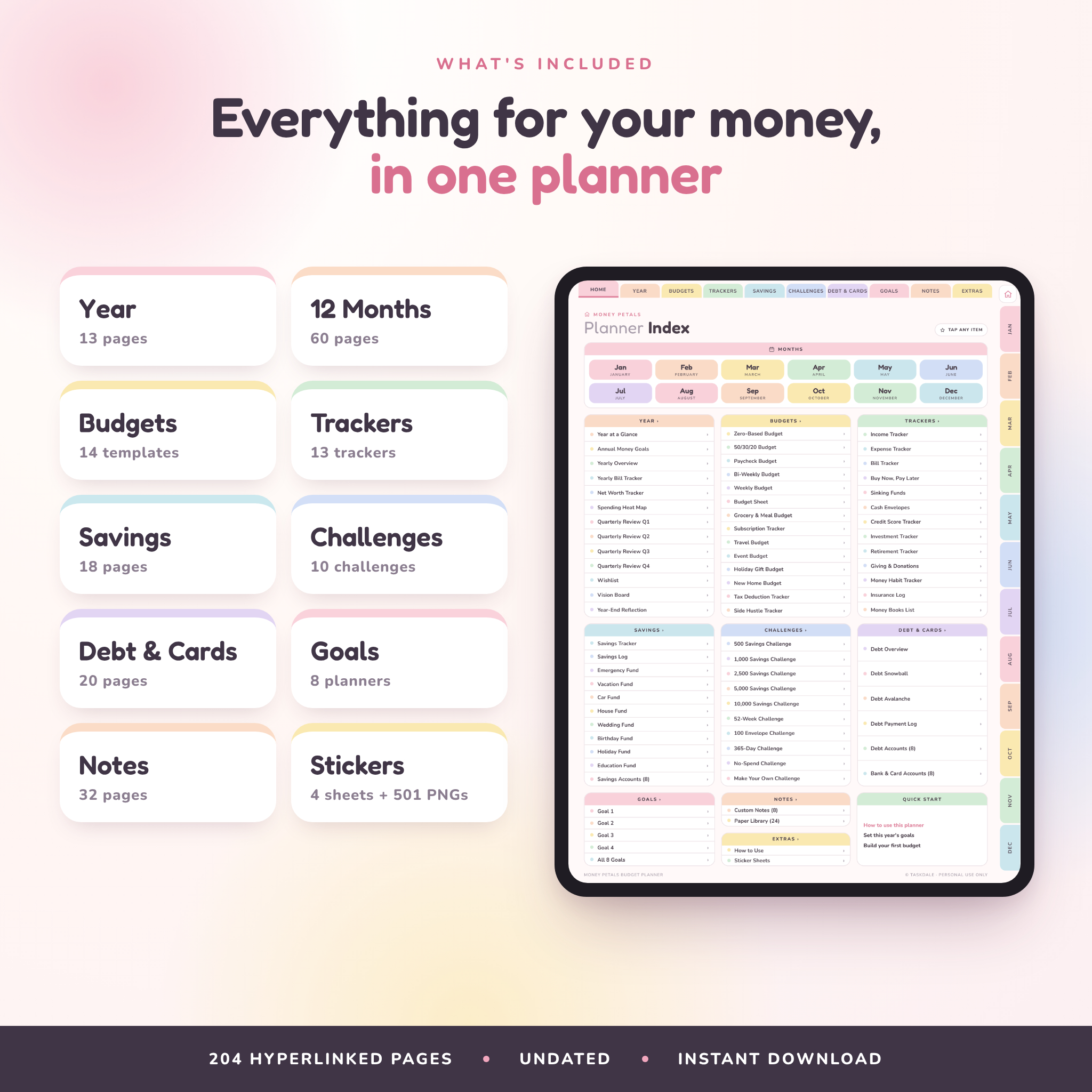
- Year: year at a glance, annual money goals, yearly overview, yearly bill tracker, net worth tracker, spending heat map, 4 quarterly reviews, wishlist, vision board, year-end reflection
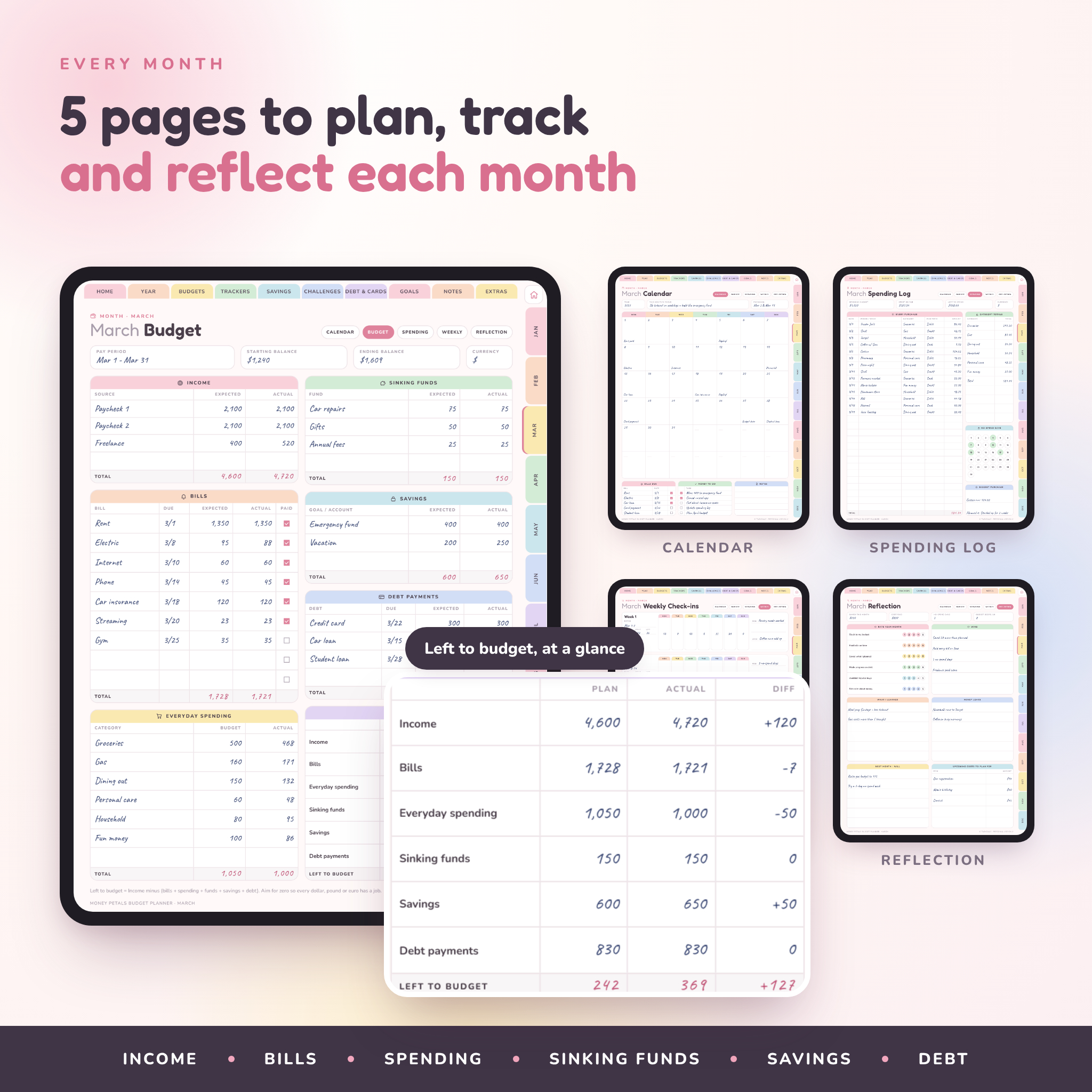
- 12 months: calendar, budget, spending log, weekly check-ins and reflection for every month (60 pages)
- Budgets (14): zero-based, 50/30/20, paycheck, bi-weekly, weekly, budget sheet, grocery and meal, subscriptions, travel, event, holiday gifts, new home, tax deductions, side hustle
- Trackers (13): income, expense, bills, buy now pay later, sinking funds, cash envelopes, credit score, investments, retirement, giving, money habits, insurance, money books
- Savings (18): savings tracker, savings log, 8 themed funds (emergency, vacation, car, house, wedding, birthday, holiday, education), 8 savings accounts
- Challenges (10): 500, 1,000, 2,500, 5,000 and 10,000 savings challenges, 52-week, 100 envelope, 365-day, no-spend, make your own
- Debt and cards (20): debt overview, debt snowball, debt avalanche, payment log, 8 debt accounts, 8 bank and card accounts
- Goals (8) and notes (32): 8 custom note sections and 24 paper styles, from Cornell notes to price comparison
- 4 sticker sheets you can copy and paste with the lasso tool
Bonus files
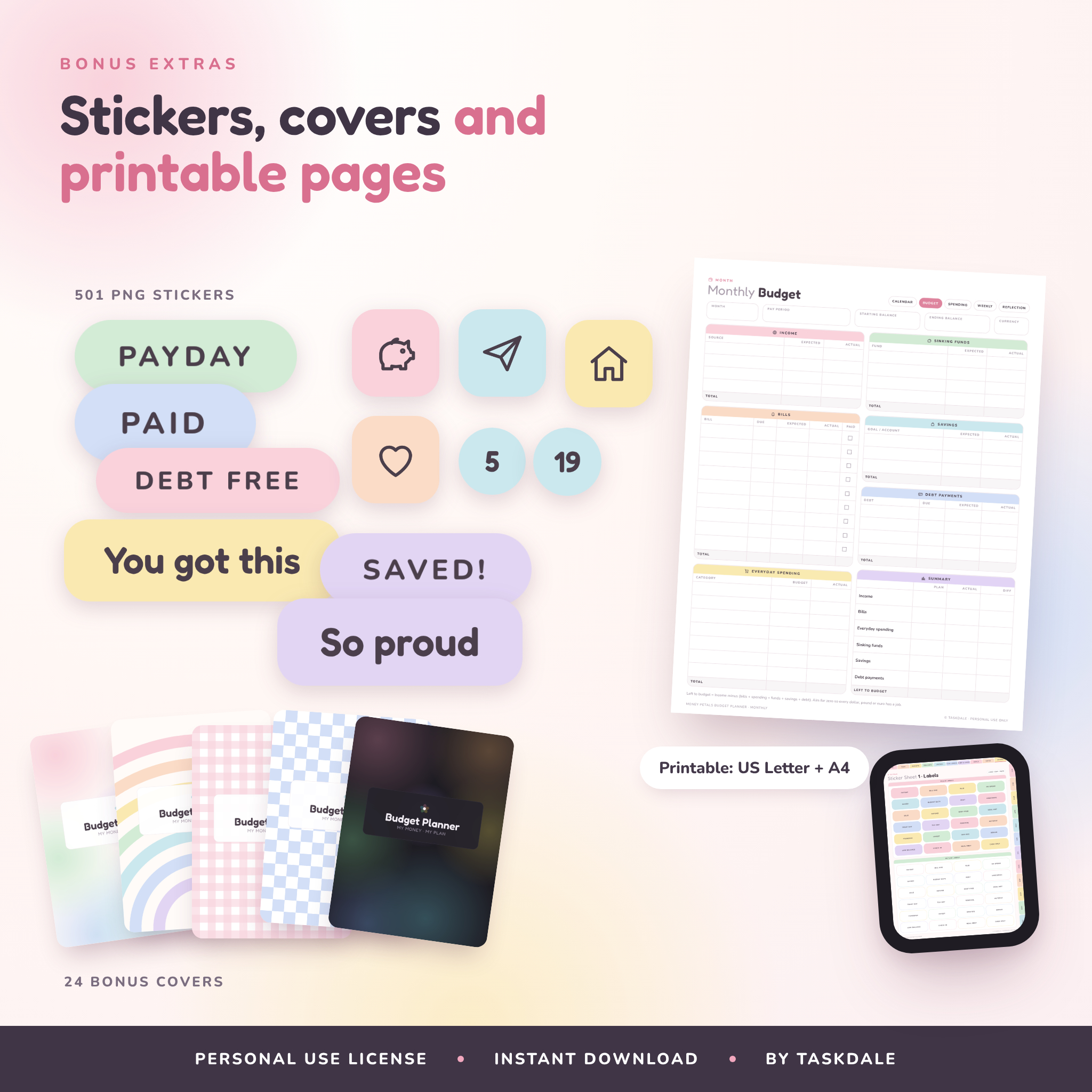
- Printable planner in US Letter and A4, Monday or Sunday start (101 pages, white background to save ink)
- 501 transparent PNG stickers: labels, icons, encouraging words, date dots, washi strips and sticky notes
- 24 alternative covers
- A step-by-step user guide (Word document)
Features of this undated budget planner
- Challenge amounts that add up. The 1,000 challenge has 63 amounts that total exactly 1,000. Same for 500, 2,500, 5,000 and 10,000.
- Weekly check-ins. Five minutes on a Sunday, one box per day, one win and one leak.
- Left to budget, at a glance. The summary panel on each monthly budget shows plan, actual and the difference.
- Spending heat map. Color a box per day and your spending patterns jump out.
- Your currency. Money boxes are left blank so you can write $, £, €, R or any symbol. Dollars work by default.
- Dark mode. The Midnight theme is easy on the eyes at night.
How it works
- Download and unzip the files.
- Pick a theme and week start, then import the PDF into your note-taking app.
- Tap the tabs to move around. In GoodNotes, use read-only mode to follow links.
- Write, highlight and add stickers with your stylus or finger.
File formats and software requirements
The planner is a hyperlinked PDF. You’ll need a tablet and a PDF note-taking app that supports links, such as GoodNotes, Notability, Noteshelf, Xodo, Penly or ZoomNotes. It works on iPad and Android tablets. A stylus is helpful but not required. The printable version opens on any computer and prints on a standard home printer. Stickers and covers are PNG files. The user guide is a .docx file that opens in Word, Google Docs or Pages.
Customizing your planner
Duplicate any page you need more of, like extra spending logs or note pages. Swap in one of the 24 covers. Rename the custom note sections. Add the PNG stickers to your app’s sticker library so they’re always close by. Every theme has the same page order, so you can switch colors at the start of any month.
Real ways people use it
- A couple sitting down on payday to plan bills and fun money together
- A college student using the weekly budget and grocery list to stretch a part-time paycheck
- A family saving for a beach trip with the vacation fund circles
- Someone paying off three credit cards with the debt snowball blocks
- A freelancer tracking side income and setting money aside for taxes
Digital download
This is an instant digital download. Nothing will be mailed to you. You’ll get four downloads: the digital planner ZIP, the printable ZIP, the stickers and covers ZIP, and the user guide.
FAQ
Is this budget planner dated?
No. It’s undated, so you can start any month and reuse it next year.
Does it work with GoodNotes?
It’s made for it. Import the PDF into GoodNotes and switch to read-only mode when you want to tap the links.
Can I use it on an Android tablet?
Yes, with a PDF app that supports links, such as Xodo, Penly or Noteshelf. Link support differs between apps, so test a few tabs after importing.
Does it add up totals for me?
No. It’s a handwritten PDF planner, so you do the adding. The layout makes it quick, and each summary box shows exactly what to add.
Can I print it?
Yes. The printable version comes in US Letter and A4.
What currency does it use?
Any currency. Write your symbol in the currency box on each page.
Can I share it with friends?
The license covers you and your household. Please don’t share or resell the files.
License: personal use only. © Taskdale.
Reviews
There are no reviews yet.