Best Cash Flow Forecast Tools for Home and Business
The best cash flow forecast is the one that shows your balance after every bill and payment, and that you will actually keep updating. For households, Tidewise or Paydaylight fit. For small businesses, the choice runs from the Rosefold printable to the Excel and Google Sheets spreadsheets.
Choosing can feel harder than it should, because "cash flow forecast" covers a daily personal budget, a printable bookkeeping binder and a full business plan workbook. We'll sort them by what you need to see and how much upkeep you'll tolerate.
At a glance
- A cash flow forecast is an estimate of the money coming in and going out over a future period, showing your balance at each point along the way.
- Tidewise forecasts a day-by-day running balance up to three years ahead, works offline and needs no bank logins or subscription.
- Paydaylight focuses on one figure, what is safe to spend until payday, and ships as a single HTML file with a 16-page illustrated guide.
- Small Business Finance HQ, the Ultimate Small Business Spreadsheet Dashboard and the Small Business Command Centre cover business cash flow inside wider spreadsheets.
- The Clarity Business Plan Kit suits planning a new venture, with a 12-tab financial workbook that includes cash flow and break-even.
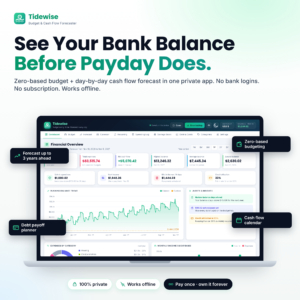 Budget Planner App | Tidewise Zero-Based Budget & Cash Flow Forecaster with Running Balance Forecast, Bill Calendar, Debt Payoff Planner & Savings Goals | Works Offline
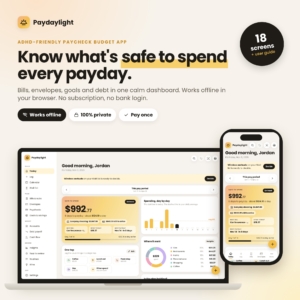 ADHD Budget Planner App | Paydaylight Paycheck Budget Tracker with Safe to Spend, Bill Calendar, Debt Payoff, Savings Goals & Cash Flow Forecast | Works Offline
 Small Business Bookkeeping Printable | Rosefold 59-Page Business Finance Planner with Budget, Expense Tracker, Income Statement & Tax Planner | Fillable PDF, US Letter, A4, A5
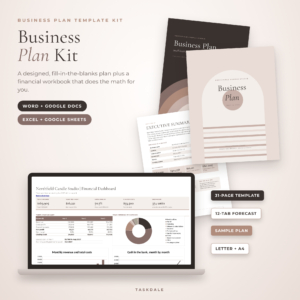 Clarity Business Plan Kit: Business Plan Template for Word & Google Docs + Excel Financial Forecast
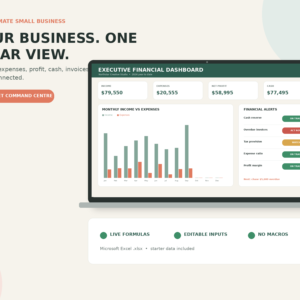
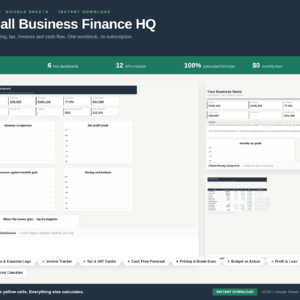
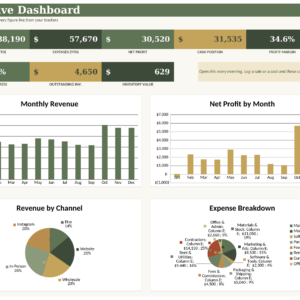
Table of Contents Toggle
- What should the best cash flow forecast actually do?
- How do the best cash flow forecast options compare?
- Which cash flow forecast suits which person?
- How do you keep a cash flow forecast accurate?
- What mistakes spoil a cash flow forecast?
- What affects the price of a cash flow forecast tool?
- How do you decide on the best cash flow forecast for you?
- Common questions
What should the best cash flow forecast actually do?
The best cash flow forecast shows your expected balance on specific future dates, not just totals for the month. A monthly budget can look healthy while a rent payment lands three days before payday and leaves you overdrawn. A forecast catches that gap in advance.
Five factors separate the useful tools from the decorative ones. Each is worth checking before you choose.
Forecast horizon and level of detail
A forecast horizon is how far ahead the tool can project your balance. Tidewise goes up to three years ahead at day-by-day detail, which suits big plans such as clearing a loan or saving for a deposit. Paydaylight looks at the stretch until your next payday, which is shorter but easier to act on.
For a business, three-year sales and cash flow sit inside the Clarity Business Plan Kit's workbook. That level of horizon matters when you are showing a lender or planning startup costs.
Running balance and warnings
A running balance is your projected bank balance after each income or payment. It is the feature that makes a forecast different from a budget. Tidewise shows the lowest balance in the period and raises overdraft alerts, so you can see a problem before it arrives.
If a tool only shows totals of money in and money out, treat it as a budget, not a forecast.
Where your data lives
Privacy and format matter more than most people expect. Tidewise and Paydaylight both work offline, with no bank logins, so nobody else holds your account details. Paydaylight needs no account either.
The spreadsheets run in Excel and, for Small Business Finance HQ, the Command Centre bundle and the Clarity workbook, in Google Sheets too. The Rosefold planner is printable or fillable PDF, in US Letter, A4 or A5. Pick the format you already use daily, because a tool in an unfamiliar format tends to be abandoned.
Fit with the rest of your money
A cash flow forecast works best when it sits next to the things that move your balance. Tidewise includes a bill calendar, a debt payoff planner and savings goals. Paydaylight adds envelopes, subscriptions, debt payoff and savings goals.
For a business, look for tax reserves, invoices and break-even. The Ultimate Small Business Spreadsheet Dashboard tracks tax reserves, client profitability and scenarios. Small Business Finance HQ adds an invoice log and tax and VAT estimates.
Effort to keep it current
Upkeep is the deciding factor for most people. Rosefold's planner is built around about 30 minutes a week. Small Business Finance HQ is designed so you log what comes in and goes out and the rest calculates itself. The Ultimate Dashboard comes with starter data already in place, so you can see how it behaves before you replace the figures with your own.
If you know you won't open a 59-page planner weekly, choose something lighter.
How do the best cash flow forecast options compare?
The options split into personal apps, a printable planner and business spreadsheets. The table below compares them on what each actually provides.
You can browse all 7 options below the text and open any one for full details.
Which cash flow forecast suits which person?
Match the tool to your situation, not to the longest feature list. Here is how each one fits.
Tidewise suits a household that wants to see a year or more ahead. If you are paying off debt, saving for a goal or managing irregular bills, the running balance shows whether the plan works. It also suits anyone who dislikes handing over bank logins.
Paydaylight suits anyone who finds a full forecast overwhelming. Its single safe-to-spend number cuts a busy dashboard down to one decision. The illustrated guide helps if you want to start gently.
Rosefold's printable planner suits a small trader who thinks better on paper. It covers budgeting, sales and expense tracking, an income statement and a quarterly tax planner, with example pages and a step-by-step guide.
The Clarity Business Plan Kit suits someone starting out. It pairs a 31-page written plan, with a prompt in every section, with the financial workbook, so your narrative and numbers stay consistent.
The Ultimate Small Business Spreadsheet Dashboard suits an Excel user who wants alerts and scenarios in one place. Small Business Finance HQ suits someone who also wants bookkeeping, VAT estimates and invoice chasing, with 20 sheets and no monthly fee. The Small Business Command Centre adds inventory tracking to revenue, profit, tax and invoices.
How do you keep a cash flow forecast accurate?
A cash flow forecast stays accurate when you update it on a fixed schedule and compare it with your real balance. The routine takes minutes once it becomes habit.
- List every regular income date and amount, including part-time or irregular pay at a cautious estimate.
- Add fixed bills with their real due dates, not the month they belong to.
- Add annual and quarterly costs, such as insurance and tax, in the month they fall due.
- Check the lowest projected balance and note the date it occurs.
- Once a week, compare the forecast with your actual bank balance and correct any difference.
If the lowest balance is uncomfortably close to zero, move a bill date, delay a purchase or build a small buffer before that date arrives.
What mistakes spoil a cash flow forecast?
The most common mistake is forecasting profit instead of cash. A business can be profitable on paper and still run short, because a customer pays an invoice 30 days late while your supplier wants payment now. Forecast the dates money moves, not the dates work is done.
Other mistakes to avoid:
- Leaving out annual bills. A single insurance renewal or tax payment can empty an account that looked fine monthly.
- Using hopeful income figures. Estimate low for uncertain income. A pleasant surprise costs nothing.
- Never reconciling. A forecast that drifts away from your real balance stops being trusted, then stops being used.
- Choosing too much tool. A 20-sheet workbook is wasted on a household, and a safe-to-spend app is too light for a business with invoices and VAT.
- Mixing personal and business money. Keep separate forecasts, or the figures stop meaning anything.
What affects the price of a cash flow forecast tool?
Price depends mainly on scope, format and ongoing fees. A single-purpose personal app costs less up front than a workbook covering bookkeeping, tax and dashboards. Larger bundles with many sheets and a written plan template sit at the premium end.
Subscriptions change the real cost most. Tidewise and Paydaylight have no subscription, and Small Business Finance HQ has no monthly fee. Compare one-off purchases with monthly services over a few years, not just the first payment. Live prices appear on the product cards.
How do you decide on the best cash flow forecast for you?
Choose by who the money belongs to and how much upkeep you'll accept. Use this rule:
- Personal money and you want long-range foresight: Tidewise.
- Personal money and you want one simple number: Paydaylight.
- Business money and you prefer paper: Rosefold's printable planner.
- Business money and you are starting out or seeking funding: the Clarity Business Plan Kit.
- Business money and you live in spreadsheets: Small Business Finance HQ for bookkeeping plus forecasting, the Ultimate Dashboard for alerts and scenarios, or the Command Centre if inventory matters.
If two fit, pick the one you can update in under 30 minutes a week.
Common questions
What is the difference between a budget and a cash flow forecast?
A budget sets how much you plan to spend by category. A cash flow forecast shows your balance on specific dates after each payment. You can have a balanced budget and still go overdrawn mid-month, which only a forecast reveals.
How far ahead should a cash flow forecast look?
Households usually benefit from three to twelve months, enough to cover annual bills. Businesses often look twelve months ahead and longer for funding. Tidewise projects up to three years, while Paydaylight concentrates on the time until your next payday.
Do I need to link my bank account?
No. Tidewise and Paydaylight both work offline with no bank logins, and Paydaylight needs no account. You enter your own figures, which keeps your data private but means you update the balance yourself.
Can I use a personal budget app for my small business?
It is possible for a very simple sole-trader setup, but business tools handle invoices, tax reserves and profit and loss, which personal apps do not. If you issue invoices or charge VAT, choose one of the business spreadsheets or the Rosefold planner.
Will the spreadsheets work in both Excel and Google Sheets?
Small Business Finance HQ and the Small Business Command Centre work in both. The Clarity workbook is supplied for Excel and Google Sheets. The Ultimate Small Business Spreadsheet Dashboard is described as an Excel product, so check that before choosing it if you use Sheets.