Best Dark Mode Spreadsheet Templates for Excel & Sheets
Best dark mode spreadsheet: the short answer
The best dark mode spreadsheet is the one built for the job you do most often. For projects, choose Lumora Project Command Centre or Project Command Centre. For reading, choose Shelf & Story Book Tracker. For Christmas planning, choose Sleigh Ledger. All four include a dark edition and work in Excel and Google Sheets.
Choosing between spreadsheets can feel more complicated than it should, because the listings are packed with tab counts and feature lists. This guide sets out what actually matters, so you can pick one with confidence and not spend an evening second-guessing yourself.
Table of Contents Toggle
- Key facts at a glance
- What is a dark mode spreadsheet?
- What should you look for?
- How do the options compare?
- Who each one suits
- How to use one day to day
- Mistakes to avoid
- What affects price
- How to decide
- Common questions
Key facts at a glance
- Every dark mode spreadsheet on this page also comes in a light version, so you are not locked into one look.
- Lumora Project Command Centre has 17 tabs and runs in Excel 2016 or later, with no Microsoft 365 subscription needed.
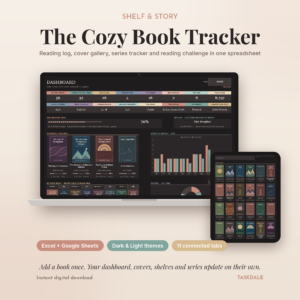
- Shelf & Story Book Tracker has 11 connected tabs and room for 1,000 books.
- Sleigh Ledger has 9 linked tabs and can be reused every year.
- You enter data once, and the dashboards, charts and boards fill themselves in.
What is a dark mode spreadsheet?
A dark mode spreadsheet is a spreadsheet template with a dark colour scheme built into the file: dark cell backgrounds with light text, and charts coloured to match. It is not the same as your computer's dark mode setting, which usually changes the menus around the sheet and leaves the grid white.
That difference explains why people buy these. If you work in a dim room or in the evening, a pale grid can feel glaring. A template with a dark theme built in gives you a comfortable screen without browser extensions or workarounds. Comfort is personal, so we won't claim it suits everyone, and that is why a light edition in the same download matters.
What should you look for in a dark mode spreadsheet?
Look for five things: a light edition alongside the dark one, compatibility with your software, automatic dashboards, enough capacity, and a proper guide. A good-looking theme matters least, because all four options here have one.
A light edition as well as a dark one
A dark and light pair lets you switch if your needs change. You might like the dark version at night and want a light copy for printing or screen-sharing. Shelf & Story Book Tracker offers dark and light themes. Lumora Project Command Centre and Project Command Centre both offer dark and light editions, and Project Command Centre adds blank copies too.
Compatibility with the software you already own
Check the file works in your version of Excel or in Google Sheets. Lumora Project Command Centre states that it works in Excel 2016 or later, so you don't need a Microsoft 365 subscription. Shelf & Story Book Tracker has separate Excel and Google Sheets editions, which suits you because each is built for its own program and you simply open the one you use.
Automatic dashboards fed by a single entry
The real saving of time comes from entering information once. In Project Command Centre, you type projects and tasks once and the dashboard, Gantt timeline, Kanban board, priority matrix, calendars, team workload, budget and risk log build themselves. Shelf & Story works the same way: add a book once and the cover gallery, bookshelves, series tracker, calendar and wishlist update. A template that makes you retype data in several places is not worth having.
Capacity for how much you will actually track
Capacity is the number of items a template can hold before it runs out of room. Shelf & Story Book Tracker holds up to 1,000 books, which is generous for most personal libraries. For projects, ask how many tasks and team members you realistically have. The Lumora template's 17 tabs and team workload view suit larger plans, while a single person's few projects may need less.
A guide and a blank copy
A step-by-step guide shortens the first hour of use considerably. Lumora Project Command Centre includes a 19-page illustrated user guide. Shelf & Story includes a step-by-step guide, and Project Command Centre includes a user guide and blank copies, so you can start clean once you have tested the sample data.
How do the dark mode spreadsheets compare?
The four spreadsheets differ mainly in purpose and size. Two manage projects, one tracks reading, and one plans Christmas gifts and budgets. This table sets out the details supplied for each.
| Product | Best for | Size and structure | Themes | Works in |
|---|---|---|---|---|
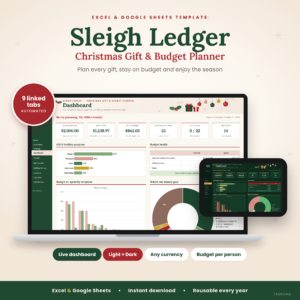 Christmas Gift Tracker Spreadsheet for Excel & Google Sheets | Sleigh Ledger Holiday Budget Planner with Dashboard, Card List & Checklist | Gifts, card list and holiday budget | 9 linked tabs, 5-stage gift pipeline | Light and dark versions | Excel and Google Sheets |
| Project Management Spreadsheet for Excel & Google Sheets | Lumora Project Command Centre with Gantt Chart, Kanban Board, Task Tracker, Budget & Dashboard | Larger projects and teams | 17 tabs, 19-page guide | Dark and light editions | Excel 2016 or later, and Google Sheets |
| Shelf & Story Book Tracker | Excel & Google Sheets | Reading Log, Cover Gallery, Series Tracker & Reading Challenge | Readers with a growing library | 11 connected tabs, up to 1,000 books | Dark and light themes | Separate Excel and Google Sheets editions |
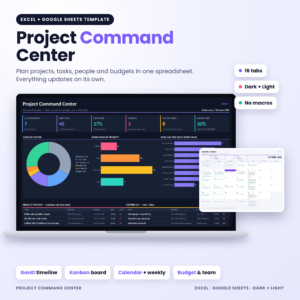
| Project Command Centre | Project Management Spreadsheet for Excel & Google Sheets | Dark Mode Project Planner with Gantt Chart, Kanban Board, Task Tracker & Team Workload | Planning projects with risk and budget | Dashboard, Gantt, Kanban, risk log, user guide | Dark and Light editions, plus blank copies | Excel and Google Sheets |
You can browse all 4 options in the grid on this page and open any one for its full description.
Which dark mode spreadsheet suits which person?
Each spreadsheet suits a different habit, so match it to what you already do on paper or in your head.
Sleigh Ledger suits the family organiser. It has a budget for each person, a 5-stage gift pipeline, alerts for repeat gifts and late deliveries, a Christmas card list and a self-dating checklist. If you have ever bought the same gift twice for the same relative, the repeat-gift alert is the feature to look at. It also keeps a gift history and can be reused every year.
Lumora Project Command Centre suits the manager of a team. One task list feeds the dashboard, Kanban board, Gantt chart, calendars, budget tracker and workload view, with recurring tasks and an automatic priority matrix. It suits a club committee, a small business or a home renovation with several people involved.
Project Command Centre suits someone who wants risks tracked too. It builds a risk log and priority matrix along with the Gantt timeline and Kanban board, and the blank copies mean you can reset it for each new project.
Shelf & Story Book Tracker suits keen readers. You can log covers from an ISBN, give half-star ratings, note spice levels and moods, follow a series and set a reading challenge. It is a hobby tool, and a pleasant one to open in the evening.
How do you use a dark mode spreadsheet day to day?
Using one well takes a short setup, then a few minutes of entry. Follow these steps with any of the four.
- Open the dark edition for your program, Excel or Google Sheets, and save a copy under your own name.
- Read the guide's setup section before touching anything, so you know which cells to type in.
- Clear the sample data or switch to the blank copy, if one is supplied.
- Enter your items once: tasks, books or gifts. Don't type over cells that hold formulas.
- Check the dashboard after your first few entries to confirm it updates.
- Set a regular time to update it, such as Sunday evening for a weekly review.
Keep a spare, untouched copy of the file. If you overwrite a formula by accident, you can recover it quickly.
What mistakes should you avoid when buying a dark mode spreadsheet?
The most common mistake is buying for the theme and ignoring the structure underneath. A dark look is easy to find. A well-linked set of tabs is harder.
- Choosing the biggest template by default. Seventeen tabs are useful for a team and tiring for one person with a single to-do list.
- Skipping the version check. If your Excel is older than 2016, confirm compatibility before you buy.
- Typing into formula cells. This breaks the automatic updates that make these templates worth owning.
- Assuming dark is always better. Printing dark fills can use a lot of ink, so keep the light edition for paper.
- Mixing up the editions. Shelf & Story has separate Excel and Google Sheets files, so open the one that matches your program.
What affects the price of a dark mode spreadsheet?
Price mostly follows scope: the number of tabs, the depth of the automation and what is included alongside the file. A template with a Gantt chart, workload view, budget and risk log does more than a single-purpose tracker, and it generally costs more up front. Extras such as a long illustrated guide, blank copies and separate editions for each programme also add to the work behind the product.
We don't quote figures here because they change, and the live product cards show the current amount. A sensible rule is to pay for the structure you will use. A one-off purchase that you reuse each year, as with Sleigh Ledger, can be better value than a bigger template you only half use.
How do you decide which dark mode spreadsheet to buy?
Pick by the task you repeat most, then confirm the software and capacity. If you manage people and deadlines, start with Lumora Project Command Centre, or Project Command Centre if a risk log matters. If you collect books, choose Shelf & Story. If December overwhelms you, choose Sleigh Ledger.
Before buying, check three things: your Excel is 2016 or later, or you use Google Sheets; the item count fits your needs; and a light edition is included. If all three are true, you have made a safe choice.
Common questions
Can I switch between dark and light later?
Yes. Each spreadsheet here includes both a dark and a light edition, so you can open whichever suits the moment. Keep them as separate files and enter your data in only one at a time, or you will end up with two versions out of step.
Do I need Microsoft 365 to use these spreadsheets?
Not for Lumora Project Command Centre, which works in Excel 2016 or later and needs no subscription. All four also work in Google Sheets, which is free with a Google account. Check the description of the one you choose for its exact requirements.
Will a dark mode spreadsheet save battery?
It can on some screens, but the effect depends on your device. Screens that light each pixel individually, such as OLED, use less power for dark pixels. On a standard LCD the saving is small, so choose dark for comfort first.
Can I reuse the Christmas gift tracker every year?
Yes. Sleigh Ledger is designed to be reused each year, and it keeps a gift history so you can see what you bought before. That helps you avoid repeating a present and lets you plan your budget against previous years.
Is a dark spreadsheet a good choice for printing?
Usually not. Dark backgrounds can use a lot of ink and may look heavy on paper. Print from the light edition instead, and keep the dark edition for working on screen. If you often share printed reports, the light version is your safer default.
Christmas Gift Tracker Spreadsheet for Excel & Google Sheets | Sleigh Ledger Holiday Budget Planner with Dashboard, Card List & Checklist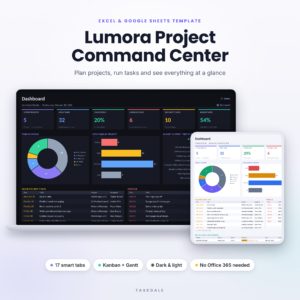 Project Management Spreadsheet for Excel & Google Sheets | Lumora Project Command Center with Gantt Chart, Kanban Board, Task Tracker, Budget & Dashboard