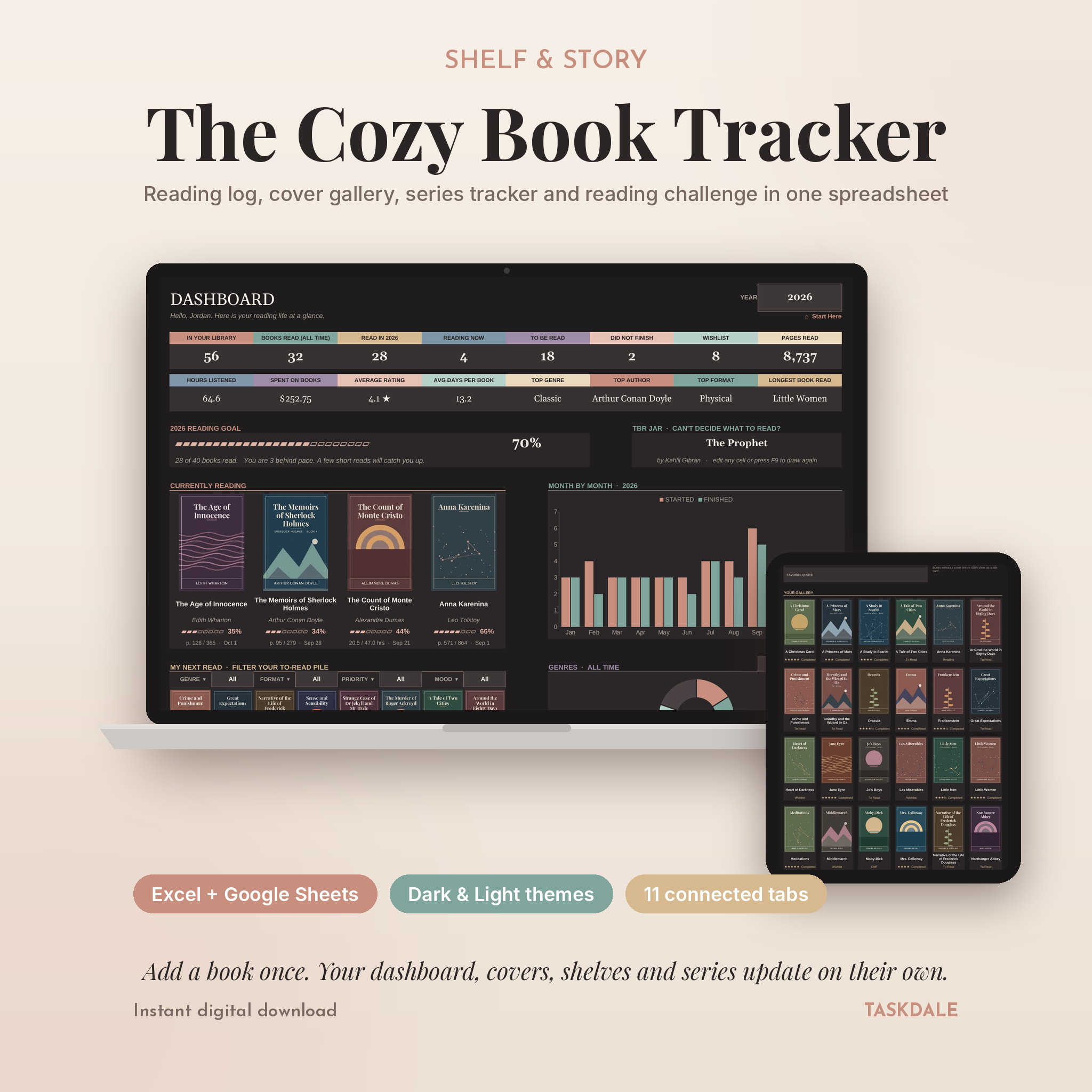
Shelf & Story is a book tracker spreadsheet for readers who want their whole reading life in one place. You type a book in once. That’s it. The dashboard counts it, the cover gallery shows it, the shelves file it, the series tracker slots it into order and the calendar marks the day you finished it.
It opens in Microsoft Excel and Google Sheets, it comes in a dark theme and a light theme, and it’s simple enough to start in two minutes.
What this book tracker does
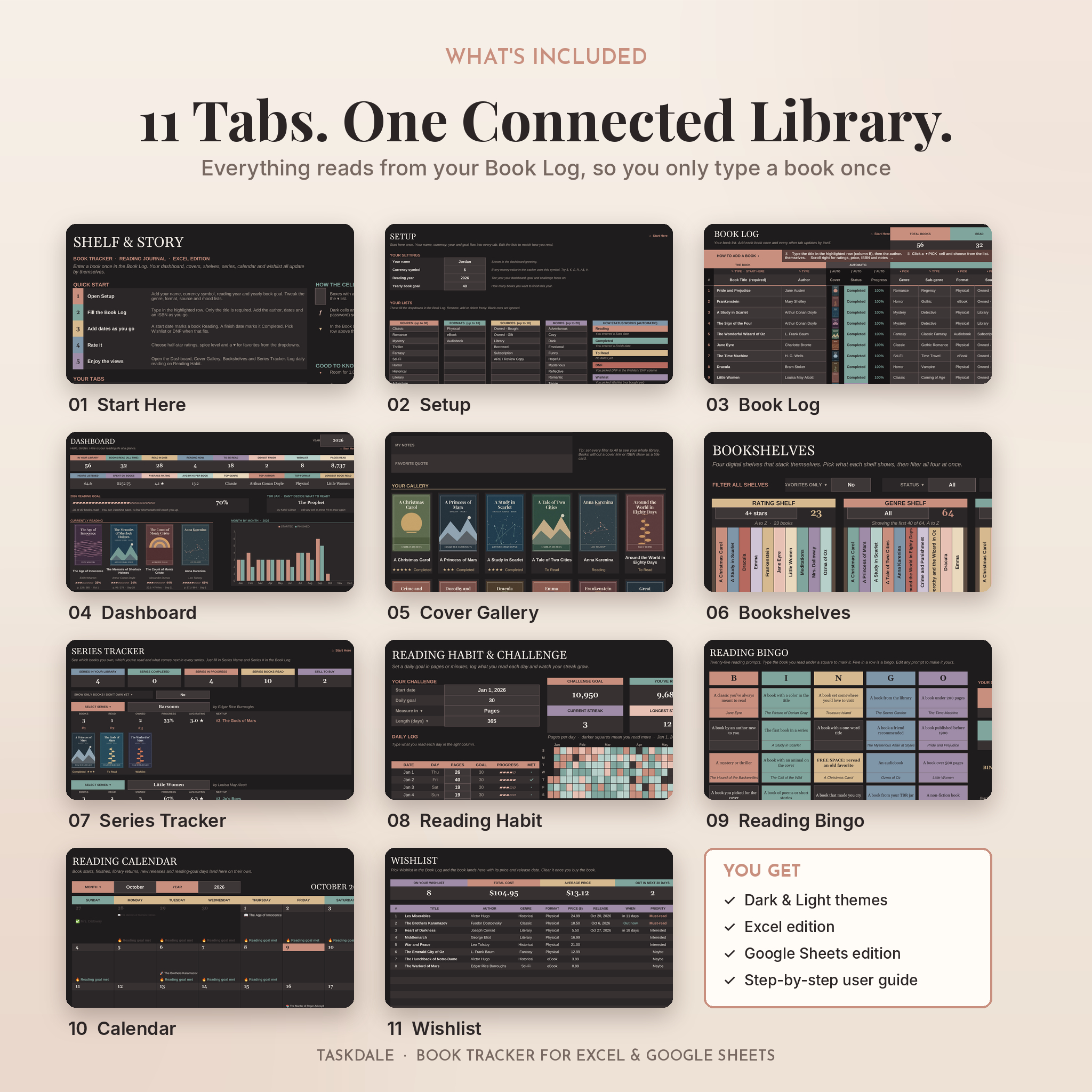
Most reading logs are a list with a couple of charts. Handy, but flat. This one is built like a small library app. Your Book Log feeds ten other tabs, so you never copy and paste between pages, and you never touch a formula.
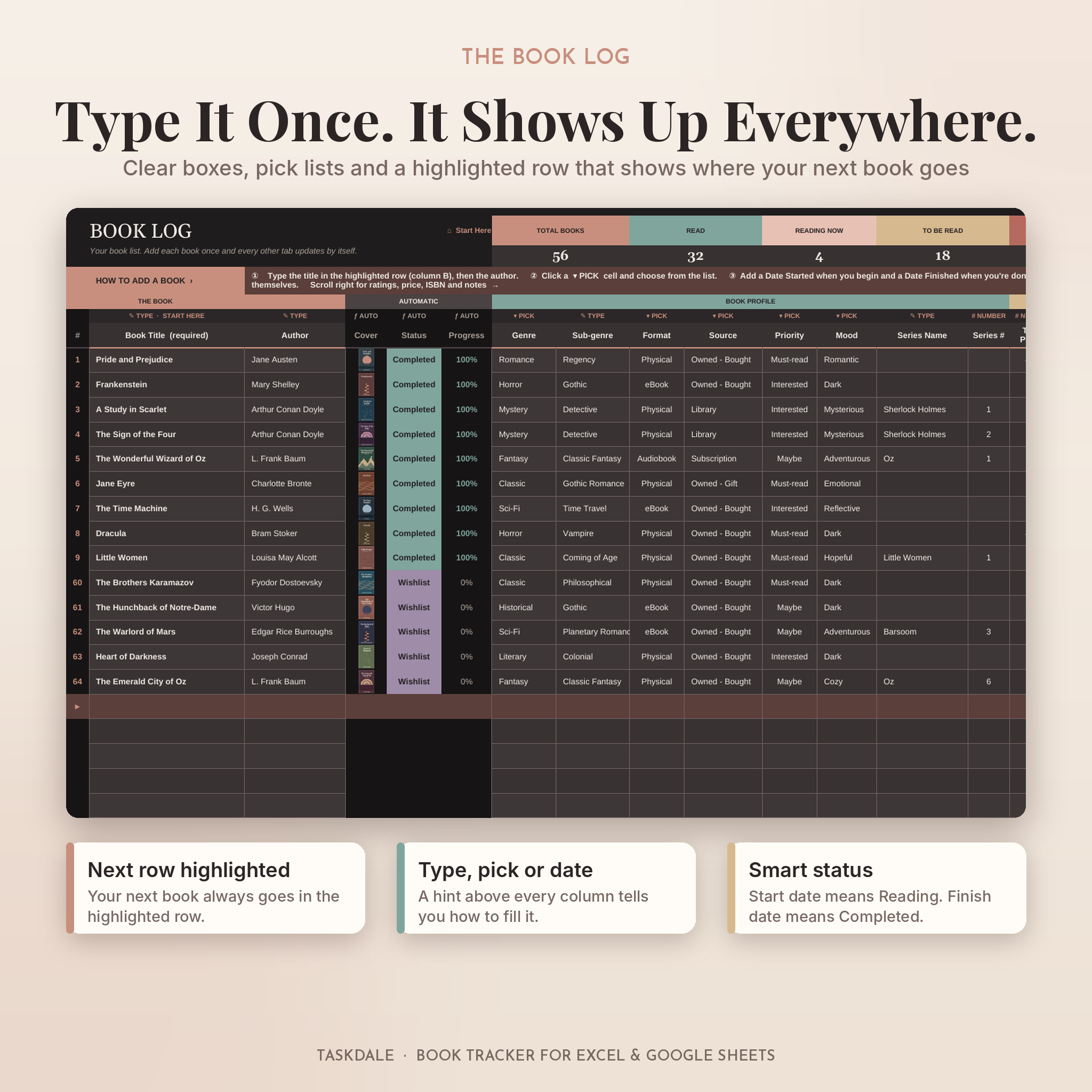
- Smart status: add a start date and the book becomes Reading. Add a finish date and it’s Completed. Pick DNF or Wishlist when that fits.
- Automatic covers: type the ISBN and the cover appears. Or paste any cover image link.
- Half-star ratings, spice and moods: rate from ½ to five stars, add one to five chili peppers and tag the mood (cozy, dark, tense, funny and more).
- Room for 1,000 books with progress for pages or audiobook hours.
- Easy to fill in: the next empty row is highlighted, and a hint above every column says whether to type, pick from a list or add a date. Formula columns are shaded so you never type in the wrong place.
Who it’s for
It suits the reader with a teetering TBR pile, the book club regular who wants every pick and rating in one file, and the series fan who can never remember if book four is on the shelf. Library users get return dates on a calendar. Goal setters get a pace tracker that says, plainly, whether they are ahead or behind.
Features at a glance
Dashboard
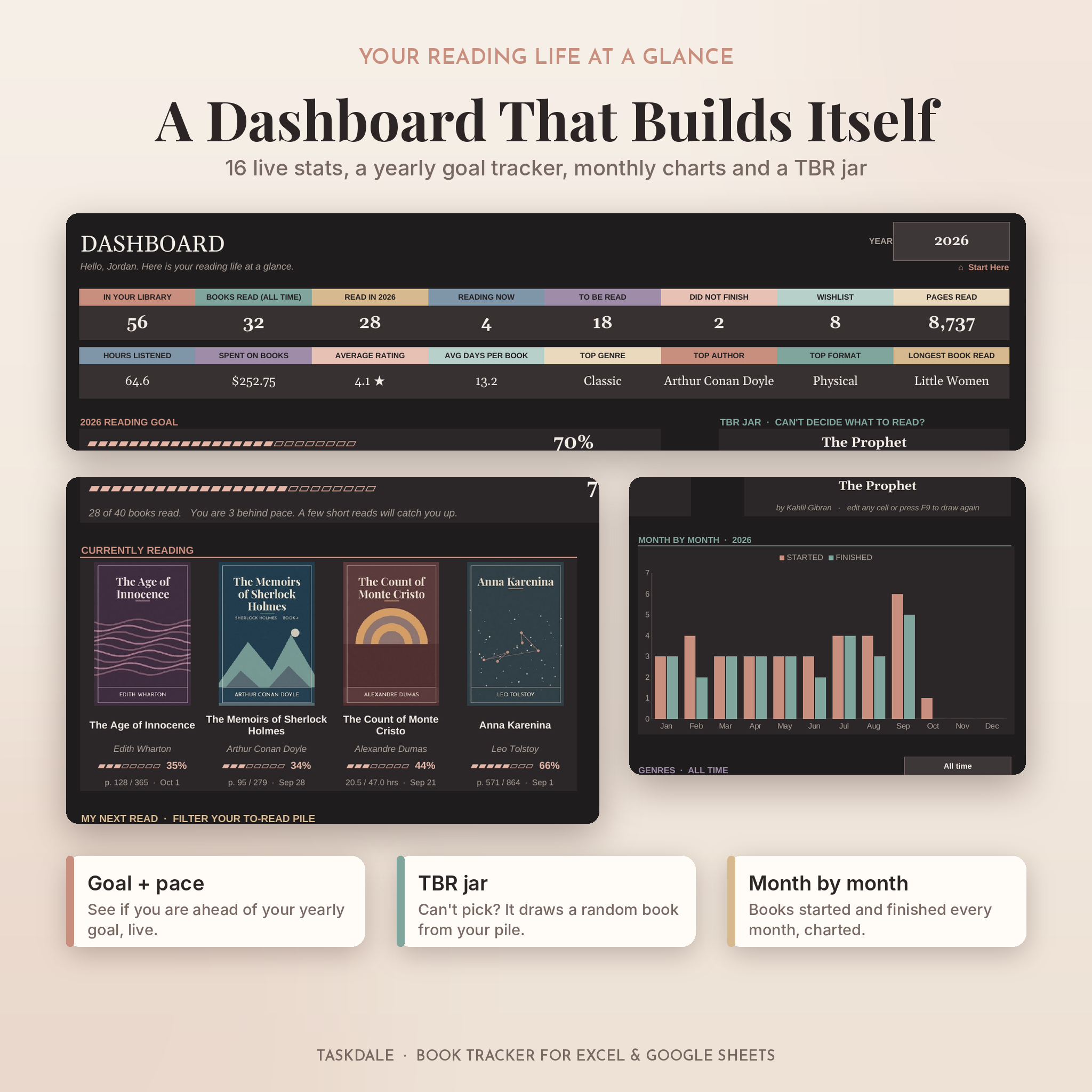
Sixteen live stats: books read, pages, hours listened, money spent, average rating, average days per book, top genre, top author and your longest read. There’s a yearly goal bar with a pace note, a TBR jar that picks a random book for you, your four current reads with covers and progress, a “My Next Read” picker with genre, format, priority and mood filters, your favorites, a month-by-month chart, genre and status charts and a year in review that names your best book of each month.
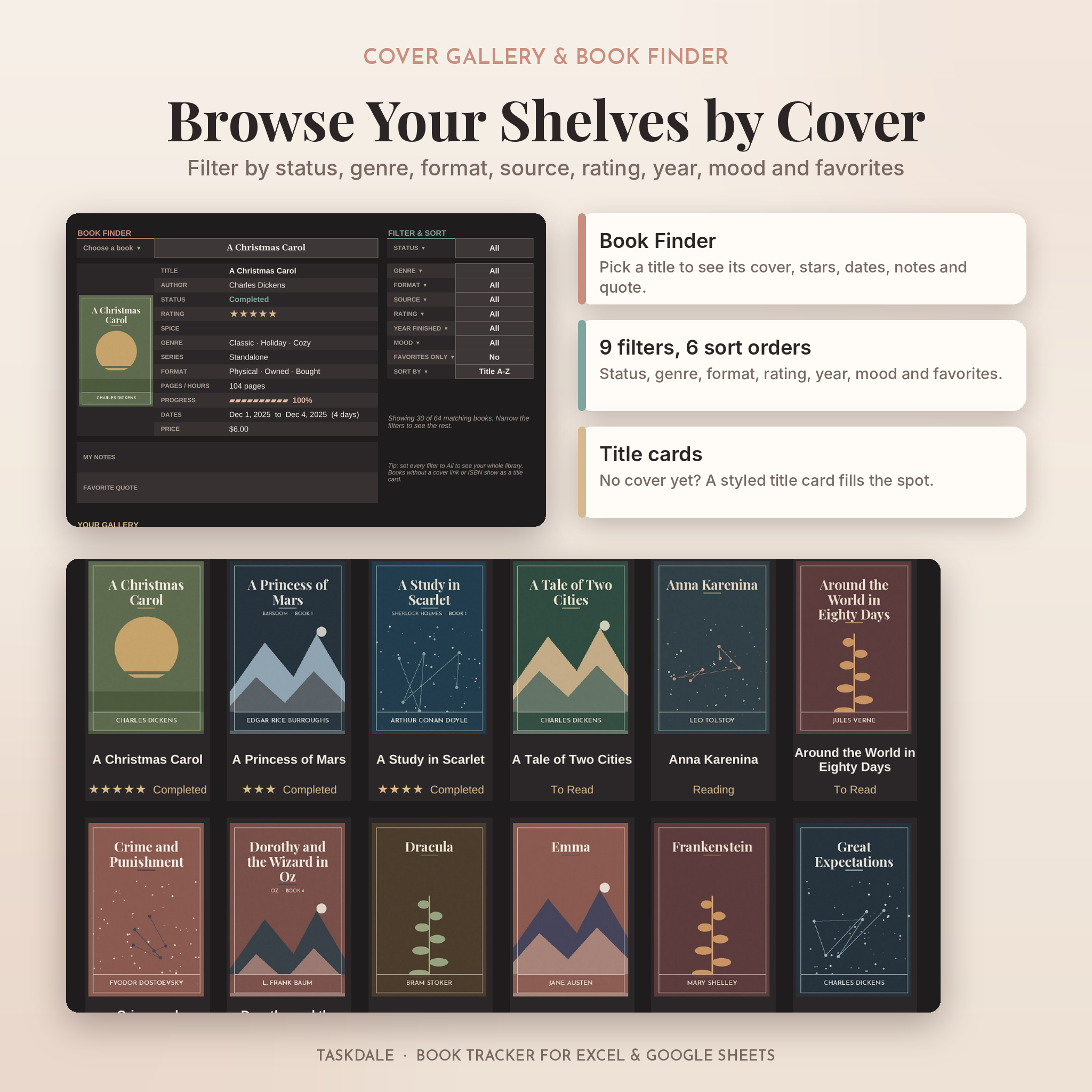
Cover Gallery and Book Finder
Choose any title to see its cover, stars, spice, dates, price, notes and favorite quote in one panel. Below it, a cover wall of up to 30 books with nine filters (status, genre, format, source, rating, year finished, mood, favorites) and six sort orders.
Digital bookshelves
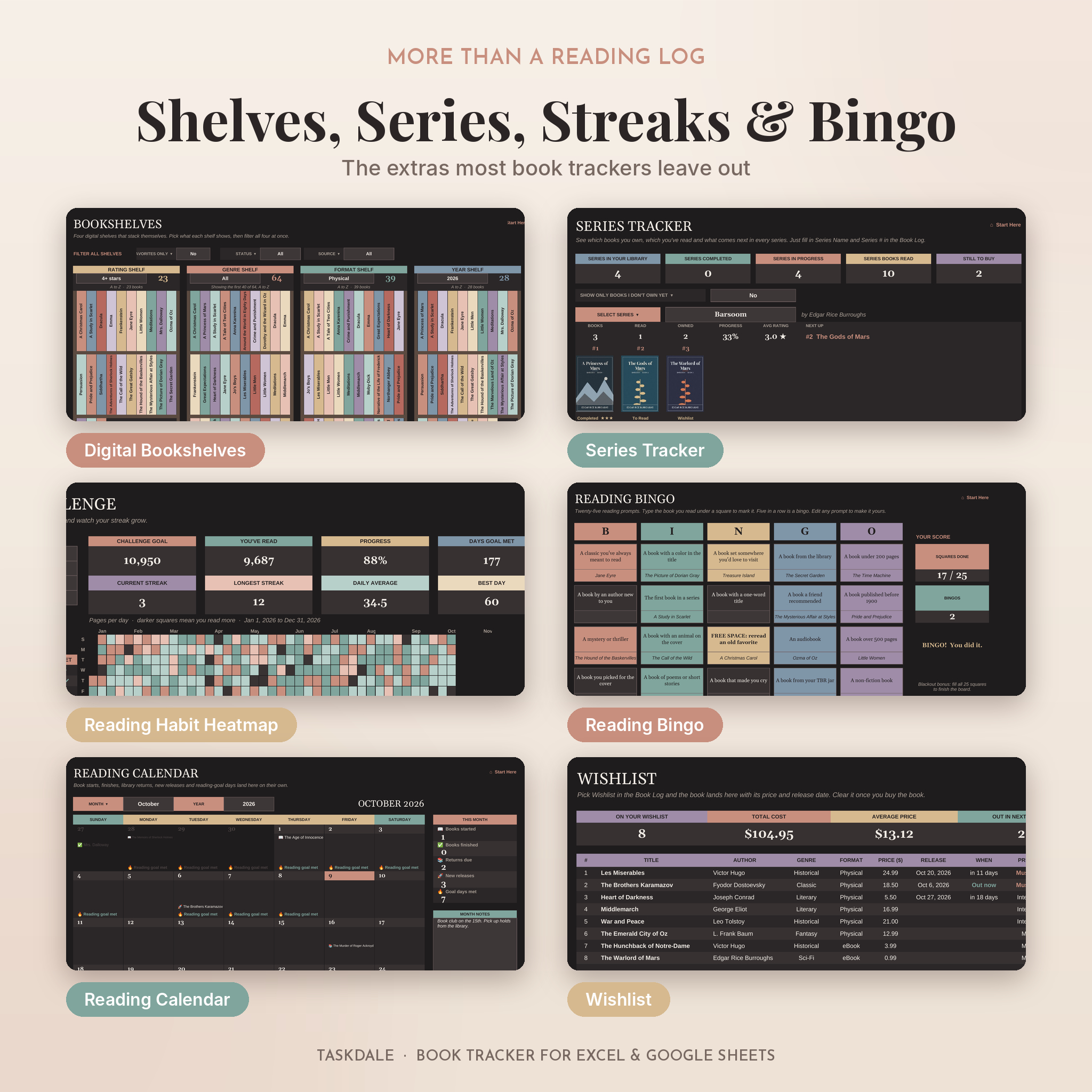
Four shelves that stack themselves A to Z: by rating, genre, format and year. Filter all four at once by favorites, status or source.
Series tracker
Three series panels show every book in order with covers, plus books read, books owned, progress, average rating and the next book to read. Flip one switch to see only the books you still need. A table at the bottom lists every series you track.
Reading habit and challenge
Set a daily goal in pages or minutes for 30, 60, 90, 180 or 365 days. Log each day and watch your current streak, longest streak, daily average and a year-long heatmap fill in.
Reading bingo, calendar and wishlist
A 25-square reading bingo card with editable prompts and an automatic bingo counter. A monthly calendar with books started, finished, library returns, release dates and goal days. A wishlist with prices, release countdowns, priority and store links.
What’s included
- Dark theme, Excel edition (.xlsx)
- Light theme, Excel edition (.xlsx)
- Dark theme, Google Sheets edition (.xlsx to upload to Google Drive)
- Light theme, Google Sheets edition (.xlsx to upload to Google Drive)
- User guide (.docx) with setup steps, every feature explained, tips, troubleshooting and FAQs
How it works
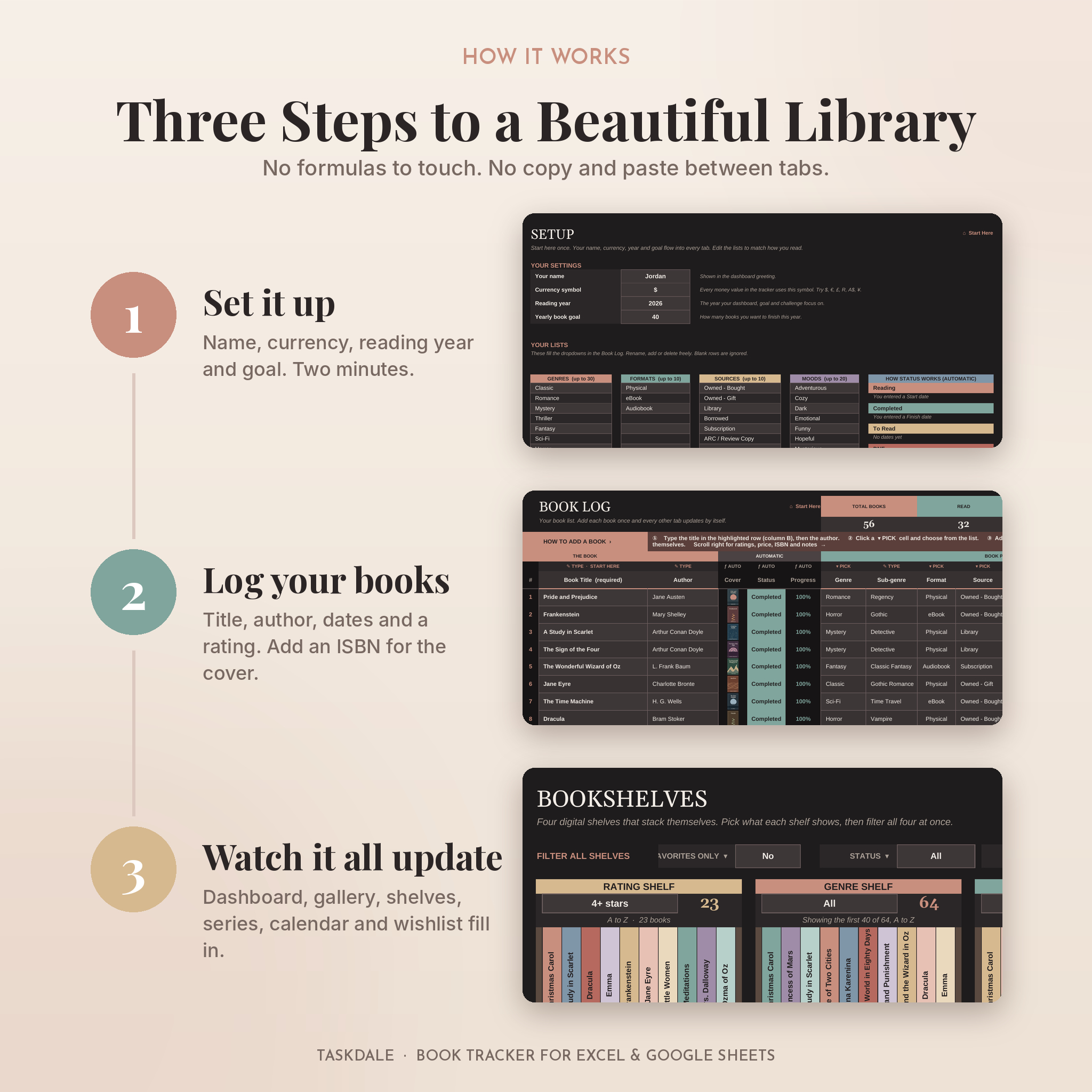
- Set it up. Add your name, currency symbol, reading year and yearly goal on the Setup tab. Edit the genre, format, source and mood lists if you like.
- Log your books. Title and author are enough to begin. Add dates, a rating and an ISBN as you go.
- Explore. Open the dashboard, gallery, shelves and series tracker. They’re already up to date.
File formats and software
- Format: Excel workbook (.xlsx), plus a Word user guide.
- Two editions: Excel and Google Sheets build dropdown lists differently, so each app gets its own edition and every list opens neatly at the top.
- Google Sheets: upload the Google Sheets edition to Google Drive and choose File > Save as Google Sheets. Free with any Google account.
- Excel: made for Excel for Microsoft 365 and Excel 2024. Excel 2021 works too, with title cards in place of covers.
- Covers need an internet connection. Apple Numbers is not supported.
Make it yours
Change the currency symbol once and every price follows. $ is the default. Rename genres, formats, sources and moods. Rewrite any bingo prompt. Pick the theme you enjoy opening. Calculated cells are locked so they can’t break by accident, but there’s no password, so you stay in control.
Digital download
This is a digital product. Nothing ships. You’ll get your files right after checkout. For personal use only, please don’t share or resell the files.
Ways readers use it
- Hitting a 52-book year without losing count in March
- Planning which library holds to pick up and when they’re due back
- Finally finishing a series and seeing exactly which book comes next
- Keeping book club picks, ratings and favorite quotes in one file
- Logging audiobooks on a commute alongside paper books at night
FAQ
Does this book tracker work in Google Sheets?
Yes. Upload the Google Sheets edition to Google Drive, open it, then choose File > Save as Google Sheets. Click Allow access when asked so covers can load.
Do I need Microsoft Excel?
No. Google Sheets is free. If you use Excel, Microsoft 365 or Excel 2024 gives you the full cover gallery.
How do book covers get added?
Type the ISBN and the cover loads from the free Open Library catalog. You can also paste any cover image link.
Can I track audiobooks and ebooks?
Yes. Audiobooks track hours listened, while print and ebooks track pages.
Can I use my own currency?
Yes. Type your symbol on the Setup tab and every money value updates.
Is there a dark mode book tracker version?
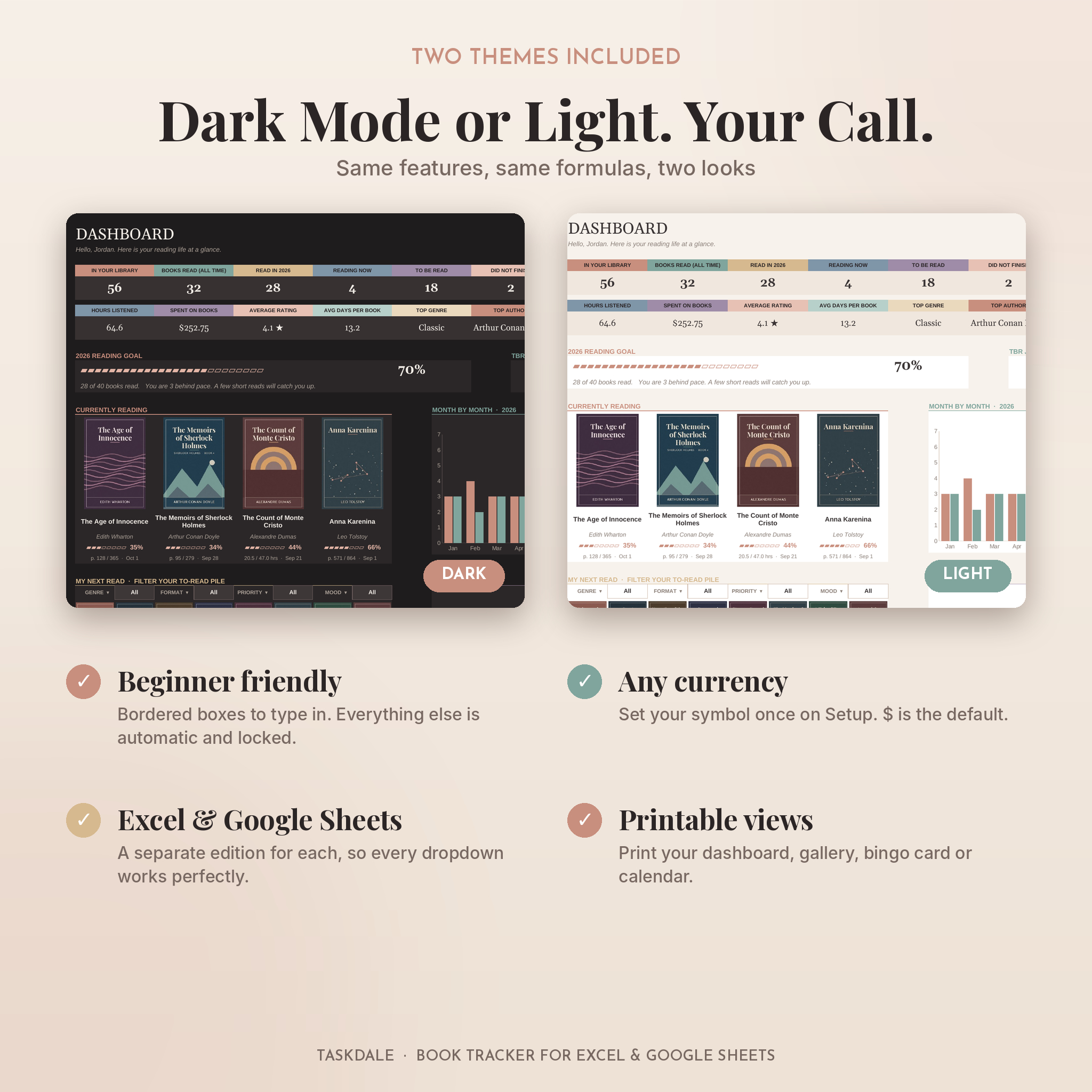
Yes. You get both a dark theme and a light theme with the same features.
Is it easy for a beginner?
Yes. The next row to fill is highlighted and every column says how to fill it. You only need a title to start.
How many books can I log?
Up to 1,000 books.
Can I use it on my phone?
You can log and view books in the Google Sheets or Excel app. Setup is easier on a computer.
Reviews
There are no reviews yet.