Best Digital Planner 2026: How to Choose the Right One
The best digital planner for 2026 is the one that matches your device and your working style. Choose a hyperlinked PDF for an iPad, Android tablet or reMarkable, a Notion template if you plan on a phone and laptop, or an offline file if you want no account. Date range and layout matter next.
- Most planners here are hyperlinked PDFs that open in GoodNotes, Notability, Noteshelf, Xodo or a similar app.
- Date ranges differ: July 2026 to June 2027, July 2026 to December 2027, 2026 to 2027, or three years from 2026 to 2028.
- Two undated options can be reused after the dated years run out.
- Three planners are built for ADHD, with capped daily task lists and time-estimate tools.
- Evergrove runs offline in your browser, and the Notion template works on the free Notion plan.
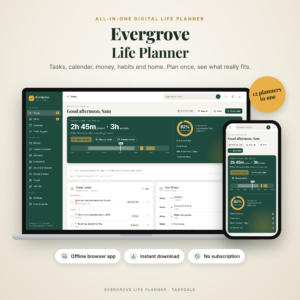 Evergrove All-in-One Digital Life Planner | Offline Budget, Habit Tracker & Calendar App
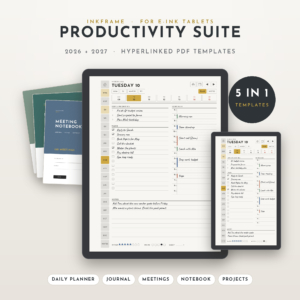 Inkframe Productivity Suite | reMarkable Templates 2026-2027 for Paper Pro, reMarkable 2 & Paper Pro Move | Hyperlinked Planner, Journal, Meeting Notebook, Smart Notebook & Project Planner
 Unscattered ADHD Digital Planner 2026-2027, 18-Month Hyperlinked iPad & GoodNotes Planner
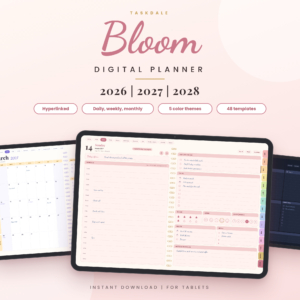 Bloom Digital Planner 2026 2027 2028 | Hyperlinked Daily Weekly Monthly Planner for Tablets
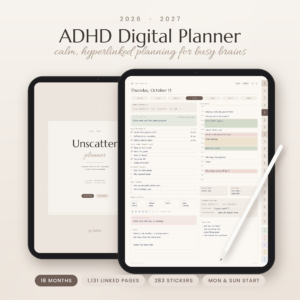 ADHD Digital Planner 2026-2027 | Unscatter 18-Month Hyperlinked GoodNotes & iPad Planner
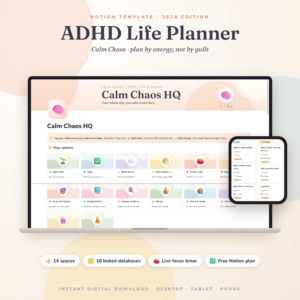 ADHD Notion Template 2026 | Calm Chaos ADHD Life Planner & Notion Dashboard with Focus Timer, Habit Tracker, Budget, Brain Dump and Chore Chart
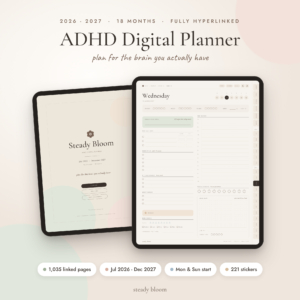 Steady Bloom ADHD Digital Planner 2026-2027, 18-Month Hyperlinked GoodNotes & Notability iPad Planner with ADHD Toolkit, Stickers & Printables
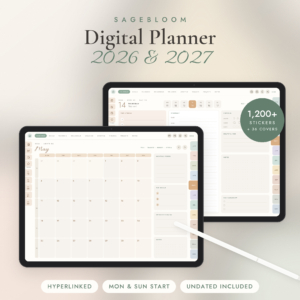 Digital Planner 2026 2027, Hyperlinked iPad & Android Planner for GoodNotes, Notability & Samsung Notes, Undated + Monday & Sunday Start, 1,200 Stickers
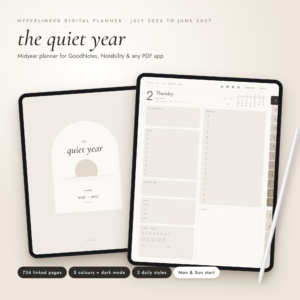
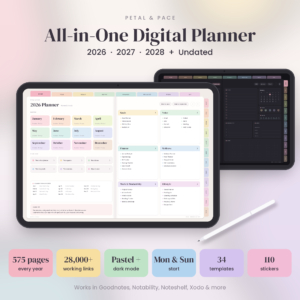
Table of Contents
Toggle
- How do you choose a digital planner?
- How do the options compare?
- Which planner suits which person?
- How do you set one up?
- What mistakes should you avoid?
- What affects the price?
- Common questions
A digital planner is a calendar, task list and notebook in one file or app that you write in with a stylus or type into. With 10 options on this page, the choice can feel bigger than it is. Most of it comes down to four decisions, and we'll take them in order.
How do you choose a digital planner for 2026?
Choose by four things: the device you own, the dates you need covered, how pages link together, and how much structure you want each day. Everything else, such as stickers and cover designs, is secondary.
Which device and app will you use?
A planner has to suit the hardware you already have. Most hyperlinked planners on this page are PDFs, so they need a PDF annotation app. The Unscatter, Unscattered and Steady Bloom planners list GoodNotes, Notability, Noteshelf and Xodo, and Steady Bloom adds Samsung Notes. The Digital Planner 2026 2027 with 1,200 stickers covers iPad and Android.
The Inkframe Productivity Suite is different. It is sized for reMarkable Paper Pro, reMarkable 2 and Paper Pro Move, and comes in 8 versions, including Standard or Pocket and right or left-handed.
How long do you need the dates to run?
Check the start and end dates before anything else. The planners here cover very different spans:
- July 2026 to June 2027: the Midyear planner, which suits a school or financial-year rhythm.
- July 2026 to December 2027: the three 18-month ADHD planners.
- 2026 and 2027: the Inkframe suite and the 1,200-sticker planner.
- 2026, 2027 and 2028: Bloom, and the pastel planner with an undated version.
If you hate repeating a purchase, the undated editions are the safer choice. They let you keep using the same file once the printed dates would have run out.
Are the links actually useful?
A hyperlinked planner is a PDF where tabs, dates and index pages jump you straight to the right page. It is what makes a digital planner faster than flicking through a notebook.
Link counts range widely. The pastel planner claims 28,000+ working links in each year file. Inkframe says any page is one or two taps away across more than 4,400 pages. Both are big files, so test navigation on your own device before you rely on it.
How much structure do you want each day?
A daily page that gives you a lot of space suits people who like to write freely. A daily page with limits suits people who over-plan. Steady Bloom has a daily page with only 3 Must Dos. Unscattered has a capped Top 3 and an estimate versus real time box. Unscatter builds each day around one main task.
If a long to-do list usually defeats you, pick a planner that restricts the list for you.
What extras are worth having?
Extras are the stickers, covers, templates and printables that come with the planner. They matter less than layout, but they can save you setting up pages yourself.
The largest sticker sets here are the 1,204 in the Digital Planner 2026 2027 and the 410 in Bloom. The Midyear planner has a 37-page Life Hub and 6 notebooks, and the pastel planner has 10 templates for money, health, work and home. Pick extras that match the areas you actually plan.
How do the best digital planners for 2026 compare?
The planners differ mainly in platform, date range and how much structure they impose. This table shows the differences that affect your choice.
Which digital planner suits which person?
Each planner suits a different habit, so match the planner to how you actually plan rather than how you wish you did.
For privacy and money in one place: Evergrove keeps tasks, calendar, budget, bills, habits, meals and journal in one offline file. It shows how much free time you really have each day and moves whatever does not fit. It has 12 connected areas, a bill tracker and a debt payoff calculator, and there is no subscription.
For work on a reMarkable: the Inkframe Productivity Suite gives you five linked PDFs, including a meeting notebook and project planner, so it suits people who plan around work rather than home life.
For ADHD on an iPad: you have three. Unscatter has a 13-tool Focus Toolkit and 1,131 pages. Unscattered has 37 tools and 1,111 pages. Steady Bloom has 24 tools, including Stuck? Start Here, a Dopamine Menu and a 48-Hour Impulse Buy List, and it is built to forgive missed days. If guilt over gaps puts you off planners, start with Steady Bloom.
For phone and laptop together: the ADHD Notion Template plans by energy, with a live focus timer, 18 connected databases and smart columns that update daily. It works on the free Notion plan.
For the longest runway: Bloom and the pastel Digital Planner 2026 2027 2028 cover three years. The pastel one adds an undated version and a Midnight dark mode. Its files are about 2.5 MB, so they open quickly.
For a school or financial year: the Midyear planner starts in July 2026, with 734 pages, 5 colours and 3 daily page styles.
Decision rule: pick the platform first, then the date range, then the layout. If two planners tie, take the one with the lighter daily page.
How do you set up and use a digital planner?
You set up a digital planner by importing the PDF into a note-taking app and learning its tabs. It takes about the length of one coffee.
- Download the file and read the user guide first. Most of these include one, and Evergrove includes a 31-page Word guide.
- Import the PDF into your app, such as GoodNotes or Notability.
- Choose the version with your week start, Monday or Sunday.
- Tap through the tabs once to learn where the monthly, weekly and daily pages sit.
- Add stickers and covers only after the layout works for you.
- Plan one week, then adjust before committing to a month.
Keep a backup copy of the original file. If you spoil a page, you can copy a fresh one back in.
What mistakes should you avoid when buying a digital planner?
The most common mistakes are buying for the wrong app, ignoring the date range, and choosing on stickers alone.
- Wrong app: a planner built for GoodNotes may behave differently elsewhere. Check the listed apps.
- Wrong dates: a planner that starts in July wastes the first half of 2026 if you wanted January.
- Over-planning: 1,000+ pages sounds generous, but you only use a few. Choose a planner you can navigate quickly.
- Ignoring handedness or start day: the Inkframe suite has left and right-handed versions, and most others offer Monday or Sunday starts.
- Skipping the guide: the linking system is the main thing to learn.
What affects the price of a digital planner?
The main price drivers are the date range, the number of pages and templates, and whether the product is a PDF, a Notion template or a software file.
Longer coverage generally costs more than a one-year file. Multi-file bundles, like Inkframe's five PDFs and 8 versions, cost more than a single planner. Extras such as stickers and printables add value, but the price should follow the structure, not the sticker count. Price is shown on each product card, so compare it there against what you will use.
Common questions
Can I use a digital planner without a stylus?
Yes. You can tap and type into the text fields in most apps, and the Notion template and Evergrove are built for keyboard use. A stylus mainly helps if you want handwriting and stickers on a tablet.
Are undated planners better than dated ones?
Undated planners can be reused, but dated ones are quicker to navigate because the days are already linked. The pastel planner and the 1,200-sticker planner each offer both, which suits people unsure which they prefer.
Do I need a subscription to use these?
Not for the planner itself. Evergrove states it has no subscription or account, and the Notion template works on the free Notion plan. The PDF planners are instant downloads you import into an app you choose.
Which planner is best for time blindness?
The Steady Bloom planner has 549 daily pages with a time guess versus real time box, and the Unscattered planner has an estimate versus real time section. Both give you a way to test how long tasks take.
Does a dark mode matter?
Dark mode is easier on the eyes in low light and can save battery on some screens. The Midyear planner and the pastel planner both include one. If you plan in the evening, it is worth having.