Best Excel Business Template: How to Pick the Right One
The best Excel business template is the one built around the work you actually do. A trade-specific file suits detailing, lawn care or vending, a workbook for freelancers suits client work, and a startup planner or all-round bundle suits a business still taking shape. Choose by business type first, then compare quoting, invoicing and dashboards.
Key facts at a glance
- A trade-specific template already has the right columns, such as vehicle size, property size or machine location, so you spend less time adapting it.
- Four of the six templates here are built for Excel, and two of those say they also work in Google Sheets, so check the format before you buy.
- The Vending Machine Business Tracker Spreadsheet is an Excel workbook with no macros, which means it should open without security warnings.
- The Business Launch Planner is the only option here that pairs a printable PDF planner with an Excel workbook, aimed at planning before you start trading.
- Every template listed comes as a digital file, so you can compare features carefully without waiting for anything to arrive.
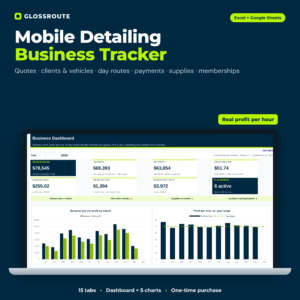 Car Detailing Business Spreadsheet & Mobile Detailing Tracker | Glossroute Quote Calculator, Client & Route Log + Profit Dashboard
 Vending Machine Business Tracker Spreadsheet | Snackstop Excel Route, Commission & Profit Template
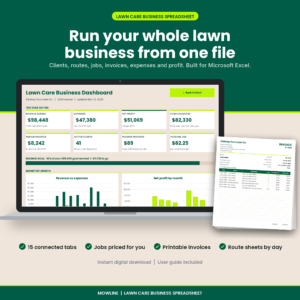 Lawn Care Business Spreadsheet & Mowing Invoice Tracker | Mowline Excel Landscaping Template
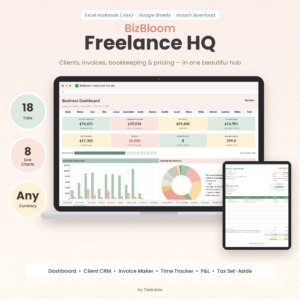 Freelancer Business Spreadsheet for Excel & Google Sheets | BizBloom Freelance HQ All-in-One Client CRM, Invoice Tracker, Bookkeeping & Pricing Calculator
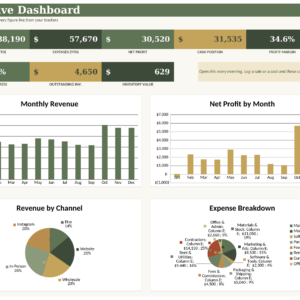
Table of Contents Toggle
- What should you look for in an Excel business template?
- How do the best Excel business templates compare?
- Which Excel business template suits which business?
- How do you set up an Excel business template?
- What mistakes should you avoid with an Excel business template?
- What affects the price of an Excel business template?
- Which Excel business template should you choose?
- Common questions
Choosing a business spreadsheet can feel more complicated than it should. There are dozens of tabs, charts and calculators to compare, and it isn't obvious which ones you'll use. This guide explains what matters, and we'll go through 6 options below so you can narrow them down calmly.
What should you look for in an Excel business template?
An Excel business template is a ready-made workbook with formulas, tables and dashboards already built, so you type in your figures instead of designing a system from scratch. Six factors separate a useful one from a frustrating one.
Does it match your type of business?
A template built for your trade will save the most time. The Lawn Care Business Spreadsheet & Mowing Invoice Tracker, for example, prices a visit from lawn size and time, while the car detailing file quotes by vehicle size with surcharges for pet hair or heavy soil. A general file can do either job, but you'd build those rules yourself.
Does it price jobs for you?
A good template turns your costs into a quote you can stand behind. Look for a calculator that handles your real variables: size, time, add-ons, hourly rate or commission. The Glossroute detailing file shows profit per job and per hour before you send a quote, which is the check most small traders skip.
Does it track invoices and who owes you?
Invoice and payment tracking is what keeps cash coming in. The BizBloom Freelance HQ workbook marks invoices Paid, Part-Paid or Overdue automatically, and supports up to two taxes. The detailing file flags which bookings still need a deposit. Either approach beats scanning your bank statement for missing payments.
Does the dashboard answer your questions?
A dashboard is a single sheet that summarises your figures with totals and charts. It should answer questions you really ask, such as "Which machine earns least?" or "What do I need to set aside for tax?" The Mowline template includes four charts and alerts, and the Snackstop tracker gives a payback date and yearly ROI for every machine.
Will it work in the software you use?
File format decides whether you can use the template on your own devices. The BizBloom workbook is an .xlsx file tested in Google Sheets. The Small Business Command Centre bundle and the Glossroute file both list Excel and Google Sheets. If you use only Google Sheets, avoid anything listed for Excel alone.
Does it come with a proper guide?
A user guide is the difference between a template you use and one you abandon. The Snackstop tracker has a step-by-step guide, BizBloom includes an illustrated DOCX guide, and the Business Launch Planner has a 16-page guide. Where a guide isn't mentioned in the listing, assume you'll be working things out yourself.
How do the best Excel business templates compare?
The six templates differ mainly in who they're built for and how much of the business they cover. The table below compares them on what each listing states.
| Product | Best for | Format | Standout feature |
|---|---|---|---|
| Car Detailing Business Spreadsheet & Mobile Detailing Tracker | Glossroute Quote Calculator, Client & Route Log + Profit Dashboard | Mobile detailers | Excel and Google Sheets | Quotes with surcharges, plus profit per job and per hour |
| Vending Machine Business Tracker Spreadsheet | Snackstop Excel Route, Commission & Profit Template | Vending operators | Excel, no macros | 17 tabs, location commission, payback date and ROI |
| Lawn Care Business Spreadsheet & Mowing Invoice Tracker | Mowline Excel Landscaping Template | Mowing and lawn care | Excel | Price calculator, printable invoices and route sheets |
| Freelancer Business Spreadsheet for Excel & Google Sheets | BizBloom Freelance HQ All-in-One Client CRM, Invoice Tracker, Bookkeeping & Pricing Calculator | Freelancers and consultants | Excel .xlsx, tested in Google Sheets | 18 connected tabs, automatic invoice status |
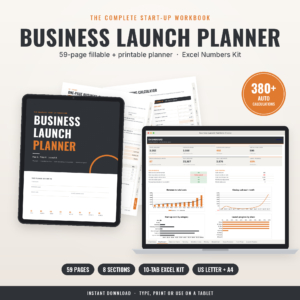 Business Launch Planner: Fillable Startup Planner PDF + Excel Startup Costs, Pricing & Cash Flow Calculator (US Letter & A4) | New businesses before launch | PDF plus Excel | 59-page planner and 10-tab Numbers Kit |
| Small Business Command Centre Spreadsheet Bundle for Excel & Google Sheets | General small businesses | Excel and Google Sheets | Dashboards for revenue, profit, cash flow, tax, invoices, inventory |
Which Excel business template suits which business?
Each template suits a particular kind of owner, and the fit matters more than the feature count.
Mobile detailers will get the most from the Glossroute file. It covers the full day: quote, client and vehicle record, route with directions links, payment, supplies and maintenance plans. It suits you if you travel to customers and want to know a job's profit before agreeing a price.
Vending operators should look at Snackstop. It works out sales tax, card fees, location commission, mileage and net profit from one row per service visit. It suits you if you pay commission to venues and can't currently say which machine is worth keeping.
Lawn care and mowing businesses are served by Mowline. It covers clients and properties, weekly route sheets, invoices, expenses, fuel, mileage and equipment service. It suits you if you run a regular round and want printable invoices and daily route sheets.
Freelancers are the audience for BizBloom. The client CRM, time log, invoices and bookkeeping connect, and the dashboard shows unpaid invoices, deadlines and tax set-aside. It suits you if you juggle several clients and bill by the hour or by the project.
People about to start should consider the Business Launch Planner. It handles start-up costs, pricing, break-even and cash flow, and the fillable planner can be typed, printed or used on a tablet. It suits you if you're still deciding whether the numbers work.
Owners wanting one overview can use the Small Business Command Centre. It tracks sales and costs with dashboards for revenue, profit, cash flow, tax, invoices and inventory. It suits you if your business doesn't fit a single trade template.
How do you set up an Excel business template?
Setting up an Excel business template takes a few short steps, and doing them in order avoids most problems.
- Save a copy of the original file before you type anything, so you can start again if a formula breaks.
- Read the user guide's setup section first, if one is included.
- Enter your basic settings: currency, tax rates, business name and your own prices or rates.
- Add a handful of real clients, machines or jobs and check the totals against a calculation you've done by hand.
- Set a weekly slot, say Friday afternoon, to log jobs and payments. Consistent entry matters more than clever formulas.
- Back the file up regularly to cloud storage or an external drive.
What mistakes should you avoid with an Excel business template?
The commonest mistakes come from rushing, not from the template itself.
- Buying a general file when a trade file exists. You'll spend hours rebuilding quote logic that a specialist template already has.
- Overwriting formulas. Typing over a calculated cell can quietly break totals. Enter data only in the input cells the guide points to.
- Ignoring file format. A workbook listed for Excel may not behave in Google Sheets. Check the listing first.
- Skipping the test run. Enter a few jobs and compare the profit figure against your own arithmetic before relying on it.
- Leaving tax settings at default. Set your own rates, including the second tax where the template allows one.
- Never backing up. A single spreadsheet holding your whole business needs a second copy.
What affects the price of an Excel business template?
The price of an Excel business template mostly reflects how much of the business it covers and how much support comes with it. A narrow tracker usually costs less than a bundle with many tabs, guides and dashboards. A planner that combines a PDF with a workbook, such as the Business Launch Planner, offers two tools in one purchase.
Trade-specific design can also raise the price, because the formulas are written for one kind of work. Against that, you save the hours a general file would take to adapt. Check the live product cards for current prices and compare them with the features you'll use.
Which Excel business template should you choose?
Choose the template that matches your business type first, and take a general bundle only if no trade file fits. Detailers should start with Glossroute, vending operators with Snackstop, and mowing businesses with Mowline. Freelancers suit BizBloom.
If you haven't started trading, use the Business Launch Planner to test your numbers. If your business is mixed or unusual, the Small Business Command Centre gives you one overview. Then check the file format against the software you use before you buy.
Common questions
Can I use these templates in Google Sheets instead of Excel?
Some can. The Glossroute detailing file and the Small Business Command Centre list both Excel and Google Sheets, and the BizBloom workbook is an .xlsx file tested in Google Sheets. The Snackstop tracker is described as an Excel workbook, so check before buying if you only use Google Sheets.
Do I need advanced Excel skills to use a business template?
No. The templates are built so you enter data in set cells and the formulas do the rest. Basic skills such as typing in cells and saving files are enough. Guides are included with several, including Snackstop, BizBloom and the Business Launch Planner.
Is there a subscription for these templates?
The Glossroute listing states there is no subscription. The other listings don't mention one, so we can't confirm either way. These are described as downloadable files, which you use in your own software rather than through a monthly service.
What is the difference between a spreadsheet template and a startup planner?
A spreadsheet template tracks a business that's already running: jobs, invoices, expenses and profit. A startup planner helps you decide whether to start. The Business Launch Planner covers start-up costs, pricing, break-even and cash flow, and it includes a printable PDF alongside the Excel workbook.
Which template is best if I'm self-employed and bill by the hour?
The BizBloom Freelance HQ workbook is the closest match. It includes a time log, an hourly rate and service pricing calculator, invoices with automatic status, and a dashboard showing tax set-aside. If you work in a trade such as mowing or detailing, choose the trade file instead.