A car detailing business spreadsheet that does the math for you
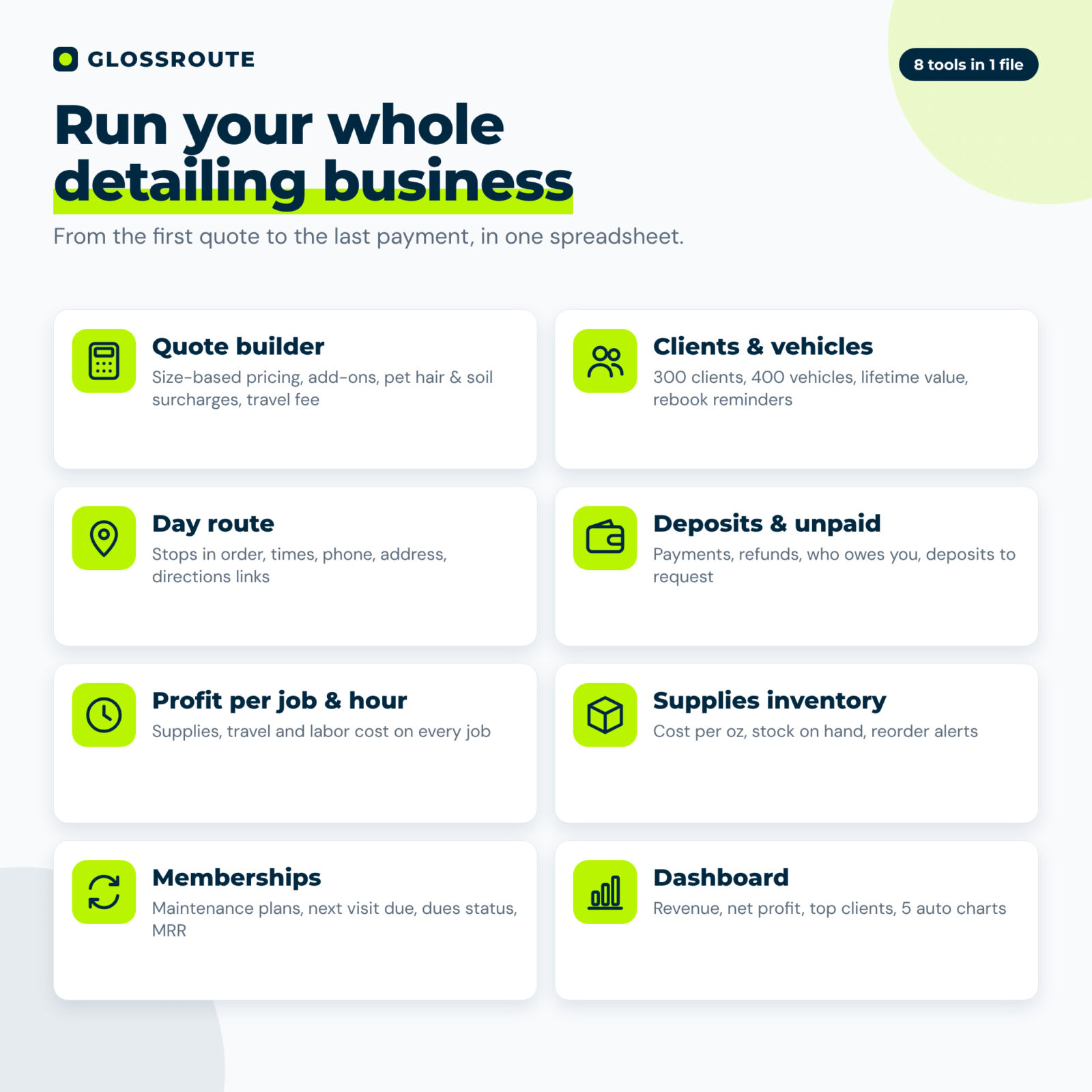
Glossroute is a car detailing business spreadsheet built for mobile detailers. Set your prices once and it handles the rest: quotes price themselves by vehicle size, every job shows what you were paid and what it cost you, your day route lists each stop in order, and the dashboard shows real profit per hour. It replaces scattered notes, text threads and expensive monthly apps with one file you own.
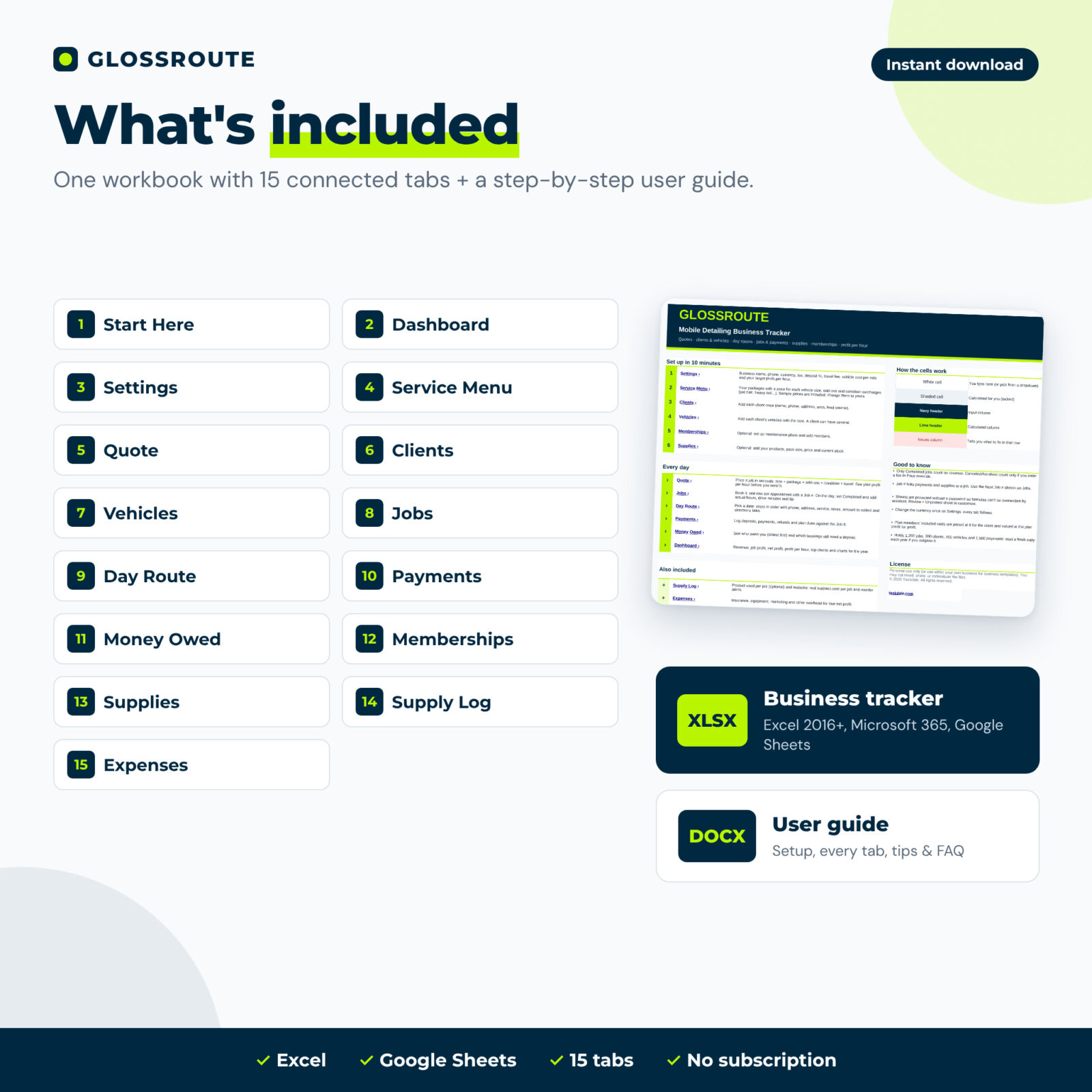
It opens in Microsoft Excel and Google Sheets, has 15 connected tabs, and comes with sample prices you can edit, a clean file ready for your data and a step-by-step user guide.
Who it is for
- Solo mobile detailers and small crews
- New detailers who need a ready-made price menu by vehicle size
- Detailers selling maintenance wash plans or ceramic coating care plans
- Anyone who wants to stop underpricing pet hair, heavy soil and long drives
Main benefits
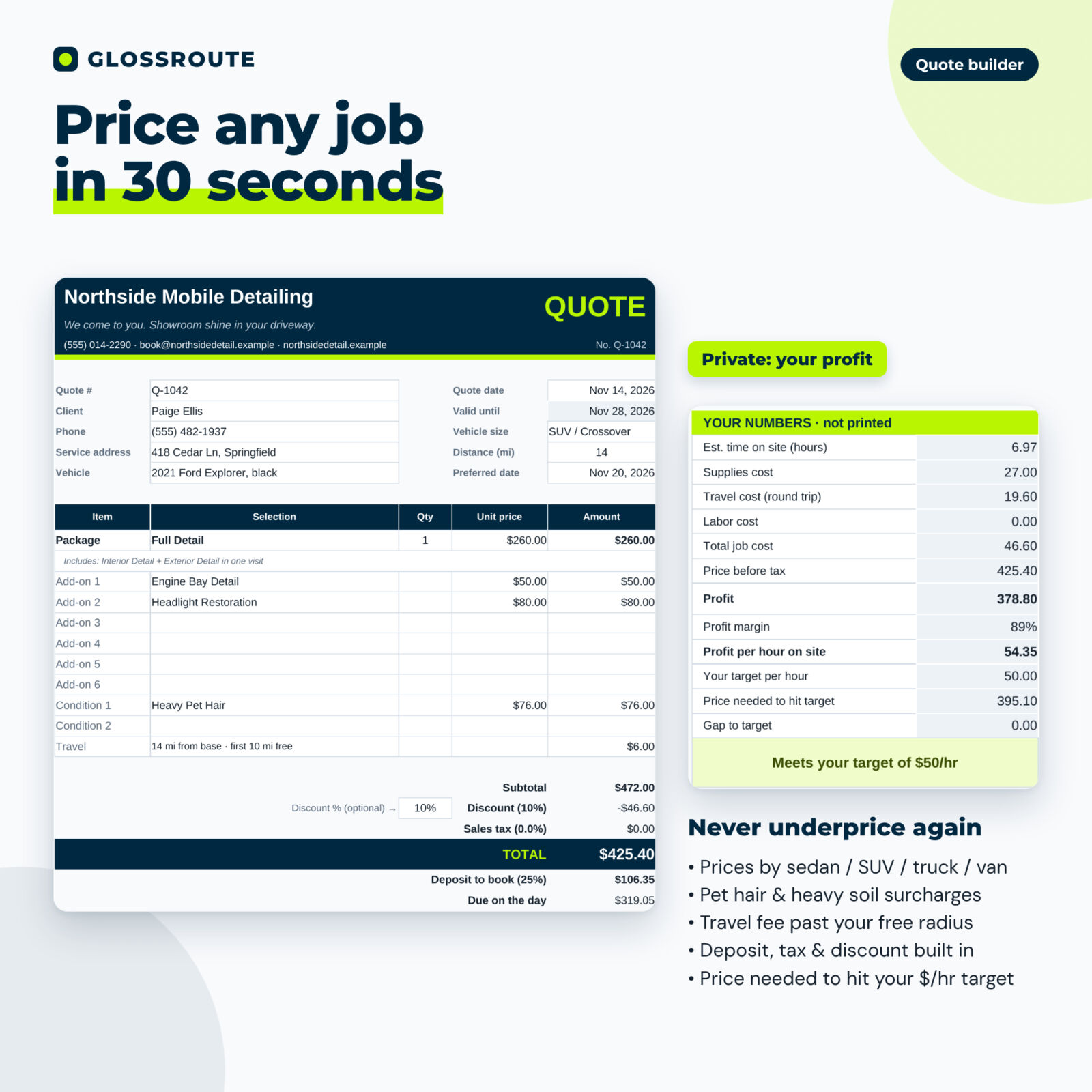
- Price with confidence. A private panel on every quote shows estimated hours, supplies, travel and labor cost, profit, profit per hour and the price you need to hit your target.
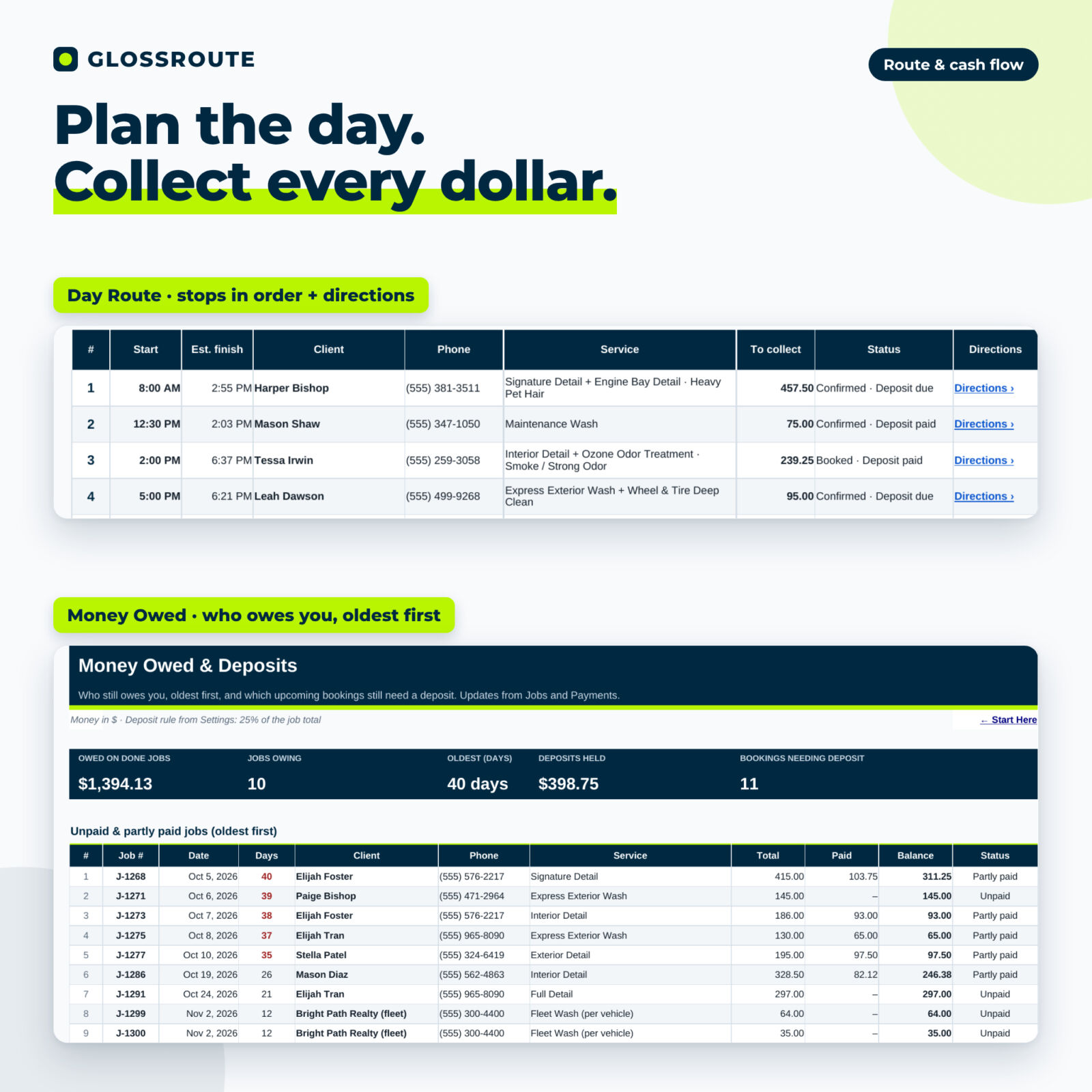
- Get paid on time. Deposits, payments and refunds update every balance. Money Owed lists unpaid jobs oldest first and bookings that still need a deposit.
- Run tighter days. Day Route shows the day’s stops in order with start and finish times, phone, address, service, amount to collect and directions links.
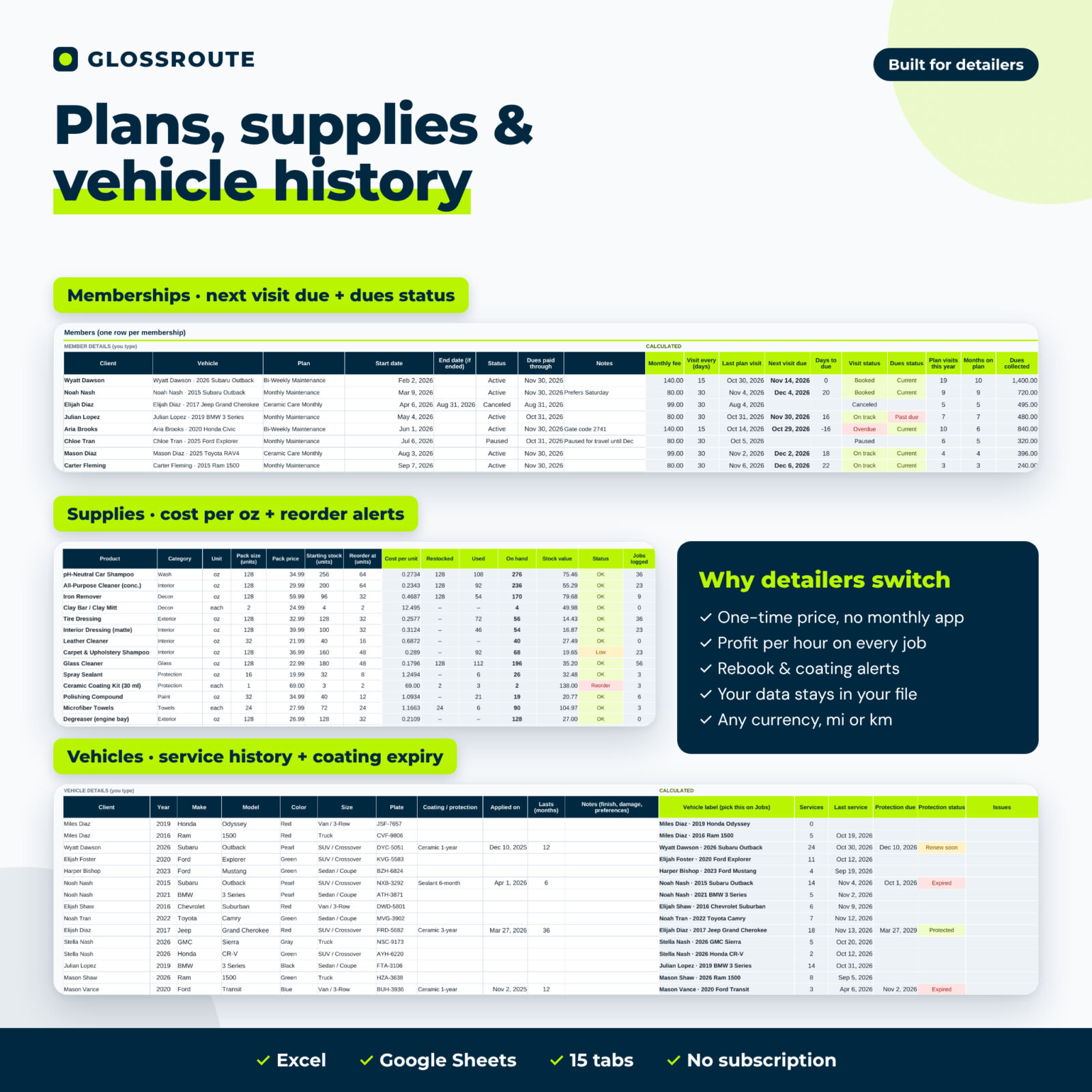
- Grow repeat revenue. Track maintenance plans, next visit due, dues status and monthly recurring revenue, plus rebook reminders and coating expiry alerts.
Features of the mobile detailing tracker
Service menu and quote builder
- Up to 25 packages with a price for 4 vehicle sizes (sedan, SUV, truck, van, names editable), hours and supplies cost
- 25 add-ons and 12 condition surcharges (flat fee + % of package + extra minutes)
- Travel fee past your free radius, discount, sales tax and deposit
- Printable branded quote on one page with terms and signature line
Clients, vehicles and jobs
- 300 clients with lifetime revenue, last visit, balance owed, plan and rebook status
- 400 vehicles with size, plate, coating date and protection expiry alerts
- 1,200 jobs with automatic pricing, tax, paid, balance, payment status, supplies, travel and labor cost, profit and profit per hour
- An Issues column that tells you what to fix in any row
Route, payments and money owed
- Day Route for any date with up to 12 stops and a week-at-a-glance strip
- Payments log for deposits, payments, refunds and plan dues
- Money Owed lists for unpaid jobs and bookings that need a deposit
Memberships, supplies and expenses
- 8 maintenance plans and 200 memberships with next visit due, overdue alerts and dues status
- Covered plan visits are valued at the plan credit so profit per job stays accurate
- Supplies inventory with cost per oz/ml, stock on hand and reorder alerts; optional supply log per job
- Overhead expenses for true net profit
Dashboard
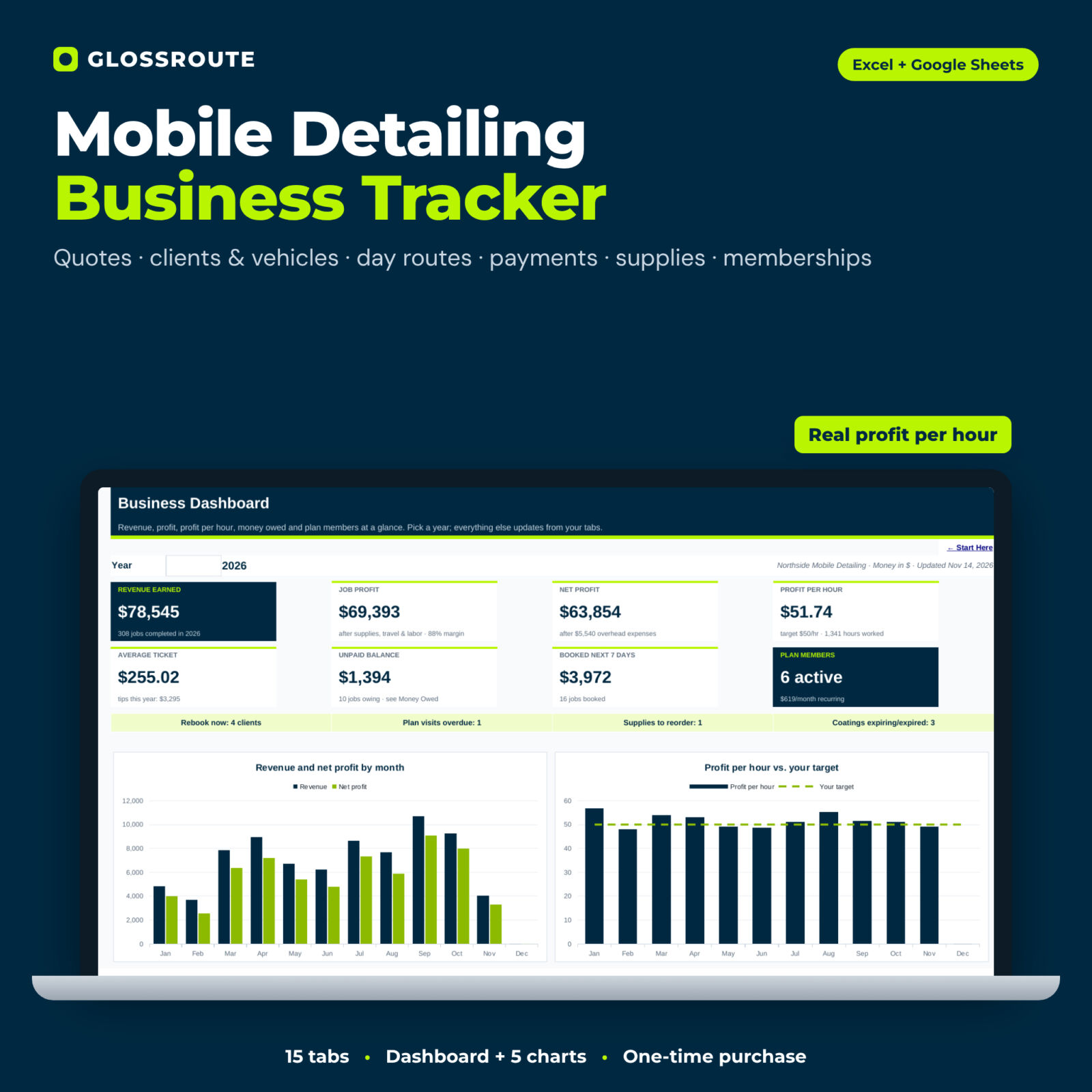
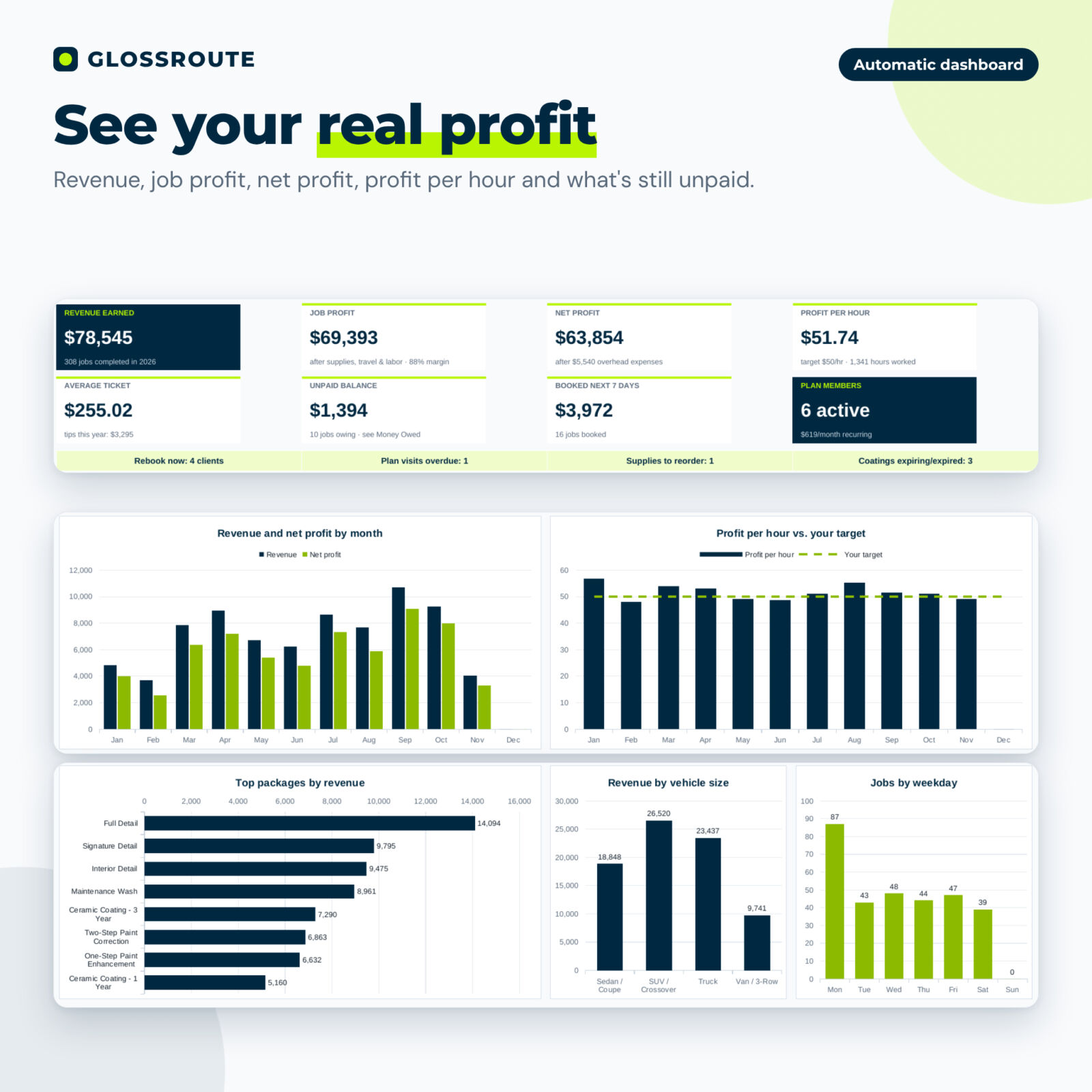
Eight tiles (revenue, job profit, net profit, profit per hour, average ticket, unpaid balance, booked next 7 days, plan members), four alerts and five charts: revenue and net profit by month, profit per hour against your target, top packages, revenue by vehicle size and jobs by weekday.
What is included
- Glossroute Mobile Detailing Business Tracker (.xlsx), 15 tabs
- User guide (.docx) with screenshots, tips, troubleshooting and FAQ
How it works
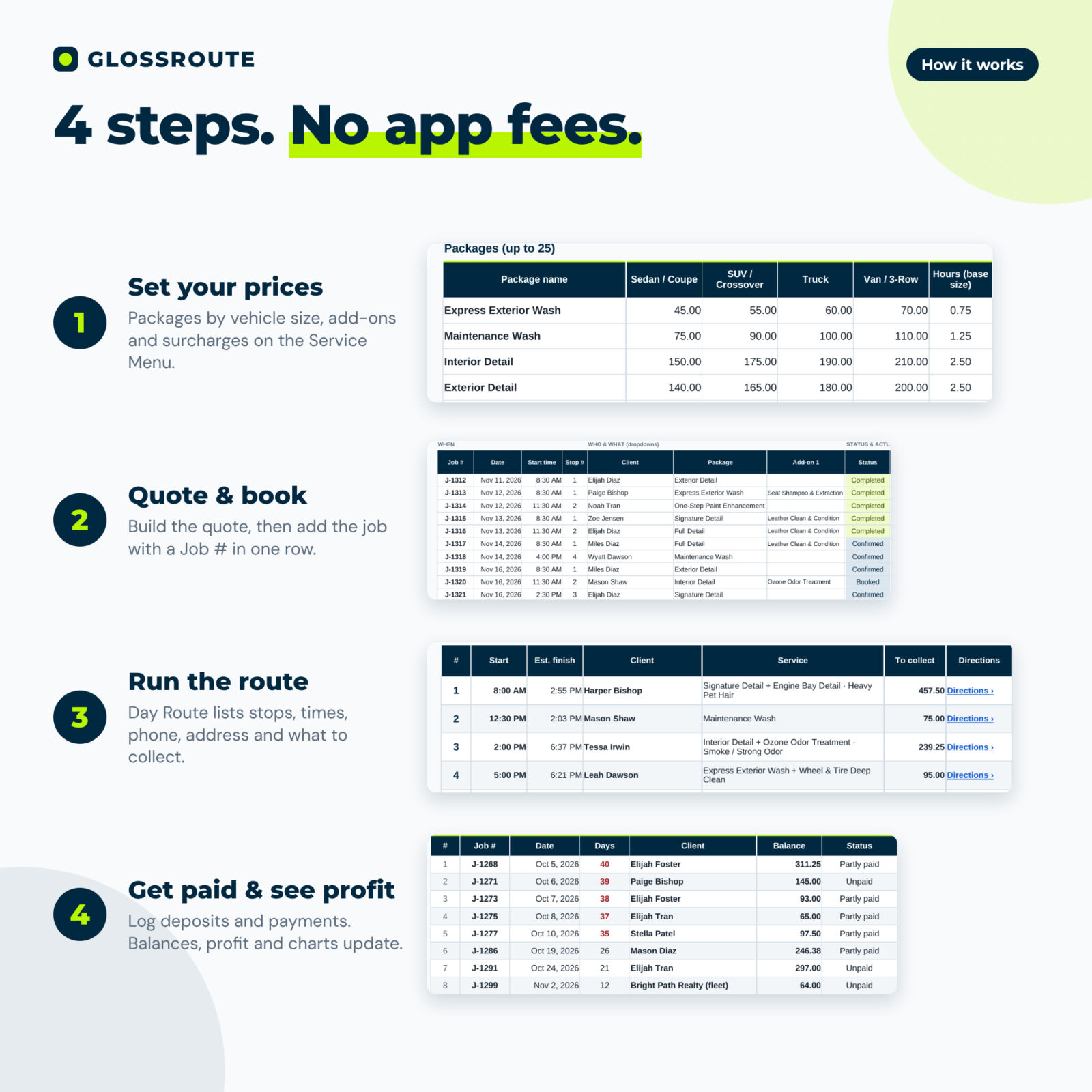
- Enter your business details, currency, tax, deposit and travel settings.
- Set your package prices by vehicle size, add-ons and surcharges.
- Add clients and vehicles, then quote and book jobs.
- Run the Day Route, log payments and watch the dashboard update.
File formats and software
One .xlsx workbook for Microsoft Excel 2016 or newer (Windows or Mac, including Microsoft 365) and Google Sheets (free with a Google account; upload and open with Google Sheets). No macros or add-ins. The user guide is a Word .docx file that also opens in Google Docs.
Customization
Change the currency symbol and position once and every money value follows. Rename vehicle sizes, edit dropdown lists (lead sources, areas, payment methods, expense categories), switch labels to kilometers, and set your own tax, deposit, travel fee and target profit per hour. Sheets are protected without a password so formulas are safe, and you can unprotect them to restyle.
Digital download
This is a digital product. You download the files right after purchase; nothing is shipped. Personal use or use within your own business only; the files may not be resold or shared.
Use cases
- Quoting a heavily soiled SUV with pet hair and seeing whether the price covers your time
- Printing tomorrow’s route with phone numbers, addresses and what to collect
- Chasing balances from last month’s jobs in one list
- Launching a bi-weekly maintenance plan and tracking who is due
- Spotting that a package pays below your target hourly rate and raising the price
FAQ
Does this car detailing spreadsheet work in Google Sheets?
Yes. Upload the .xlsx to Google Drive and open it with Google Sheets. Formulas, dropdowns and charts carry over.
Do I need Excel?
No. Google Sheets is free. Excel 2016 or newer also works.
Can I change the prices and services?
Yes. Sample prices are included as a starting point. Edit every package, add-on, surcharge and plan to match your market.
Can I use my own currency or kilometers?
Yes. Pick the currency symbol and position on Settings and switch the distance label to km.
Does it track tips?
Yes. Tips are logged per job and shown on the dashboard, separately from revenue and profit.
Is it accounting or tax software?
No. It tracks jobs, payments and costs to show profit. Share the numbers with your accountant for tax filings.
Is there a monthly fee?
No. It is a one-time purchase and your data stays in your own file.
Reviews
There are no reviews yet.