Some people plan with a pen. Some can’t read their own handwriting by Thursday. And plenty of couples are one of each, which is how you end up with half a guest list in a notebook and the other half in a phone.
A fillable wedding planner PDF settles the argument. Type on your laptop when you’re collecting 80 addresses from family. Print a page when you’re heading to a venue tour and want to scribble notes. Same planner, same pages, either way.
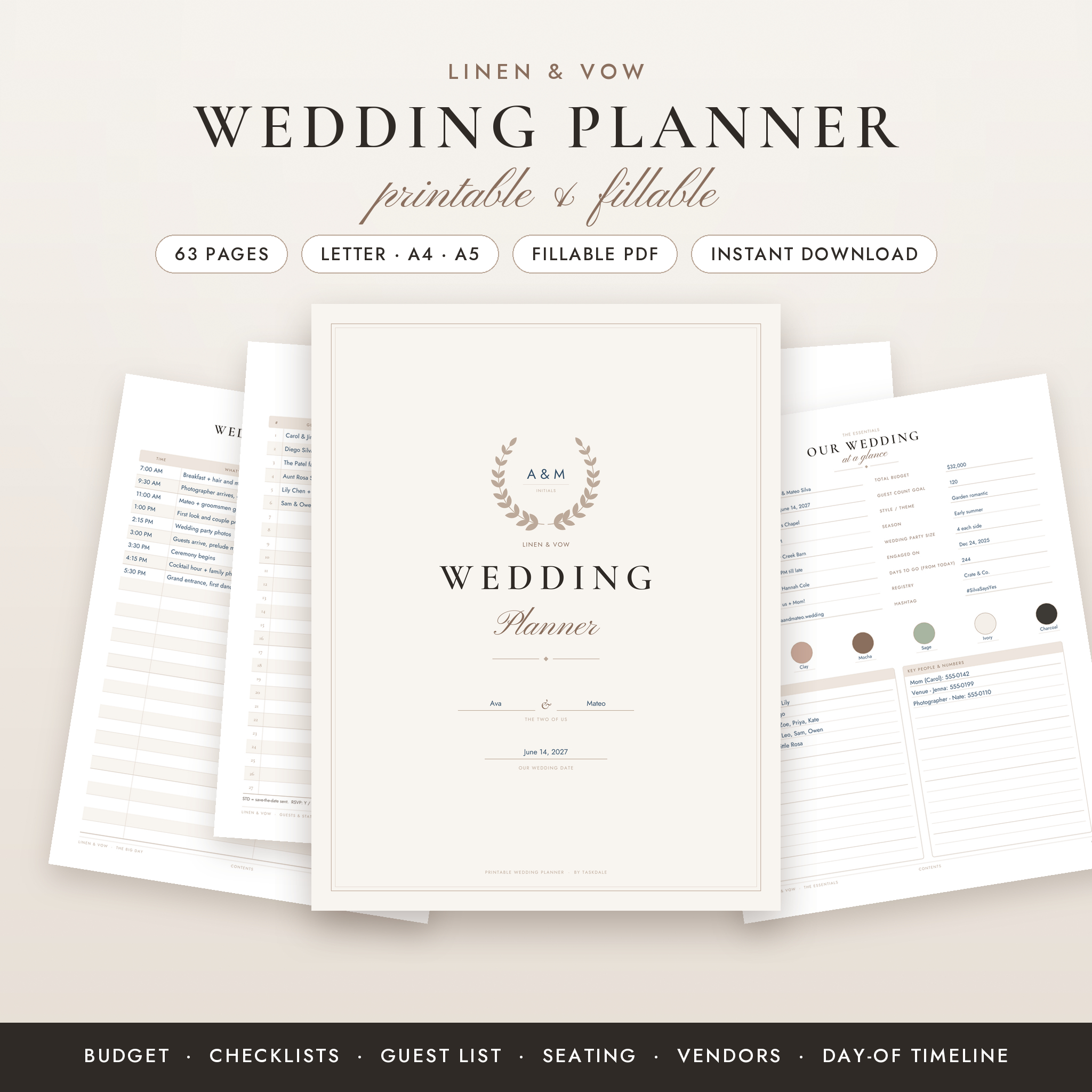
Here’s how to set one up so the typed version and the printed version don’t end up as two separate planners, using the 63-page Linen & Vow planner as the example.
What “fillable” actually means
A fillable PDF has form fields built into the page. Click a line, type, and the text sits neatly in place. Click a box and it ticks. Save the file and your entries stay put.
The Linen & Vow planner has more than 4,000 type-in fields and clickable check boxes across its 63 pages. Side tabs take you to any section, every page name on the contents and divider pages is a link, and long names shrink to fit their box so nothing gets cut off. That last detail sounds small until you type “The Grand Ballroom at Willowbrook Country Club” into a venue field.
Step 1: Open it in the right app
This is the step that trips people up. Not every PDF app handles form fields well. Some show the fields but don’t save what you typed. Some ignore links.
For Linen & Vow, use the free Adobe Acrobat Reader on a Windows or Mac computer. Other PDF apps may not save typed entries or follow links the same way. If you want to try another app, test one page first: type something, save, close, reopen. Still there? You’re fine.
Step 2: Keep a clean original
Before you type anything, make a copy of the fillable file and name it something like “Our Wedding Planner WORKING”. Type in that one. Keep the original untouched in a separate folder. If anything goes wrong, you start fresh in ten seconds instead of re-downloading.
Step 3: Fill in page 5 first
Linen & Vow is built around the three numbers every wedding starts with: your date, your budget and your guest count. They go on page 5, and everything else follows from them. Agree these together before you open any other section.
The hybrid habit: type what changes, print what travels
Here’s the workflow that makes a fillable wedding planner PDF worth having. Decide which pages live on screen and which go out into the world.
Type these:
- Guest list. Three numbered pages with save-the-date, invite, RSVP, meal and table columns. Typing beats handwriting when your aunt sends 14 addresses in one message.
- Budget and payments. A budget overview with a typical-share guide for 13 categories, two expense pages and a payment schedule. Numbers change often, so typing is cleaner.
- Vendor contacts. Space for 18 services. Copy-paste phone numbers and emails straight from your inbox.
Print these:
- Vendor and venue comparison. Take them to tastings and tours. There’s a list of 13 questions to ask on a venue tour.
- The Big Day section. Hour-by-hour timeline, day-of contacts for 16 roles, a 36-item emergency kit checklist and a packing list. Hand it to your coordinator or best friend.
- The wedding fund tracker. 50 circles to color in as you save. Stick it on the fridge. Coloring in a circle is oddly satisfying.
When you print a page you’ve already typed on, your typed entries print too. So you can type the timeline, then print a clean copy for everyone.
What’s inside the 63 pages
Eight sections:
- The Essentials: wedding at a glance, our story prompts, a vision page, key dates and appointments.
- Planning Countdown: checklist pages from 12+ months to the day before, a to-do list, an undated month view and a weekly planner.
- Budget & Payments.
- Vendors & Details: including photo and video with a 22-shot list, catering, cake, flowers and music for 13 key moments.
- Guests & Stationery: guest lists, an RSVP and meal tally, a 12-table seating chart with a head table, and an invitations tracker.
- Wedding Party & Events.
- The Big Day.
- Honeymoon & After: including two gift and thank-you pages.
You get printable versions in US Letter, A4 and A5, the fillable US Letter version, two pages of bonus planner stickers (40 labels plus countdown circles from 365 days down) and a user guide.
Printing tips
- Print at actual size, not “fit to page”. Scaling shifts the lines.
- At a print shop, send the PDF in your size and ask for actual size, no scaling.
- Print the stickers on sticker paper and cut them out.
- The A5 size suits a smaller binder that fits in a handbag.
Who it suits
Good fit: couples who want paper and typing in one planner, weddings from 30 to 200 guests, and the mom, sister or maid of honor who ends up running half the show. It says partner one and partner two instead of bride and groom.
Not ideal: if you want the planner to add up your budget with formulas, a spreadsheet is the better tool. And the design and headings are fixed, so you can’t recolor pages or rename sections.
Fillable wedding planner PDF FAQ
Can I type into it on an iPad?
The fillable version is designed for Adobe Acrobat Reader on a Windows or Mac computer. Some tablet apps may not save typed entries the same way, so test one page before you commit.
What sizes come with it?
US Letter, A4 and A5 printables, all 63 pages, plus the fillable US Letter file.
How many guests fit on the list?
The three guest list pages are numbered straight through. Print more copies for a bigger list and keep counting.
Does it work outside the US?
Yes. There’s an A4 file, and the money boxes are blank with a small currency box at the top of each budget page.