You mowed three lawns on Saturday. You fixed a leaking tap for the neighbor two doors down. You walked a dog every weekday for a fortnight. Now somebody needs a piece of paper that says what they owe. For small jobs like these, a printed invoice is often faster than any app, and a free layout will do the job well enough to start.
This guide is for side hustlers, odd-job workers, teenagers with a babysitting round, and anyone who bills a handful of small jobs a month. You will see five printable invoice layouts that suit small work, honest notes on where free versions come from and what they are good for, how to fill one in by hand so it gets paid quickly, and the point where a paid template set saves you more time than it costs.
Quick picks
| Product | Best for | Price | Link |
|---|---|---|---|
| Ledgerline Invoice, Quote and Receipt Kit | Printable PDFs to write by hand, plus an Excel version that adds up | Original price was: $3.00.$1.50Current price is: $1.50. | View |
| Ledgerline Business Forms Kit | Invoice, receipt, quote, estimate and purchase order on matching paper | $2.99 | View |
| PaidPath Client and Invoice Hub | Keeping track once small jobs turn into regular clients | $9.49 | View |
Where free printable invoices come from
Free invoice layouts are easy to find, and some are perfectly decent. Knowing where they come from helps you pick one that will not let you down.
Your word processor or spreadsheet app
Most word processors and spreadsheet programs have a template gallery with a few invoice designs built in. Open a new document, search for “invoice,” and you will usually find a plain table with your details at the top and a total at the bottom. They cost nothing and they print fine. The catch is that you set up the layout yourself each time unless you save a copy, and the Word versions do not add up the numbers.
Payment and accounting apps
Many payment and bookkeeping apps let you make invoices, and some have a free tier. They are handy if you want to send a payment link. Expect to create an account, and expect limits on the free plan or prompts to upgrade. For three invoices a month, that is often more setup than the job needs.
Printable template sites
Plenty of websites offer free invoice PDFs. Quality varies. Some are clean and useful. Others carry the site’s logo in the footer, print with margins cut off, or arrive only after you hand over an email address. Print one test copy before you print fifty.
Making your own
A ruler, a pen and a sheet of paper still work. So does a five-minute table in any word processor. Honestly, for a teenager washing cars on the weekend, this is enough. The layouts below show exactly what to put on the page.
Layout 1: The one-line invoice
For a single job with a single price. One dog walk package. One lawn cut. One flat-fee tutoring session.
- Top: your name, phone and email. The word INVOICE in large letters. An invoice number and the date.
- Middle: “Bill to” with the customer’s name and address. Then one line: what you did and the price. “Front and back lawn mowed and edged, 12 June: 35.00.”
- Bottom: “Total due: 35.00. Please pay by 19 June. Cash, bank transfer or payment app.” And a thank-you.
This fits on half a sheet. Print two to a page and cut them. A pad of 20 lasts a busy month.
Layout 2: The itemized table
For small jobs with a few separate parts. A handyman who hung two shelves, fixed a door hinge and replaced a light switch. A baker who delivered a cake, a box of cupcakes and a cake stand rental.
| Description | Qty | Price each | Amount |
|---|---|---|---|
| Hang floating shelf | 2 | 25.00 | 50.00 |
| Adjust and refit door hinge | 1 | 20.00 | 20.00 |
| Replace light switch, part included | 1 | 32.00 | 32.00 |
Below the table: subtotal 102.00, tax if you charge it, and the total due. Leave six or eight empty rows on the printed form so you never run out of space. This is the most useful layout of the five, and the one most people end up using every time.
The first time you hand a neighbor an itemized invoice instead of a scribbled note, you will notice the difference in how they treat you. You look like a business. That small bit of pride is worth a lot when you are just starting out.
Layout 3: Time and materials
For small repair jobs where you charge for time and also bought parts. Split the table into two blocks.
- Labor: date, hours, rate, amount. “14 June, 1.5 hours at 30.00: 45.00.”
- Materials: item, quantity, price, amount. “Tap washer set, 1, 6.50.”
Show a subtotal for each block, then a grand total. Customers like seeing the parts separately, because they can see you did not inflate the hours. If your small jobs regularly mix the two, our guide to a contractor invoice template for labor and materials goes through markups, deposits and extra work in detail.
Layout 4: The receipt-style half page
For jobs paid on the spot. A market stall, a mobile car wash, a bike repair at the curb. The customer pays now, so the form doubles as a receipt.
- Your name and contact at the top
- Number and date
- What was done or sold, and the amount
- Tick boxes for cash, card or transfer
- A “PAID” stamp or a box to write “Paid in full”
Half-letter or A5 size works well here. Customers fold it once into a wallet, and you keep a copy for your records.
Layout 5: The duplicate copy
Any of the layouts above can be printed twice on one sheet: a top copy for the customer and a bottom copy that stays with you. Draw a dotted line between them and write the same invoice number on both halves.
Why bother? Because in March, when you are adding up your income for the year, the shoebox of bottom copies is your record. Without it, you are guessing. For anyone doing even 10 small jobs a month, that box is the difference between a calm tax season and a miserable weekend of bank statements.
How to fill in a printed invoice so it gets paid
A paper invoice works as well as an emailed one if you fill it in carefully. Follow these steps every time:
- Number it. Start at 001 or 1001 and never skip or repeat. Write the number on both copies.
- Date it the day you finish. Not the day you remember.
- Describe the work in plain words. “Weeded and mulched two front beds” beats “garden work.”
- Write the due date. “Due in 7 days” is fine for small jobs. Write the actual date next to it.
- Say how to pay. Your payment app handle, bank details, or “cash on collection.”
- Write in dark ink, in capitals for numbers. A blurry 1 that looks like a 7 causes awkward conversations.
- Hand it over in person if you can. A face-to-face invoice tends to be paid faster than one left in a mailbox.
A pre-printed form takes most of the effort out of those steps, because your details, the column headings and the payment line are already there. You only fill in the job.
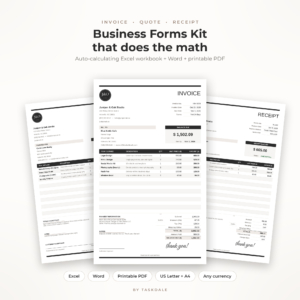
Ledgerline Invoice Kit
Price: Original price was: $3.00.$1.50Current price is: $1.50. | Best for: Small jobs written by hand or typed
Printable PDF invoice, quote and receipt forms in Classic Black and Soft Taupe, in US Letter and A4, that you can print and write on by hand or type into on screen. The kit also includes Word templates and an Excel workbook that fills in clients and prices from saved lists and works out tax and balance due. Print a few invoice PDFs for your bag or van first, then try the Excel version at your desk.
When a free layout stops being enough
Free invoices are fine while the work is small and occasional. They start to pinch in a few predictable ways:
- You send quotes as well as invoices, and they look nothing alike.
- You keep retyping the same client addresses and the same prices.
- You add up totals by hand and once or twice got them wrong.
- You need receipts and purchase orders too, and the free set only has an invoice.
- The free template carries someone else’s branding, or prints badly on your printer.
If two or more of those sound familiar, a matching paid set is usually worth it. You pay once, you own the files, and every piece of paper you hand over looks like it came from the same business. If you are curious which file type fits your work best, our comparison of invoice templates in Word, Excel and PDF walks through the pros and cons of each.
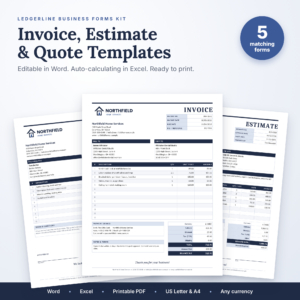
Ledgerline Business Forms Kit
Price: $2.99 | Best for: Handymen, cleaners and side hustles
Five matching forms in navy and soft blue: quote, job estimate, invoice, sales receipt and purchase order. You get Word templates in US Letter and A4, ten blank printable PDF forms with writing lines, and an Excel Invoice Maker that fills client details and item prices and adds up tax and totals. Print a short stack of blank invoices and receipts first, so you always have one ready after a job.
Printing tips for clean small-job invoices
A few minutes of setup stops the most common printing problems.
- Print at actual size. Choose 100 percent or “actual size” in your print settings so lines and boxes do not shrink.
- Match the paper size. Use US Letter files on letter paper and A4 files on A4. Mixing them crops the edges.
- Pick heavier paper for pads. A slightly heavier sheet stands up better in a van or a back pocket.
- Print a batch, not one at a time. Twenty blank forms on a Sunday evening means you are never hunting for one on a Tuesday afternoon.
- Keep a clipboard. Writing on a car bonnet makes for wobbly numbers.
From a pad of invoices to a simple tracker
There is a nice moment when the small jobs become regular ones. The neighbor books you every fortnight. The dog owner tells two friends. Suddenly you have twelve customers and a few of them pay late.
That is the time to keep a list of every invoice, who owes what and what is overdue. A notebook works for a while. A spreadsheet works better once you pass about 15 invoices a month, because it sorts the late ones to the top without you thinking about it. If you are not sure whether you have reached that point, ask yourself one question: did you forget to chase anybody last month? If yes, it is time.
And if your small jobs often start with a price before the work, make sure you know which document to send when. Our guide to the difference between a quote, an estimate and an invoice clears that up quickly.

PaidPath Client and Invoice Hub
Price: $9.49 | Best for: Side hustles that became regular work
An Excel workbook that links your clients, services, invoices, payments and expenses, then prints a clean invoice, quote or client statement on US Letter or A4. Status changes on its own between paid, partially paid, unpaid and overdue, and the dashboard lists overdue invoices first with a separate list of what is due in the next 14 days. Enter your regular customers and their usual services first.
Who should skip printed invoices
Paper is not right for everyone. If every client pays online and wants a PDF in their inbox, emailing an invoice is faster. If you bill companies with accounts departments, they will usually want an emailed PDF with a purchase order number. And if you invoice more than 40 times a month, writing by hand will eat your evenings. In those cases, use the same layout ideas, but fill them in on screen and send them by email.
Frequently asked questions
Is a handwritten invoice legal?
In most places, yes. What matters is the content: who you are, who the customer is, what was done, the date, the amount and any tax details your area requires. Keep a copy.
What is the simplest invoice layout for a one-off job?
The one-line invoice: your details, the customer’s details, an invoice number and date, one line describing the job with its price, the total and how to pay.
Do I need an invoice number for small jobs?
It is a good habit. Numbers make it easy to match payments to jobs and give you a clean record at tax time. Start at any number and count up.
Can I print invoices two to a page?
Yes. Half-page layouts work well for small jobs and receipts. Set your printer to two pages per sheet or use a half-page form, then cut along the middle.
Where can I get a free invoice template I can print?
Word processor and spreadsheet template galleries are the easiest free source. Payment apps and template websites also offer free versions, often with an account sign-up or limits.
Your next step
Pick one of the five layouts above, set it up with your name and contact details, and print ten copies tonight. Use the next one the moment you finish a job, and keep the bottom copy. When you are ready for matching quotes, invoices and receipts that look professional, the Ledgerline Invoice, Quote and Receipt Kit gives you printable and Excel versions in one download.