Type “free digital planner” into a search bar and you’ll get thousands of results. So why would anyone pay? It’s a fair question, and the honest answer to free vs paid digital planners isn’t “paid is always better”. Sometimes free is exactly right. Often, though, the free version comes with limits you only notice in week three.
We sell paid planners, so take our view with that in mind. But we’ve also downloaded plenty of free ones over the years, and the pattern is pretty consistent. Here’s what you actually get on each side, and the small print nobody mentions on the download page.
What a free digital planner usually gives you
Free planners come from a few places: bloggers growing an email list, shops offering a sample, app makers, and kind people who just like making things. The quality ranges from lovely to barely usable.
A typical free planner includes:
- A single year, often the current one, sometimes only a few months.
- A monthly calendar and a weekly layout. Daily pages are less common.
- A handful of extras, like a habit tracker or notes page.
- Some tabs, which may or may not work.
For someone testing whether digital planning suits them at all, that can be plenty. Try it for two weeks. If you’re still opening it, you’ve learned something useful for nothing.
The hidden limits of free planners
This is the bit that doesn’t make it onto the download page. Not every free planner has all of these, but most have at least two.
Watermarks and branding
Some free planners carry a logo, a website address or a “sample” stamp on every page. It’s fair enough from the maker’s side. On a page you look at every day, though, it gets old fast.
License limits
Almost every planner, free or paid, is licensed for personal use. That’s normal. You can’t resell it or share the file around. Free planners sometimes go further: no printing for a class, no use in a small business, or the free version only covers a “personal, non-commercial” trial. Read the terms before you build your whole year around one.
Missing or broken links
Hyperlinks (the tabs and buttons that jump you to another page) take a lot of work to build. Free planners often link only the month tabs, or the links point to the wrong page, or there are none at all and you scroll. Scrolling through 365 days to find March 14 is the fastest way to quit a planner.
Short date ranges
A free planner that covers January to June leaves you planner-hunting again by summer. Then you start over in a new layout, and your notes are split between two files.
Blurry pages
Some free planners are exported at low resolution to keep the file small or to protect the design. They look fine at a glance, then go soft and fuzzy the moment you zoom in to write in a small box. You end up squinting at your own week.
No help when it breaks
If a free file won’t import, or links stop working after an app update, you’re usually on your own. There’s no guide and nobody to ask.
The sign-up and the upsell
Many “free” planners cost an email address. Some are a teaser: the free version has a few pages and every other page says “available in the full version”. That’s not a free planner. It’s an ad you’ve downloaded.
What paying really buys: navigation
If I had to name one difference, it’s this. In a good paid planner, every date, week and month is a link, and there are tabs on every page. You can go from the year view to next Thursday in two taps.
That sounds small. It isn’t. Navigation decides whether you’ll still be using the planner in October.
Picture it. Your manager moves a meeting to the 23rd while you’re on a call. With a fully linked planner, you tap the month tab, tap the 23rd and write it down before the call ends. With a planner that only links the months, you’re still flicking through daily pages when someone asks you a question.
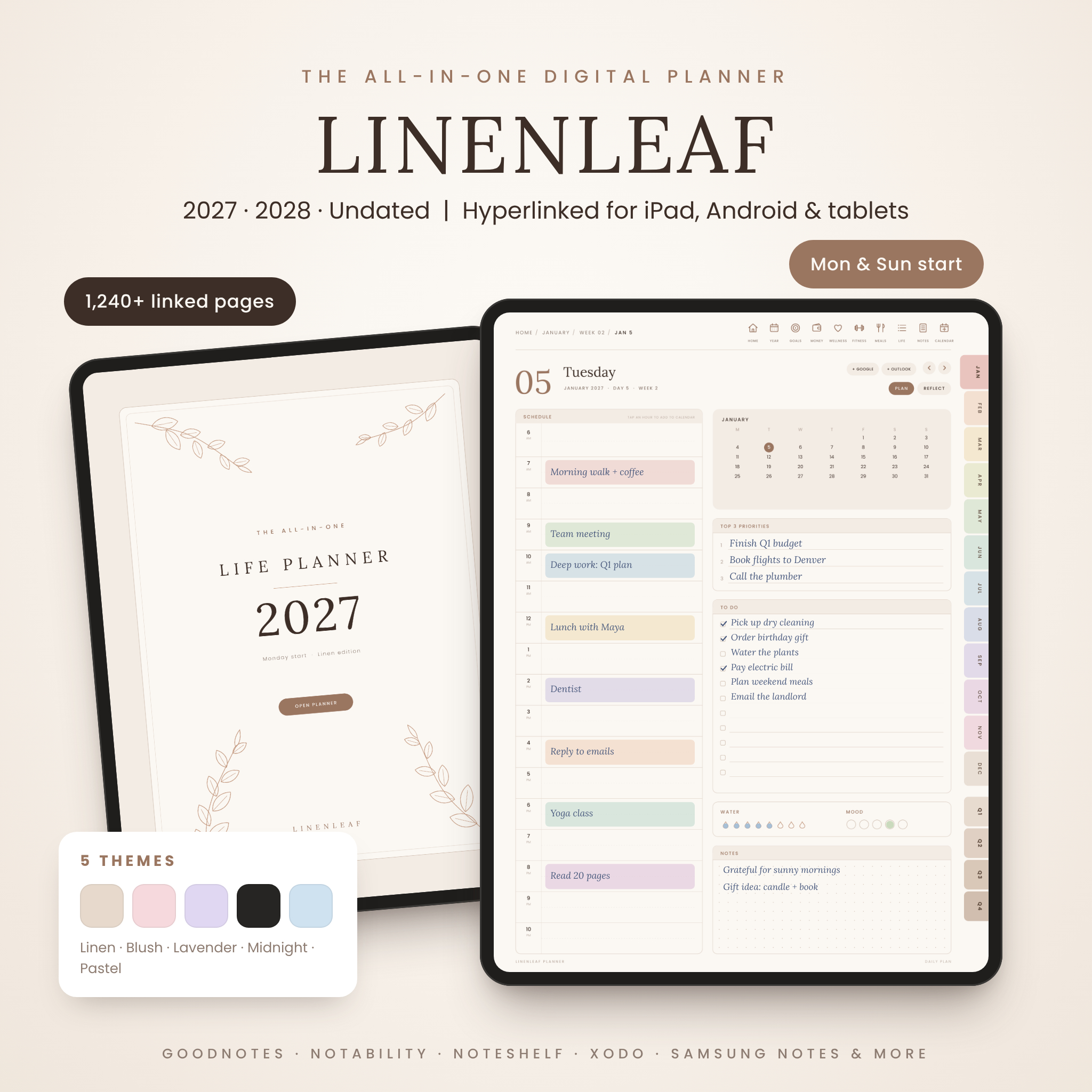
The Linenleaf Digital Planner is a good example of how far this goes, with more than 55,000 links in each dated planner plus month and quarter tabs on every page.
Linenleaf Digital Planner 2027 2028 & Undated
Linenleaf shows what proper navigation looks like: more than 55,000 links in each dated planner, with month and quarter tabs on every page.
- 2027, 2028 and undated planners in one download
- Five themes, Monday and Sunday start (30 PDF files)
- 684 stickers, 18 covers and a step-by-step user guide
Notice what else comes with it: three planners (2027, 2028 and undated), five themes, both week starts. A free planner rarely gives you that many choices, which means you adapt to it rather than the other way round.
For a wider look at how paid planners compare on navigation, our guide to the best digital planners for iPad puts twelve side by side.
More years, less starting over
Free planners usually cover one year at most. Paid ones often cover several, which changes how you plan. A dentist recall in 2028 has somewhere to live. Your goals pages carry over. You set up once.
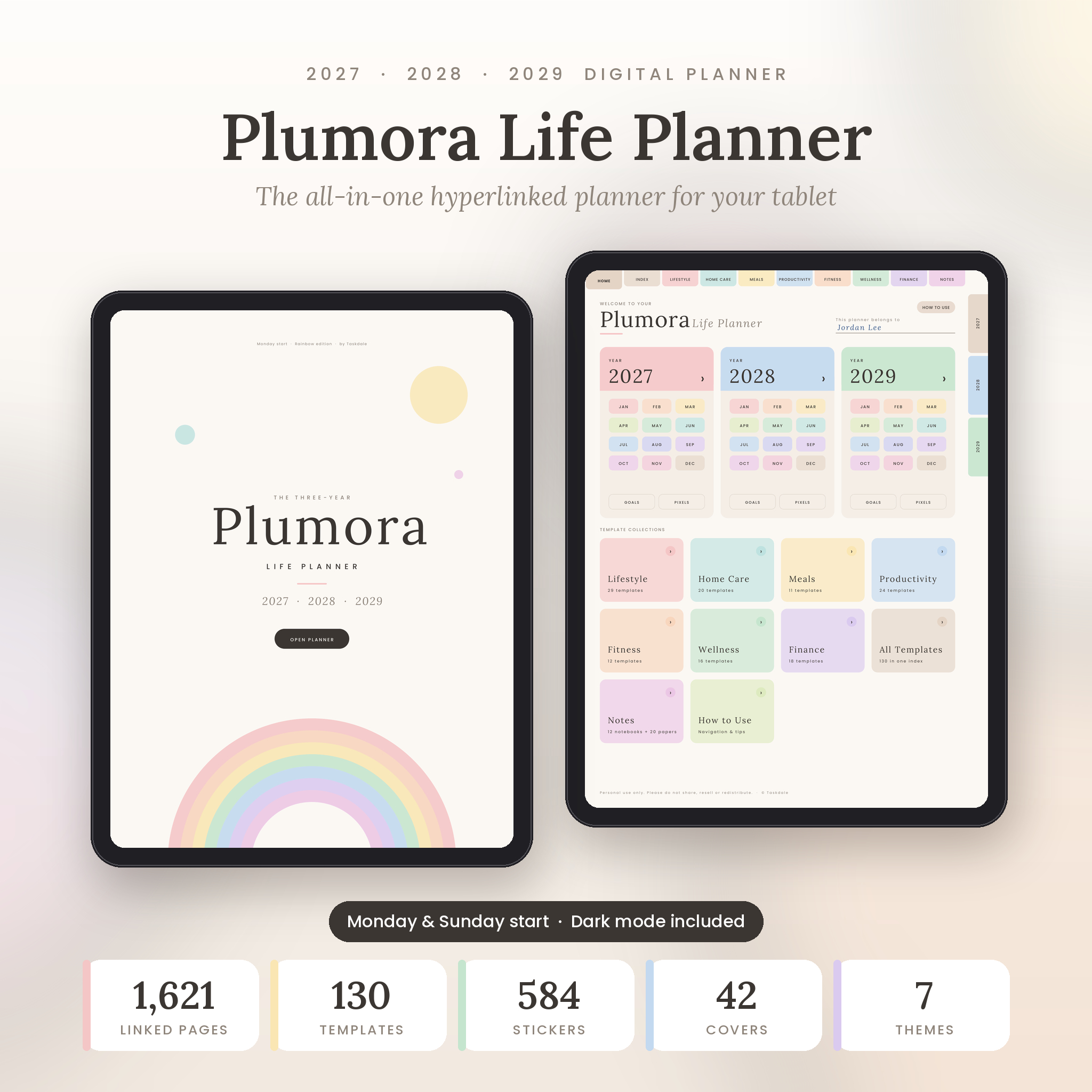
The Plumora 2027 2028 2029 Digital Planner covers three full years, dated, with every daily page from January 1, 2027 to December 31, 2029.
Plumora 2027 2028 2029 Digital Planner
Plumora covers every day from January 1, 2027 to December 31, 2029, so you set up once instead of starting over each year.
- More than 49,000 internal links
- 130 undated life templates
- Each 1,621-page planner is about 4.6 MB, so it opens smoothly
Plumora also shows something free planners almost never do: file size care. Each 1,621-page planner is about 4.6 MB, so it opens and scrolls smoothly. Badly built free files can be heavy and laggy, especially with high-resolution images on every page.
Its 130 templates are undated too, so the budget, meal and cleaning pages keep working across all three years. You’re not printing or downloading a fresh set every January. Over time, that’s what makes a paid planner feel less like a purchase and more like a tool you just keep using.
If you’re mostly planning for next year, we compared four options in our best digital planner 2027 roundup.
Extras free planners rarely include
Stickers, covers, templates, printable pages. None of these are essential, but they’re the difference between a calendar and a planner you actually enjoy using.
Free planners might include a sheet of stickers. Paid ones often include hundreds, sorted and named, plus templates for budgets, meals, cleaning and workouts that would take you hours to make yourself.
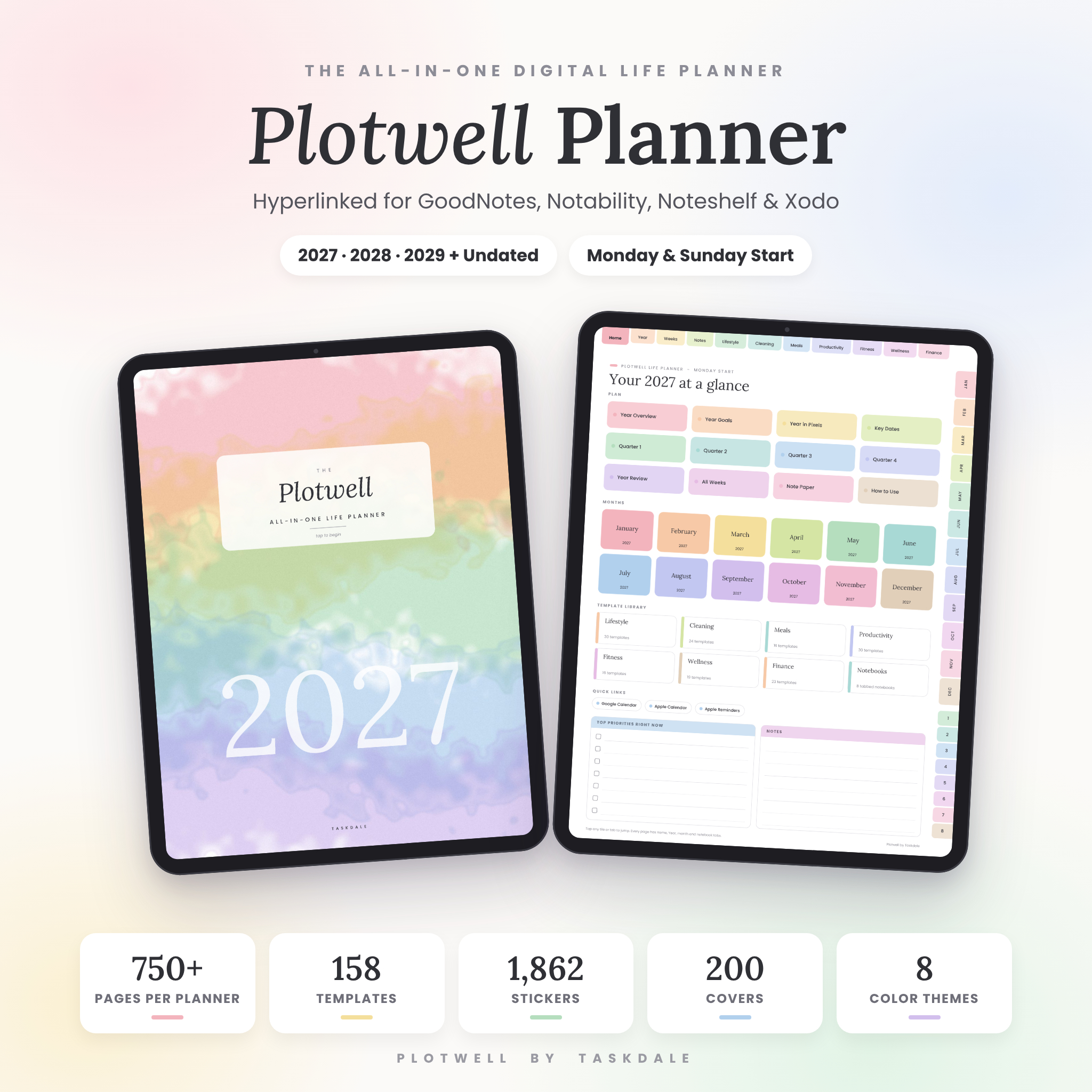
The Plotwell All-in-One Digital Planner is one of the most generous on extras, with 158 templates, 1,862 stickers and 200 covers in one download.
Plotwell All-in-One Digital Planner 2027 2028 2029 + Undated
Plotwell packs in the extras free planners rarely include, from templates and stickers to covers and printable pages.
- 158 templates in 7 libraries
- 1,862 digital stickers and 200 covers
- Printable pages in US Letter and A4
Plotwell also includes printable pages in US Letter and A4. That’s useful if you like a paper meal plan on the fridge but want the rest of your life on a tablet. Free planners almost never cover both.
A word of caution: more isn’t always better. If you know you’ll only use a calendar and a weekly page, 158 templates is a lot of scrolling past things you don’t need. Pick by what you’ll use.
Help when something goes wrong
The quiet value of a paid planner is the instructions. Importing a PDF into GoodNotes, Notability or Samsung Notes is easy once you know how. The first time, it’s confusing. Links don’t respond, the pen draws when you want to tap, a ZIP file won’t open on your iPad.
A good paid planner comes with a guide that walks you through all of that. The Daywoven Digital Planner includes an illustrated user guide with setup steps, a tour of every section, tips, troubleshooting and an FAQ.

Daywoven Digital Planner 2027 2028 & Undated
Daywoven comes with an illustrated user guide covering setup, every section, troubleshooting and FAQ, plus big labeled navigation.
- 2027, 2028 and undated editions, 36 planner files
- Google Calendar links on every hour of every day
- 870 stickers and 95 printable insert pages
Daywoven’s navigation is also built to be hard to get lost in, with twelve month tabs on the edge of every page and clear worded section buttons (Home, Year, Goals, Finance and so on) instead of tiny icons.
And if a file is genuinely faulty, there’s a shop to contact. With most free downloads, there’s nobody on the other end.
Free planner apps vs a one-time purchase
There’s another kind of “free”: planner apps. Many are free to download, then ask for a subscription before you get reminders, sync, themes or more than a few lists. Free at the start, then a monthly bill, forever.
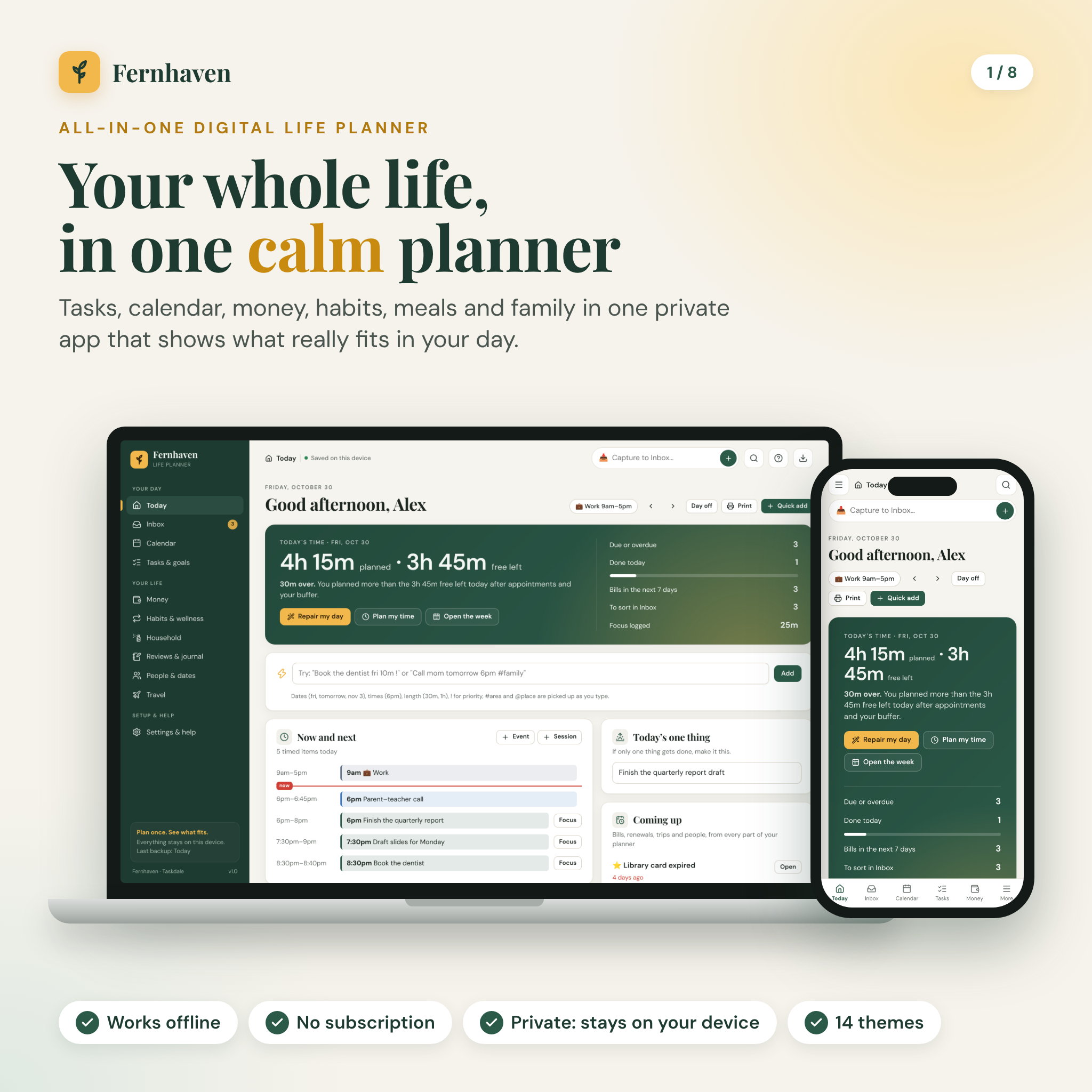
A one-time purchase avoids that. You pay once and keep the file. The All in One Digital Life Planner (Fernhaven) is a browser-based planner that works this way, with no account, no subscription and your plans saved on your own device.
All in One Digital Life Planner
Fernhaven is a one-time purchase that runs in your browser, with no account and your plans kept on your own device.
- Shows planned time against your real free time each day
- Repair my day moves flexible tasks to days with room
- 14 color themes, including 4 dark themes
Fernhaven does something clever that most free apps don’t: it works out how much free time you really have each day and shows what you’ve planned against it. Overbooked Tuesday? A Repair my day button moves flexible tasks to days with room.
The trade-off is honest too. Because nothing is uploaded, you’re responsible for backups. The app reminds you weekly, which helps.
It’s also worth asking how a free app pays its bills. Usually it’s ads, a subscription later, or your data. None of those are automatically bad, but it’s good to know which one you’re signing up for before your whole life is inside it.
When free is the right choice
Paid isn’t always the answer. A free planner makes sense if:
- You’ve never used a digital planner and want to test the idea first.
- You only need a monthly calendar.
- You’re happy building your own pages. Our guide to free tools for designing a digital planner template covers that route.
- You only need a planner for a short project, like a three-month course.
If any of those is you, go free and don’t feel bad. If you find yourself still planning three weeks later and wishing the links worked, that’s your sign to look at a paid one.
You can also mix the two. Plenty of people use a free printable for a one-off project, like a moving checklist or a holiday countdown, and keep a paid planner for everyday life. There’s no rule that says one planner has to do everything.
A quick check before you download anything
Free or paid, run through this list first:
- Does it work in your app? Look for your app by name in the description. Our pre-purchase compatibility checklist goes through what to check.
- Which dates does it cover? One year, three years, undated?
- How are the links? Every date, or just month tabs?
- What’s the license? Personal use is normal. Anything stricter, read twice.
- Is there a guide? You’ll want it on day one.
- Is there a watermark? Zoom in on the preview images.
And if you’re weighing up the cost side in more detail, we’ve done the math in is a digital planner worth it, comparing years of use against paper.
FAQ
Are free digital planners safe to download?
Most are, but stick to sources you recognize. A free planner should be a PDF or a template, not a program you have to install. If a free “planner” arrives as an installer, skip it.
Can I use a free planner in GoodNotes or Notability?
Usually, if it’s a standard PDF. Whether the links work depends on how it was built, so test a few tabs before you start filling it in.
Do paid digital planners have a subscription?
PDF planners from Taskdale don’t. You buy once and keep the files. Some planner apps do charge monthly, so check before you sign up.
Can I share a paid planner with a friend?
No. Paid planners, ours included, are licensed for personal use by the buyer. If a friend likes it, they’ll need their own copy.
Free planners are a great way to find out if digital planning is for you. Paid ones are where it gets comfortable: proper links, more years, the extras and a guide when you get stuck. Start wherever makes sense, and upgrade only when the free one starts getting in your way.