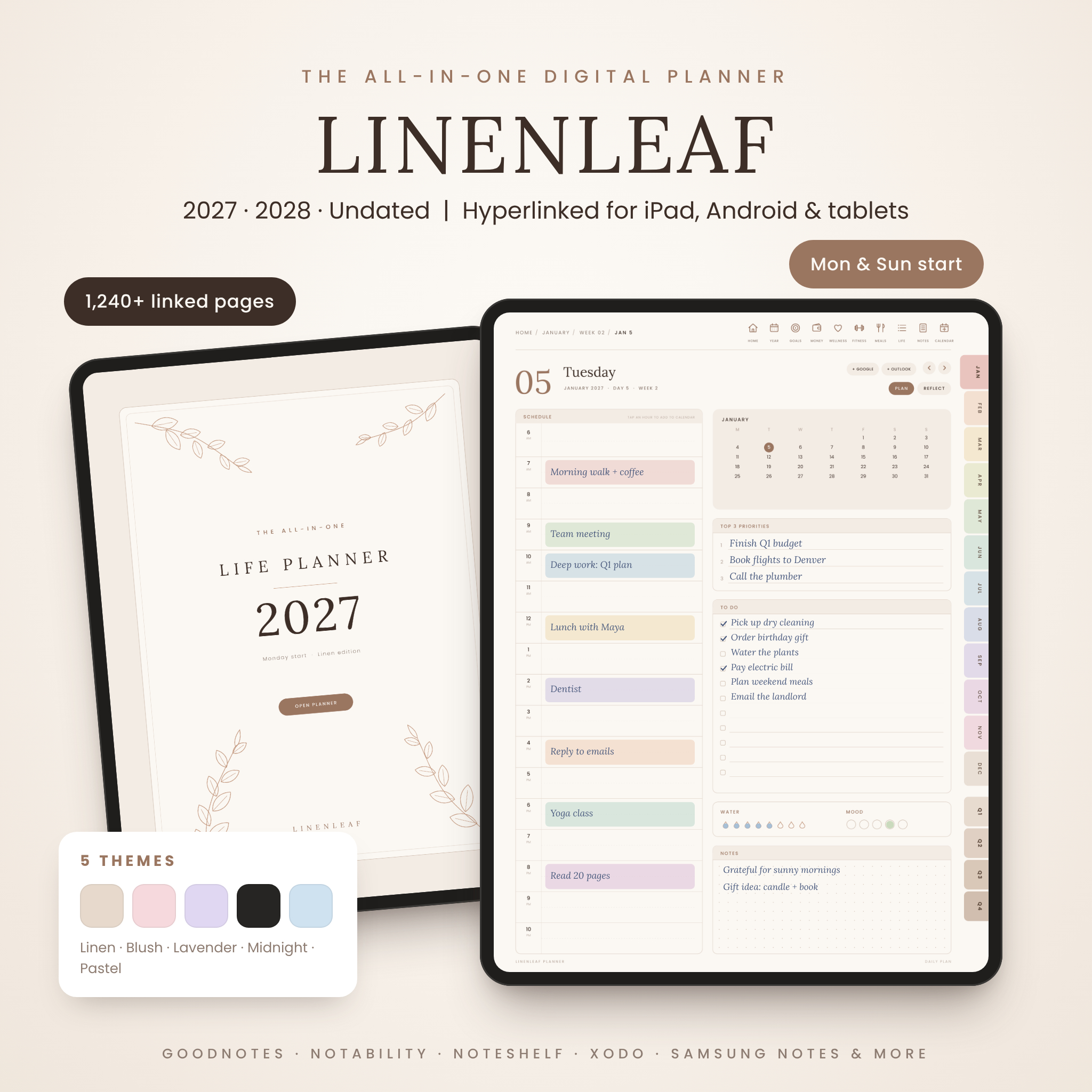
The Linenleaf All-in-One Digital Planner is a hyperlinked digital planner for 2027, 2028 and any year after that, designed to make planning on your tablet feel calm, quick and beautiful. Every page is linked, so you can jump from your year to a month, a week or a single day in one or two taps. Open it in GoodNotes, Notability, Noteshelf, Xodo, Samsung Notes or any PDF app that supports links, then write with your stylus or finger.
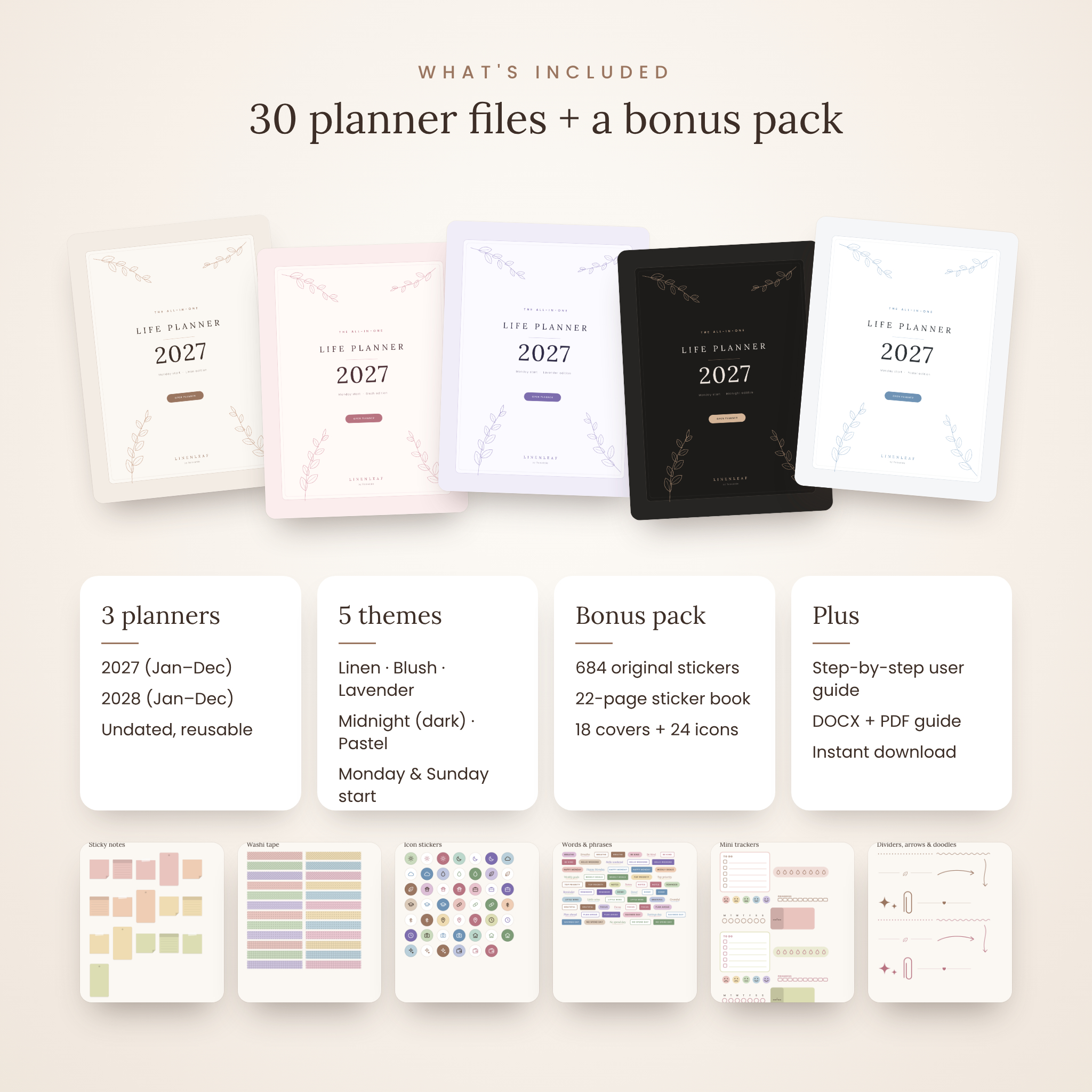
Inside you get three complete planners (2027, 2028 and Undated), five color themes and both Monday-start and Sunday-start versions, plus a bonus pack of 684 original stickers, 18 covers and 24 home screen icons.
Why choose this digital planner
- Truly all-in-one: calendar, goals, budget, wellness, fitness, meals, notes and everyday life in one file.
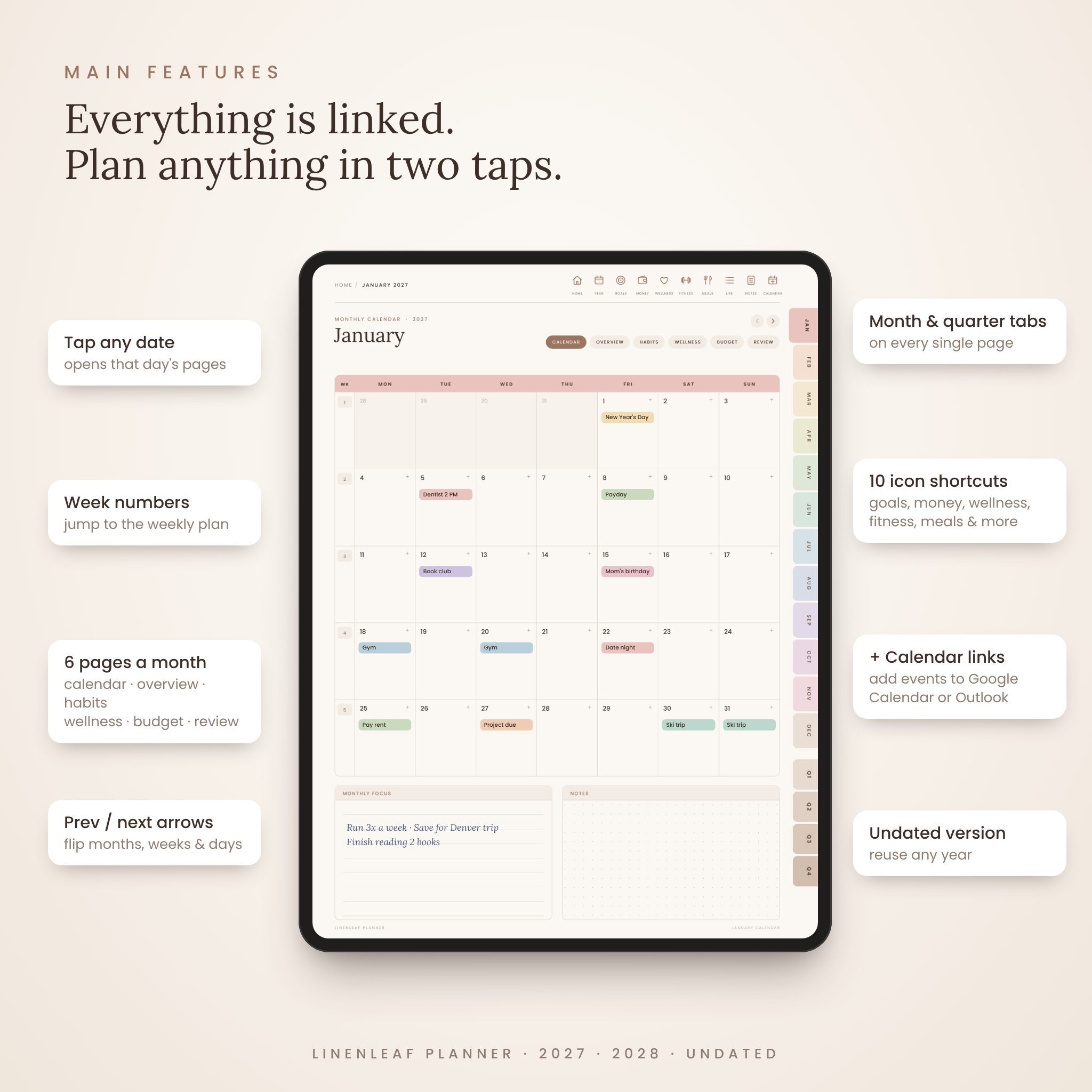
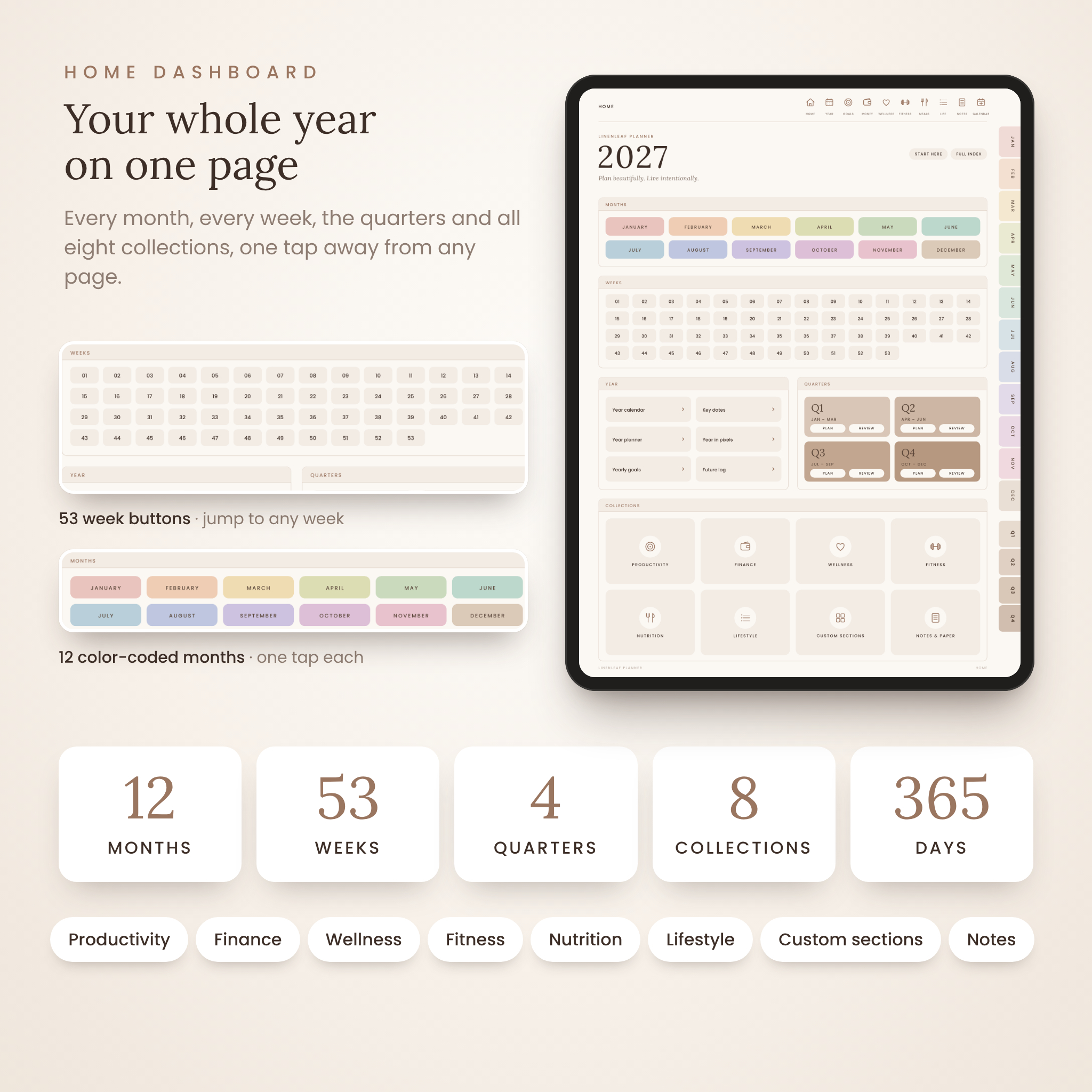
- Fast navigation: more than 55,000 links per dated planner, month tabs and quarter tabs on every page, and ten shortcut icons at the top.
- Thoughtful extras: a mini calendar on every daily page, previous/next arrows, Plan and Reflect switches, and a Year in Pixels mood tracker.
- Made for real life: a calm, warm design with plenty of writing space and no clutter.
- Use it for years: dated 2027 and 2028 planners plus an undated planner you can start any month.
Who it is for
Linenleaf suits busy parents, students, professionals, small business owners and anyone moving from a paper planner to an iPad or Android tablet. Everything is ready to go, so beginners can start planning the minute they open the file.
What is included
- 2027 Digital Planner, January to December (1,247 pages)
- 2028 Digital Planner, January to December (about 1,250 pages)
- Undated Digital Planner for any year (1,285 pages)
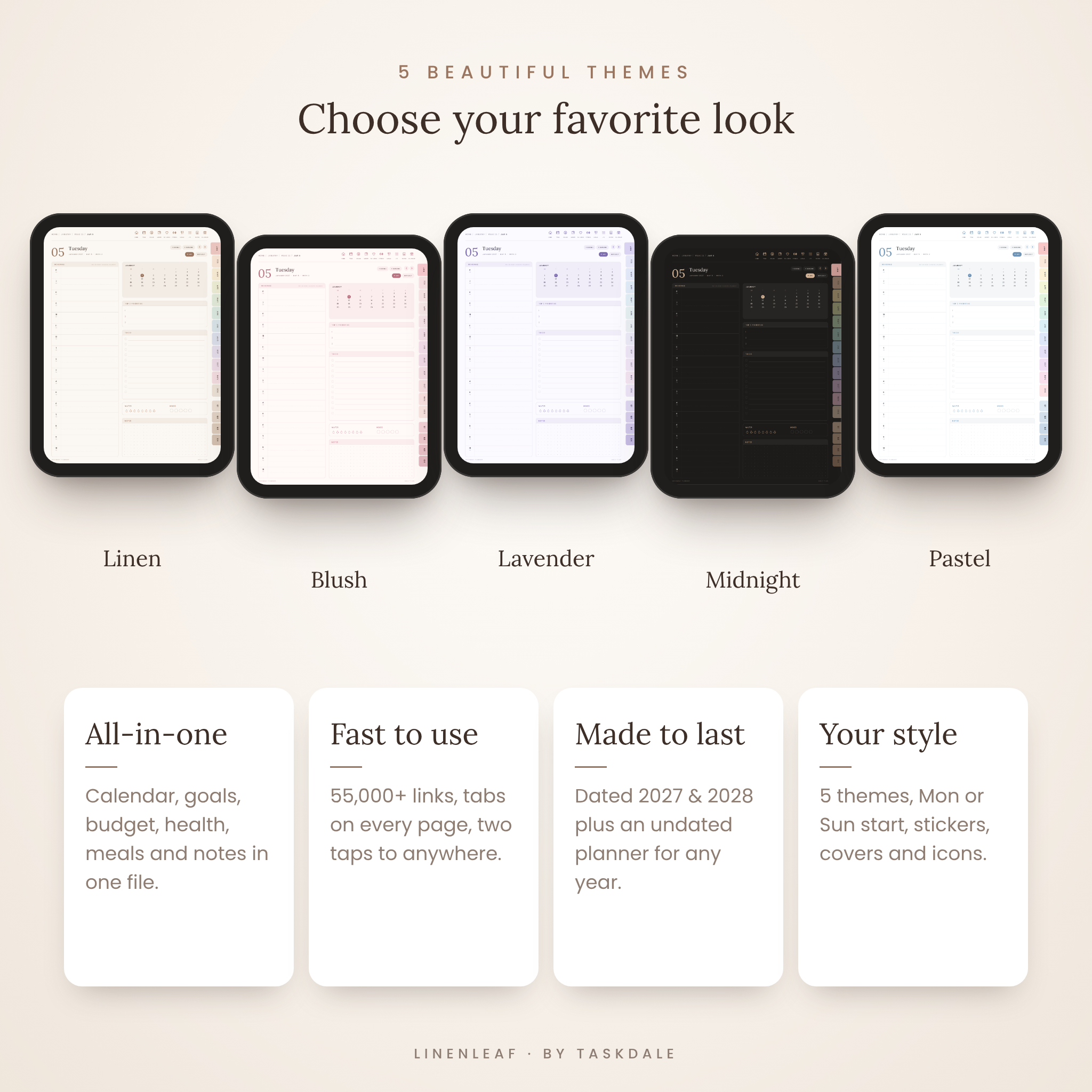
- 5 themes: Linen (warm neutral), Blush (soft pink), Lavender, Midnight (dark mode) and Pastel
- Monday-start and Sunday-start versions of every planner (30 PDF files in total)
- Bonus: 684 transparent PNG stickers and a 22-page sticker book
- Bonus: 18 planner covers and 24 matching home screen icons
- Step-by-step user guide (DOCX and PDF)
Features of the hyperlinked planner
Yearly and quarterly planning
- Year calendar with every date, month and week number linked
- Year planner, yearly goals for eight life areas, key dates and a future log for the next three years
- Year in Pixels mood tracker
- Q1 to Q4 tabs, each with a 12-week plan and a quarterly review
Monthly pages (6 for every month)
- Monthly calendar with linked dates, linked week numbers and quick calendar-add buttons
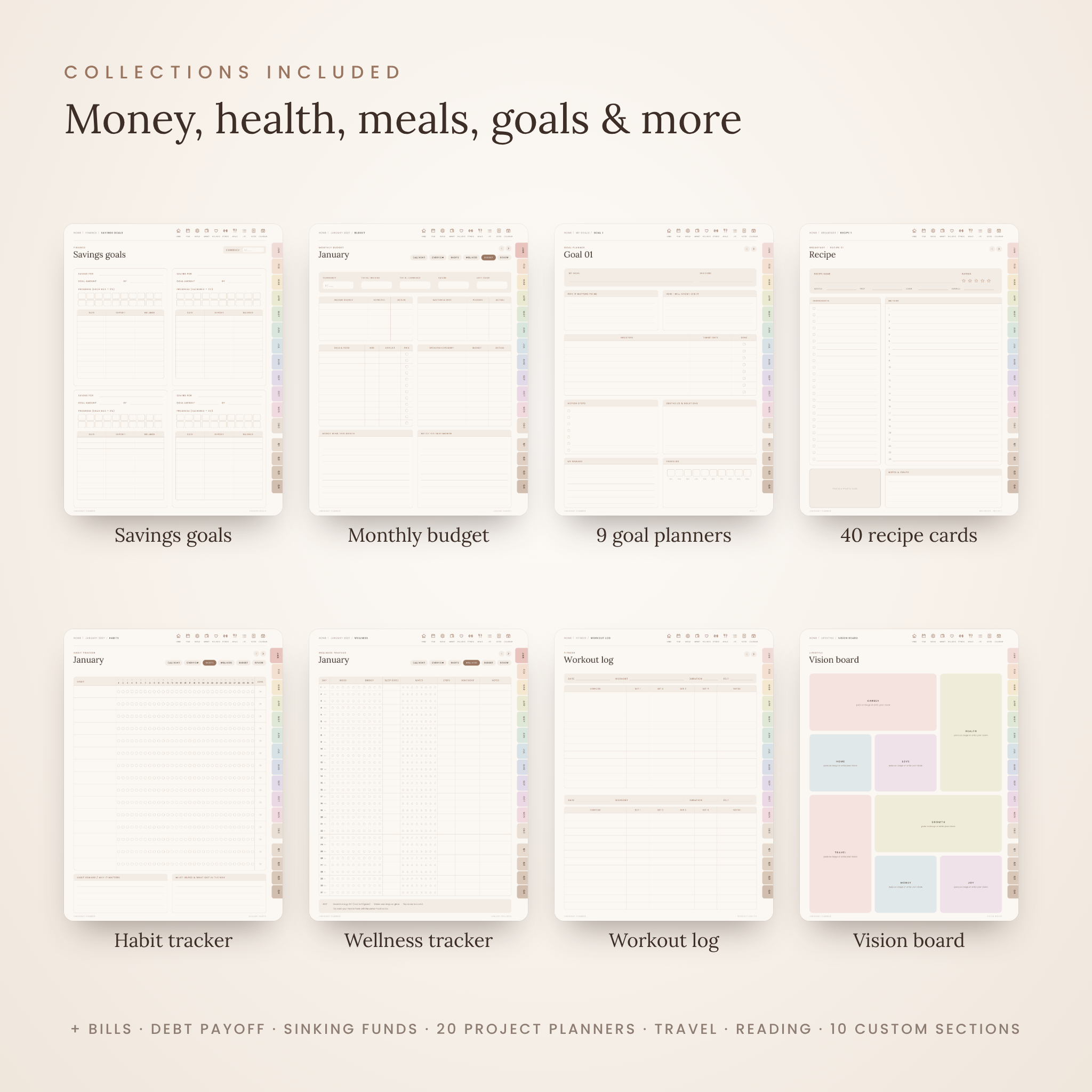
- Monthly overview, habit tracker for up to 15 habits, wellness tracker (mood, energy, sleep, water, steps and movement), monthly budget and monthly review
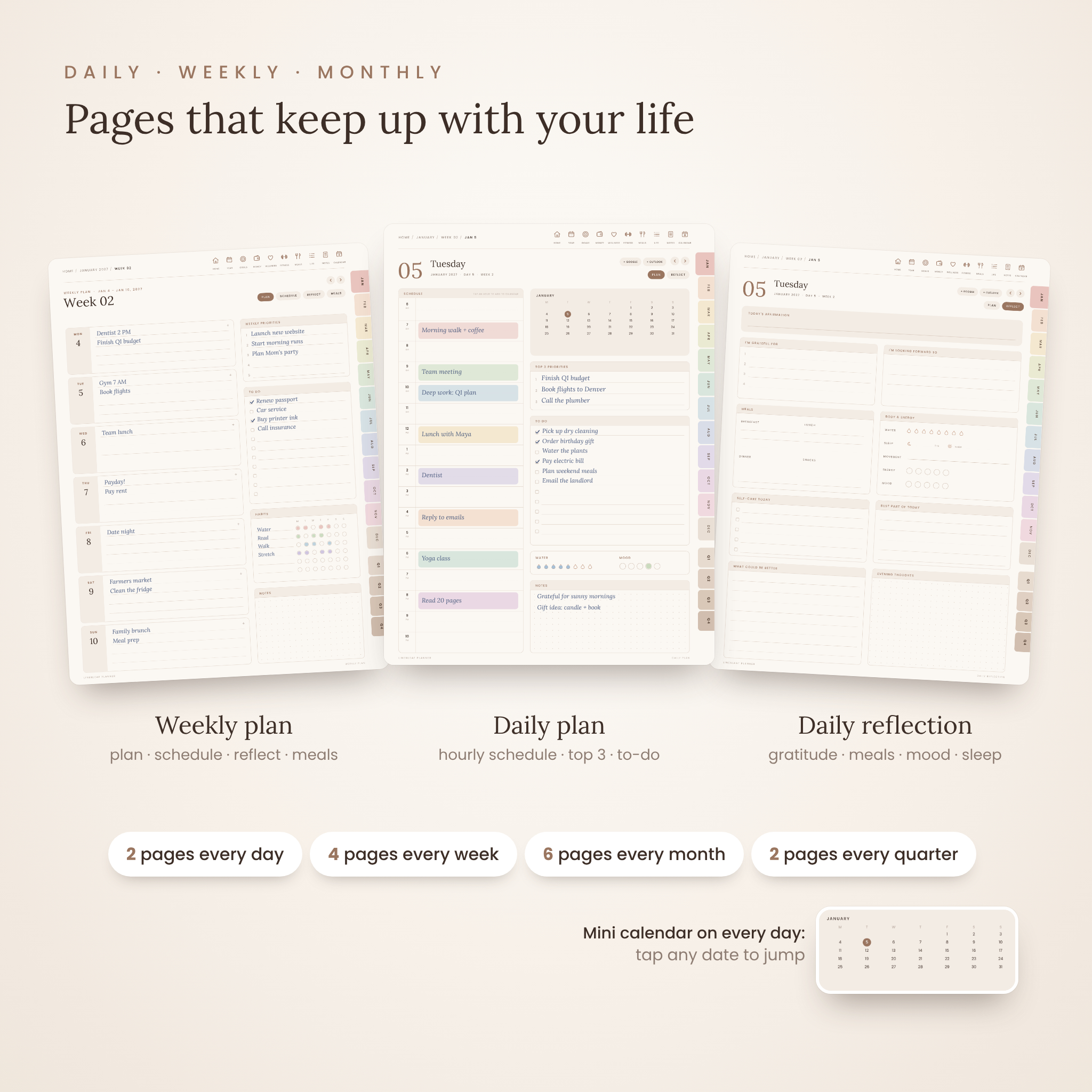
Weekly pages (4 for every week)
- Weekly plan with linked days, priorities, to-do list and habit tracker
- Hourly weekly schedule from 6 AM to 10 PM
- Weekly reflection and a weekly meal planner with grocery list
Daily pages (2 for every day)
- Daily plan: hourly schedule, mini calendar, top 3 priorities, to-do list, water and mood trackers, notes
- Daily reflection: affirmation, gratitude, meals, sleep, movement, energy, mood, self-care and evening notes
Collections
- Finance: yearly finances, expense tracker, bill tracker, subscriptions, savings goals, 100-box savings challenge, sinking funds, accounts, debt overview, debt payoff tracker and a no-spend challenge
- Productivity: to-do lists, custom lists, priority matrix, brain dump, 9 goal planners and 20 project planners
- Wellness: supplements, medication log, self-care menu, sleep log, symptom and cycle log
- Fitness: fitness plan, weekly workout planner, workout log, measurements, steps tracker and fitness journey
- Nutrition: meal ideas, grocery master list, kitchen inventory and a recipe book with 40 recipe cards
- Lifestyle: routines, cleaning planner, meeting notes, 30-day challenges, reading list and log, watchlist, vision board, wishlist, travel planner, packing list, delivery tracker, universal tracker, logins and hints, contacts and birthdays
- Notes: quick notes, lined, dotted, grid, Cornell and study paper, 10 custom sections and 6 extra daily layouts
How it works
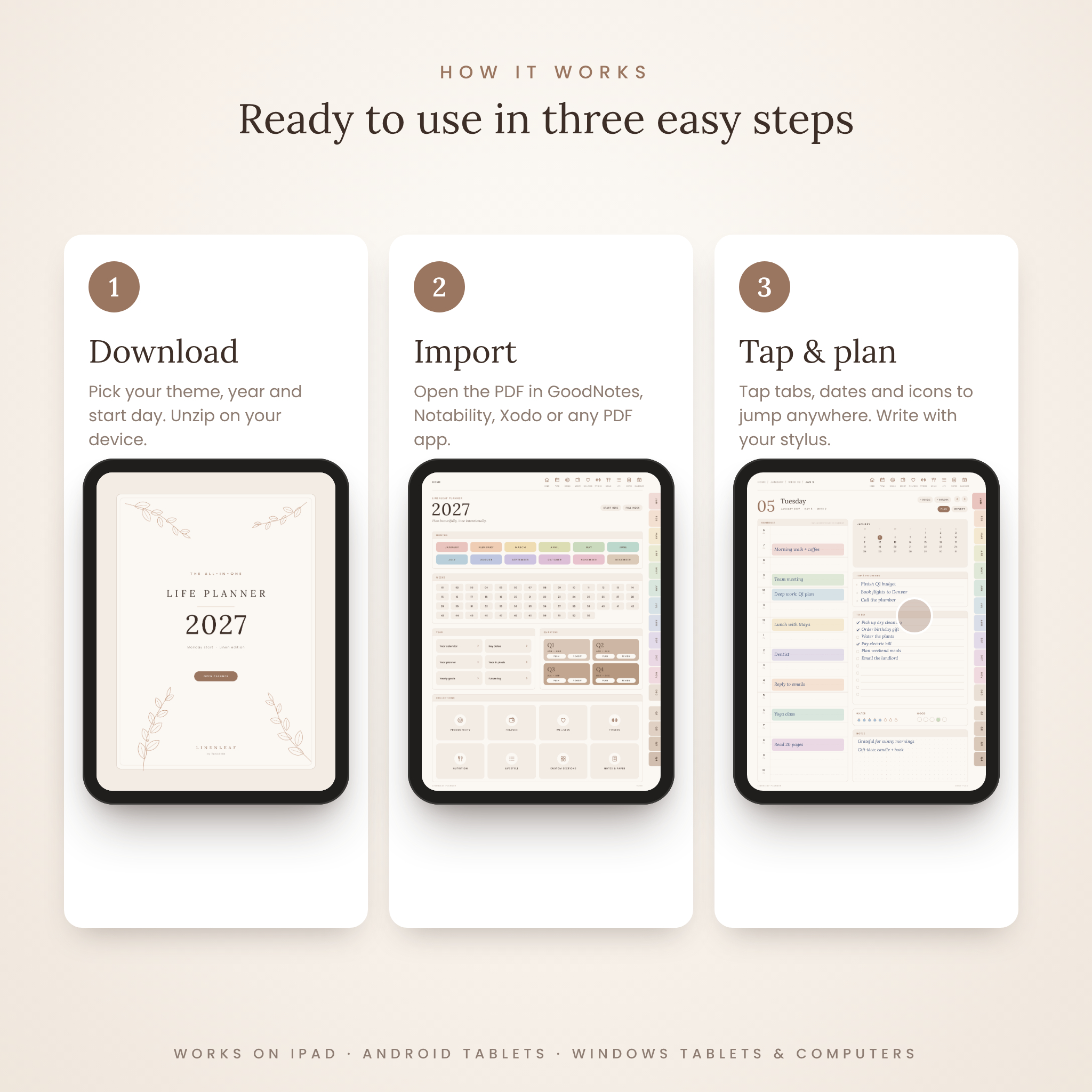
- Download the zip file for your favorite theme and unzip it on your device.
- Import the PDF for your year and start day into your note-taking app.
- Tap the tabs, dates and icons to move around, and write on any page.
Daily hours open Google Calendar at that exact time, and the + buttons add an all-day event to Google Calendar or Outlook. These links open your calendar so you can save new events; they do not sync events back into the planner.
File formats and requirements
- Hyperlinked PDF files, 3:4 portrait pages sized for tablets (about 4 to 5 MB each)
- PNG stickers, covers and icons with transparent or full backgrounds
- User guide in DOCX and PDF
- Works with PDF annotation apps that support hyperlinks, such as GoodNotes, Notability, Noteshelf, Noteful, Xodo, Samsung Notes, Flexcil and Drawboard PDF
- Use on iPad, Android tablets, Windows tablets or a computer
Customization
Duplicate any page for more space, delete pages you do not need, name your custom sections and lists, and decorate with the included stickers and covers. Money pages use neutral Amount fields with a Currency box, so the budget works with dollars or any other currency.
Real ways to use it
- Plan a busy family week, meals and grocery list in one place.
- Set quarterly goals for a side business and track each project to done.
- Pay off debt and build savings with visual trackers.
- Track workouts, sleep, water and mood to build healthy habits.
- Plan a trip with an itinerary, budget and packing list.
Digital download
This is an instant digital download. Nothing physical will be shipped. Your files are available on your order page as soon as payment is confirmed.
Frequently asked questions
Does this digital planner work with GoodNotes?
Yes. Import the PDF into GoodNotes and tap the links in read-only mode or whenever you are not writing.
Can I use it on an Android tablet?
Yes. Use any Android PDF app that supports hyperlinks, such as Samsung Notes, Xodo, Flexcil or Noteshelf.
Which planner should I start with?
Use the 2027 planner from January 2027, or the Undated planner to start right now or in any month.
Is there a dark mode?
Yes. The Midnight theme is a full dark mode version of every page.
Does it sync with Google Calendar?
The links open Google Calendar or Outlook with the date (and time on daily pages) filled in, so you can add an event. They do not pull events back into the planner.
Can I print it?
You can print pages for personal use from your PDF app, but the planner is designed for digital use and links do not work on paper.
What currency does the budget use?
Any currency. Money fields are neutral, and each money page has a Currency box.
License: for personal use only. Please do not share, resell or redistribute these files. © 2026 Taskdale.
Reviews
There are no reviews yet.