Most free inventory spreadsheet templates are built for shops that buy finished goods and resell them. A row per product, a quantity column, done. That works for a reseller. It falls apart the moment you make what you sell.
If you pour candles, bake, make soap or sew bags, you hold two kinds of stock. Raw materials (wax, flour, fabric) and finished products. One turns into the other, and the cost of every finished item depends on what went into it and what you paid for it that month.
Here’s how to set up stock tracking that copes with that, built around three movements, and why getting it right tells you your real profit per sale.
The three movements every maker’s stock goes through
Forget typing stock counts by hand. Every change in your stock comes from one of three events:
- Purchases bring materials in. You buy 20 kg of wax; materials stock goes up by 20 kg.
- Production turns materials into products. You pour 60 candles; wax, jars and wicks go down, finished candles go up by 60.
- Sales take products out. You sell 12; finished stock goes down by 12.
Log those three things and your stock levels calculate themselves. Current stock = opening stock + purchases + production in, minus production used and sales. No more “I think we’ve got about 30 left”.
Write a recipe for every product
A recipe (manufacturers call it a bill of materials) lists what goes into one unit. For a 200 g candle: 190 g wax, 1 jar, 1 wick, 10 ml fragrance, 1 label.
Once each product has a recipe, production does the maths. Make 60 candles and the sheet takes 11.4 kg of wax, 60 jars, 60 wicks, 600 ml of fragrance and 60 labels out of stock automatically.
The recipe also gives you cost. Multiply each ingredient by its current cost per gram or piece and add them up. When your wax supplier puts prices up, every recipe that uses wax updates. That’s the moment most makers discover two of their products have stopped making money.
Use average cost, not last price
Material prices move. If you’ve got 20 kg of wax that cost 6.00 a kg and you buy another 50 kg at 7.00, what does wax cost you now?
Not 7.00. Weighted average cost is (20 x 6.00 + 50 x 7.00) / 70 = 6.71 a kg. Using the average keeps your product costs honest without tracking which batch of wax went into which candle.
Set minimum levels so you never run out mid-batch
Running out of jars on a Thursday when the market’s on Saturday is a special kind of stress. A reorder point fixes it.
The simple version: reorder point = weekly usage x supplier lead time in weeks + one week of safety stock.
If you use 15 kg of wax a week and your supplier takes two weeks, that’s 15 x 2 + 15 = 45 kg. When wax drops below 45 kg, the row turns amber. Below zero (or close), red. Do this for every material and every finished product.
Do a stock take, even if the sheet is good
Spills happen. Things break. A jar gets used for a test pour and nobody logs it. Once a month or once a quarter, count what’s physically on the shelf and compare it to the sheet. Log the differences as adjustments with a reason. If wax keeps coming up 2 kg short, you’ve learned something about your pouring.
Connect stock to sales and profit
This is where an inventory spreadsheet earns its place. When each sale records the product’s current cost alongside the selling price and fees, you get true profit per line, not just revenue.
Say a candle sells for 30. Fees take 3. The recipe cost at today’s average prices is 8.40. Profit on that sale is 18.60. Multiply across a month and you know which products carry the business and which just keep you busy.
What your inventory spreadsheet should include
- An inventory list for materials and finished products, with units (g, ml, piece) and minimum levels
- A purchases log with supplier, quantity and cost
- Recipes for every product
- A production log that consumes materials and adds products
- A sales log that removes products and calculates profit
- A stock take or adjustments sheet
- Low-stock alerts somewhere you’ll see them daily
You can build this. Fair warning: the production logic (taking recipe quantities out of materials) is the fiddly part, and it’s where most homemade versions break.
A template built around this exact model
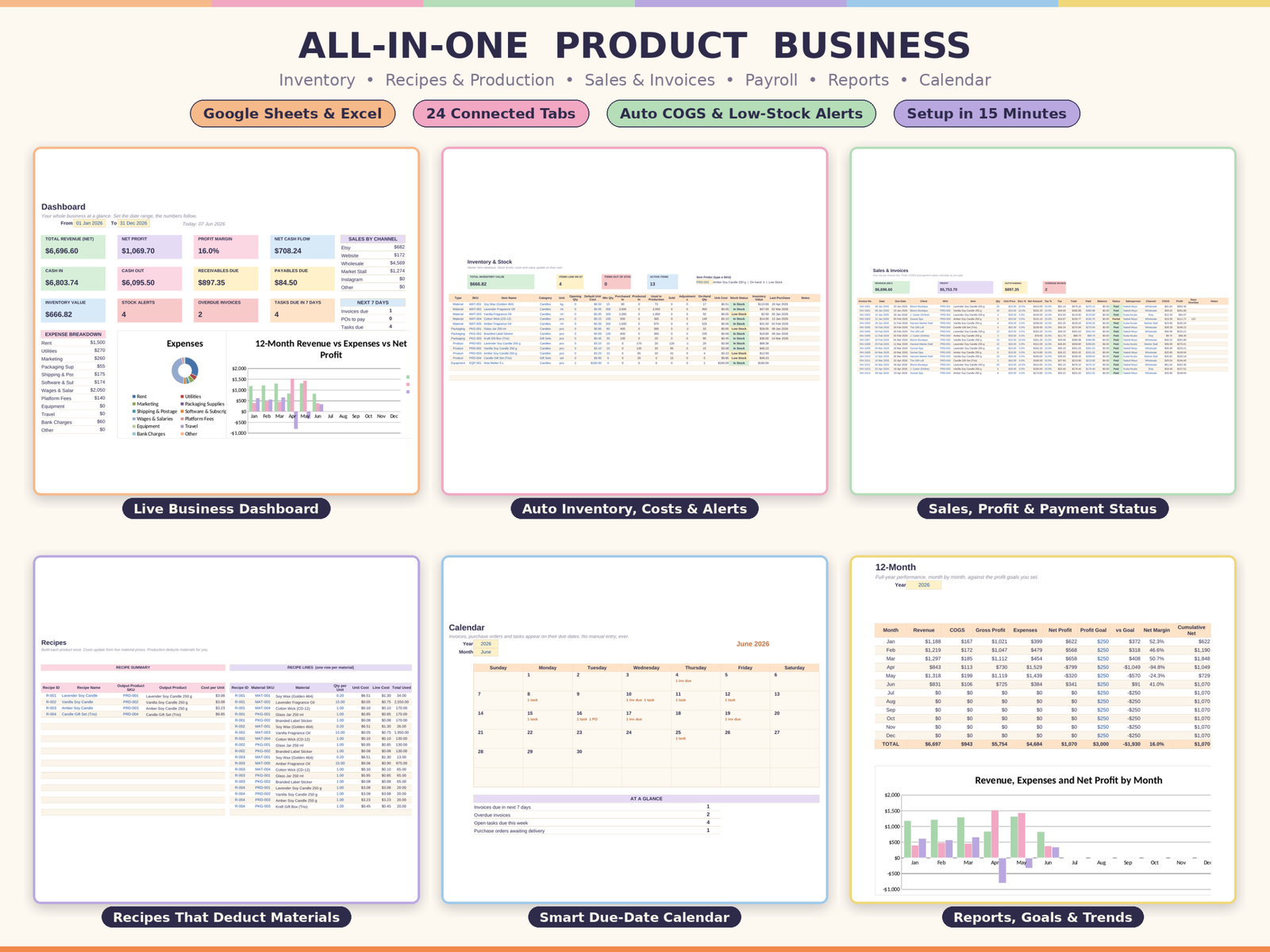
The All-in-One Product Business Template is a 24-tab Excel and Google Sheets file built for candle and soap makers, bakers, crafters and resellers. Its engine is the three-movement model above: Purchases bring materials in, Production turns them into products using recipes you define once, and Sales take products out, deduct stock and work out true profit on every line from live average costs.
Recipe costing updates the moment a material price changes, and gift sets can use finished products as ingredients. You set low-stock and out-of-stock levels per item. There’s a Stock Log and a Stock Take tab, plus the money side (invoices, receivables aged into 0 to 30, 31 to 60, 61 to 90 and 90+ days, purchases, expenses and payroll), a break-even calculator and a dashboard.
It ships with a small fictional candle business already inside, with six months of sales, production batches and a restock in progress, so you can click around before clearing it and adding your own. Setup takes about fifteen minutes.
FAQ
How do I track raw materials and finished goods in one spreadsheet?
Keep both in one inventory list with a type column (Material or Product). Purchases add to materials, production moves quantities from materials to products using recipes, and sales reduce products.
Can Google Sheets handle inventory for a small business?
Yes, for most small makers and shops. Things slow down past tens of thousands of rows, so archive old years into a separate file.
How often should I do a stock take?
Monthly if you sell often or work with ingredients that spoil. Quarterly is fine for slower-moving stock. Always do one before your financial year end.
What’s the easiest way to set reorder points?
Weekly usage times supplier lead time in weeks, plus a week of safety stock. Review it every few months as sales change.