Best Inventory Tracker Spreadsheets for Small Sellers
The best inventory tracker for most small sellers is a spreadsheet that records stock in and out, warns you before an item runs out and links to your orders. Binsight suits shops with lots of stock lines, All-in-One suits makers who use up materials, and Tallyhive suits owners who want stock joined to their bookkeeping.
Key facts at a glance
- Binsight tracks stock across up to 20 warehouses or stores and fills in a one-page purchase order when you pick a supplier.
- All-in-One Product Business Template has 24 connected tabs and takes about 15 minutes to set up.
- Tallyhive uses 30 linked tabs, and Petal & Ledger uses 21, so a sale logged once updates stock, invoices and dashboards.
- Hue & Margin links a price list of 12 products to 150 materials, so a cost change reprices your goods.
- Most of the spreadsheets here work in both Excel and Google Sheets, but Binsight and the Tinsel & Till planner are Excel only.
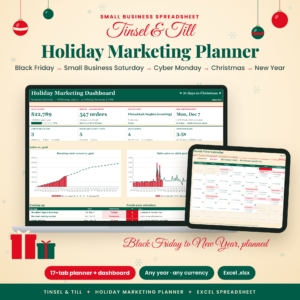 Tinsel & Till Holiday Marketing Planner Spreadsheet for Small Business | Black Friday, Cyber Monday & Christmas Sales Tracker Excel Template
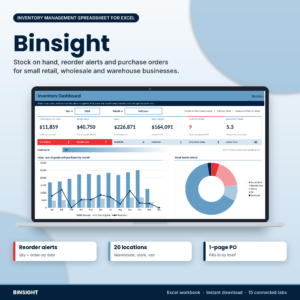 Inventory Management Spreadsheet for Excel | Stock Tracker with Reorder Alerts & Purchase Orders | Binsight
 Small Business Accounting App | Ledgerwick Bookkeeping Software with Invoices, Payroll, Bank Reconciliation, P&L & Tax Center | Works Offline
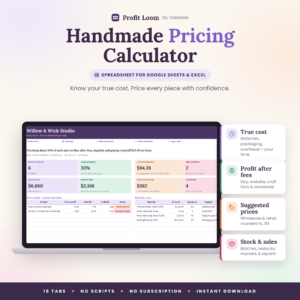 Handmade Pricing Calculator Spreadsheet | Profit Loom Excel & Google Sheets Product Pricing Template with Etsy Fees, Profit Dashboard, Inventory & Craft Fair Planner
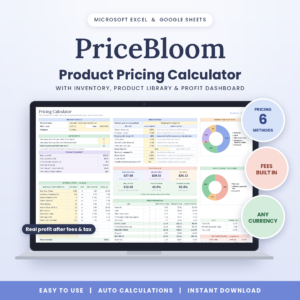 PriceBloom Product Pricing Calculator Spreadsheet – Excel & Google Sheets | Profit Margin, Etsy Fee & Handmade Cost Calculator with Inventory Tracker
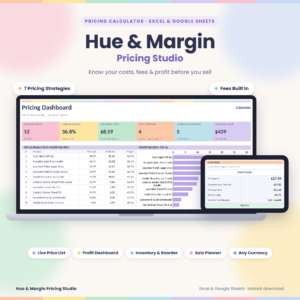 Pricing Calculator Spreadsheet for Excel & Google Sheets | Hue & Margin Product Pricing, Profit Margin & Fee Calculator with Live Price List, Inventory & Dashboard
 Small Business Spreadsheet for Excel & Google Sheets | Tallyhive Bookkeeping, Inventory & Order Tracker, Invoice, Pricing Calculator & Bill Calendar
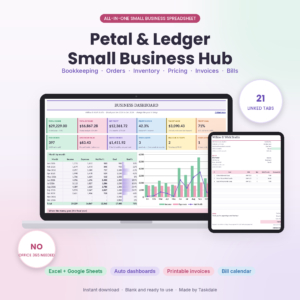 Small Business Spreadsheet for Excel & Google Sheets | Petal & Ledger Bookkeeping, Inventory, Order Tracker, Pricing Calculator, Invoice & Bill Calendar
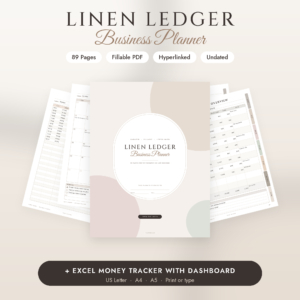 Small Business Planner Printable & Fillable PDF | Social Media & Content Planner, Inventory, Sales & Budget Tracker + Excel | Linen Ledger Undated Business Planner
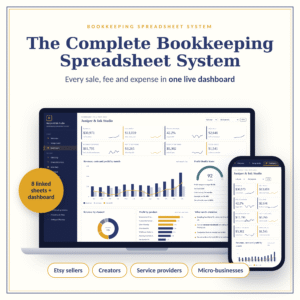
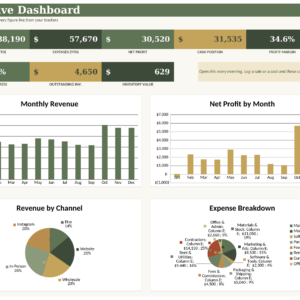
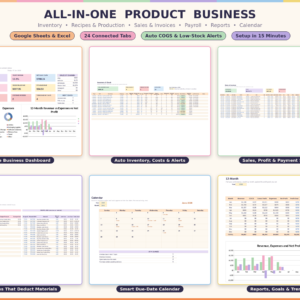
Table of Contents Toggle
- What should you look for in an inventory tracker?
- How do the best inventory trackers compare?
- Which inventory tracker suits which kind of seller?
- How do you use an inventory tracker so the numbers stay right?
- What mistakes should you avoid when choosing an inventory tracker?
- What affects the price of an inventory tracker?
- Common questions
- Which inventory tracker should you choose?
Choosing an inventory tracker can feel more complicated than it needs to be. Some products only count stock, others sit inside a whole bookkeeping system, and the descriptions use terms like "reorder point" and "ABC analysis" without explaining them. We'll go through what matters, so you can pick from the 12 options on this page with confidence.
What should you look for in an inventory tracker?
An inventory tracker is a tool that records what you hold, what comes in, what goes out and when you need more. Six factors separate a useful one from one you stop using after a month.
Reorder alerts and order quantities
A reorder alert is a warning that stock has fallen to the point where you should order again, allowing for how long your supplier takes. Binsight goes a step further: it works out reorder points and order-by dates, and rounds quantities up to your supplier's pack size. That last detail saves you from ordering 47 of something sold in boxes of 50.
Hue & Margin, PriceBloom, Tallyhive and All-in-One also include reorder or stock alerts. They are a useful extra, though the stock side matters less in them than in Binsight.
Materials versus finished goods
Finished goods are items ready to sell, and raw materials are what you use to make them. If you sell things you buy in, finished goods are all you need to count. If you make things, you need both, and you need the tool to deduct materials when a batch is finished.
All-in-One does this: finish a batch and the materials deduct themselves, and sell an item and the stock drops. Tallyhive tracks raw materials and finished goods separately with reorder alerts.
Number of locations
If you keep everything in one spare room, one stock list is enough. If you hold stock in a shop, a storeroom and a second site, you need transfers between places. Binsight handles up to 20 warehouses or stores, with stock in, stock out, transfers and count corrections. None of the other products here describe multiple locations.
Links to orders, invoices and pricing
A tracker that connects to your orders saves you typing every sale twice. In Tallyhive you log a sale once and stock, customer history, invoice and profit dashboards update. In Petal & Ledger you add a product once and it flows through orders, stock counts and invoices.
Pricing matters too. Hue & Margin reprices your live price list when a material cost changes, which stops you selling at an old margin.
Excel, Google Sheets or both
Check the software before you buy. Binsight is built for Excel. Tallyhive, Petal & Ledger, Hue & Margin, PriceBloom and All-in-One work in both Excel and Google Sheets. Google Sheets is easier if you want to open the file on a tablet or share it with a helper.
Set-up time and guidance
A tracker only helps if you finish setting it up. All-in-One arrives with a sample business loaded, so you can watch it work before you enter anything of your own, and takes about 15 minutes to set up. PriceBloom comes with a filled sample and an illustrated user guide. Hue & Margin includes a 21-page guide, and Petal & Ledger a step-by-step one.
How do the best inventory trackers compare?
The table compares the seven products on this page that put stock tracking at the centre or alongside other tools. Details come from each product's description.
Which inventory tracker suits which kind of seller?
Match the tracker to how your stock moves, not to the longest feature list.
Binsight suits anyone who buys stock from suppliers and needs to know when and how much to reorder. It's the strongest fit for a shop with several sites or a long list of product lines, because of the stock take sheet, valuation and ABC analysis (a ranking of items by how much they matter to your sales).
All-in-One Product Business Template suits makers and small producers. Selling an item lowers stock and finishing a batch uses up materials, so you don't adjust two lists by hand.
Tallyhive and Petal & Ledger suit owners who want one workbook for the whole shop. Tallyhive is the bigger of the two, with 30 tabs against 21. Choose Petal & Ledger if you want fewer tabs to learn.
Hue & Margin and PriceBloom suit sellers whose main worry is pricing, with stock tracking as a helpful extra. Hue & Margin links to 150 materials, and PriceBloom is built around Etsy-style fees.
Linen Ledger suits people who like paper or a calm fillable PDF. It's a planner with inventory pages, so it won't alert you when stock runs low.
Two other products on this page may come up in your search. The Tinsel & Till holiday planner has stock-up alerts but is built for planning a selling season. Ledgerwick is an offline accounting app, and its description doesn't mention stock tracking.
How do you use an inventory tracker so the numbers stay right?
An inventory tracker stays accurate when you enter every movement of stock on the day it happens and check it against a physical count at regular intervals. Here's a routine that works for most small shops.
- List every product and material with a clear name and, if you use them, a code.
- Count everything on the shelf and enter that as your opening stock.
- Set a reorder level for each item, based on how many days your supplier takes and how fast you sell.
- Record each delivery, sale and breakage when it happens, not at the end of the week.
- Count a small section of stock every month and correct any difference, noting the reason.
- Review the dashboard once a month and look for items that haven't sold.
What mistakes should you avoid when choosing an inventory tracker?
The most common mistake is buying more tool than you will use. A 30-tab workbook is wasted if you only need to know when to reorder, and Binsight alone may be enough.
Other mistakes to avoid:
- Ignoring software: Binsight needs Excel, so don't buy it if you work only in Google Sheets.
- Skipping the opening count: Every figure afterwards will be wrong if the starting stock is a guess.
- Setting reorder levels too low: Forgetting supplier lead time means you reorder after you've already run out.
- Counting materials and finished goods together: If you make what you sell, keep them apart.
- Never doing a stock take: Small errors build up, and the tracker will report stock you no longer have.
What affects the price of an inventory tracker?
Price depends mainly on how much the tracker does beyond counting. A single-purpose stock tracker tends to cost less than a connected workbook that also handles bookkeeping, invoices and payroll. The number of tabs, dashboards, included guides and sample data all add to what you get.
Locations matter too. Multi-site tracking and purchase orders come with Binsight, while simple stock lists sit inside the pricing tools. Compare what each product includes against what you'd otherwise buy separately. The live cards beside this text show current prices.
Common questions
Is a spreadsheet good enough, or do I need inventory software?
A spreadsheet is enough for most small shops. It costs less, you control it and you don't depend on a subscription. Dedicated software starts to matter when you have many staff entering data at once or thousands of lines. These templates are built for the owner-run shop.
What is a reorder point?
A reorder point is the stock level at which you should place a new order. It equals the amount you expect to sell while waiting for the supplier, plus a small safety margin. Binsight calculates reorder points automatically and tells you the date by which to order.
Can I use the same file on Excel and Google Sheets?
Most of them, yes. Tallyhive, Petal & Ledger, Hue & Margin, PriceBloom and All-in-One are described as working in both. Binsight is built for Excel, so open it there. Check each product's description first, as you can't assume a template works in both.
How often should I count my stock?
Count a small section every month and do a full count once or twice a year. Fast-selling lines are worth checking more often. Binsight includes a stock take sheet for this, and you can record corrections in the others.
Do I need to understand accounting to use these?
No. The inventory features need only counts and dates. If you choose a bookkeeping workbook like Tallyhive or Petal & Ledger, the guides and dashboards explain the numbers. Start with the stock side and add accounts later.
Which inventory tracker should you choose?
Pick by the one problem you most want solved. If it's running out of stock or ordering the wrong amount, choose Binsight. If you make what you sell, choose All-in-One. If you want stock, orders and accounts in one file, choose Tallyhive, or Petal & Ledger for a smaller version. If pricing is the bigger worry, start with Hue & Margin or PriceBloom.