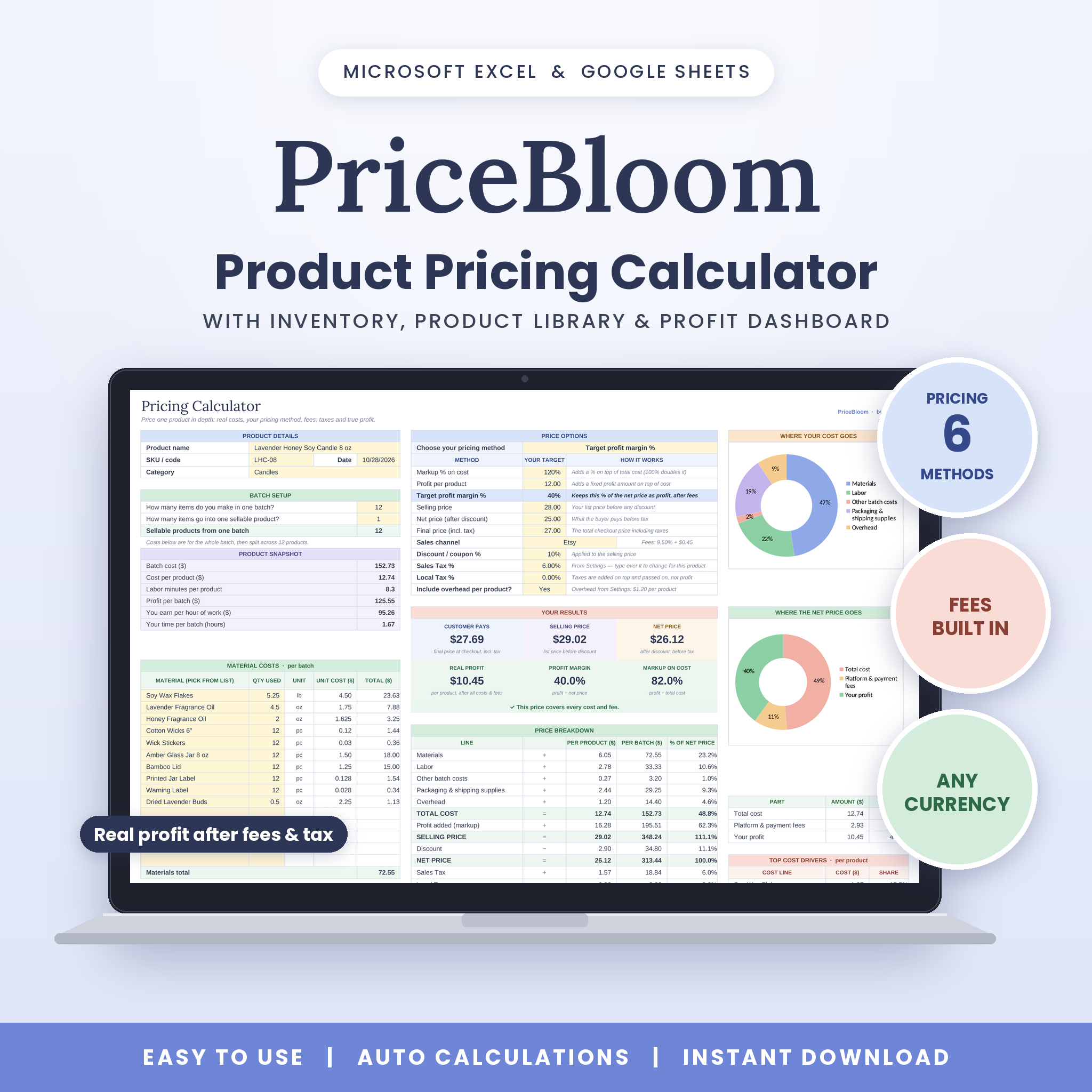
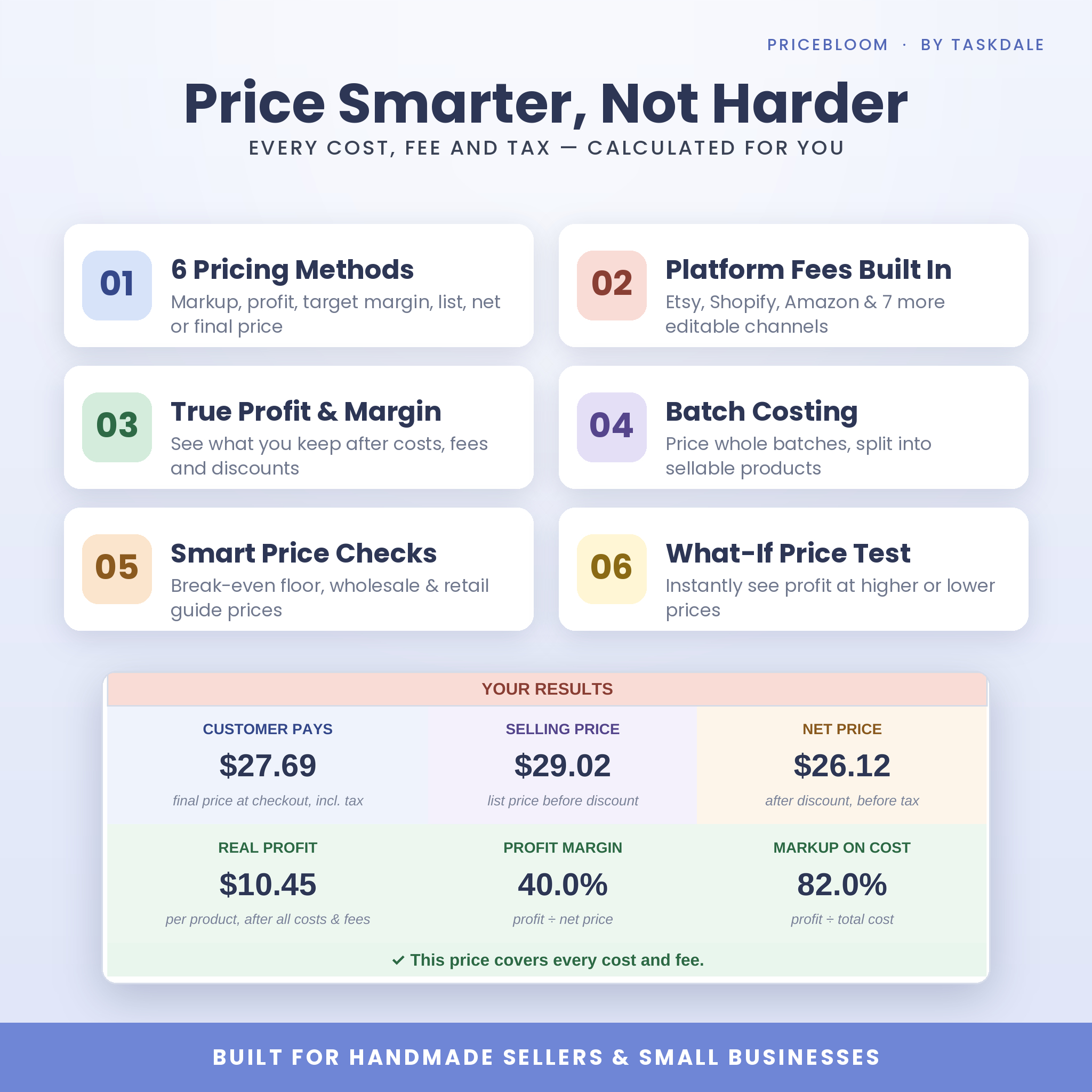
PriceBloom is a product pricing calculator spreadsheet for Microsoft Excel and Google Sheets that tells you exactly what to charge and how much you really keep. It adds up every cost behind a product (materials, labor, packaging, overhead), applies your chosen pricing method, then subtracts discounts, taxes and marketplace fees to reveal your true profit and margin. No more guessing, no more forgotten costs, and no more prices that quietly lose money.
A Product Pricing Calculator Built for Real Sellers
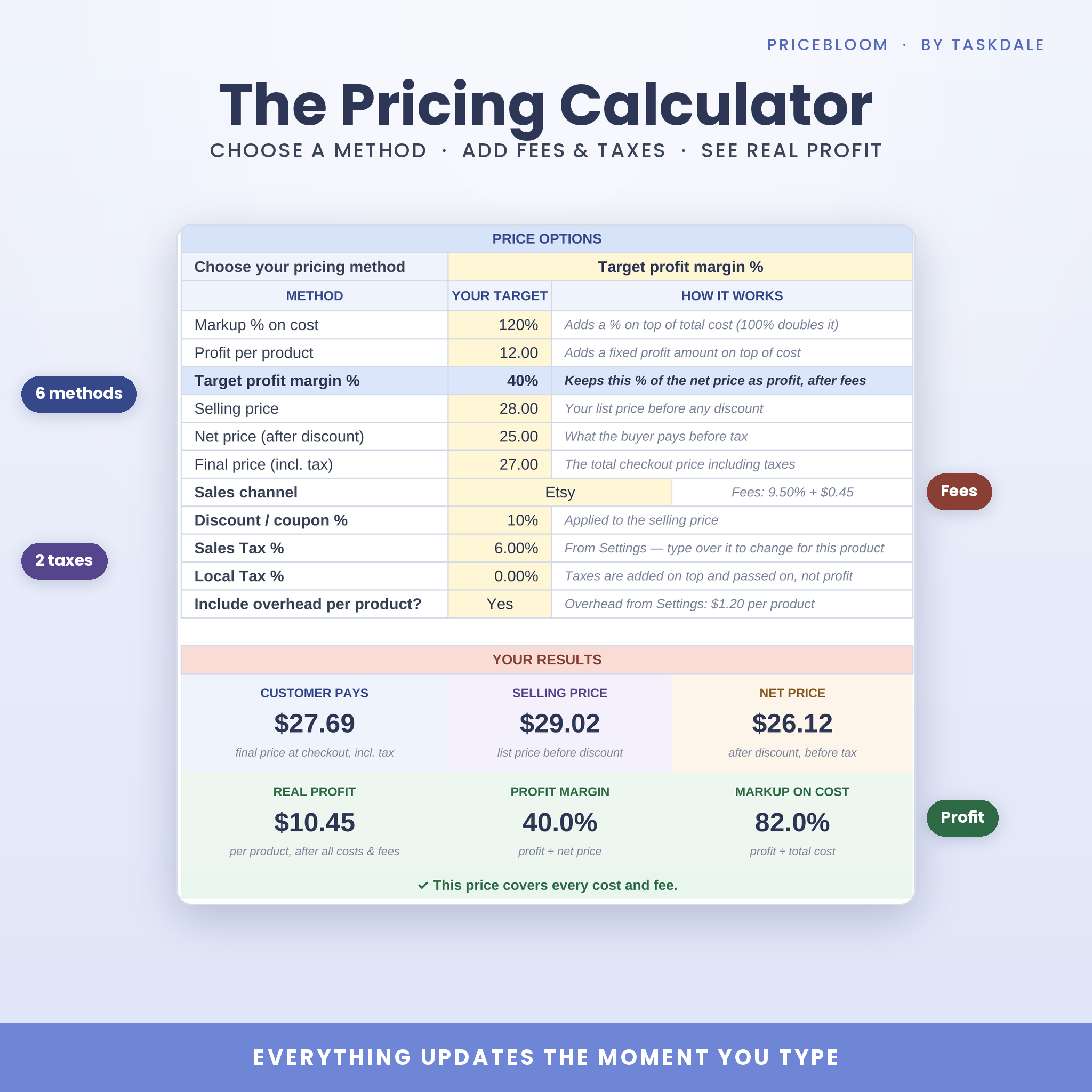
Most pricing templates stop at “cost × 2”. PriceBloom goes further. It knows that Etsy, Shopify, Amazon Handmade and card readers all take a cut, so it builds those fees into your price. Its Target profit margin method works backward from the margin you want and sets a price that still hits it after fees. Everything updates the moment you type, so you can test ideas in seconds.
Who It’s For
- Handmade sellers: candles, soap, jewelry, crafts, prints, bakes and more
- Etsy, Shopify, Amazon Handmade, website and craft-fair sellers
- Makers who sell both retail and wholesale
- Small product businesses and side hustles that want clear numbers without accounting software
Key Features
Pricing Calculator
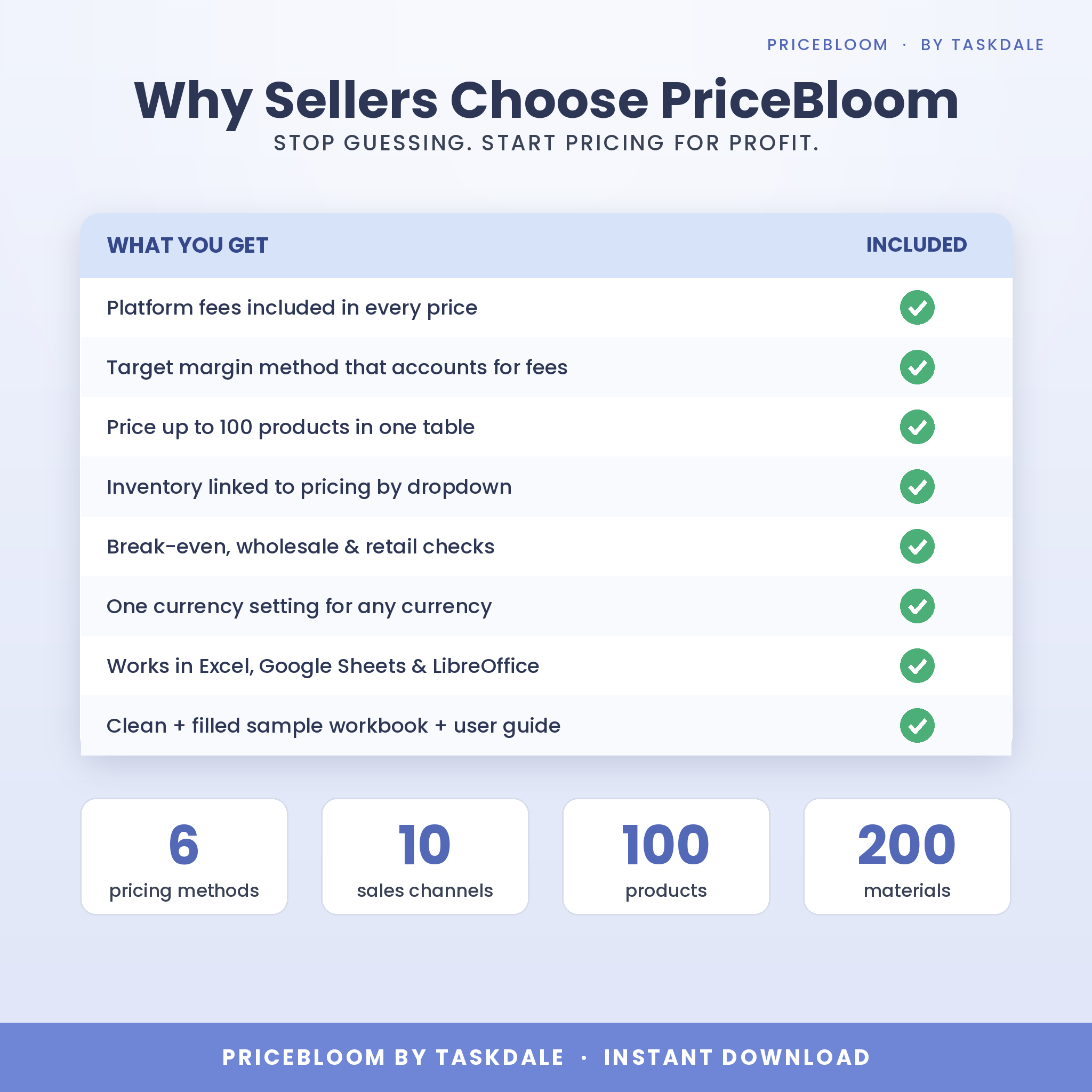
- 6 pricing methods: markup %, profit per product, target profit margin %, selling price, net price after discount, or final price including tax
- Batch costing: enter costs for a whole batch and PriceBloom splits them across your sellable products
- Material, labor, other batch costs and packaging tables, with materials picked from dropdowns
- Discount or coupon %, two custom taxes and per-channel platform fees
- Results at a glance: customer pays, selling price, net price, real profit, profit margin and markup
- Full price breakdown per product and per batch that always adds up to the cent
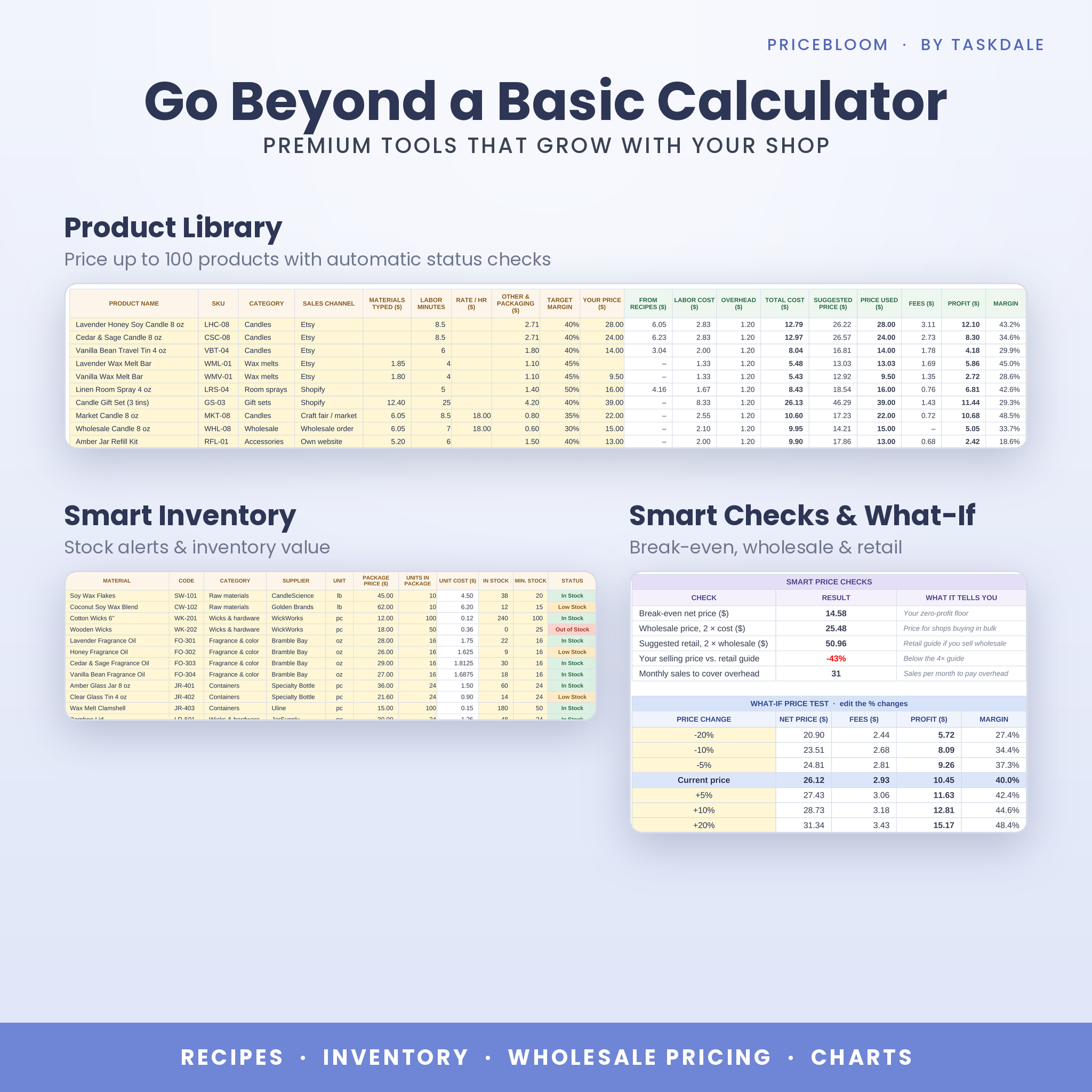
- Smart price checks: break-even price, wholesale (2× cost), suggested retail (4× cost) and monthly sales needed to cover overhead
- What-if price test: see profit and margin at higher or lower prices instantly
- Three automatic charts: where your cost goes, where the net price goes and your top cost drivers
Product Library
- Price up to 100 products in one table, with no need to duplicate tabs
- Suggested price at your target margin after fees, or enter your own price
- Automatic status for every product: On target, Below target or Losing money
- Wholesale and retail guide prices for every product
Materials & Inventory
- Track up to 200 materials with automatic unit cost from package price
- Stock levels with color-coded In Stock, Low Stock and Out of Stock alerts
- Inventory value, supplier, category and last-checked date
- Optional Recipes tab (400 lines) links materials to products so costs update when supplier prices change
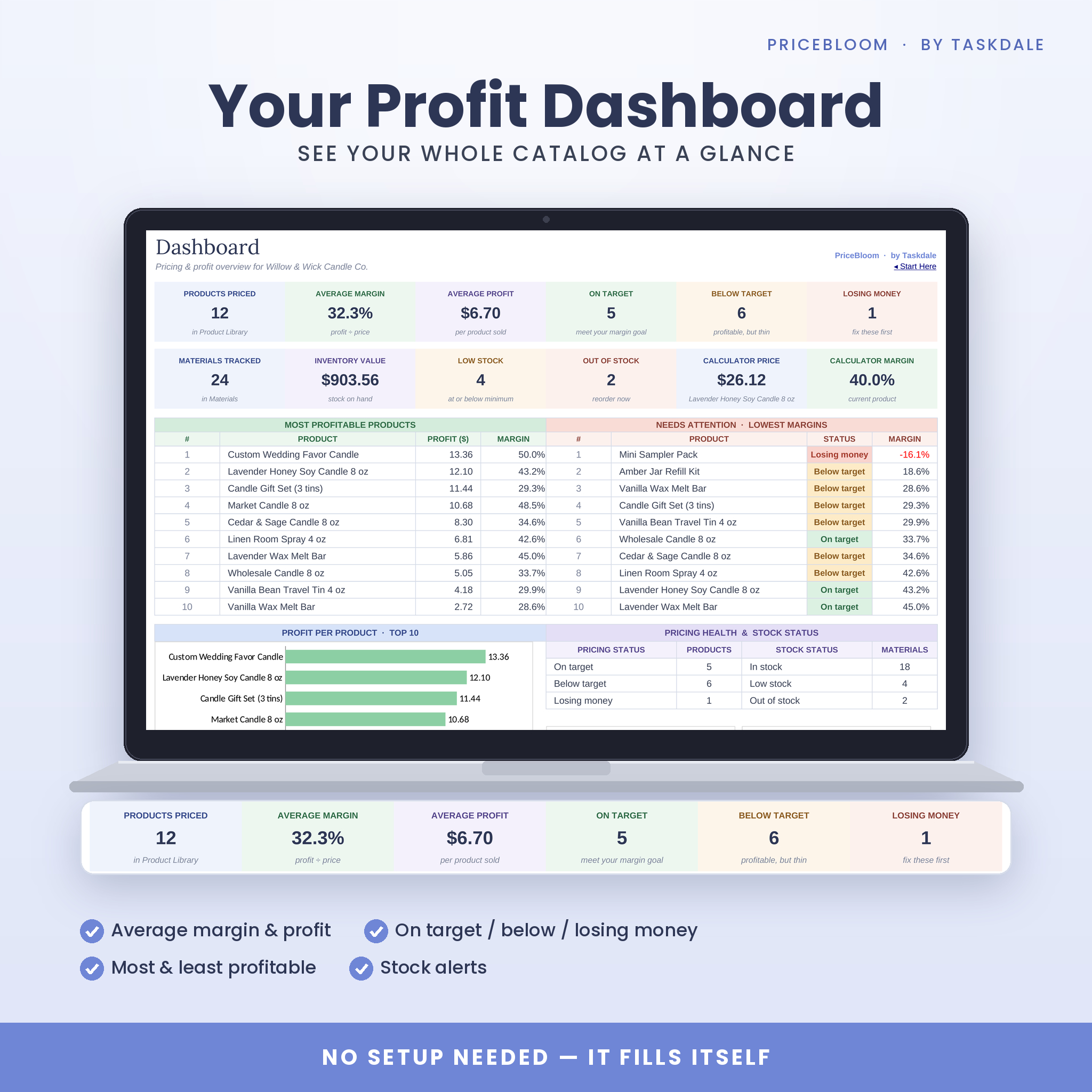
Profit Dashboard
- Products priced, average margin and average profit
- How many products are on target, below target or losing money
- Top 10 most profitable products and the 10 that need attention
- Inventory value and stock alerts, plus three charts
Settings
- One currency setting for every money value: $, €, £, A$, C$, R or any symbol you like
- 10 editable sales channels with percentage and fixed fees (2026 example rates included)
- Default labor rate, default target margin, two named taxes and optional monthly overhead
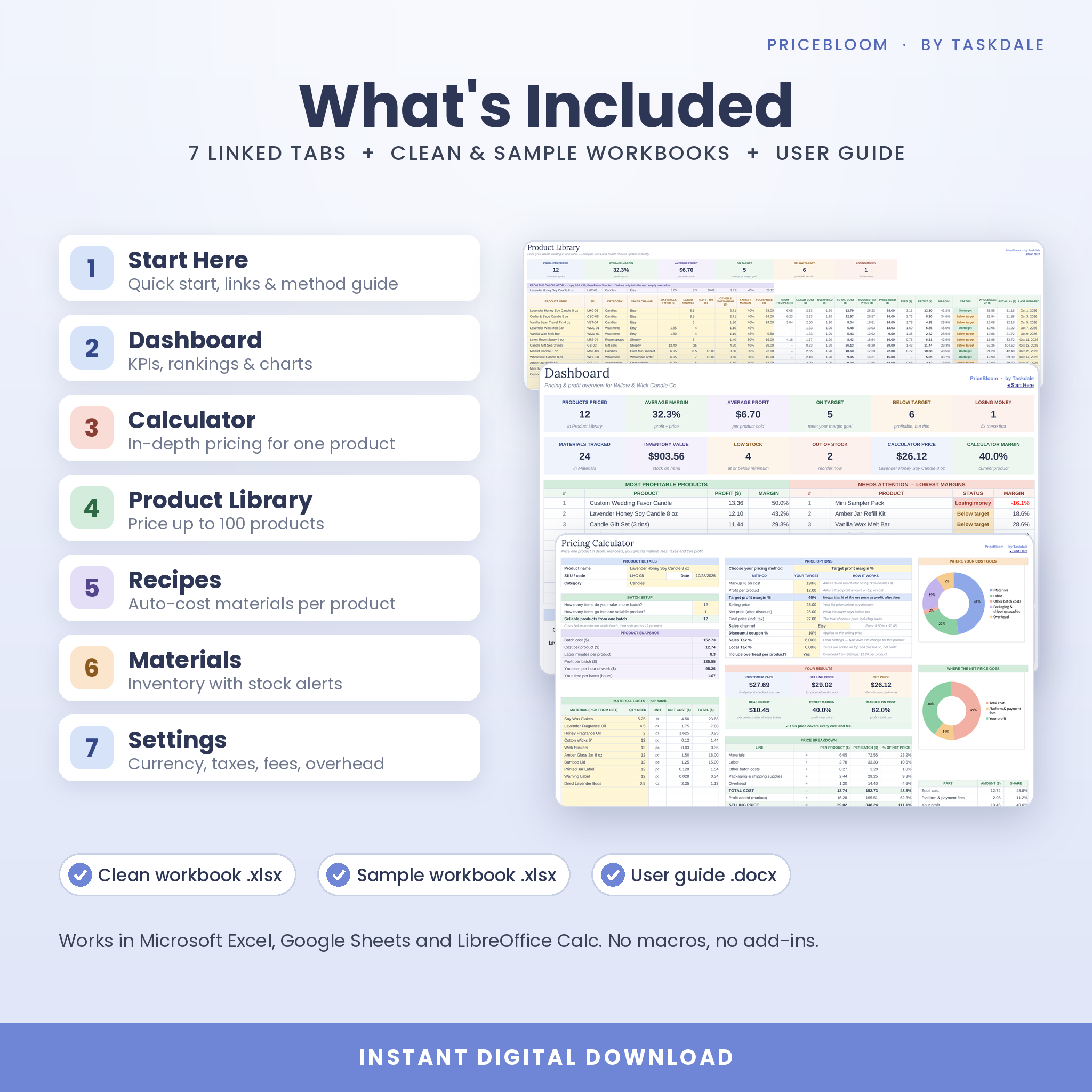
What’s Included
- PriceBloom-Pricing-Studio.xlsx: the clean workbook, ready for your products
- PriceBloom-Pricing-Studio-SAMPLE.xlsx: a fully filled example from a candle shop
- PriceBloom-User-Guide.docx: an illustrated step-by-step guide with troubleshooting and FAQs
The workbook has 7 linked tabs: Start Here, Dashboard, Calculator, Product Library, Recipes, Materials and Settings.
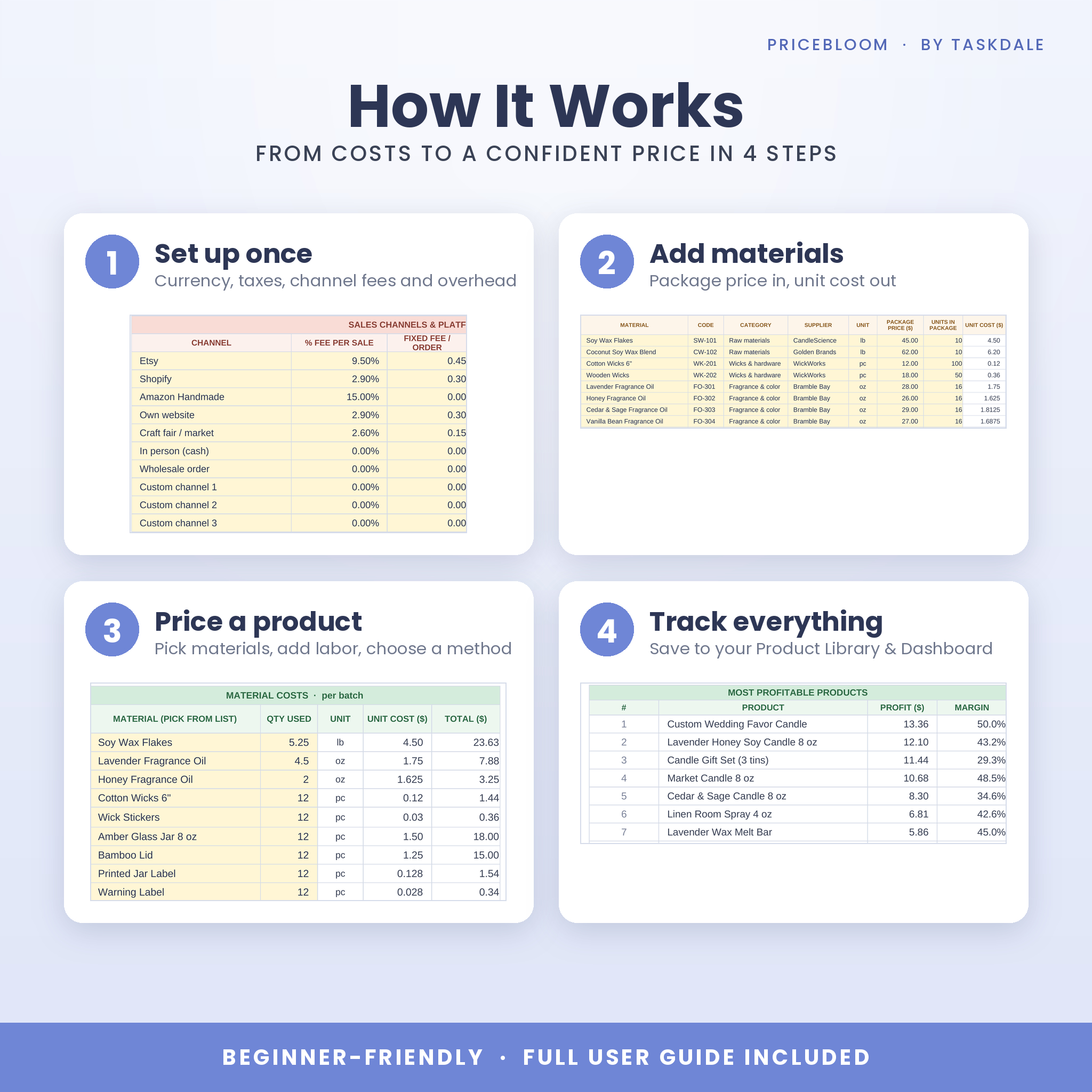
How It Works
- Set up once: add your currency, labor rate, taxes, channel fees and overhead in Settings.
- Add materials: enter package prices and sizes; unit costs calculate automatically.
- Price a product: pick materials, add labor and packaging, choose a pricing method and read your real profit.
- Track everything: save products to the Product Library and watch the Dashboard update.
Real-Life Use Cases
- A candle maker checks whether a new 8 oz jar still makes 40% after Etsy fees and a 10% coupon.
- A jewelry seller compares her Etsy and craft-fair prices side by side in the Product Library.
- A soap shop prepares wholesale quotes using the 2× cost wholesale price for each product.
- A side-hustle seller finds the products that lose money and fixes them first from the Dashboard.
- A maker raises prices with confidence after testing +10% and +20% in the what-if table.
File Formats & Software Requirements
- Format: .xlsx spreadsheet (two workbooks) plus a .docx user guide
- Tested in Excel for Microsoft 365 (web), Google Sheets and LibreOffice Calc
- Uses classic formulas only: no macros, no add-ins and no Office 365-only functions
- Google Sheets: upload the .xlsx file to Google Drive or Sheets (free Google account)
- Setup is easiest on a computer; view and edit on phones and tablets with the Excel or Google Sheets app
Customization
Soft-yellow cells are yours to type in. Calculated cells are protected without a password, so formulas stay safe but you can still unprotect a sheet to change colors, add a logo or adjust the layout. Rename sales channels, add units and categories, set your own what-if steps and use any currency.
Digital Download
This is a digital product. No physical item will be shipped. Your files are available to download immediately after purchase.
Frequently Asked Questions
Does this pricing calculator work in Google Sheets?
Yes. Upload the .xlsx file to Google Sheets and every formula, dropdown and chart works. It was tested in Google Sheets, Excel for Microsoft 365 (web) and LibreOffice Calc.
Does it include Etsy fees?
Yes. Etsy, Shopify, Amazon Handmade, own website, craft fair and more are preset with example fees you can edit. Fees are deducted to show real profit.
Can I use my own currency?
Yes. Change one currency setting and every money label follows it.
How many products can I price?
Up to 100 products in the Product Library, 200 materials and 400 recipe lines, plus in-depth pricing in the Calculator.
What is the difference between markup and margin?
Markup is profit as a percentage of cost; margin is profit as a percentage of the selling price. PriceBloom shows both and lets you price by either.
Can I use it for wholesale pricing?
Yes. Every product shows a wholesale price (2× cost) and a suggested retail price (2× wholesale), and the Calculator compares your price with the retail guide.
Is it beginner friendly?
Yes. A Start Here tab, a color key, a filled sample workbook and an illustrated step-by-step guide walk you through every step.
Can I share or resell it?
No. Your purchase is a personal, single-business license. Reselling, sharing or redistributing the files is not permitted.
PriceBloom is a planning tool and not financial, tax or legal advice. Fee and tax rates are examples; always confirm current rates for your platform and location. © 2026 Taskdale.
Reviews
There are no reviews yet.