A payment processor payout bundles sales, fees and refunds into one deposit, so you have to unpack it.
Match the bank deposit to the processor’s payout report first, then match the sales, fees and refunds to that payment processor payout using its payout ID. If the bank shows $126.24, the spreadsheet should explain exactly how those transactions add up to $126.24 without treating the deposit itself as a sale.
The same workflow applies whether the payment processor payout covers downloadable planner inserts, printed refills or both. Keep three dates separate: when the customer paid, when the payment processor payout was issued and when the bank posted it. They can fall in different months.
The spreadsheet workflow for matching a payment processor payout to many transactions
Start with the bank line and identify the payment processor payout. Record the bank posting date, amount, currency and statement reference. Open the processor’s payout report and look for the same net amount, settlement currency and destination account. If two payouts have the same amount, use the transfer reference or payout ID to tell them apart. Don’t assume the payout date will match the bank posting date.
Export the activity that belongs to that payment processor payout. Download the payment processor payout detail or settlement report, not just an order export for the week. An order export can tell you what a customer bought. The settlement report tells you which sales, refunds, fees and adjustments actually moved the processor balance and which payout included them. Save the original file and note the payment processor payout ID before sorting or filtering anything.
Set up three tabs with one row per record. Keep bank lines on
Bank, processor transfers onPayoutsand balance movements onActivity. The payout ID connects one payout row to many activity rows. The transfer reference, where available, connects the payout to the bank line. Use separate fields for the processor’s transaction ID and your shop’s order ID: one order can have a sale in March and two partial refunds in April.Tab One row represents Fields to retain BankOne statement entry Posting date, account, reference, currency, signed amount PayoutsOne processor transfer Payout ID, issue date, currency, reported net, matched bank reference and amount ActivityOne processor balance movement Payout ID, movement ID, activity date, order ID, type, settlement currency, signed amount Keep source IDs as text so that leading zeroes aren’t removed. Before combining exports from two shops or processors, add a source account field to the matching key or keep separate tabs. A payout ID that’s unique in one account isn’t a safe workbook-wide key by itself.
Normalise the signs without counting any fee twice. Sales increase the processor balance; refunds and fees reduce it. A fee credit increases it. If the report shows a $48.00 gross sale, a $2.04 fee and a $45.96 net amount on one row, use either two movements of
48.00and-2.04or one reconciliation movement of45.96with gross and fee retained in separate columns. Don’t add the net amount to the gross and fee. Keep reserves, dispute movements and other adjustments under their own types instead of putting every deduction inFees.Calculate two differences, not one. With the
Activitycolumns in the order shown above, column A contains the payout ID, F the settlement currency and G the signed amount. OnPayouts, put the payout ID in A, currency in C, reported net in D and matched bank amount in F. These formulas work in Excel and Google Sheets:Check Formula on row 2 What a zero means Activity less reported payout =ROUND(SUMIFS(Activity!$G:$G,Activity!$A:$A,A2,Activity!$F:$F,C2)-D2,2)The assigned activity explains the processor’s transfer amount Reported payout less bank deposit =IF(F2="","",ROUND(D2-F2,2))The transfer amount agrees with the matched bank line These formulas use two decimal places for USD. If multiple processor accounts share the tabs, add the source account as another
SUMIFScriterion. Keep the second check blank until you have a bank match. A zero is an amount check, not proof of identity: verify the reference and make sure the same bank line hasn’t been assigned to a second payout.Record the transfer without duplicating income. If sales, refunds and fees are already booked against a processor clearing account, the bank deposit moves money from clearing to the bank. It doesn’t create more sales. If you’ve only been recording bank deposits as income, check how the underlying activity should be posted before changing the bank-feed rule. For the bank side of the close, use the same evidence and posting-date checks as in a bank statement to cash book reconciliation.
An Etsy seller who also tracks the paper and other materials used for printed inserts can use the Margin Atlas Etsy seller bookkeeping spreadsheet for sales, expenses and inventory. Keep the original settlement export alongside it so the bank match can be traced back to the processor’s own records.

Worked example: a $126.24 payout that crosses month-end
A planner insert shop receives a $126.24 bank deposit on 2 April. The processor issued payout PO-3103 on 31 March for $126.24, and the bank reference agrees with the processor’s transfer confirmation. The following figures are illustrative and in USD. No sales tax is included in the example.
The settlement export contains three sales, three processing fees, one partial refund on an older order and a fee credit. Another sale happened on 31 March but belongs to the next payout. The order date alone can’t distinguish those two groups.
| Activity date | Payout ID | Order | Movement | Signed amount |
|---|---|---|---|---|
| 28 March | PO-3103 | O-241 | Printed monthly insert sale | $48.00 |
| 28 March | PO-3103 | O-241 | Processing fee | −$2.04 |
| 29 March | PO-3103 | O-242 | Printed insert bundle sale | $72.00 |
| 29 March | PO-3103 | O-242 | Processing fee | −$2.76 |
| 30 March | PO-3103 | O-243 | Printable insert sale | $36.00 |
| 30 March | PO-3103 | O-243 | Processing fee | −$1.68 |
| 31 March | PO-3103 | O-229 | Partial refund | −$24.00 |
| 31 March | PO-3103 | O-229 | Fee credit | $0.72 |
| 31 March | Next payout | O-244 | Sale less its $1.20 fee, shown net | $30.80 |
The activity check for PO-3103 is $156.00 − $6.48 − $24.00 + $0.72 = $126.24. Enter $126.24 as the reported net and $126.24 as the matched bank amount when the April line arrives. Both differences are then zero. Don’t pull the original sale for O-229 into this payout: only the refund and fee credit belong here.
Assume the prior payment processor payout is fully cleared and the opening processor clearing balance is zero. The March activity in the table adds $157.04 to clearing: $126.24 for PO-3103 and $30.80 still due to settle. If the books recognise the transfer when it’s issued, move $126.24 from processor clearing to a cash-in-transit account on 31 March. On 2 April, move that amount from cash in transit to the bank. The $30.80 stays in processor clearing until its own payment processor payout.
At 31 March the activity check can already show zero while the bank check stays blank. Mark the payout in transit, not bank-matched. If the books record the transfer only when the bank posts it, keep the issued $126.24 separately identified within the clearing schedule so it doesn’t get mistaken for sales still waiting to settle. For the next close, carry the deposit in transit forward with its original reference rather than recreating it as April income.
Fix the mismatch at the point where it starts
The activity total doesn’t match the payout report
Filter by payout ID before filtering by date. In the worked example, adding the other 31 March order makes the activity total $157.04, a $30.80 overstatement. Leaving out the $0.72 fee credit gives $125.52, a $0.72 shortfall. Start with the signed difference, then subtotal by movement type and compare those subtotals with the processor’s breakdown.
Check for repeated imports by movement ID and source account. A download for 25 to 31 March and another for 28 March to 3 April can contain the same fee row. Don’t remove duplicates by order ID: the sale, fee and partial refund can all belong to one order without being duplicates. If the difference remains, trace the nonzero reconciliation difference without posting a balancing adjustment.
The payout is right but the bank amount or reference doesn’t match
Check currency and transfer status first. A payout sent in USD can arrive in GBP, so subtracting one displayed amount from the other doesn’t measure a reconciliation difference. Retain the original settlement amount and currency, then reconcile the amount credited in the bank currency using the documented conversion and any evidenced charges. If the bank lists a charge on a separate line, reconcile that line separately rather than silently reducing the deposit.
If the processor or bank confirms that one bank credit combines two transfers, use a match tab with one row per allocation. For a $200.00 credit covering payouts of $126.24 and $73.76, record both payout IDs against the same bank line and check that the allocations sum to $200.00. If one payout arrives in parts, use the same tab in reverse: multiple bank references against one payout ID. Don’t make either match on amount alone.
The payout agrees but sales or profit still look wrong
A payout can reconcile to the penny even if the bookkeeping classification is off. A reserve hold reduces spendable funds without necessarily being an expense. A refund can affect a later payout than the original sale. Where an order total includes tax collected for a tax authority, use the tax breakdown and check who remits it before classifying the full customer payment as revenue.
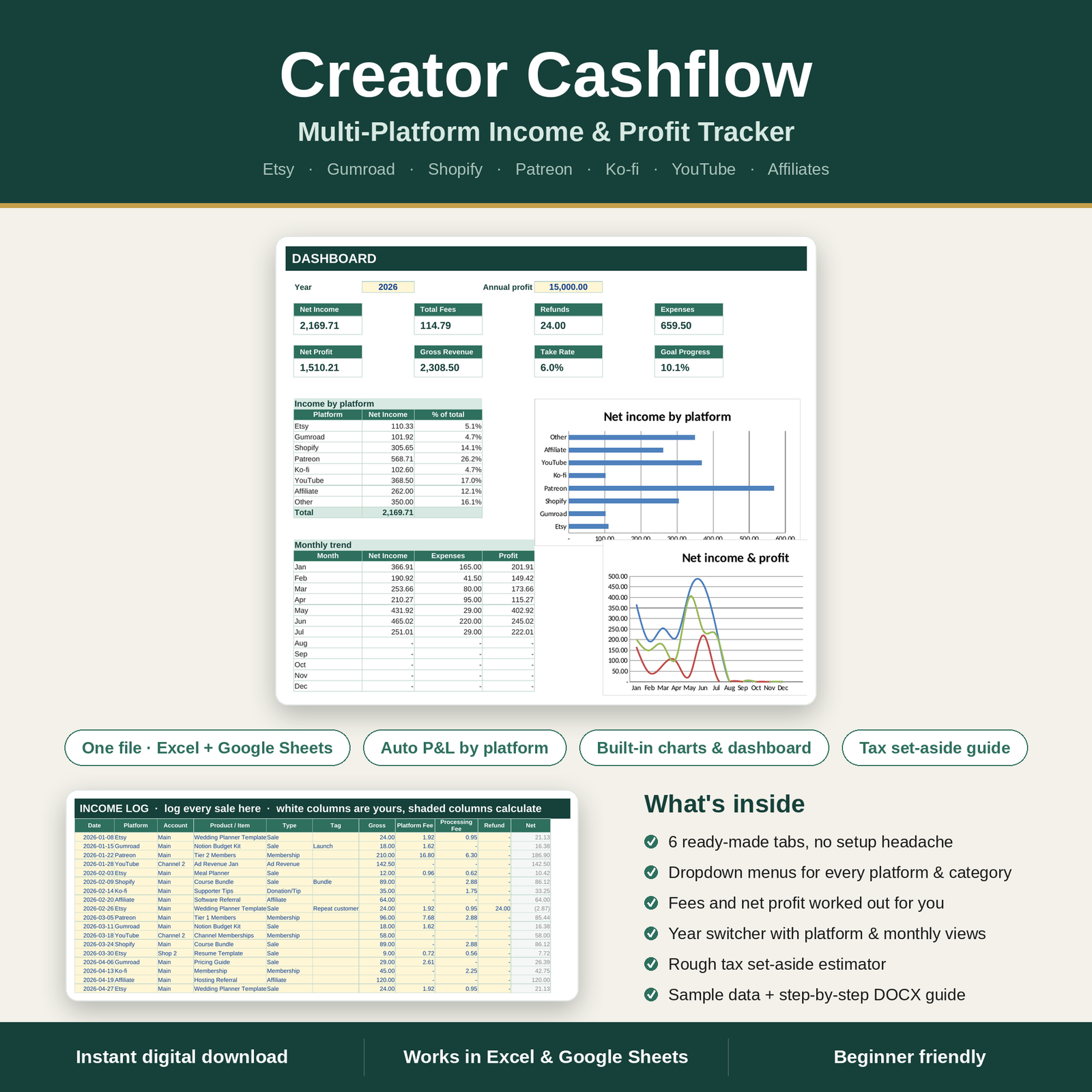
For a shop selling printables on Gumroad as well as finished refills on Etsy, the Creator Cashflow multi-platform income tracker can provide a single view of sales and fees across platforms. Keep the matching keys separate by platform even when the income goes to the same bank account.
Keep planner insert purchases out of the sales settlement
Printing and assembling planner inserts can involve bought-in pages as well as paper and other supplies. If the business buys a letter-size disc refill, a letter-size punched refill, A5 monthly pages, A5 project pages or six-ring monthly pages, match that purchase to its supplier invoice and outgoing payment. Don’t deduct it from PO-3103 to make the deposit reflect the margin on the order. The settlement calculation and the product margin calculation answer different questions.
Reference formats for the purchase register
Record page size and binding format separately on the purchase line. The first two listings below are both 8.5 × 11 inches, but one is for discs and one specifies a punched format. Keep the ASIN with the receipt if the product names on the invoice and stock record differ.
- 2027–2028 11-disc monthly refill lists 18 monthly calendars in 8.5 × 11 inches.

- 2027–2028 7/3-hole monthly refill lists 18 monthly calendars in 8.5 × 11 inches.

- Forvencer 2027 A5 monthly refills specify a six-hole punch.

- A5 six-hole project planner inserts list 100 double-sided sheets, or 200 pages. Use the sheet count if stock is issued by physical sheet.

- 2027–2028 monthly inserts for six-ring binders specify the ring format. Confirm page dimensions and ring spacing before assigning them to an existing binder stock code.

Set a status for every payout at month-end
Use distinct statuses for activity difference, in transit and bank-matched. If no bank line has arrived, call the payment processor payout in transit only when the processor confirms it was issued and the activity check is clear. A failed or reversed transfer stays open for investigation. That distinction tells the next reviewer whether to look for a missing settlement row, an incoming bank credit or a processor reversal.
For a bookkeeper managing several shop closes, the Tieout month-end close checklist and tracker provides a 14-step close log and a client-by-month grid. Store the payout reference and the workbook or export location with the reconciliation record, so a waiting item has evidence behind it.
Before locking the month, filter for every payout that isn’t bank-matched. For each open row, leave the amount, the next action and a review date. For PO-3103, the March note would read: “$126.24 issued 31 March; check the April bank feed against this transfer reference.” Once the 2 April credit is verified, enter the actual posting date and close that same row.
