


HomeBase ADHD Life: Adhd Life Planner App
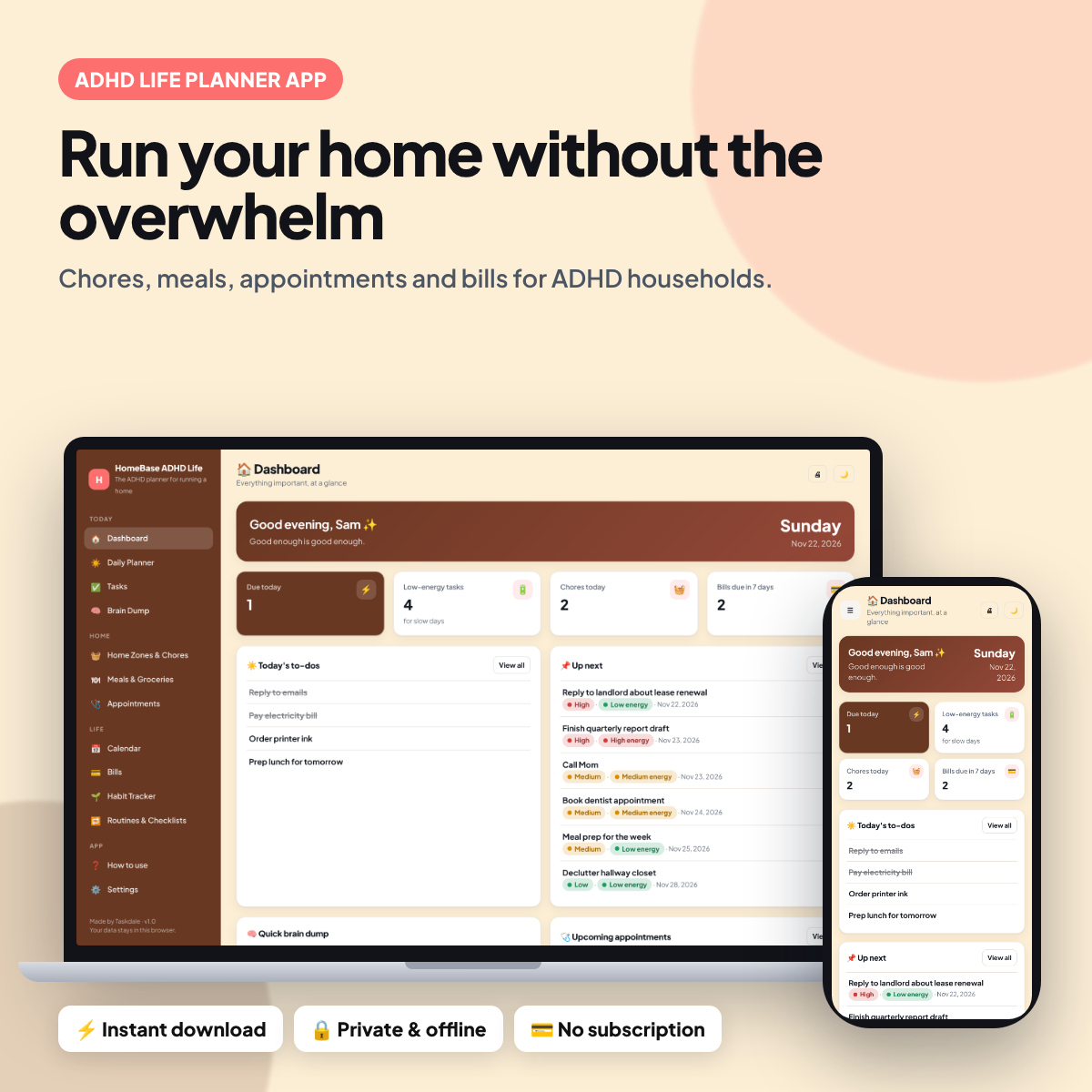
HomeBase ADHD Life is an ADHD life planner app for adults running a household, with or without kids. It breaks housework into tiny, timed chores by zone, plans meals and groceries, tracks appointments for the whole family with prep checklists and keeps bills from slipping.
Energy-based tasks, a brain dump, habits and routines support the ADHD side of life, and one calendar shows everything together.
Who this ADHD life planner app is for
- ADHD parents juggling home and family
- Adults with ADHD who struggle with housework
- Anyone forgetting appointments and bills
- People who want one calm home dashboard
Main benefits
- A calmer home in 10 minutes
- No more forgotten appointments
- Works offline and private
- No account or subscription
- Phone, tablet & desktop layouts
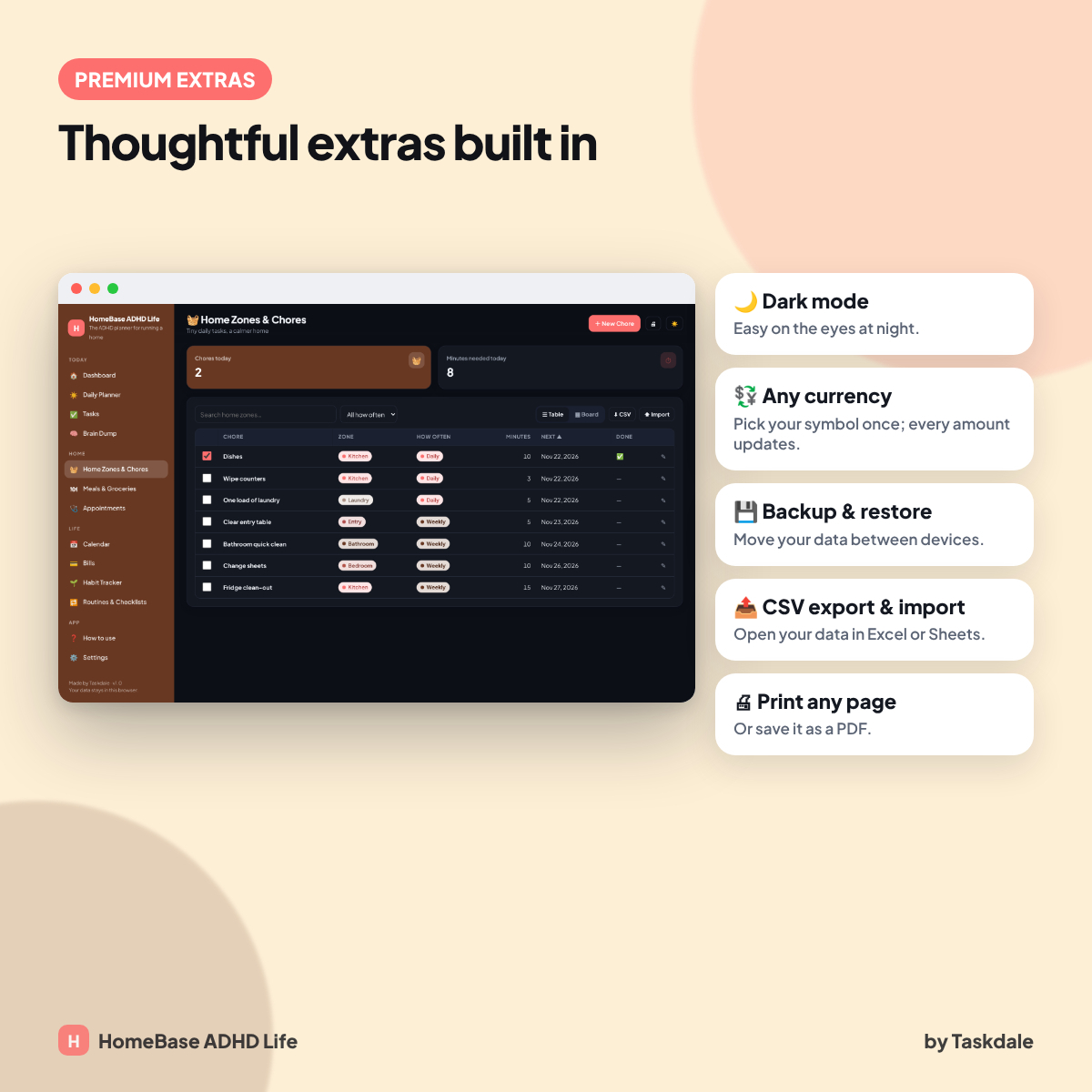
- Dark mode + any currency
- Sample data to learn fast
- Backup, CSV export & print
Features of the ADHD life planner app
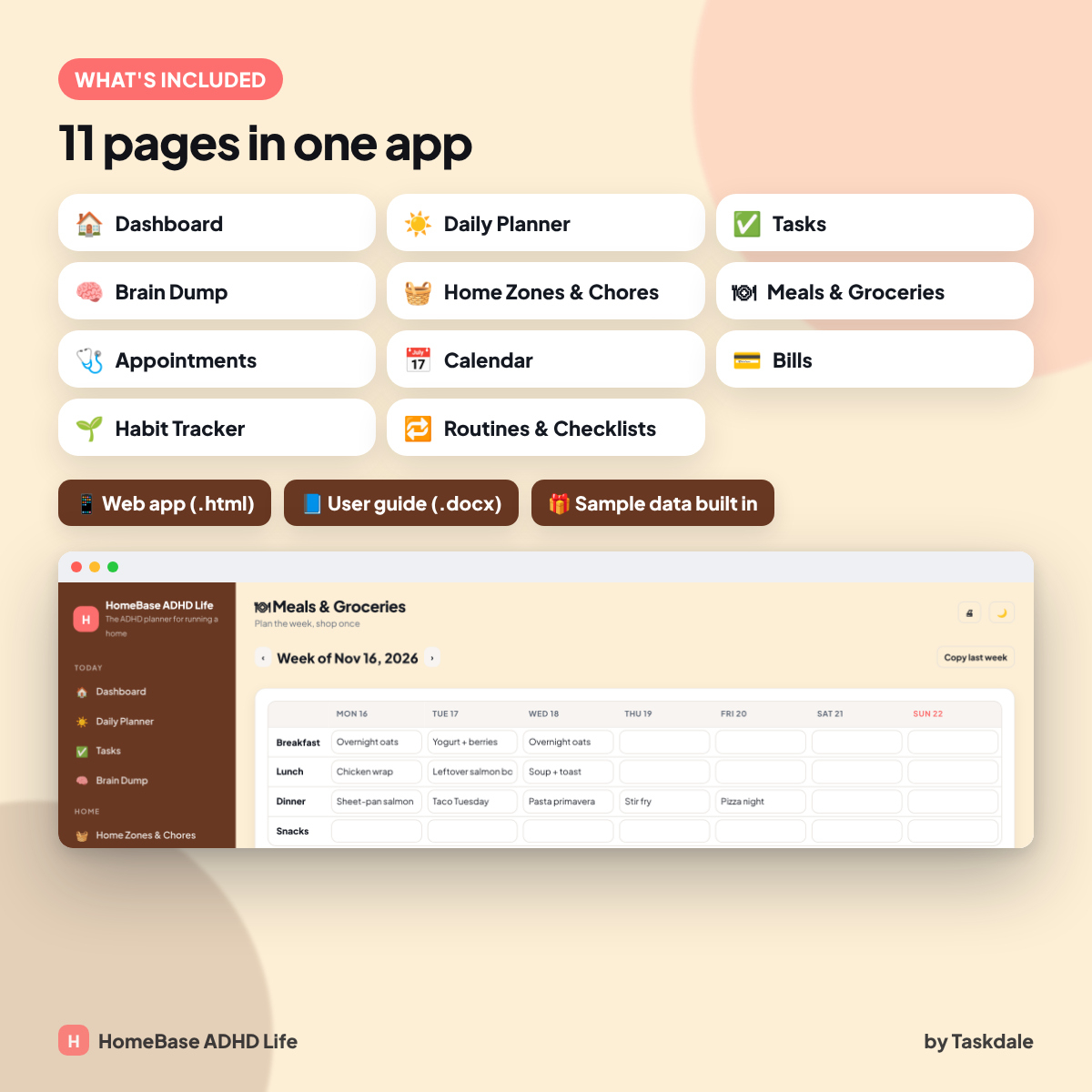
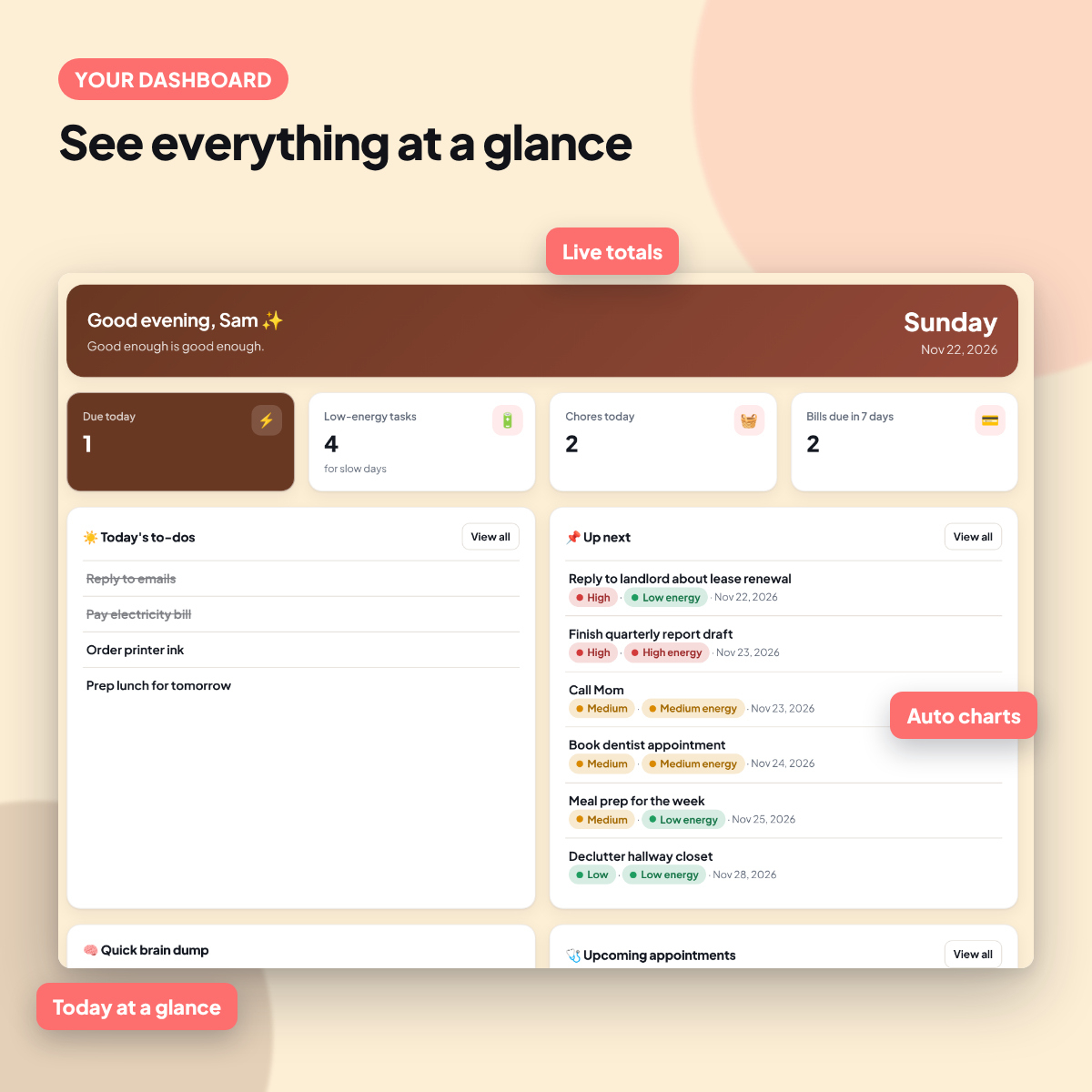
- Dashboard: Your overview with live totals, charts and what needs attention next.
- Daily Planner: Plan one day at a time with top priorities, an hourly schedule, to-dos, water and mood.
- Tasks: Every task with priority, category, due date, time estimate and subtasks, plus an energy level. Board, table and calendar views.
- Brain Dump: Capture every thought as a sticky note, then turn any note into a task.
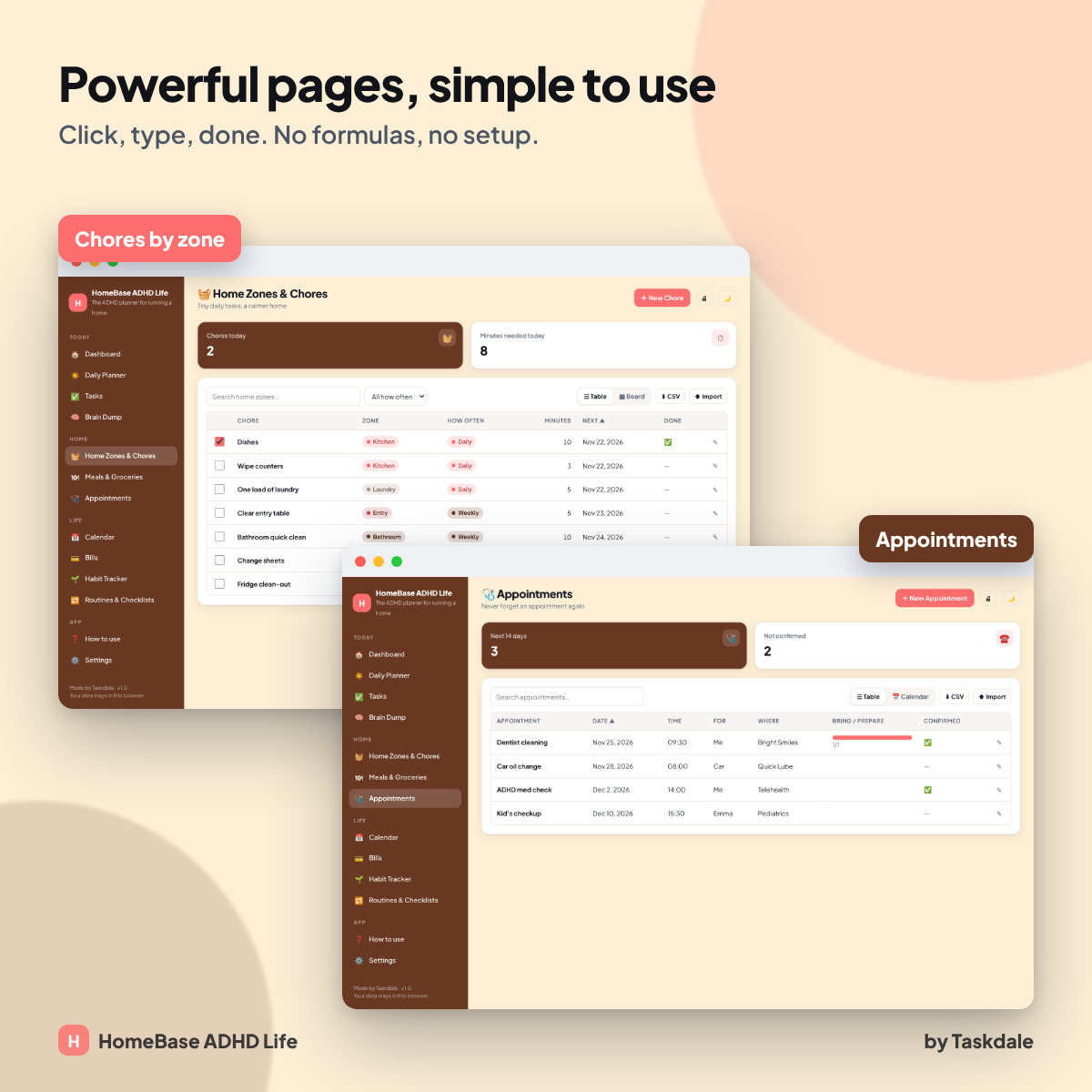
- Home Zones & Chores: Chores by zone and frequency with minutes needed, so you can pick quick wins.
- Meals & Groceries: A weekly meal grid and a grocery list sorted by aisle.
- Appointments: Appointments for everyone in the house with time, place, a prep checklist and confirmation.
- Calendar: A monthly calendar that pulls in every dated item from the app.
- Bills: Recurring bills with due dates and autopay. Marking a bill paid schedules the next one.
- Habit Tracker: Track daily habits on a monthly grid with streaks and monthly scores.
- Routines & Checklists: Reusable routine checklists with progress you can reset anytime.
Built-in extras
- Dark mode: Switch between light and dark themes.
- Any currency: One currency setting that every money value reads from ($ by default).
- Backup and restore: Export all your data to a file and restore it on any device.
- CSV export and import: Open your tables in Excel or Google Sheets, or bring data in.
- Print-ready pages: Print any page or save it as a PDF.
- Sample data: explore a fully filled-in example, then clear it with one click.
Why an app instead of a spreadsheet or PDF?
- Nothing to break: there are no formulas to copy or cells to protect. Totals, charts and progress bars calculate themselves.
- Faster to use: add an entry with a simple form, search and filter in one click, and switch between table, board and calendar views.
- Private by design: HomeBase ADHD Life runs in your own browser and never uploads your data.
What’s included
- HomeBase ADHD Life web app (one .html file, 11 pages)
- HomeBase ADHD Life User Guide (.docx) with setup steps, feature walkthroughs, tips, troubleshooting and FAQ
- Built-in sample data and quick start page
How it works
- Download the ZIP file after purchase and unzip it.
- Double-click the .html file. It opens in your web browser like an app, with no install.
- Click Explore sample data to see it filled in, or start adding your own entries.
- Set your name and currency in Settings, and export a backup now and then.
File format and software requirements
- Format: one HTML web app file (.html) plus a Word user guide (.docx), delivered in a ZIP.
- Tested in Google Chrome on desktop and on phone-sized screens. It uses standard HTML, CSS and JavaScript with no plugins.
- No internet connection, account or subscription needed after download.
- Your data is stored locally in your browser. It does not sync between devices automatically; use the backup file to move it.
Customization
- Add, rename and delete your own entries, categories and lists
- Choose your currency symbol and add your name for a personal greeting
- Switch between light and dark mode
Digital download
This is a digital product. No physical item will be shipped. Your files are available to download right after checkout.
Use cases
- Morning: see chores due today and the minutes they need.
- Sunday: plan meals and confirm appointments.
- Bill day: tick it paid.
FAQ
Do I need internet or an account?
No. The app is a single file that runs in your web browser. After download it works offline, with no sign-up and no subscription.
Where is my data saved?
Privately in your browser on your device. Nothing is uploaded anywhere. Use Settings → Export backup to keep a copy or move your data to another device.
Can I use it on my phone or tablet?
The layout adapts to phone and tablet screens. We test it in Google Chrome on desktop and on phone-sized screens. Data is stored per device and browser, so use the backup file to move it between devices.
Can I change the currency?
Yes. Choose any currency symbol in Settings and every money value in the app updates. The default is $.
Is there a free version?
Yes, a free version with a few pages is available on our blog so you can try it first. This listing is the complete app.
Can I print or export my data?
Yes. Every page has a print button (print or save as PDF), and every table can be exported to CSV for Excel or Google Sheets.
Licence: personal use only. You may not resell, share or redistribute the files. © Taskdale.
Reviews
There are no reviews yet.