


AI Prompts for Teachers That Give You Usable First Drafts
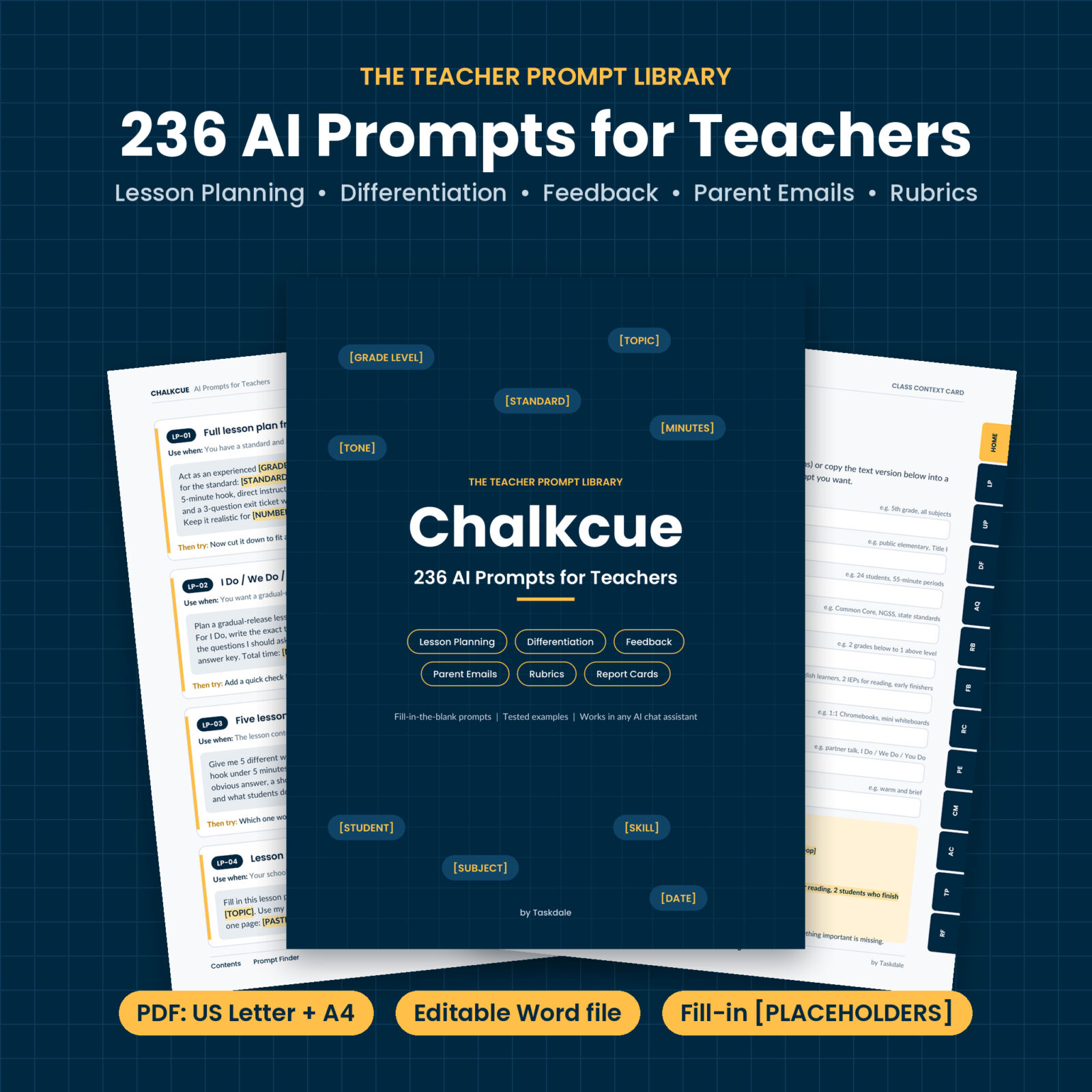
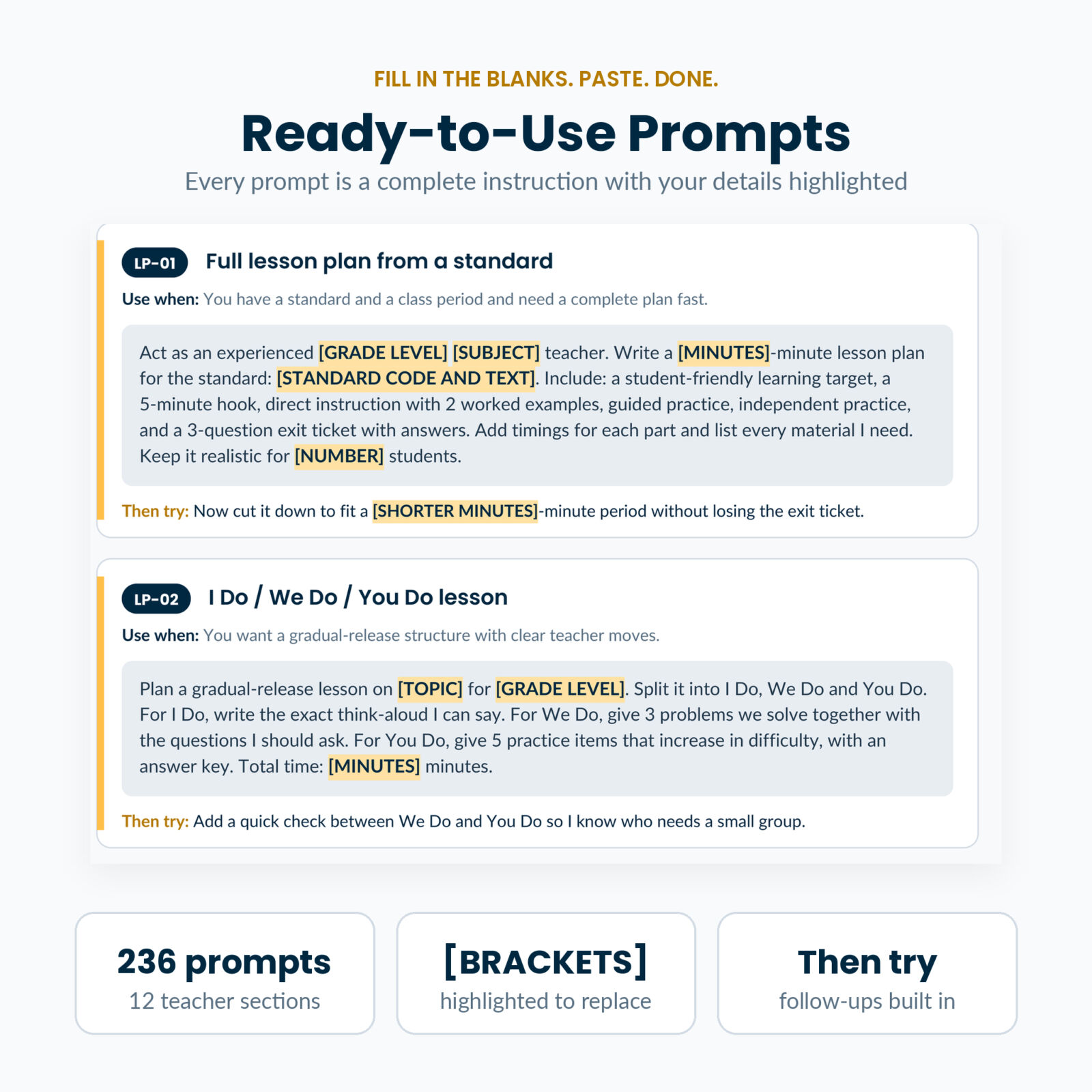
Chalkcue is a library of 236 AI prompts for teachers, written for the jobs that eat your evenings: planning lessons, adapting materials, writing rubrics, giving feedback, drafting report card comments and answering family emails. Each prompt is a complete instruction with your details left as highlighted [PLACEHOLDERS]. Fill them in, paste the prompt into the AI chat assistant your school allows, and you have a first draft to shape in minutes.
Most prompt lists online are one-liners like “write a lesson plan about fractions”. You get a generic answer back. Chalkcue prompts tell the AI the role, your class, the task, the format and the limits, so the answer fits your room. A 50-minute 4th grade fractions lesson with timings, two worked examples and an exit ticket with answers. A calm 170-word reply to an upset parent. A four-level rubric with observable descriptors.
Who It Is For
- K-12 classroom teachers in any subject
- New teachers who want a strong starting point for plans, rubrics and family messages
- Special education, ELL and intervention teachers who adapt materials every day
- Homeschool parents, tutors and co-op leaders
- Instructional coaches building AI habits with their team
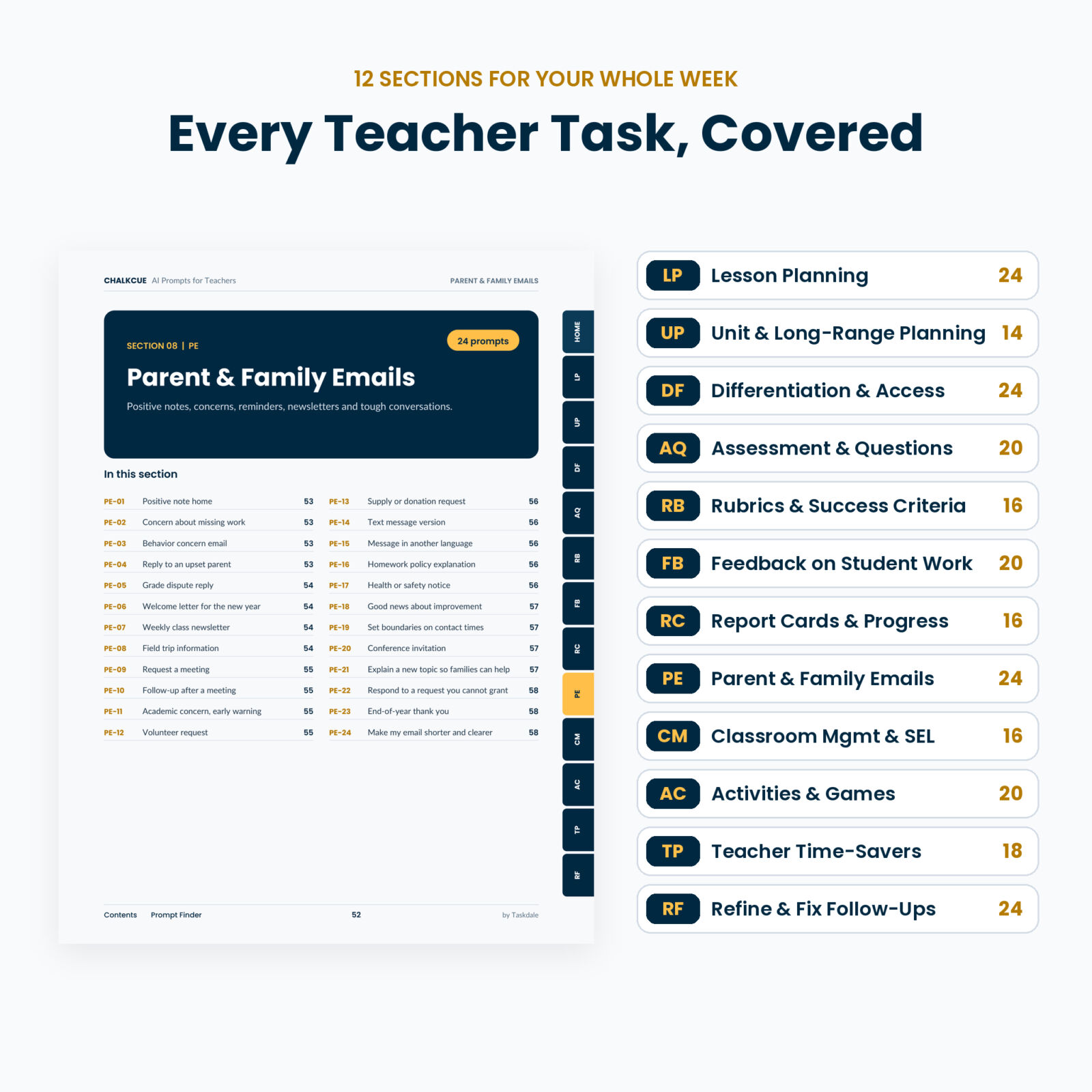
What Is Inside: 12 Sections of Teacher Prompts
- Lesson Planning (24): full plans from a standard, I Do / We Do / You Do, hooks, mini-lessons, observation lessons, shortened-day plans
- Unit & Long-Range Planning (14): backward design units, scope and sequence, catch-up pacing, spiral review calendars
- Differentiation & Access (24): one task at three levels, texts rewritten at a lower reading level, English learner scaffolds, applying listed accommodations, extension tasks, choice boards
- Assessment & Questions (20): quizzes with misconception-based distractors, exit tickets, item banks, quiz data analysis
- Rubrics & Success Criteria (16): analytic and single-point rubrics, student-friendly versions, group work and presentation rubrics
- Feedback on Student Work (20): comment banks, glow and grow, feedback against a rubric, peer feedback routines
- Report Cards & Progress Notes (16): comments from your notes, comment banks by skill, conference prep, character-limit trims
- Parent & Family Emails (24): positive notes, missing work, behavior concerns, upset parent replies, newsletters, translations
- Classroom Management & SEL (16): routines, restorative conversations, de-escalation phrases, behavior support drafts
- Activities, Games & Engagement (20): review games, escape rooms, stations, debates, Socratic seminars
- Teacher Time-Savers (18): emergency sub plans, admin emails, meeting notes to action items, grant drafts
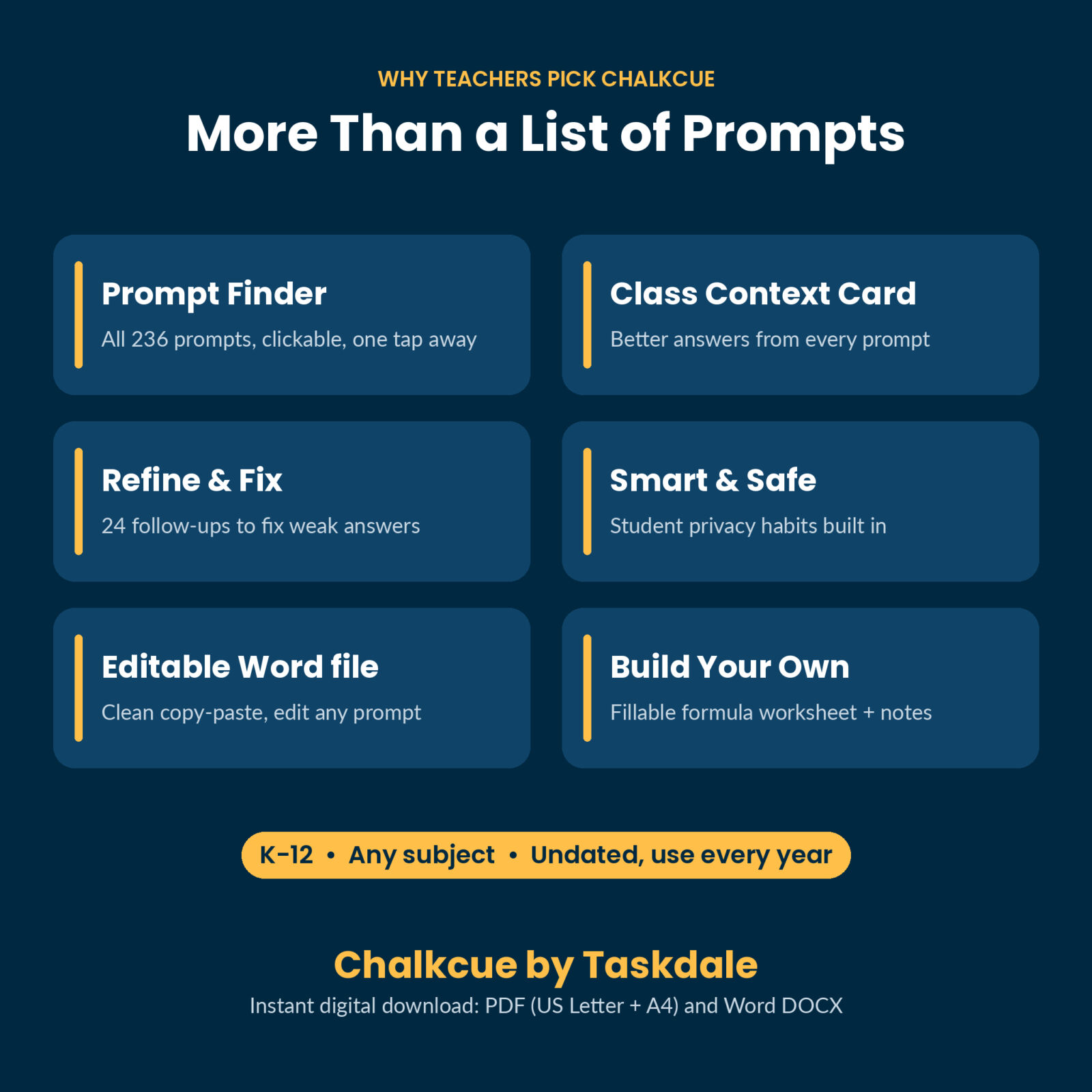
- Refine & Fix Follow-Ups (24): paste after any answer to make it shorter, simpler, more specific, checked or printable
Features That Make the Prompts Work Better
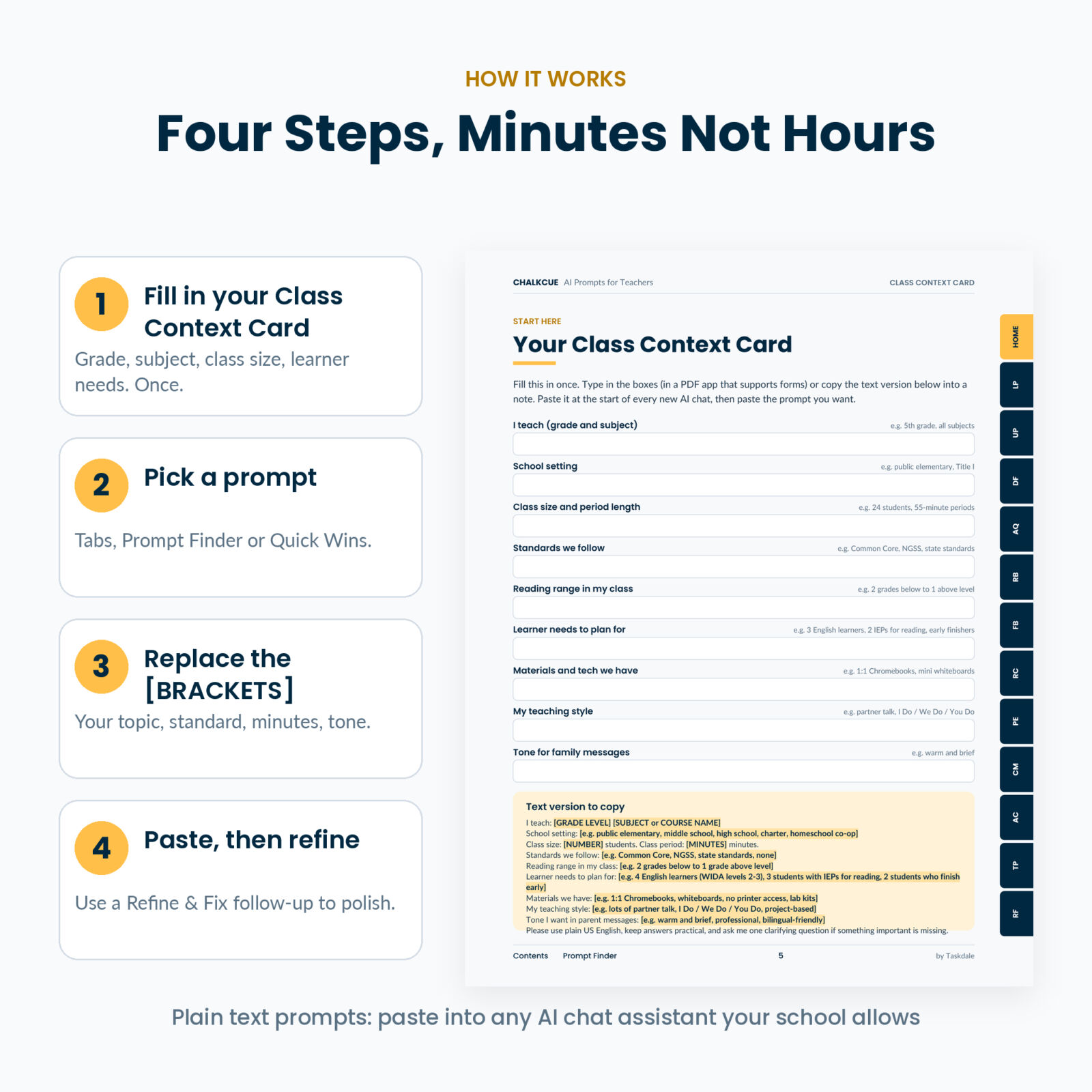
- Class Context Card: describe your grade, class size, learner needs and tone once, paste it at the start of a chat, and every prompt gets sharper answers. Fillable in the PDF with a copyable text version.
- Highlighted placeholders: every blank stands out, so nothing gets missed.
- “Then try” follow-ups: many prompts include the next step to take the answer further.
- Prompt Finder: all 236 prompts with codes and page numbers, every line clickable.
- Quick Wins page: the eight prompts that save the most time, one tap away.
- 6 worked examples: real filled-in prompts and the answers they produced during testing.
- When the Answer Is Off: a table matching common problems to the follow-up that fixes them.
- Smart and Safe AI Use: eight habits for student privacy and accuracy. Prompts use [STUDENT] and student codes instead of names.
- Build Your Own Prompt: a fillable worksheet using the Role, Context, Task, Format, Limits formula, plus My Prompt Notes pages.
What Is Included
- Chalkcue Prompt Book PDF, US Letter (91 pages) with side tabs, clickable contents, bookmarks and fillable pages
- Chalkcue Prompt Book PDF, A4 (87 pages), same content
- Editable Prompt Library (Word DOCX) with every prompt as editable text
- User Guide (Word DOCX) with setup steps, tips, troubleshooting and FAQ
How It Works
- Fill in your Class Context Card once.
- Find a prompt with the tabs, the Prompt Finder or Quick Wins.
- Replace each highlighted [PLACEHOLDER] with your details.
- Paste it into your AI chat assistant, read the answer, and use a Refine & Fix follow-up if it needs work.
File Formats and Software
PDF files open in any PDF reader. For clickable links and typing in the fillable boxes, use a PDF app that supports forms, such as Adobe Acrobat Reader. The DOCX files open in Microsoft Word and in Google Docs (upload to Google Drive and open with Google Docs). The prompts are plain text, so they paste into any AI chat assistant, such as ChatGPT, Gemini, Claude or Copilot. Answers differ a little from tool to tool, so always read and check them. Chalkcue is an independent product and is not affiliated with any AI company.
Customizing
Every prompt in the Word library can be edited. Swap [UNIT] for [MODULE], add your school’s lesson plan headings to the district-template prompt, or save your filled-in newsletter prompt so it takes seconds next week. The prompts are undated and work for any grade from kindergarten to 12th grade.
Real Ways Teachers Use It
- Sunday planning: turn next week’s standards into three lesson drafts before dinner.
- Report card week: draft 28 personal comments from your quick notes, then make them sound less repetitive.
- After a tough email: get a calm, factual reply draft instead of typing while frustrated.
- Mixed-ability class: rewrite one science text at three reading levels with the same discussion questions.
- Sick at 9 p.m.: build a full day of sub plans from your schedule.
Digital Download
This is an instant digital download. Nothing is shipped. Your files are available right after checkout from your order confirmation and your account.
FAQ
Which AI tool do I need?
Any AI chat assistant your school allows. The prompts are plain text and work in free plans too.
Are these just ChatGPT prompts for teachers?
They work in ChatGPT and in other AI chat assistants. They are written to be tool-neutral.
Does it work for my grade and subject?
Yes. Every prompt has [GRADE LEVEL] and [SUBJECT] or [TOPIC] placeholders, from kindergarten to 12th grade.
Is it safe to use with student information?
The prompts are built to avoid student names and private records. Follow your school’s AI and privacy policy.
Can I copy the prompts easily?
Yes. The editable Word library gives clean text with no stray line breaks.
Can I print it?
Yes, on US Letter or A4 paper.
Can I share it with my team?
The license is for one teacher. You can share the lessons and materials you create with it. Colleagues can get their own copy.
License
Personal use for one teacher. You may not share, resell or distribute the files or the prompt text.
Reviews
There are no reviews yet.