


An OKR template spreadsheet that runs your whole quarter
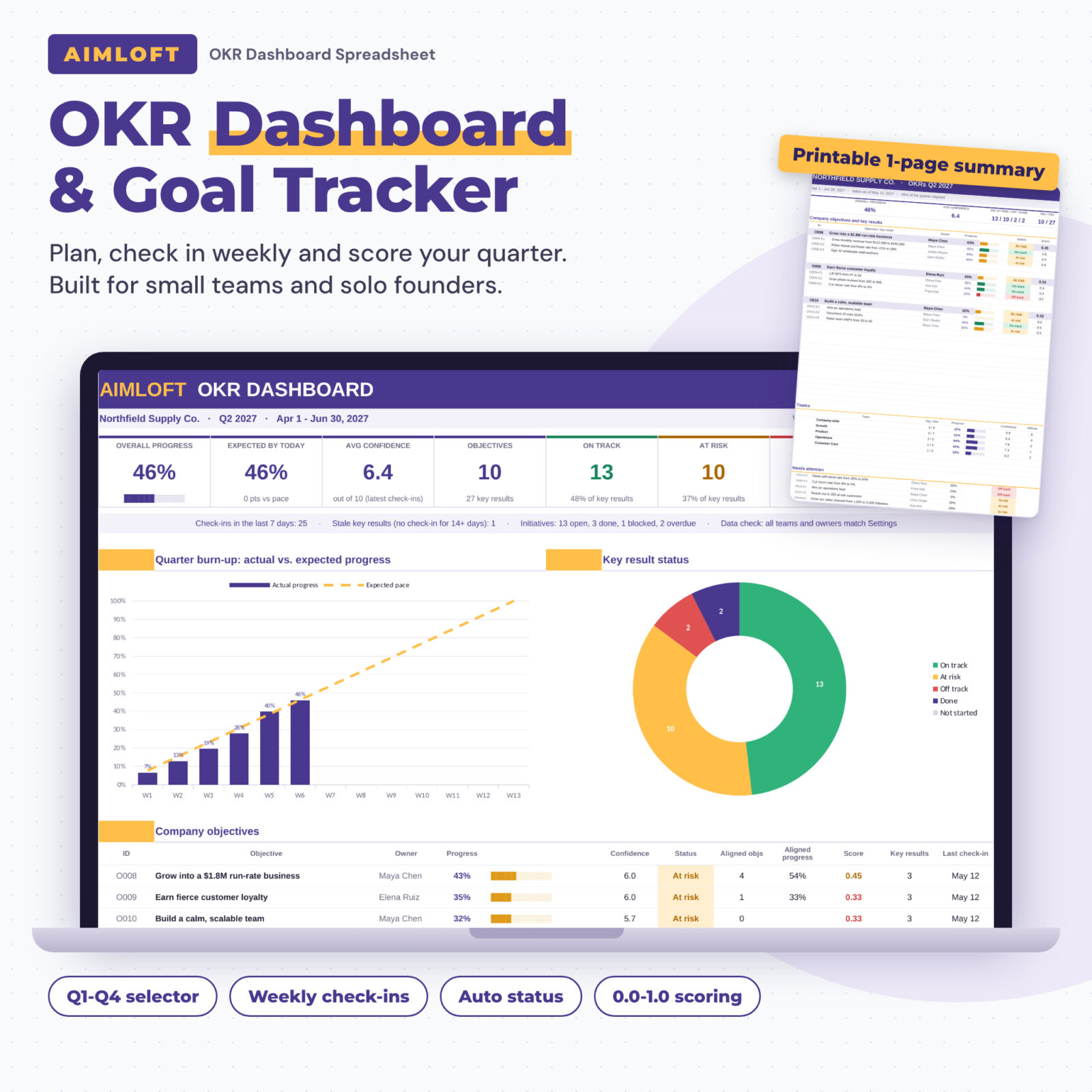
The Aimloft OKR Dashboard is an OKR template spreadsheet for small teams, startups and solo founders who want the focus of objectives and key results without paying for OKR software. You write your OKRs once, add a short check-in each week, and the workbook calculates progress, pace, confidence and status, draws the charts and builds a one-page summary you can print or share.
Most OKR templates are a list of goals with a percent column. Aimloft keeps the history of every check-in, links company, team and individual objectives, and tells you which key results need attention before the quarter is gone.
What you can do with it
- Plan aligned OKRs. 150 objective blocks with up to 5 key results each. Set the quarter, level (company, team or individual), team, owner and the objective it aligns to.
- Measure any kind of key result. Metric (start to target, up or down), Milestone % or Yes / No. Optional weights decide how much each key result counts toward its objective.
- Check in weekly. Log a value, a confidence score from 1 to 10, a note and any blockers. The latest check-in drives current value, progress, confidence and status, and the full history stays in the log.
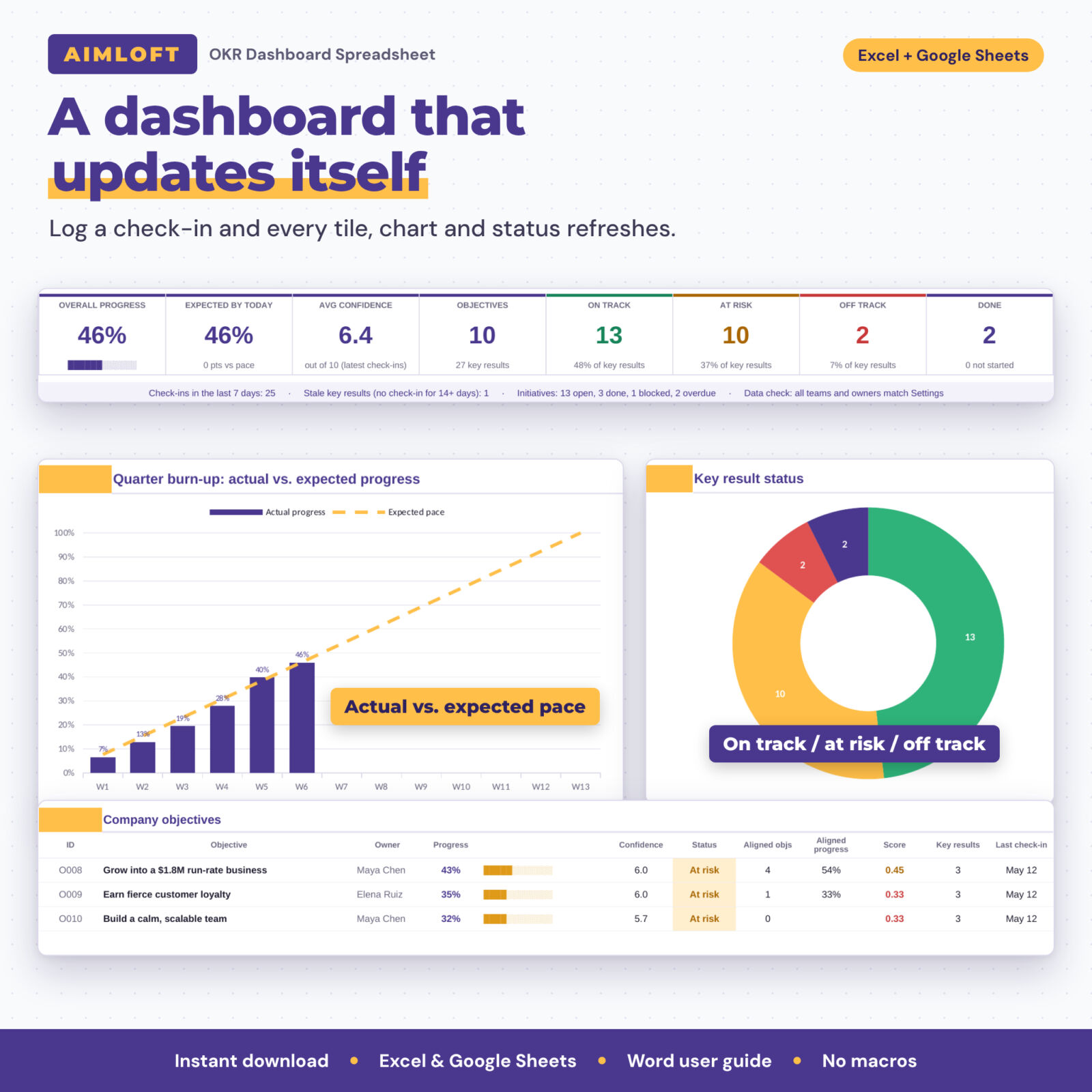
- See status automatically. On track, at risk or off track comes from your latest confidence, or from pace (progress vs. time elapsed) when there is no confidence yet. You can override any status.
- Switch quarters in one click. A Q1-Q4 selector drives the dashboard, views, dropdowns and the printable summary.
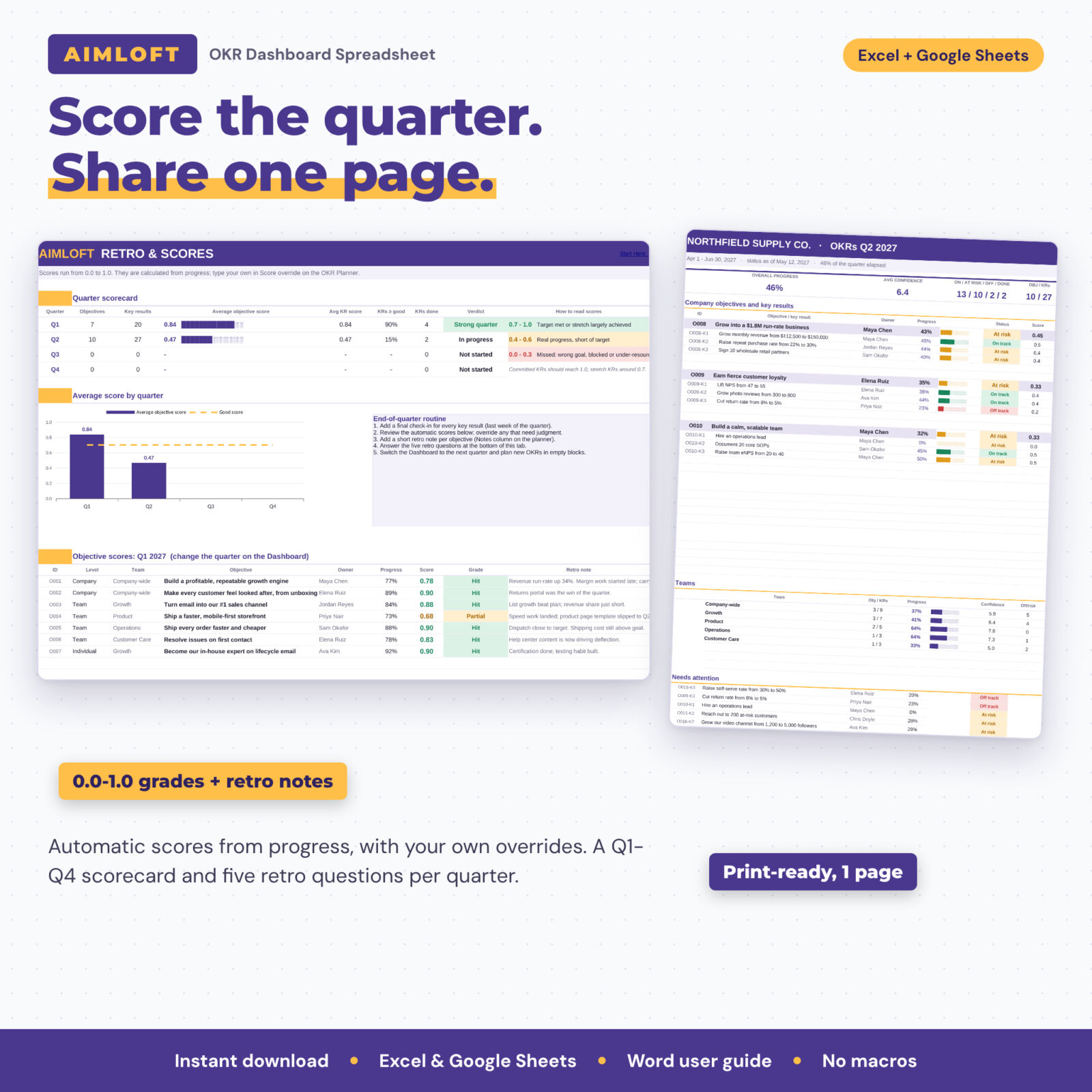
- Score and reflect. Automatic 0.0-1.0 scores with overrides, a scorecard for all four quarters and a retro section with five questions per quarter.
Features
OKR dashboard
Eight tiles (overall progress, expected progress by today, average confidence, objectives, and key results on track, at risk, off track and done), an activity line with check-ins in the last 7 days, stale key results and initiative health, plus four charts: a quarter burn-up of actual vs. expected progress, a key result status donut, progress by level and average confidence by week. Tables show company objectives with aligned progress, every team and the eight key results that need attention most.
Team View and Owner View
Team View lays out a team’s (or the company’s) objectives as OKR cards with progress bars, confidence, status and scores. Owner View lists everything one person owns this quarter, including open initiatives, so 1:1s take minutes.
Initiatives linked to key results
Track the projects behind each key result with owner, dates, status and % complete. Health flags overdue and blocked work, and the planner shows how many initiatives support each key result.
Retro, scores and a one-page summary
Grade each objective at quarter end, compare quarters on a chart and capture lessons. The One-Page Summary prints the quarter’s headline numbers, company OKRs, teams and risks on a single page.
OKR writing guide
A built-in guide explains objectives, key results and initiatives, the confidence and scoring scales, a weekly check-in agenda, retro questions, weak vs. strong examples and sample OKRs for 8 teams (solo founder, sales, marketing, product, support, operations, people and finance).
Who it is for
- Startups and small businesses with 2 to about 40 people
- Solo founders, freelancers and creators who plan by the quarter
- Team leads who run a weekly OKR review and report up to leadership
- Agencies, nonprofits and departments inside larger companies that want a simple OKR tracker spreadsheet
Real situations where it helps
- A 12-person online shop sets three company objectives and lets each team align its own, then reviews the dashboard every Monday.
- A solo founder tracks a launch quarter: waitlist sign-ups, pre-orders and customer interviews, with a confidence score each Friday.
- A head of sales prints the One-Page Summary for the monthly all-hands and uses Owner View in 1:1s.
- A team runs its end-of-quarter retro straight from the scores and notes, then plans the next quarter in empty blocks.
How it works
- Enter your company name, year, currency, teams and people on Settings.
- Pick the quarter on the Dashboard.
- Write objectives and key results on the OKR Planner.
- Add check-ins every week. Everything else updates on its own.
- At quarter end, review scores, write the retro and move to the next quarter.
What’s included
- Aimloft-OKR-Dashboard-Goal-Tracker.xlsx: 11 tabs (Start Here, Dashboard, OKR Planner, Check-ins, Initiatives, Team View, Owner View, Retro & Scores, One-Page Summary, OKR Guide, Settings)
- Aimloft-User-Guide.docx: an 18-page Word guide with screenshots, tips, troubleshooting and FAQ
The workbook arrives clean, ready for your own OKRs. Capacity: 150 objectives with 5 key results each per year, 2,000 check-ins, 300 initiatives, 10 teams and 40 owners.
File formats and software requirements
Excel .xlsx file for Microsoft Excel 2016 or later (Windows and Mac) and Microsoft 365, and for Google Sheets (upload to Google Drive and open). It uses no macros, no add-ins and no Microsoft 365-only functions. The user guide is a Word .docx file that also opens in Google Docs and Pages. A computer is recommended for setup; check-ins also work in the Google Sheets app.
Customization
Choose your currency symbol, the month your year starts (for fiscal years), the confidence and pace thresholds behind each status, the stale-check window and the score you count as a success. Formula cells are protected without a password, so you can unprotect any sheet to change colors or layout.
Digital download
This is a digital product. You get the files right after purchase; nothing is shipped.
FAQ
Does this OKR template work in Google Sheets?
Yes. Upload the .xlsx file to Google Drive and open it in Google Sheets. Formulas, dropdowns, colors and charts carry over.
Do I need Microsoft 365?
No. It works in Excel 2016 or later and uses only standard functions. No macros.
Can I track company, team and individual OKRs?
Yes. Each objective has a level, a team and an Aligns to field, and the dashboard rolls up aligned progress under each company objective.
How is OKR progress calculated?
Metric key results use (current – start) / (target – start). Milestones use the percent you report and yes/no key results are 0% or 100%. Objective progress is the weighted average of its key results.
How does OKR scoring work?
Each key result gets a 0.0-1.0 score from its progress, rounded to 0.1, which you can override. Around 0.7 is a good result for a stretch goal.
Is it good for a solo founder?
Yes. Use the Company-wide team and Individual level for your own OKRs; the check-ins, charts and retro work the same.
Can I use my own currency?
Yes. Set the currency symbol once on Settings and every currency key result follows it.
Can I share it with my team?
You can use it within your own business. In Google Sheets, share the file with your team so everyone can log check-ins. You may not resell or redistribute the files.
Reviews
There are no reviews yet.