

Architect Resume Template for Word, Built for Firms That Read Drawings
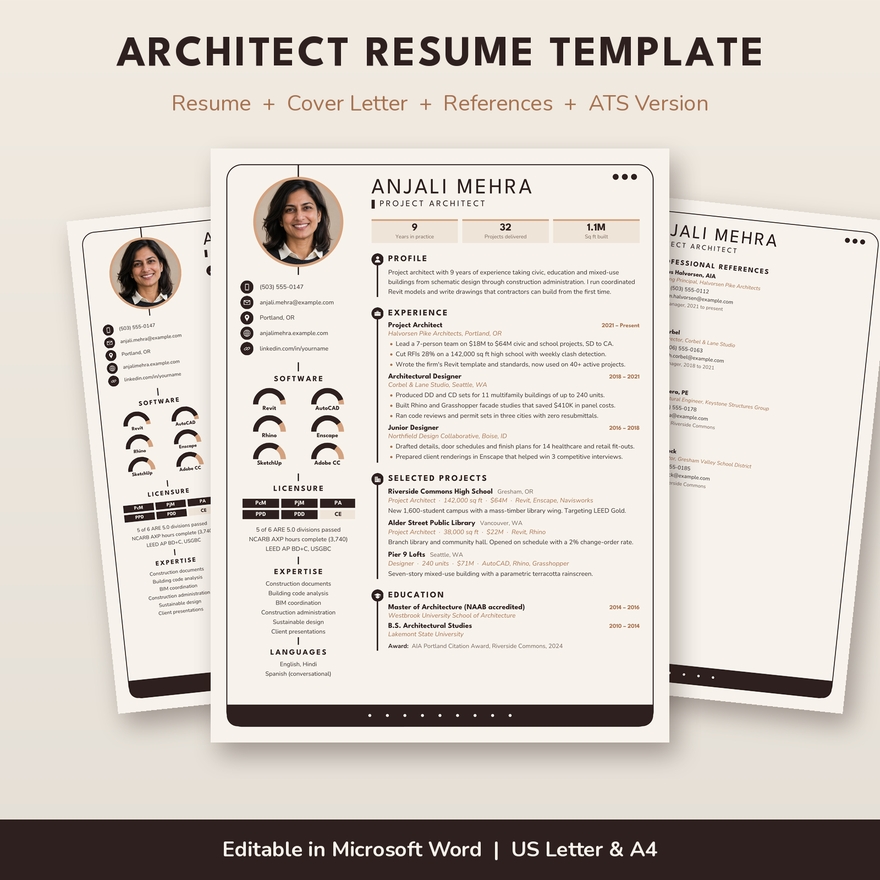
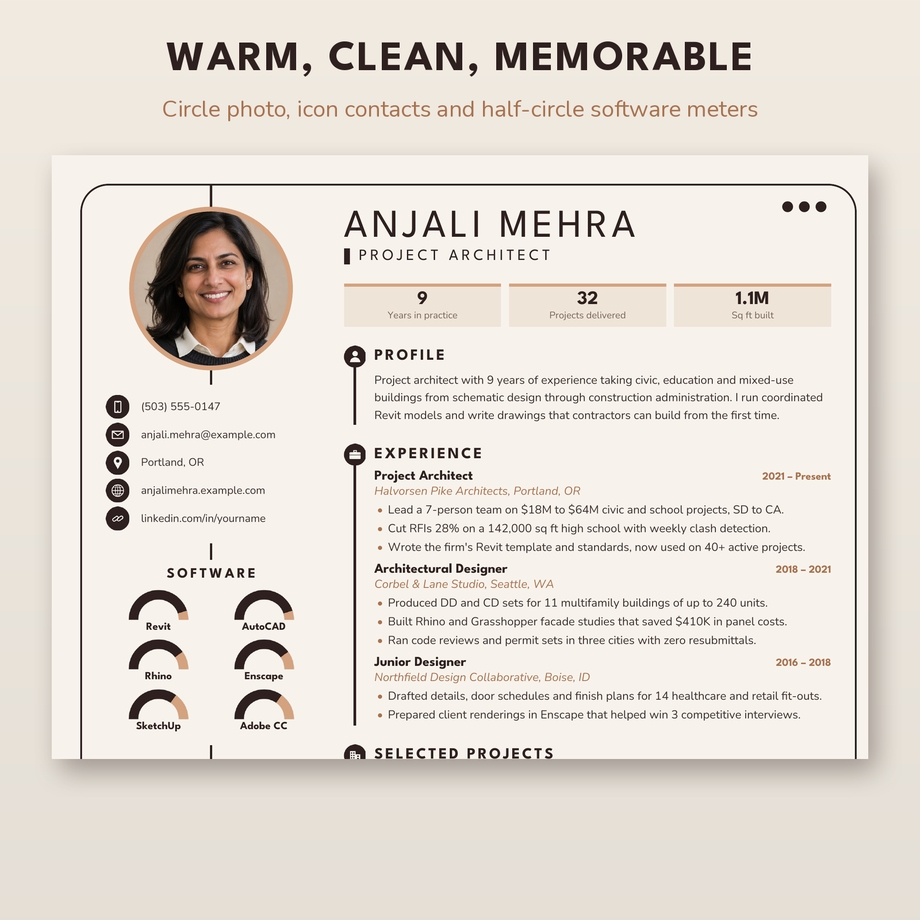
Sandstone is an architect resume template for Word with a calm, crafted look: a warm cream page, a dark brown rounded frame, a circle photo with a sand ring and an icon contact column. It is made for project architects, designers and architects in training who want a resume that looks considered without shouting. Everything opens in Microsoft Word, so you can edit it tonight and send a PDF tomorrow morning.
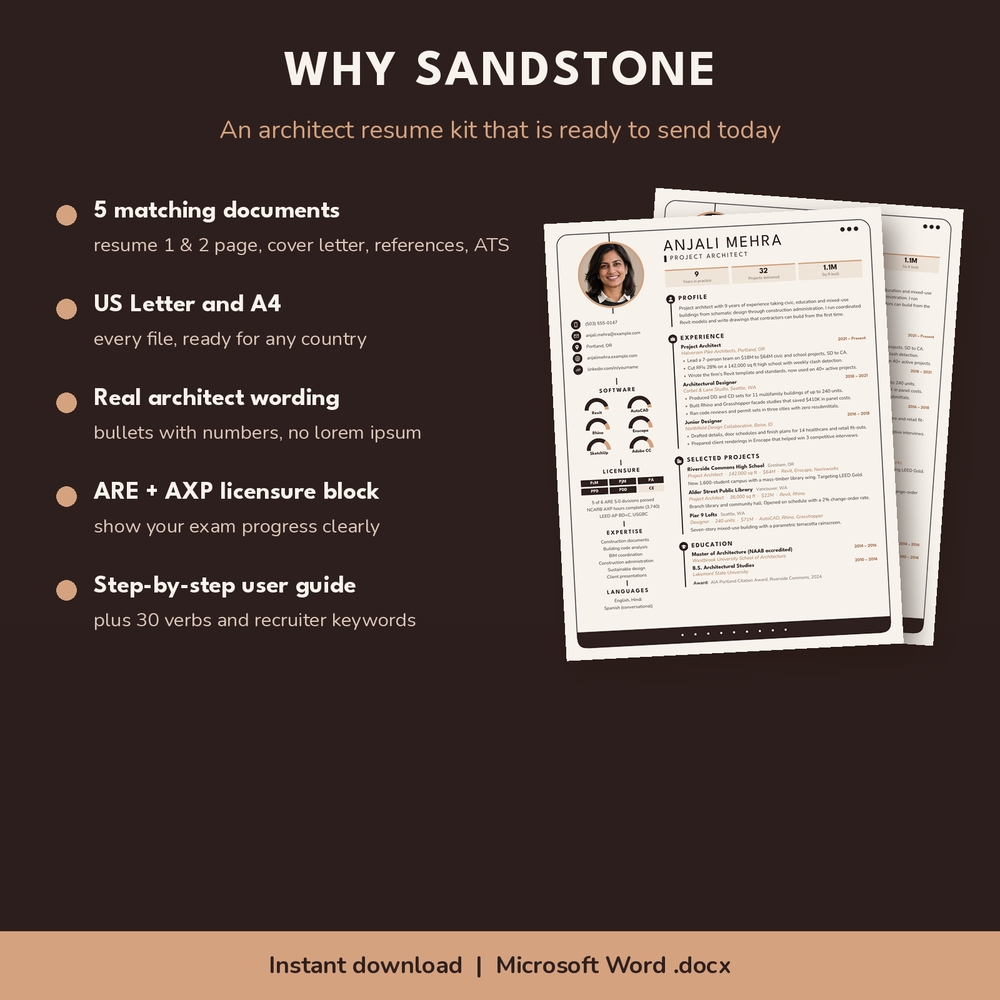
The kit gives you five matching documents in US Letter and A4: a 1-page resume, a 2-page resume, a cover letter, a references page and an ATS-friendly plain resume. That is 10 editable .docx files, plus a 7-page user guide with an architect resume cheat sheet.
Why this architect resume template stands out
Most resume templates were designed for marketing jobs and then renamed. This one was planned around what a hiring principal looks for in an architecture resume.
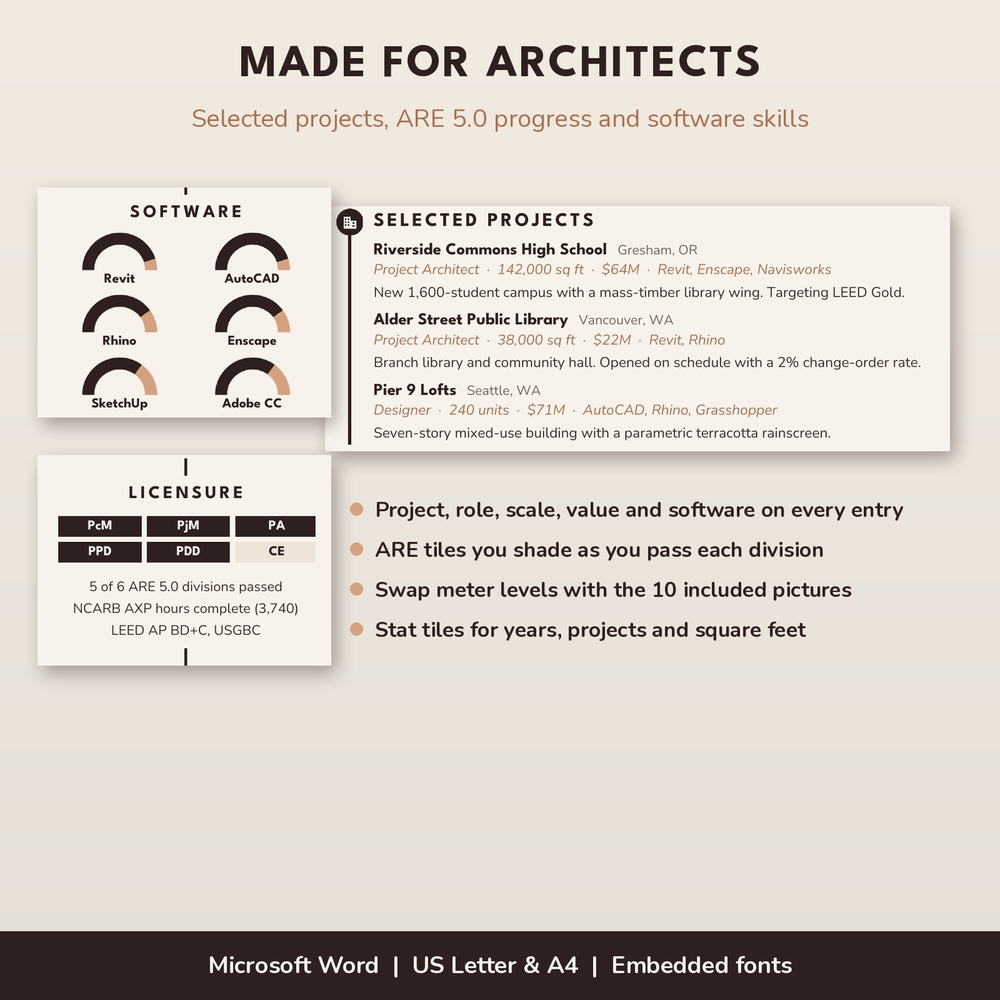
- Selected Projects section. Each entry shows the project, city, your role, scale in square feet or units, construction value and the software you used, with one line of context.
- ARE 5.0 progress tiles. Six tiles for PcM, PjM, PA, PPD, PDD and CE. Shade a tile dark as you pass each division. Lines for AXP hours and LEED credentials sit right below.
- Half-circle software meters. Show your level in Revit, AutoCAD, Rhino, SketchUp, Enscape or Adobe CC. Ten meter pictures from 10% to 100% are included, so changing a level takes one right-click.
- Stat tiles under your name. Three quick facts such as years in practice, projects delivered and square feet built.
- Real sample wording. Bullets like “Cut RFIs 28% on a 142,000 sq ft high school with weekly clash detection” show you how to write results, not duties. No lorem ipsum anywhere.
What is included
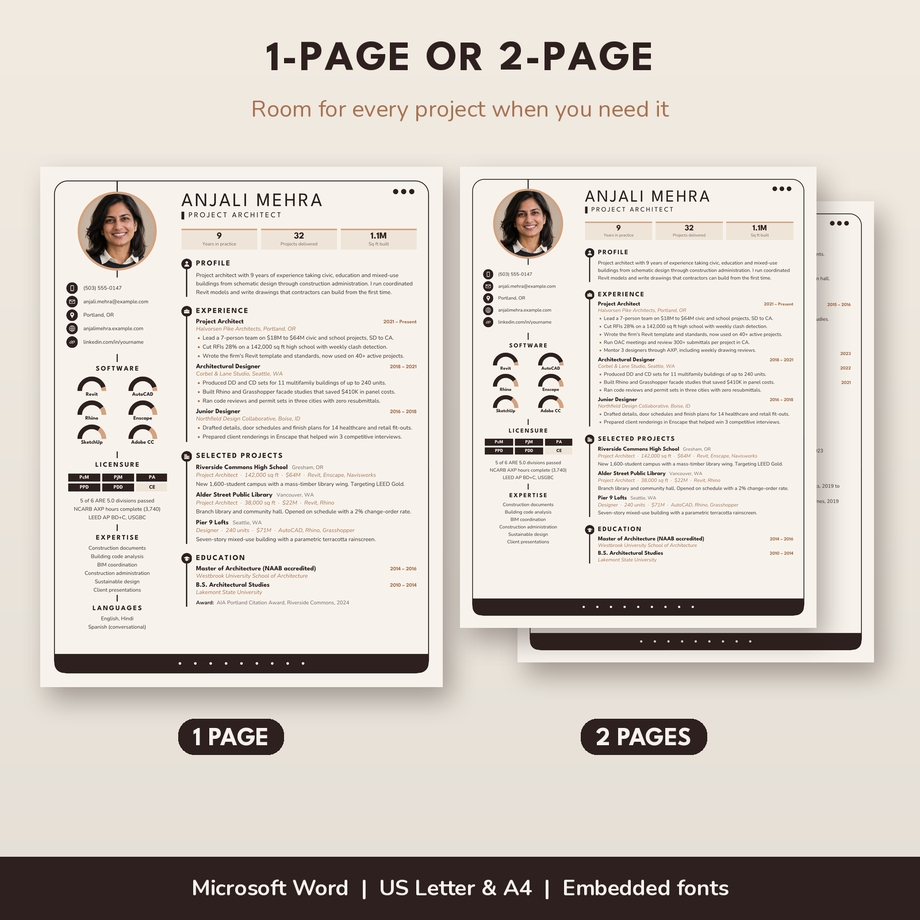
- Architect resume, 1 page (US Letter and A4)
- Architect resume, 2 pages, with room for more projects, early experience, certifications, awards, talks and volunteering (US Letter and A4)
- Matching cover letter with a sample letter for a senior project architect role (US Letter and A4)
- Matching references page with four reference blocks (US Letter and A4)
- ATS-friendly plain resume: single column, no photo, no tables (US Letter and A4)
- Fonts folder: League Spartan and Nunito, free under the SIL Open Font License
- Skill-Meters folder: 10 half-circle meter pictures
- User guide (DOCX, separate download) with setup steps, troubleshooting, FAQ and an architect resume cheat sheet: a bullet formula, 30 action verbs and the keywords firms search for
How the architect resume template for Word works
- Download the zip and the user guide, then unzip the kit.
- Open the US-Letter or A4 folder and open the 1-page resume in Microsoft Word.
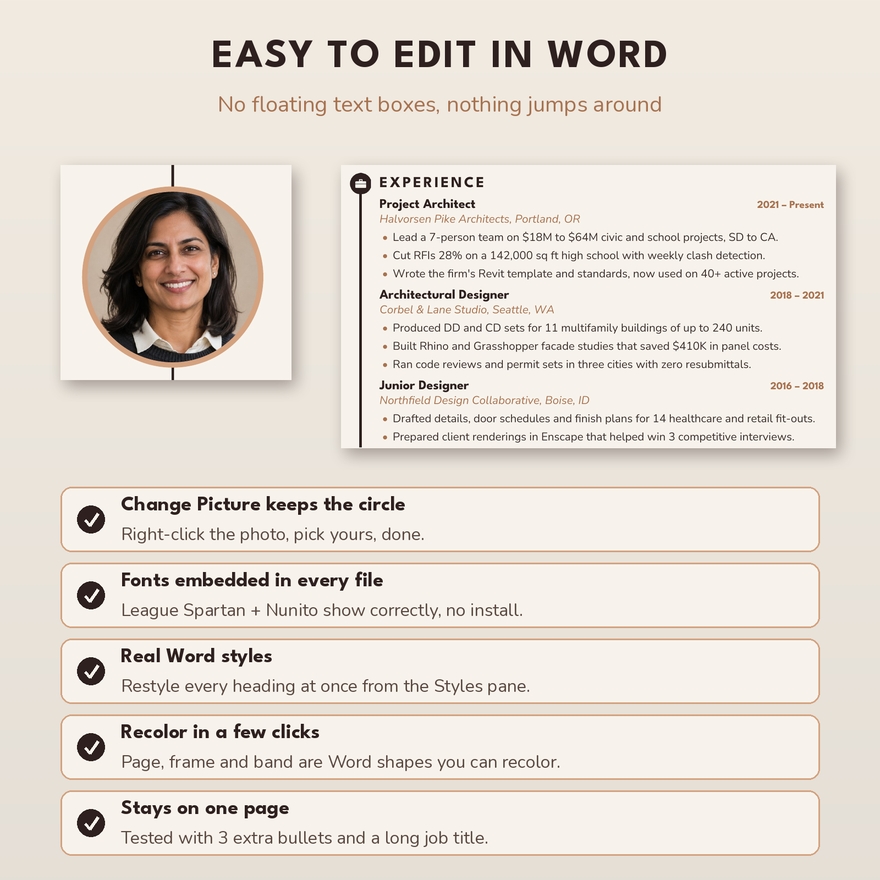
- Click any line and type over the sample text. Headings, bullets and dates keep their style.
- Right-click the photo, choose Change Picture and pick your own. The circle crop stays.
- Save as PDF and send it with the matching cover letter.
Built so nothing breaks while you edit
Buyers of Word resume templates often complain about text boxes that slide around, fonts that swap on a new computer and photos that lose their shape. Sandstone avoids all three. Columns are Word tables, not floating text boxes, so the layout holds when you add a line. The fonts are embedded in every file. The photo is a circle-cropped picture, so Change Picture keeps the round frame. We tested the 1-page resume with three extra bullets and a two-line job title, and it still fit on one page.
Customization
Every heading and paragraph uses a real Word style (Title, Subtitle, Heading 1, Heading 2, Heading 3, List Bullet, Normal), so you can restyle the whole resume from the Styles pane in seconds. The cream page, the frame, the bottom band and the dots are Word shapes in the header. Click one and use Shape Fill to change its color. Section bars are table borders, and the ARE tiles are table cells you can shade. The guide lists the exact Sandstone colors if you want to match them in a portfolio.
File formats and software requirements
- Format: Microsoft Word .docx (10 files in one zip, plus the DOCX guide)
- Paper sizes: US Letter 8.5 x 11 in and A4 210 x 297 mm
- Software: Microsoft Word 2016 or newer, or Microsoft 365, on Windows or Mac
- Google Docs and Apple Pages can open the files with minor layout differences. For the cleanest PDF, export from Word.
Digital download
This is a digital product. Nothing is shipped. After checkout you get two downloads: the resume kit zip and the user guide. The sample photo is AI generated and shows a fictional person, and every name, firm and school is made up. License: personal use only, no resale or sharing of the template files.
Who uses this architecture resume
- A project architect applying to a larger firm, who wants three built projects to carry the page.
- An architect in training with four ARE divisions passed, who wants that progress visible at a glance.
- A recent M.Arch graduate who swaps Selected Projects for studio and thesis work and uses the 1-page version.
- A licensed architect moving to a client-side or owner’s rep role, who sends the ATS plain resume through an online portal.
- A designer relocating from the UK or Australia to a US firm, who needs both A4 and US Letter.
FAQ
Is this architect resume template editable in Microsoft Word?
Yes. Every file is a .docx made for Word 2016 or newer and Microsoft 365, on Windows and Mac.
Do I need to install fonts?
No. League Spartan and Nunito are embedded in each file. A Fonts folder is included as a backup.
Is the resume ATS friendly?
The designed files keep all text in normal Word text, with no text boxes. For online portals, use the ATS plain version, which has the same wording in one column.
Can I remove the photo?
Yes. Click it and press Delete, or send the ATS plain version, which has no photo.
Can I use it before I am licensed?
Yes. The ARE tiles and AXP line are there for architects in training. Once you are licensed, replace them with your license state and number.
Does it work in Google Docs or Pages?
The files open there, with minor layout differences. For the best result, edit and export your PDF in Word.
Can I change the colors?
Yes. The page, frame and band are Word shapes, and text colors live in the styles. The guide walks you through it.
Reviews
There are no reviews yet.